

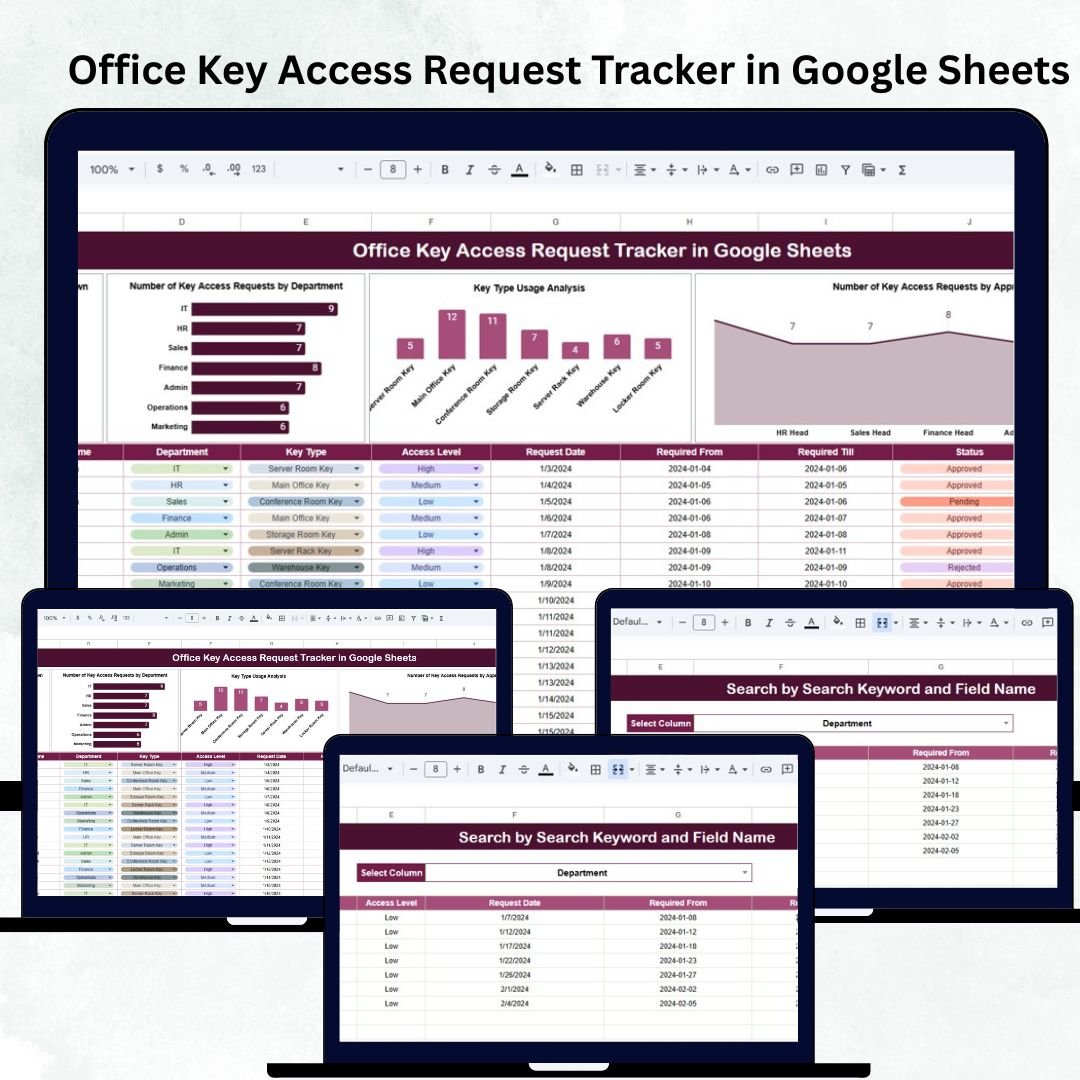

Managing who has access to office keys is one of the most important aspects of workplace security. Whether it’s a cabinet key, storage room key, server-room key, or main-door access, organizations must track every request to ensure transparency, safety, and controlled movement. The Office Key Access Request Tracker in Google Sheets is a ready-to-use, automated management tool designed to help HR, Facilities, Admin, and Security teams efficiently handle access requests from employees. 🔐📋
This smart tracker consolidates all key-related requests — from submission and approval to issuance and return — into a clean, interactive Google Sheets dashboard. With built-in formulas, dynamic charts, and a powerful search engine, it becomes effortless to review who requested which key, why they need it, and whether the access has been approved or returned. This ensures seamless office operations with stronger security compliance. 🛡️✨
🔑 Key Features of Office Key Access Request Tracker in Google Sheets
📊 Tracker Sheet Tab (Main Dashboard View)
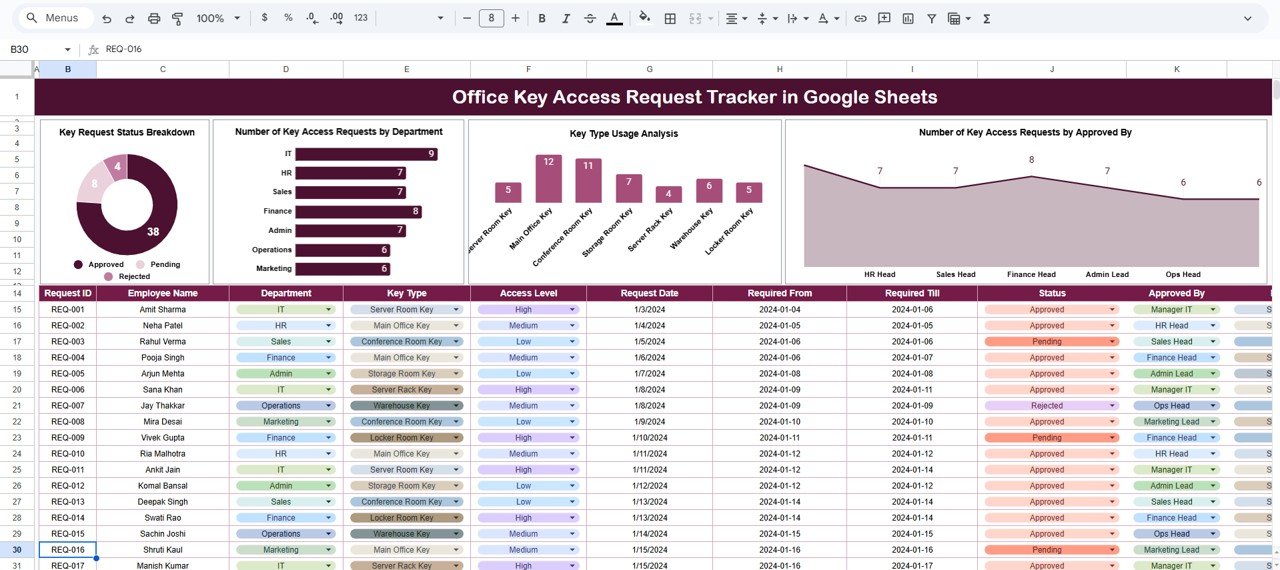
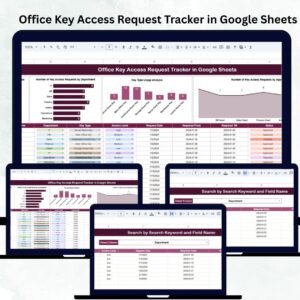
This sheet acts as the central monitoring system, offering visual insights into key access patterns. The dynamic charts update automatically as you add new records, making it easy to monitor overall access activity in real time.
✔ Key Request Status Breakdown
Visualizes the number of requests categorized as Pending, Approved, Rejected, and Returned. This helps you instantly identify backlog, workload, and security risks.
✔ Key Access Requests by Department
Shows which departments (HR, IT, Operations, Finance, Marketing, etc.) are requesting keys frequently. A helpful way to identify unusual or high-volume access behavior.
✔ Key Type Usage Analysis
Displays the number of requests for each key type (Main Door, Storage Room, Meeting Room, Server Room, Cabinet Key, etc.). Perfect for understanding high-demand access points.
✔ Key Access Requests by Approved By
Breaks down the number of approvals by authority — Admin Manager, HR Head, Security Officer, or Facility Manager — ensuring clear accountability.
This visual snapshot provides teams with clear decision-ready insights on access control.
📦 What’s Inside the Tracker
The product includes everything needed for complete digital access management:
🔐 Pre-built Google Sheets file
📊 Automated dashboard with dynamic charts
📄 Tracker Sheet for insights
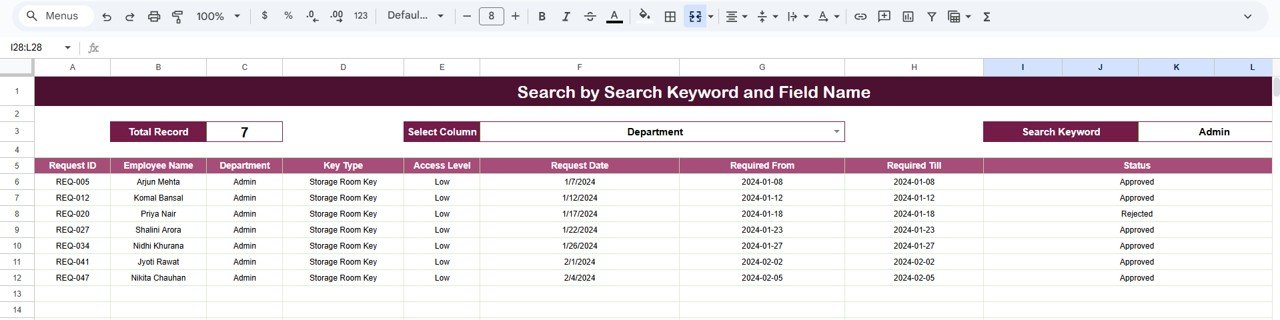
🔍 Search Sheet for quick lookups
🧾 Data Sheet for detailed request records
⚙️ Built-in formulas for automated status tracking
✨ Fully editable and customizable
Everything is designed for smooth and secure office key-access management.
🧪 How to Use the Office Key Access Request Tracker
1️⃣ Enter new requests in the Data Sheet
2️⃣ Update approval status as requests move forward
3️⃣ Monitor charts in the Tracker Sheet for instant insights
4️⃣ Use the Search Tab to find records instantly during audits
5️⃣ Customize fields if you want to track additional key types or locations
With a few entries, the entire dashboard comes to life — helping you manage key movements with complete clarity and security.
🧑💼 Who Can Benefit from This Tracker
✔ HR Teams – Manage access for new hires & leavers
✔ Facility & Admin Departments – Issue & monitor office keys
✔ Security Teams – Identify suspicious or unusual access requests
✔ Office Managers – Ensure streamlined workplace control
✔ Corporate Offices, Warehouses, Retail Stores, IT Offices, Manufacturing Units
If your organization uses physical keys, you need this tracker to avoid misuse and enhance workplace transparency.
⭐ Why This Tracker Is a Must-Have
Maintains a full audit trail of all key requests
Supports compliance during internal & external audits
Highlights abnormal request patterns instantly
Eliminates manual logging and scattered spreadsheets
Promotes accountability for both requesters & approvers
Enhances security by reducing unauthorized access
The Office Key Access Request Tracker in Google Sheets transforms the way organizations handle key security — making it structured, transparent, and fully traceable. 🔐📈
🔗 Click here to read the Detailed blog post
Watch the step-by-step video Demo:
🔗 Visit our YouTube channel to learn step-by-step video tutorials
Compatibility and Requirements
- Works in Google Sheets. You need a free Google account and a web browser.
- Google explains how to build charts like the ones on the Tracker sheet in Add and edit a chart or graph.
Frequently Asked Questions
Which sheets are included?
Three sheets: the Tracker sheet with the charts, a Search sheet for quick lookups and a Data sheet for the detailed request records.
What do the charts show?
The Tracker sheet shows the Key Request Status Breakdown (Pending, Approved, Rejected and Returned), requests by department, requests by key type and requests by the person who approved them.
How do I add a new request?
Enter the request in the Data sheet and update the approval status as it moves forward. The charts on the Tracker sheet update from the data.
How do I find a past request during an audit?
Use the Search sheet to look up a record. The Data sheet keeps the full request history, so you can see who asked for which key and whether it was approved or returned.
Can I track other key types or locations?
Yes. The file is fully editable, so you can customize the fields to cover additional key types or locations.
Is there an Excel version?
Yes. See the Office Key Access Request Tracker in Excel.
Related Access and Request Templates
- Office Key Access Request Tracker in Excel: the same tracker for Excel
- Office Network Access Request Tracker in Google Sheets: log network access requests
- IT System Access Request Tracker in Google Sheets: track requests for system access
- Office Visitor Request Tracker in Google Sheets: log visitor requests
- Google Sheets Business Pack (Pro): 14 business templates in one download
Browse all Google Sheets trackers.
































Reviews
There are no reviews yet.