

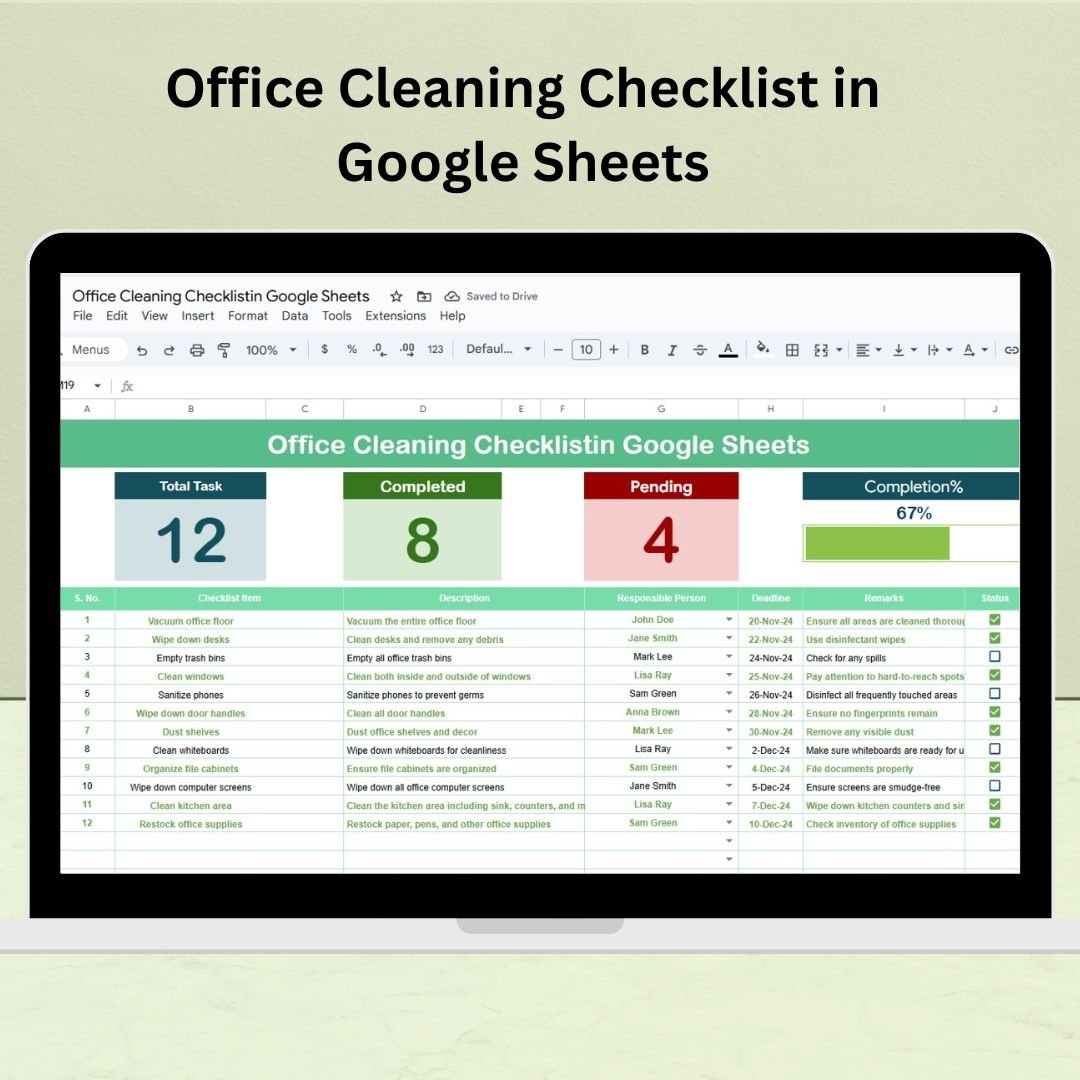


Maintaining a clean and organized office is key to employee productivity and health. The Office Cleaning Checklist in Google Sheets is a powerful, ready-to-use template that helps you plan, assign, and track cleaning tasks with ease. Whether you’re a small business, facilities manager, or cleaning supervisor, this checklist ensures that nothing slips through the cracks.
Designed for real-time use and team collaboration, this digital checklist helps you stay on top of daily, weekly, or monthly cleaning activities in a simple and efficient way.
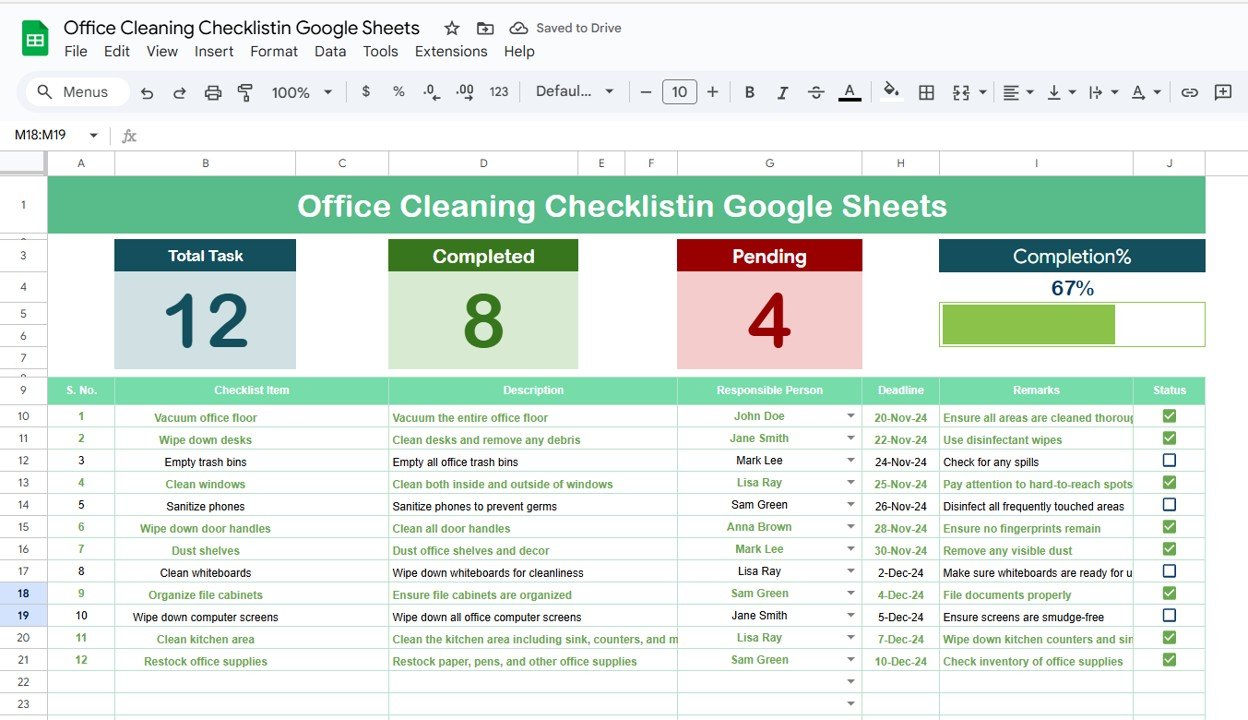
📋 Key Features of the Office Cleaning Checklist Template
✅ Interactive Dashboard at the Top
📊 Total Tasks, Completed, and Pending Counts
📈 Visual Progress Bar – Monitor completion percentage at a glance
Keeps everyone informed and accountable in real-time
🧾 Structured Checklist Table
🔢 Serial No. – Unique ID for every task
🧹 Checklist Item – Short task name (e.g., Clean desks, Sanitize restrooms)
📝 Description – Detailed instructions or standards for the task
👤 Responsible Person – Assign staff via a dropdown menu
📅 Deadline – Ensure timely task completion
💬 Remarks – Add important notes or observations
✔/✘ Status – Mark as completed or pending for each task
📄 List Sheet Tab
Maintain a clean dropdown list of Responsible Persons
Easily assign tasks from the main checklist using linked data
🧰 What’s Inside the Office Cleaning Checklist in Google Sheets
You’ll receive two connected sheets that help streamline your office hygiene routine:
1️⃣ Office Cleaning Checklist Sheet
Your task manager for all cleaning activities
Displays progress visually and organizes responsibilities clearly
2️⃣ List Sheet Tab
Add or update names of cleaning personnel or team leads
Automatically populates the Responsible Person dropdown in the main sheet
This template is built for flexibility—use it for daily, weekly, or monthly cleanings.
🚀 How to Use the Office Cleaning Checklist
📝 Step 1: Add your cleaning tasks in the Checklist Item and Description fields
👤 Step 2: Assign a Responsible Person from the dropdown list
📆 Step 3: Set a deadline for each task
✔️ Step 4: Mark tasks as ✔ (Completed) or ✘ (Pending) as progress is made
📊 Step 5: Watch the progress bar update in real-time
Simple, intuitive, and customizable for any office size.
👥 Who Can Use This Cleaning Checklist?
🏢 Office Managers – Maintain workplace cleanliness with confidence
🧽 Cleaning Teams – Organize and track task completion efficiently
🏬 Facility Management Firms – Scale cleaning operations across locations
👨💼 Startup Founders & Small Businesses – Stay organized without additional software
🏫 Educational or Government Offices – Ensure hygiene in shared spaces
If you manage a workspace, this tool helps keep it spotless and structured.
💡 Why You’ll Love This Google Sheets Template
✅ Fully editable & user-friendly
✅ Built for real-time task tracking
✅ Ideal for one-time or recurring checklists
✅ Automates task assignment with dropdowns
✅ Helps prevent missed or overdue cleaning tasks
✅ No special software required—just Google Sheets
✅ Scalable for large teams or multi-location operations
Keep your office clean. Keep your staff healthy. And do it all with one smart checklist.
🔁 Click here to read the Detailed blog post
Click here to read the Detailed blog post
Watch the step-by-step video Demo:
🎥 Visit our YouTube channel to learn step-by-step video tutorials
Youtube.com/@NeotechNavigators
Compatibility and Requirements
- Works in Google Sheets. You need a free Google account and a web browser.
- You pick the Responsible Person for each task from a dropdown that reads from the List sheet. Google explains dropdowns in Create an in-cell dropdown list.
Frequently Asked Questions
How many sheets does the template have?
Two sheets: the Office Cleaning Checklist sheet and the List sheet.
How do I add a person to the Responsible Person dropdown?
Add or update the name on the List sheet. The Responsible Person dropdown on the main checklist reads from that list.
What does each task row contain?
Each row has a serial number, a checklist item, a description, a responsible person, a deadline, remarks and a status marked as completed or pending.
Can I see how many tasks are done?
Yes. The dashboard at the top of the checklist shows total, completed and pending task counts, plus a progress bar that updates as you mark tasks.
Is there an Excel version?
Yes. See the Office Cleaning Checklist in Excel.
Related Cleaning and Office Templates
- Office Cleaning Checklist in Excel: the same checklist in Excel
- Office Cleaning Request Tracker in Google Sheets: log and follow up cleaning requests
- Office Cleaning Feedback Tracker in Google Sheets: record feedback on cleaning work
- Project Management Checklist in Google Sheets: another task checklist in Google Sheets
- Checklist & SOP Pack: 12 checklist templates in one download
Browse all Google Sheets checklists.

































Reviews
There are no reviews yet.