



In the fast-paced world of medical device manufacturing, success depends on precision, quality, and compliance. From production yield to downtime analysis, every metric matters. That’s where the Medical Equipment Manufacturing KPI Dashboard in Power BI from NextGenTemplates.com comes in — a powerful, ready-to-use analytics solution designed for manufacturers who want complete visibility and control over their operations.
Built entirely in Microsoft Power BI, this interactive dashboard turns your Excel data into real-time visual insights. It empowers production managers, quality teams, and executives to track KPIs, monitor performance, and make informed, data-driven decisions — all in one place.
With automated visuals, MTD & YTD comparisons, and conditional formatting, this dashboard transforms complex manufacturing data into actionable intelligence for improving efficiency, safety, and profitability.
⚙️ Key Features of the Medical Equipment Manufacturing KPI Dashboard in Power BI
📊 3 Interactive Pages: Summary | KPI Trend | KPI Definition
📅 MTD & YTD Tracking: Analyze short-term and long-term performance at a glance.
🎯 Target vs Actual Comparison: Instantly identify KPIs that hit or miss targets.
📈 Dynamic Slicers: Filter by month or KPI group (Production, Quality, Maintenance).
🧮 Automated Formulas: Calculate variance, trends, and achievement % instantly.
💡 Color Indicators: Green ▲ for achieved targets and red ▼ for missed ones.
📘 Excel Integration: Updates automatically when Excel data changes.
🔍 Drill-Through Navigation: Click KPIs for detailed trend and definition analysis.
💻 No Coding Needed: 100% Power BI-based, intuitive, and customizable.
🏭 What’s Inside the Dashboard
📋 1️⃣ Summary Page – The Command Center
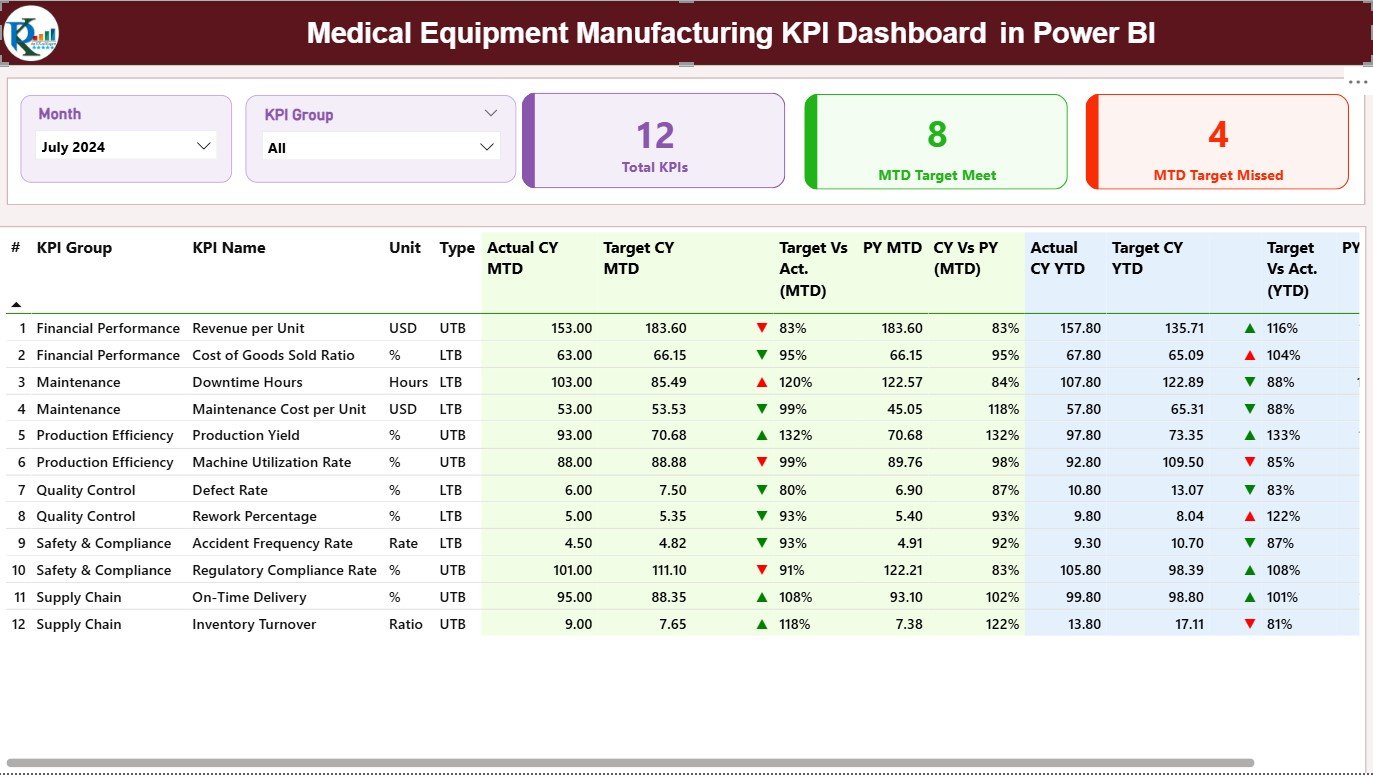
Your central control panel for monitoring all key manufacturing KPIs in one view.
Includes:
Slicers: Filter by month or KPI group dynamically.
KPI Cards:
Total KPIs Count
MTD Target Met Count
MTD Target Missed Count
KPI Table with Details:
KPI Number | KPI Group | KPI Name | Unit | Type (LTB/UTB) | MTD & YTD Actual vs Target | Icons | Variance % | CY vs PY
💡 Purpose: Provide top-level visibility across production, quality, and compliance — perfect for management dashboards or board reviews.
📈 2️⃣ KPI Trend Page – Visualize Performance Over Time
Analyze performance progress and spot trends for individual KPIs.
Features:
Slicer to select KPI Name.
Dual Combo Charts:
MTD Actual vs Target vs PY
YTD Actual vs Target vs PY
Visuals highlight growth, seasonality, or irregular patterns in performance.
💡 Purpose: Discover what’s driving improvement and where operational issues are recurring.
📘 3️⃣ KPI Definition Page – Detailed Drill-Through Insights
This hidden page allows users to access deeper context for each KPI.
Displays:
KPI Formula
KPI Definition / Description
Type (LTB or UTB)
Back Button for easy return to Summary Page
💡 Purpose: Provide KPI clarity for decision-makers and ensure transparent reporting.
📊 Excel Integration – The Data Backbone
The dashboard connects seamlessly to an Excel workbook with three structured sheets:
📄 Input_Actual Sheet:
Columns: KPI Name | Month | MTD Value | YTD Value
📄 Input_Target Sheet:
Columns: KPI Name | Month | MTD Target | YTD Target
📄 KPI Definition Sheet:
Columns: KPI Number | KPI Group | KPI Name | Unit | Formula | Definition | Type
💡 Benefit: Any data updates in Excel automatically refresh visuals in Power BI — ensuring live, accurate insights.
🌟 Advantages of the Medical Equipment Manufacturing KPI Dashboard
✅ Centralized Monitoring: Access production, quality, and compliance KPIs in one place.
📈 Real-Time Insights: Instantly view performance trends using live Power BI visuals.
💡 Better Decision-Making: Identify underperforming areas through color-coded metrics.
📉 Reduced Manual Reporting: Automate repetitive data preparation tasks.
📊 Comparative Analysis: View Current vs Target and Current vs Previous Year progress.
⚙️ Seamless Integration: Connects easily with Excel, SQL, or ERP systems.
💼 Professional Design: Perfect for management reporting and performance reviews.
💡 Key KPIs to Track
🏭 Production KPIs:
Production Yield (%)
Downtime Hours
Equipment Utilization (%)
🧪 Quality KPIs:
Defect Rate (%)
Rework %
Complaint Resolution Time (Hours)
📦 Supply Chain KPIs:
On-Time Delivery (%)
Vendor Performance (%)
Production Cost per Unit
🛠️ Maintenance KPIs:
Mean Time Between Failures (MTBF)
Mean Time to Repair (MTTR)
💡 All KPIs are fully customizable based on your manufacturing operations.
🧠 Best Practices for Using the Dashboard
📅 Update Actual and Target data monthly in Excel.
🔁 Refresh Power BI visuals regularly for up-to-date insights.
🎨 Use conditional formatting wisely for clarity.
🧩 Maintain consistent KPI definitions across departments.
🔐 Protect sensitive financial or quality data using role-based access.
📊 Schedule periodic dashboard reviews with key stakeholders.
👩💼 Who Can Benefit from This Dashboard
🏭 Production Managers
🧪 Quality Assurance Teams
⚙️ Maintenance Engineers
📦 Supply Chain Managers
💼 Executives and Plant Directors
🧩 Conclusion
The Medical Equipment Manufacturing KPI Dashboard in Power BI is more than just a reporting tool — it’s a complete performance intelligence solution.
By consolidating data across production, quality, and maintenance, it provides real-time insights that empower teams to improve efficiency, compliance, and profitability.
No coding. No complexity. Just powerful analytics, ready to use.
🏥 Measure smarter. Manufacture better. Deliver safer — with NextGen Templates’ Medical Equipment Manufacturing KPI Dashboard in Power BI.
🔗 Click Here to Read the Detailed Blog Post
📺 Visit our YouTube Channel for step-by-step tutorials.
Watch the step-by-step video tutorial:
Compatibility and Requirements
- Works in Power BI Desktop, which is free to download. The data sits in an Excel workbook with the Input_Actual, Input_Target and KPI Definition sheets.
- Microsoft explains how to install it in Get Power BI Desktop.
Frequently Asked Questions
How many pages does the dashboard have?
Three: Summary, KPI Trend and KPI Definition. The KPI Definition page is a hidden drill-through page with a back button to the Summary page.
Where do I enter my data?
In the Excel workbook. Put actual values in the Input_Actual sheet and targets in the Input_Target sheet, then refresh Power BI to update the visuals.
Does it show month-to-date and year-to-date figures?
Yes. The Summary page shows MTD and YTD actuals against targets, with icons, variance % and a comparison with the previous year.
What does the KPI Definition page show?
It shows the formula, the definition and the type (LTB or UTB) for the KPI you select.
Is there an Excel or Google Sheets version?
Yes. See the Medical Equipment Manufacturing KPI Dashboard in Excel, or the Medical Equipment Manufacturing Dashboard in Google Sheets.
Related Manufacturing Templates
- Medical Equipment Manufacturing KPI Dashboard in Excel: the same KPIs in Excel
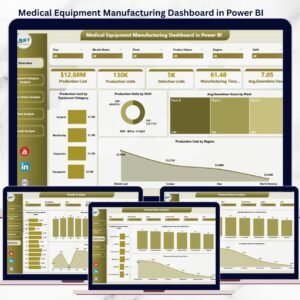
- Medical Equipment Manufacturing Dashboard in Power BI: another Power BI dashboard for the same industry
- Manufacturing Efficiency Dashboard in Power BI: efficiency tracking for any plant
- Medical Equipment Calibration Calendar in Excel: schedule equipment calibration
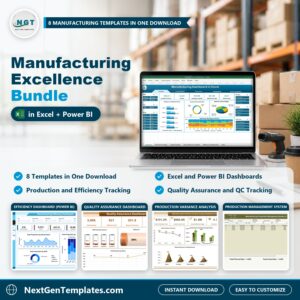
- Manufacturing Excellence Bundle: 8 manufacturing templates in one download
Browse all Power BI KPI dashboards.








Reviews
There are no reviews yet.