


The Pest Control Business KPI Dashboard in Power BI scores 13 pest control KPIs across 10 KPI groups, on 4 report pages, against a month-by-month target you set yourself. The sample model carries 24 months of actuals (Jan 2024 to Dec 2025) and a full 12-month 2025 target line, so every MTD, YTD, prior-year and YoY figure on the page is already populated. Setup takes under 10 minutes: point the query at your own Data.xlsx, press Refresh, and every card, traffic light and chart follows.
🌍 Join 8,400+ teams in 40+ countries using NextGenTemplates to replace paid SaaS tools with one-time-purchase Excel, Google Sheets, Power BI and HTML templates.
✅ Instant download · One-time payment · No subscription · No per-user fees · Lifetime access
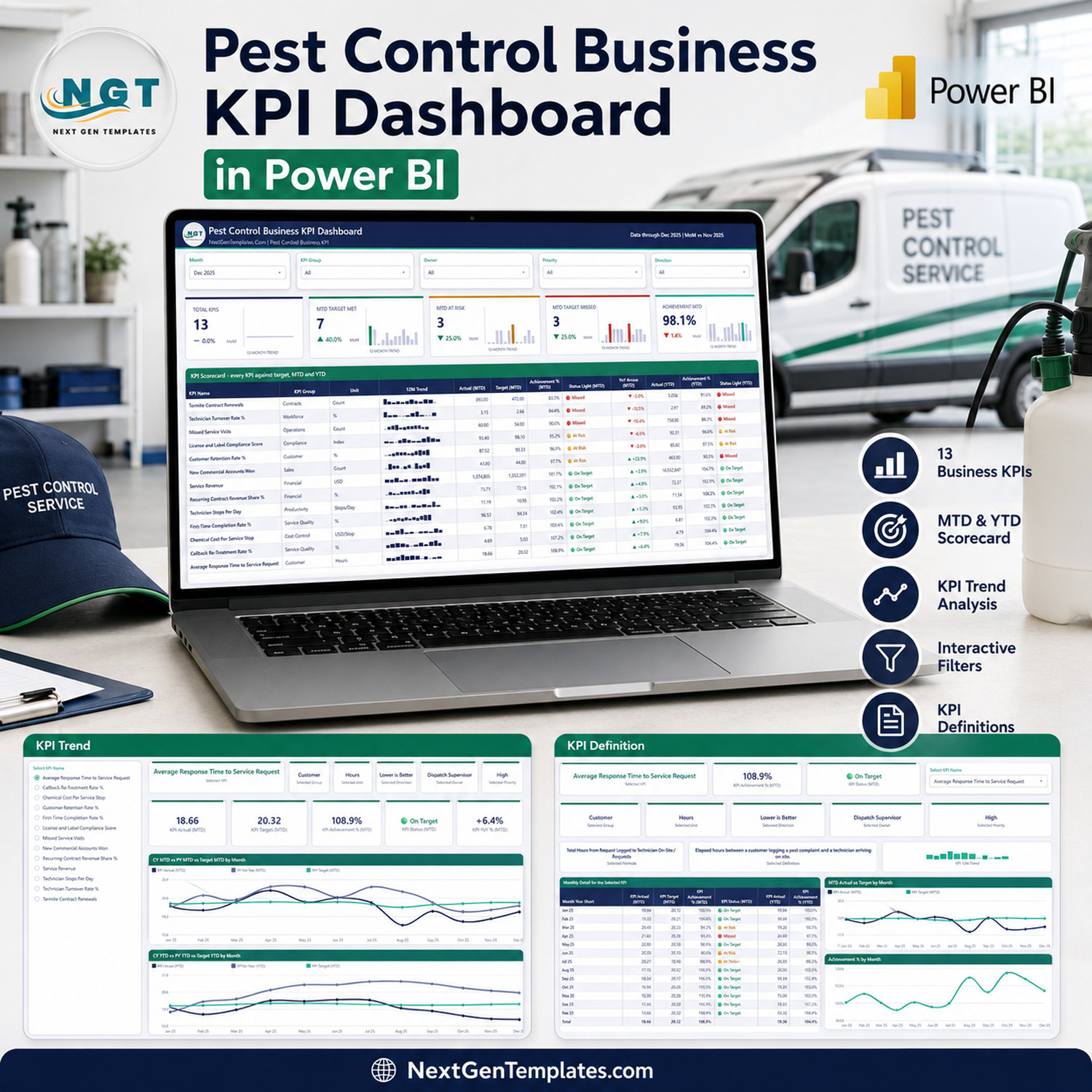
🔑 Key Features of the Pest Control Business KPI Dashboard in Power BI
🐜 13 pest control KPIs, grouped 10 ways. The model ships Service Revenue, Recurring Contract Revenue Share %, Customer Retention Rate %, Callback Re-Treatment Rate %, Missed Service Visits, Technician Stops Per Day, First-Time Completion Rate %, Termite Contract Renewals, Average Response Time to Service Request, Chemical Cost Per Service Stop, License and Label Compliance Score, Technician Turnover Rate % and New Commercial Accounts Won.
🚦 Direction-aware traffic lights. Every KPI is flagged UTB (higher is better) or LTB (lower is better) in the data. A higher-is-better KPI scores Actual ÷ Target; a lower-is-better one scores Target ÷ Actual, so beating a cost or response-time target pushes the achievement above 100% instead of below it. Callback Re-Treatment Rate % at 4.69 against a 5.03 target reads 107.2% and lights green — exactly as it should.
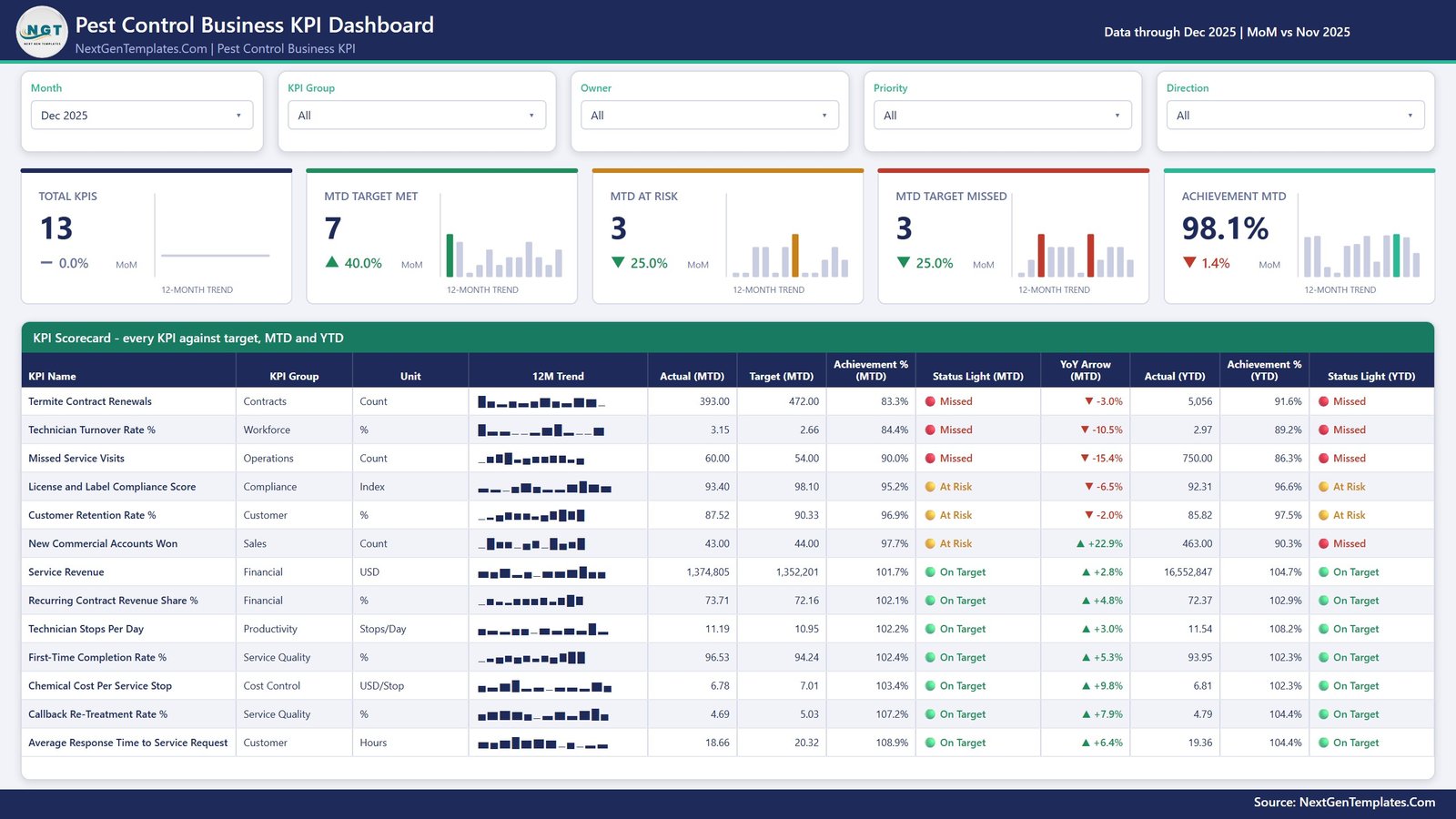
📅 A month picker that drives the whole page. Pick Dec 2025 and the scorecard, the five header cards and every status light recalculate. The 12-month sparkline in each row deliberately stays on the full year, so the selected month never hides the shape of the trend.
🎛️ Five slicers, synced across pages. Month, KPI Group, Owner, Priority and Direction filter the scorecard, and a separate KPI Name selection is synced between the KPI Trend and KPI Definition pages through Power BI’s sync-slicer groups. Choose a KPI once and both analysis pages follow it.
🧾 Nothing is hard-coded. The KPI list, the group names, the units, the formulas, the owners and the priorities all come from the three sheets in Data.xlsx. Add a 14th KPI, rename one, or delete one, press Home > Refresh, and the counts, the scorecard rows, the KPI picker and every chart follow. No DAX editing, no visual rebuild.
💬 Two hidden tooltip pages. Hover a scorecard row or a trend point and a 280×360 report-page tooltip surfaces that KPI’s detail without leaving the page. They are native Power BI report tooltips, not a custom visual, so nothing needs installing.
📦 What’s Inside the Pest Control Business KPI Dashboard in Power BI
Four visible report pages plus two hidden tooltip pages, built entirely from native Power BI visuals — 31 cards, 7 slicers, 4 line charts, 2 tables and 2 bar charts. No custom visuals, no AppSource dependency, no locked objects.
Page 1: KPI Scorecard
The month-picker landing page. Five header cards show Total KPIs (13), MTD Target Met (7), MTD At Risk (3), MTD Target Missed (3) and Achievement MTD (98.1%), each with its own MoM delta and a 12-month mini trend. Below them the full scorecard lists every KPI with its group, unit, 12-month sparkline, Actual and Target MTD, Achievement % MTD, MTD status light, YoY arrow, Actual YTD, Achievement % YTD and YTD status light. Five slicers across the top — Month, KPI Group, Owner, Priority and Direction — filter the whole page.
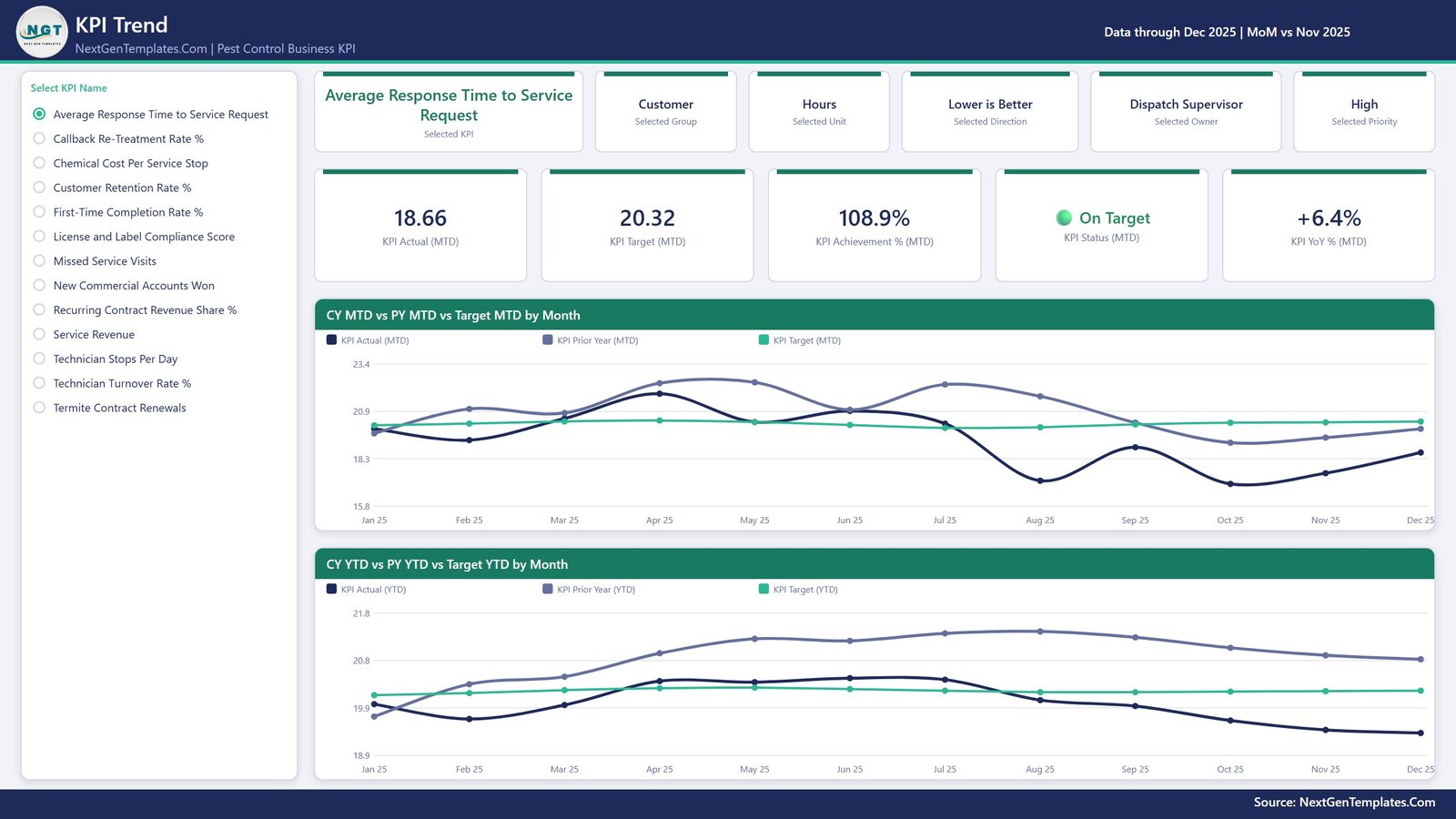
Page 2: KPI Trend
Single-KPI analysis. A radio list on the left picks one of the 13 KPIs; six context cards then confirm the Selected KPI, Group, Unit, Direction, Owner and Priority, and five value cards show KPI Actual MTD, KPI Target MTD, KPI Achievement % MTD, KPI Status MTD and KPI YoY % MTD. Two full-width charts follow: CY MTD vs PY MTD vs Target MTD by Month, and CY YTD vs PY YTD vs Target YTD by Month — current year, prior year and target on one axis.
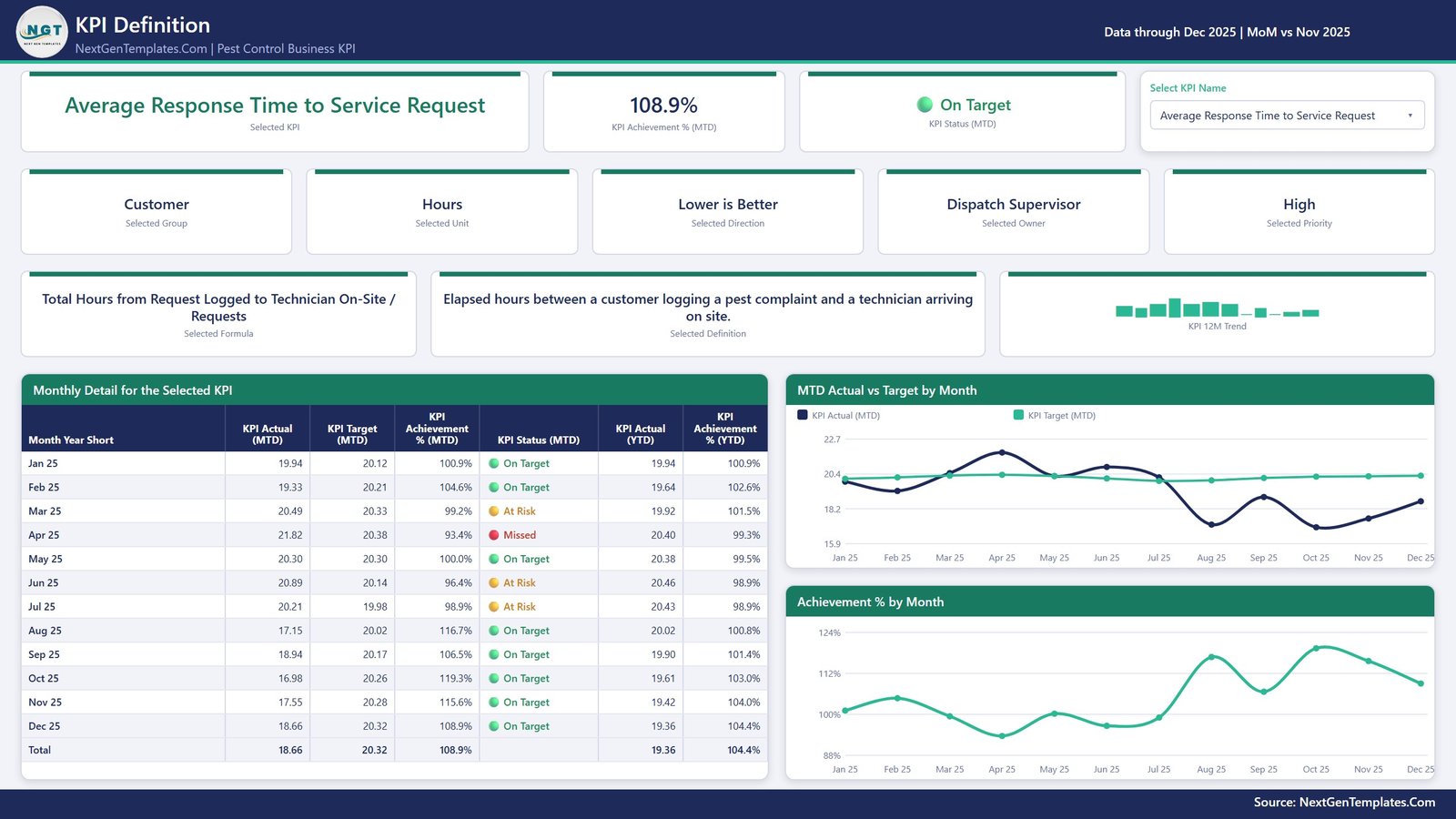
Page 3: KPI Definition
The documentation page, driven by the same synced KPI selection. It shows the Selected KPI, Achievement % MTD and Status MTD across the top, then Group, Unit, Direction, Owner and Priority, then the KPI’s own Formula and Definition in full text next to a 12-month trend. Underneath, a Monthly Detail table lists every month of the reporting year with Actual MTD, Target MTD, Achievement % MTD, status, Actual YTD and Achievement % YTD, beside MTD Actual vs Target by Month and Achievement % by Month charts.
Page 4: Get More Templates
A catalogue page inside the file listing other ready-to-use .pbix templates, a short Using and Customising This Template guide, and contact details for a custom build. It is an upsell page and we describe it as one — it holds no pest control data.
📊 Pest Control Business KPI Dashboard in Power BI vs. Tableau / Qlik vs. PestPac / ServiceTitan / Briostack — Where This Fits
| Feature | Pest Control Business KPI Dashboard in Power BI | Tableau / Qlik build | PestPac / ServiceTitan / Briostack |
|---|---|---|---|
| Cost | ✅ $12.99 one-time | $70-$115 / user / month | $100-$300+ / user / month |
| Platform | ✅ Power BI Desktop (free from Microsoft) | Paid desktop + server licence | Vendor cloud only |
| Setup time | ✅ Under 10 minutes — swap Data.xlsx and Refresh | Days of modelling | Weeks of onboarding and data migration |
| Add or rename a KPI | ✅ Edit a row in Data.xlsx, press Refresh | Rebuild the sheet and calculations | Limited to the vendor’s metric list |
| Real-time team collaboration | Publish to the Power BI Service (separate licence) | ✅ Server-based sharing | ✅ Built in |
| Mobile access | Power BI mobile app once published | ✅ Native apps | ✅ Field technician apps |
| Routing, dispatch and invoicing | ❌ Not included — this is a reporting layer | ❌ Not included | ✅ Core product |
| Own your file forever | ✅ Yes — unlocked .pbix, no expiry | Access ends with the licence | Access ends with the subscription |
| Year-1 cost at 5 users | ✅ $12.99 total | $4,200-$6,900 | $6,000-$18,000 |
For a pest control operator who already runs jobs in PestPac or a spreadsheet and just wants an owner-level scorecard on top of it, the Pest Control Business KPI Dashboard in Power BI sits in the sweet spot — it reports on the numbers, it does not try to replace the field software that produces them.
👥 Who This Template Is For — and Who It’s Not For
✅ This template is built for:
- Owners and general managers of residential and commercial pest control firms running 3-60 technicians who want one monthly scorecard instead of six spreadsheets
- Operations and route supervisors who already track stops, callbacks and missed visits somewhere and need them scored against a target
- Finance and revenue managers watching recurring plan revenue, termite renewals and chemical cost per stop month over month
- Multi-branch franchise operators who want the same 13 KPIs reported the same way at every branch
- Analysts who want a working, unlocked Power BI KPI model to adapt rather than build from an empty canvas
❌ This template is NOT for you if:
- You need routing, scheduling, dispatch, work orders or invoicing — this is a reporting file, not field-service software
- You expect a live connector to PestPac, ServiceTitan, Briostack or FieldRoutes — there is none; you export to Data.xlsx and refresh
- You are looking for a regulatory system: it does not check EPA or state pesticide registrations, does not track applicator licence expiry dates, does not store pesticide application records, label rates or re-entry intervals, and is not a safety or OSHA record-keeping tool
- You need row-level security, scheduled refresh or per-branch access control out of the box — those are Power BI Service features you would configure yourself
- You want industry benchmarks. Every target in the file is a number you type, and a green light only ever means “beat the target you set”
⚙️ How to Use the Pest Control Business KPI Dashboard in Power BI
- Unzip all three files — the .pbix report, Data.xlsx and the user manual PDF — into one folder and keep them together.
- Open the .pbix in Power BI Desktop, the free Microsoft download for Windows.
- Before the first refresh, go to Home > Transform data > Data source settings > Change Source and point the query at your own copy of Data.xlsx.
- Fill KPI Definition: one row per KPI with its group, unit, formula, definition, owner, priority and Type — UTB for higher-is-better, LTB for lower-is-better.
- Fill Input_ Target: one row per KPI per month, MTD for the month and YTD year to date.
- Fill Input_ Actual the same way, for the reporting year and the year before it — the prior year is what every PY and YoY figure reads from.
- Keep YTD honest: sum it for money, volume and counts, but average it for anything that is a %, an index or an hours figure.
- Press Home > Refresh, then pick your month on the KPI Scorecard page and work down the red rows first.
💼 Real-World Use Cases
Marcus owns a 22-technician pest control company in Georgia. On the first Monday of every month he opens the .pbix, picks last month, and reads the five header cards: how many of his 13 KPIs hit target, how many are at risk, how many missed. The three red rows tell him where the monthly management meeting starts — last month it was Termite Contract Renewals at 83.3% of target, technician turnover, and missed service visits.
Priya is the route supervisor at a commercial-only branch. She filters the scorecard by KPI Group = Operations and Owner = Route Supervisor and looks at only the four KPIs she is accountable for. Technician Stops Per Day at 11.19 against a 10.95 target is green; Missed Service Visits at 60 against 54 is not, and the 12-month sparkline shows it has been drifting for three months.
Dev runs finance for a three-branch franchise. He uses the KPI Trend page to put Recurring Contract Revenue Share % side by side with last year and with target, then screenshots the CY vs PY vs Target chart straight into the board pack — instead of paying per-seat for a BI licence he uses twice a month.
❓ Frequently Asked Questions
What KPIs does the Pest Control Business KPI Dashboard in Power BI track?
The Pest Control Business KPI Dashboard in Power BI tracks 13 KPIs across 10 groups: Service Revenue, Recurring Contract Revenue Share %, Customer Retention Rate %, Callback Re-Treatment Rate %, Missed Service Visits, Technician Stops Per Day, First-Time Completion Rate %, Termite Contract Renewals, Average Response Time to Service Request, Chemical Cost Per Service Stop, License and Label Compliance Score, Technician Turnover Rate % and New Commercial Accounts Won.
Does it handle lower-is-better metrics like callbacks and response time correctly?
Yes. Each KPI carries a Type flag in Data.xlsx — UTB or LTB. The Pest Control Business KPI Dashboard in Power BI scores higher-is-better KPIs as Actual ÷ Target and lower-is-better KPIs as Target ÷ Actual, so beating a cost, callback or response-time target produces an achievement above 100% and a green light.
Is the License and Label Compliance Score a real compliance check?
No. It is an internal weighted audit index you type in yourself, covering applicator licence currency, label-rate adherence and application record keeping. The Pest Control Business KPI Dashboard in Power BI does not verify EPA or state registrations, does not track licence expiry dates and does not store pesticide application records. It reports the score you enter, nothing more.
How long does setup take?
Under 10 minutes for a first look. Open the .pbix, use Transform data > Data source settings > Change Source to point at your own Data.xlsx, and press Refresh. Populating three sheets with your own 13 KPIs, 12 months of targets and 24 months of actuals is the longer job — usually one focused sitting.
Can I add or remove KPIs?
Yes, and this is the point of the build. Nothing in the Pest Control Business KPI Dashboard in Power BI hard-codes a KPI. Add a row to KPI Definition plus its monthly Target and Actual rows, press Refresh, and the counts, the scorecard, the KPI picker and every chart pick it up automatically.
How does this compare to PestPac or ServiceTitan?
They are different tools. PestPac and ServiceTitan run scheduling, routing, work orders and invoicing on a per-user monthly subscription. The Pest Control Business KPI Dashboard in Power BI is a $12.99 one-time reporting layer that sits on top of whatever system produces your numbers — it scores 13 KPIs against target and does not replace field-service software.
What exactly is in the download?
One ZIP containing three files: the Pest Control Business KPI Dashboard in Power BI .pbix report, the Data.xlsx model with its Read Me, Input_ Target, Input_ Actual and KPI Definition sheets, and a Power BI Dashboard user manual PDF. You need Power BI Desktop, which Microsoft gives away free for Windows.
👤 About the Author
Built by PK — Microsoft Certified Professional with 15+ years of Excel, Google Sheets and Power BI experience. Founder of NextGenTemplates, reaching 300K+ subscribers across YouTube channels (@PK-AnExcelExpert, @NextGenTemplates, @NeoTechNavigators). Every template is hand-built and tested before release.
🔗 Explore Related Templates
Also available as: the same 13-KPI scorecard ships as the Pest Control Business KPI Dashboard in Excel for teams that would rather stay in a workbook, and a Google Sheets edition is on the way. The Excel edition is the direct twin of this file.
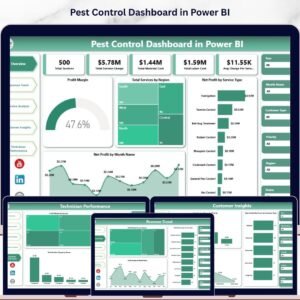
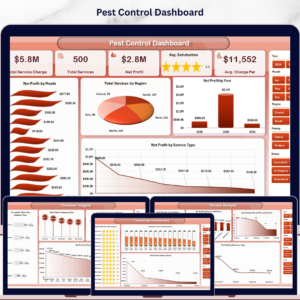
- Pest Control Dashboard in Power BI — the analytical sibling. Where this file scores 13 KPIs against target, that one slices jobs, services and revenue for exploration. Different job, same trade — a natural pair rather than a duplicate.
- Pest Control Business KPI Scorecard in Google Sheets — a lighter 10-KPI scorecard you can share by link with a branch manager who does not run Power BI.
- HVAC Contractor KPI Dashboard in Power BI and Paving Contractor KPI Dashboard in Power BI — the same scorecard architecture applied to two other field-service trades.
- Septic Tank Service KPI Dashboard in Google Sheets — the closest neighbour for route-based residential service work.
- Browse the whole Power BI Dashboards category for more ready-to-use .pbix files.
📖 Click here to read the Detailed Blog Post
🎥 Visit our YouTube channel for step-by-step video tutorials
👉 YouTube.com/@NextGenTemplates
📅 Last updated: September 2026
Watch the demo video:
Compatibility and Requirements
- Works in Power BI Desktop, which is free from Microsoft. The download is a .pbix report plus a Data.xlsx data file.
- Power BI Desktop runs on Windows. Microsoft explains how to install it in Get Power BI Desktop.






























Reviews
There are no reviews yet.