



The Inventory Audit Checklist in Google Sheets is a comprehensive tool designed for business owners, inventory managers, and auditors to streamline the inventory auditing process. This customizable checklist allows you to systematically track inventory levels, verify stock accuracy, and ensure compliance with financial reporting standards. By utilizing Google Sheets, you can collaborate in real-time with your team, access the checklist from any device, and maintain up-to-date records effortlessly.
With its user-friendly interface and flexible design, this checklist simplifies the inventory auditing process, helping you identify discrepancies, optimize stock management, and maintain accurate financial records.
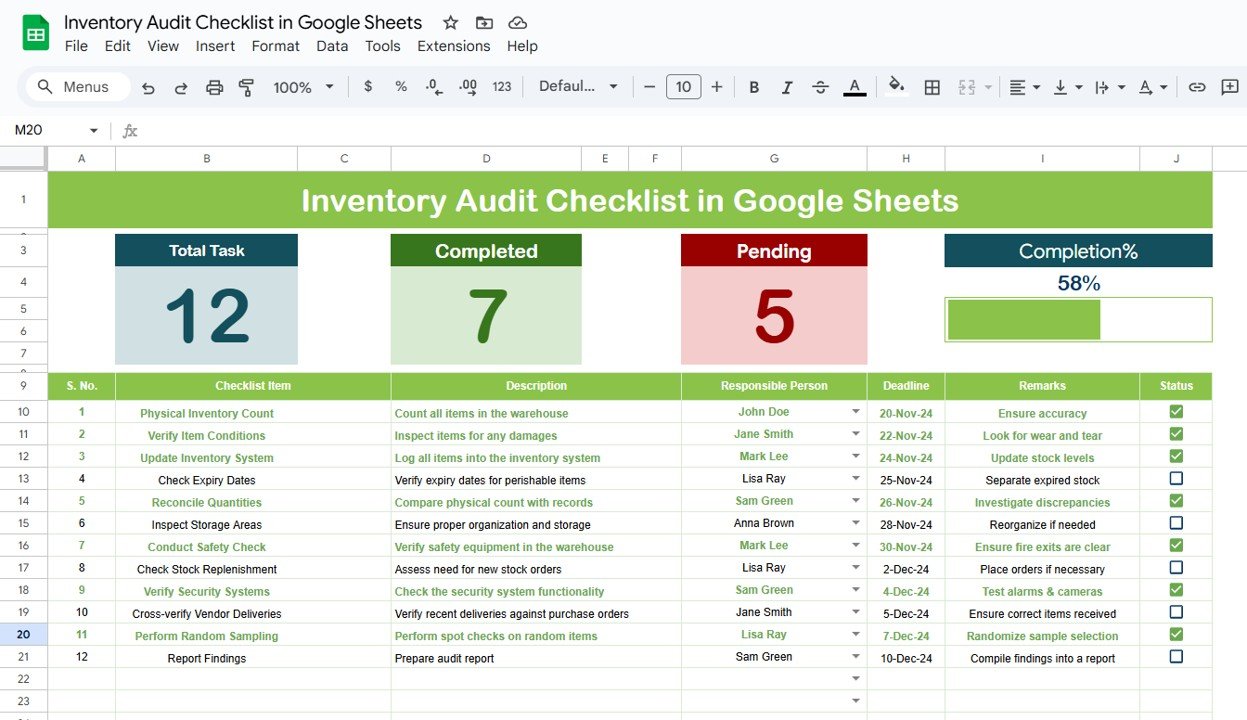
Key Features of the Inventory Audit Checklist in Google Sheets:
📝 Customizable Audit Fields
Tailor the checklist to your specific inventory items by adding or modifying fields such as item descriptions, SKUs, quantities, locations, and more.
📊 Real-Time Collaboration
Collaborate seamlessly with team members, allowing multiple users to update and review the checklist simultaneously, ensuring accuracy and efficiency.
📈 Automated Calculations
Utilize built-in formulas to automatically calculate stock variances, reorder levels, and other critical metrics, reducing manual errors and saving time.
🔄 Version History Tracking
Access the version history feature to monitor changes, revert to previous versions if necessary, and maintain a clear audit trail of all modifications.
📅 Scheduled Reminders
Set up automated reminders for regular inventory audits, ensuring consistent monitoring and timely identification of discrepancies.
🚀 Why You’ll Love the Inventory Audit Checklist in Google Sheets:
✅ Streamlined Audit Process – Simplify the inventory auditing process with a structured checklist that guides you through each step, ensuring thoroughness and consistency.
✅ Enhanced Accuracy – Minimize errors with automated calculations and real-time data updates, leading to more accurate inventory records.
✅ Improved Collaboration – Work efficiently with your team through real-time collaboration features, ensuring everyone is aligned and informed.
✅ Customizable to Your Needs – Adjust the checklist to fit your specific inventory items and auditing requirements, providing flexibility to accommodate various business needs.
✅ Accessible Anytime, Anywhere – Access the checklist from any device with internet connectivity, allowing for audits to be conducted from multiple locations.
✅ Secure and Reliable – Benefit from Google Sheets’ robust security features, ensuring your inventory data is protected and backed up.
What’s Inside the Inventory Audit Checklist in Google Sheets:
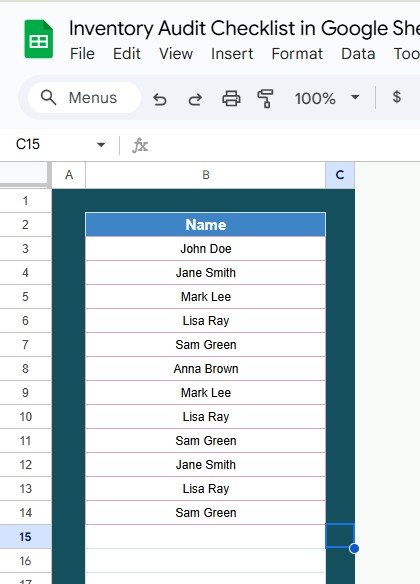
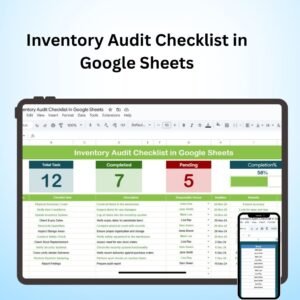
Comprehensive Item List: Maintain a detailed list of all inventory items, including descriptions, SKUs, categories, and locations.
Quantity Tracking: Record current stock levels, quantities counted during audits, and calculate variances to identify discrepancies.
Automated Reorder Alerts: Set thresholds for minimum stock levels, with automatic alerts when items need to be reordered.
Audit History Log: Keep a log of audit dates, personnel involved, and notes on findings to track progress and address recurring issues.
Reporting Dashboard: Visualize audit results with charts and graphs, providing insights into inventory health and areas needing attention.
How to Use the Inventory Audit Checklist in Google Sheets:
1️⃣ Download the Template – Instantly access your Google Sheets template upon purchase.
2️⃣ Customize the Checklist – Modify fields and categories to align with your specific inventory items and auditing requirements.
3️⃣ Conduct Regular Audits – Use the checklist to perform systematic inventory counts, ensuring accuracy and consistency.
4️⃣ Collaborate with Your Team – Share the checklist with team members, assigning tasks and tracking progress in real-time.
5️⃣ Analyze Results – Utilize the reporting dashboard to interpret audit findings, identify trends, and make informed decisions.
6️⃣ Maintain Records – Keep detailed records of all audits, facilitating easy reference and historical analysis.
Who Can Benefit from the Inventory Audit Checklist in Google Sheets:
Small to Medium Business Owners
Inventory Managers and Auditors
Retail Store Managers
Warehouse Supervisors
Supply Chain Coordinators
E-commerce Sellers
Financial Controllers
Operations Managers
Procurement Specialists
Logistics and Distribution Managers
The Inventory Audit Checklist in Google Sheets is an essential tool for businesses aiming to maintain accurate inventory records, optimize stock management, and ensure financial integrity. Its customizable features, real-time collaboration, and automated processes make it a valuable asset for any organization seeking to enhance its inventory auditing procedures.
Visit our YouTube channel to learn step-by-step video tutorials
YouTube.com/@PKAnExcelExpert
Compatibility and Requirements
- Works in Google Sheets. You need a free Google account and a web browser.
- You can share the sheet with your team and edit it together. Google explains the basics in Get started with Google Sheets.
Frequently Asked Questions
What does the checklist track?
It tracks item descriptions, SKUs, categories, locations, current stock levels and the quantities counted during an audit. It calculates the variance between the two so you can see discrepancies.
Can I change the fields?
Yes. You can add or modify fields such as item descriptions, SKUs, quantities and locations to match your own inventory items.
Can my team work on it at the same time?
Yes. It is a Google Sheets file, so several people can update and review it together, and the version history shows what changed.
Does it warn me when stock is low?
You set minimum stock levels for items, and the sheet gives an alert when an item needs to be reordered.
Is there an Excel version?
Yes. See the Inventory Audit Checklist in Excel.
Related Inventory Audit Templates
- Inventory Audit Checklist in Excel: the same checklist for Excel
- Inventory Audit Calendar in Google Sheets: plan your audit dates
- Multi-Location Inventory Management in Google Sheets: track stock across several locations
- Inventory Audit Tracking Checklist in Excel: a tracking checklist for audits
- Inventory & Warehouse Master Kit: 8 inventory templates in one download
Browse all Google Sheets checklists or Google Sheets inventory templates.














Reviews
There are no reviews yet.