



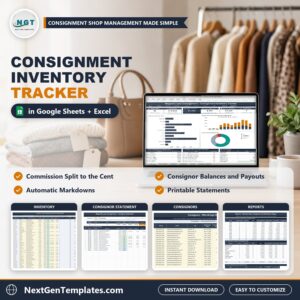
Consignment Inventory Tracker in Excel and Google Sheets runs a consignment shop from one file. Log every consigned item, mark it sold, and see the store commission and the consignor share of every sale, what you owe each consignor after payouts, which items are on a markdown and which ones are past the consignment period. It ships in two editions, Google Sheets and Microsoft Excel, with the same tabs, the same formulas and the same sample data: a fictional boutique in Franklin, Tennessee.
Watch the Consignment Inventory Tracker in Excel and Google Sheets walkthrough
🌍 Join 10,000+ customers in 180+ countries using NextGenTemplates to replace paid SaaS tools with one-time-purchase Excel, Google Sheets, Power BI and HTML templates.
✅ Instant download · One-time payment · No subscription · No per-user fees · Lifetime access
This is a consignment tracker for consignment shops, resale boutiques, thrift stores and furniture consignment stores that need to know what is on the floor and who is owed what. It is a manual tracking workbook with formulas and charts, not a point of sale and not a macro tool: you type your items, sales and payouts yourself.
🔑 Key Features of the Consignment Inventory Tracker
🏷️ An Inventory tab for up to 500 items. Days on floor, automatic 2-step markdowns, current price, commission % and expiry date are worked out for you, and the markdown stage moves from New to 1st Markdown, 2nd Markdown and Expired by itself.
💸 Commission split to the cent. Each sale shows the store commission and the consignor share. Set a default store commission and override it for any consignor.
👥 A Consignors tab for up to 100 consignors. Items, in stock, sold, gross sales, store commission, their share, paid to date and balance due, all in one row.
🧾 A printable Consignor Statement. Pick a consignor ID and get totals, every item and every payout, ready to print or save as a PDF.
💳 A Payouts log. Record each payout by check, Zelle, ACH transfer, store credit or cash, and the balance due updates.
📊 A Dashboard. Six tiles, three charts, the top 8 balances due, the expired items to return or donate and the store details.
📈 Reports. Twelve months of sales, commission, consignor share and payouts, results by category with sell-through and days to sell, and stock by markdown stage.
📦 What is Inside the Consignment Inventory Tracker
The download is a ZIP with two files: the Excel edition (.xlsx, no macros) and a PDF guide that holds the “Make a copy” link to your own editable Google Sheet. Both editions have the tabs Dashboard, Inventory, Consignors, Payouts, Consignor Statement, Reports, Store Settings, Lists, How to Use and Explore More.
Page 1: Dashboard (Google Sheets)
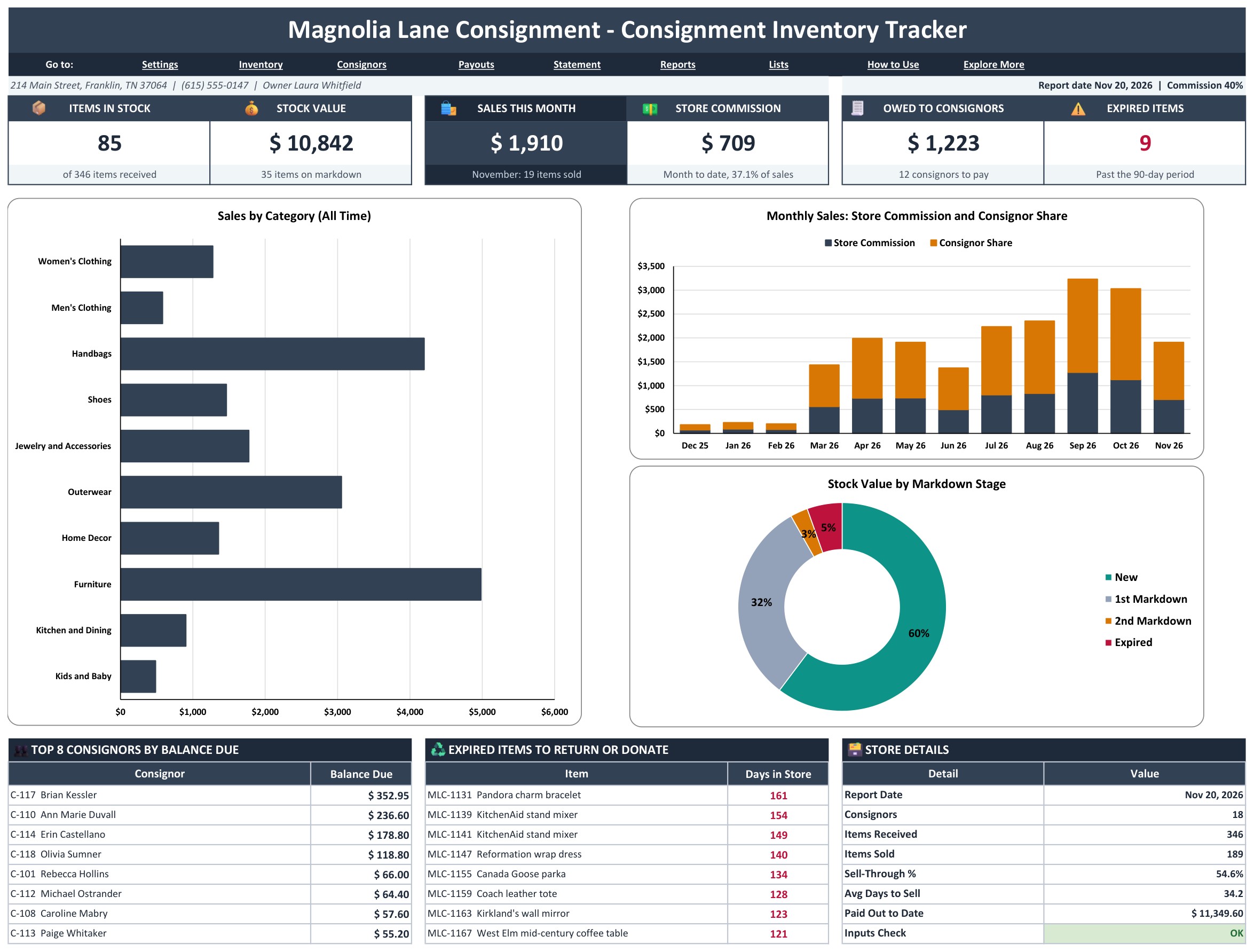
The Dashboard opens with six tiles: Items in Stock, Stock Value, Sales This Month, Store Commission, Owed to Consignors and Expired Items. Below them sit three charts (Sales by Category, Monthly Sales split into Store Commission and Consignor Share, and Stock Value by Markdown Stage), then the top 8 consignors by balance due, the expired items to return or donate and the store details. Links under the title jump to every tab.

Page 2: Inventory (Google Sheets)
One row per consigned item, up to 500. Type the item ID, date received, consignor, category, description, condition and tag price, then set the status to In Stock, Sold, Returned or Donated. Days on floor, markdown, current price, commission %, store commission, consignor share, expiry date, markdown stage and a Row Check fill in for you.

Page 3: Consignors (Google Sheets)
One row per consignor, up to 100, with contact details, agreement date and an optional commission override. Grey columns count items, in stock and sold, and add up gross sales, store commission, the consignor share, paid to date and balance due.
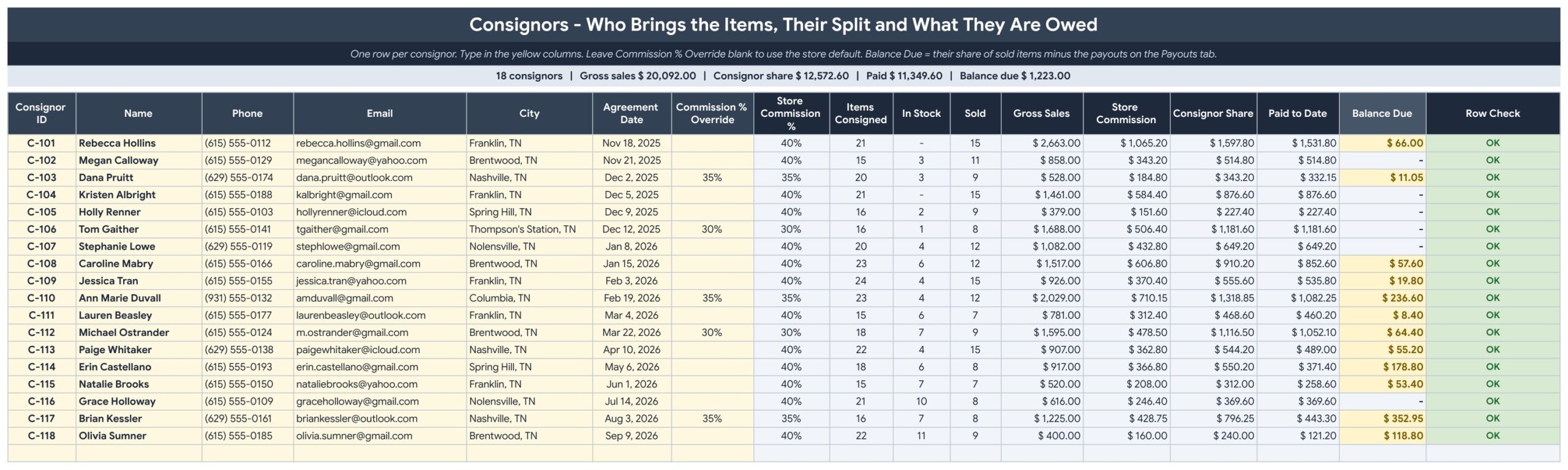
Page 4: Payouts (Google Sheets)
The payout log: date, consignor, amount, method (check, Zelle, ACH transfer, store credit or cash), reference and note. Each payout feeds the consignor paid to date and balance due.
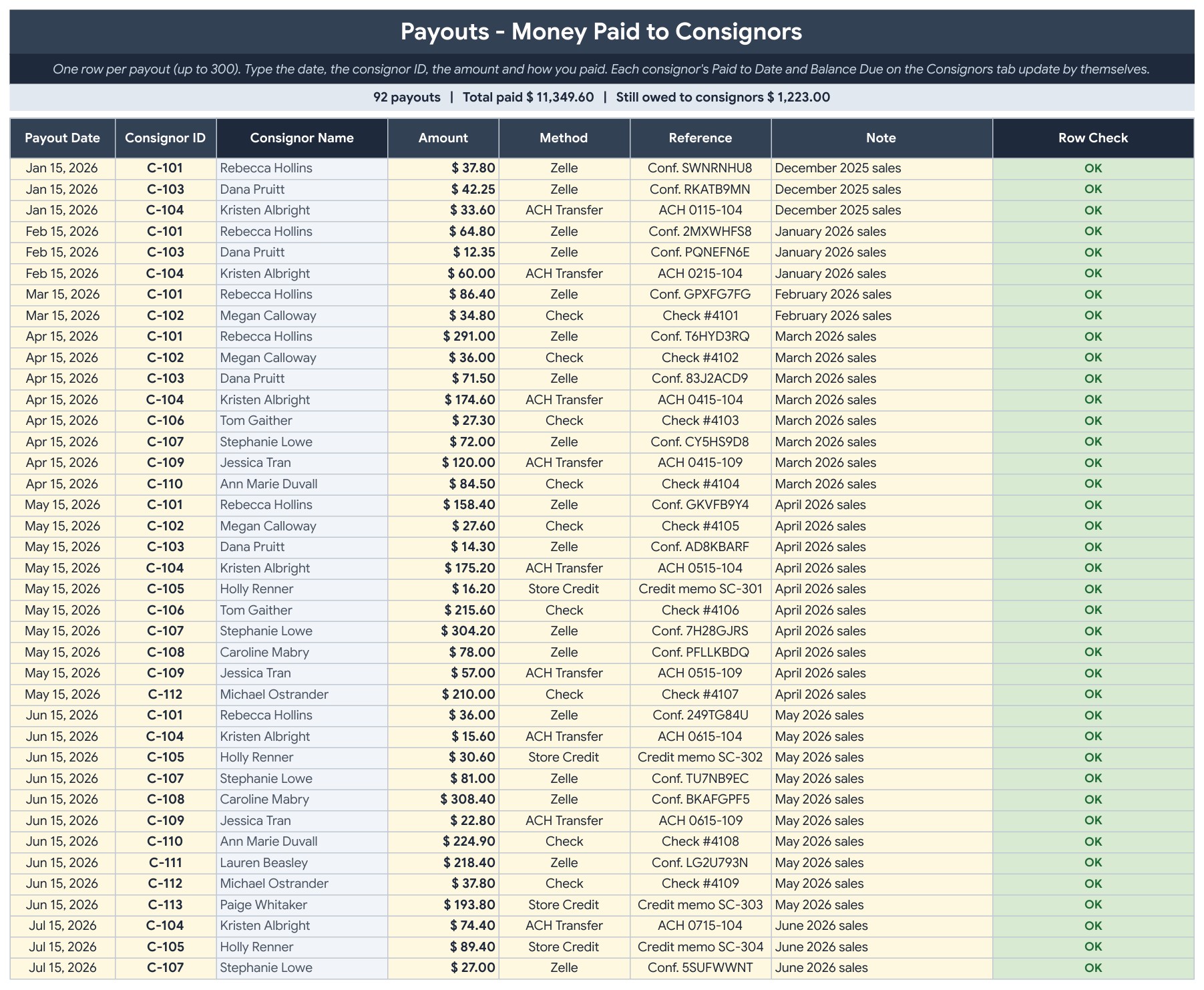
Page 5: Consignor Statement (Google Sheets)
Pick a consignor ID and the statement fills in with totals, every item and every payout, ready to print or save as a PDF and send with the payment.

Page 6: Reports (Google Sheets)
Twelve months to the report date of items received and sold, sales, store commission, consignor share, payouts and average sale, then results by category with stock value, sell-through and average days to sell, and stock by markdown stage.
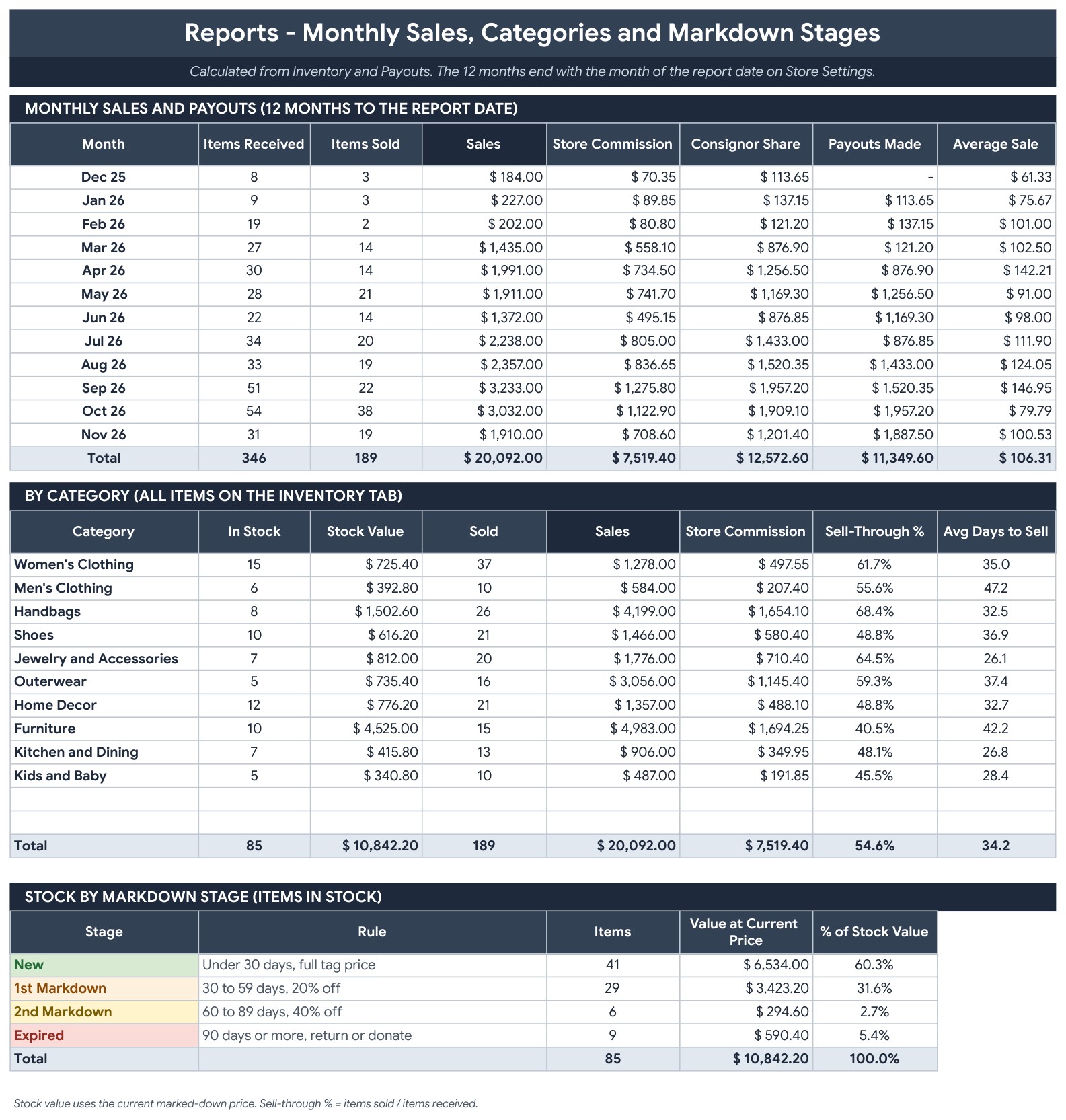
Page 7: Store Settings (Google Sheets)
Type your store name, address, phone, email and owner in the yellow cells, then the report date, the default store commission, the consignment period and the two markdown steps. A Check cell says OK when the inputs are valid.
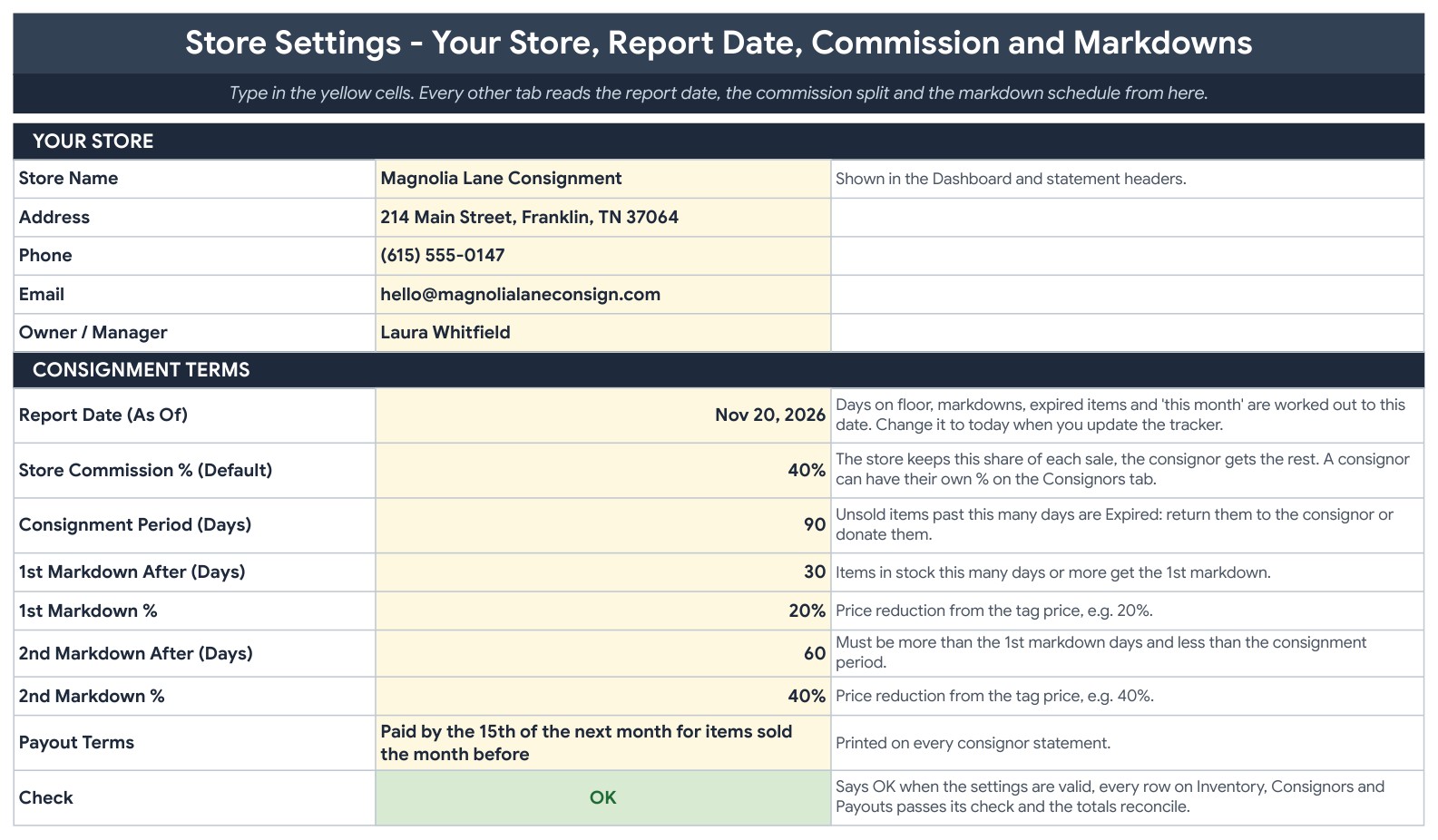
Page 8: Lists (Google Sheets)
The dropdown lists for categories, conditions and payment methods. Add your own; the four status names stay fixed because the formulas use them.

Page 9: How to Use (Google Sheets)
Step by step instructions for settings, consignors, items, sales, markdowns, payouts and statements.

Page 10: Explore More (Google Sheets)
A welcome coupon and links to related retail, resale and inventory templates.
Page 11: Dashboard (Excel edition)
The same Dashboard in Microsoft Excel: six tiles, three charts, the top 8 balances, expired items and store details.
Page 12: Inventory (Excel edition)
The Inventory tab in Excel with the same 500 item rows, automatic markdowns, commission split and expiry dates.

Page 13: Consignor Statement (Excel edition)
The printable consignor statement in Excel, with every item and payout for the selected consignor.

Page 14: Reports (Excel edition)
The Reports tab in Excel with 12 months of sales and payouts, results by category and stock by markdown stage.

Page 15: Consignors (Excel edition)
The Consignors tab in Excel with items, sales, store commission, consignor share, paid to date and balance due.

📊 Consignment Inventory Tracker vs. Blank Spreadsheet vs. Consignment Software: Where This Fits
| Feature | Consignment Inventory Tracker (Google Sheets + Excel) | Blank spreadsheet | Consignment shop software |
|---|---|---|---|
| Cost | ✅ $6.99 one-time | Free to build, but your time | Monthly subscription per store |
| Platform | ✅ Google Sheets and Microsoft Excel, both included | One platform | Web app |
| Commission split to the cent per item | ✅ Built in, with a per-consignor override | You write the formulas | ✅ Yes |
| Automatic 2-step markdowns and expiry | ✅ Yes, from days on floor | Build it yourself | ✅ Yes |
| Printable consignor statements | ✅ Yes, pick an ID | Copy and paste by hand | ✅ Yes |
| Your data stays in your own file | ✅ Yes | ✅ Yes | Stored with the vendor |
| Point of sale and barcode scanning | No, you type the sale | No | ✅ Often yes |
For shop owners who want clear payouts and automatic markdowns without a monthly fee, this tracker sits in the sweet spot.
👥 Who This Template Is For, and Who It Is Not For
✅ This template is built for:
- Consignment shops and resale boutiques that pay consignors a share of each sale
- Thrift and furniture consignment stores with a fixed consignment period
- Owners who send consignors a statement with each payout
- Shops that mark items down on a schedule and return or donate what does not sell
❌ This template is NOT for:
- Shops that need a point of sale, barcode scanning or online sales sync
- Stores with more than 500 items or 100 consignors on the floor at once
- Anyone who wants macros, because this version has none
⚙️ How to Use the Consignment Inventory Tracker
- Open the PDF guide and click the “Make a copy” link for Google Sheets, or open the Excel file.
- On Store Settings, type your store details, the report date, the default commission, the consignment period and the markdown schedule.
- On Consignors, add each consignor, with a commission override if they have a special split.
- On Inventory, clear the yellow sample columns and enter each item with its consignor and tag price.
- When an item sells, set its status to Sold and type the sale date and sale price.
- Log each payout on Payouts, print a Consignor Statement, and watch the Check cell turn OK.
💼 Real-World Use Cases
A boutique owner sells a pair of boots on the 2nd markdown for $21.60 and sees the store keep $8.64 and the consignor earn $12.96 without any extra typing.
A shop manager opens the Dashboard and sees 85 items in stock worth $10,842, $1,223 owed to 12 consignors and 9 items past the 90 day period.
A bookkeeper logs a payout by Zelle and prints the consignor statement to send with it.
❓ Frequently Asked Questions
What is a consignment inventory tracker?
It records every item a consignor leaves with your shop, its price, and when it sells. This tracker also works out the store commission and what you owe each consignor.
Does it work in Google Sheets and in Excel?
Yes. The ZIP holds an Excel edition (.xlsx, no macros) and a PDF guide with the Make a copy link for Google Sheets. Both have the same tabs, formulas and sample data.
How many items and consignors does it hold?
Up to 500 items and 100 consignors.
How are markdowns and expiry handled?
You set the consignment period (90 days by default) and two markdown steps (20% after 30 days and 40% after 60 days by default). The tracker uses the days on floor to show the current price, the markdown stage and the expiry date.
Can one consignor have a different split?
Yes. Type a commission override on the Consignors tab, for example 35% for one consignor. Everyone else uses the default store commission.
What does the sample data show?
A fictional boutique, Magnolia Lane Consignment in Franklin, Tennessee: 18 consignors, 346 items and 92 payouts, with the report date set to Nov 20, 2026. Replace it with your own data.
Does it track my sales at the register?
No. You enter the status, sale date and sale price of each item that sells, and the tracker does the rest.
Can I change the currency?
Yes. Currency is $ by default. Select the amount columns and change the number format.
👤 About the Author
Built by PK, Microsoft Certified Professional with 15+ years of Excel, Google Sheets and Power BI experience. Founder of NextGenTemplates. Every template is hand-built and tested before release. Watch the walkthroughs on @PKAnExcelExpert and @NextGenTemplates.
🔗 Explore Related Templates
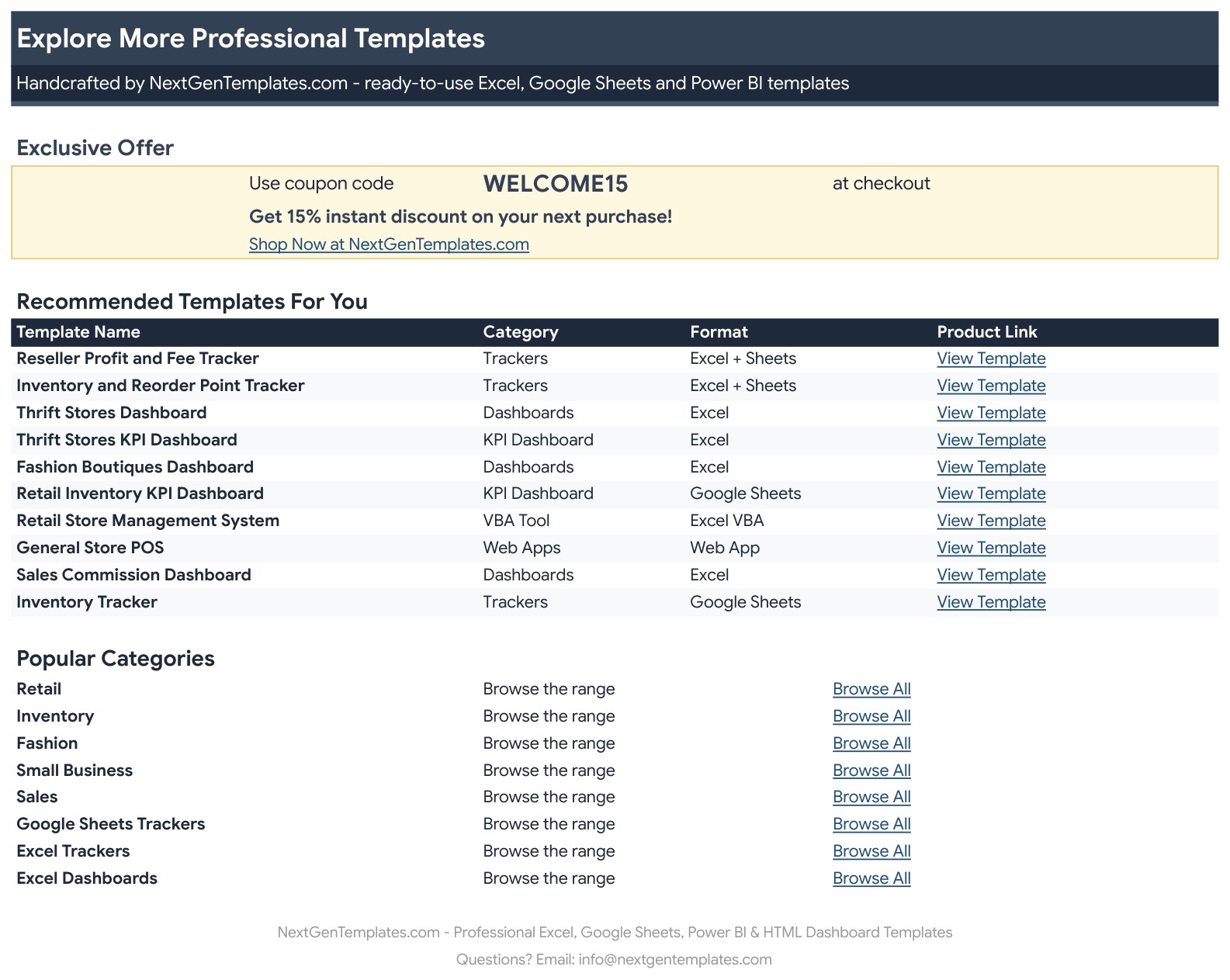
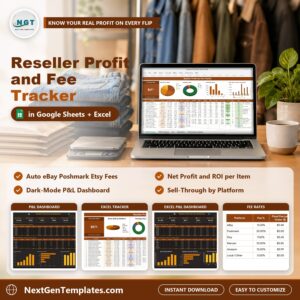
📌 Reseller Profit and Fee Tracker in Excel and Google Sheets: track what each resale item earns after fees.
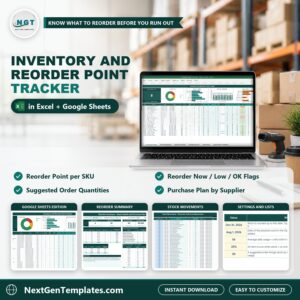
📌 Inventory and Reorder Point Tracker in Excel and Google Sheets: track stock levels for the goods you buy.
📌 Quotation and Invoice Template in Excel and Google Sheets: bill your customers.
Browse every Google Sheets template in the store.
🎥 Visit our YouTube channel for step-by-step video tutorials
👉 YouTube.com/@NextGenTemplates
📅 Last updated: November 2026








Reviews
There are no reviews yet.