

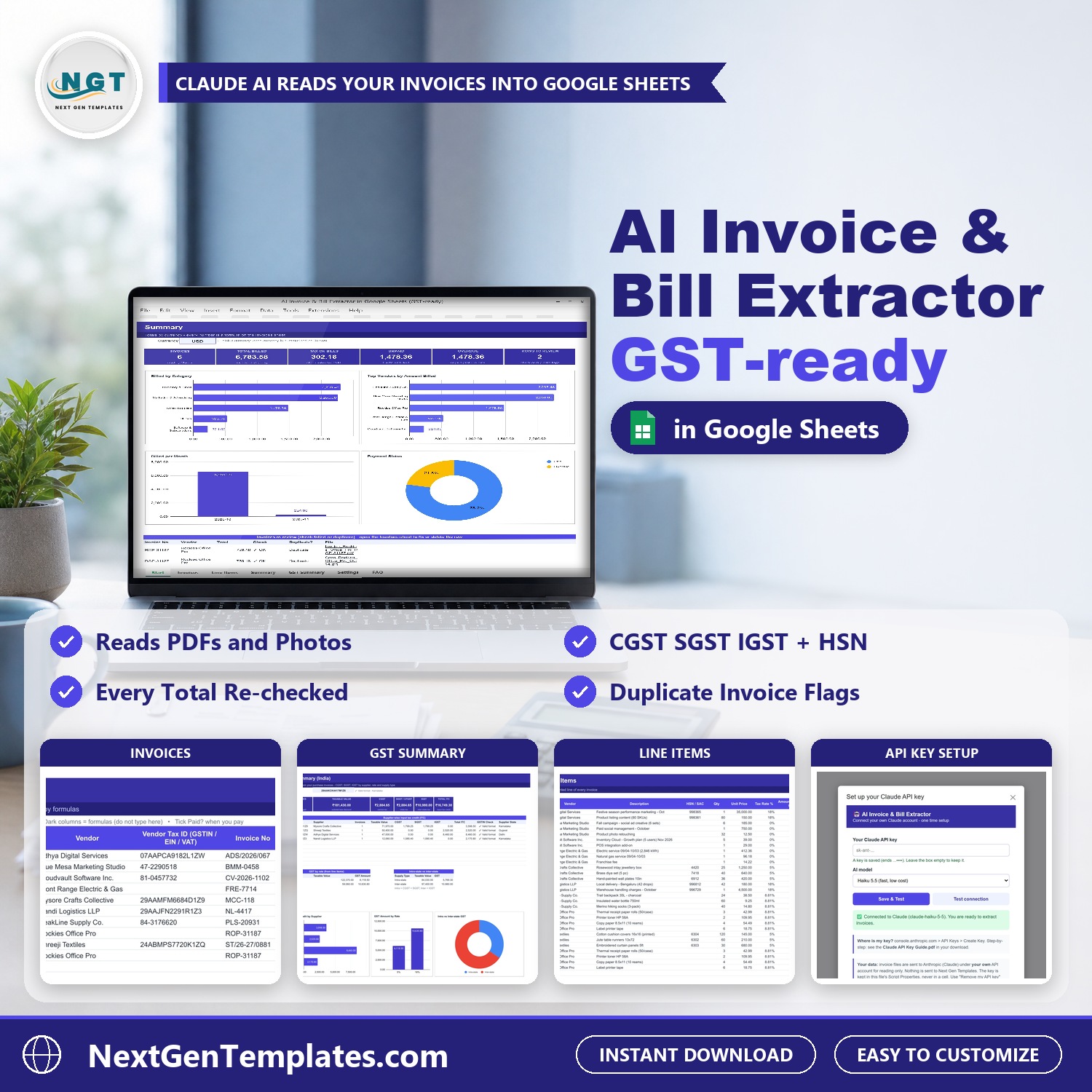

Stop typing supplier bills into a spreadsheet by hand. The AI Invoice & Bill Extractor in Google Sheets (GST-ready) is an AI invoice extractor that reads invoice PDFs and phone photos from one Google Drive folder and writes one tidy row per invoice, plus every line item, into your own Google Sheet. It reads the vendor, invoice number, dates, tax IDs, subtotal, tax and total, and it handles US sales tax as well as Indian GST (CGST, SGST, IGST and HSN or SAC codes). Then sheet formulas re-check every total, so a misread number shows up at once.
Watch the AI Invoice – Bill Extractor in Google Sheets (GST-ready) walkthrough
The AI never does your maths. Claude only copies what is printed on the invoice and picks a category from your own list. Every calculated total, the Check column, the Duplicate flag and the Due status are formulas you can inspect. If a printed total does not match the arithmetic, the row says so.
What You Get
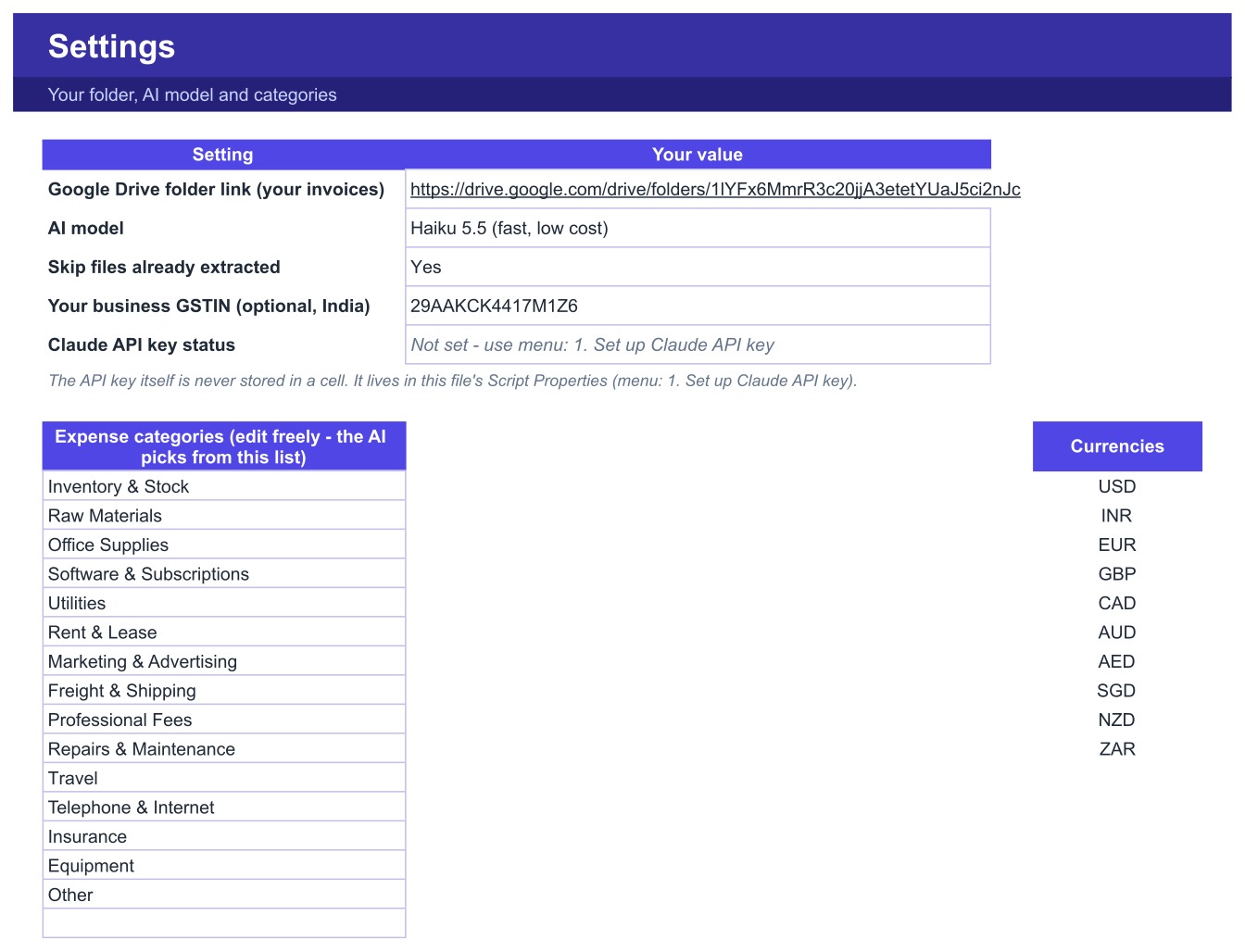
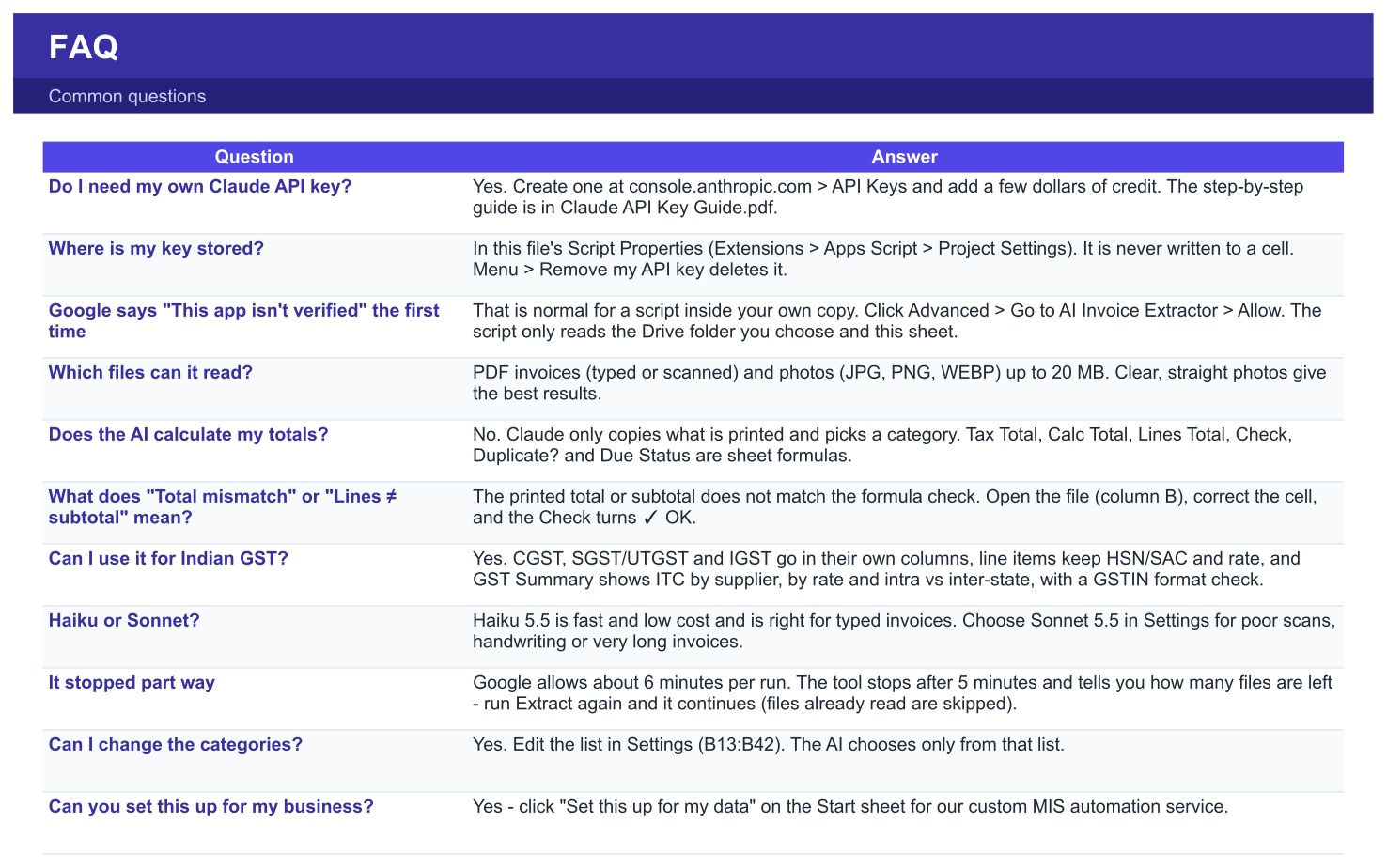
- A Google Sheets template with seven tabs: Start, Invoices, Line Items, Summary, GST Summary, Settings and FAQ. You make your own copy with one click, so the file and the data stay in your Google account.
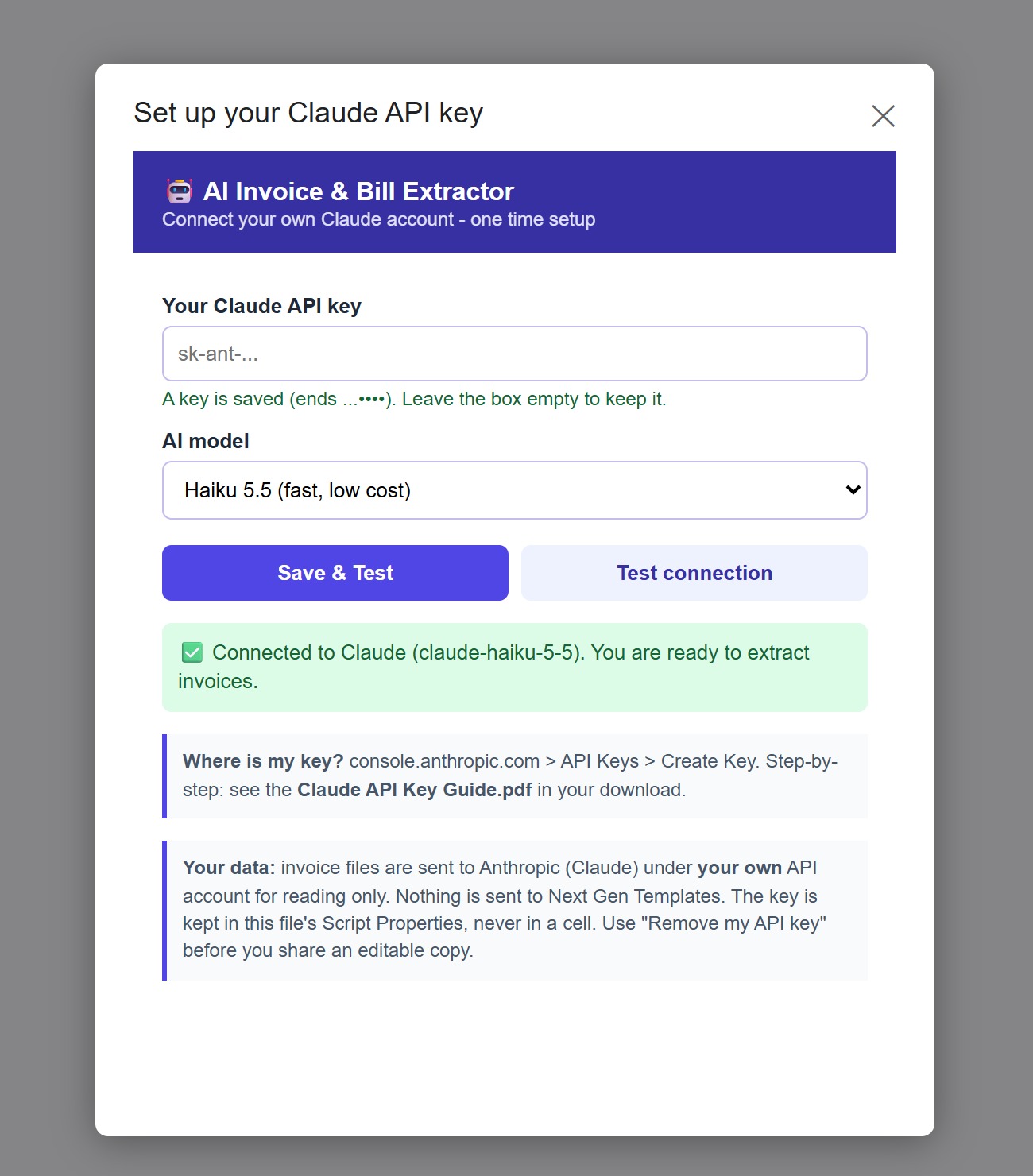
- A custom menu (AI Invoice Extractor) with a setup screen for your Claude API key, a connection test and the Extract button.
- Ten sample invoices (nine PDFs from US and Indian suppliers and one phone photo of a bill) so you can try it before you use your own files. The sheet already holds the rows extracted from them.
- A one-page Claude API Key Guide (PDF) and a 14-page User Manual (PDF) with screenshots.
Key Features
- Reads PDF invoices (typed or scanned) and JPG, PNG or WEBP photos from a Google Drive folder you choose. Skip files already extracted is on by default, so the same file is never read twice.
- One row per invoice on the Invoices tab: vendor, vendor tax ID, invoice number, dates, currency, category, subtotal, discount, CGST, SGST, IGST, other tax, shipping and the printed total.
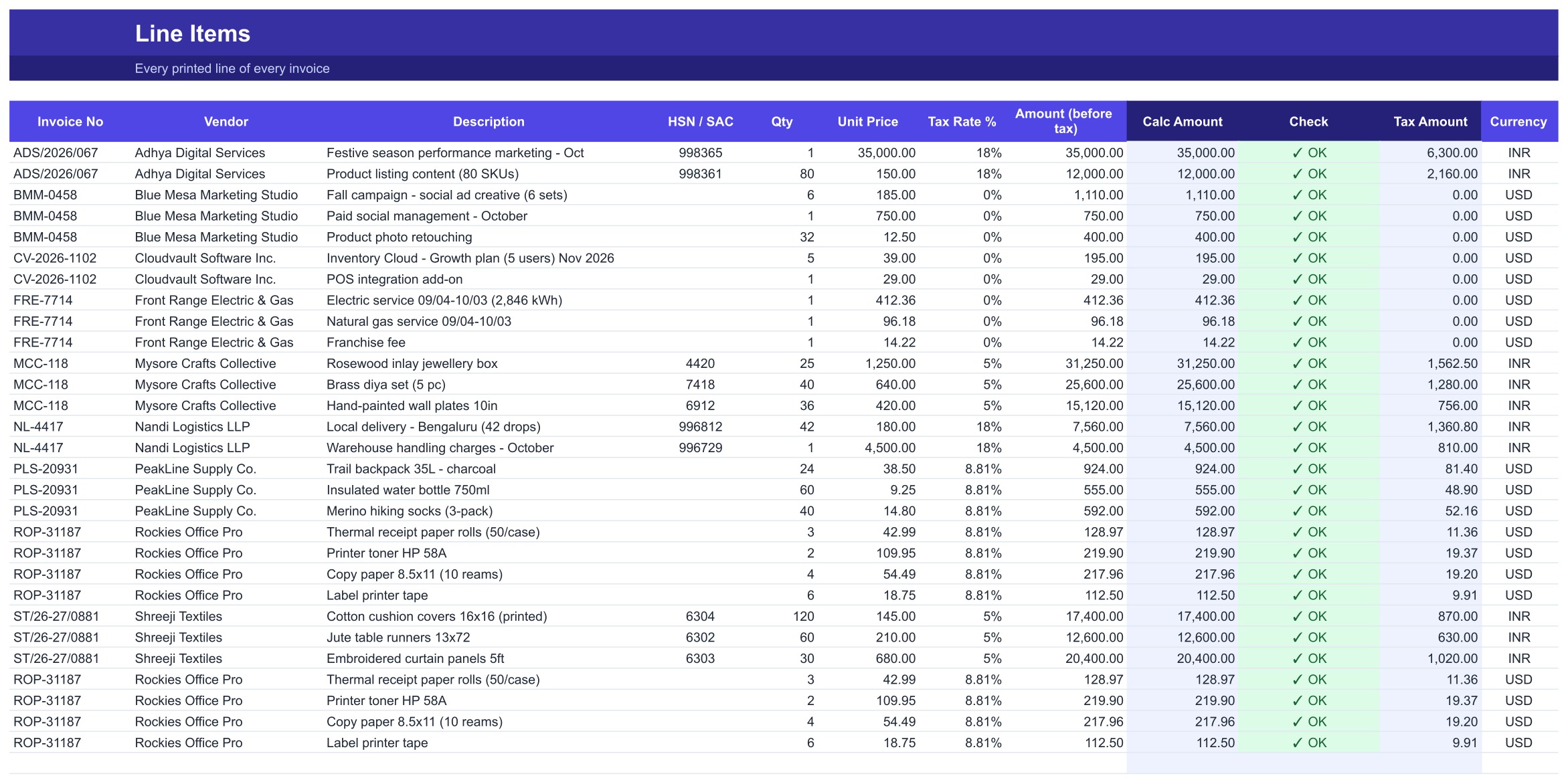
- Every printed line on the Line Items tab with HSN or SAC code, quantity, unit price, tax rate and a calculated amount with its own Check.
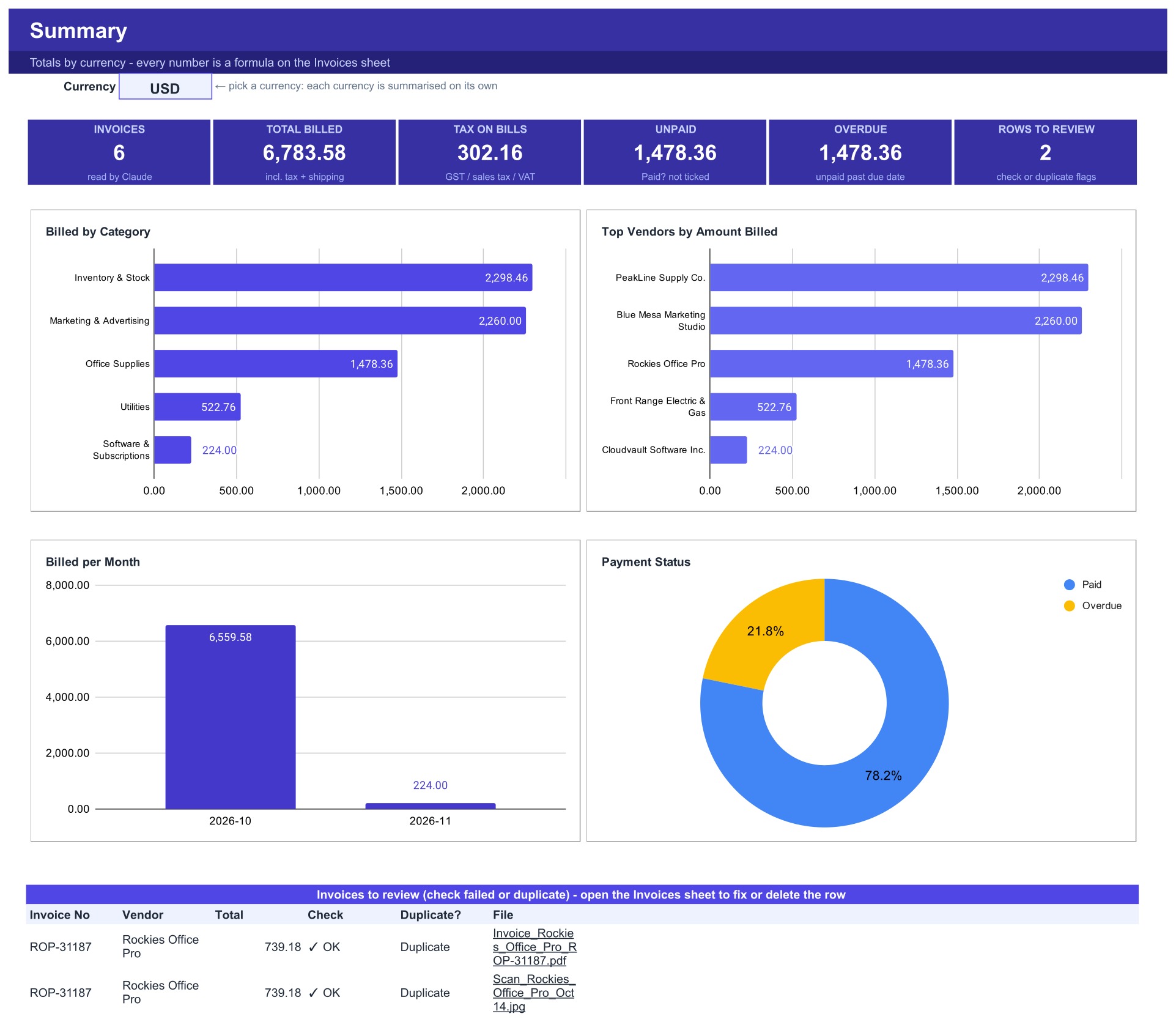
- Check, Duplicate and Due status columns are formulas. Tick the Paid box when you pay a bill and the Summary updates.
- Summary by currency (switch between USD, INR and others): invoices, total billed, tax on bills, unpaid and overdue, with charts by category, top vendors, month and payment status.
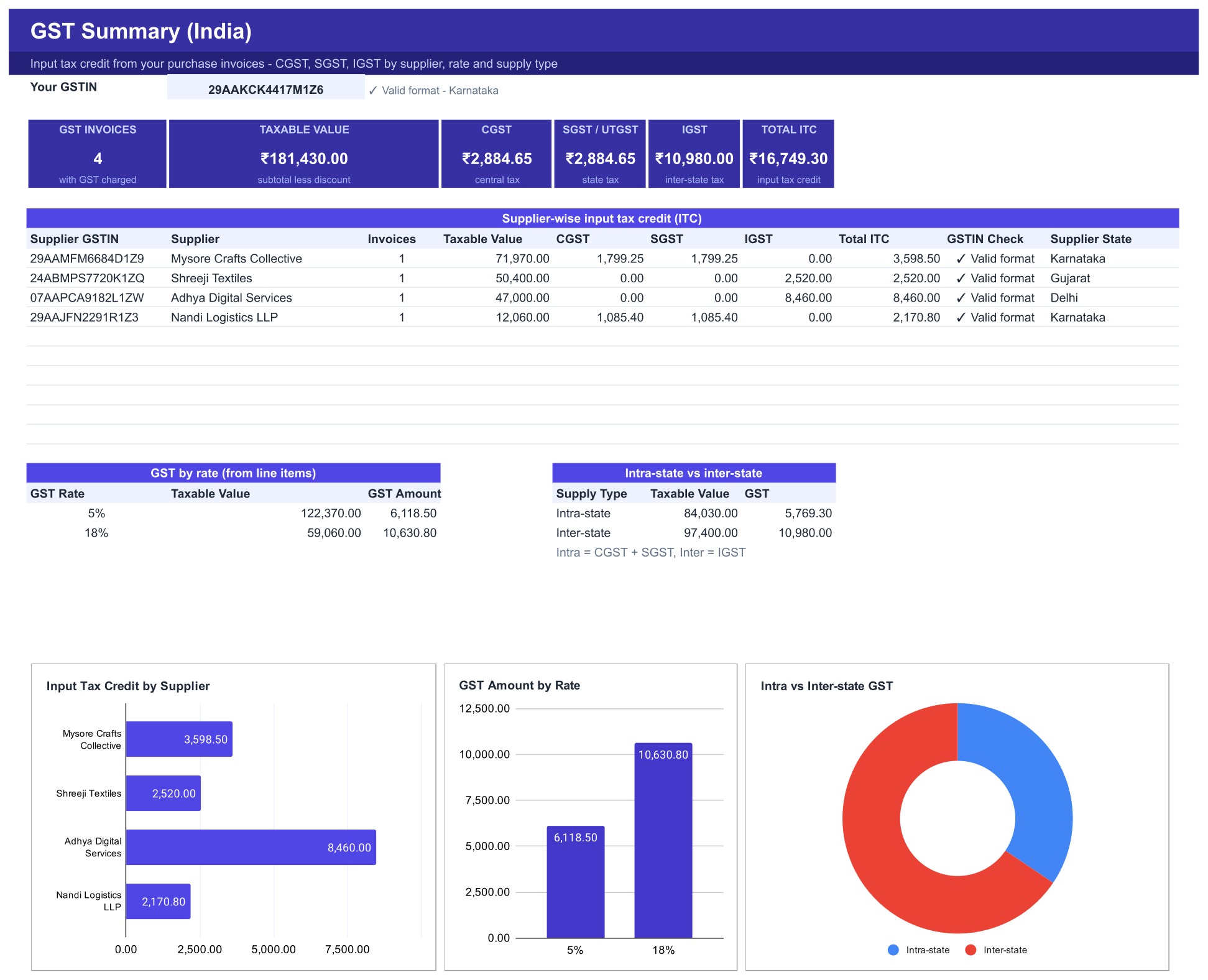
- GST Summary for Indian businesses: taxable value, CGST, SGST, IGST and input tax credit by supplier, rate and intra-state versus inter-state supply, with a GSTIN format check.
- Editable expense categories. Claude picks only from your list, so reports stay consistent.
- Choose Claude Haiku 5.5 (fast, lowest cost) or Claude Sonnet 5.5 (for poor scans and handwriting).

How the AI Invoice Extractor Works
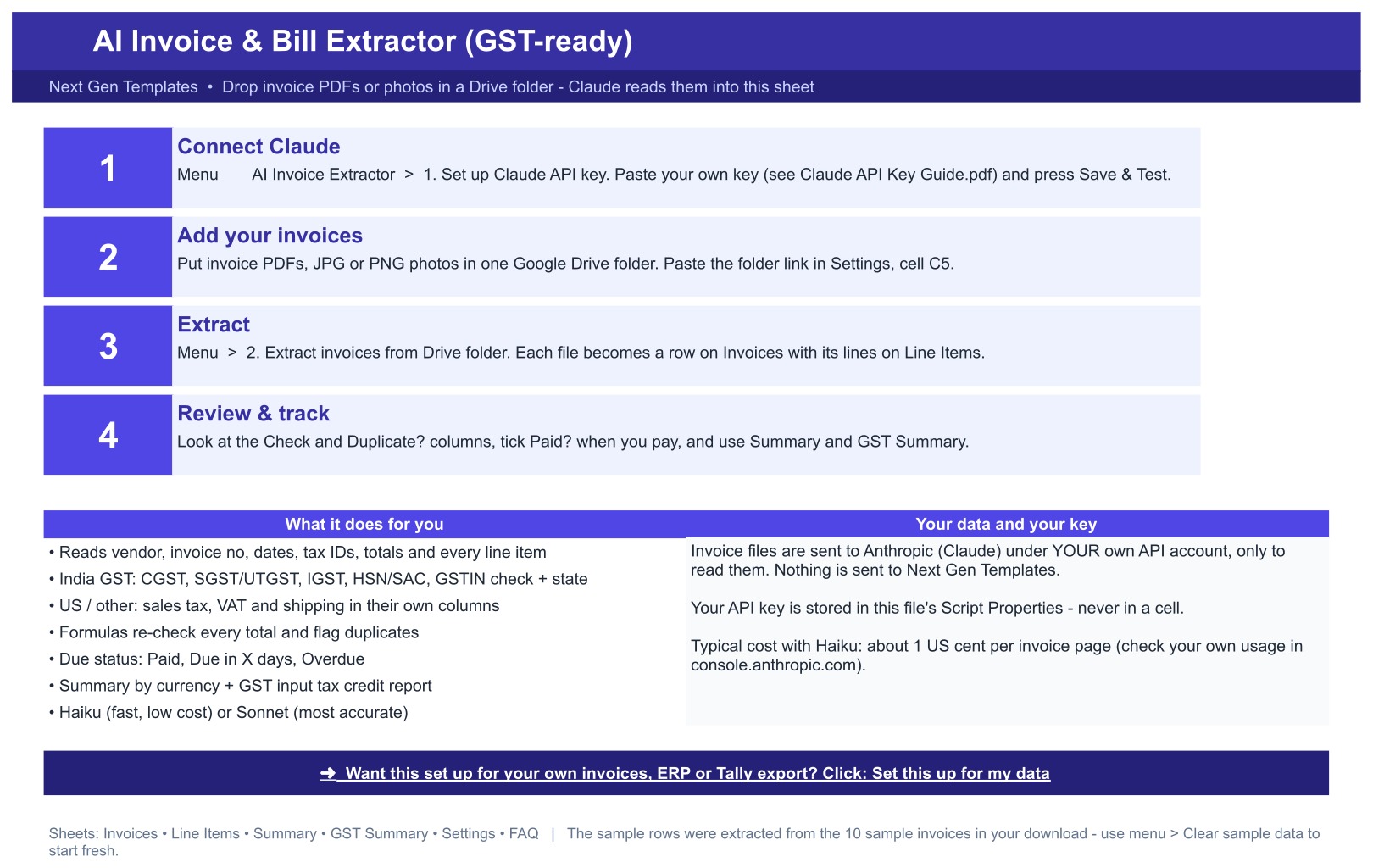
- Make your copy of the sheet. Open the menu AI Invoice Extractor, choose Set up Claude API key, paste your own key and press Save and Test.
- Put your invoice PDFs or photos in one Google Drive folder and paste the folder link in Settings.
- Choose Extract invoices from Drive folder. Claude reads each file and writes the rows. In our test ten invoices took about a minute with Haiku.
- Review any row marked Check or Duplicate, tick Paid as you pay, and read the Summary and GST Summary.
Your Data and Your Key
You use your own Claude API key. Invoice files go from your Google account straight to Anthropic (api.anthropic.com) under your own API account, only to be read. NextGenTemplates never receives your invoices or your key. The key is kept in the Script Properties of your copy, never in a cell and never in the download, and the menu has a Remove my API key item. The first time you run it, Google shows the standard message that the app is not verified. That is normal for a script in your own copy: choose Advanced, then Allow.
What It Costs to Run
You pay Anthropic for what you use. With Haiku 5.5 the cost is about one US cent per invoice page, around ten cents for the ten sample invoices. Sonnet 5.5 costs more and suits poor scans. Prices can change, so check the current Anthropic pricing. A small credit balance goes a long way.
Who Is It For?
- Bookkeepers and accountants who receive supplier bills as PDFs or photos.
- Small business owners who track bills, due dates and unpaid amounts in Google Sheets.
- Indian businesses that need input tax credit by supplier and GST rate.
- Finance and operations teams who want invoice data extraction without retyping.
- Anyone who needs a GST invoice extractor, or a simple way to extract invoice data to Google Sheets and send every invoice to Google Sheets as clean rows.
What It Does Not Do
- It is not accounting or tax software. It does not file GST returns, create e-invoices or IRNs, or export to Tally, QuickBooks or any ERP. It gives you clean rows you can export or copy.
- It gives no tax, audit or legal advice. Check the numbers against the original invoice before you rely on them.
- It needs an internet connection, a Google account and your own Claude API key. Files over 20 MB are not read.
- Google allows about six minutes per run, so for a big folder you run Extract again and it continues with the files that are left.
- Because AI reads the file, a blurry or unusual invoice can be misread. That is why every row and every line is re-checked by formulas and flagged.
- It runs in Google Sheets, not in Excel.
Comparison
| Feature | Typing bills by hand | AI Invoice & Bill Extractor in Google Sheets (GST-ready) |
|---|---|---|
| Reads PDF and phone-photo invoices | No | Yes |
| Captures every line item with HSN or SAC | Slow | Yes |
| US sales tax and Indian GST (CGST, SGST, IGST) | Manual | Yes |
| Flags duplicate bills | Only if you notice | Yes, by formula |
| Totals checked by formulas | If you build them | Yes, never by the AI |
| Your files go to NextGenTemplates | No | No, straight to Anthropic under your key |
| Files GST returns or exports to Tally | No | No |
Frequently Asked Questions
Do I need a Claude API key?
Yes. Create one at console.anthropic.com and add a few dollars of credit. The Claude API Key Guide in the download shows every click.
Does NextGenTemplates see my invoices?
No. Files go from your Google account to api.anthropic.com. Nothing is sent to us.
Is the AI calculating my totals?
No. Claude reads and categorises. Every calculated total, check, duplicate flag and due status is a sheet formula.
Can I use it for Indian GST invoices?
Yes. CGST, SGST, IGST, HSN or SAC codes and GSTIN are captured, and the GST Summary shows input tax credit by supplier and rate. It does not file returns.
Which files can it read?
PDF invoices (typed or scanned) and JPG, PNG or WEBP photos up to 20 MB. Clear, straight photos give the best results.
What if a number is read wrongly?
The Check column flags it. Open the file from the link on the row, correct the cell and the check turns OK.
Can you set this up for my own invoices or accounting tool?
Yes. Use the Set this up for my data link in the sheet or see our custom MIS automation service.
Get the AI Invoice Extractor
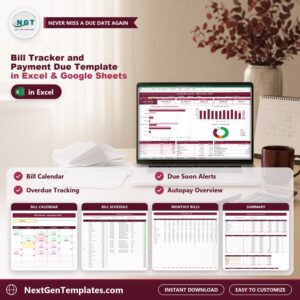
Download the AI Invoice & Bill Extractor, open the PDF, make your copy of the sheet, add your Claude API key and run the ten sample invoices first. You can also pair it with the Bill Tracker and Payment Due Template. Questions? Write to [email protected].













Reviews
There are no reviews yet.