Introducing the Home Affordability Calculator in Google Sheets — a powerful, ready-to-use financial tool designed to help you confidently plan your home purchase without stress.
Buying a home is one of the biggest financial decisions of your life. However, without proper calculations, you might overspend or underestimate your budget. This can lead to long-term financial pressure.
It transforms complex financial calculations into simple, easy-to-understand insights. As a result, you can evaluate your budget, analyze risks, and make confident decisions—all in one place.
✨ Key Features of Home Affordability Calculator in Google Sheets
🏡 Estimate Your Dream Home Budget
Quickly calculate the maximum home price you can afford based on your income and expenses.
💰 Accurate EMI & Loan Calculation
Understand monthly payments including principal, interest, taxes, and insurance.
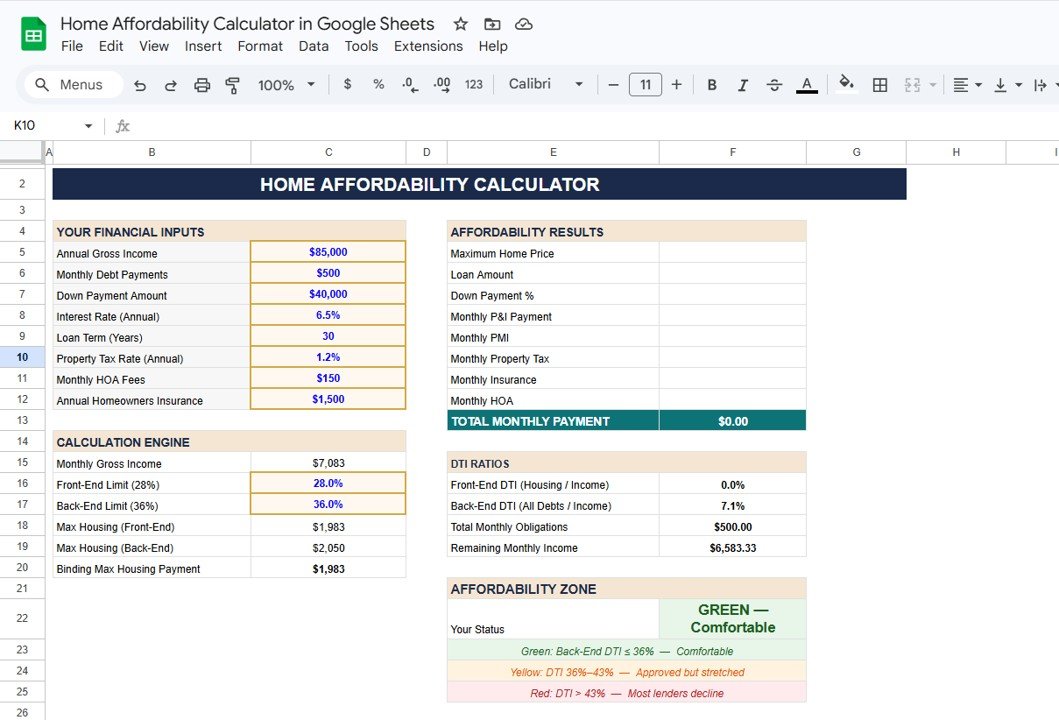
📊 Detailed Affordability Breakdown
View complete financial insights including loan amount, down payment %, and total monthly obligations.
📉 DTI Ratio Analysis
Measure your financial health with front-end and back-end Debt-to-Income ratios.
🚦 Affordability Zone Indicator
Know your risk level instantly with color-coded indicators: Green (Safe), Yellow (Moderate), Red (Risky).
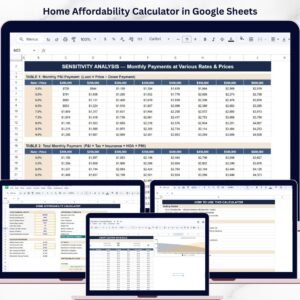
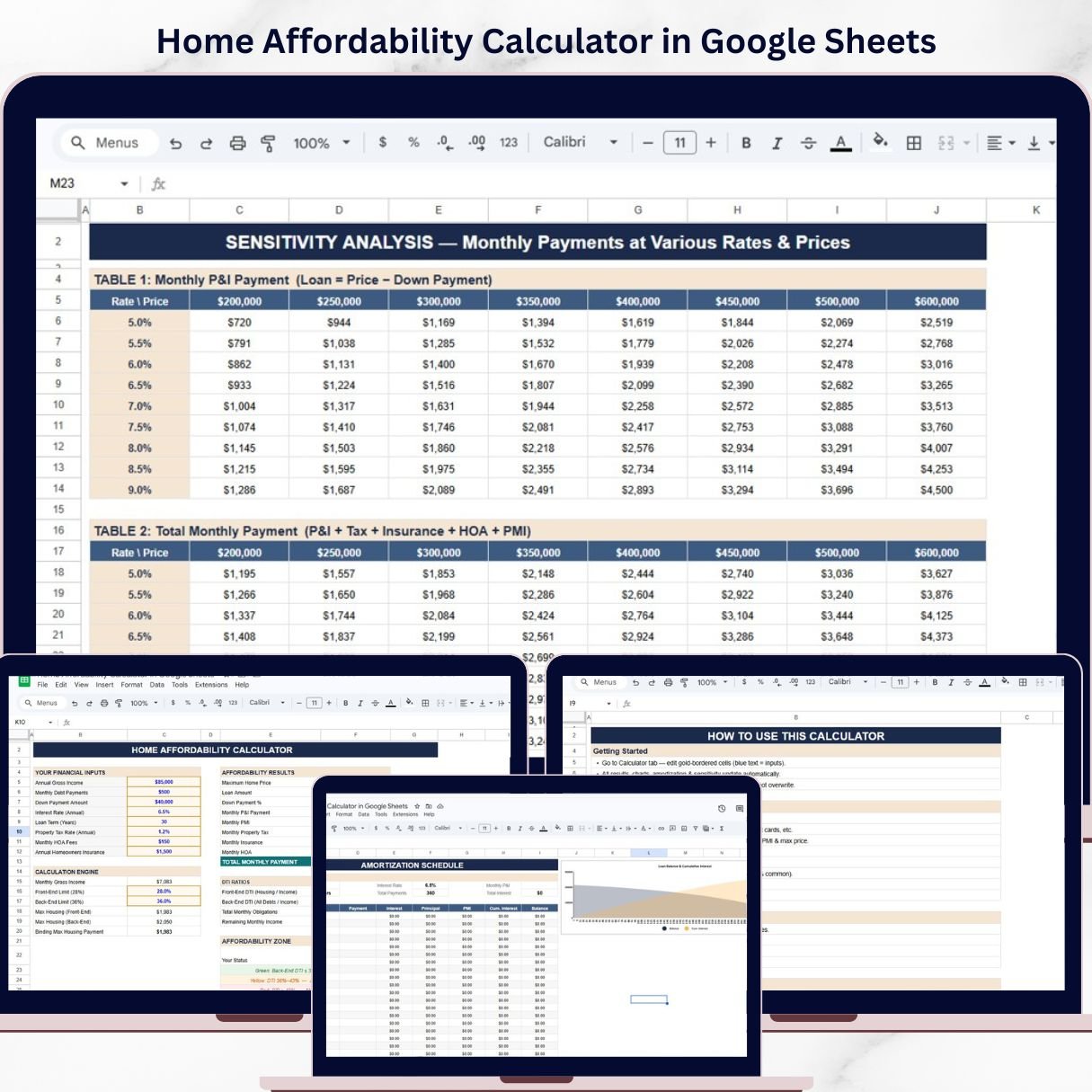
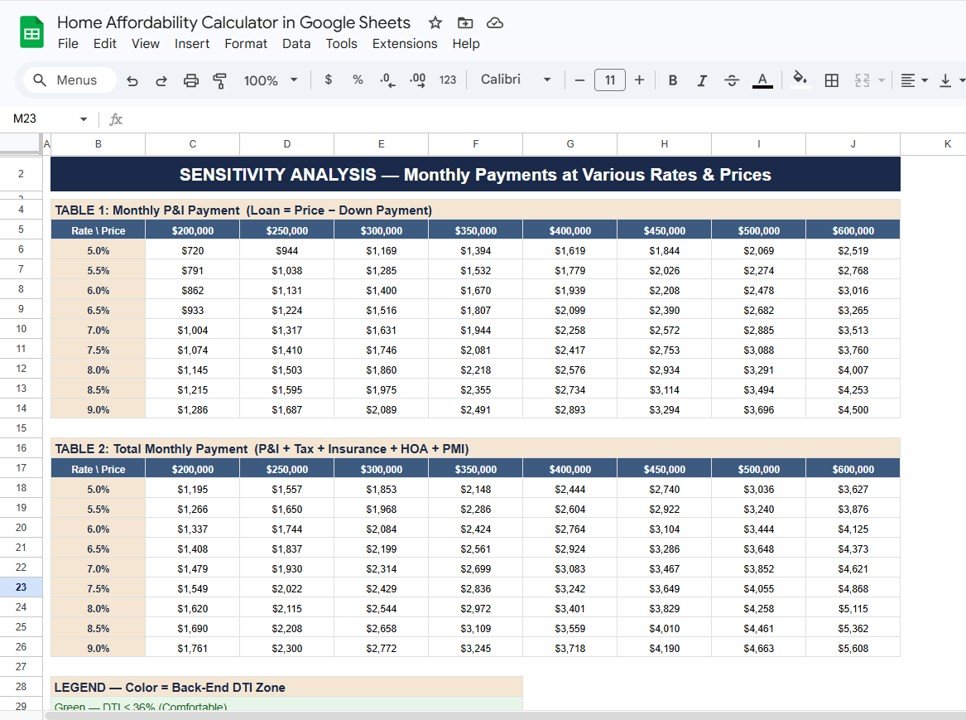
📈 Sensitivity Analysis
Test different scenarios by adjusting interest rates and home prices to see their impact.
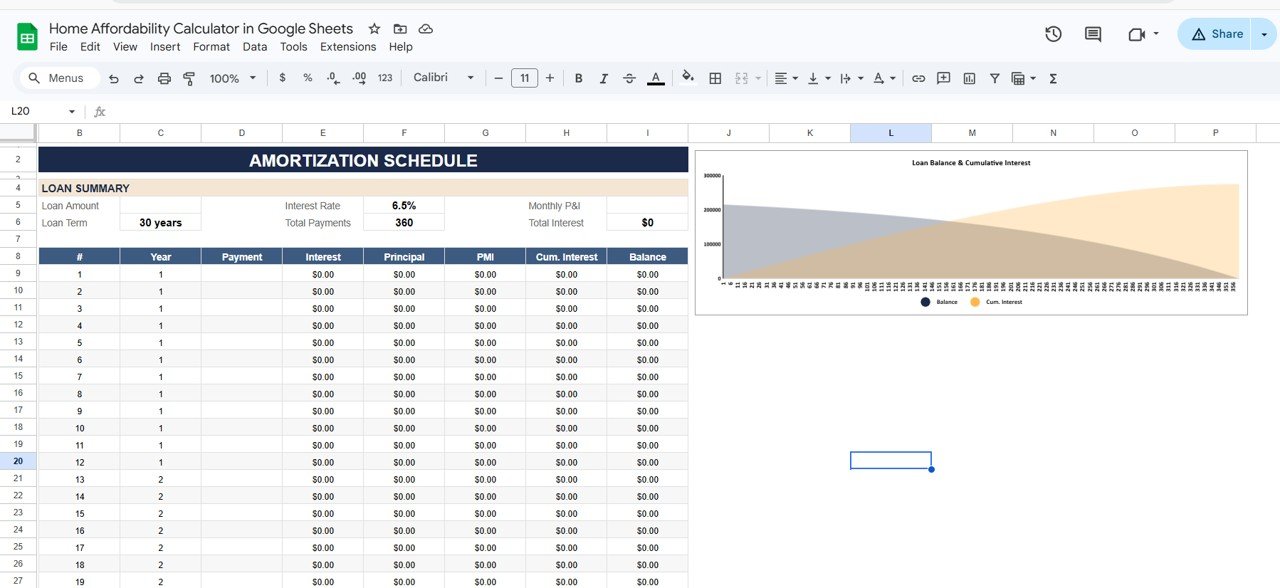
📅 Amortization Schedule
Track your loan repayment with detailed monthly breakdown of principal and interest.
⚡ Interactive & Easy-to-Use Design
Simple inputs and automated calculations make it beginner-friendly.
📂 What’s Inside the Home Affordability Calculator in Google Sheets
📌 Financial Input Section
Enter income, debts, down payment, interest rate, loan term, and other key details.
📌 Affordability Results Section
Instantly view maximum home price, EMI, monthly payments, and affordability summary.
📌 DTI Analysis Section
Understand your borrowing capacity with detailed ratio calculations.
📌 Affordability Zone Indicator
Get visual risk levels to guide safer financial decisions.
📌 Sensitivity Analysis Tables
Explore multiple scenarios for better planning and decision-making.
📌 Amortization Schedule
Detailed loan repayment breakdown over time.
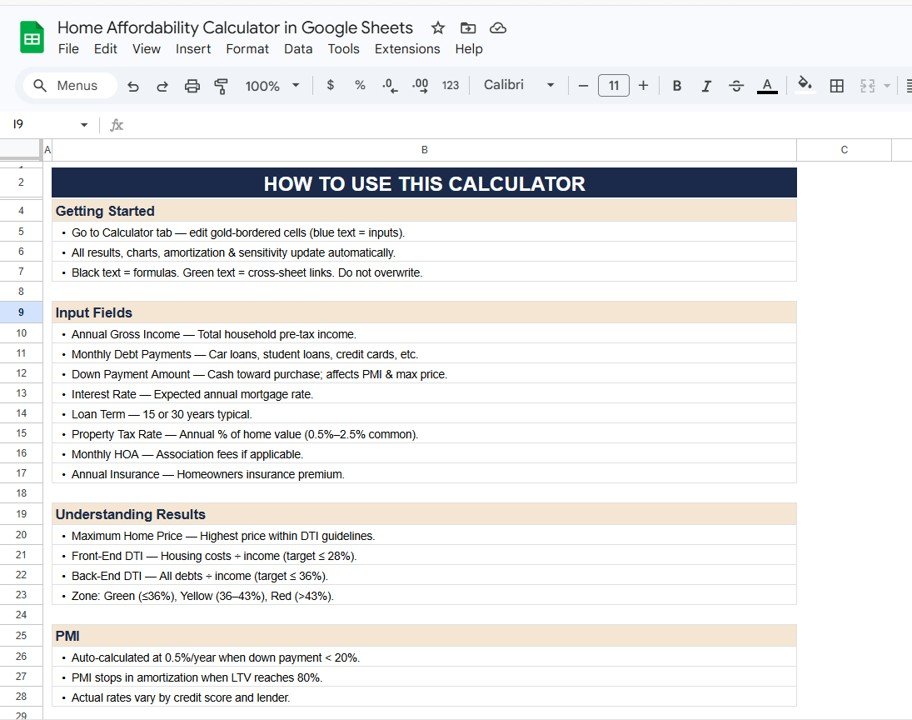
📌 Step-by-Step User Guide
Easy instructions to help you use the calculator effectively.
🛠️ How to Use the Home Affordability Calculator in Google Sheets
Using this calculator is super simple—even for beginners! 💡
1️⃣ Enter Your Financial Details
Add your income, monthly debts, and savings.
2️⃣ Input Loan Details
Enter interest rate, loan term, and down payment.
3️⃣ Review Affordability Results
Check maximum home price and EMI calculations.
4️⃣ Analyze DTI Ratios
Ensure your financial health is within safe limits.
5️⃣ Test Different Scenarios
Adjust inputs to find the best home-buying strategy.
6️⃣ Make Smart Decisions
Choose a home that fits your budget without financial stress.
👥 Who Can Benefit from This Home Affordability Calculator in Google Sheets
🏡 Home Buyers – Plan your dream home purchase confidently
💼 Working Professionals – Manage finances and loan affordability
👨👩👧 Families – Ensure long-term financial stability
🏦 Loan Advisors – Assist clients with accurate calculations
📊 Financial Planners – Provide better financial guidance
💡 Why This Calculator is a Must-Have?
✔ Avoid over-borrowing
✔ Understand your real budget
✔ Reduce financial risk
✔ Make confident home-buying decisions
✔ Plan long-term financial stability
👉 If you want to buy your dream home without financial stress, this calculator is your ultimate companion!