

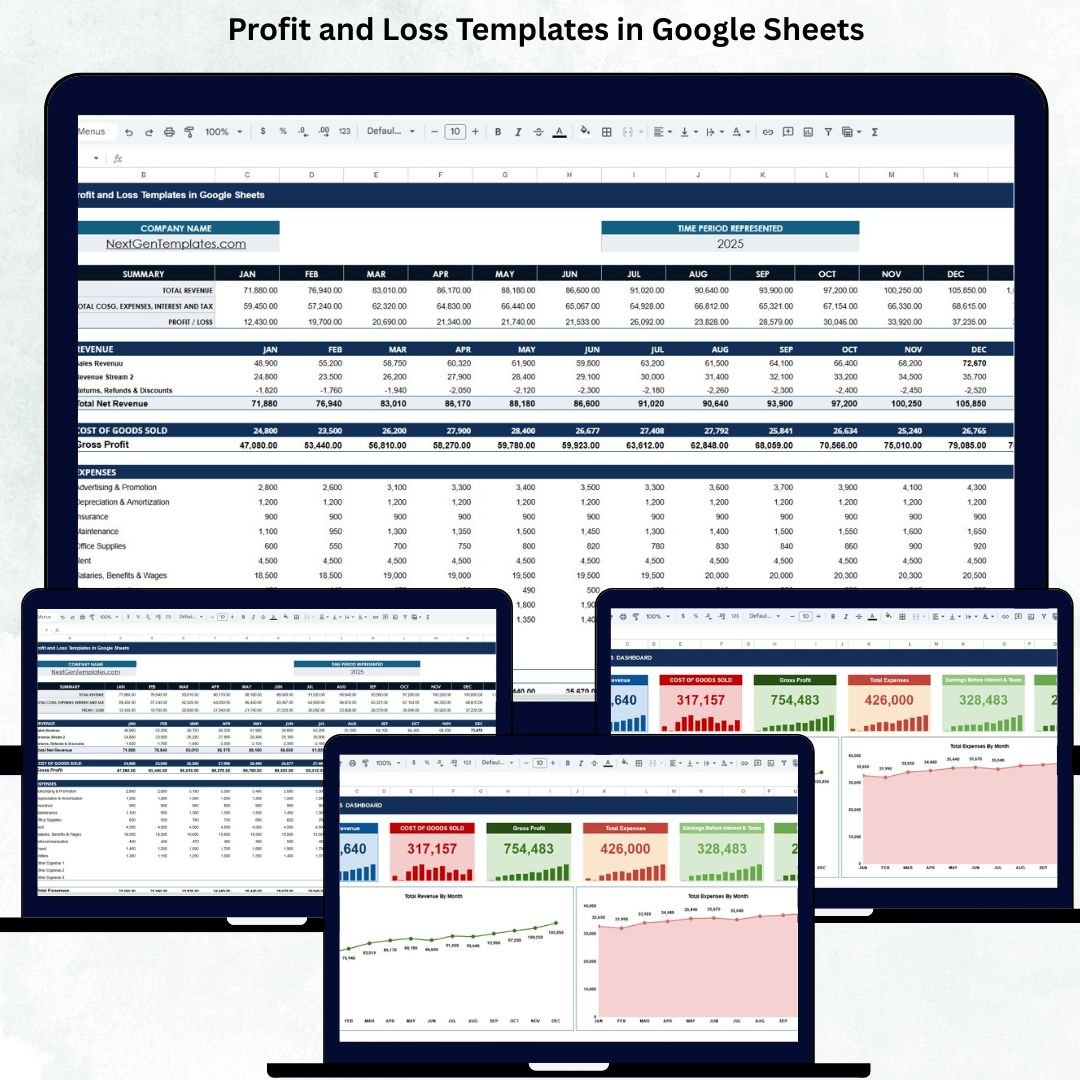

A Profit and Loss (P&L) Template in Google Sheets is one of the most essential tools for every business—whether you’re a startup founder, freelancer, shop owner, or finance professional. It provides a clear and organized view of your revenue, expenses, profit, and overall financial performance without complicated accounting software.Profit and Loss Templates in Google Sheets
This ready-to-use Google Sheets template helps you track financial results month by month and gives instant visibility into your business health. As soon as you update your monthly numbers, the template automatically calculates totals, generates key financial metrics, and updates your dashboard charts. This saves time, improves accuracy, and makes financial reporting simple for everyone.Profit and Loss Templates in Google Sheets
🌟 What This P&L Template Includes
This template comes with two powerful sheets:
1️⃣ Template Sheet – Complete Financial Table
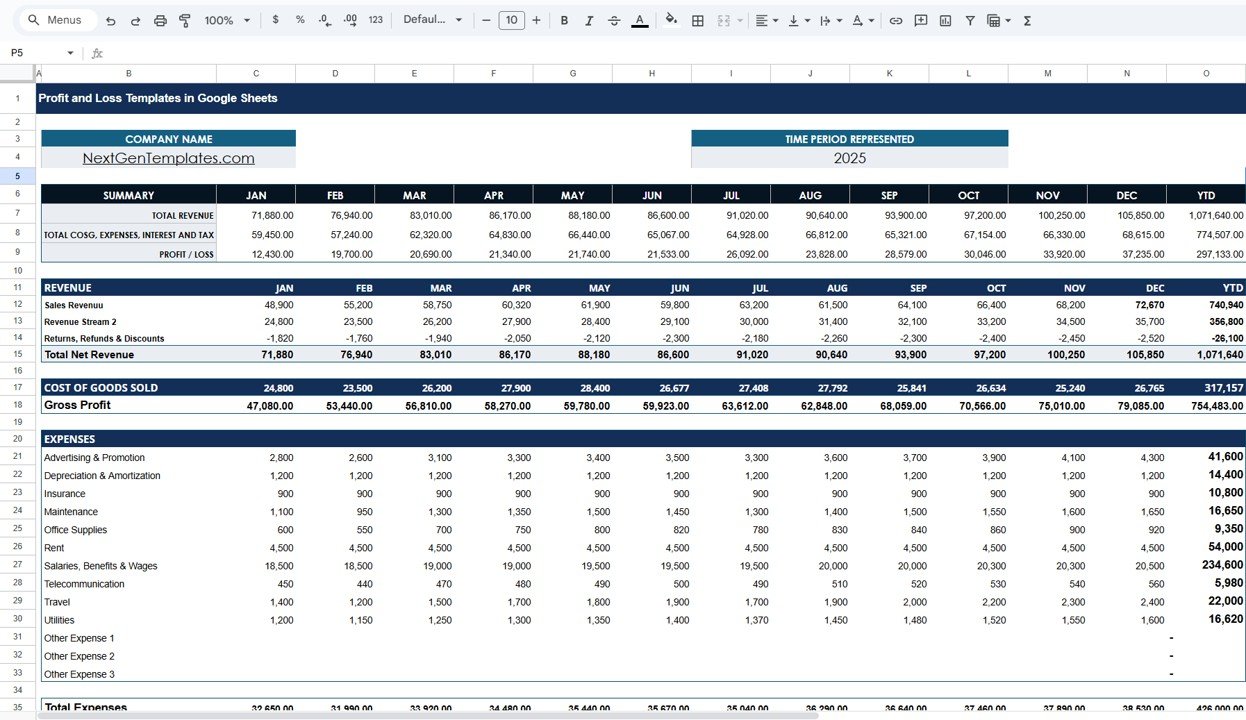
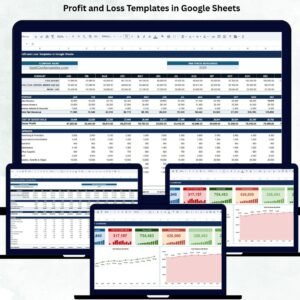
The Template Sheet organizes your financial data from January to December with automatic Year-to-Date (YTD) calculations. It includes:
Summary Section showing Total Revenue, Total COGS, Total Expenses, Taxes, and Profit/Loss.
Revenue Section including Sales Revenue, additional revenue streams, returns, refunds, and total net revenue.
COGS Section summarizing production and direct costs.
Expense Section covering advertising, salaries, utilities, office supplies, rent, travel, depreciation, and more.
Earnings Section showing EBIT, Interest, Profit Before Tax, Income Tax, and Net Profit.
All formulas are built-in so users do not have to calculate manually.
2️⃣ Dashboard Sheet – Visual Financial Insights
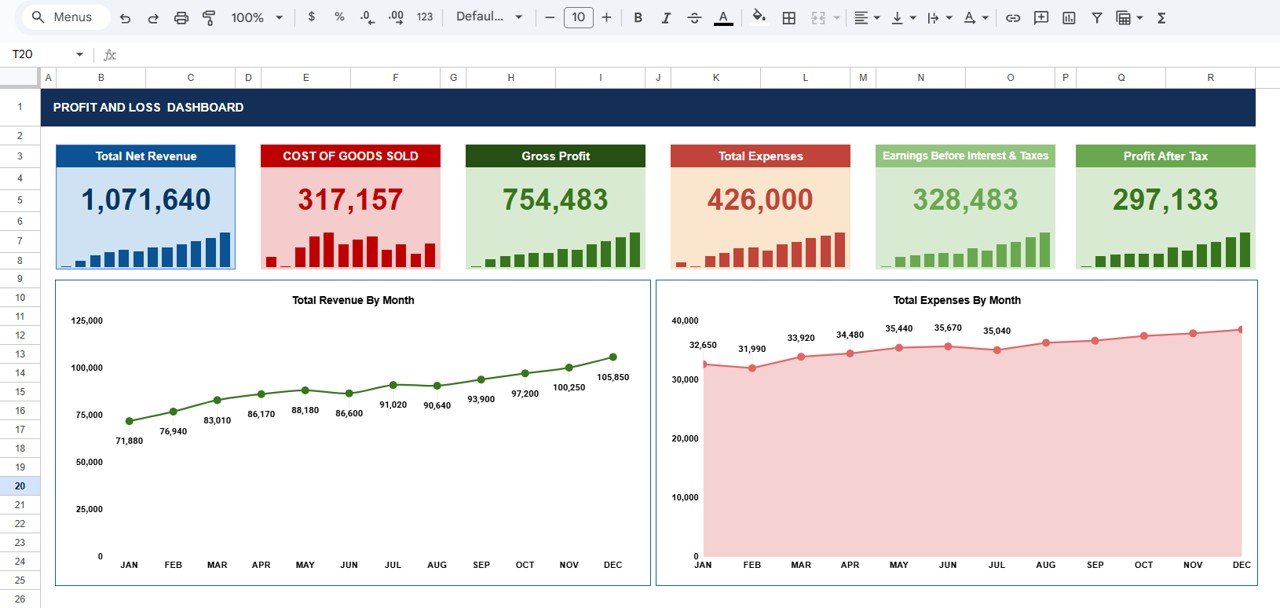
The Dashboard provides a clean, interactive, and real-time view of:
Total Net Revenue
Cost of Goods Sold (COGS)
Gross Profit
Total Expenses
EBIT
Profit After Tax
It also includes two key charts:
📌 Total Revenue by Month – Track revenue patterns, peaks, slow periods, and overall growth.
📌 Total Expenses by Month – Identify spending trends, cost spikes, and budget performance.
These visuals make it easier to present financial insights to management, investors, and teams.
✨ Key Advantages
Simple and user-friendly — perfect for beginners and professionals.
Automatically calculates all totals — no manual formulas needed.
Highly customizable — add more revenue or expense categories.
Helps identify profitability trends across the year.
Improves strategic planning with month-by-month analysis.
Supports team collaboration through Google Sheets’ sharing features.
🚀 Opportunities for Enhancement
You can extend this template with advanced features like:
Department-wise P&L reports
Forecasting and projection models
Automated alerts for unusual profit dips
Year-over-Year comparison charts
This makes your template even more powerful for decision-making.
📘 Best Practices for Using This Template
Update your revenue & expenses every month.
Keep naming consistency across all expense categories.
Review Gross Profit monthly to track cost efficiency.
Use charts during reviews for clearer discussions.
Compare Revenue vs Expenses regularly to maintain balance.
Click here to read the Detailed blog post
Watch the step-by-step video tutorial:
Visit our YouTube channel for step-by-step tutorials — Youtube.com/@NeotechNavigators
Compatibility and Requirements
- Works in Google Sheets. You need a free Google account and a web browser.
- The dashboard uses Google Sheets charts. Google explains charts in Add & edit a chart or graph.
Frequently Asked Questions
Which sheets are included?
Two: a Template sheet with the monthly P&L table and a Dashboard sheet with the key figures and charts.
What does the Template sheet cover?
January to December with year-to-date totals, split into summary, revenue, cost of goods sold, expenses and earnings sections.
Which figures appear on the dashboard?
Total net revenue, COGS, gross profit, total expenses, EBIT and profit after tax, plus revenue by month and expenses by month charts.
Can I add my own categories?
Yes. You can add more revenue or expense categories, and the built-in formulas calculate the totals.
Is there an Excel version?
Yes. The Profit and Loss (P&L) Template in Excel does the same job in Excel.
Related Finance Templates
- Profit and Loss (P&L) Template in Excel: the P&L template in Excel
- Cash Flow Template in Google Sheets: track money in and out
- Income and Expense Dashboard in Google Sheets: income and spending on one dashboard
- Budget Forecasting Dashboard in Google Sheets: plan and forecast budgets
- Finance & Accounting Command Center: 8 finance templates in one download
Browse all Google Sheets financial tools or the Google Sheets dashboards.

























Reviews
There are no reviews yet.