


Managing your finances doesn’t have to be complicated. Whether you’re running a business, managing a nonprofit, or organizing personal finances, the Income and Expenses Monthly and Yearly View in Google Sheets is your ultimate solution for financial clarity. 📆💼
This ready-to-use and fully automated Google Sheets template allows you to easily record, categorize, and analyze your income and expenses — giving you both monthly and yearly insights at a glance. It’s simple, professional, and ideal for users who want control over their finances without relying on expensive accounting software.
With prebuilt formulas, dropdowns, and automatic summaries, this template transforms raw data into meaningful financial insights, helping you plan budgets, reduce unnecessary spending, and increase profitability.
🔑 Key Features of the Income and Expenses Monthly and Yearly View in Google Sheets
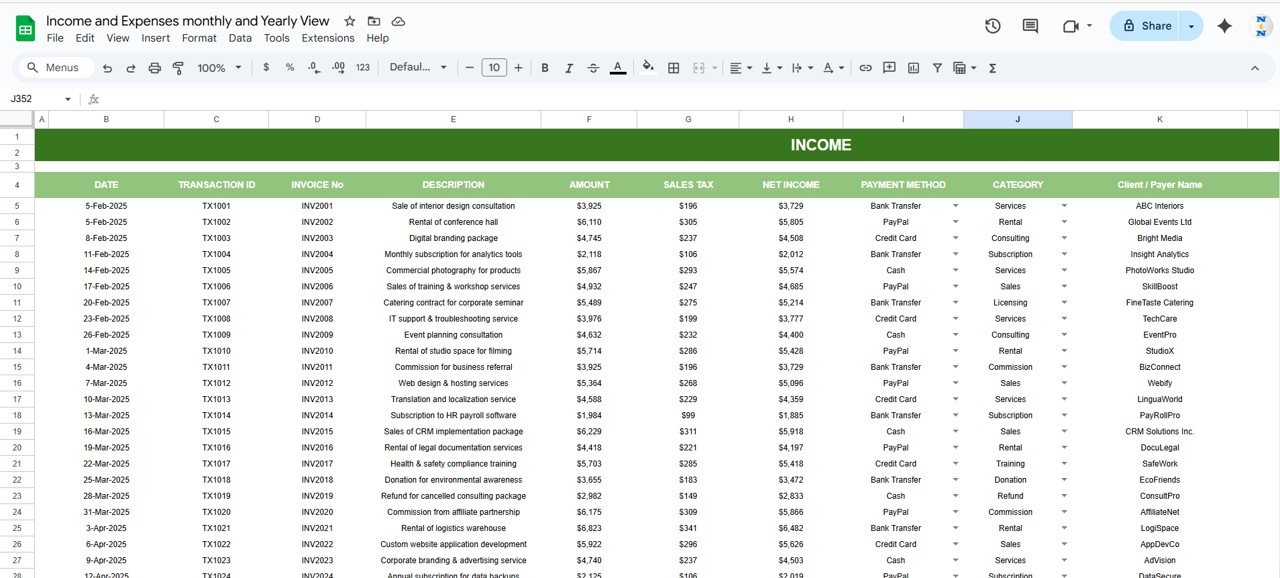
📈 Income Sheet Tab
Track every source of income efficiently:
Enter details like category, amount, sales tax, and net income.
Automatically calculates totals and contribution percentages.
Supports multiple income types — including sales, rent, commissions, and subscriptions.
Gives you a clear view of your total income stream and diversification.
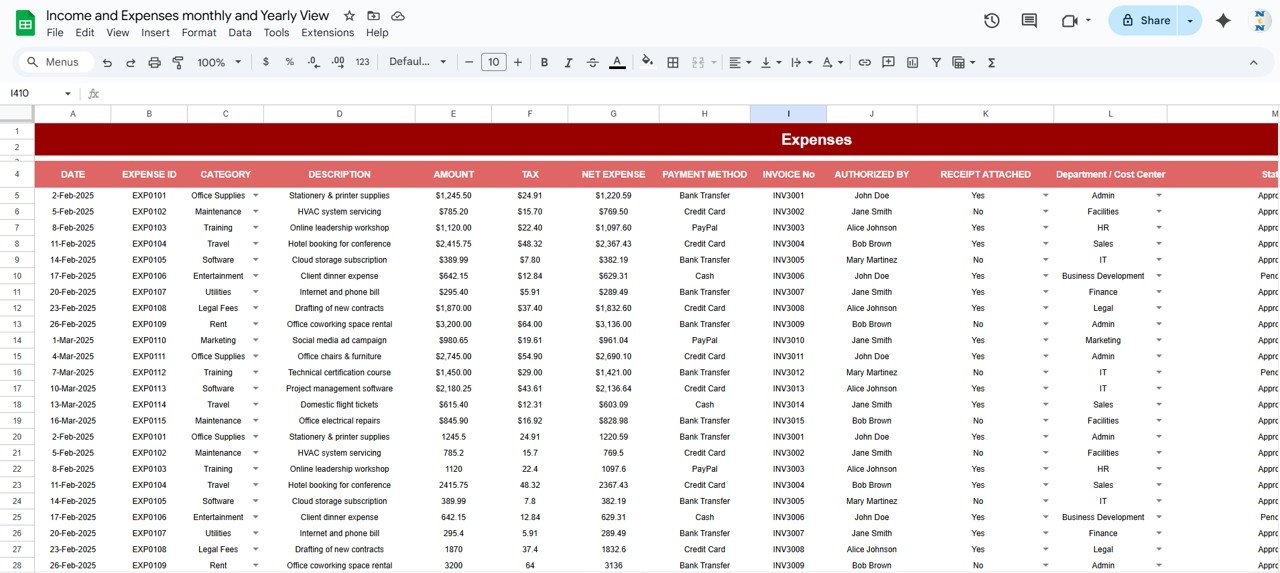
💸 Expenses Sheet Tab
Keep spending under control with structured expense tracking.
Record expenses with category, tax, and net amount.
Visualize spending across marketing, office supplies, travel, training, and software.
Automatically calculates the percentage share of each expense category.
Instantly identify top spending areas that need attention.
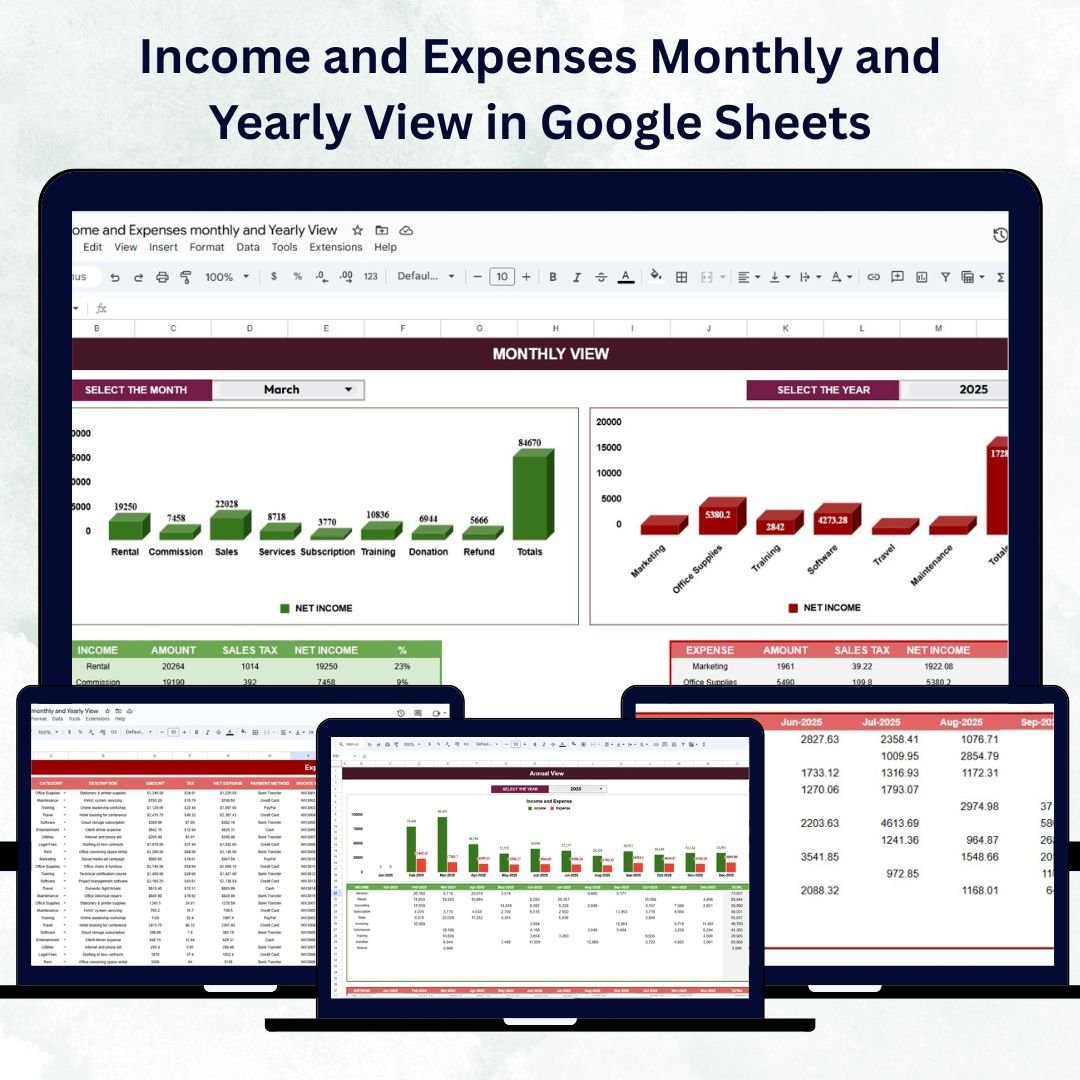
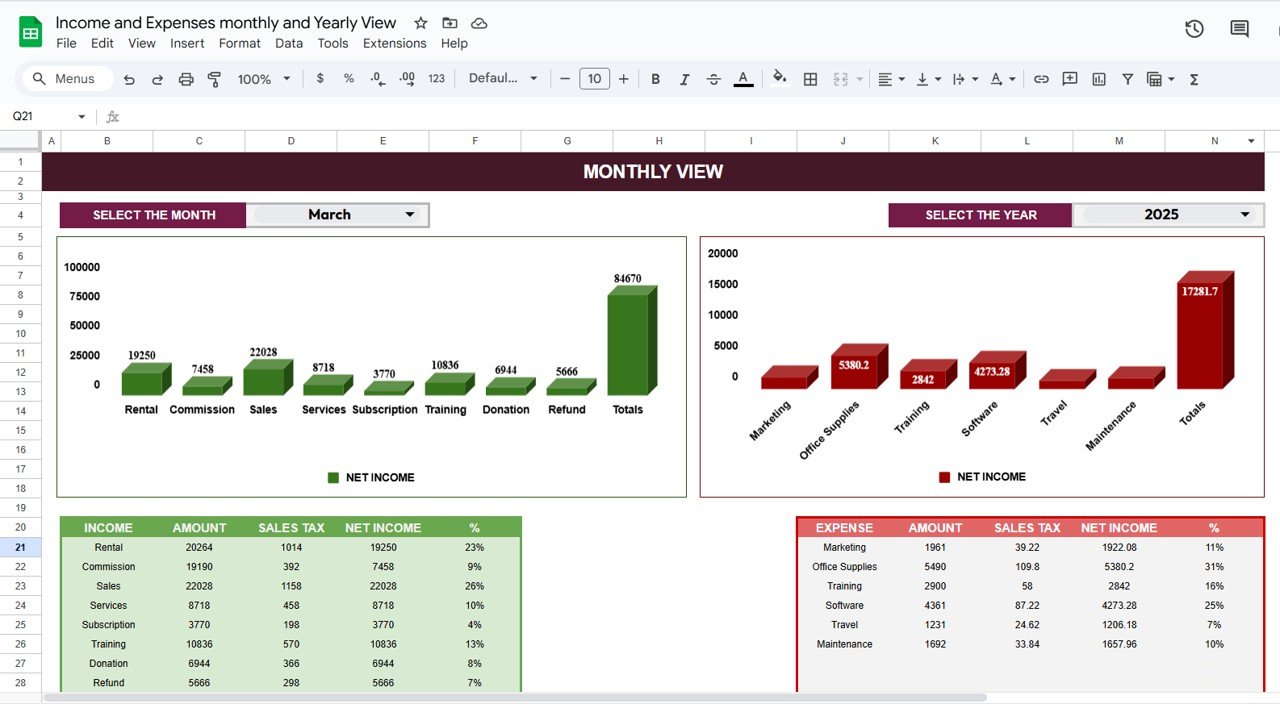
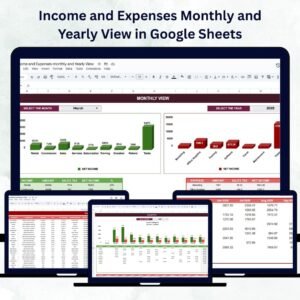
📅 Monthly View Sheet Tab
A dynamic and interactive summary of your monthly financial performance.
Select any month and year using simple dropdown menus.
Automatically displays income, expenses, and profit/loss for that period.
View gross vs. net income, total expenses, and category-wise breakdowns.
Perfect for quick month-end reviews and cash flow assessments.
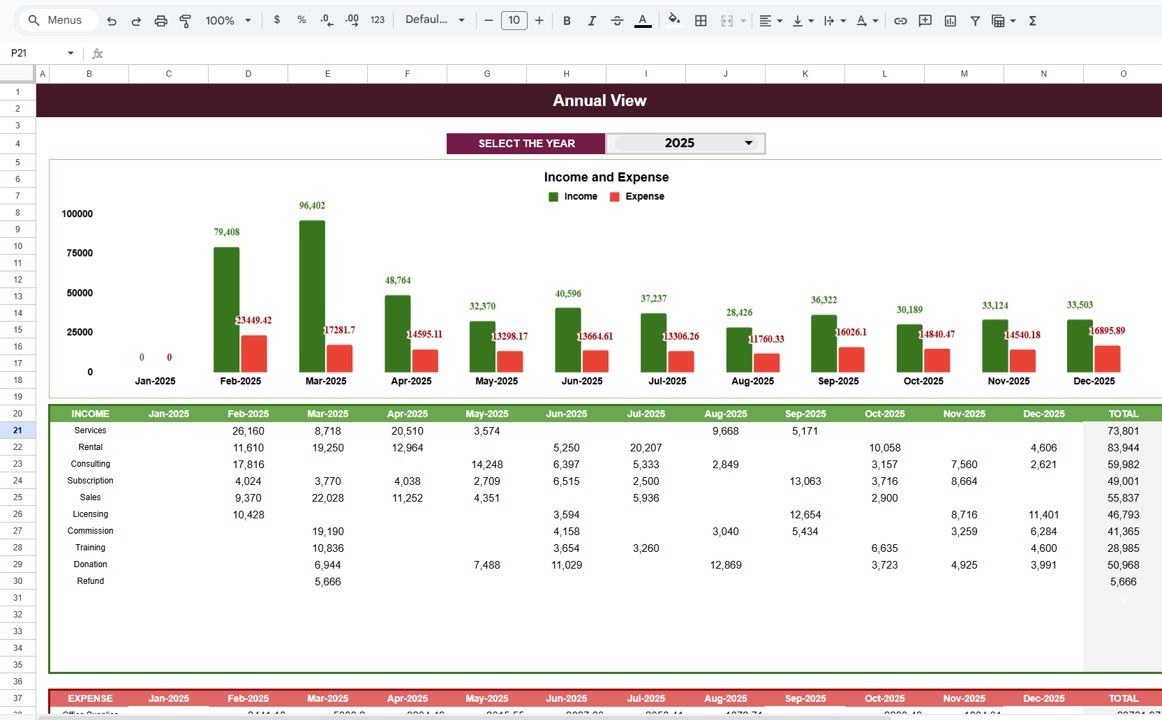
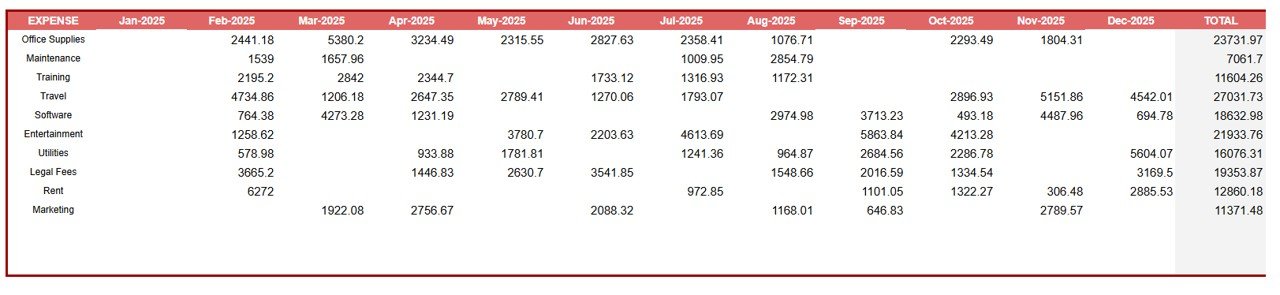
📊 Annual View Sheet Tab
Get the big picture with a 12-month overview.
View all income and expense categories side by side for each month.
Automatically generates totals and grand totals for the year.
Helps identify seasonal trends, growth patterns, and yearly profitability.
Makes annual reporting simple and accurate — perfect for tax preparation or audits.
📦 What’s Inside the Template
✅ Income Sheet – Record all income details with automatic calculations.
✅ Expenses Sheet – Manage cost categories and track spending habits.
✅ Monthly View – Drill down into month-specific performance.
✅ Annual View – Visualize the entire year’s financial journey.
✅ Built-in Formulas – Auto-calculate totals, differences, and percentages.
✅ Dropdown Menus – Easy month and year selection for instant filtering.
✅ Customizable Categories – Add or edit income and expense types to fit your needs.
No setup required — simply open, input, and watch your finances take shape! 🚀
👩💼 Who Can Benefit from This Template
💼 Small Business Owners – Track monthly revenue and expense performance.
🧾 Freelancers & Consultants – Monitor client payments and project costs.
🏡 Individuals & Families – Manage personal budgets and savings goals.
🏢 Nonprofits – Record donations, grants, and program expenditures.
📊 Startups & Entrepreneurs – Control cash flow and identify growth opportunities.
🧠 How to Use the Income and Expenses Template
Enter Your Income Data: Record all earnings in the Income Sheet tab.
Log Expenses: Add all outgoing costs to the Expenses Sheet.
Select Month/Year: Use dropdowns in the Monthly View for focused analysis.
Review Trends: Use the Annual View to compare results month over month.
Customize: Add new income or expense categories as needed.
The dashboard updates automatically — providing real-time financial insight without manual calculations.
🌟 Why Choose This Google Sheets Template
Simple and intuitive layout – perfect for beginners.
100% automated with prebuilt formulas and conditional formatting.
Accessible from any device via Google Drive.
Fully editable and sharable with accountants or partners.
Supports both business and personal finance management.
Saves hours of manual accounting and reporting time.
The Income and Expenses Monthly and Yearly View in Google Sheets is not just a tracker — it’s your personal finance command center that helps you stay in control, plan better, and make smarter financial decisions. 💰📊
🔗 Click here to read the Detailed blog post
Watch the step-by-step video Demo:
🔗 Visit our YouTube channel to learn step-by-step video tutorials
Compatibility and Requirements
- Works in Google Sheets. You need a free Google account and a web browser.
- You pick the month and year in the Monthly View from dropdowns. Google explains dropdowns in Create an in-cell dropdown list.
Frequently Asked Questions
Which tabs are in the template?
It has an Income sheet, an Expenses sheet, a Monthly View and an Annual View.
Does it handle sales tax?
Yes. You enter the category, amount and sales tax for each income line, and the tax and net amount for each expense.
How do I see one month on its own?
Pick the month and year from the dropdowns in the Monthly View. It shows income, expenses and profit or loss for that period.
Can I add my own income and expense categories?
Yes. You can add or edit income and expense types to fit your business or household.
Can I share it with my accountant?
Yes. The file is fully editable and you can share it with accountants or partners through Google Drive.
Related Income and Expense Templates
- Income and Expense Dashboard in Google Sheets: income and expenses on a chart dashboard
- Expense Report and Tracker in Google Sheets: log and report expenses
- Expense Allocation Tracker in Google Sheets: split costs across departments
- Income and Expense Data Entry System in Excel: record income and expenses in Excel
- Finance & Accounting Command Center: 8 finance templates in one download
Browse all Google Sheets dashboards or the Google Sheets financial tools.










Reviews
There are no reviews yet.