


Corporate compliance is no longer just a regulatory requirement—it is a strategic pillar of governance, risk management, and business sustainability. However, managing compliance through scattered spreadsheets, emails, and static reports often leads to blind spots, delayed actions, and rising risks.
That is exactly where the Corporate Compliance Dashboard in Power BI becomes a game-changer.
This ready-to-use Power BI dashboard transforms raw compliance data into clear, interactive, and real-time insights. Instead of chasing updates across departments, leadership and compliance teams gain a single, centralized view of compliance status, risks, ownership, and performance. As a result, organizations move from reactive compliance handling to proactive risk prevention.
Built with intuitive visuals, slicers, and drill-downs, this dashboard helps organizations monitor compliance obligations, identify high-risk areas early, and ensure accountability across departments, individuals, and locations.
🔑 Key Features of Corporate Compliance Dashboard in Power BI
📌 Centralized Compliance Visibility
View all compliance obligations, statuses, and risks in one unified dashboard.
📌 Real-Time Compliance Tracking
Automatically updated visuals ensure you always work with the latest data.
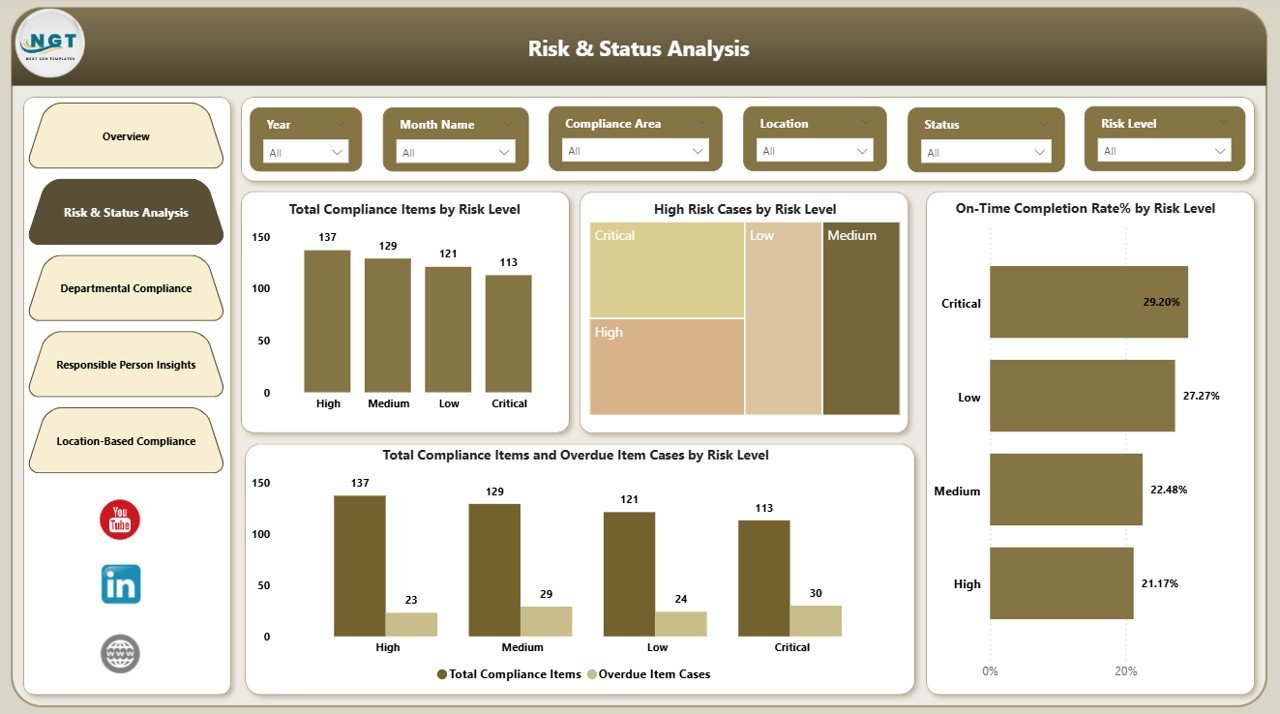
📌 Risk & Status Analysis
Identify high-risk, non-compliant, and overdue items instantly.
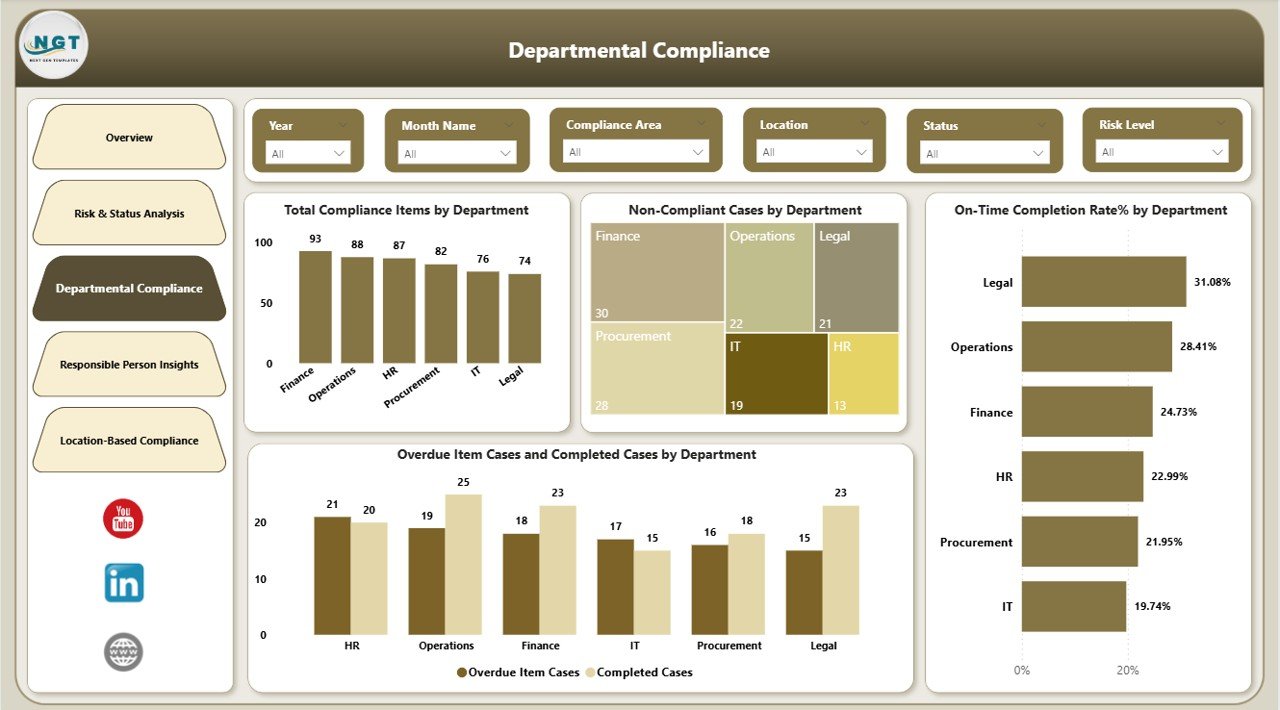
📌 Department-Wise Performance Monitoring
Compare compliance performance across departments with clarity.
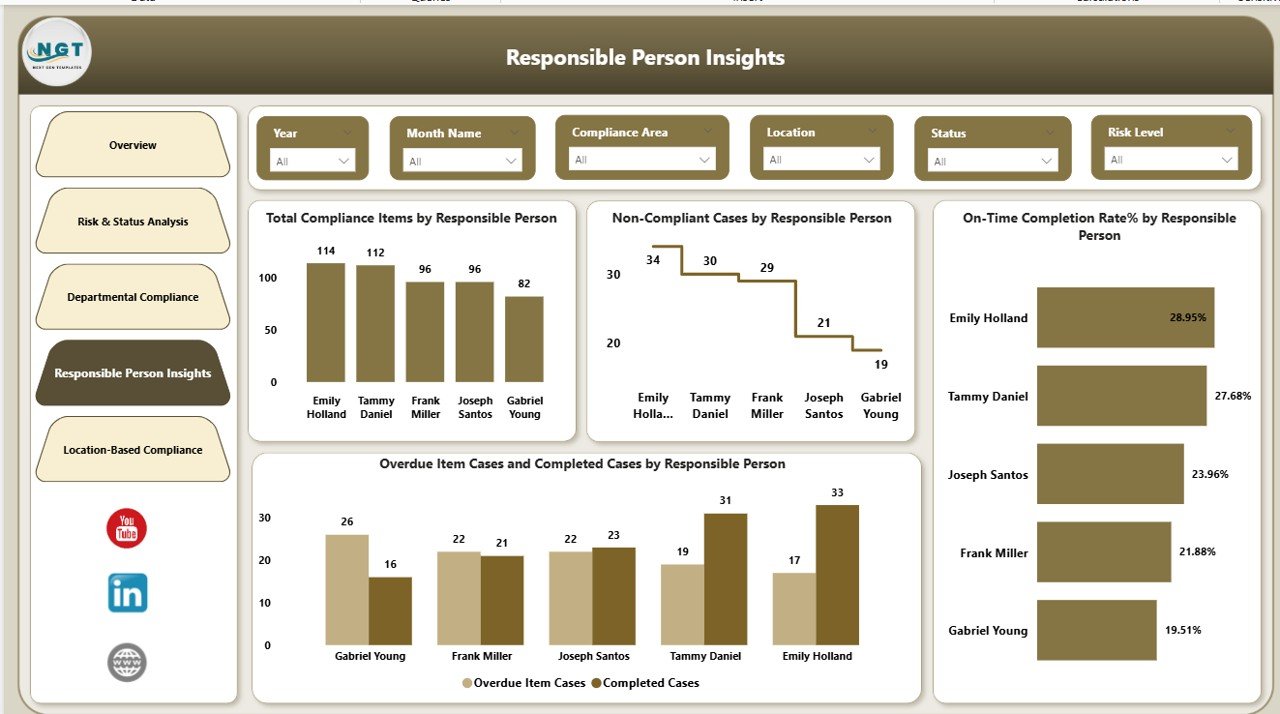
📌 Individual Accountability Insights
Track responsible persons and ownership for every compliance action.
📌 Location-Based Compliance Analysis
Monitor how different locations perform against compliance standards.
📌 Interactive Power BI Experience
Use slicers, filters, and drill-downs to explore insights effortlessly.
📦 What’s Inside the Corporate Compliance Dashboard
This Power BI dashboard includes five powerful analytical pages, each designed to answer a critical compliance question:
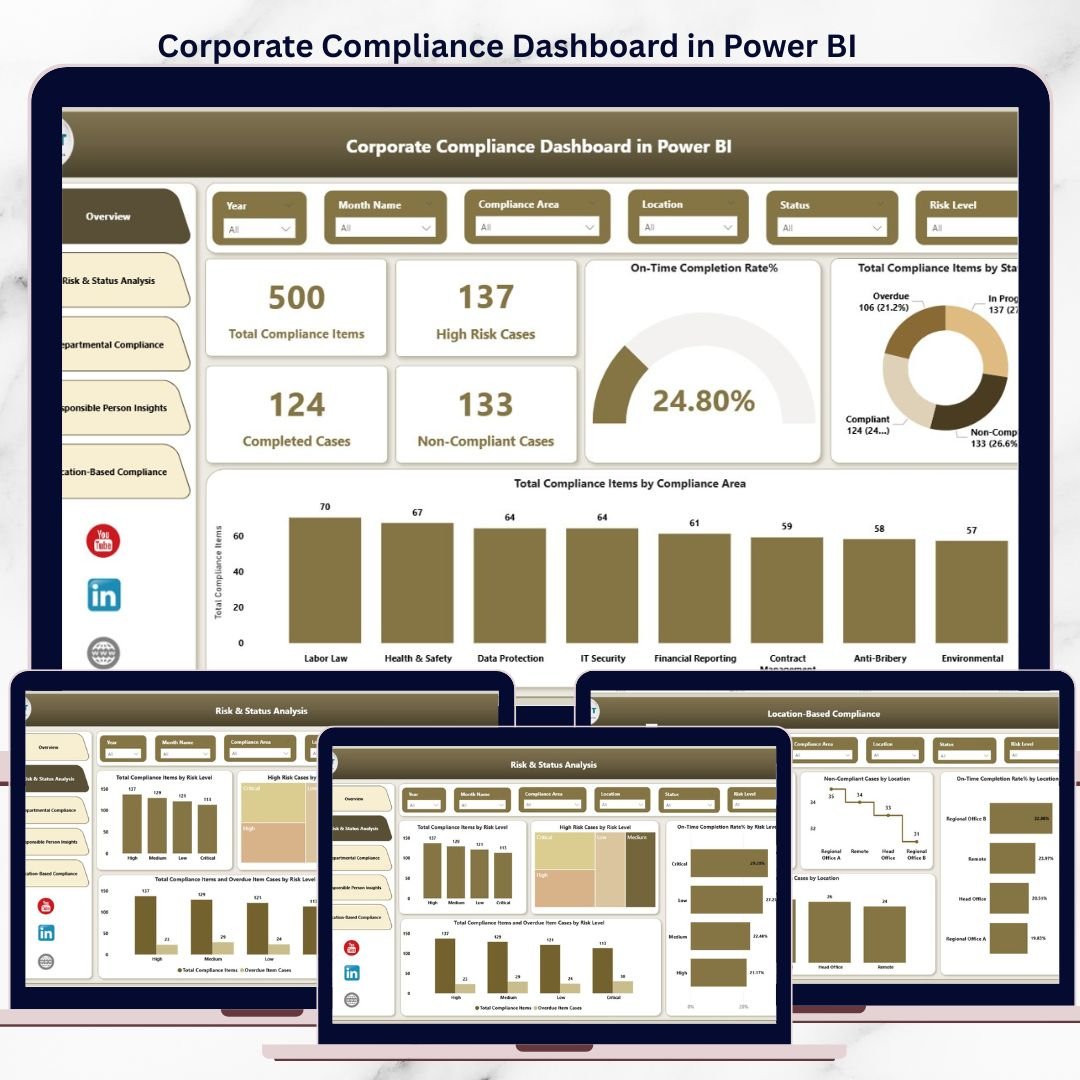
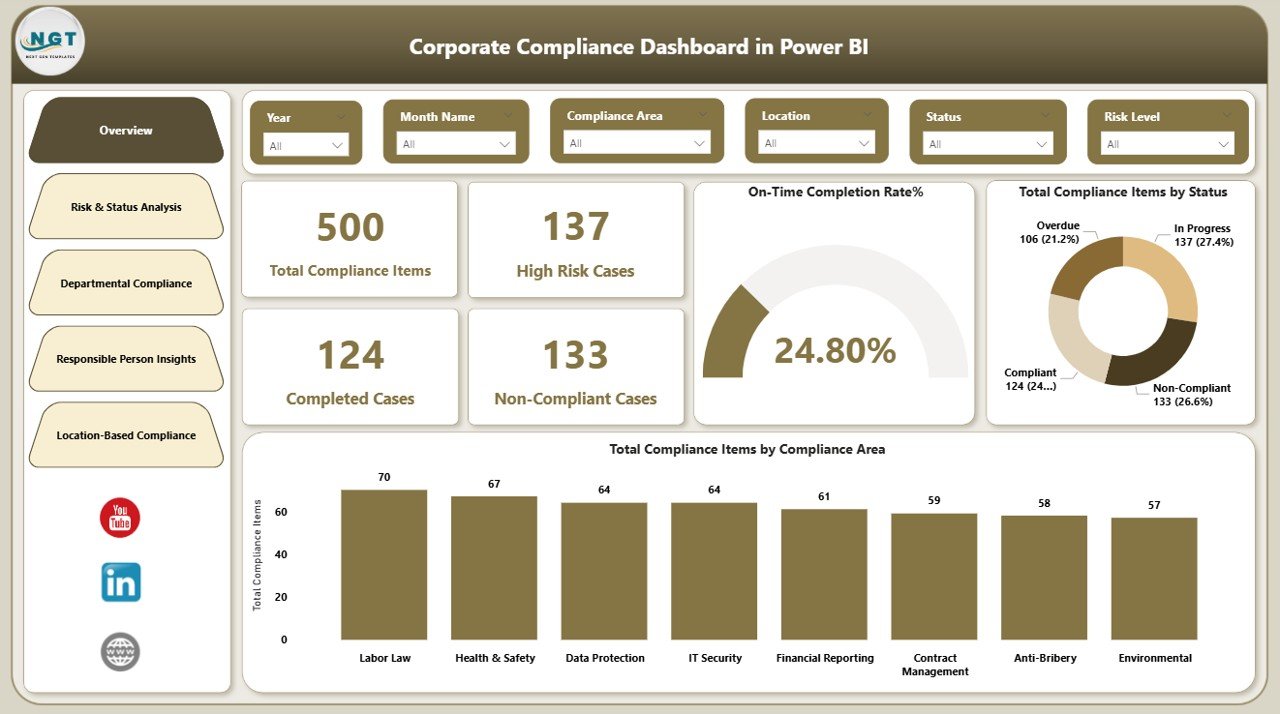
🧭 Overview Page
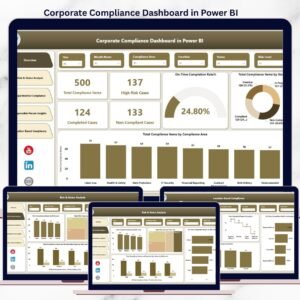
Provides a high-level snapshot of total compliance items, high-risk cases, non-compliant items, completed cases, and on-time completion rates.
⚠️ Risk & Status Analysis Page
Highlights compliance exposure by risk levels, overdue cases, and completion performance to help teams prioritize actions.
🏢 Departmental Compliance Page
Shows compliance performance by department, including non-compliant cases and overdue vs completed items.
👤 Responsible Person Insights Page
Tracks individual ownership, ensuring transparency and accountability across the organization.
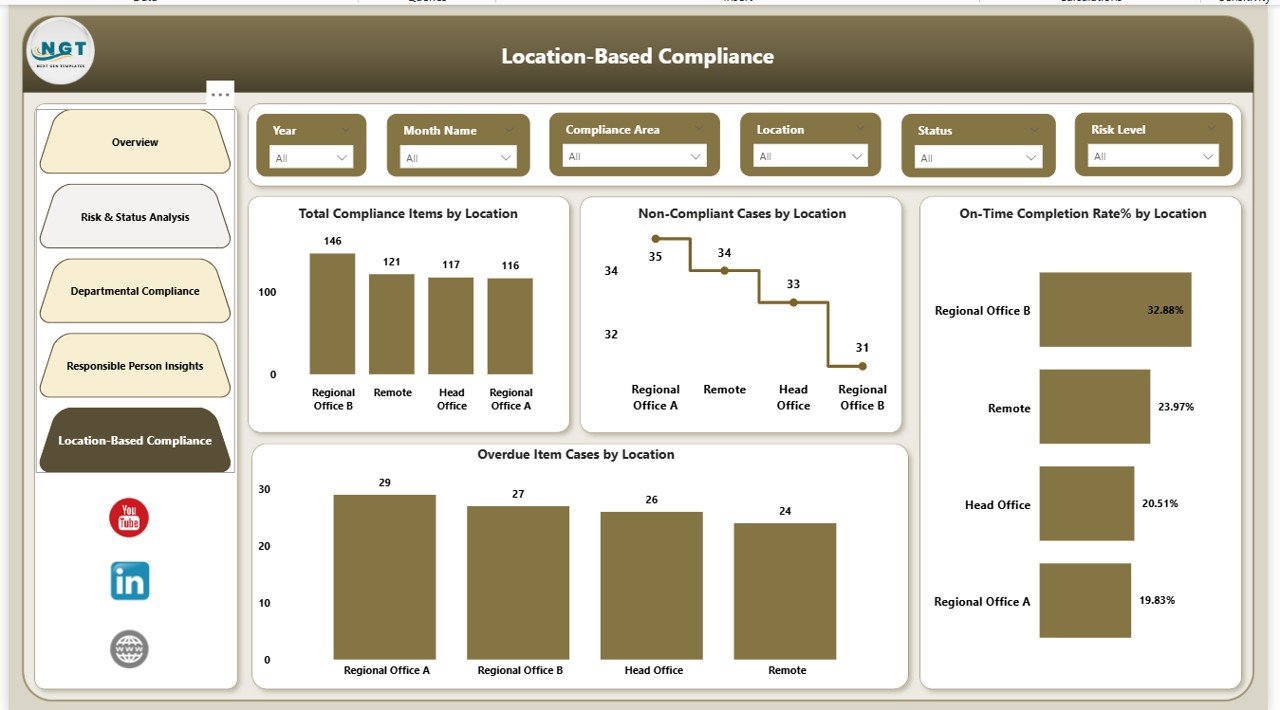
🌍 Location-Based Compliance Page
Compares compliance performance across regions or locations to identify gaps and standardize practices.
Together, these pages create a complete compliance monitoring system.
🛠️ How to Use the Corporate Compliance Dashboard
Using the dashboard is simple and efficient:
1️⃣ Enter or connect your compliance data (Excel or other sources)
2️⃣ Refresh the Power BI dataset
3️⃣ View updated KPIs, charts, and tables automatically
4️⃣ Apply slicers for department, risk level, location, or person
5️⃣ Review insights and take proactive compliance actions
Because everything updates dynamically, manual reporting and follow-ups reduce drastically.
👥 Who Can Benefit from This Corporate Compliance Dashboard
This dashboard is ideal for:
✅ Compliance Officers
✅ Risk Management Teams
✅ Internal Audit Teams
✅ Legal & Governance Departments
✅ Senior Leadership & CXOs
✅ Department Heads
Because the visuals are intuitive, both technical and non-technical users can leverage it effectively.
🚀 Why This Dashboard Delivers Real Value
✔️ Improves governance and risk oversight
✔️ Strengthens accountability culture
✔️ Reduces audit preparation time
✔️ Enables data-driven compliance decisions
✔️ Prevents compliance failures before they escalate
With visibility and ownership clearly defined, compliance becomes a shared organizational responsibility rather than a last-minute scramble.
Click here to read the Detailed Blog Post
Visit our YouTube channel to learn step-by-step video tutorials:
👉 YouTube Channel
Compatibility and Requirements
- Open the .pbix file in Power BI Desktop, which is free for Windows.
- Microsoft explains how to install it in Get Power BI Desktop.
Frequently Asked Questions
What pages does the Corporate Compliance Dashboard have?
Five pages: Overview, Risk and Status Analysis, Departmental Compliance, Responsible Person Insights and Location-Based Compliance.
What does the Overview page show?
Total compliance items, high-risk cases, non-compliant items, completed cases and the on-time completion rate.
How do I filter the report?
Use the slicers for department, risk level, location or responsible person.
How do I load my own data?
Enter or connect your compliance data, from Excel or another source, then refresh the Power BI dataset. The KPIs, charts and tables update.
Related Compliance Templates
- Compliance Dashboard in Excel: a compliance dashboard in Excel
- Safety and Compliance Dashboard in Excel: track safety and compliance together in Excel
- Compliance Audit Tracker in Google Sheets: log compliance audits in Google Sheets
- Internal Audit Dashboard in Power BI: internal audit reporting in Power BI
- Quality & Audit Management Bundle: quality and audit templates in one bundle
Browse all Power BI dashboards or the Excel dashboards.






























Reviews
There are no reviews yet.