

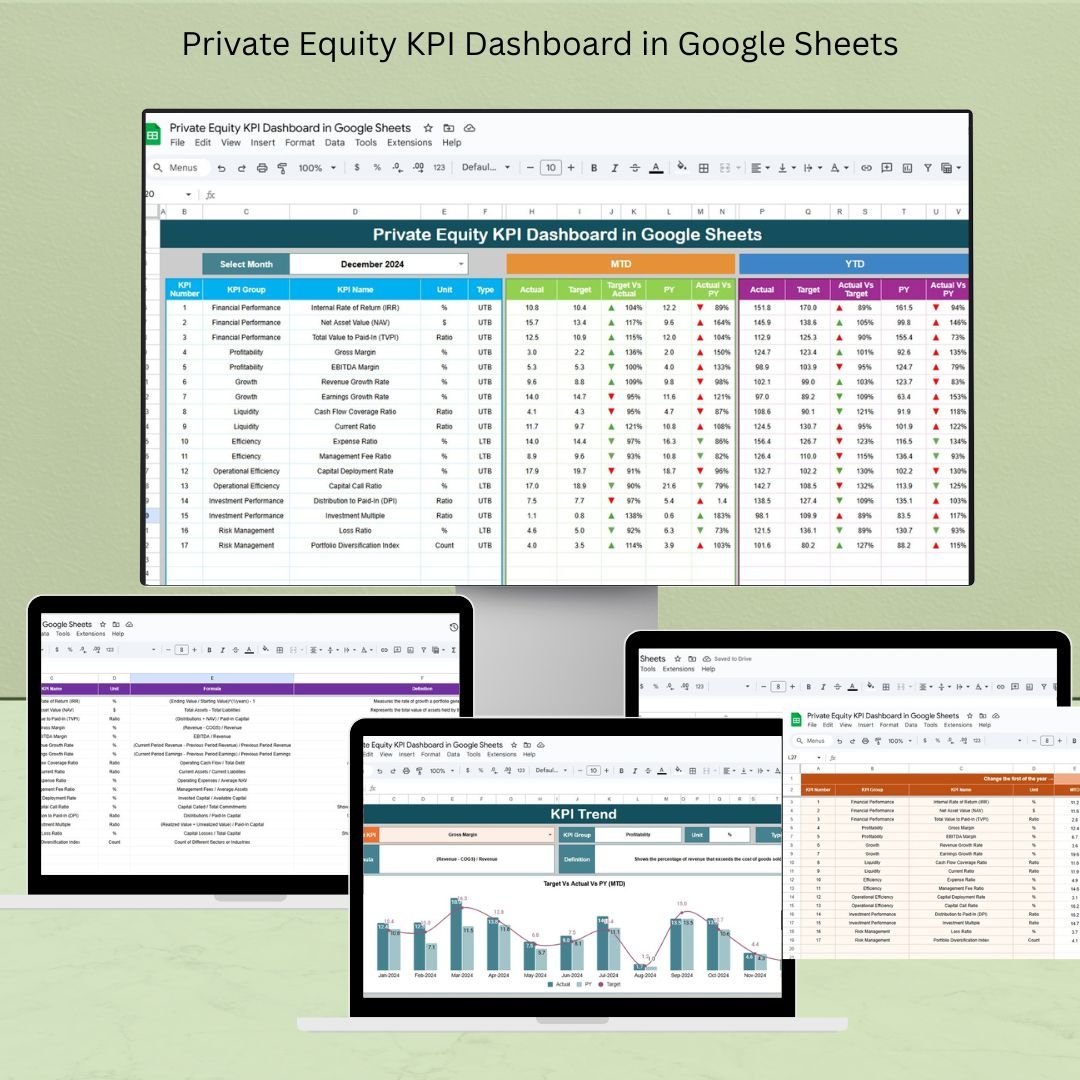
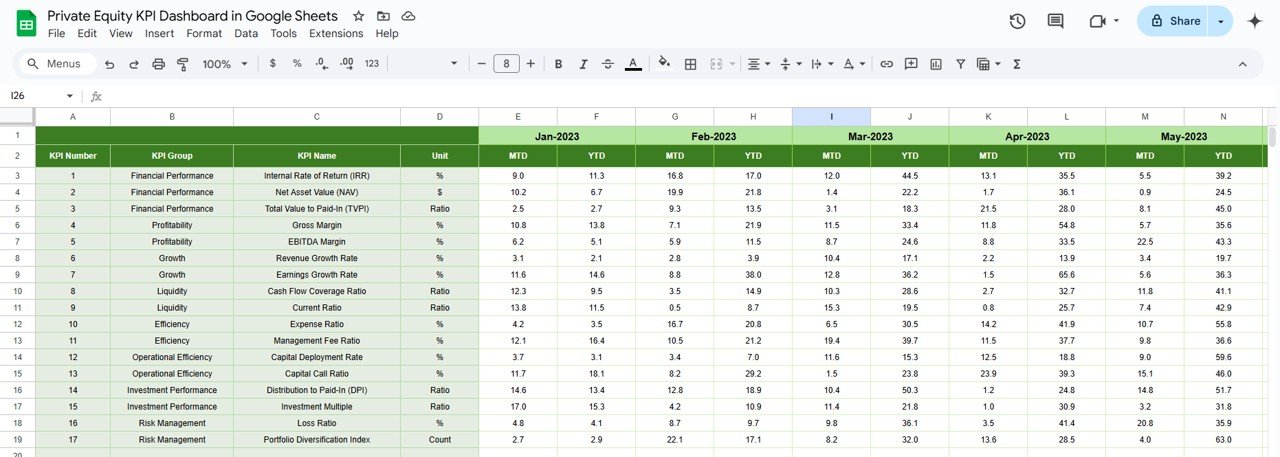
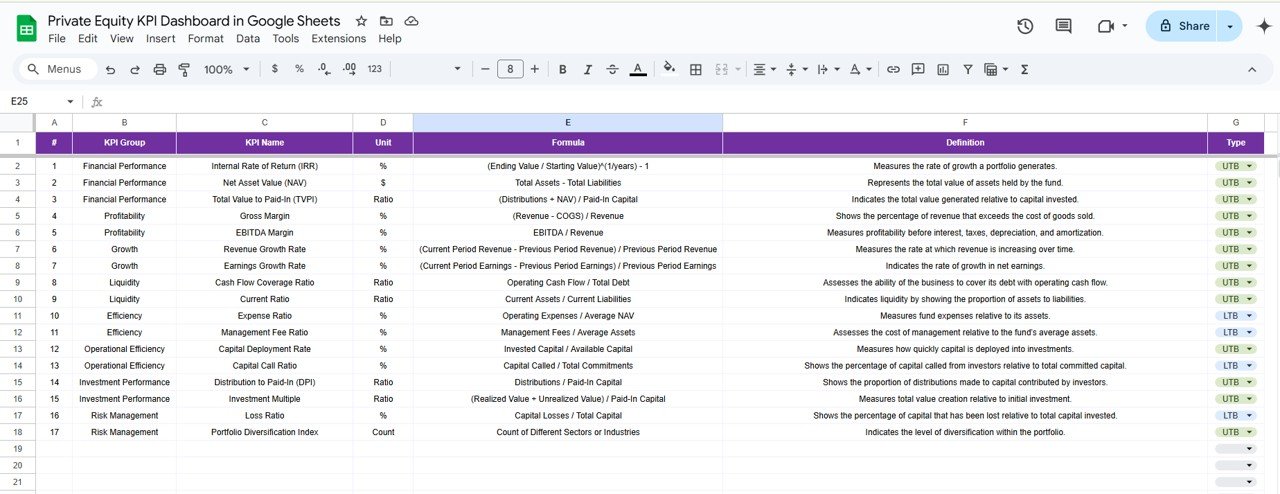

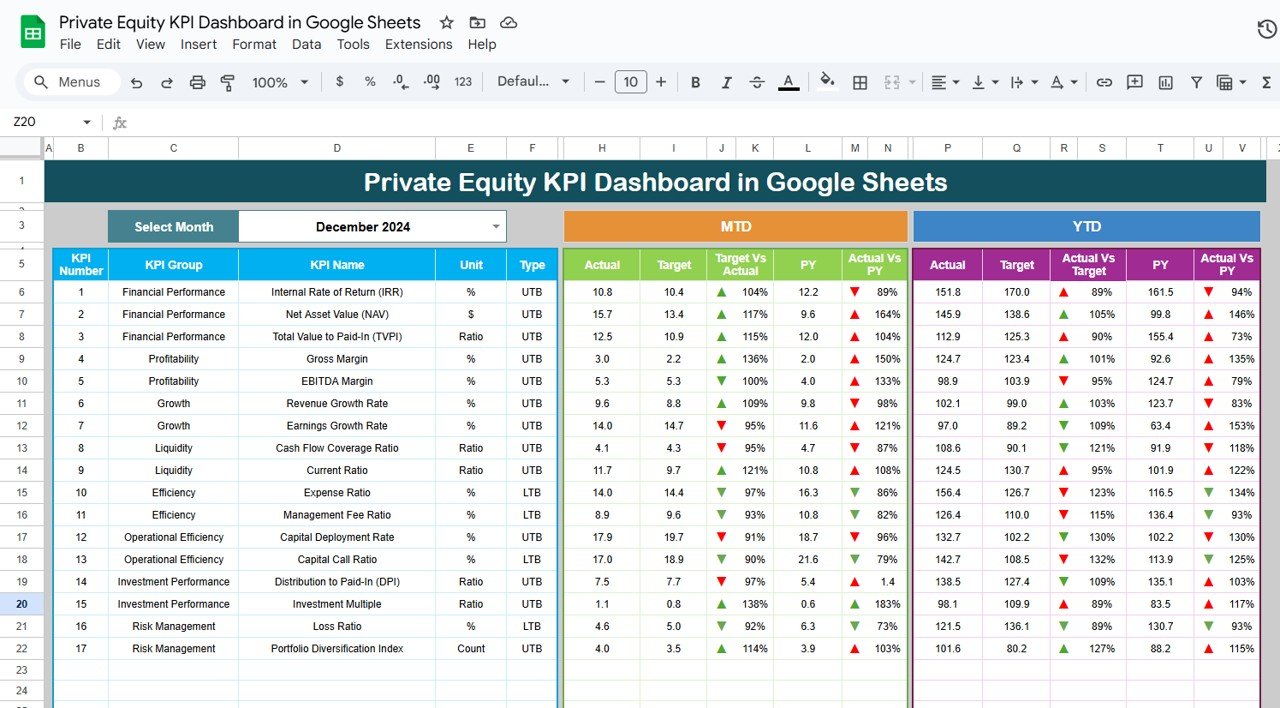
The Private Equity KPI Dashboard in Google Sheets is a powerful and customizable tool designed for private equity professionals to efficiently track, analyze, and visualize key performance indicators (KPIs) relevant to their investments. Whether you’re managing a portfolio of companies or tracking individual investments, this dashboard provides a structured approach to monitor performance and make informed, data-driven decisions.
Key Features of the Private Equity KPI Dashboard in Google Sheets
📊 Investment Tracking
Monitor Key Metrics: Track performance metrics such as Internal Rate of Return (IRR), Multiple of Invested Capital (MOIC), and cash-on-cash returns to evaluate the success of each investment.
Portfolio Overview: Get a consolidated view of your entire portfolio, including total invested capital, current value, and unrealized gains or losses.
📈 Financial Performance Analysis
Revenue and Profitability Metrics: Analyze key financial metrics like revenue growth, EBITDA, and net income across your portfolio companies.
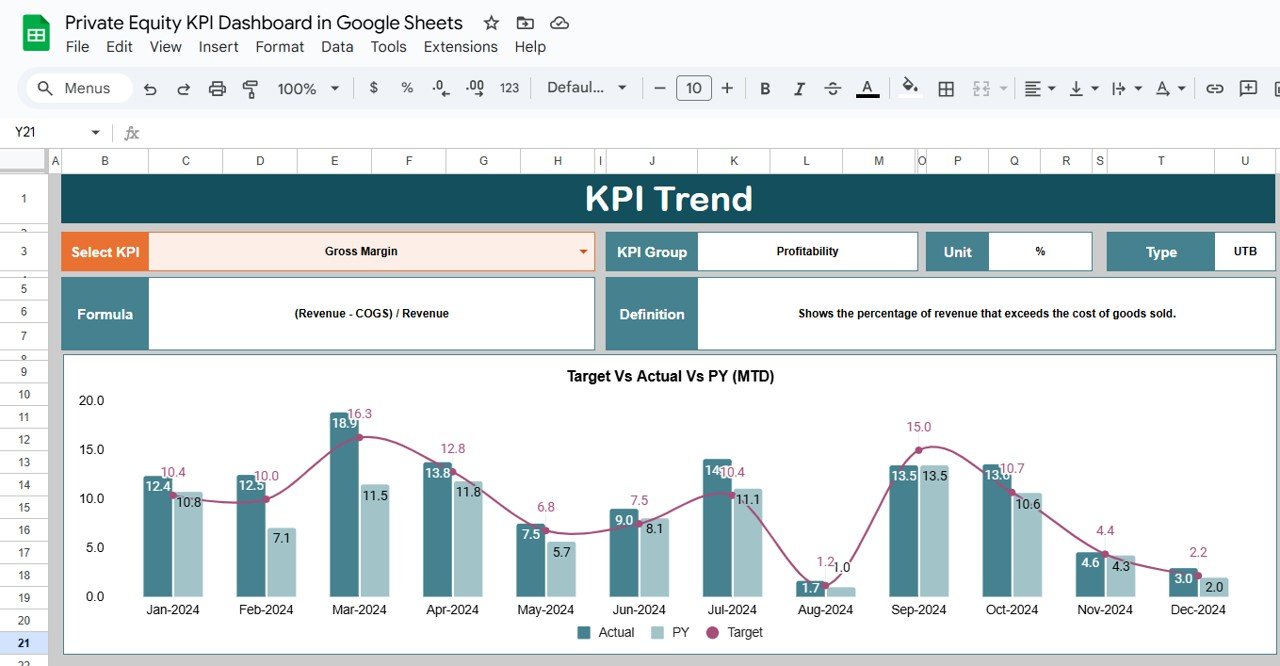
Financial Trends: Visualize financial trends over time and track the performance of each company in your portfolio.
💼 Exit Strategy Evaluation
Track Exits: Evaluate your exit performance by tracking exit multiples, proceeds, and comparing them to initial investment assumptions.
Return on Exit: Measure the profitability of exits, ensuring you get the highest return on investments.
🔧 Customizable Templates
Flexible and Adaptable: Modify the dashboard to align with your specific investment strategy and reporting needs.
Tailored KPIs: Add or remove KPIs based on the unique requirements of your private equity business.
Benefits of Using the Private Equity KPI Dashboard
✅ Better Decision-Making
Access real-time data and performance metrics, enabling you to make informed decisions and strategically manage your investments.
✅ Improved Portfolio Management
Monitor your portfolio’s health and identify underperforming investments to optimize returns and enhance overall portfolio performance.
✅ Enhanced Transparency
Generate easy-to-understand reports that can be shared with stakeholders, providing a clear overview of investment performance.
✅ Compliance and Reporting
Ensure that your private equity investments remain compliant with industry regulations while maintaining detailed performance metrics.
How to Use the Private Equity KPI Dashboard in Google Sheets
Download the Template: Download the Private Equity KPI Dashboard template and save it to your Google Drive for easy access.
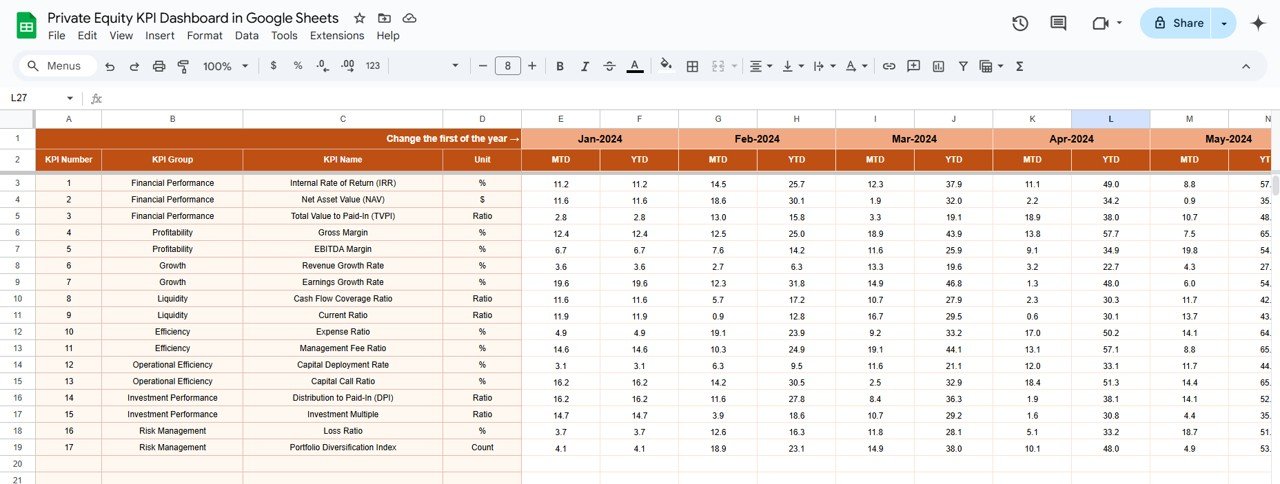
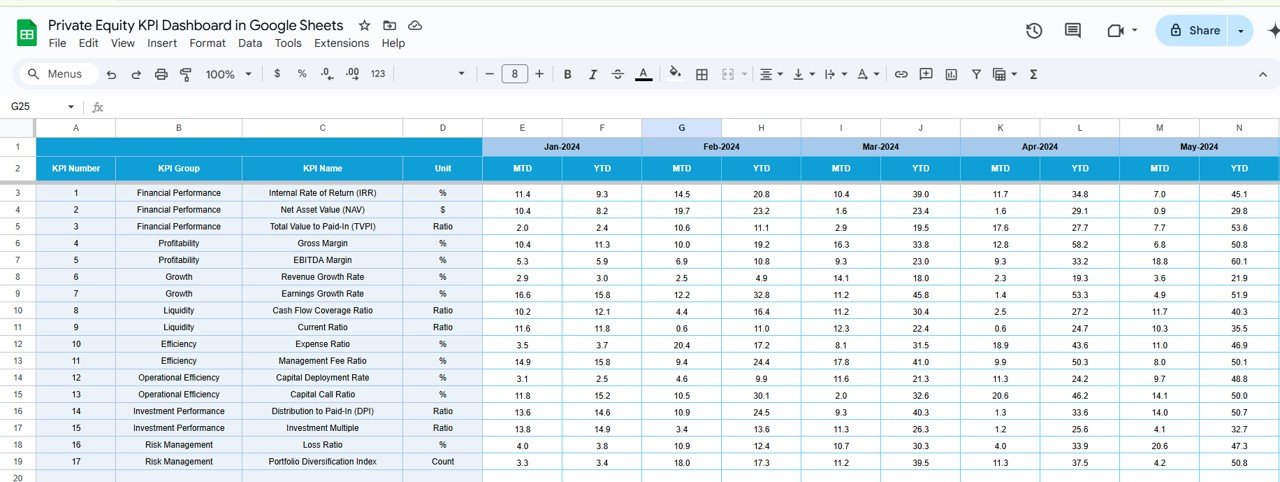
Enter Your Data: Input your investment data, including key financial metrics, investment details, and exit information.
Customize the KPIs: Tailor the dashboard by adding or modifying KPIs to meet the specific goals and objectives of your investment strategy.
Analyze Trends: Use built-in charts and graphs to analyze investment performance and track trends over time.
Generate Reports: Share customized reports with stakeholders, highlighting key insights and KPIs for decision-making.
By using the Private Equity KPI Dashboard in Google Sheets, you can gain valuable insights into your investments, streamline performance tracking, and make better decisions to maximize returns on your portfolio.
Click here to read the Detailed blog post
Private Equity KPI Dashboard in Google Sheets
Visit our YouTube channel to learn step-by-step video tutorials
YouTube.com/@NeotechNavigators
Watch the step-by-step video Demo:
Compatibility and Requirements
- Works in Google Sheets with a free Google account and a web browser. Nothing to install.
- Save the template to your own Google Drive before you enter data. Google explains charts in Add & edit a chart or graph.
Frequently Asked Questions
Which investment metrics does it track?
It tracks Internal Rate of Return (IRR), Multiple of Invested Capital (MOIC) and cash-on-cash returns.
Does it show the whole portfolio?
Yes. The portfolio overview shows total invested capital, current value and unrealized gains or losses.
Can I track portfolio company financials?
Yes. It covers revenue growth, EBITDA and net income for your portfolio companies, with trend charts over time.
Can I track exits?
Yes. You can record exit multiples and proceeds and compare them with your initial investment assumptions.
Who is this dashboard for?
Private equity professionals who want one place to follow investments, portfolio performance and exits.
Related Private Equity Templates
- Private Equity Dashboard in Google Sheets: a full private equity dashboard
- Private Equity KPI Scorecard in Google Sheets: a scorecard view in Google Sheets
- Private Equity KPI Dashboard in Power BI: the same topic for Power BI users
- Private Equity KPI Dashboard in Excel: the same topic for Excel users
- Finance & Accounting Command Center: 8 premium finance templates in one bundle
Browse all Google Sheets KPI dashboards or the Google Sheets financial tools.



















Reviews
There are no reviews yet.