

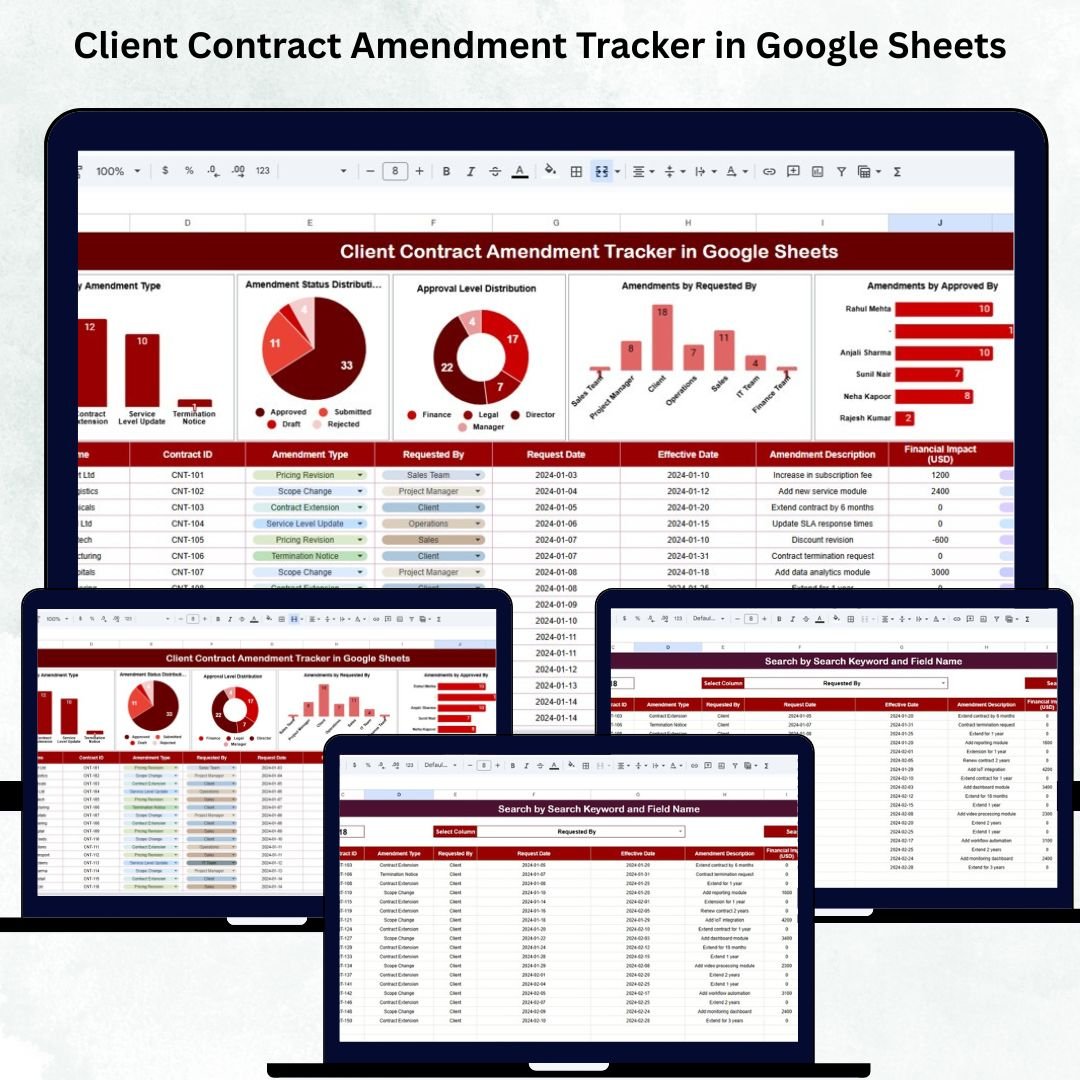

Managing contract amendments is a crucial part of business operations. Every change — whether related to pricing, scope, timelines, compliance, or legal terms — must be tracked with accuracy to avoid disputes, maintain compliance, and ensure seamless execution. The Client Contract Amendment Tracker in Google Sheets is a powerful, ready-to-use tool designed to help organizations track every amendment from request to approval to implementation. 📄🔍
Built with smart formulas, automated charts, and a fast search engine, this tracker eliminates the chaos of manual logs, scattered spreadsheets, and communication gaps. It brings complete visibility into amendment activity, approval timelines, responsibilities, and workflow bottlenecks — all inside an easy-to-use Google Sheets template. Whether you’re a legal team, contract administrator, vendor manager, or customer success unit, this tracker ensures that no amendment is ever missed, lost, or delayed again. ✔️📊
🔑 Key Features of the Client Contract Amendment Tracker in Google Sheets
📊 Tracker Sheet Tab (Main Dashboard)
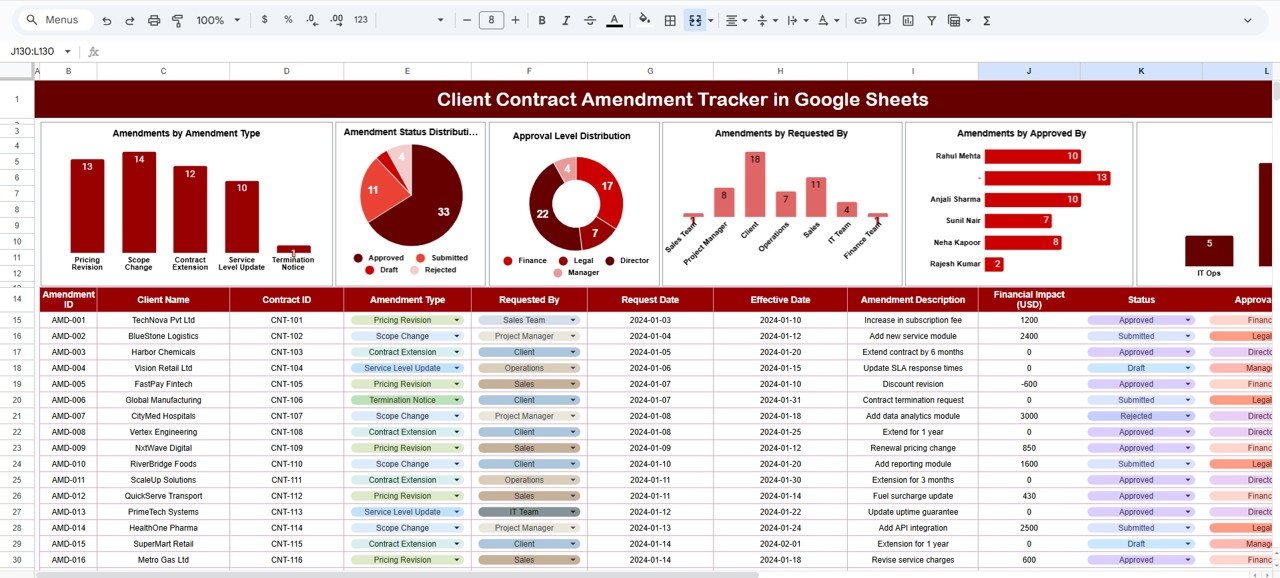
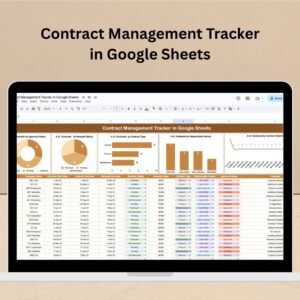
This is the central analytics view where you can instantly monitor amendment progress. The dashboard is fully automated and updates the moment new records are added.
Here’s what the dashboard visualizes:
📌 Amendments by Amendment Type
View how many amendments fall under categories like pricing changes, service additions, scope adjustments, contract extensions, compliance revisions, and more.
📌 Amendment Status Distribution
Displays Pending, Approved, Rejected, In Review, and Implemented statuses — allowing teams to follow up quickly on delayed items.
📌 Approval Level Distribution
Shows how many amendments require L1, L2, or L3 approvals — helpful for workload management and process planning.
📌 Amendments by Requested By
Identifies which departments or team members submit the most amendments — useful for accountability and trend analysis.
📌 Amendments by Approved By
Shows which managers or authorities are approving requests — perfect for auditing and performance tracking.
📌 Amendments by Implementation Owner
Helps you quickly identify who is responsible for implementing approved amendments — ensuring clear ownership and faster execution.
These visual insights help teams understand trends, root causes, workload distribution, and process bottlenecks.
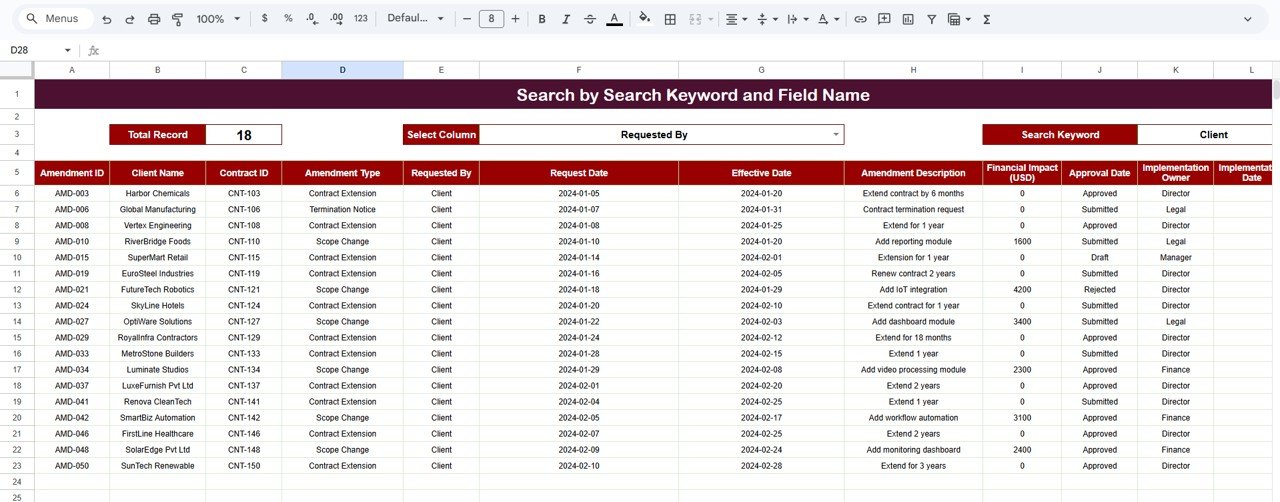
🔍 Search Sheet Tab (Fast Record Lookup)
The Search Sheet makes it incredibly easy to locate any contract amendment in seconds.
You can search by entering keywords or selecting field names such as:
Amendment ID
Contract Name
Amendment Type
Status
Requested By
Approved By
Implementation Owner
This eliminates the time spent scrolling through large datasets during audits, management reviews, or client escalations.
📦 What’s Inside the Tracker
You receive a fully structured and automated toolkit:
✔ Pre-designed Google Sheets file
✔ Dashboard with dynamic charts
✔ Search system for instant lookups
✔ Amendment data entry sheet
✔ Automated formulas and visuals
✔ Fully customizable fields
✔ Supports multi-team collaboration
Everything is optimized for transparency, accuracy, and compliance.
🧑💼 Who Can Benefit from This Tracker?
This tracker is ideal for:
Legal Departments
Contract Administration Teams
Vendor Management
Client Servicing Teams
Project Management Offices
Compliance Teams
Any organization handling client agreements or services will benefit from its structured workflow.
🧪 How to Use the Client Contract Amendment Tracker
1️⃣ Enter amendment details in the Data Sheet.
2️⃣ Update status as the amendment moves through review and approval.
3️⃣ Monitor trends and bottlenecks in the Tracker Sheet.
4️⃣ Use Search Tab for lightning-fast lookups during audits.
5️⃣ Customize amendment types, approval levels, or workflows anytime as needed.
In minutes, your organization gets a clean and transparent view of all contract amendments.
🌟 Why This Tracker Is Essential
Ensures zero missed or delayed amendments
Provides clear visibility into approval timelines
Improves compliance and reduces risks
Strengthens accountability and ownership
Perfect for audit preparedness
No additional software — completely Google Sheets-based
100% customizable for any industry
The Client Contract Amendment Tracker in Google Sheets gives teams the clarity, structure, and confidence needed to manage contracts effectively. It helps organizations minimize errors, enhance communication, and maintain complete control over the amendment process. 📄✨
🔗 Click here to read the Detailed blog post
Watch the step-by-step video Demo:
🔗 Visit our YouTube Channel for step-by-step video tutorials
Compatibility and Requirements
- Works in Google Sheets. You need a free Google account and a web browser.
- The Search sheet lets you pick a field name and type a keyword. Google explains how sheets work in Get started with Google Sheets.
Frequently Asked Questions
What does the dashboard show?
The Tracker sheet has charts for amendments by type, status, approval level, requested by, approved by and implementation owner.
Which statuses can I track?
Pending, Approved, Rejected, In Review and Implemented.
How do I find one amendment quickly?
Open the Search sheet, choose a field such as Amendment ID, Contract Name, Amendment Type, Status, Requested By, Approved By or Implementation Owner, and enter your keyword.
Can I change the amendment types or approval levels?
Yes. The fields are customizable, so you can adjust amendment types, approval levels (L1, L2, L3) and workflows to match your process.
Is there an Excel version?
Yes. See the Client Contract Amendment Tracker in Excel.
Related Contract and Client Templates
- Client Contract Amendment Tracker in Excel: the same tracker for Excel
- Client Contract Management Tracker in Google Sheets: track client contracts in Google Sheets
- Contract Management Tracker in Google Sheets: a general contract log
- Contract Management Dashboard in Power BI: a Power BI contract dashboard
- Client Billing and Payment Tracker in Google Sheets: follow client billing and payments
Browse all Google Sheets trackers.
































Reviews
There are no reviews yet.