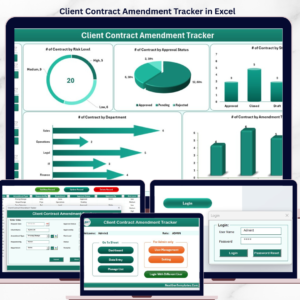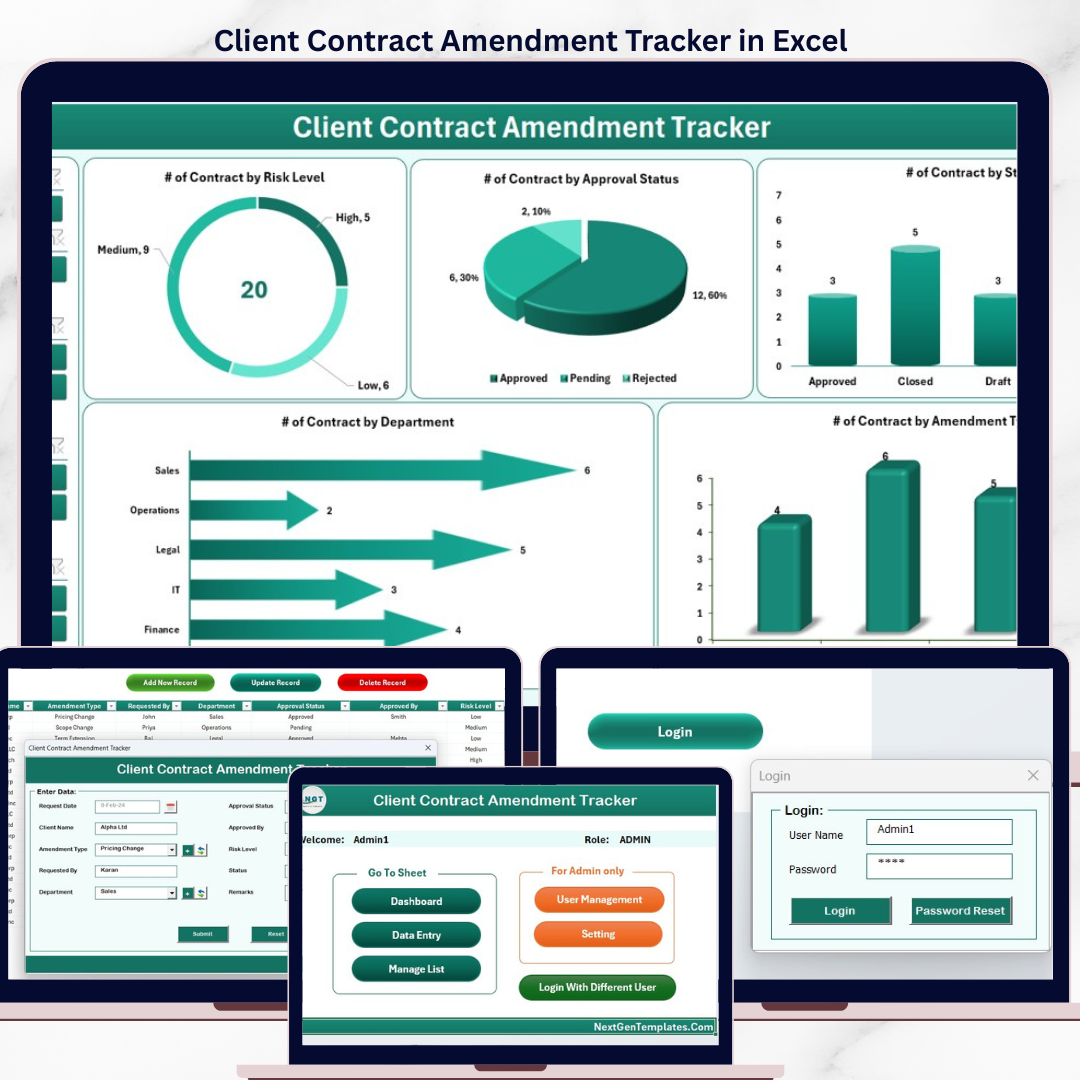
The Client Contract Amendment Tracker in Excel logs every contract change across 8 purpose-built worksheets, with a password-protected Login Form, a VBA-driven Data Entry form (Add / Update / Delete), a Dashboard with 4 slicers and 5 auto-refreshing charts, and a dedicated User Management sheet. Replace the sample amendments and every KPI, chart, and filter updates in under 10 minutes.
🌍 Join 8,400+ teams in 40+ countries using NextGenTemplates to replace paid contract-management SaaS with one-time-purchase Excel, Google Sheets Dashboards, Power BI, and HTML templates.
✅ Instant download · One-time payment · No subscription · No per-user fees · Lifetime access
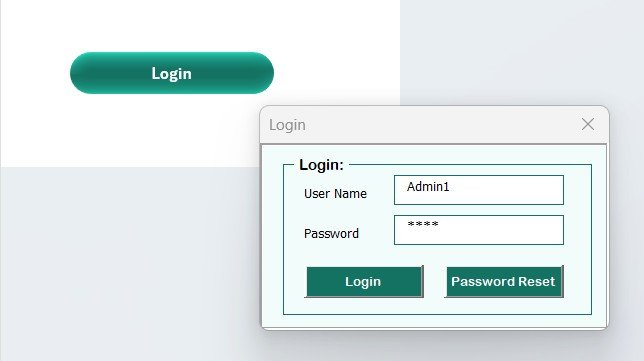
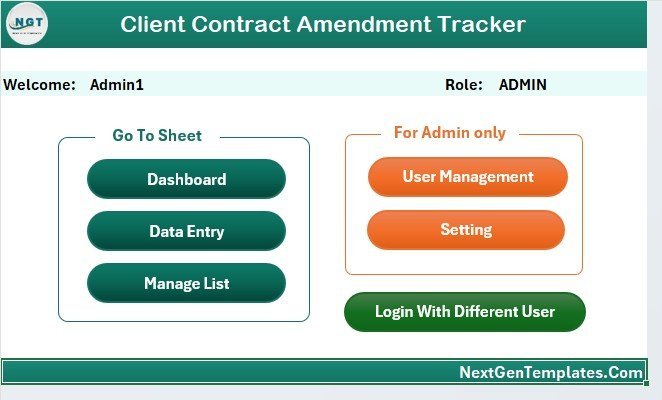
Client Contract Amendment Tracker in Excel — Login Form
🔑 Key Features of the Client Contract Amendment Tracker in Excel
🔹 8 integrated worksheets — Login Form, Home Page, Dashboard, Data Sheet, List Sheet, Support Sheet, Settings Sheet, and User Management Sheet — all wired together through VBA so every new amendment record flows automatically into the dashboard charts and slicers.
🔹 VBA-driven Data Entry form with three action buttons on the Data Sheet — Add New Record, Update Record, and Delete Record. Click any Amendment ID and update or delete the row in two clicks; no manual sheet editing required.
🔹 Login-protected access with a dedicated User Management sheet where you assign usernames, passwords, and roles. Stops casual viewing of sensitive client agreements, pricing changes, and approval records.
🔹 Interactive Dashboard with 4 slicers and 5 charts — slice amendments by Amendment Type, Status, Approval Level, and Implementation Owner. All 5 charts auto-refresh the moment you submit a new amendment through the form.
🔹 Dropdown-driven entry — the List Sheet feeds every combo box on the data entry form (Contract names, Amendment Types, Status values, Approval Levels, Implementation Owners). Add a new value to the List Sheet and it appears in the form immediately.
🔹 Hidden Support Sheet with pivot tables that power the dashboard charts — you never touch it. Hide it for end users so they only interact with the front-end pages.
🔹 Settings Sheet for organisation logo, contact details, and contract-portfolio metadata (client names, contract IDs, effective dates). Personalise the workbook in under 2 minutes.
🔹 Works in Excel 2016, 2019, 2021, and Microsoft 365 on Windows. VBA macros required — Mac compatibility is limited because of UserForm rendering differences.
📦 What’s Inside the Client Contract Amendment Tracker in Excel
The workbook contains 8 sheets organised in the order users navigate them:
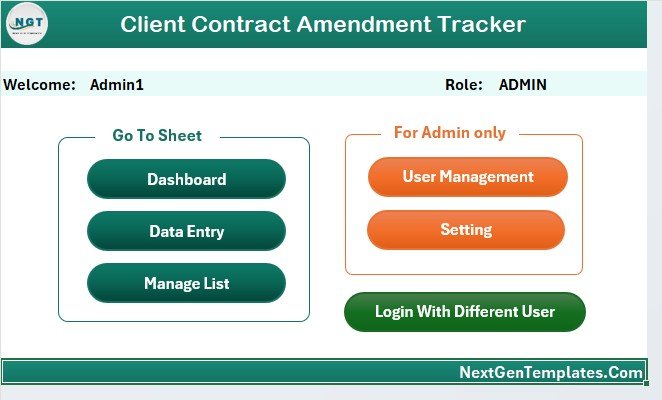
Home Page — central navigation hub
🔹 1. Login Form — entry-point password screen. Validates the username and password against the User Management sheet before opening the workbook.
🔹 2. Home Page — central navigation with one-click buttons to every sheet. The first thing users see after logging in.
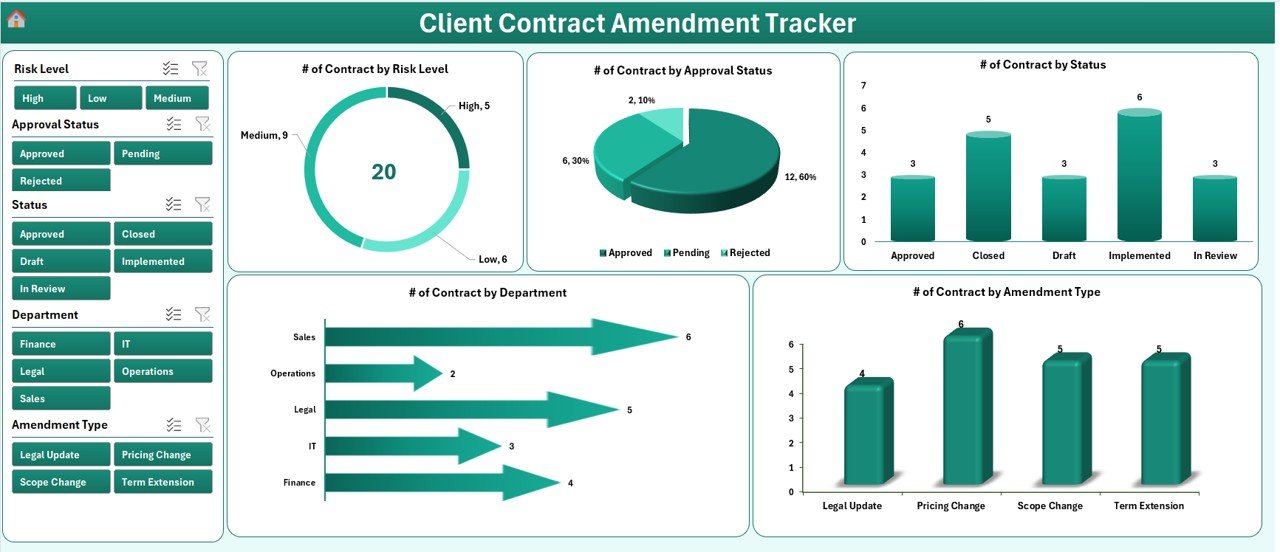
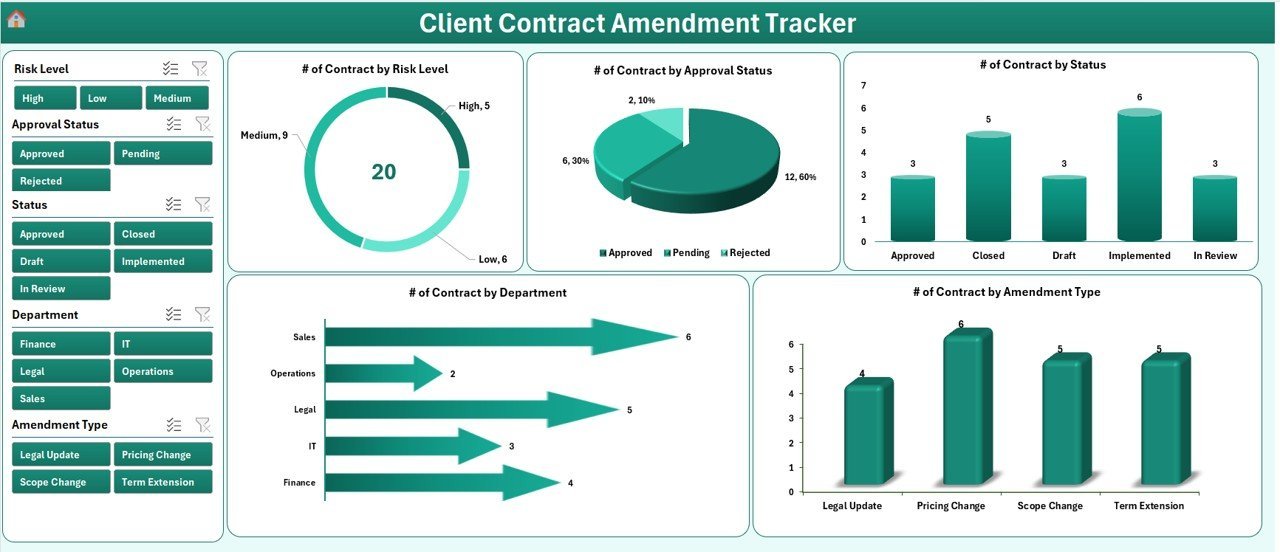
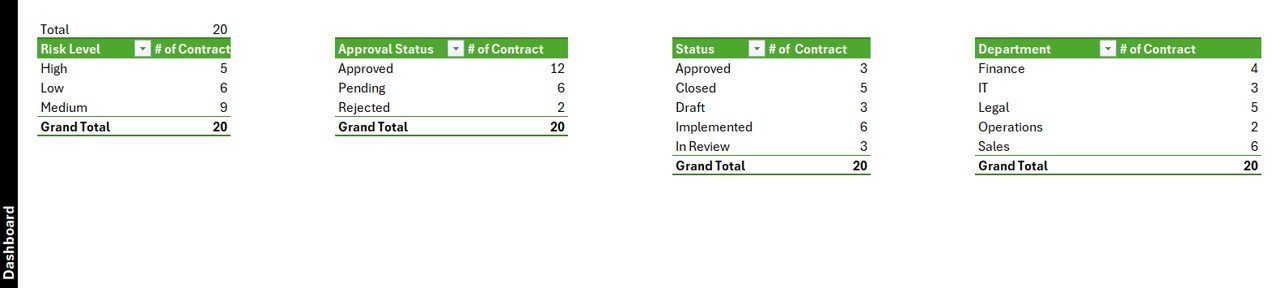
Dashboard with 4 slicers and 5 auto-refresh charts
🔹 3. Dashboard — KPI summary plus 4 slicers (Amendment Type, Status, Approval Level, Implementation Owner) and 5 charts visualising amendment volume by type, status distribution, approval-level mix, requested-by ranking, and implementation-owner workload.
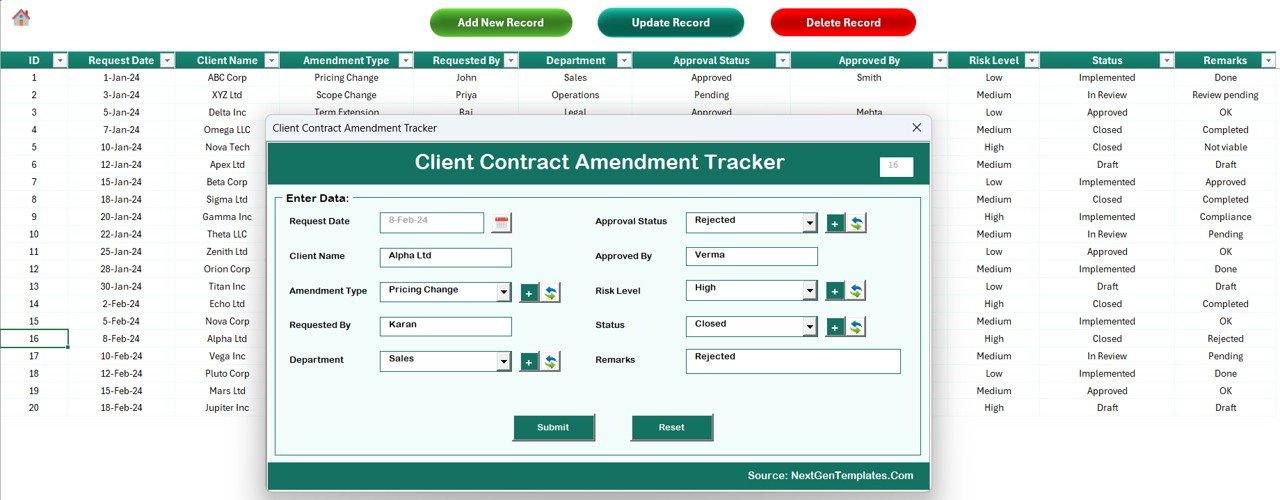
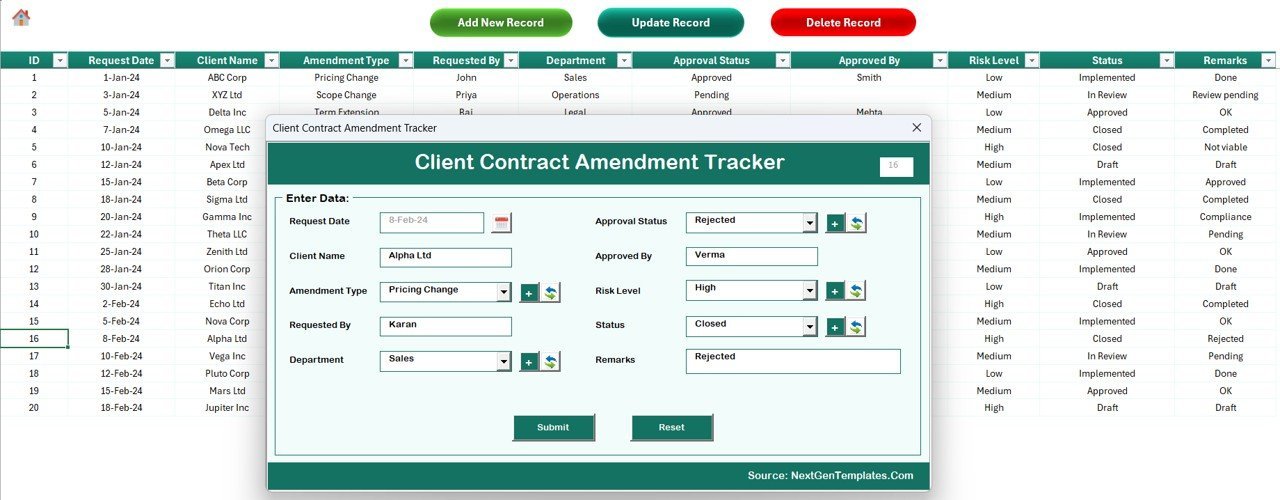
Data Sheet — Add / Update / Delete buttons drive the VBA UserForm
🔹 4. Data Sheet — the master record table with Add New Record, Update Record, and Delete Record buttons that launch the VBA Data Entry form for every contract amendment.
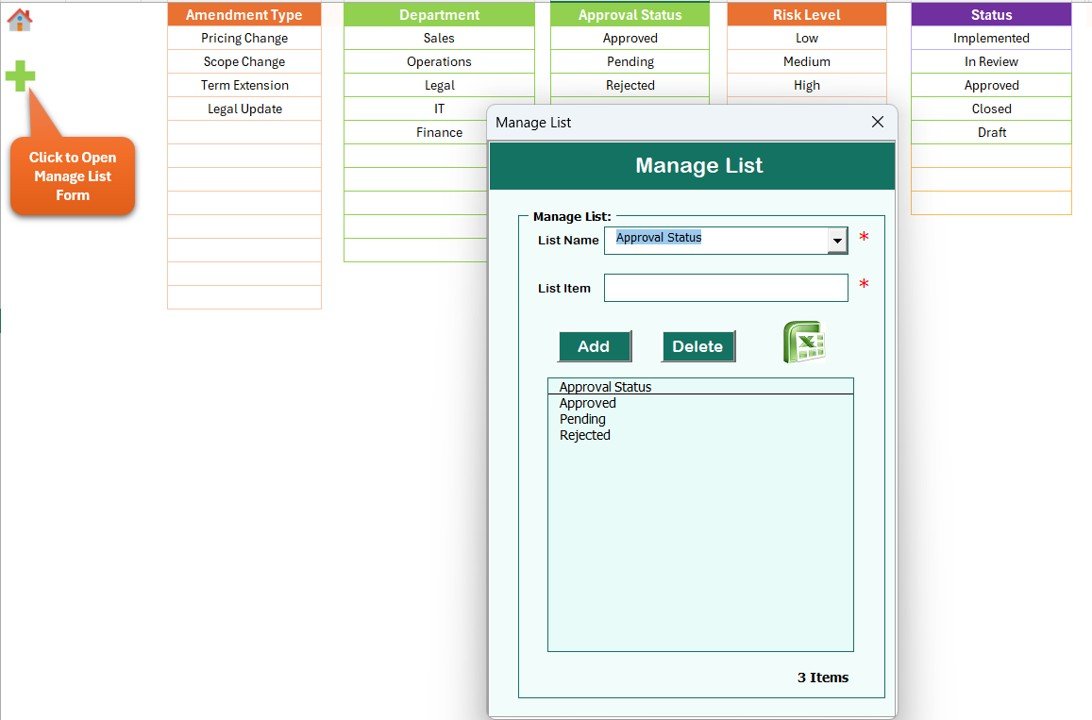
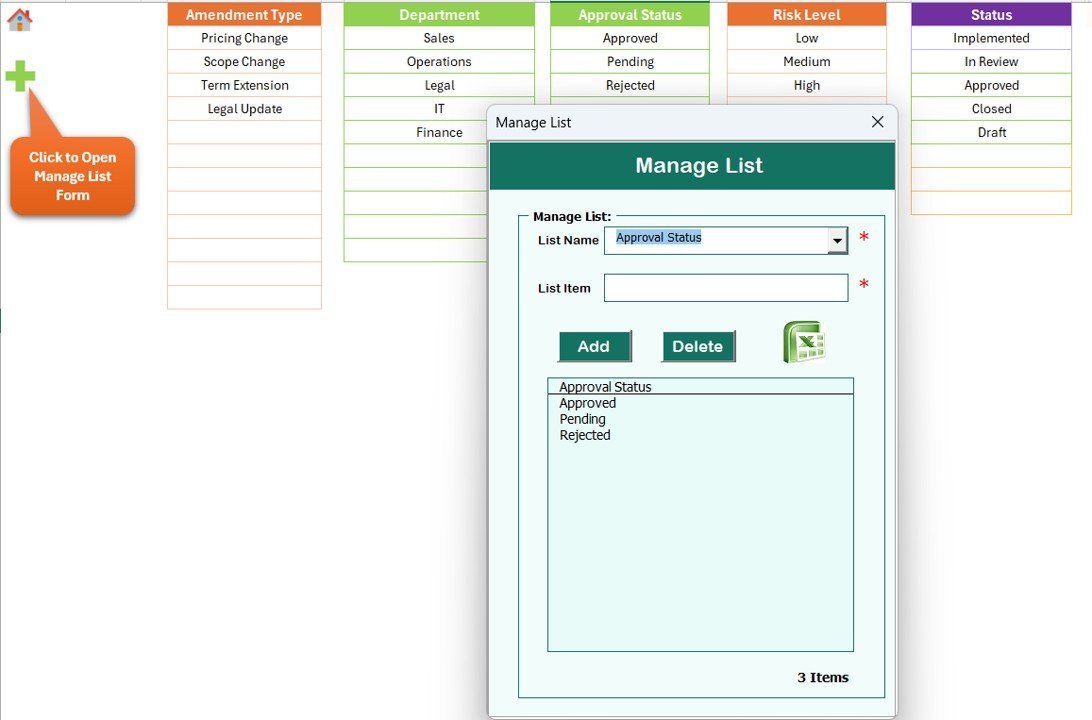
List Sheet — feeds every combo box in the form
🔹 5. List Sheet — single source of truth for every dropdown value used inside the Data Entry form combo boxes (Contract names, Amendment Types, Status, Approval Levels, Implementation Owners).
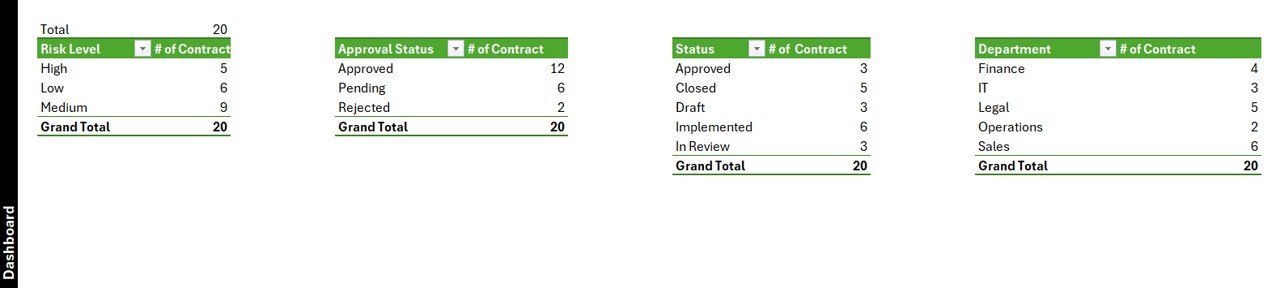
Support Sheet — hidden pivot tables that drive the charts
🔹 6. Support Sheet — hidden pivot tables that drive the dashboard charts. No user interaction needed.
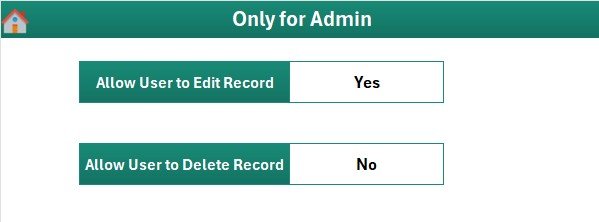
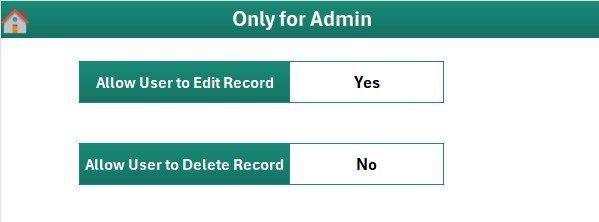
Settings Sheet — branding and contract metadata
🔹 7. Settings Sheet — branding, contact details, and contract-portfolio metadata (client names, contract IDs, effective dates).
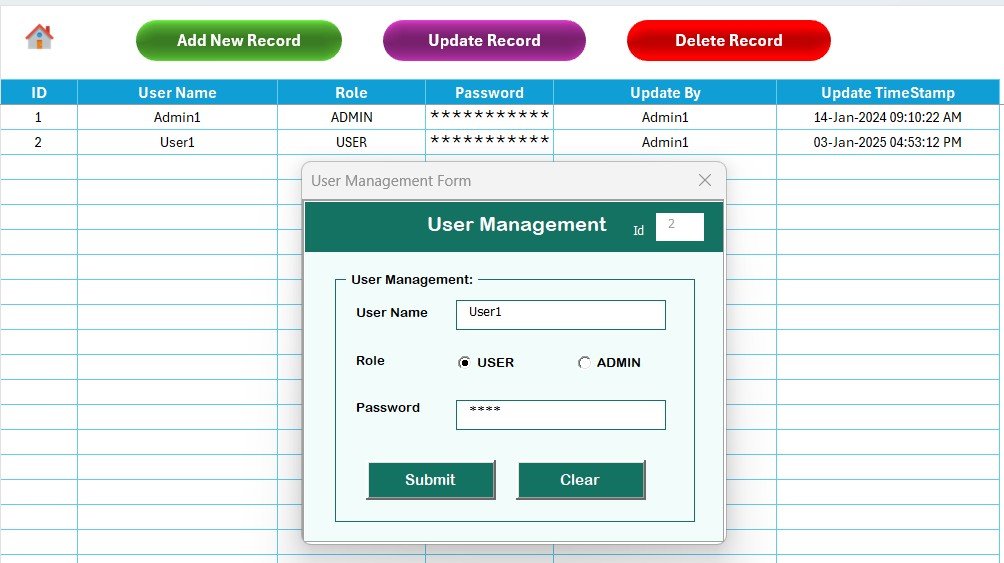
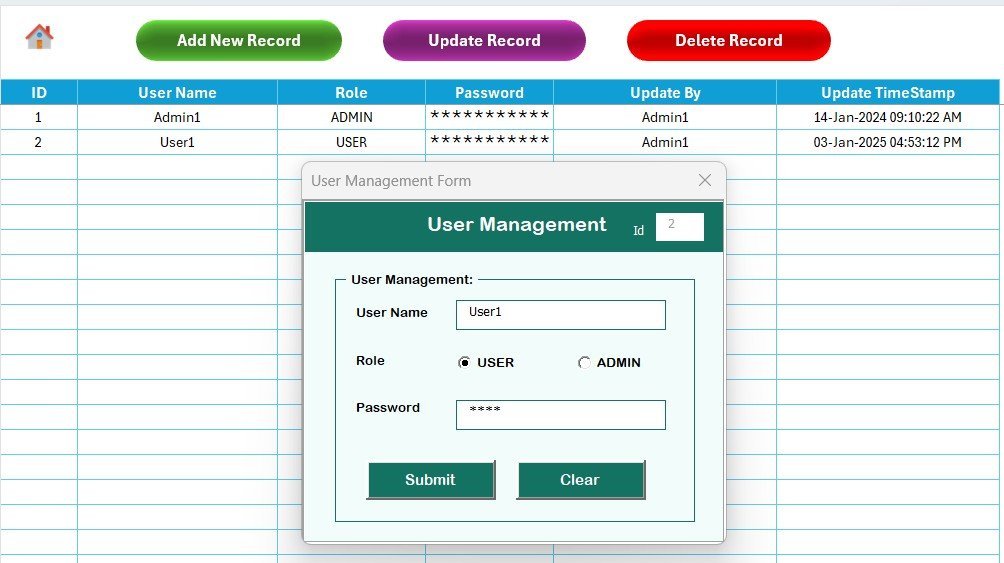
User Management Sheet — usernames, passwords, and roles
🔹 8. User Management Sheet — define users, passwords, and access roles. Add or remove users without touching VBA code.
📊 Client Contract Amendment Tracker in Excel vs. Google Sheets Equivalent vs. Paid Contract SaaS — Where This Fits
| Feature | Client Contract Amendment Tracker in Excel | Google Sheets equivalent | Paid SaaS (e.g., Ironclad / DocuSign CLM / ContractWorks) |
|---|---|---|---|
| Cost | $6.99 one-time ✅ | $6.99 one-time | $30–$300 per user per month ($1,800–$18,000/yr at 5 admins) |
| Platform | Microsoft Excel (offline, works without internet) ✅ | Google Sheets (browser-only) | Cloud SaaS — vendor lock-in |
| Setup time | Under 10 minutes ✅ | Under 10 minutes | 4–12 weeks (vendor onboarding + integrations) |
| VBA Data Entry form (Add / Update / Delete) | Yes — built-in UserForm ✅ | Apps Script form simulation | Yes (web form) |
| Login + role-based access | Yes — User Management sheet ✅ | Sheet protection only | Yes (SSO / SOC 2) |
| Slicer-driven dashboard | 4 slicers, 5 charts, auto-refresh ✅ | Pivot filter views | Pre-built dashboards |
| Customisable amendment fields | Fully editable — own your code ✅ | Fully editable | Vendor-controlled fields |
| Year-1 cost at 5 admins | $6.99 ✅ | $6.99 | $1,800 – $18,000 |
| Mobile data entry | Excel mobile (limited) | Yes (browser + mobile app) ✅ | Yes (native app) |
For legal teams, contract administrators, and PMOs that want a slicer-driven amendment workflow without a per-seat subscription, the Client Contract Amendment Tracker in Excel sits in the sweet spot — VBA login, Add/Update/Delete UserForm, and an interactive dashboard for the price of a single SaaS day pass.
👥 Who This Template Is For — and Who It’s Not For
✅ This template is built for:
- Legal departments at 10–500 person companies tracking pricing changes, scope adjustments, and compliance revisions across active client contracts
- Contract administrators logging every amendment from request through approval to implementation with a clear audit trail
- Vendor and procurement managers who handle change orders and need to know which amendments are pending L1, L2, or L3 sign-off
- Project Management Offices (PMOs) tracking statement-of-work amendments, extension requests, and rate-card revisions across client engagements
- Customer success and client servicing teams who want a $6.99 alternative to a $1,800–$18,000/year contract-lifecycle SaaS subscription
❌ This template is NOT for:
- Enterprise legal teams that require SOC 2 compliance, e-signature integration, or full clause-library redlining inside the tracker itself
- Organisations that need cryptographic audit trails or court-admissible signature capture — Excel passwords are stored in a sheet, not an enterprise vault
- Mac-only users — the VBA UserForm features depend on Windows Excel
- Teams that need a client-facing portal where the other party logs in to approve or reject amendments themselves
⚙️ How to Use the Client Contract Amendment Tracker in Excel
- Download and unzip the file, then open the .xlsm workbook in Microsoft Excel and click “Enable Macros” when prompted.
- Set up users on the User Management sheet — add usernames, passwords, and roles for each person who will access the tracker.
- Customise dropdowns on the List Sheet — enter your own Contract names, Amendment Types, Status values, Approval Levels, and Implementation Owners.
- Brand the Settings sheet with your organisation name, client portfolio details, and contract identifiers.
- Log in through the Login Form to reach the Home Page, then open the Data Sheet and click “Add New Record” to log the first contract amendment.
- Track and analyse — open the Dashboard, slice by Amendment Type or Status, and review the 5 charts that update in real time as new amendments arrive.
💼 Real-World Use Cases
Aarav is a contract administrator at a 120-person SaaS company in Pune. He uses the Client Contract Amendment Tracker in Excel to log every pricing change, renewal extension, and scope adjustment across 80 active enterprise contracts. The slicer-driven dashboard helps him present a “pending vs. approved” amendments review to the legal head every Friday — without paying $9,600/year for a contract-lifecycle SaaS seat.
Megan runs the PMO at a 45-person consulting firm in Toronto. She tracks SOW amendments per client (twelve active engagements), slices by Approval Level to chase L2 sign-offs first, and uses the User Management sheet to give project managers edit access while keeping delivery leads on read-only. The Settings sheet stores client account codes, so the dashboard always reports against the correct billing entity.
Hassan is the legal lead at a 200-person manufacturing company in Stuttgart. He uses the User Management sheet to give procurement read-only access while keeping edit rights with his contract team, then logs every amendment through the Add Record form. Tagging each entry by Amendment Type lets him produce a “compliance-driven vs. commercial” change-volume summary for the quarterly board pack in under 30 seconds.
❓ Frequently Asked Questions
What sheets are included in the Client Contract Amendment Tracker in Excel?
The Client Contract Amendment Tracker in Excel includes 8 sheets — Login Form, Home Page, Dashboard, Data Sheet, List Sheet, Support Sheet, Settings Sheet, and User Management Sheet — all wired together through VBA so adding an amendment record updates the dashboard automatically.
How does the VBA Data Entry form work in this tracker?
Three buttons on the Data Sheet — Add, Update, Delete — open the same UserForm. Add inserts a new amendment; Update prefills the form when you click an existing Amendment ID; Delete confirms before removing the row. No manual data entry on the sheet itself.
How long does setup take for the Client Contract Amendment Tracker?
Setup of the Client Contract Amendment Tracker in Excel takes under 10 minutes — open the file, enable macros, edit the List Sheet dropdowns, configure users on the User Management sheet, and personalise the Settings sheet. The Dashboard works without any further configuration.
How does this compare to paid contract management SaaS like Ironclad or DocuSign CLM?
Paid contract-lifecycle SaaS typically costs $30–$300 per user per month — about $1,800 to $18,000 per year for five admins. The Client Contract Amendment Tracker in Excel is $6.99 one-time with no recurring fees, no per-user pricing, and full ownership of your code and contract data.
Does the Client Contract Amendment Tracker work on Mac?
The Client Contract Amendment Tracker uses VBA UserForms which render reliably only in Excel for Windows (2016, 2019, 2021, Microsoft 365). Mac Excel does not fully support UserForm controls, so we recommend Windows. The Google Sheets equivalent works on any device including Mac.
Can I add custom amendment fields and dropdowns to the tracker?
Yes. All combo-box values come from the List Sheet, so adding a new Contract, Amendment Type, Status, or Approval Level takes one row. For new fields, edit the UserForm in the VBA editor — full source code is included and unprotected.
Is the Client Contract Amendment Tracker a one-time purchase?
Yes. The Client Contract Amendment Tracker in Excel is $6.99 one-time, instant download, no subscription, no per-user fees, and lifetime access. You also get free updates whenever the template is revised.
👤 About the Author
Built by PK — Microsoft Certified Professional with 15+ years of Excel, Google Sheets, and Power BI experience. Founder of NextGenTemplates, reaching 300K+ subscribers across YouTube channels (@PK-AnExcelExpert, @NextGenTemplates, @NeoTechNavigators). Every template is hand-built and tested before release.
🔗 Explore Related Templates
🔹 Also available as: Client Contract Amendment Tracker in Google Sheets — same amendment workflow, browser-based, mobile-friendly for distributed legal teams.
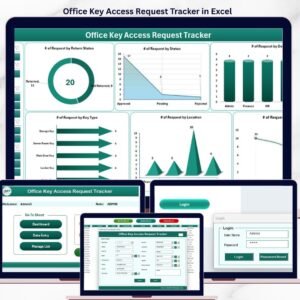
🔹 Office Key Access Request Tracker in Excel — same VBA login + UserForm + slicer dashboard pattern, applied to office key-access requests.
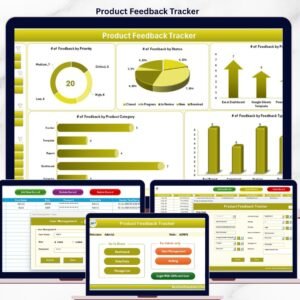
🔹 Product Feedback Tracker in Excel — sister VBA tracker for product-feedback workflows with the same Add / Update / Delete pattern.
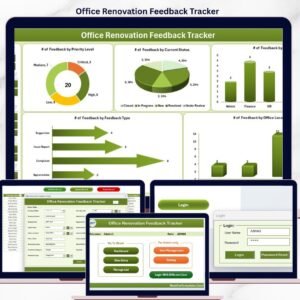
🔹 Office Renovation Feedback Tracker in Excel — same login + dashboard + UserForm architecture for renovation feedback.
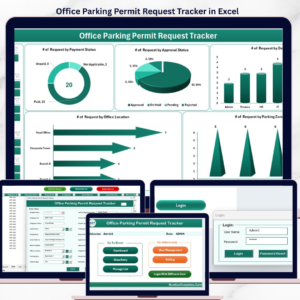
🔹 Office Parking Permit Request Tracker in Excel — VBA-driven request tracker for parking permit approvals.
🔹 Browse all Excel Tracker Templates on NextGenTemplates.
📖 Click here to read the Detailed Blog Post
🎥 Visit our YouTube channel for step-by-step video tutorials
👉 YouTube.com/@NextGenTemplates