

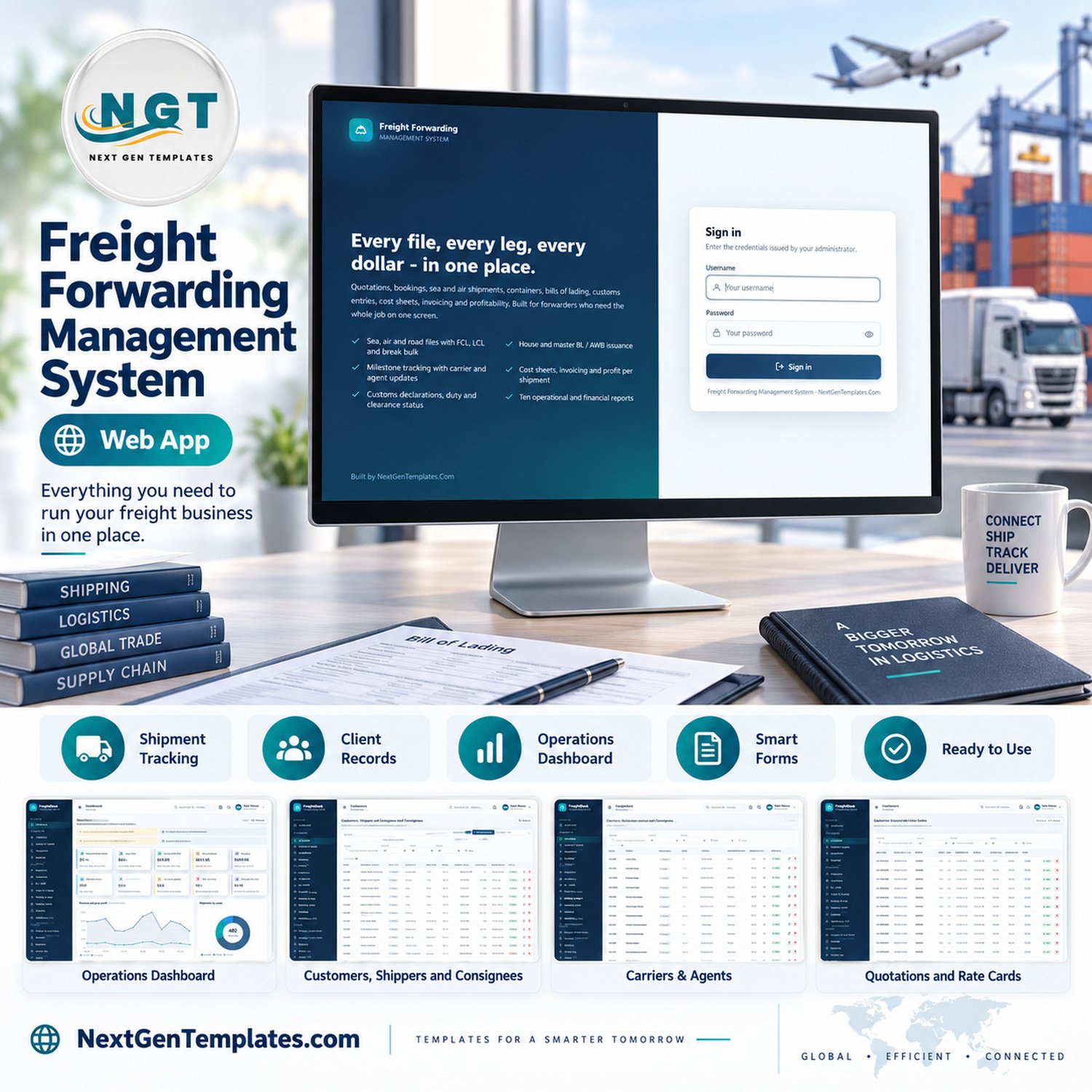

The Freight Forwarding Management System Web App is a self-hosted Google Apps Script system that runs a forwarding office from rate quotation to customer receipt. It ships with 24 working modules, 10 built-in reports, 8 permission-driven roles and about 14,700 rows of fictional sample data across 27 Google Sheets tabs, and it deploys into your own Google account in about 15 minutes.
🌍 Join thousands of small businesses in 40+ countries using NextGenTemplates to replace costly subscriptions with one-time-purchase Google Sheets, Excel, Power BI and Apps Script templates.
✅ Instant download · One-time payment · No subscription · No per-user fees · Full source code

🚀 Try the Live Demo Before You Buy
We have deployed this web app in our own Google account so you can test every page and every one of the 8 roles with realistic sample data before purchasing. No signup, no email required.
🔑 Test Login Credentials
Sign in as admin to see everything, including Users, Lists, Settings, the database archive and the Audit Log, then sign in as customs.broker or viewer to watch the sidebar and every server call shrink to that role’s permissions.
💡 These are the public logins of a shared demo instance that we reset regularly, not a system you would share with other buyers. What you get after purchase: the full source code (Code.gs + Index.html) and a user manual PDF with step-by-step deployment, so you run your own private copy in your own Google account.
🔑 Key Features of the Freight Forwarding Management System Web App
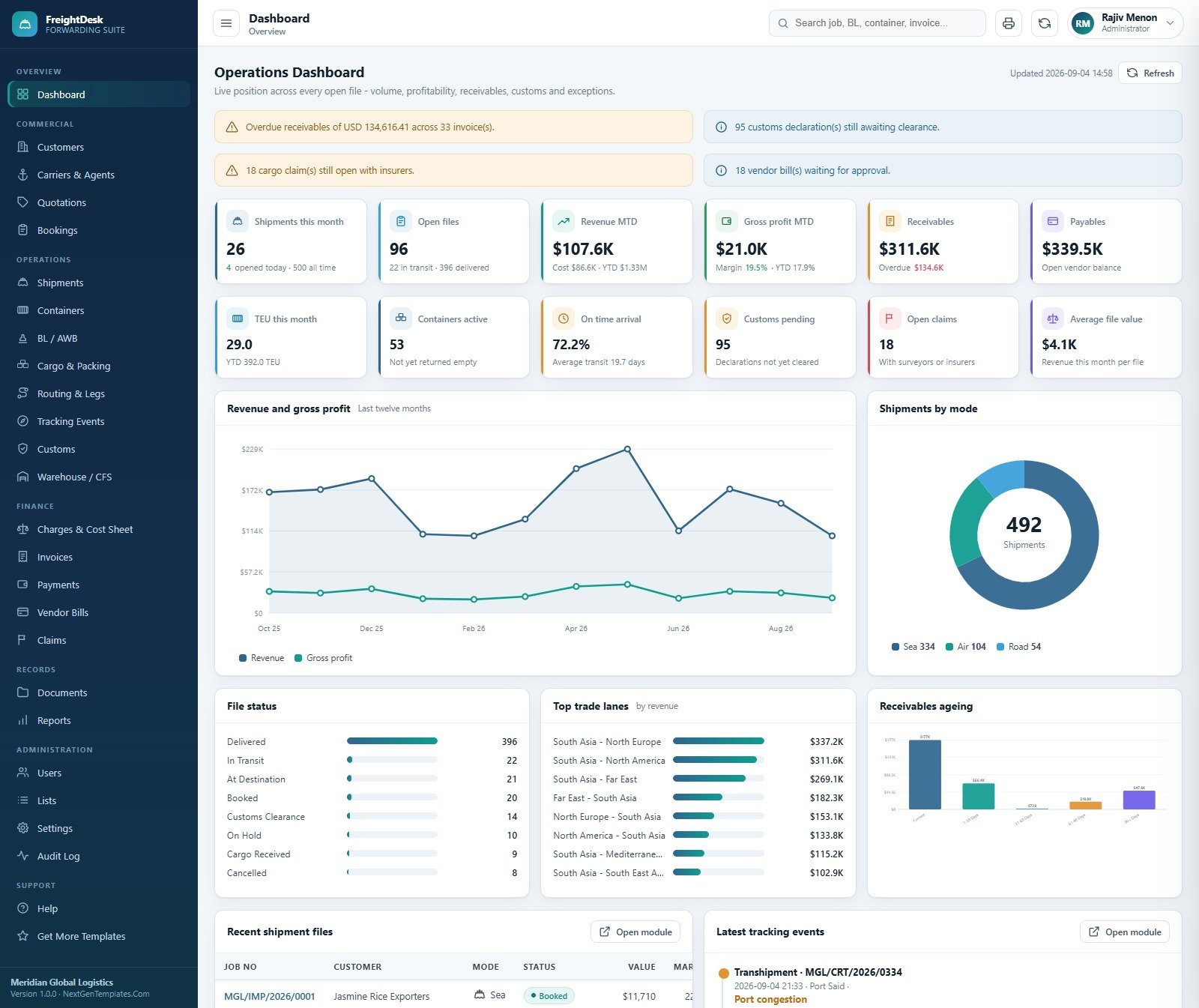
📊 Operations dashboard with 12 live KPI cards. Shipments this month, open files, revenue and gross profit month to date, receivables, payables, TEU this month, active containers, on-time arrival, customs pending, open claims and average file value, with alert banners for overdue receivables, uncleared declarations, open claims and vendor bills awaiting approval.
💬 Quotation to booking in one click. Quotations carry sell and buy on every rate line, validity dates and a live hit rate. An accepted quote converts straight into a carrier booking, which then becomes the shipment job file.
🚢 One job file for sea, air and road. Each shipment holds direction (import, export, cross trade, domestic), FCL, LCL, break bulk, air cargo, FTL or LTL load, POL and POD, carrier, ETD and ETA, with sell, buy, gross profit and margin recalculated from its cost sheet.
📑 Transport documents and cargo detail. Issue house and master bills of lading and air waybills (HBL, MBL, HAWB, MAWB) with freight terms and release type. Record containers with ISO type, seal, tare, VGM and gate dates, plus cargo lines with HS code, marks, weights, CBM and a dangerous-goods flag.
🛃 Customs, milestones and warehouse jobs as records. Log import, export and transit declarations with assessable value, duty, tax and clearance dates, record milestone events that move the file status along, and run inbound and outbound CFS handling jobs with storage days and recovery charges.
💵 Cost sheet to cash. Build sell and buy charge lines per shipment, raise the customer invoice straight from the cost sheet, record receipts with ageing buckets, and book vendor bills that must be approved before they can be paid.
🔐 Eight roles enforced on the server. The permission map drives both the sidebar and a server-side guard on every write, so a Sales Executive can see money without changing it and a Viewer can change nothing. Every sign in, edit, approval, export and archive lands in the Audit Log.
🖨️ Print, email, Drive and CSV. Print invoices, bills of lading, packing lists, cost sheets, booking confirmations and delivery orders; email invoices, shipment status and booking confirmations through your own Gmail quota; upload documents into a Drive folder per job number; import and export tables as CSV.
📦 What’s Inside the Freight Forwarding Management System
Operations Dashboard
Twelve KPI cards sit above charts for Revenue and Gross Profit by Month, Shipments by Mode, File Status, Revenue by Trade Lane and Receivables by Ageing Bucket, followed by the most recent shipment files and the latest tracking events.
Quotations and Rate Cards
Every quote shows mode, load, trade lane, equipment, sell, buy, margin and status. The sample holds 180 quotations worth $796,216 with an 89-quote, 49.4% hit rate, and accepted quotes show the booking they became.

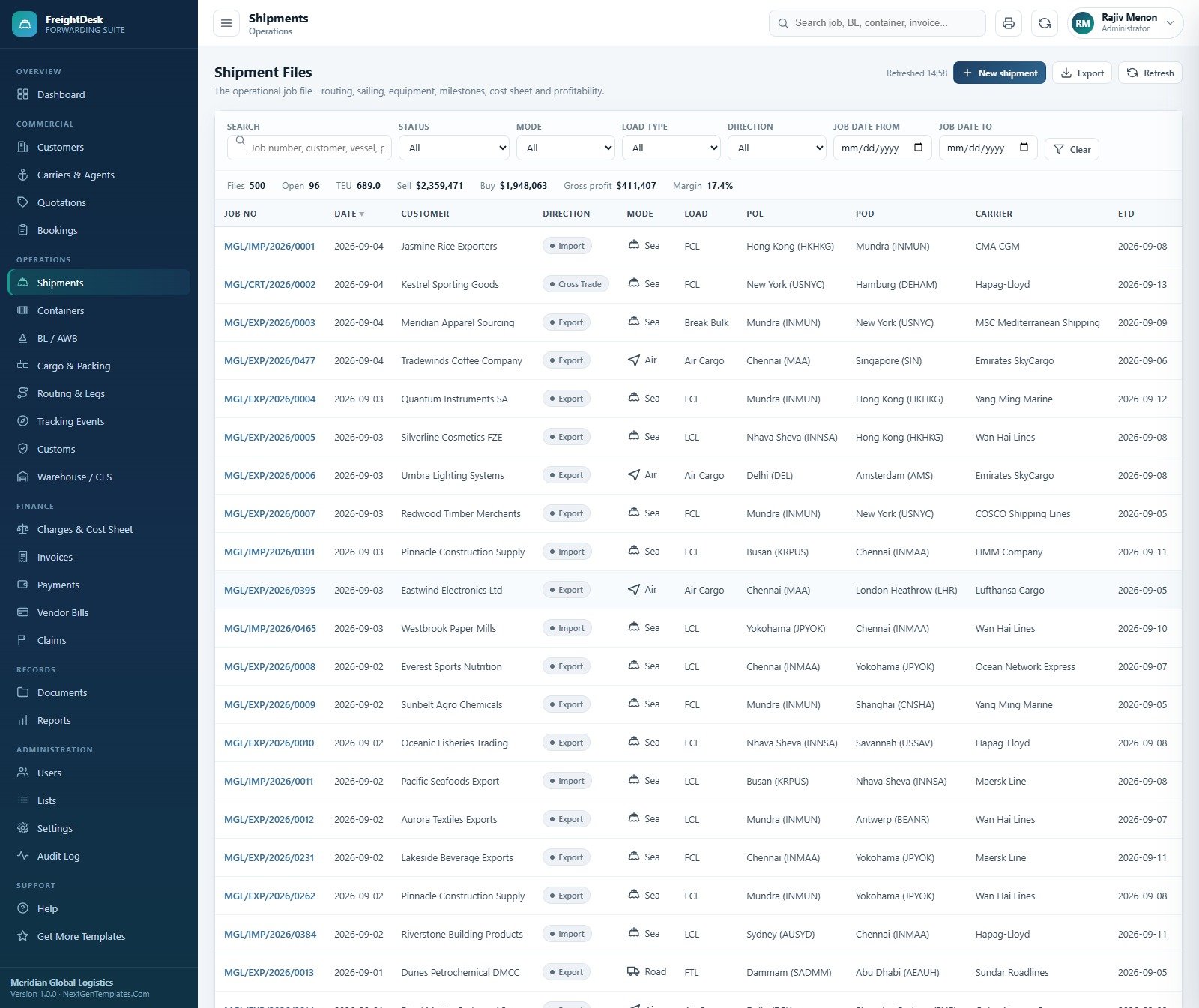
Shipment Files
The operational job register filters by status, mode, load type, direction and job date, with totals for files, open files, TEU, sell, buy, gross profit and margin across the filtered view.
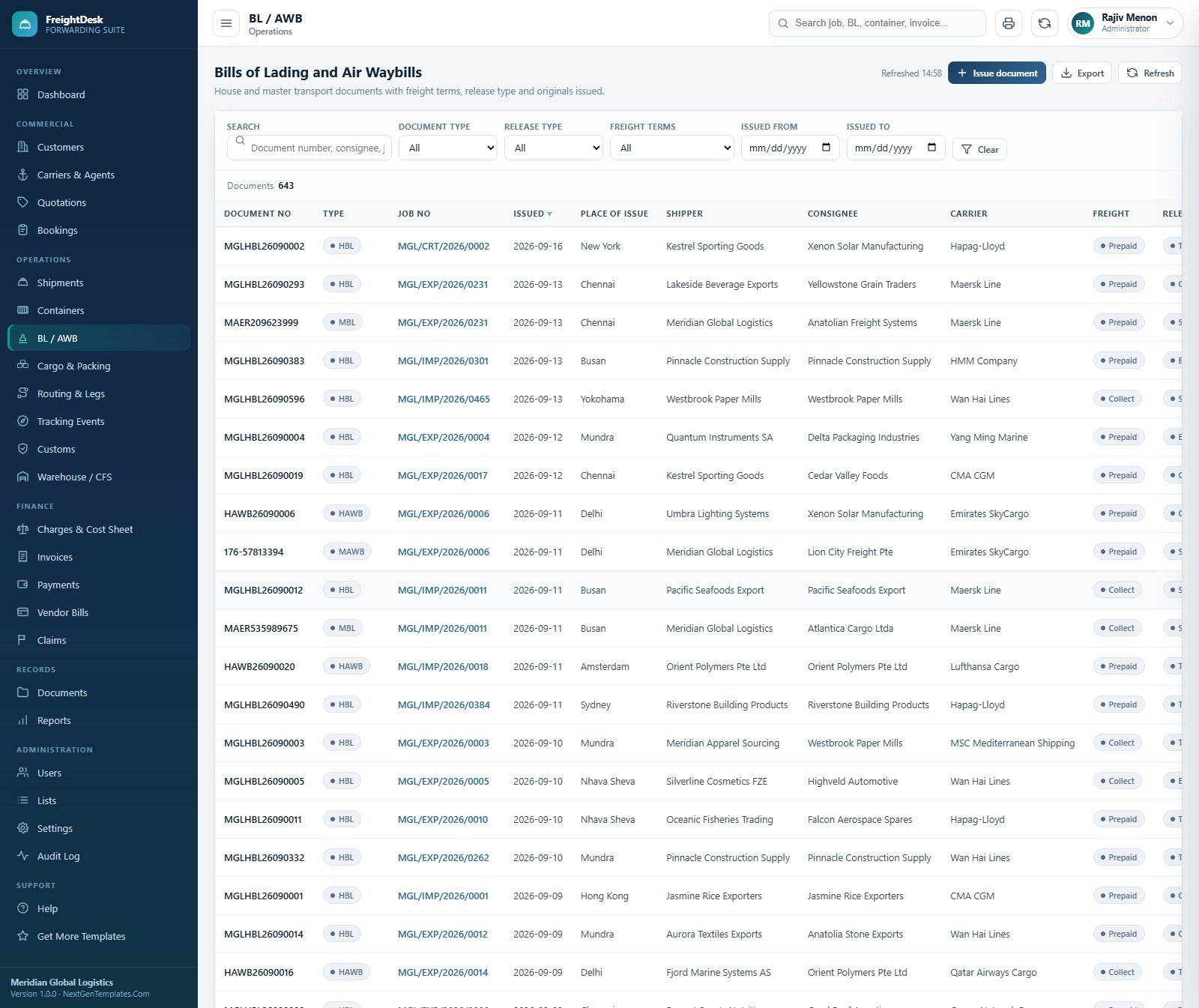
Bills of Lading and Air Waybills
House and master documents list place of issue, shipper, consignee, carrier, freight terms and release type, filterable by document type and issue date, and each one prints on A4.
Customs Declarations and Clearance
Declarations show customs house, HS chapter, assessable value, duty, tax, total duty, filed, assessed and out-of-charge dates and the broker, with totals for declarations, duty and entries not yet cleared.

Customer Invoices
Invoices raised from the sell side of each cost sheet carry sub total, tax, paid amount, balance, days overdue and an ageing bucket, with invoiced, received, outstanding and overdue totals on top.

Reports
Ten reports in three groups: Shipment Status, Carrier Performance, Volume by Trade Lane and Container Utilisation; Profitability per Shipment, Profitability by Customer, Outstanding Receivables, Monthly Revenue vs Cost and Vendor Bill Summary; and Customs Status. Each honours a date range, exports to CSV and prints.

Users, Roles and Settings
User Management assigns each account a role and a branch and can reset passwords or deactivate users. Settings holds the company block printed on documents, finance defaults, printing, email, Drive, one-click backup and the database archive, with a row count for all 27 worksheets.


The system also includes Customers, Carriers and Agents, Bookings, Containers, Cargo and Packing, Routing and Legs, Tracking Events, Warehouse and CFS, Payments, Vendor Bills, Claims, Documents, Lists and Audit Log screens.
📊 Freight Forwarding Web App vs. Excel Workbook vs. Paid Forwarding Software
| Feature | Freight Forwarding Management System Web App | Excel job register and cost sheet | Paid forwarding suites (e.g. CargoWise, Magaya) |
|---|---|---|---|
| Cost | ✅ $39.99 one-time | Low, but built and maintained by you | Recurring subscription, usually quoted per user |
| Year-1 cost at 5 users | ✅ $39.99 total | Excel licences plus your build time | Vendor quote, recurring every year |
| Platform | Browser web app on Google Apps Script | Excel desktop file | Vendor cloud |
| Setup time | ✅ About 15 minutes | Days to design | Weeks of onboarding |
| Role-based access | ✅ 8 roles, server-enforced | Sheet protection only | ✅ Yes |
| Quote to booking to job file to invoice | ✅ Built in | Manual copy between tabs | ✅ Yes |
| Carrier, EDI and e-filing connections | No, all entries are manual | No | ✅ Usually available |
| Customisable lists and source code | ✅ 36 editable lists, full code | ✅ Full control | Configuration within vendor limits |
| Where your data lives | ✅ A Google Sheet in your own Drive | ✅ Your file | Vendor servers |
For small forwarders who want quotes, job files, documents, customs records and billing in one place without a per-user subscription, this web app sits in the sweet spot.
👥 Who This Template Is For and Who It’s Not For
✅ This template is built for:
- Small and mid-sized freight forwarders and NVOCC-style desks handling a few hundred job files a year
- Owners who want sell, buy and margin on every file instead of a month-end surprise
- Teams already on Google Workspace or Gmail who want role-based access without another login system
- Developers and consultants who want a working forwarding codebase to customise for a client
❌ This template is NOT for:
- Businesses that need live carrier bookings, EDI messages, vessel or flight tracking feeds or electronic customs filing
- Licensed customs brokers who need a certified filing system; the Customs Broker role is a permission set, not a filing interface
- Large enterprises needing multi-currency accounting, SSO or audited compliance certifications
⚙️ How to Use the Freight Forwarding Management System
- Try the live demo first with the logins above and sign in as two different roles.
- Create a new project at script.google.com, paste Code.cs.txt into Code.gs and Index.txt into an HTML file named Index.
- Deploy as a web app (Execute as: Me, Who has access: Anyone) and open the URL.
- Press “Build the database now” on the sign-in card and wait for the database to be ready.
- Sign in as the administrator, change every seeded password and fill in your company block under Settings.
- Load customers, carriers and agents by hand or by CSV import, and edit the dropdown Lists.
- Run the daily flow: quote, convert to booking, open the shipment file, issue the BL or AWB, build the cost sheet and raise the invoice.
💼 Real-World Use Cases
Anita runs a 12-person export forwarder in Chennai. Her sales desk quotes LCL and FCL rates, converts accepted quotes into bookings and hands the job file to documentation, who issue house bills and packing lists. Accounts raise the invoice from the cost sheet the same day, so she sees margin per file instead of waiting for month end.
Omar manages an air freight desk in Dubai. He records HAWB and MAWB documents, logs milestones as agents report them, and uses the Outstanding Receivables and Profitability by Customer reports to decide which shippers get credit, with his warehouse supervisor seeing only CFS jobs and cargo.
Lena is a logistics software consultant. She deploys the system for a client, adds two fields and a new document layout in the source code, and saves weeks against building a forwarding app from scratch.
❓ Frequently Asked Questions
Can I try it before buying?
Yes. The live demo above runs the full Freight Forwarding Management System with sample data and all 8 role logins. Sign in as admin to see every module, then as viewer or customs.broker to see how access narrows. The demo is shared and resets, so do not enter real data.
Does it file customs declarations or connect to carriers?
No. Customs entries, bookings and tracking milestones are records your team types in or imports by CSV. There is no electronic customs filing, no carrier or airline API, no EDI connection and no live vessel or flight tracking. Labels such as “Carrier EDI” are simply source values in a dropdown.
How long does setup take?
Most buyers deploy the freight forwarding management system web app in about 15 minutes: paste two files into a new Apps Script project, deploy it as a web app, then press “Build the database now”, which creates the 27-tab Google Sheet and loads the sample year of data.
How does it compare to CargoWise or Magaya?
Enterprise suites add carrier connections, e-filing, multi-currency accounting and vendor support on a recurring subscription. This system covers the core record-keeping flow, quote to invoice, for a one-time $39.99, runs in your own Google account and ships with full source code you can change.
Can I control what each user sees?
Yes. There are 8 roles: Administrator, Operations Manager, Documentation Officer, Customs Broker, Sales Executive, Accounts, Warehouse Supervisor and Viewer. One permission map controls both the menu and a server-side check on every save, and the Role permissions screen shows exactly what each role can do.
Which currency does it use?
The sample company and its invoices work in USD, and the reporting currency is a Settings value. The system works in one currency at a time; there is no exchange-rate conversion, multi-currency ledger or payment gateway, and receipts are recorded rather than processed.
Where is my data stored?
Everything lives in a Google Sheet the setup creates in your own Drive, and uploaded documents go into a Drive folder with a sub folder per job number. NextGenTemplates never sees your data. The database archive copies the whole sheet to Drive before removing closed transactions.
👤 About the Author
Built by PK, Microsoft Certified Professional with 15+ years of Excel, Google Sheets, Apps Script and Power BI experience. Founder of NextGenTemplates, reaching 300K+ subscribers across YouTube channels (@PKAnExcelExpert, @NextGenTemplates, @NeoTechNavigators). Every template is hand-built and tested before release. New to web apps? Google’s own Apps Script web apps guide explains how deployments work.
🔗 Explore Related Templates
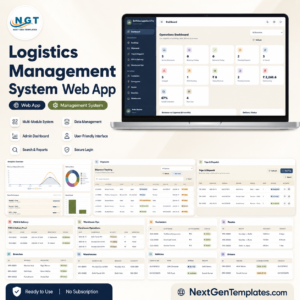
🚚 Logistics Management System Web App for broader logistics operations rather than forwarding job files.
📋 Import-Export Documentation Management System Web App for exporters and importers who mainly manage trade document sets.
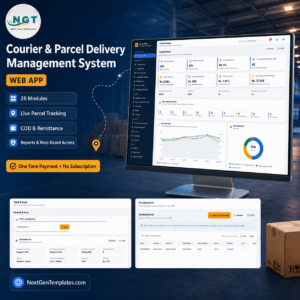
📦 Courier and Parcel Delivery Management System Web App for courier and parcel delivery businesses.
📈 Want analysis rather than operations? See the Freight Forwarding Dashboard in Excel, the Freight Forwarding Dashboard in Power BI and the Freight Forwarding KPI Dashboard in Excel.
💎 Browse every Google Apps Script web app in the store, or save with the Logistics and Transportation Hub bundle.
Please note: this is staff-facing record-keeping software that you host yourself. It is not a licensed customs broker tool, makes no IATA, FIATA, FMC or customs compliance claim, and does not replace your filing systems or professional advice. The sample company, customers, figures, declarations and documents are fictional; carrier, airline and insurer names in the sample data are illustrative only and imply no affiliation or integration.
📖 Click here to read the Detailed Blog Post
🎥 Visit our YouTube channel for step-by-step video tutorials
👉 YouTube.com/@NextGenTemplates
📅 Last updated: September 2026






























Reviews
There are no reviews yet.