

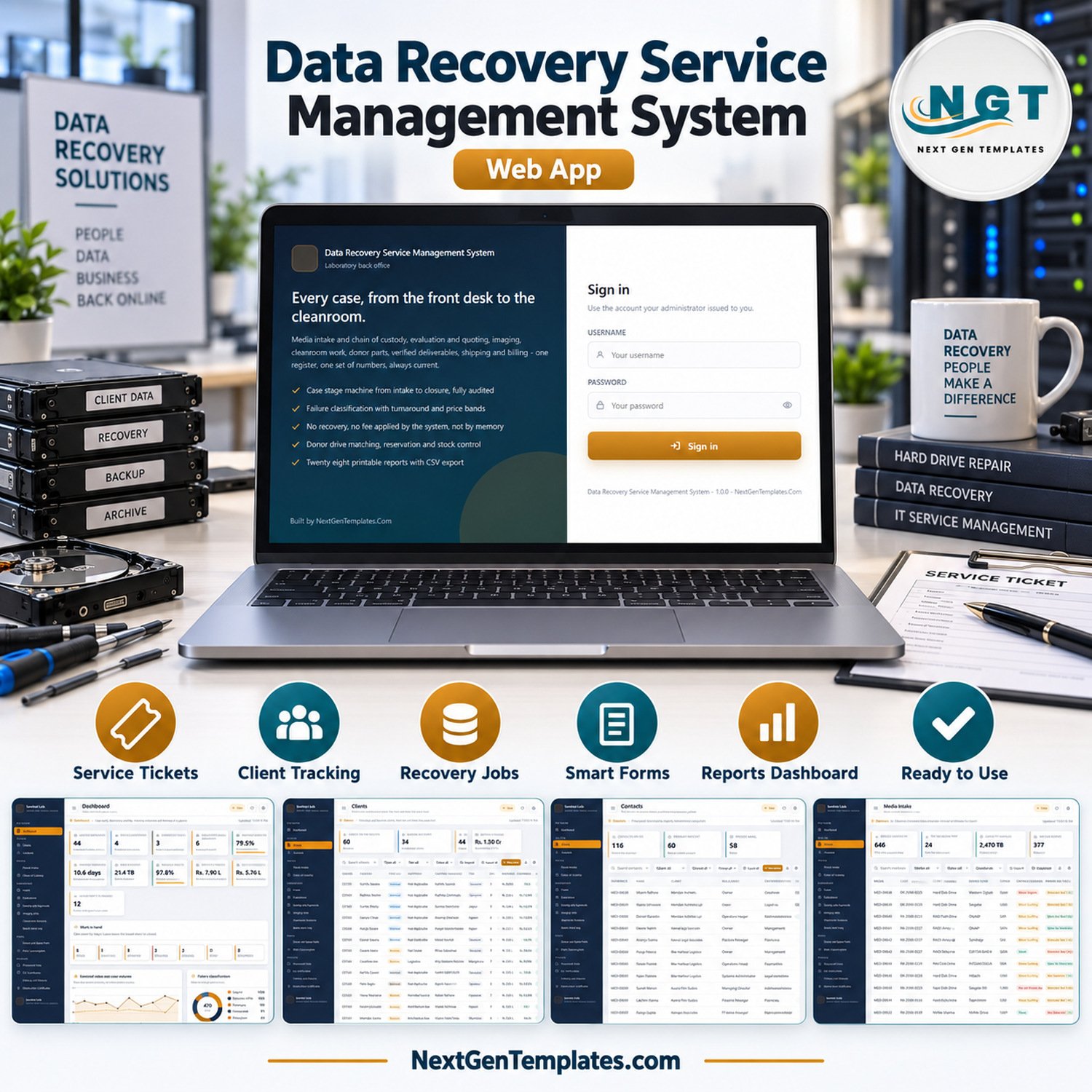
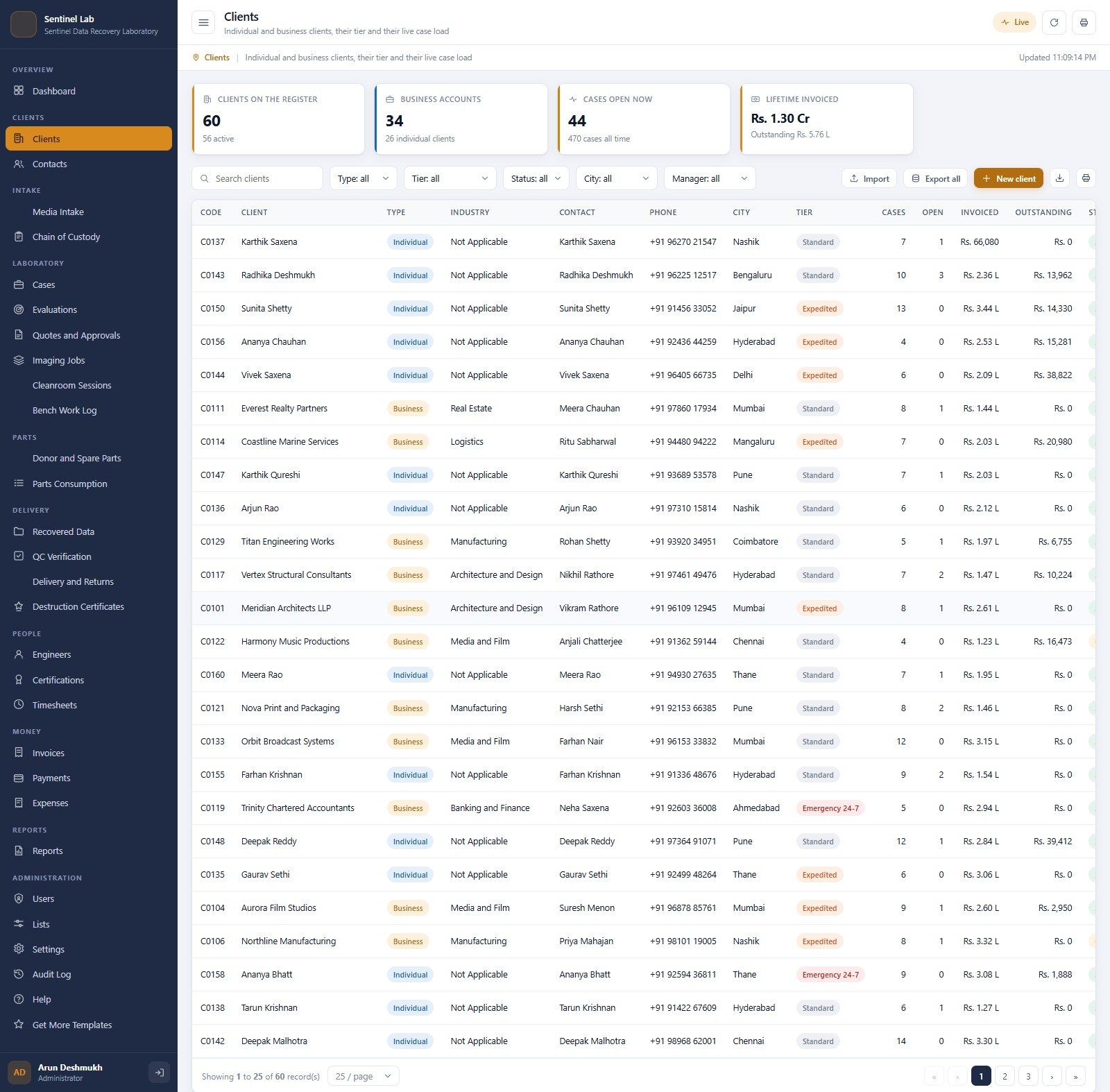
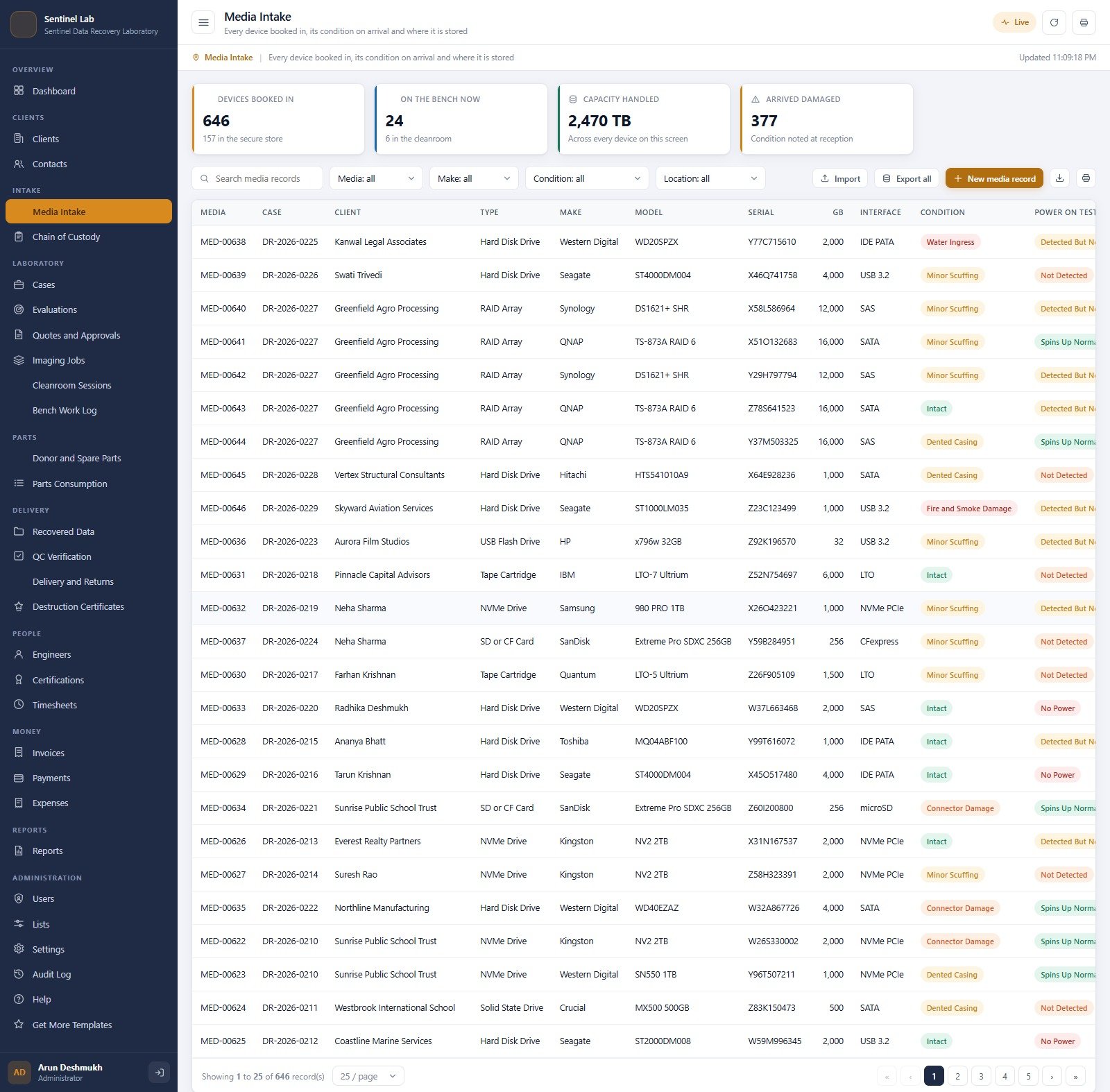

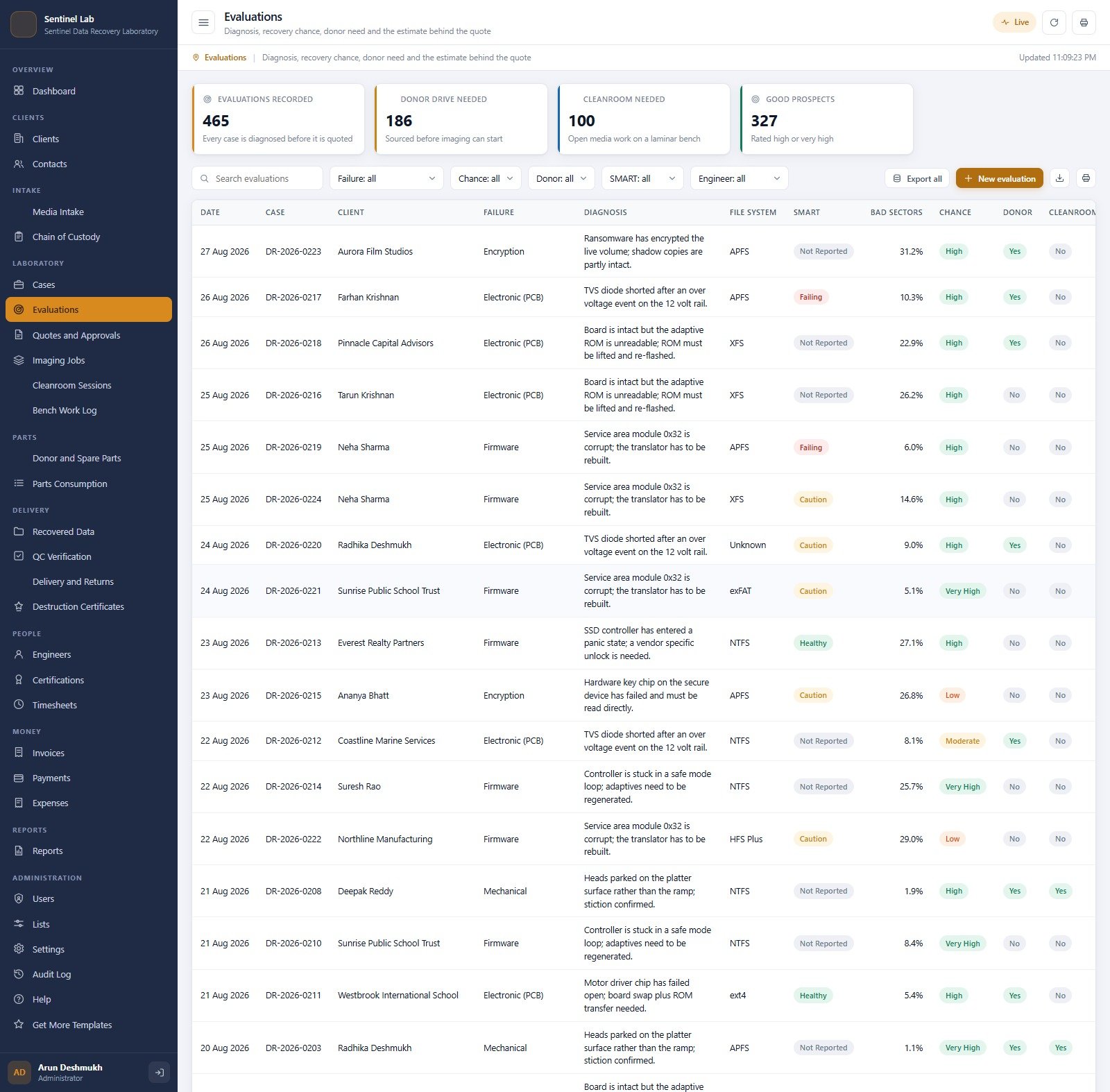
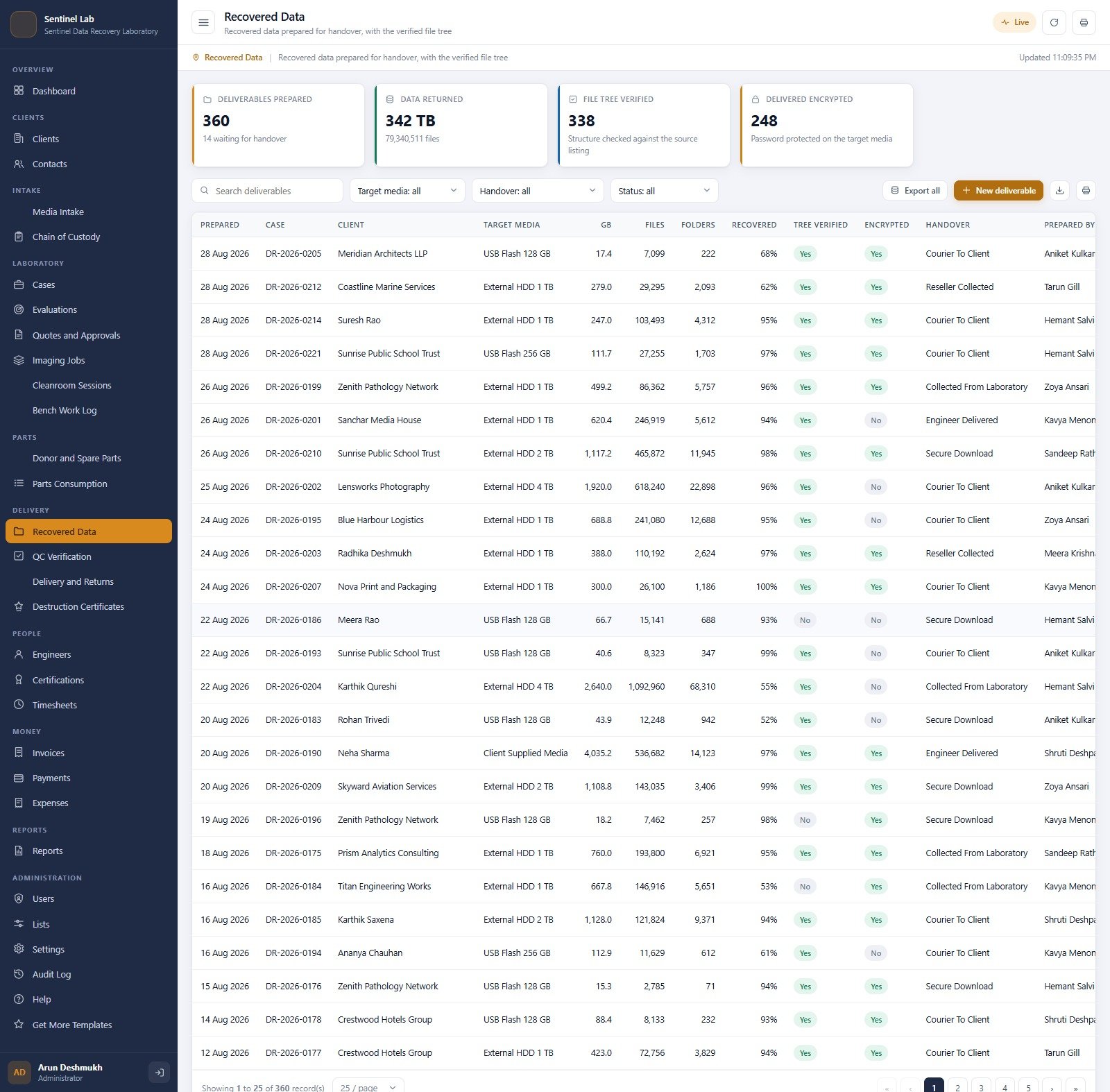

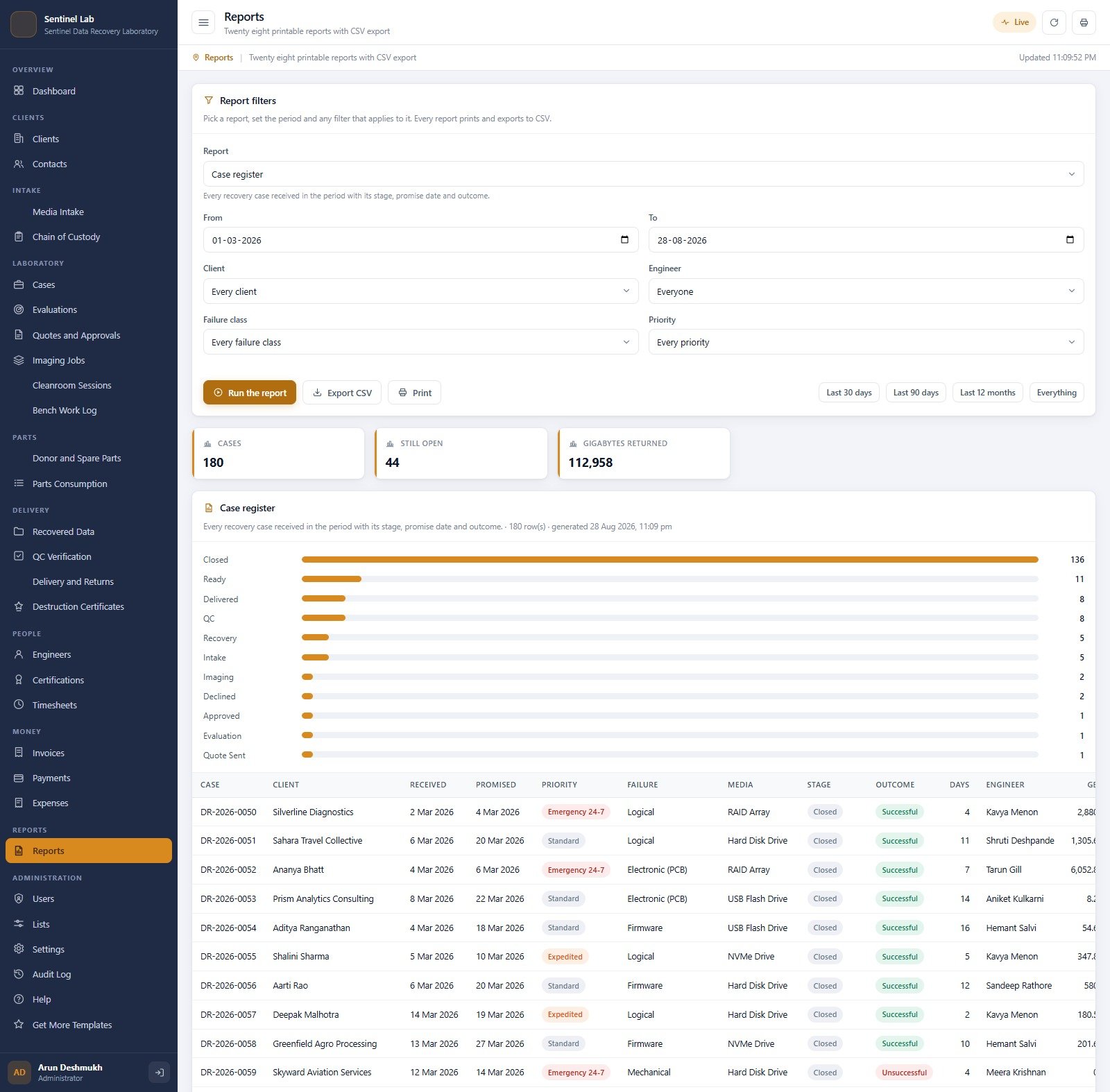

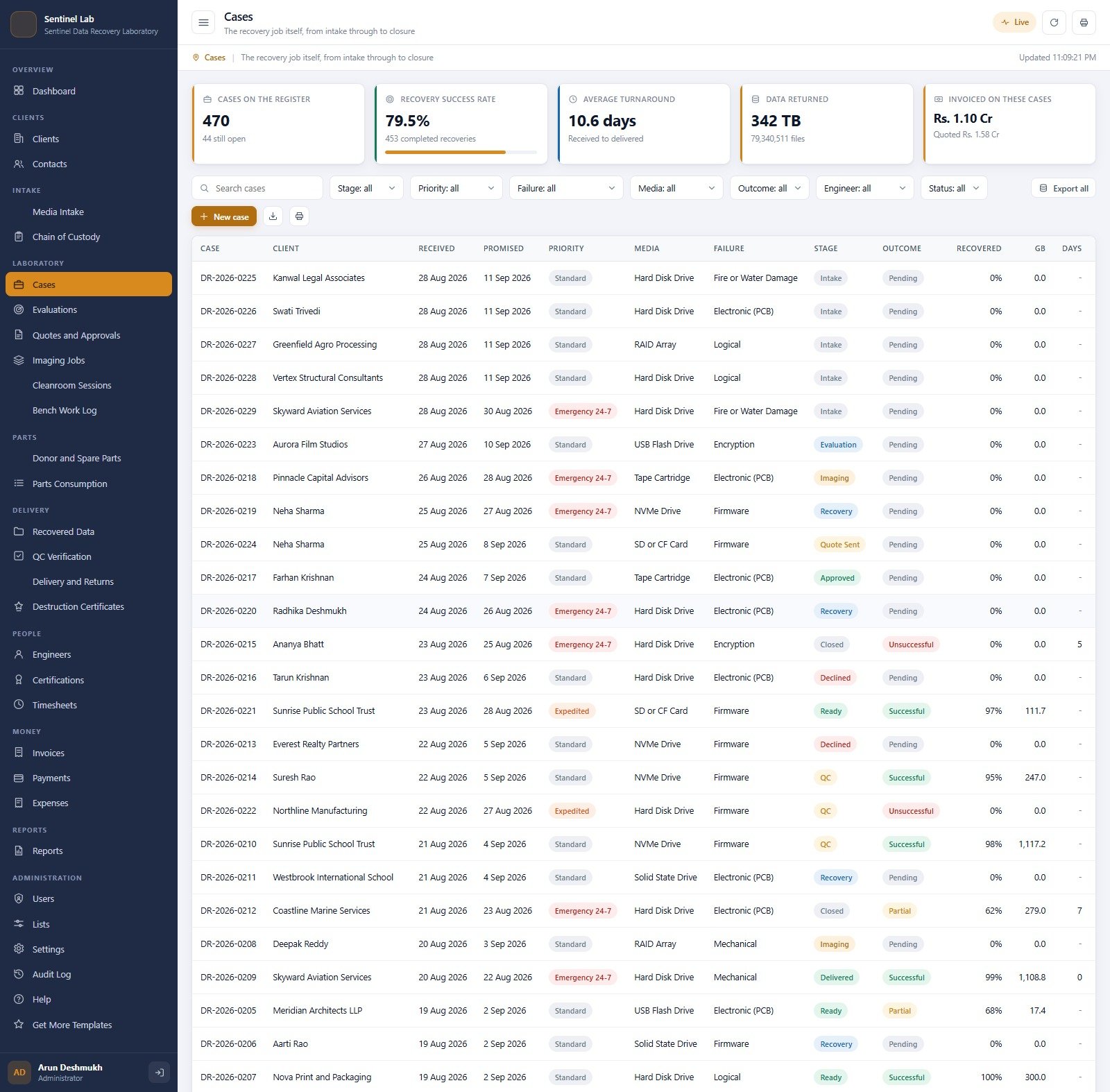
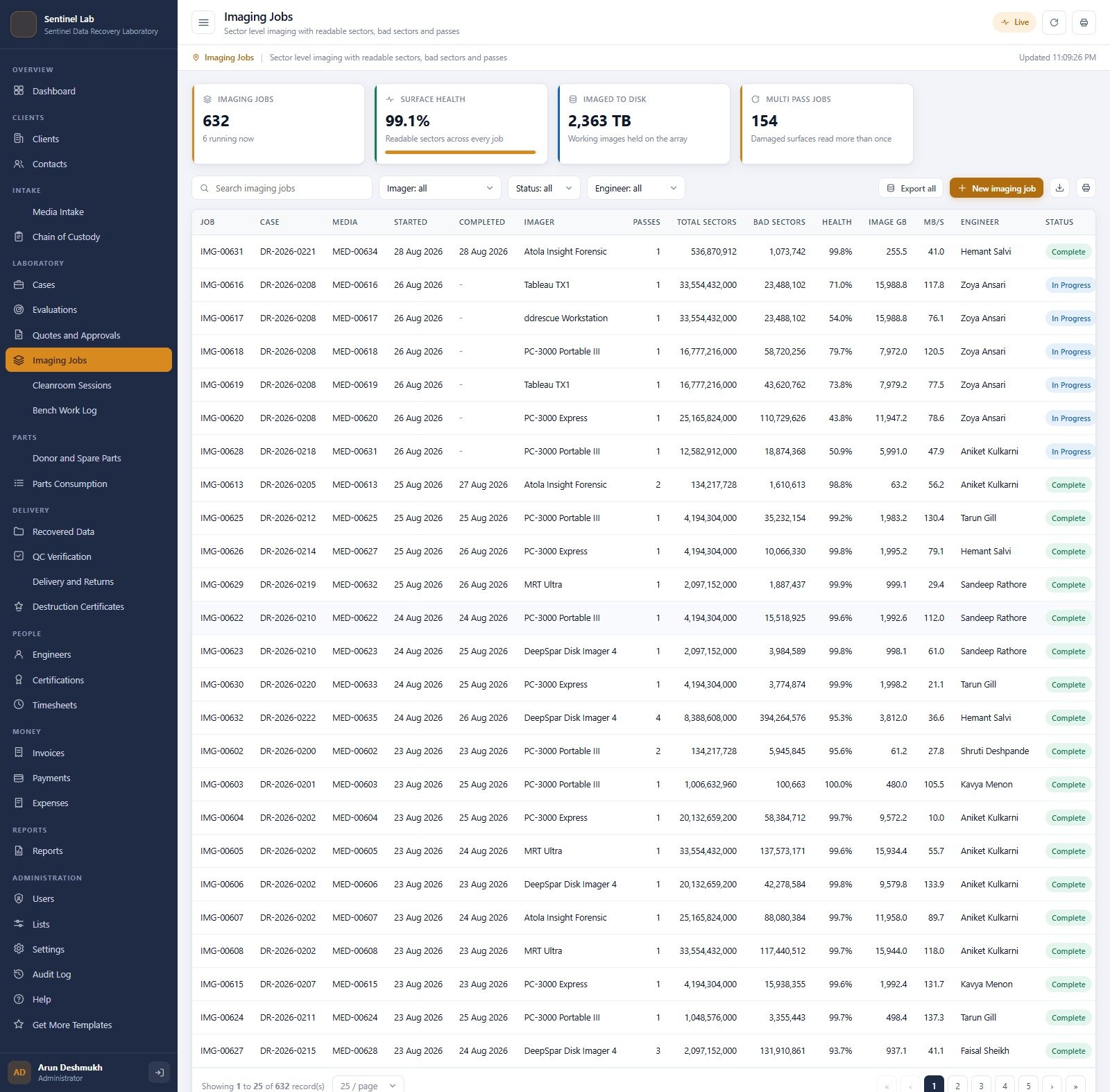
Data Recovery Service Management System Web App is a role-based Google Apps Script solution for data-recovery laboratories that need one operational record from client intake through evaluation, imaging, cleanroom and bench work, quality control, delivery, invoicing, and reporting. This data recovery workflow software is supplied as editable Apps Script source and creates its own Google Sheets database during setup.

Try the Live Demo
Explore the shared demonstration system before buying. The sample environment contains seeded data and may be reset periodically.
Demo sign-in accounts
| Role | Username | Password |
|---|---|---|
| Administrator | admin | Recover@2026 |
| Laboratory Manager | labmanager | LabMgr@2026 |
| Recovery Engineer | engineer | Bench@2026 |
| Recovery Engineer | engineer2 | Bench@2026 |
| Cleanroom Technician | cleanroom | Clean@2026 |
| Client Advisor | advisor | Front@2026 |
| Finance Officer | finance | Money@2026 |
| Auditor | auditor | Audit@2026 |
These credentials belong only to a seeded shared demo instance. Deploy your purchased copy under your own Google account and change every password before operational use.
Data Recovery Service Management System Web App Overview
Use the app as a deployable starting point, then explore more web app templates on NextGenTemplates for related business workflows.
Key Features
- End-to-end case control: manage clients, contacts, media intake, signed chain-of-custody events, cases, evaluations, quotes, imaging jobs, cleanroom sessions, bench work, recovered deliverables, QC, returns, and destruction certificates.
- Recovery job tracking system: follow each case through its stage, priority, promised date, failure class, assigned engineer, recovery outcome, recovered capacity, and turnaround.
- Role-based access: separate administrator, laboratory manager, recovery engineer, cleanroom technician, client advisor, finance officer, and read-only auditor responsibilities.
- Operational dashboard: review active cases, cleanroom work, urgent deadlines, evaluation backlog, recovery success rate, turnaround, data returned, imaging health, invoicing, receivables, donor-parts alerts, and work in hand.
- Laboratory workflow: record diagnostic evaluations, SMART condition, donor requirements, cleanroom requirements, imaging passes, readable and bad sectors, bench activity, tools, time, and results.
- Quality and delivery: prepare recovered-data handovers, verify file trees, encryption and sampled files, capture independent QC checks, and record delivery or return details.
- Commercial control: build quotes, apply the configured no-recovery-fee policy, raise invoices, record payments and expenses, and monitor balances.
- Reports: run 28 printable reports with filters, CSV export, and print-ready results.
- Auditability: maintain an audit log, user roster, certification register, timesheets, settings, backups, and database archive tools.
What Is Included
Code.cs.txtcontaining the Google Apps Script server codeIndex.txtcontaining the complete web-app interface- A detailed PDF user manual with deployment, setup, account, workflow, backup, and troubleshooting guidance
- A clean sample database created by the setup routine after deployment
The download is the customer ZIP verified to contain all three required components. Seeded demo credentials are shown above for evaluation, but the internal credentials file is not included as a separate WordPress download.
How the Data Recovery Case Management Flow Works
- Try the demo first. Sign in with different roles and confirm that the menu and permitted actions change with the account.
- Create an Apps Script project, paste the supplied server and HTML source into the correctly named files, then deploy it as a web app.
- Run the guided setup. The system creates its own Google Sheets database and seeds lists and demonstration records.
- Change every default password, review roles and settings, and replace sample records before operational use.
- Register clients and contacts, book each device at media intake, and record custody handovers.
- Move a case through evaluation, quote approval, imaging, cleanroom or bench work, recovered-data preparation, independent QC, and delivery.
- Use reports, exports, invoice tracking, audit logs, backup, and archive tools to close the operational loop.
Who This Web App Is For
This Apps Script data recovery app is designed for independent recovery laboratories, storage-media repair teams, cleanroom operators, forensic-adjacent technical service businesses, and specialist IT service firms that need consistent internal case handling. It is especially useful when spreadsheets, email threads, and disconnected documents no longer provide a reliable view of custody, case status, technician work, deliverables, and billing.
Web App vs Basic Spreadsheet Tracking
| Capability | This Web App | Basic Spreadsheet |
|---|---|---|
| Role permissions | Menu and server-side action checks by role | Usually shared access |
| Case workflow | Linked stages from intake to closure | Manual status columns |
| Chain of custody | Dedicated signed handover register | Separate notes or files |
| Lab operations | Evaluations, imaging, cleanroom, bench and parts modules | Multiple disconnected sheets |
| Delivery quality | Recovered data, file-tree verification and QC records | Manual checklist |
| Finance and reports | Quotes, invoices, payments, expenses and 28 reports | Separate bookkeeping |
| Audit trail | Dedicated audit log plus account roles | Version history only |
Important Requirements and Limitations
- A Google account and access to Google Apps Script are required. Google service quotas, account policies, and deployment permissions apply.
- This is a self-hosted template supplied as source code, not a hosted SaaS subscription. Deployment and ongoing administration are the buyer’s responsibility.
- The app creates and uses a Google Sheets database. Review your organisation’s privacy, retention, access-control, backup, and legal requirements before storing real client or device information.
- Although the system records custody and operational activity, it does not by itself certify regulatory, evidentiary, forensic, privacy, security, or industry compliance.
- Sample names, amounts, cases, devices, metrics, and records are demonstration data and must be replaced.
- No recovery outcome is guaranteed. The app organises service operations; it does not recover data from storage media or replace specialist tools and professional judgement.
Frequently Asked Questions
Can I try it before buying?
Yes. Use the live-demo button above and sign in with any seeded role to inspect the workflow and permissions.
Does the system perform data recovery?
No. It is data recovery workflow software for managing cases, laboratory activity, deliverables, quality checks, billing, and reports. It does not repair media or recover files.
Is this a hosted subscription?
No. You receive source files for your own Google Apps Script deployment and a user manual. There is no recurring NextGenTemplates hosting fee.
Can I change fields, lists, branding, and roles?
Yes. The source is editable, although changes to code, permissions, or database structure should be tested in a separate copy before use.
Does it support chain of custody?
It includes a dedicated chain-of-custody register with device, case, locations, handlers, witnesses, seals, dates, and events. You remain responsible for validating the process against your legal and operational requirements.
Are the demo credentials safe to publish?
They belong only to the resettable shared demonstration instance. Your deployment should use changed passwords and access policies appropriate to your organisation.
Bring the Entire Recovery Operation Into One System
The Data Recovery Service Management System Web App combines a practical recovery job tracking system, structured data recovery case management, laboratory operations, delivery verification, billing, and reporting in one deployable Google Apps Script application. Try the demo, compare the roles, and review the real screens before purchasing
Related Templates
- Loan Recovery Services Dashboard in Excel: a recovery-team dashboard for Excel users
- IT Services Dashboard in Excel: service metrics for IT teams
- IT Services Dashboard in Google Sheets: the same topic in Google Sheets
- Customer Service Request Tracker in Google Sheets: a simple request log for client-facing teams
Browse all web apps or Google Sheets templates.































Reviews
There are no reviews yet.