

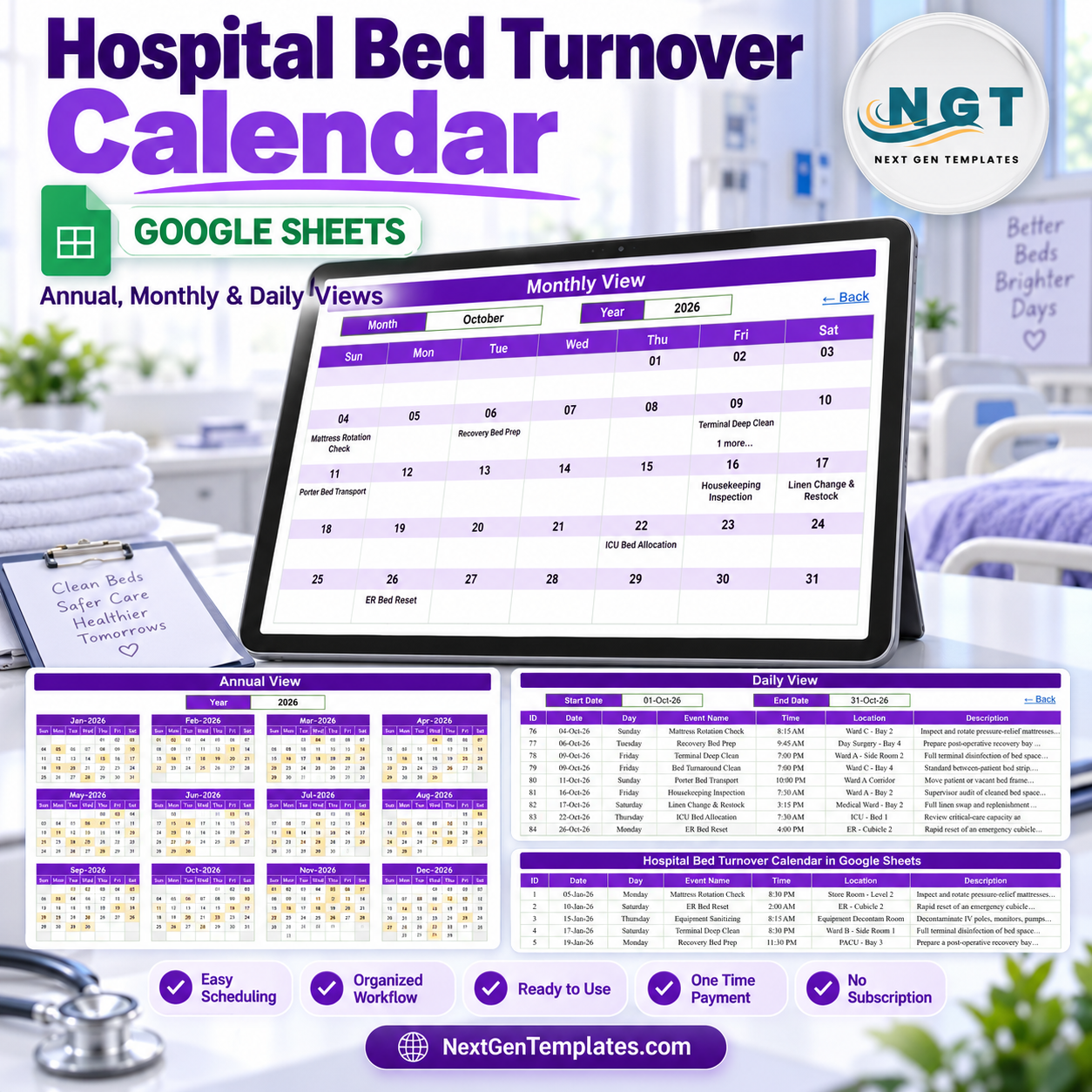

Hospital Bed Turnover Calendar in Google Sheets is an editable administrative calendar for planning and reviewing routine bed-turnover activities. It brings yearly, monthly, and daily views together with a central Events sheet, so facilities, housekeeping, porter, and administrative teams can keep a shared operational schedule without starting from a blank workbook.
The included sample calendar demonstrates activities such as mattress rotation checks, terminal deep cleans, recovery bed preparation, porter transport, linen changes, housekeeping inspections, and bed-frame maintenance. These are example labels only; they are not clinical protocols or infection-control instructions. The template is a scheduling aid, not an EHR, patient-tracking platform, bed-management system, clinical decision-support tool, or capacity guarantee.
What this Google Sheets calendar includes
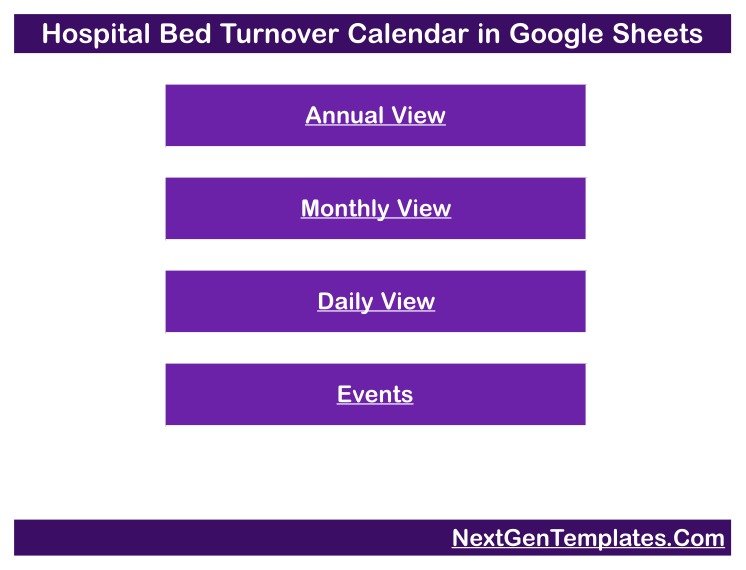
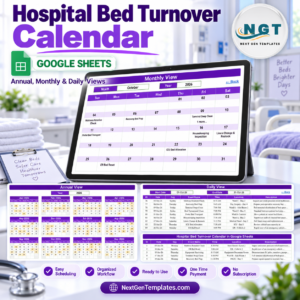
- Home page: four large navigation buttons take users directly to Annual View, Monthly View, Daily View, or Events.
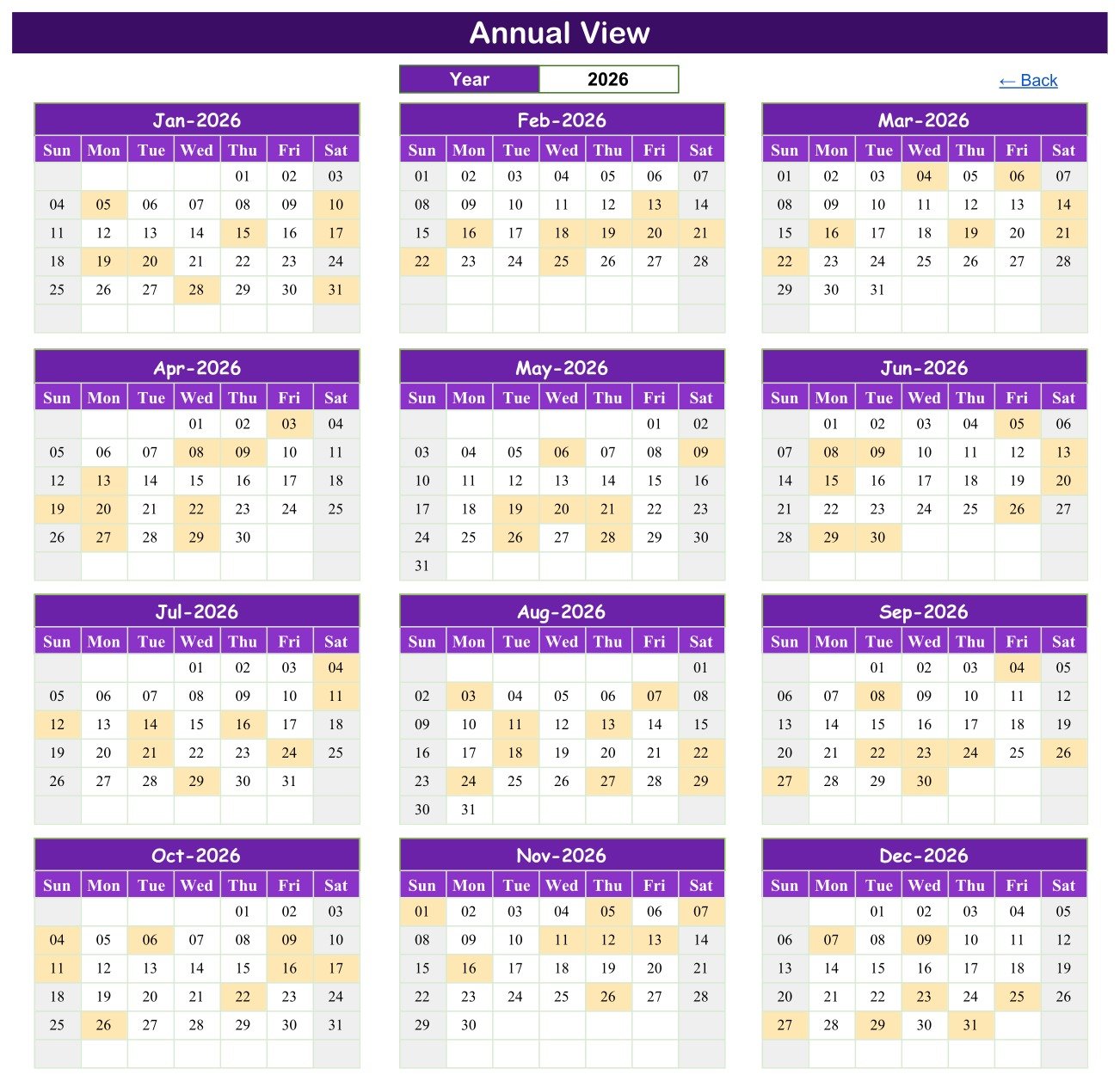
- Annual View: a twelve-month overview for 2026 highlights dates that contain scheduled events.
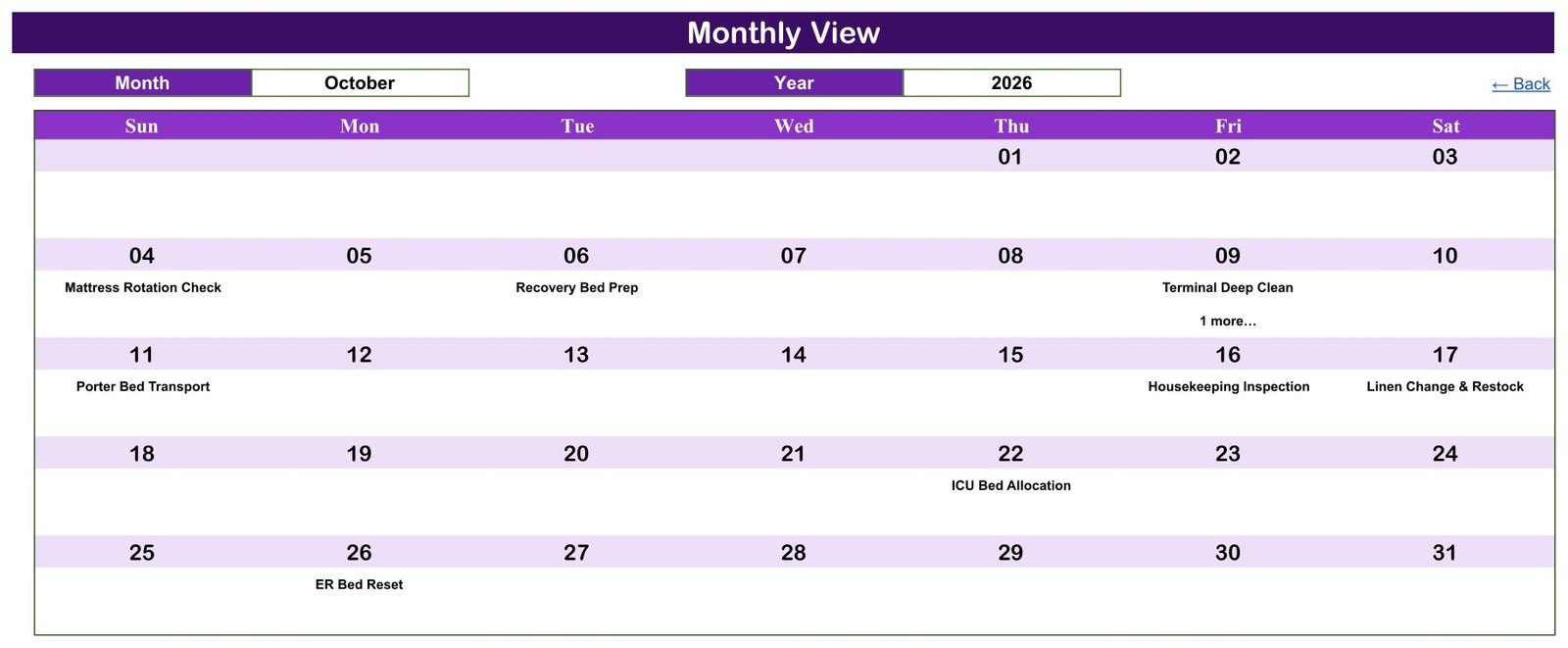
- Monthly View: a detailed month layout displays the event name and uses a “more” indicator when a date contains additional entries.
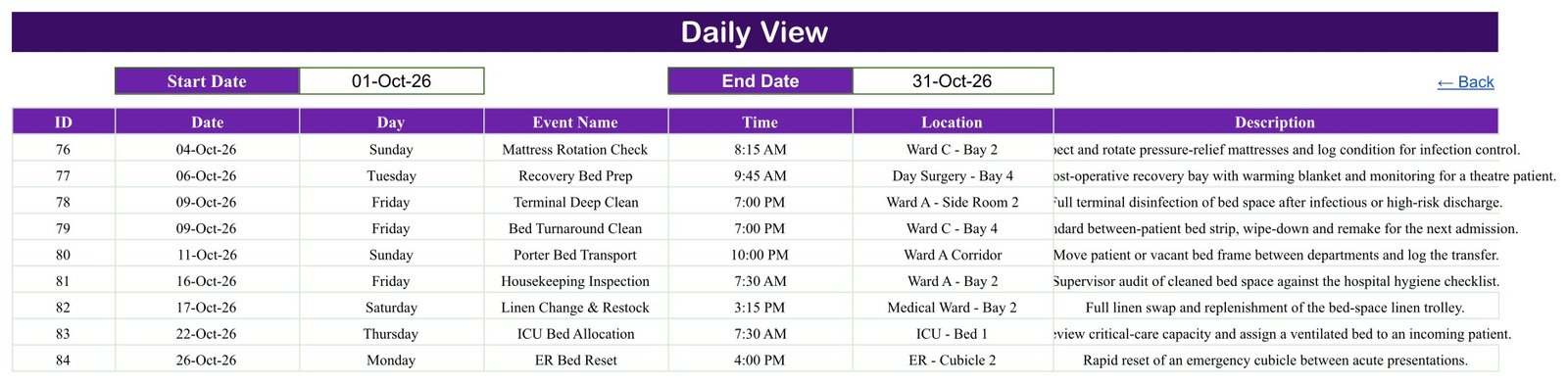
- Daily View: a start-date and end-date filter presents matching events in a practical table.
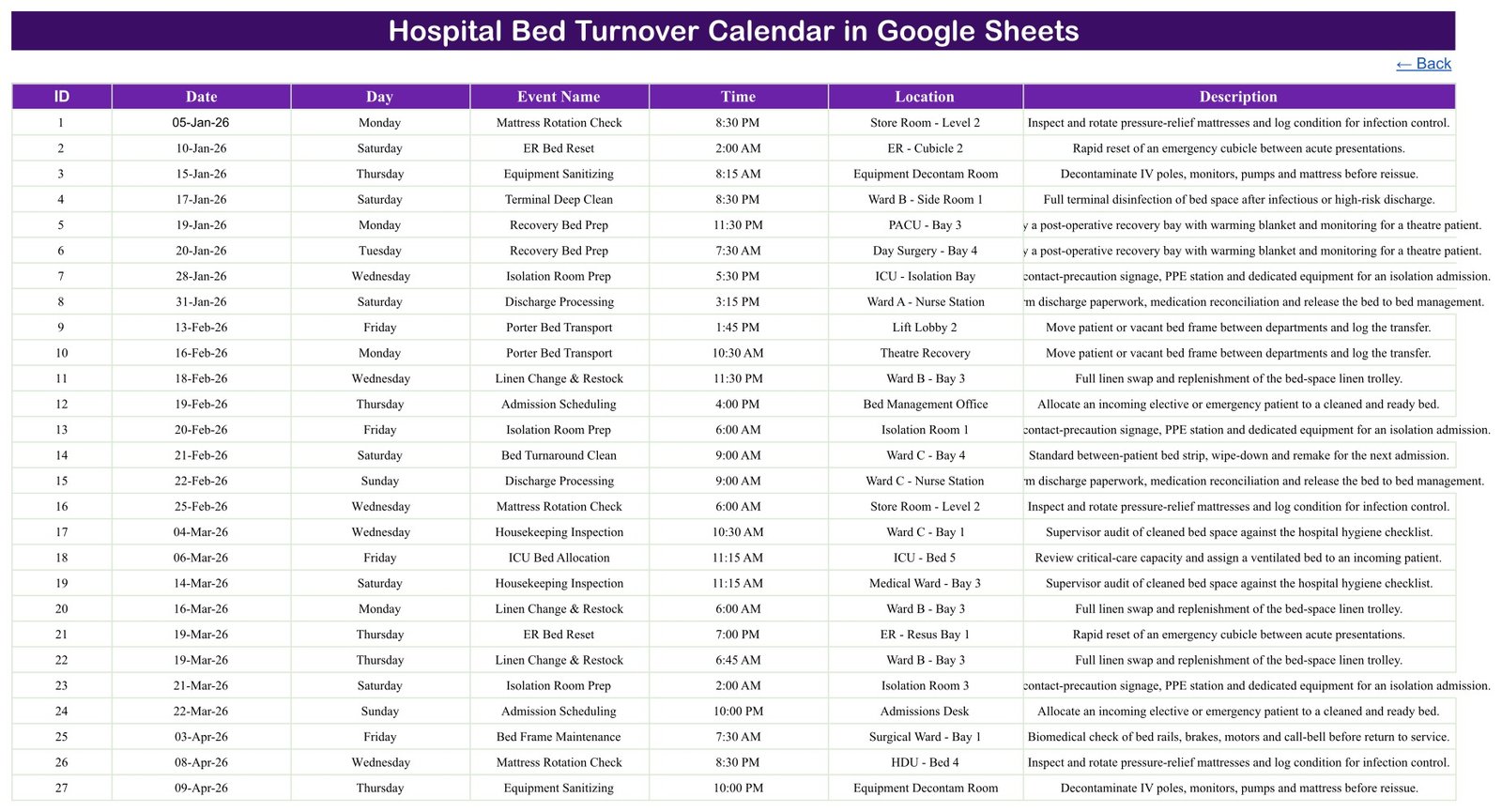
- Events sheet: one editable list stores event ID, date, day, event name, time, location, and description.
Plan turnover activities at three time scales
Use Annual View to see the distribution of scheduled work across the year. Move to Monthly View for a closer look at the selected month, then use Daily View to isolate a chosen date range. This layered approach is useful when a coordinator needs both a broad planning picture and a concise list for the coming shift, day, or week.
The monthly sample makes overlapping activity visible without crowding the calendar. For example, a date with more than one entry shows one event plus an additional-item indicator. The Daily View then provides the fuller operational detail, including time, location, and description.
Maintain one editable events register
The Events sheet is the calendar’s source list. Add a row for an activity, assign its event ID, date, event name, time, location, and description, and use the calendar views to review the schedule. Event IDs are simple internal row identifiers; they are not patient IDs. Sample entries use general locations such as wards, bays, recovery areas, and corridors.
Because Location and Description are free-text fields, users control what is entered. The supplied sample data contains no patient names, medical record numbers, or other person identifiers. Organizations should avoid entering protected or sensitive personal information unless their approved Google Workspace configuration, permissions, policies, and legal requirements expressly allow it.
Who can use this template
- Hospital facilities and environmental-services coordinators
- Housekeeping supervisors planning routine bed-related activities
- Porter or logistics coordinators recording administrative movements
- Ward administrators maintaining a non-clinical activity calendar
- Operations teams reviewing recurring maintenance and preparation events
This calendar can support coordination, but it does not authorize admissions, discharges, isolation decisions, cleaning release, clinical placement, or bed allocation. Those decisions must remain in the organization’s approved systems and workflows.
How to use the Hospital Bed Turnover Calendar
- Open the PDF supplied with your purchase and follow the Google Sheets copy link.
- Create your own editable copy in Google Drive.
- Review the sample rows on the Events sheet and replace them with approved operational activities.
- Use general event labels, locations, and descriptions that do not expose sensitive personal data.
- Check Annual View for coverage, Monthly View for date-level planning, and Daily View for the required date range.
- Share the file only with authorized colleagues and review Google Drive access regularly.
Google Sheets flexibility without a subscription
The template is delivered through a PDF containing a copy link to Google Sheets. Once copied, the workbook can be adapted to local terminology, event categories, and schedules. Google Sheets also supports browser-based collaboration and sharing controls, making it convenient for teams already working in Google Workspace.
This is a one-time-purchase template with no template subscription. Google account, internet access, and any organization-managed Workspace services are separate. Results depend on the accuracy of data entry and the team’s review process.
For a cleaner shared schedule, agree on a small set of event-naming conventions before data entry begins. Keep locations general, write descriptions as short operational reminders, and review obsolete entries on a regular cadence. A named calendar owner can check dates, remove duplicates, and confirm that access remains appropriate. These simple governance habits help the views stay readable while leaving authoritative completion records in the systems designated by the organization.
Important healthcare and privacy limitations
This product is designed for administrative scheduling only. It does not integrate with EHR systems, determine bed availability, monitor infection-control completion, verify regulatory compliance, or provide medical advice. No HIPAA, GDPR, or other compliance certification is claimed.
Keep clinical and patient-identifiable information in the organization’s approved systems. If sensitive information is added to this sheet, responsibility for lawful processing, access control, retention, security, and sharing remains with the user and their organization.
Users should also maintain a separate verification process for completed work. A calendar entry shows that an event was scheduled; it does not prove that cleaning, maintenance, transport, or preparation occurred or met an internal standard.
Related Google Sheets templates
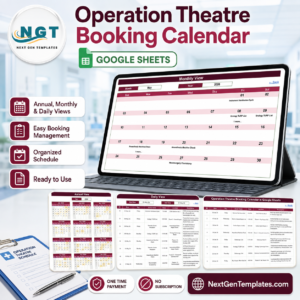
Teams may also consider the Lab Sample Collection Calendar, Medical Equipment Calibration Calendar, Operation Theatre Booking Calendar, or the Hospitals Dashboard in Google Sheets. These are separate templates and do not share data automatically.
Bring annual visibility, monthly planning, daily review, and one editable event list into a single administrative calendar.
Watch the step-by-step video Demo:
Compatibility and Requirements
- Works in Google Sheets. You need a free Google account and a web browser.
- The template comes as a PDF with a copy link, so you create your own editable copy in Google Drive. Google explains the basics in Get started with Google Sheets.
Frequently Asked Questions
Which views does the calendar include?
It has a Home page with navigation buttons, an Annual View for 2026, a Monthly View, a Daily View and an Events sheet.
Where do I enter the events?
Add them on the Events sheet. Each row holds an event ID, date, day, event name, time, location and description, and the three calendar views read from that list.
What does the Daily View show?
You set a start date and an end date, and it lists the matching events in a table with time, location and description.
What if a date has more than one event?
The Monthly View shows one event name and adds a “more” indicator. Open the Daily View to see every entry for that date.
Is there an Excel version?
Yes. See the Hospital Bed Turnover Calendar in Excel.
Related Hospital and Calendar Templates
- Hospital Bed Turnover Calendar in Excel: the same calendar for Excel
- Dynamic Holiday and Event Calendar in Google Sheets: a general event calendar in Google Sheets
- Medical Appointment Calendar in Excel: an appointment calendar for medical teams
- Hospital Operations KPI Dashboard in Excel: hospital operations metrics in one dashboard
- Health & Safety Compliance Calendar in Excel: a schedule for compliance tasks
Browse all Google Sheets calendars.






















Reviews
There are no reviews yet.