


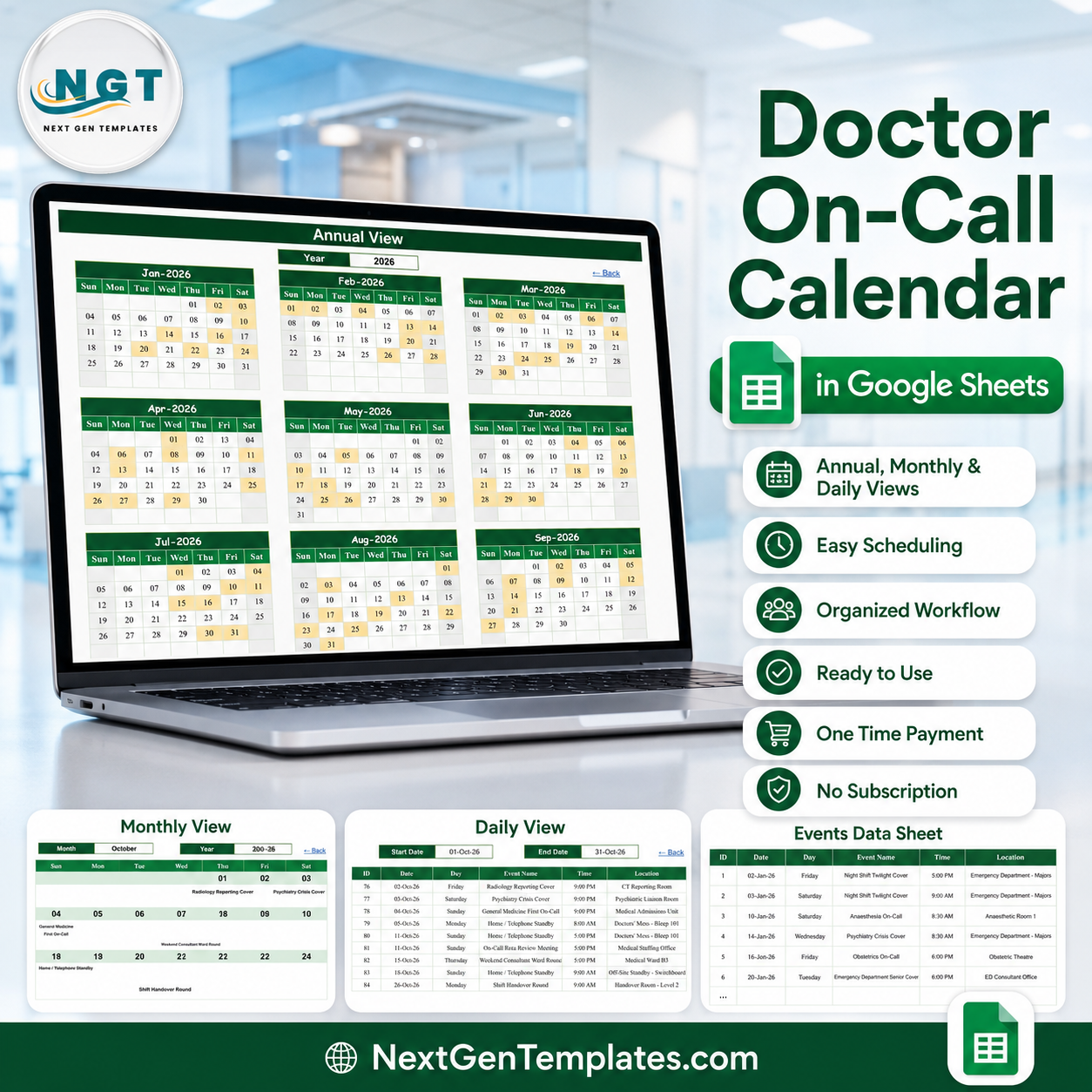
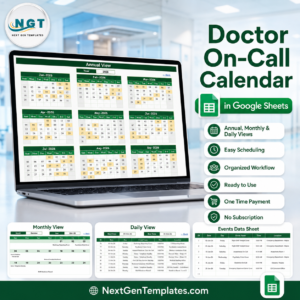
The Doctor On-Call Calendar in Google Sheets is a shared on-call diary that opens in a browser, needs no install and no licence, and arrives already loaded with 100 sample on-call duties across all twelve months of 2026 – 02-Jan to 30-Dec, spread over 19 duty types and 31 named locations. One entry table drives an Annual heat map, a Monthly grid and a date-range Daily list, so whoever keeps the rota types a duty once and three views update. One-time payment of $4.99 (regular $8.99), no subscription, unlimited copies inside your organisation. No. – to say it plainly up front – this is a scheduling spreadsheet, not a clinical system. It is not your hospital’s official rota and it is not a paging or bleep system. It holds no patient data, sends no alerts, and checks no working-time or safe-staffing rule.
Key Features of the Doctor On-Call Calendar in Google Sheets
- One entry table, three views. The Events sheet holds every duty in seven columns – ID, Date, Day, Event Name, Time, Location, Description. Annual, Monthly and Daily all read from it by formula, so there is one place to type and nothing to reconcile.
- 100 worked sample duties, IDs 1 to 100, dated 02-Jan-2026 to 30-Dec-2026 with every month populated (8, 8, 8, 9, 8, 9, 8, 9, 8, 9, 8, 8).
- The whole on-call picture, not just the night shifts. Alongside General Medicine First and Second On-Call, Emergency Department Senior Cover, Anaesthesia On-Call, Obstetrics On-Call and Paediatrics On-Call, the sample also books the parts of a rota that usually live nowhere – Home / Telephone Standby, Shift Handover Round, Weekend Consultant Ward Round, Public Holiday Cover and even the On-Call Rota Review Meeting itself.
- 19 duty types already modelled – including Stroke Thrombolysis Call, Psychiatry Crisis Cover, ICU Intensivist Cover, Cardiology Consultant Cover, Radiology Reporting Cover, Gynaecology Emergency Cover, Surgical Registrar On-Call and Night Shift Twilight Cover.
- 31 named locations – Emergency Department Majors and Resus, Medical Admissions Unit, Hyperacute Stroke Unit, Coronary Care Unit, Labour Ward, Neonatal Unit, Cardiac Catheterisation Lab, Interventional Radiology Suite, the Psychiatric Liaison Room, the Handover Room on Level 2, and the two that matter most at 3am: Doctors’ Mess – Bleep 101 and Off-Site Standby – Switchboard.
- 10 start times from 8:00 AM to 10:00 PM, so day cover, twilight shifts and overnight starts all sit on the same grid.
- A 36-year date range. A hidden List helper sheet feeds the Month and Year dropdowns with all twelve months and the years 2021 to 2056 – the calendar does not expire at the end of 2026.
- Room to grow. Every view formula reads down to row 999, so you can keep roughly 900 more duties beyond the sample without touching a single formula.
- No names, no patient data. There is no doctor-name column, no staff or GMC number, and no patient name, identifier or clinical note anywhere in the file – by design, and explained below.
- Nothing to install. It runs in Google Sheets on desktop, tablet and phone; share it with a link and the whole department sees the same rota at the same time.
What Is Inside the Doctor On-Call Calendar in Google Sheets
Six sheets – five you use and one helper.
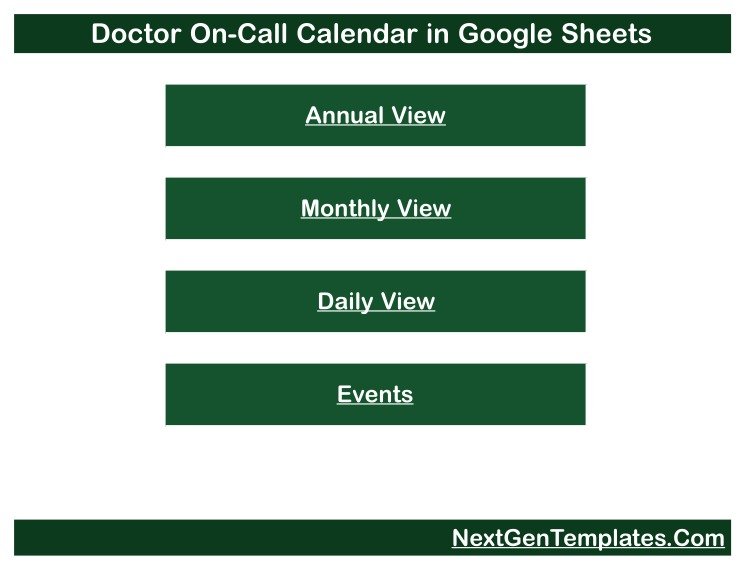
1. Home. A plain menu page with four buttons – Annual View, Monthly View, Daily View and Events. Every other sheet carries a “Back” link to it, so nobody has to hunt through tabs.
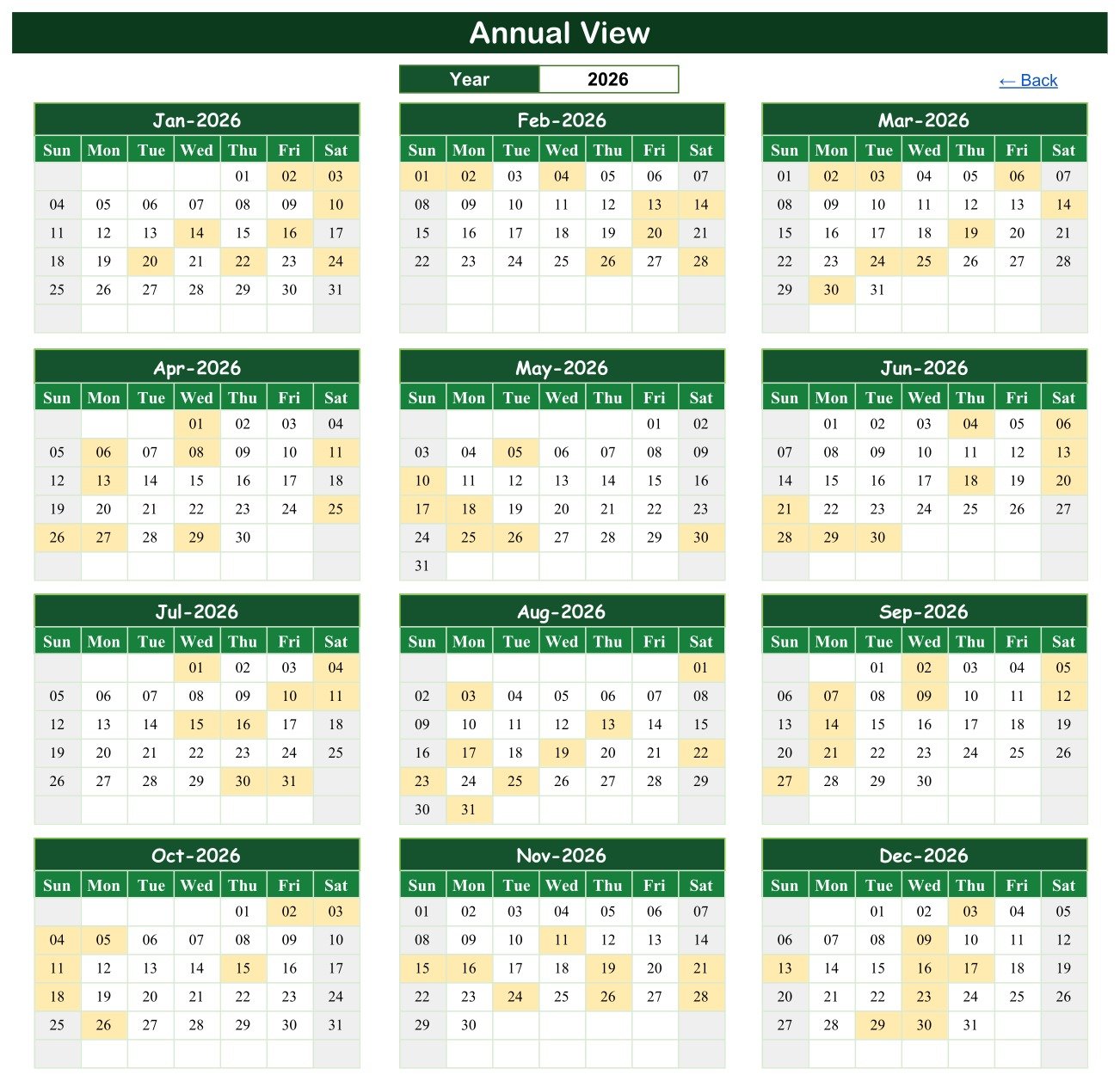
2. Annual View. All twelve months of one year on a single screen, three across and four down, with every date that carries a duty highlighted. Change the Year cell and the whole grid rebuilds. This is the page you print and pin up: the gaps are what you are looking for.
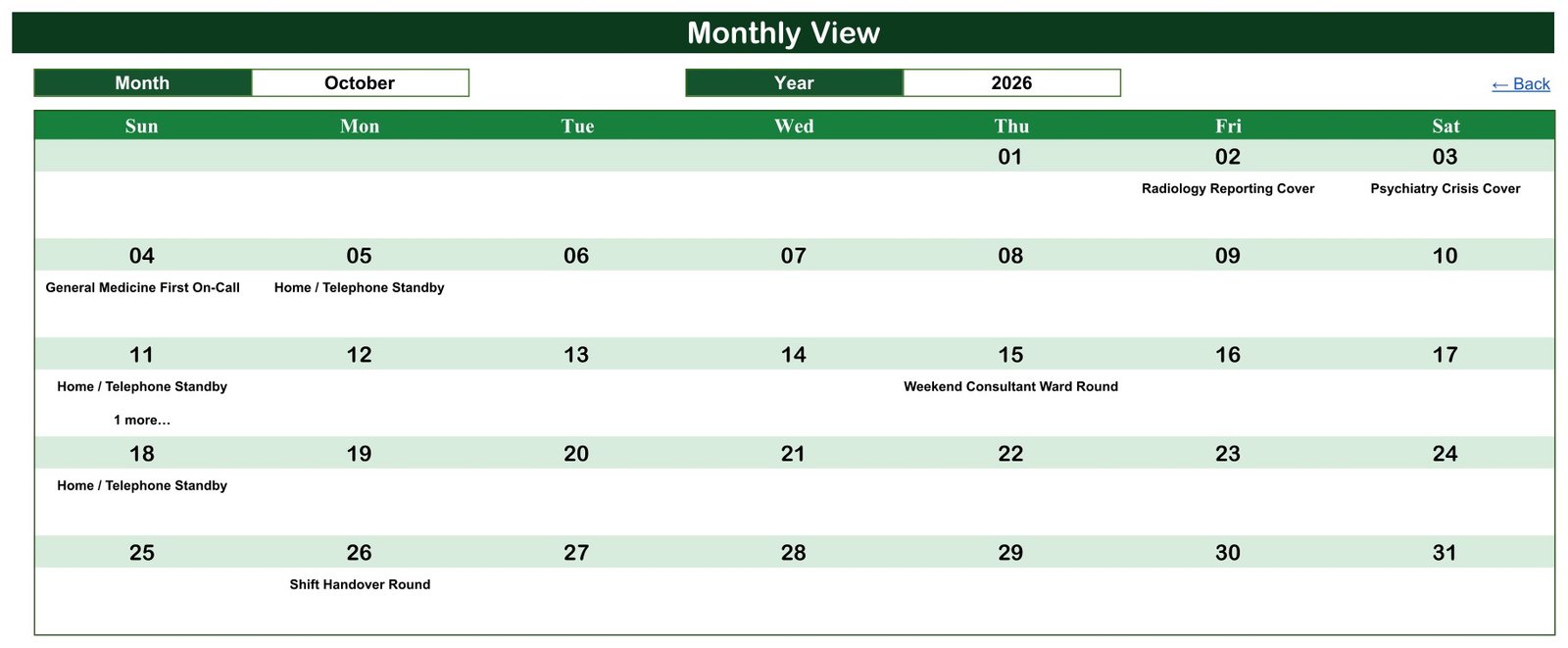
3. Monthly View. One month as a seven-column week grid with the duty name written under the date. Pick the Month and Year from dropdowns. In the sample, October 2026 shows Radiology Reporting Cover on the 2nd, Psychiatry Crisis Cover on the 3rd, General Medicine First On-Call on the 4th and the Shift Handover Round on the 26th.
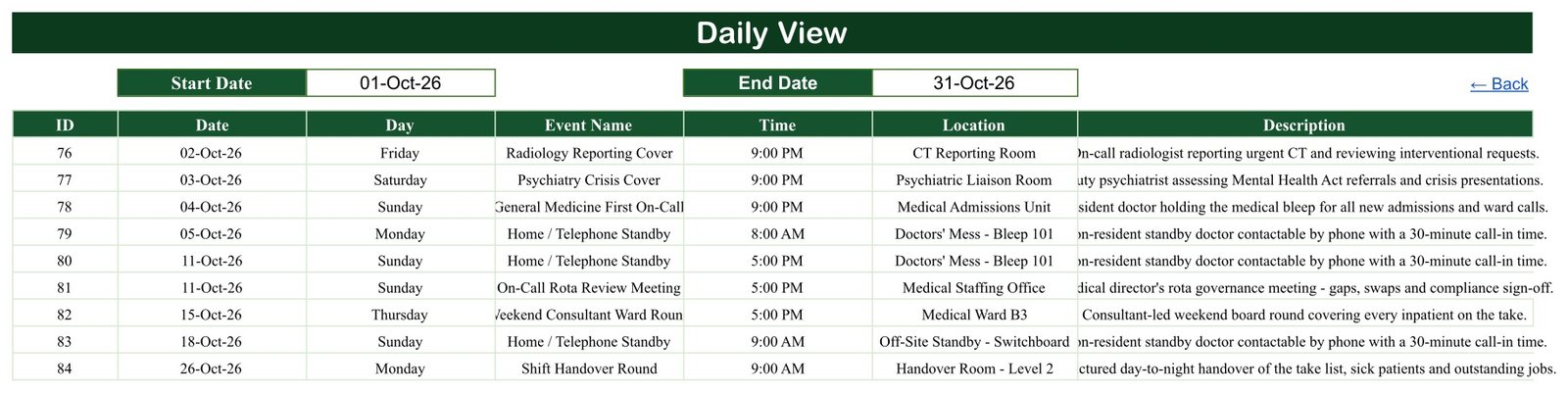
4. Daily View. Type a Start Date and an End Date and a live FILTER returns every duty between them with its ID, day, name, time, location and description. This is the handover list, the “who is on next week” answer, and the one view that shows every duty on a busy date.
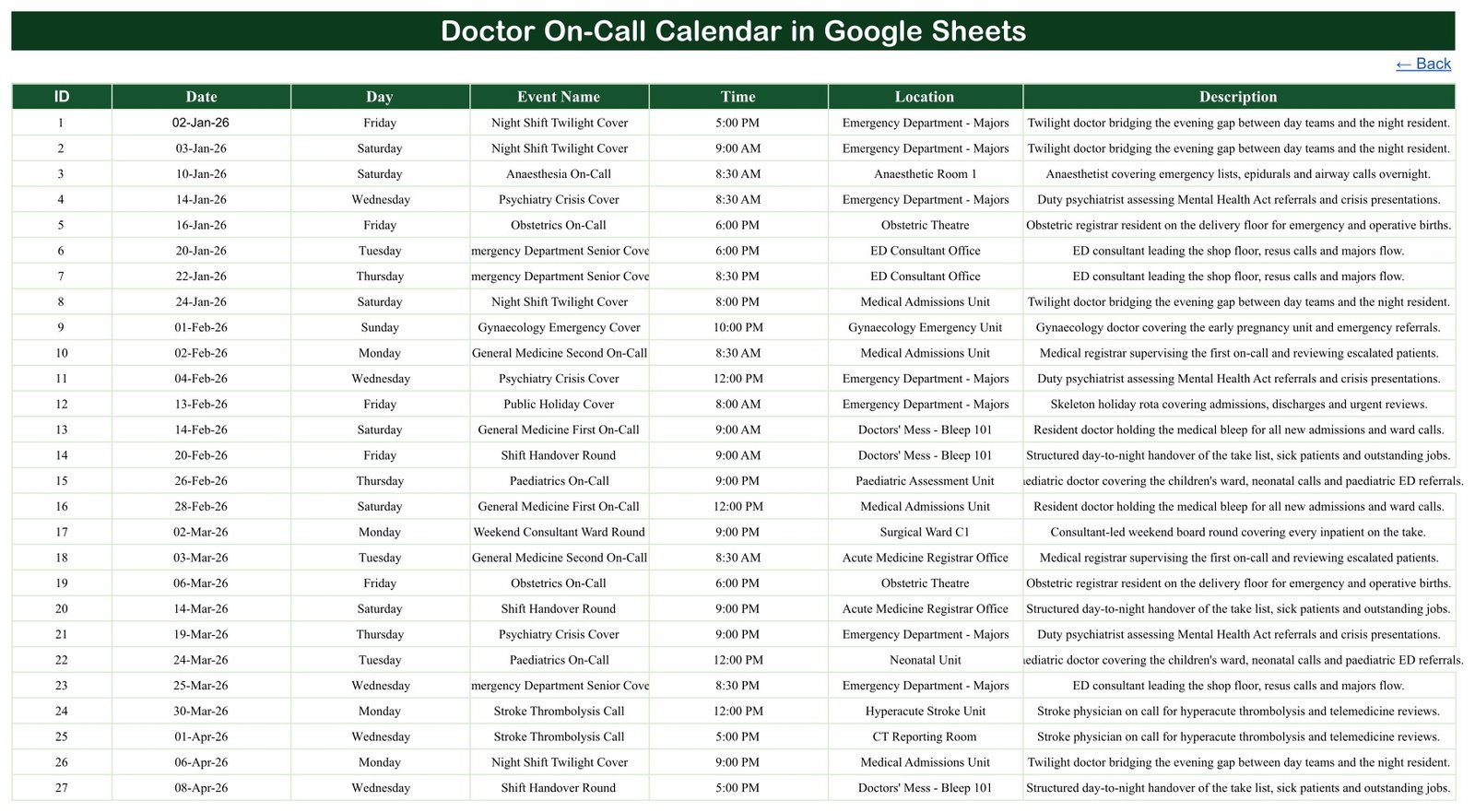
5. Events. The master table and the only sheet you type into – ID, Date, Day, Event Name, Time, Location, Description, one duty per row. Overwrite the 100 samples with your own rota or add underneath them.
6. List (hidden). The helper that feeds the Month and Year dropdowns – twelve months and the years 2021 to 2056. Unhide it if you want to shorten the year list; otherwise leave it alone.
Doctor On-Call Calendar in Google Sheets vs. Excel vs. Paid Rota Software – Where This Fits
| This Google Sheets calendar | An Excel duty calendar | Paid medical rota / e-rostering software | |
|---|---|---|---|
| Cost | $4.99 once | $4.99 to $9.99 once | Typically four to five figures a year |
| Platform | Any browser, any OS | Windows desktop Excel | Vendor web app, often server-side |
| Setup time | Under 5 minutes – open the copy link | Under 5 minutes – open the file | Weeks, with implementation fees |
| Real-time team access | Yes, built in | Only via a shared drive | Yes |
| Mobile access | Yes, the Sheets app | Limited | Yes |
| Customisable fields | Yes – add columns freely | Yes | Vendor-controlled |
| Share with link | Yes | No | Account-based |
| Year-1 cost at 20 doctors | $4.99 | $4.99 to $9.99 | Thousands |
| Bleeps, pages, SMS or email alerts | No – it sends nothing | No | Yes |
| Working-time and rest-period checking | No – no rule engine | No | Yes |
| Safe-staffing or credentialing checks | No | No | Yes |
| Swap requests and approval workflow | No – agree swaps your usual way, then edit the row | No | Yes |
| Patient records / clinical data | None – by design | None | Yes, and regulated accordingly |
The Missing Name Column Is Deliberate
Open the Events sheet and count the columns: there are seven, and not one of them is a person. No doctor name, no grade, no staff or GMC number, no bleep holder, no contact details – and equally no patient name, hospital number, diagnosis or clinical note. All 100 sample rows and all 19 descriptions were checked and carry no identifier of any kind.
That is a design decision, not an omission. A rota file gets forwarded, screenshotted and pinned to a noticeboard. Keeping it to what duty, when, where means the copy on the mess wall is not a personal-data leak and not a clinical record. If you want names on it, add a column – it is your spreadsheet – but understand that the moment you do, the file becomes personal data and your organisation’s information-governance rules apply to it.
What It Does Not Do
No. It does not send a bleep, page, SMS, email or push notification to anybody, ever. Nobody finds out they are on call because this file says so – you still tell them the way you tell them now.
No. It does not check working-time limits, rest periods between shifts, maximum consecutive nights, safe-staffing ratios, rota-compliance rules, exception reporting, leave entitlement or credentialing and privileging. There is no rule engine in it at all.
No. It does not warn you about a gap or a clash. Nothing stops two duties being typed on the same date and time, and nothing flags a date with no cover – spotting both is a human reading the Annual View.
No. It is not a patient record, EHR/EMR, e-rostering, payroll or time-and-attendance system, and it carries no HIPAA, GDPR, NHS DSPT or ISO certification, no access control beyond Google’s own sharing, no encryption you control and no audit trail.
And it is not your hospital’s official rota. Where a formal rota, e-rostering system or switchboard record exists, that remains the authority on who is on call. Treat this as a planning and visibility layer beside it, never as a replacement for it or for your paging system.
Two honest limitations to know before you buy, both visible in the screenshots above:
- Monthly View shows only the first duty on a date. It uses a VLOOKUP, so when a date carries more than one duty it prints the first and adds a small “1 more…” note underneath. In the sample this happens twice – 05-May-2026 and 11-Oct-2026, and you can see the note on the 11th in the October screenshot. The Daily View uses FILTER and shows all of them, so use Daily whenever a date is busy.
- There is no end time or duration field. A duty has a start time and nothing else, so the file cannot calculate hours worked, shift length, rest gaps or on-call intensity. If you need hours, they have to come from somewhere else.
Who This Template Is For – and Who It Is Not For
It is for the registrar or consultant who has ended up holding the departmental rota; a small private hospital, day-surgery unit or standalone clinic with no e-rostering budget; a department that runs on-call off a whiteboard, a WhatsApp group or a printed grid and wants it shared, searchable and on everyone’s phone; a medical staffing office that wants a single visible year-at-a-glance page showing which dates already have cover; and anyone who needs to publish a rota to people who do not have logins to the official system.
It is not for anyone who needs the things listed above that it deliberately does not do – alerting, compliance checking, swap workflow, hours calculation or a system of record. If your rota has to be auditable, enforce rest rules or drive payroll, buy e-rostering software. This is a $4.99 spreadsheet and it is honest about being one.
How to Use the Doctor On-Call Calendar in Google Sheets
- Open the PDF in your download and click the “Make a copy” link. The file lands in your own Google Drive as your copy – the original is never touched.
- Look at the sample first. Set Daily View to 01-Oct-26 and 31-Oct-26 and read the nine duties it returns. That is the shape your own rota needs to be in.
- Clear the Events sheet from row 4 down when you are ready, keeping the header row, and type your own duties: ID, Date, Day, Event Name, Time, Location, Description.
- Keep duty names consistent. “General Medicine First On-Call” typed the same way every time is what makes the Monthly grid readable at a glance; free-typing a new variation each week is what makes it noise.
- Use Location for how to reach the duty, not just where it sits – “Doctors’ Mess – Bleep 101” and “Off-Site Standby – Switchboard” in the sample do exactly that.
- Check the Annual View for gaps once the month is typed in. Unhighlighted weekdays are dates with no cover recorded.
- Share it view-only with the department and edit-only with whoever owns the rota. One editor is the difference between a rota and an argument.
- Roll it forward by changing the Year cell – the dropdown runs to 2056.
Real-World Use Cases
A district general medical take. First and second on-call, twilight cover and the handover round go in as four duty types; the Annual View makes next quarter’s uncovered weekends obvious in one glance.
A small private hospital. Anaesthesia, surgical registrar and ICU intensivist cover sit on one grid with the theatre and ward locations spelled out, and the file is shared with switchboard view-only.
A non-resident standby rota. Home / Telephone Standby duties are recorded with the switchboard as the location, so anyone can see who is contactable off-site tonight without ringing round.
An obstetrics and paediatrics unit. Labour Ward, Neonatal Unit and the Paediatric Assessment Unit each get their own duty type and location, and the Daily View becomes the printed handover sheet.
A crisis and liaison psychiatry service. Psychiatry Crisis Cover blocks are published to the emergency department so referrers know when the duty psychiatrist is available.
Rota governance. The monthly rota review meeting itself is a duty in the calendar, which is the small trick that stops it being the meeting everyone forgets.
Frequently Asked Questions
Is this a clinical system, a patient record or an EHR?
No. It is a scheduling spreadsheet. There is no patient name, identifier, diagnosis or clinical note anywhere in it, and no column to put one in. It holds duties, times and places, nothing else.
Will it bleep, page, text or email the doctor who is on call?
No. It sends nothing at all – no alerts, no notifications, no reminders, no integration with your paging or switchboard system. It is a calendar you read, not a system that contacts anyone.
Does it check working-time rules, rest periods or safe staffing?
No. It enforces no working-time regulation, no rest-break rule, no maximum consecutive nights, no safe-staffing ratio, no union or contract term and no credentialing requirement. Every entry is typed by you and the file accepts whatever you type.
Can it replace our official rota or e-rostering system?
No. Where a formal rota, e-rostering system or switchboard record exists, that stays the authority. Use this alongside it for visibility and planning – never instead of it, and never instead of your paging system.
Is it HIPAA or GDPR compliant?
No. It carries no certification of any kind, no access control beyond Google’s own sharing, no encryption you manage and no audit trail. As shipped it holds no personal data at all, which is the safest state for it; if you add names, your organisation’s information-governance rules apply from that moment on.
Will it stop me double-booking a doctor or leaving a night uncovered?
No. There is no conflict warning and no gap alert. Two duties can sit on the same date and time quite happily. The Annual View is what makes gaps visible, and a person still has to look at it.
What happens when two duties fall on the same date?
The Monthly View prints the first one and adds a “1 more…” note under it; the Daily View lists all of them. In the sample this happens on 05-May-2026 and 11-Oct-2026.
Can I add a column for the doctor’s name?
Yes – it is an ordinary spreadsheet and you can add columns to the Events sheet. Be aware that the file then contains personal data, so where and how you share it becomes an information-governance question rather than a convenience one.
Does it work beyond 2026?
Yes. The sample year is 2026, but the Year dropdown runs from 2021 to 2056 and every view is formula-driven, so it rolls forward without a rebuild.
Do I need a Google Workspace subscription?
No. A free personal Google account is enough. The template is a one-time purchase with no subscription attached to it.
About the Author
Built by PK – Microsoft Certified Professional with 15+ years of Excel, Google Sheets, and Power BI experience. Founder of NextGenTemplates, reaching 300K+ subscribers across YouTube channels. Every template is hand-built and tested before release.
Explore Related Templates
The people side of the same rota problem: the Nurse Duty Roster Calendar in Google Sheets is the ward-nursing twin of this file, built on the same engine. The same calendar engine, other corners of the hospital: Operation Theatre Booking Calendar in Google Sheets for theatre lists, Medical Appointment Calendar in Google Sheets for outpatient clinics, Radiology Slot Booking Calendar in Google Sheets for scanner slots, and Patient Follow-Up Visit Calendar in Google Sheets for reviews. Browse the whole Google Sheets calendar range or every Google Sheets template.
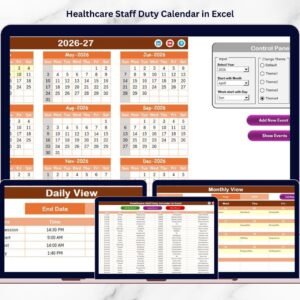
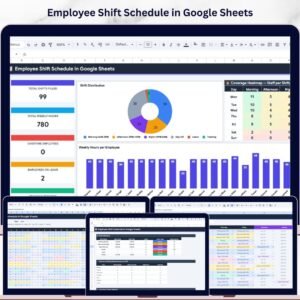
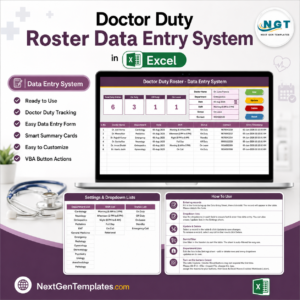
Prefer Excel, or need more than a calendar? The Doctor Duty Roster Data Entry System in Excel is a form-driven Windows workbook that does record the doctor against the duty, and the Healthcare Staff Duty Calendar in Excel is the desktop equivalent of this grid. For rostering outside healthcare, see the Employee Shift Schedule in Google Sheets. There is no Excel edition of this on-call calendar – this Google Sheets build is the one.
Get the Doctor On-Call Calendar
$4.99 today instead of $8.99. One payment, instant download, yours to copy as many times as you need. The download is a PDF that carries the “Make a copy” link straight into your own Google Drive.
Watch the step-by-step video Demo:
Last updated: 26 August 2026.






























Reviews
There are no reviews yet.