

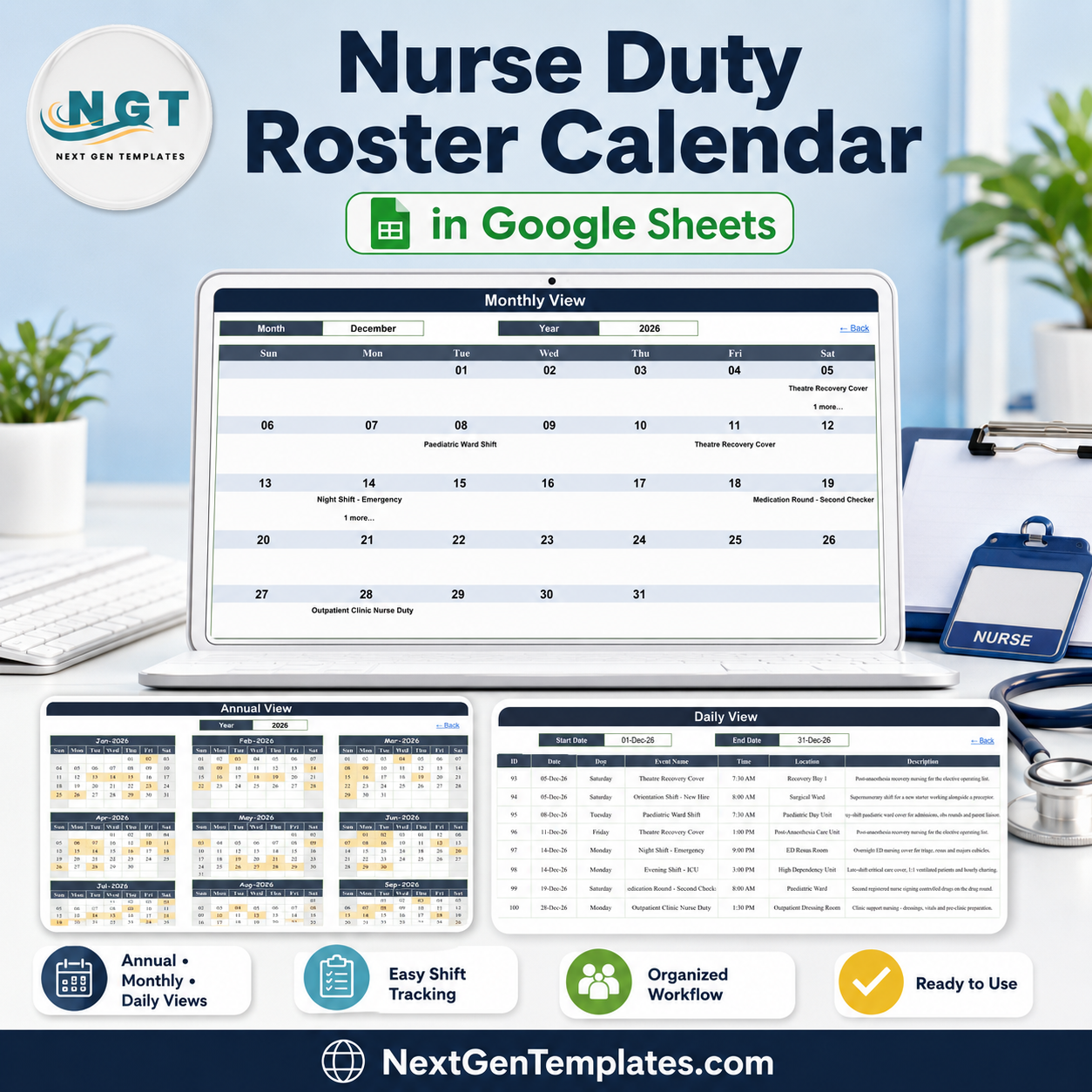

The Nurse Duty Roster Calendar in Google Sheets is a ready-to-copy shift-scheduling workbook with six tabs, three linked calendar views and 100 sample duties loaded across 2026, covering 23 duty types in 27 named ward and unit locations. Buy it once at $4.99, open the PDF in your download, click the copy link, and the roster lands in your own Google Drive in about two minutes. No subscription and no per-nurse licence. Built and tested by NextGenTemplates, reaching 300K+ subscribers across our YouTube channels. If the file does not open or copy correctly, contact us for a replacement or a refund.
Key Features of Nurse Duty Roster Calendar in Google Sheets
- Six tabs, five visible – Home, Annual View, Monthly View, Daily View and Events, plus one hidden List tab that feeds the dropdowns.
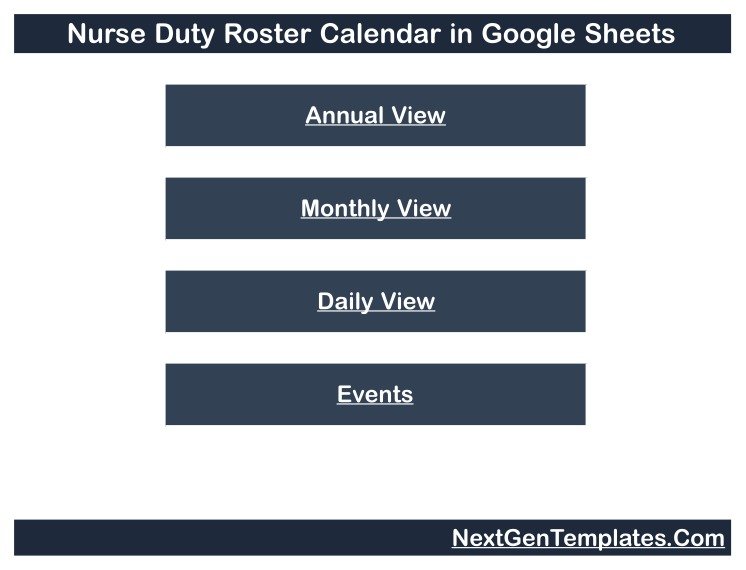
- Four navigation buttons on Home jump to each view, and every view carries a “Back” link home.
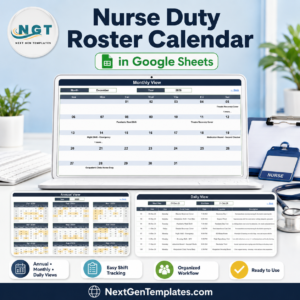
- Annual View driven by one cell – type a year and all twelve month grids rebuild, three across and four down, with duty days shaded so a whole year of ward cover reads at a glance.
- Monthly View with Month and Year dropdowns – pick December and 2026 and the Sun-to-Sat grid fills with that month’s duties by date.
- Daily View date range – set a Start Date and End Date and a
FILTERformula returns every duty between them across all seven columns. - 100 sample duties on the Events tab, numbered 1 to 100 and dated 02-Jan-2026 to 28-Dec-2026, eight or nine a month for all twelve months, with room for roughly 900 more rows.
- 23 realistic duty types including Morning Shift – Medical Ward, Evening Shift – ICU, Night Shift – Surgical Ward, Night Shift – Emergency, Charge Nurse Duty, Theatre Recovery Cover, Dialysis Unit Shift, Oncology Day Unit Shift, Maternity Unit Shift, Paediatric Ward Shift, Weekend Cover – Paediatrics, Outpatient Clinic Nurse Duty, Medication Round – Second Checker, Infection Control Round, Shift Handover Briefing, Orientation Shift – New Hire, Float / Relief Cover, Agency Nurse Booking, Sick Leave Cover, Overtime Shift, Annual Leave, Mandatory Training – BLS Refresher and Roster Planning Meeting.
- 27 named locations across the whole clinical footprint – Medical Ward A and B, Surgical Ward and its Annexe, Intensive Care Unit, High Dependency Unit, ICU Bay 2, ICU Handover Room, Emergency Department, ED Triage Bay, ED Resus Room, Recovery Bay 1, Post-Anaesthesia Care Unit, Renal Dialysis Unit, Oncology Day Unit, Paediatric Ward, Paediatric Day Unit, Labour and Delivery Suite, Maternity Ward, Outpatient Clinic, Outpatient Dressing Room, Nursing Stations 1 and 2, Nurse Manager Office, Staffing Office, Training Room 2 and Off Duty – Roster Office.
- Real shift bands, not a generic day list – 19 distinct start times from 06:30 to 23:00, so early, late and night cover sit on the same grid: 07:00 and 07:30 day starts, 15:00 lates, 21:00 and 23:00 nights.
- Leave, sickness, agency and overtime are duty rows too – Annual Leave, Sick Leave Cover, Agency Nurse Booking and Overtime Shift are scheduled alongside the ward shifts, so the gaps and the gap-fills show up in the same calendar.
- Rolling year list – the hidden List tab carries a 36-year range that rebuilds from today’s date, so the year dropdown moves forward on its own instead of expiring.
- Nothing to install – native Sheets formulas only. No Apps Script, no macros, no add-on permissions.
What’s Inside the Nurse Duty Roster Calendar in Google Sheets
Home is a title banner over four stacked buttons – Annual View, Monthly View, Daily View, Events. It is the menu, not a dashboard: no counters, no charts, no staffing totals.
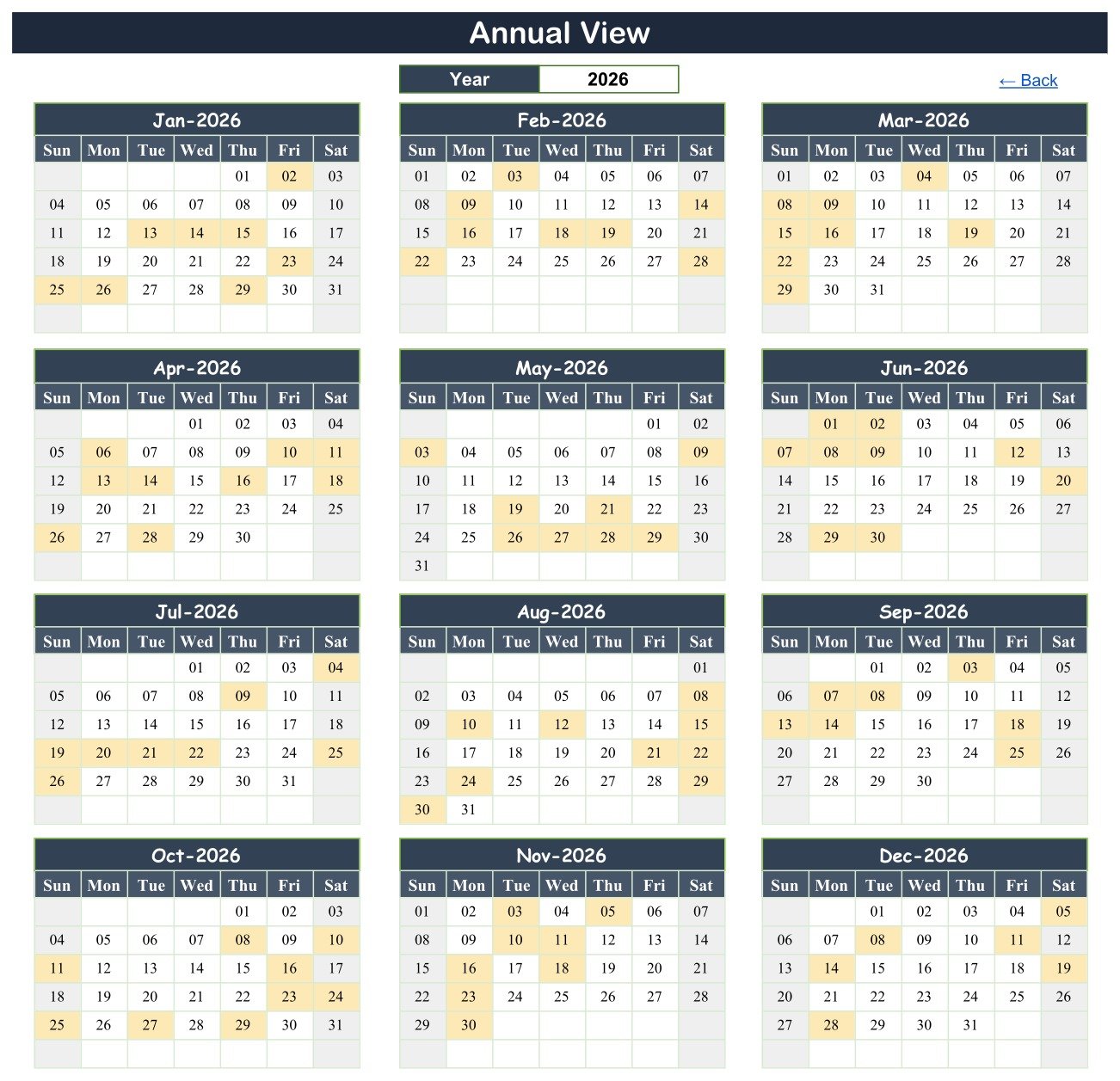
Annual View lays out twelve month grids, three across and four down, each Sun to Sat. One Year cell drives them all, and days carrying a duty are shaded, so a full year’s roster load reads at a glance – January 2026, for example, shades the 2nd, 13th, 14th, 15th, 23rd, 25th, 26th and 29th.
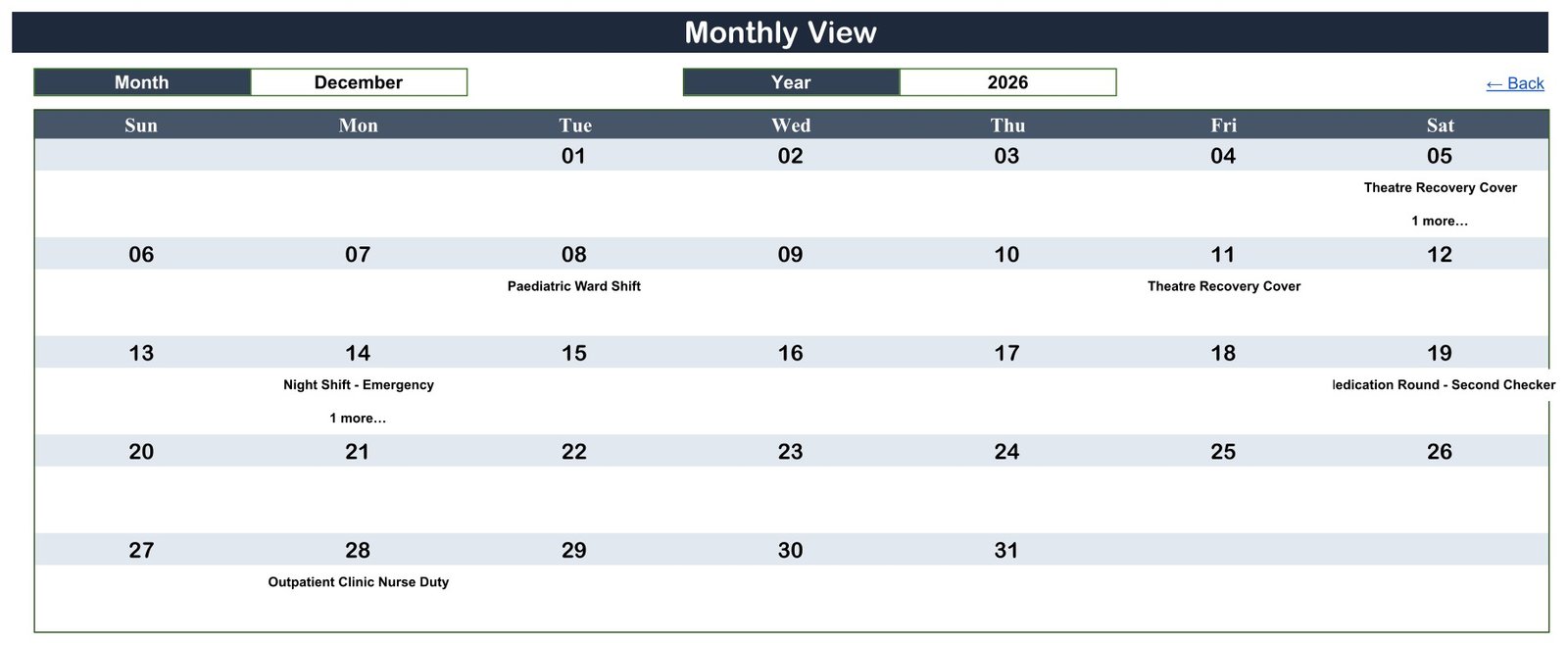
Monthly View puts Month and Year dropdowns above a Sun-to-Sat grid. Each day cell shows the date and the duty booked that day; where a day holds more than one, the first name appears with a “1 more…” note – the grid is a summary, and the full list lives in Daily View and Events. December 2026 shows exactly that: Theatre Recovery Cover on the 5th with “1 more…”, Paediatric Ward Shift on the 8th, Night Shift – Emergency on the 14th with “1 more…”.
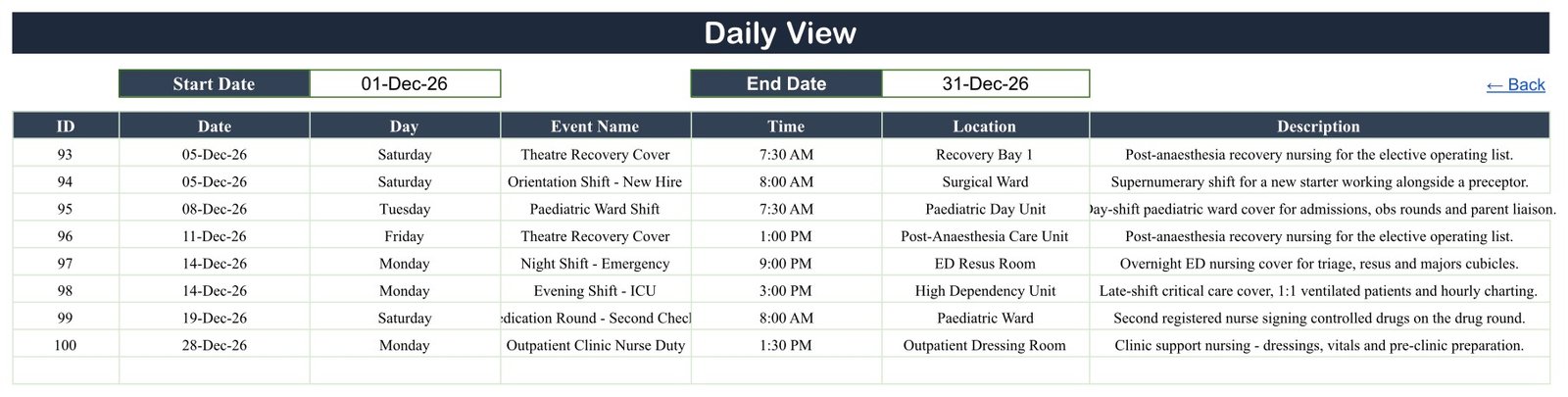
Daily View takes Start Date and End Date over a seven-column table. Set 01-Dec-26 to 31-Dec-26 and it returns the eight December duties – IDs 93 to 100 – with day, start time, location and a one-line description such as “Overnight ED nursing cover for triage, resus and majors cubicles.”
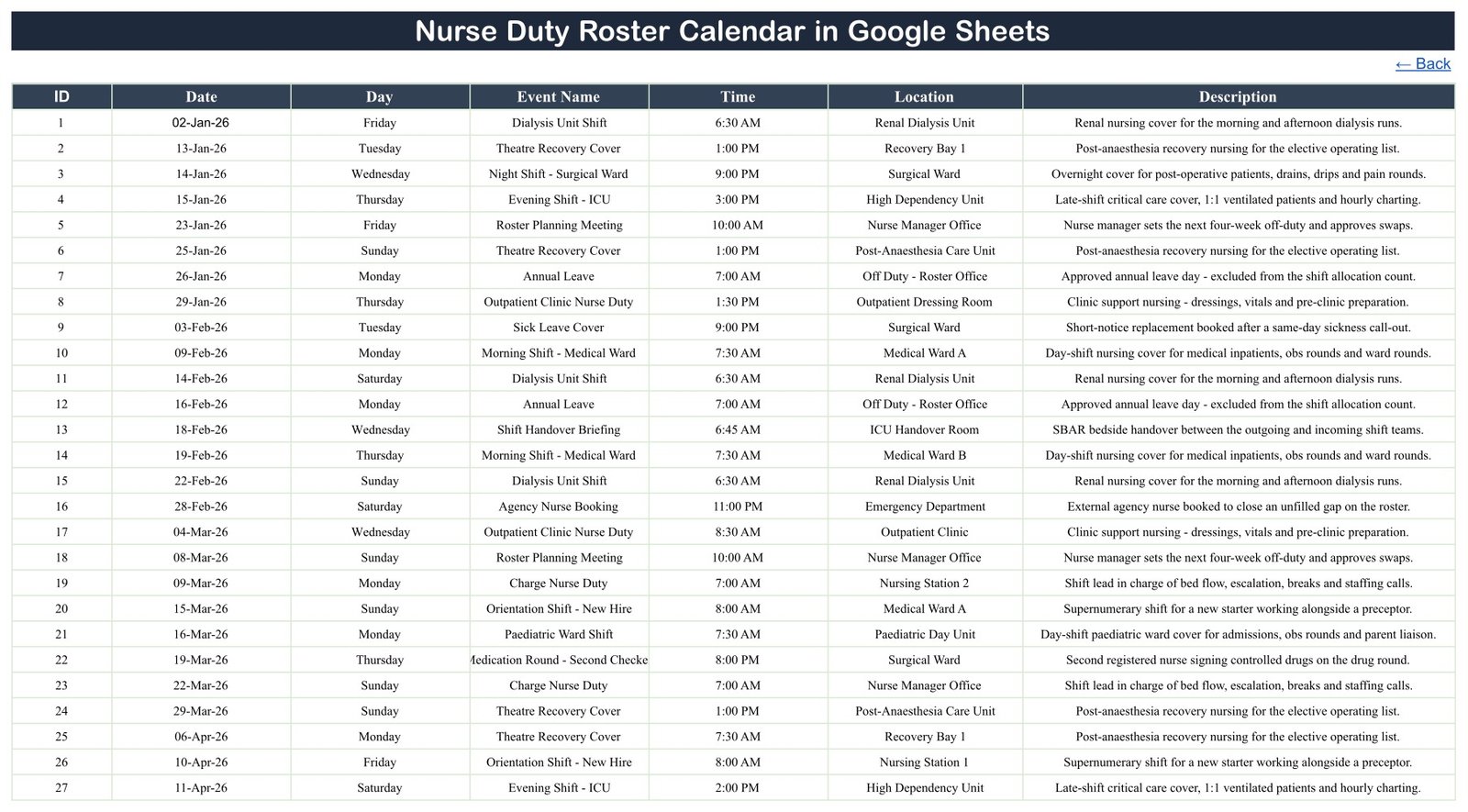
Events is the single source table behind all three views: ID, Date, Day, Event Name, Time, Location, Description. Add a row here and every view updates without touching a formula. List (hidden) holds the month names and the rolling year range behind the dropdowns.
Nurse Duty Roster Calendar in Google Sheets vs. Microsoft Excel Calendar vs. Paid Rostering SaaS – Where This Fits
| This Google Sheets roster calendar | Excel calendar file | Paid nurse rostering or workforce SaaS | |
|---|---|---|---|
| Cost | $4.99 once | One-off file price | Recurring subscription, usually per nurse |
| Platform | Google Sheets in a browser | Desktop Excel | Vendor’s web app |
| Setup time | Copy link, about 2 minutes | Download and open | Onboarding, imports, training |
| Real-time team editing | Yes, native to Sheets | Only via OneDrive co-authoring | Yes |
| Mobile access | Google Sheets app | Excel mobile app | Vendor app |
| Customisable duty types and wards | Yes, it is your sheet | Yes | Usually fixed catalogues |
| Share with a link | Yes | File send or cloud link | Seat invitations |
| Year-1 cost, 5 people | $4.99 total – seats are free in Sheets | One file price | Scales with headcount |
| Named staff, employee IDs, contracted hours | No – there is no staff column at all | No | Yes |
| Hours worked, pay, overtime or enhancement rates | No – no end time, so hours cannot be totalled | No | Usually yes |
| Staffing-ratio, working-time or rest-break checks | No – nothing is validated or enforced | No | Usually yes |
| Leave balances, swap requests, approval workflow | No – leave is just another row you type | No | Usually yes |
| Double-booking prevention | No – nothing blocks a clash | No | Usually yes |
Read the bottom five rows before you buy. This is a scheduling spreadsheet: it shows which duty runs when, from what time, and in which ward. It does not know who is working it, does not count anyone’s hours, does not check a single ratio or rule, and does not stop you rostering two duties into the same unit at the same time.
Who This Template Is For – and Who It’s Not For
A good fit if you are a ward manager or charge nurse who keeps the off-duty on paper, a whiteboard or a plain spreadsheet; if you want a twelve-month view of cover before you commit to study days, training and annual leave; or if two or three senior nurses need to edit the same duty list from a browser or a phone at the nurses’ station.
Not a good fit if you need named allocation per nurse with skill mix and grade, contracted-hours tracking, automatic ratio or working-time compliance, self-service shift swaps and leave requests, bank and agency booking workflow, payroll export, or an audit trail of who changed the roster. Those are e-rostering and workforce-management jobs, and this template does none of them.
Please note. This is a shift-scheduling spreadsheet, not a workforce or clinical system. No. It is not an HR system, an HRIS or a personnel file. No. It is not payroll and it is not time-and-attendance – there is no clock-in, no end time and no hours calculation anywhere in it. No. It is not a patient record, an EHR or an EMR, and it holds no clinical information. No. It checks and enforces no staffing ratio, no working-time regulation, no rest-break rule, no union or Agenda-for-Change agreement and no safe-staffing standard – it will happily accept a roster that breaks every one of them, because it is a grid of dates and text. No. It carries no HIPAA, GDPR or other compliance or certification claim, and it has no access control, encryption or audit trail beyond the sharing settings Google itself provides. Staffing decisions, skill mix and rest between shifts remain yours and your organisation’s to make and to check.
Privacy by omission. We checked all 100 sample rows: the workbook has seven columns – ID, Date, Day, Event Name, Time, Location, Description – and there is no staff-name, employee-ID, pay, grade or patient-identifier column anywhere in it. The samples name duties and wards, never people. That is deliberate, it is the safest way to run a roster in a shared spreadsheet, and we recommend you keep it that way: roster the duty here, and keep the person’s identity in whatever HR or e-rostering system your organisation already trusts.
How to Use the Nurse Duty Roster Calendar in Google Sheets
- Open the PDF in your download and click the “Make a copy” link. The calendar is created in your own Google Drive.
- Open the Events tab. The sample data runs from ID 1 to ID 100.
- Rename the wards and units first in the Location column – it is the field you will scan most.
- Replace the samples with your own duties, keeping the column order and using real dates so the views can read them. Keep it to duty type, start time and ward – not names, staff numbers or pay.
- Check Monthly View – pick your month and year from the dropdowns and the grid fills from Events automatically.
- Use Daily View for the week ahead by setting Start Date and End Date to the range you want, then print it for the nurses’ station.
- Use Annual View for planning – change the Year cell to see the whole year’s duty days at once and spot the weeks where training, leave and night cover already collide.
- Share it with Google’s own Share button. Anyone with the link sees whatever the sheet contains, so set the sharing scope deliberately.
Real-World Use Cases
Sister Anita, ward manager on a 28-bed medical ward. She keeps Medical Ward A, Medical Ward B and Nursing Station 1 in the Location column, builds the four-week off-duty in the Events tab after the Roster Planning Meeting, then uses Annual View to find the weeks where BLS refresher training and annual leave already overlap before she signs anything off.
Marcus, charge nurse covering theatres and recovery. Every Friday he sets Daily View to the coming week and prints the filtered list for the recovery board, so the team can see which slots are Theatre Recovery Cover in Recovery Bay 1 and which are late shifts in the Post-Anaesthesia Care Unit – and which day is carrying two duties at once.
Deepa, staffing co-ordinator in a small private hospital. She logs Sick Leave Cover and Agency Nurse Booking as duty rows the moment they happen, so by December the Events tab is a plain, sortable record of where the gaps opened and how they were filled – without a single nurse’s name being typed into a shared file.
Frequently Asked Questions
Is this an HR, payroll or time-and-attendance system?
No. It is a calendar of duties. There is no employee record, no clock-in or clock-out, no end time, no hours calculation, no pay rate and no export to payroll. If you need any of that, you need an HR or workforce system – this sits alongside one, not instead of it.
Does it hold patient information?
No. There is no patient name, ID or clinical field anywhere in the workbook, and the sample descriptions deliberately describe the nursing task, not any individual. It is not an EHR or EMR and should never be used as one.
Where do the nurses’ names go?
Nowhere, by design. The seven columns are ID, Date, Day, Event Name, Time, Location and Description – there is no staff-name or employee-ID column. You can add one yourself, but think first: this is a shared spreadsheet, so keep identifiable staff data in the system your organisation already uses for it.
Will it check staffing ratios, working-time rules or rest breaks?
No. It performs no validation of any kind. It will accept seven nights in a row, a late followed by an early, or an empty ward, and say nothing. Every staffing, skill-mix and rest decision stays with you.
Will it stop me double-booking a ward and time?
No. Nothing prevents a clash. In the sample data three dates deliberately carry two duties – 03-Sep-26, 05-Dec-26 and 14-Dec-26 – to show what that looks like. Monthly View prints the first duty and a “1 more…” note; Daily View and the Events tab show them all.
Can I track annual leave balances or shift swaps?
No. Annual Leave and Sick Leave Cover appear as duty rows so the roster reads honestly, but nothing accrues, deducts, requests or approves. There is no workflow in this file.
What exactly is in the download?
A two-page PDF holding the “Make a copy” link to the Google Sheet, plus how-to notes. Click it and the whole six-tab calendar – all 100 sample duties included – is copied into your own Google Drive under your own account.
Can I change the duty types and wards?
Yes. Every duty name, time, location and description is plain text you overwrite. The three views read the Events tab directly, so a renamed ward or a brand-new duty type appears everywhere the moment you type it.
Do I need Apps Script, macros or an add-on?
No. It runs on native Google Sheets functions – DATE, EOMONTH, VLOOKUP, COUNTIF and FILTER. Nothing to authorise, nothing to install, and it opens on the free tier of a personal Google account.
The sample data is 2026 – does it expire?
The 100 sample rows are dated 2026 because that is the year they were written for, and you overwrite them with your own. The year dropdown does not expire: the hidden List tab rebuilds its 36-year range from today’s date, so it moves forward with the calendar.
About the Author
Built by PK – Microsoft Certified Professional with 15+ years of Excel, Google Sheets, and Power BI experience. Founder of NextGenTemplates, reaching 300K+ subscribers across YouTube channels. Every template is hand-built and tested before release.
Explore Related Templates
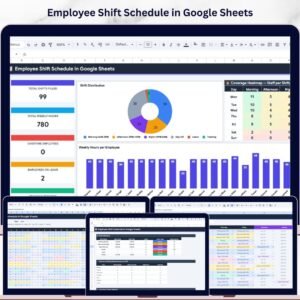
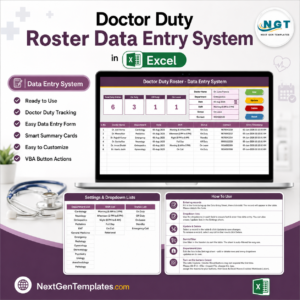
If you need named staff, weekly hours and coverage charts rather than a duty calendar, the Employee Shift Schedule in Google Sheets is the right file – it carries an employee directory, per-person hour totals and a coverage heatmap that this calendar deliberately does not have. For a medical-specific roster kept as records rather than a calendar, there is the Doctor Duty Roster Data Entry System in Excel, and the older Healthcare Staff Duty Calendar in Excel covers the same ground for desktop Excel users with five colour themes.
The clinic-diary side of the same hospital is covered by the Medical Appointment Calendar in Google Sheets, the Patient Follow-Up Visit Calendar in Google Sheets, the Radiology Slot Booking Calendar in Google Sheets, the Physiotherapy Session Calendar in Google Sheets and the Dental Clinic Appointment Calendar in Google Sheets – all built on this identical six-tab layout, so they sit side by side in one Drive folder. When a spreadsheet is no longer enough, the Hospital Management System Web App is the multi-user step up.
An Excel edition of this same nurse duty roster calendar is being prepared for desktop users who prefer a macro-enabled workbook; watch the calendar category for it.
Browse the whole Google Sheets Calendar category or the wider Google Sheets template library.
Get the Nurse Duty Roster Calendar in Google Sheets for $4.99 – one payment, no subscription, yours to copy and edit in your own Google Drive. A full walkthrough of every tab is on the blog: Nurse Duty Roster Calendar in Google Sheets.
Watch the step-by-step video Demo:
Last updated: 26 August 2026.































Reviews
There are no reviews yet.