

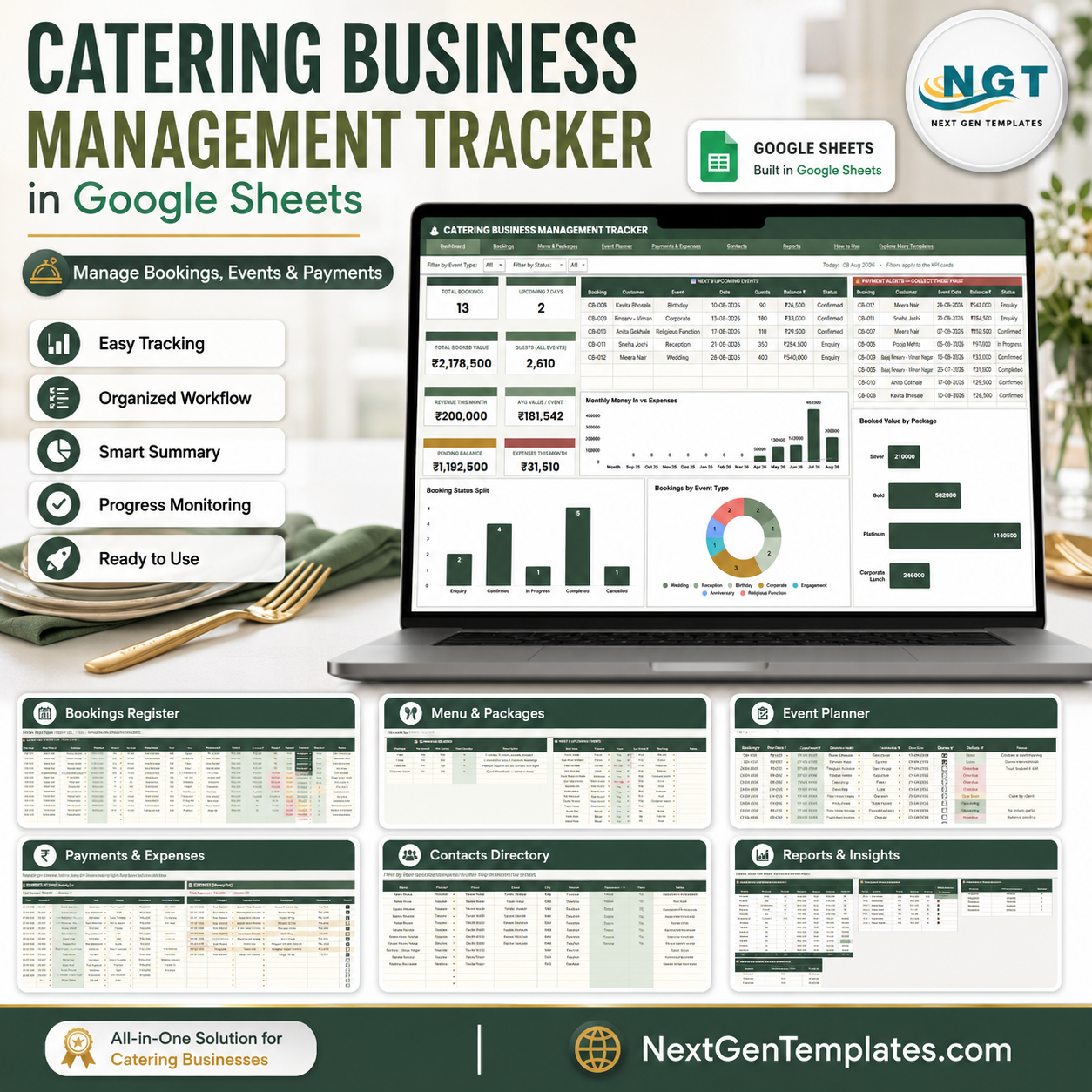
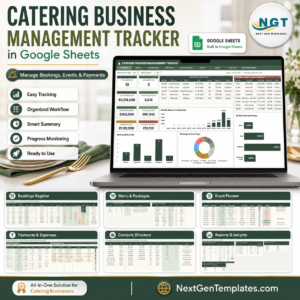
Catering Business Management Tracker in Google Sheets gives catering teams 7 connected sheet tabs, 8 headline cards, and 44 analysis views for bookings, menus, event tasks, payments, expenses, contacts, balances, and reports. Built by PK for a 300K+ spreadsheet learning audience, this editable Google Sheets tracker is a one-time $9.99 template instead of another monthly catering SaaS login. Use it when scattered booking notes, payment follow-ups, menu package lists, and customer contacts need one clean operating file.
Key Features of Catering Business Management Tracker in Google Sheets
- 7 sheet workflow: Overview, Event Bookings Register, Menu Packages and Menu Item Library, Event Planner, Payments and Expenses, Contacts Directory, and Reports.
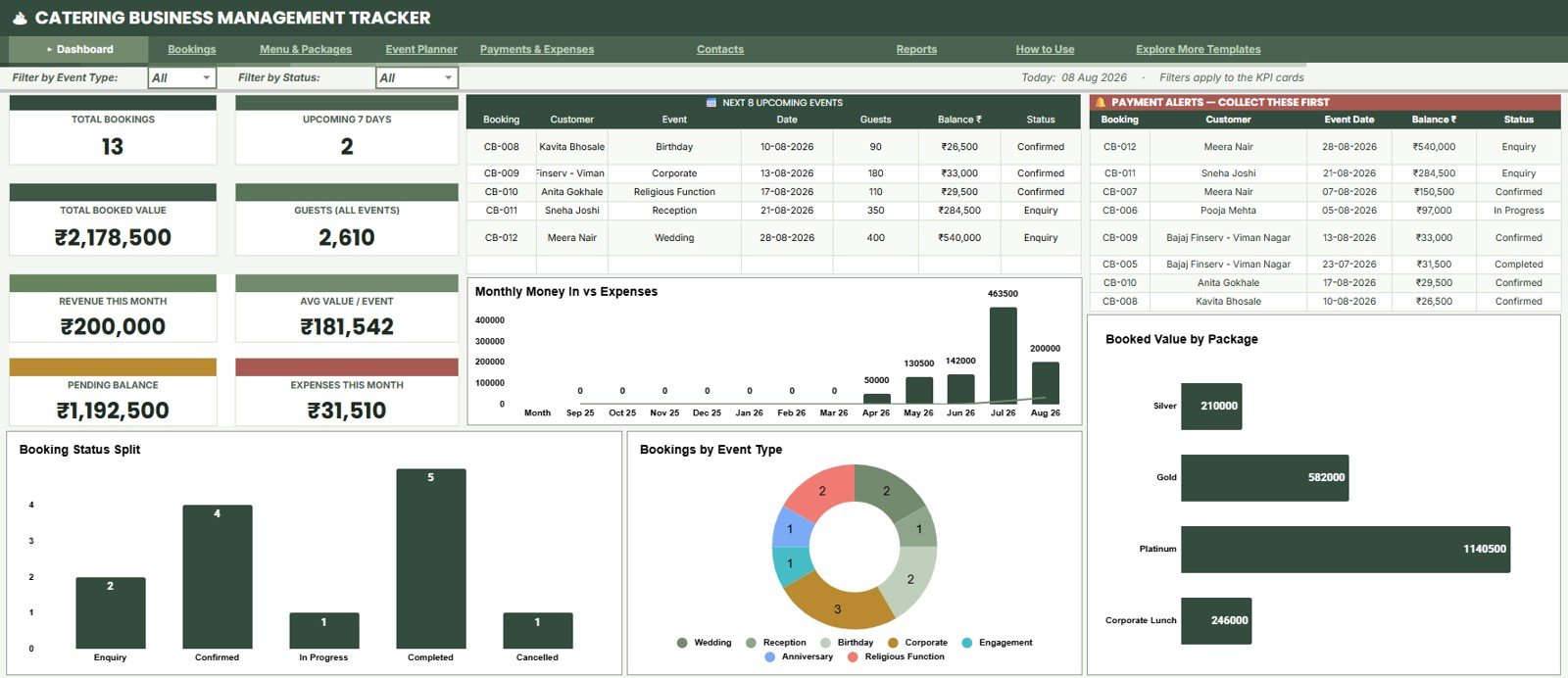
- 8 KPI cards: Total Bookings, Upcoming 7 Days, Total Booked Value, Guests All Events, Revenue This Month, Avg Value / Event, Pending Balance, and Expenses This Month.
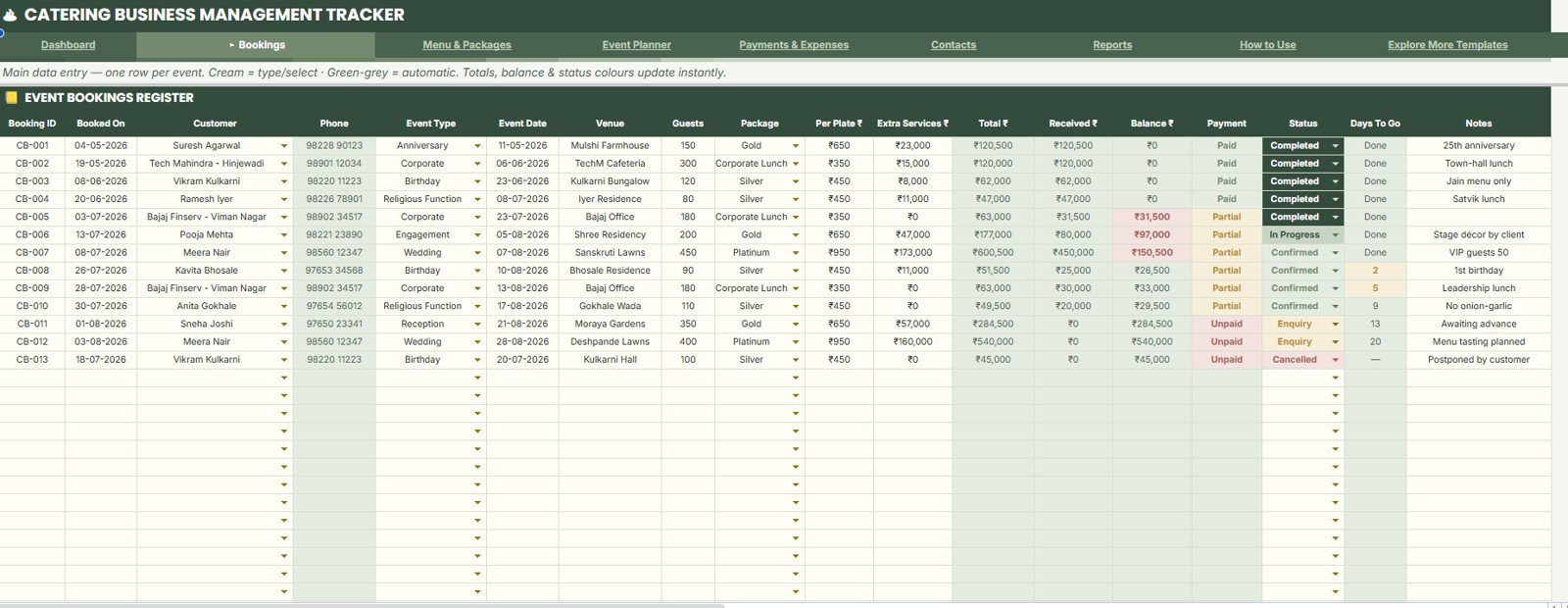
- Booking analysis: Review customers, event dates, guests, package value, payment mode, balance, status, and days to go.
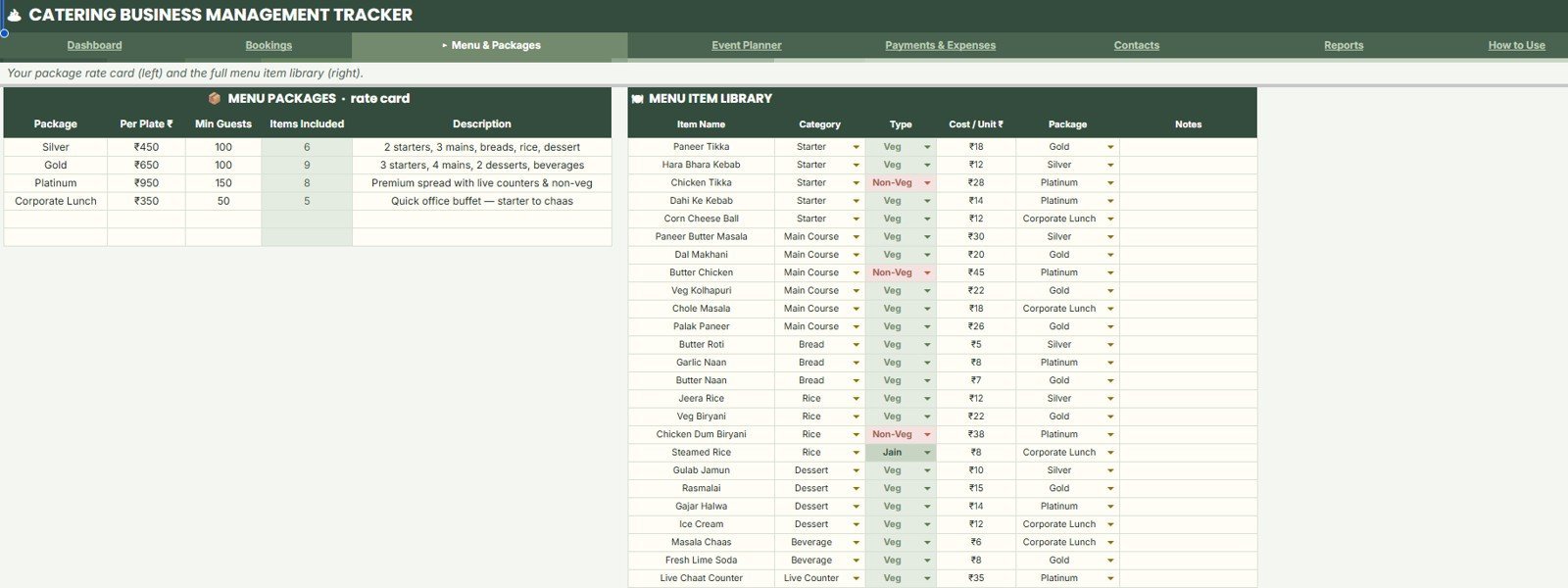
- Menu package library: Track per-plate rates, minimum guests, included items, menu categories, cost per unit, and menu type.
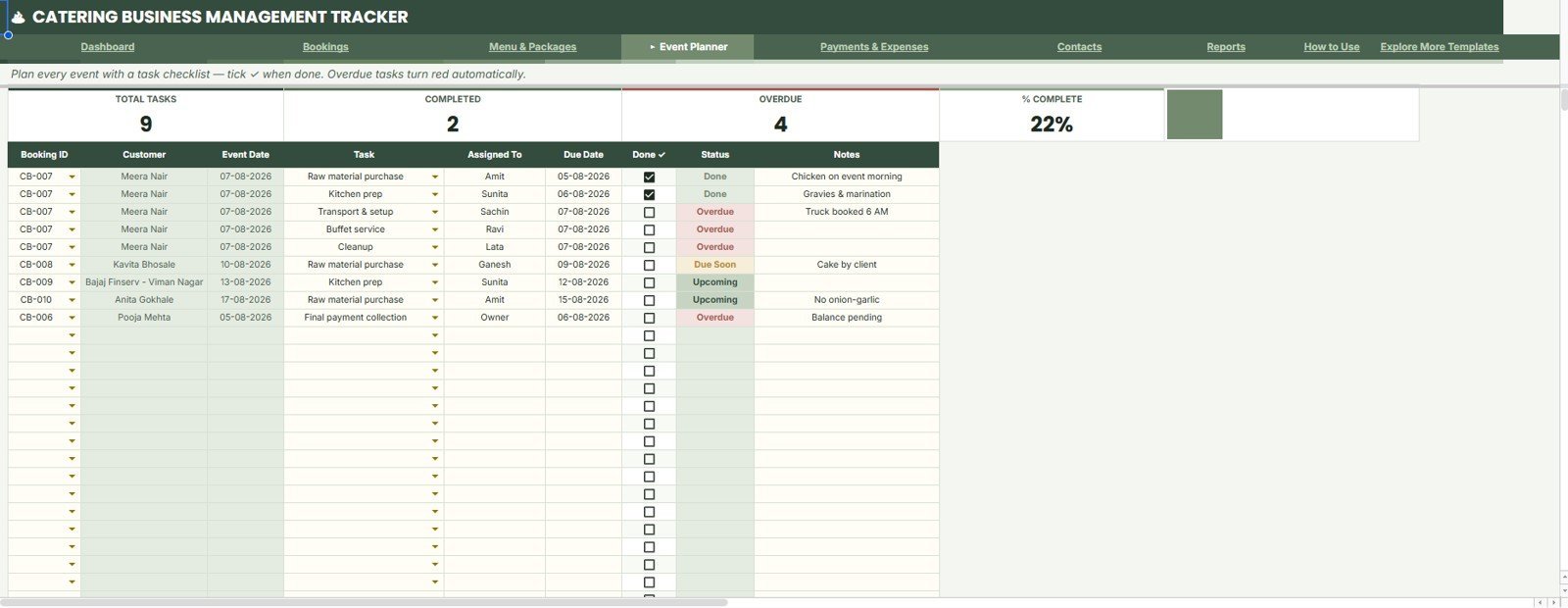
- Event task planner: Monitor total tasks, completed tasks, overdue items, assignments, notes, and percent complete.
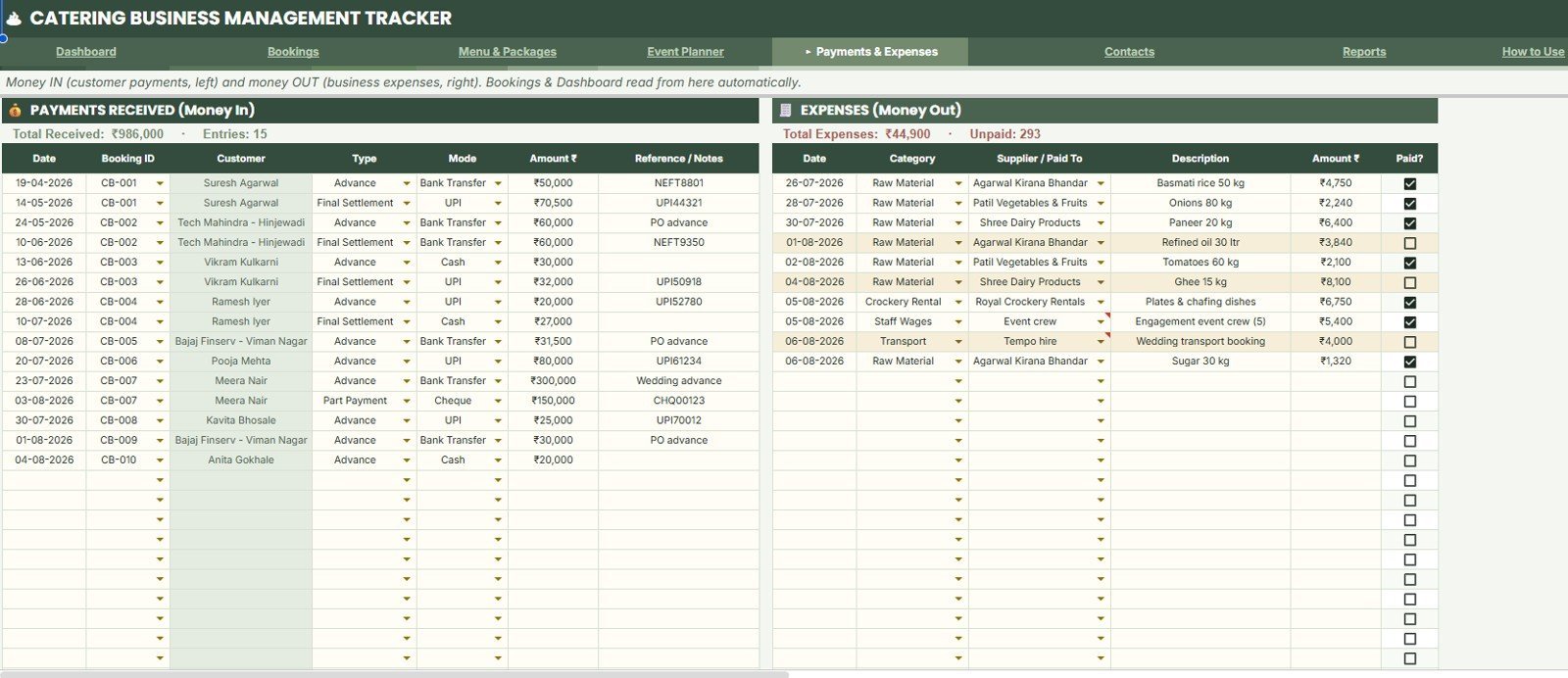
- Finance control: Track customer payments, payment modes, booking IDs, expense categories, suppliers, and paid status.
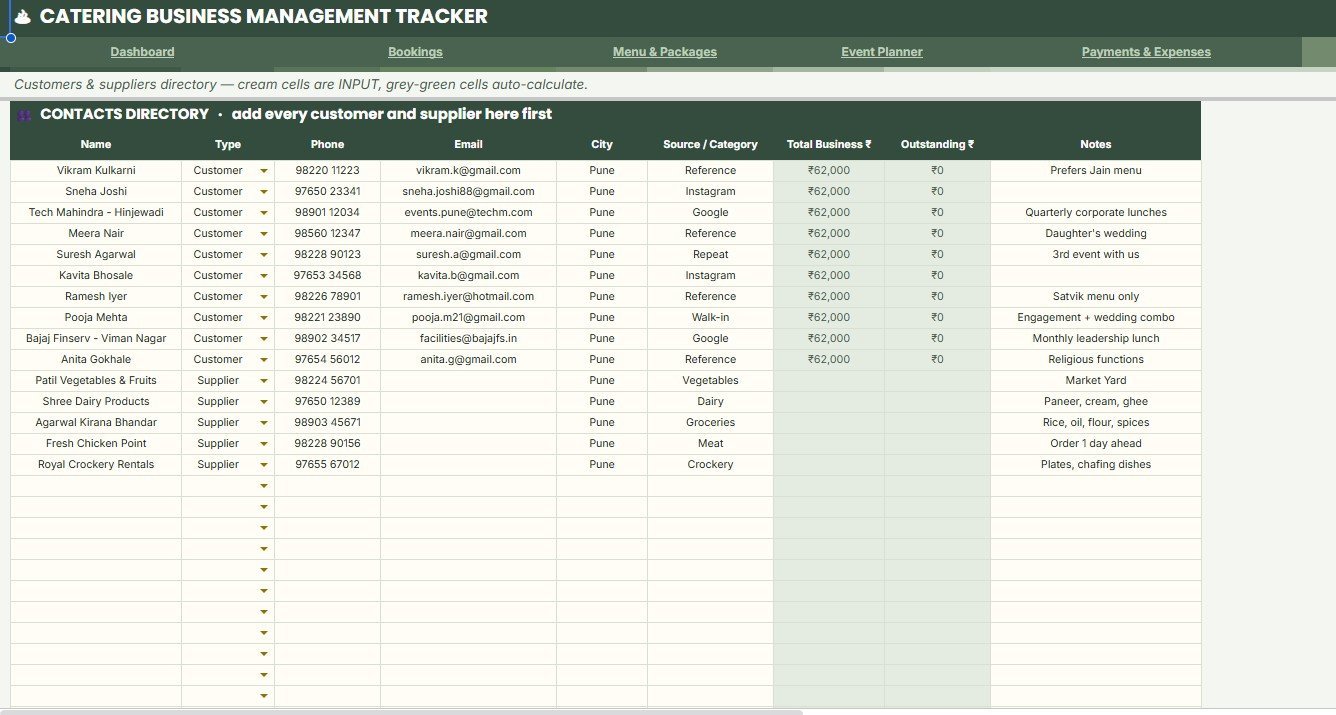
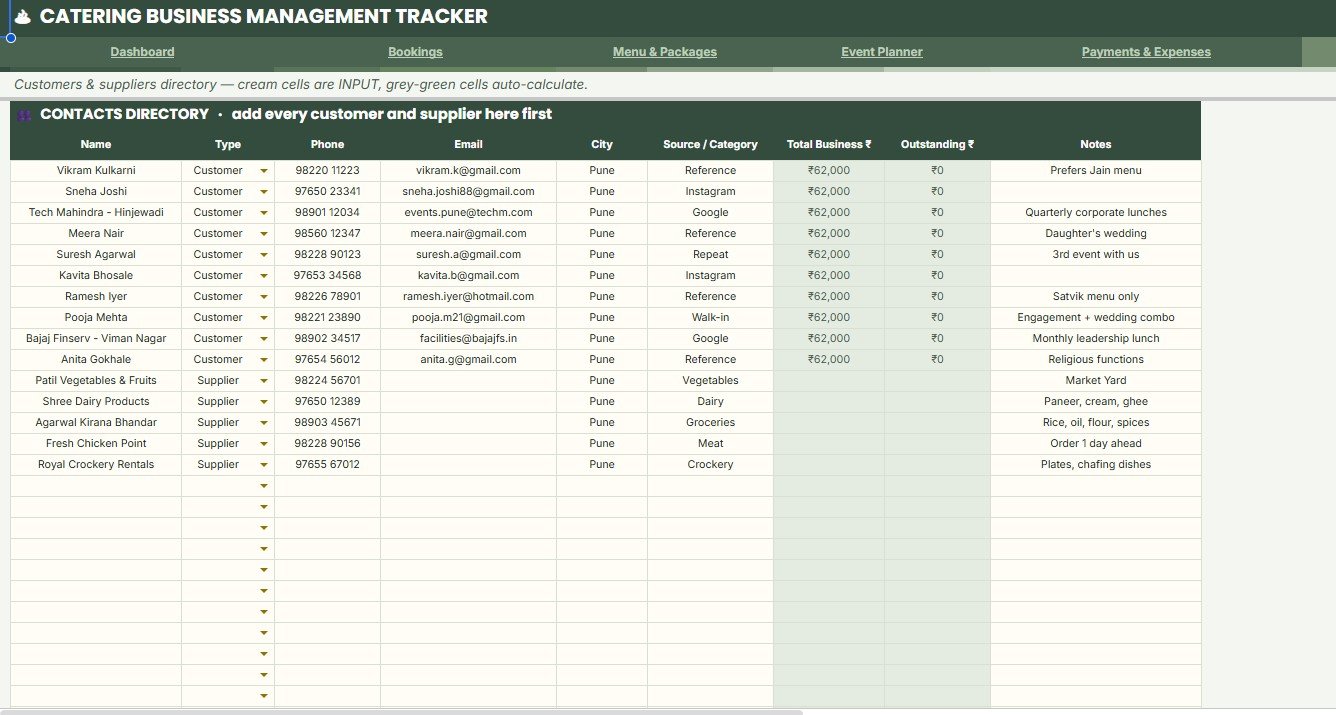
- Contacts directory: Keep customer and supplier names, contact details, city, source or category, business value, and outstanding balance in one sheet.
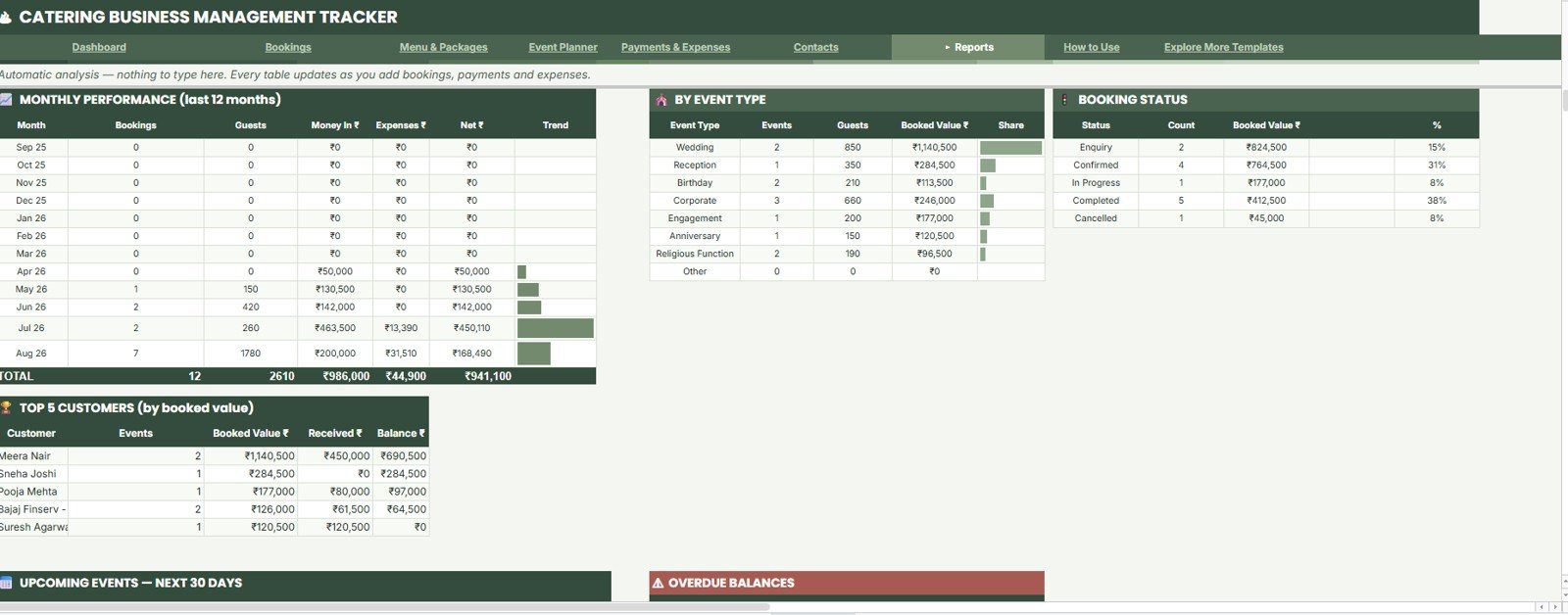
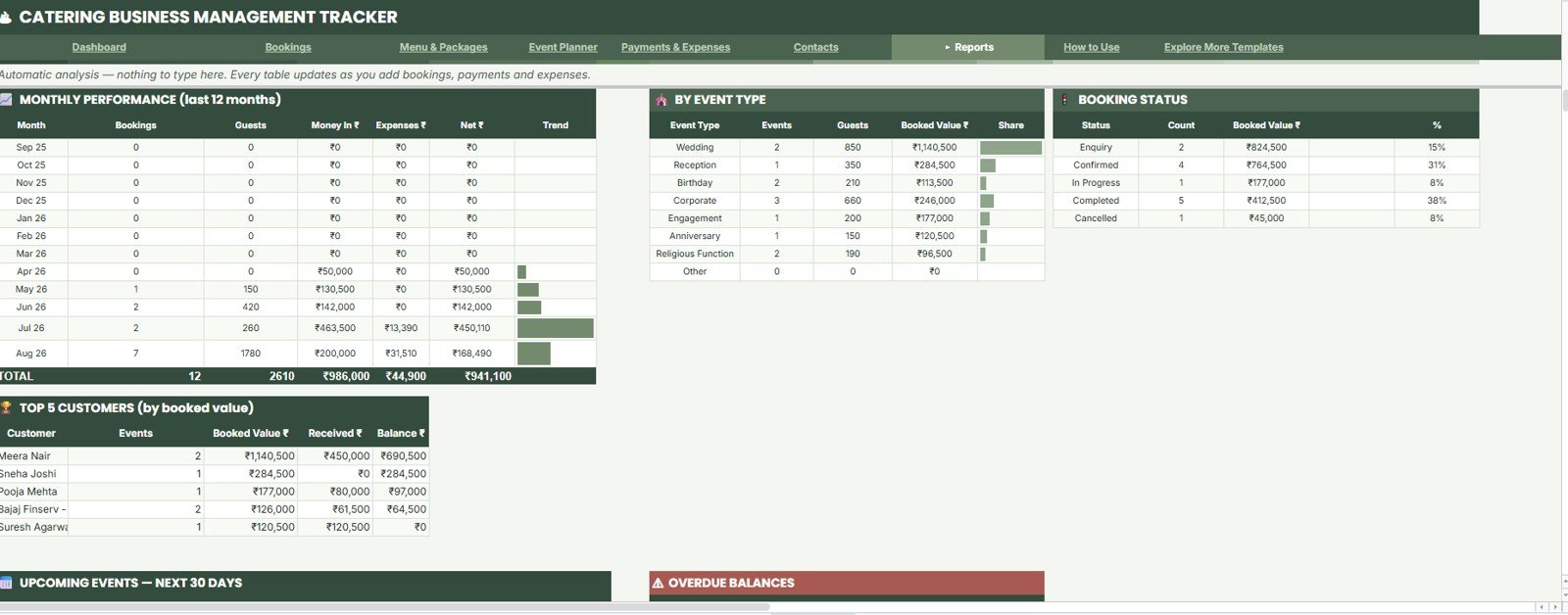
- Reports sheet: Summarize monthly performance, event type value, booking status, top customers, upcoming events, and overdue balances.
What’s Inside the Catering Business Management Tracker in Google Sheets
1. Overview Page
The Overview Page gives the owner or manager a high-level view before daily planning. It combines booking volume, upcoming events, booked value, guest count, monthly revenue, average event value, pending balance, and current-month expenses with slicer-friendly charts.
Money In vs Expenses by Month compares collection and cost trends by month. Bookings by Status highlights confirmed, pending, completed, or cancelled work. Bookings by Event Type shows demand by catering format. Booked Value by Package identifies the strongest package options. Upcoming Events by Event Date supports daily preparation. Payment Alerts by Balance points the team to unpaid or partially paid bookings.
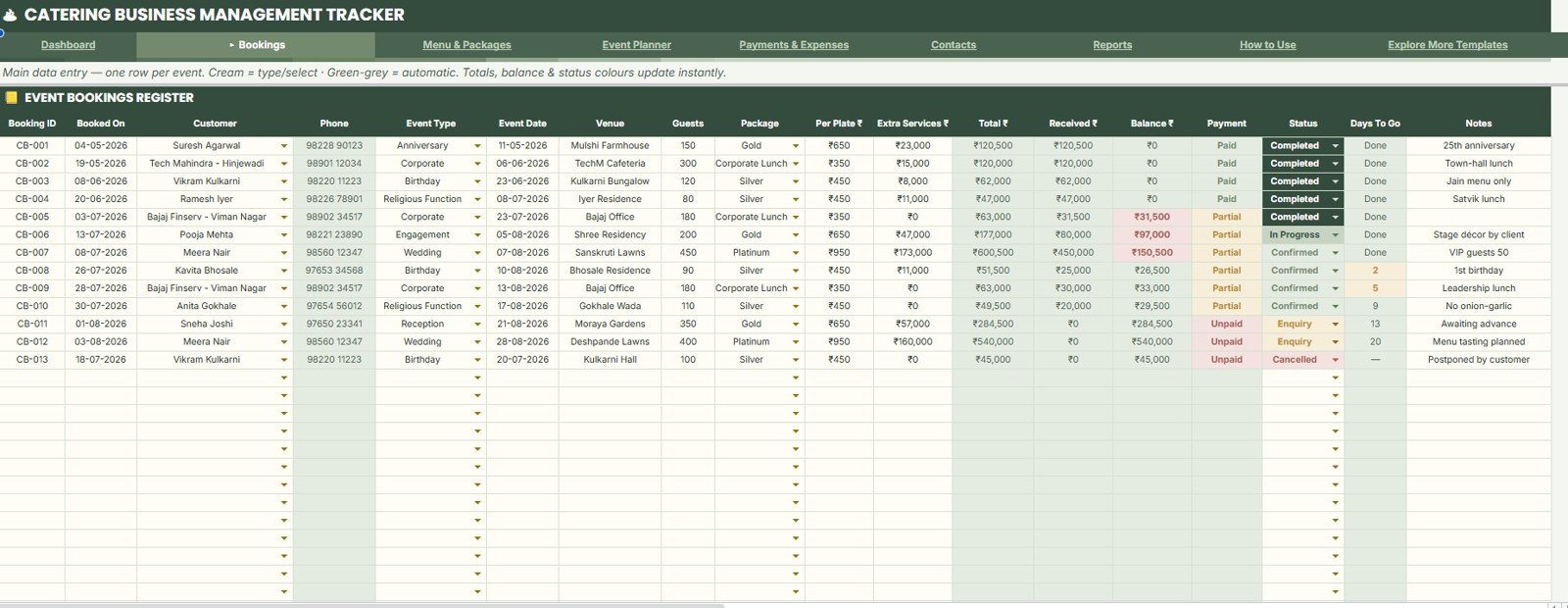
2. Event Bookings Register
The Event Bookings Register is the operating register for booking IDs, customers, event dates, event types, package selection, guest count, payment mode, received amount, balance, booking status, and days to go. Its analysis covers Bookings by Customer, Event Date by Booking ID, Guests by Event Type, Total Value by Package, Received Amount by Payment Mode, Balance by Booking Status, and Days To Go by Event Date.
3. Menu Packages and Menu Item Library
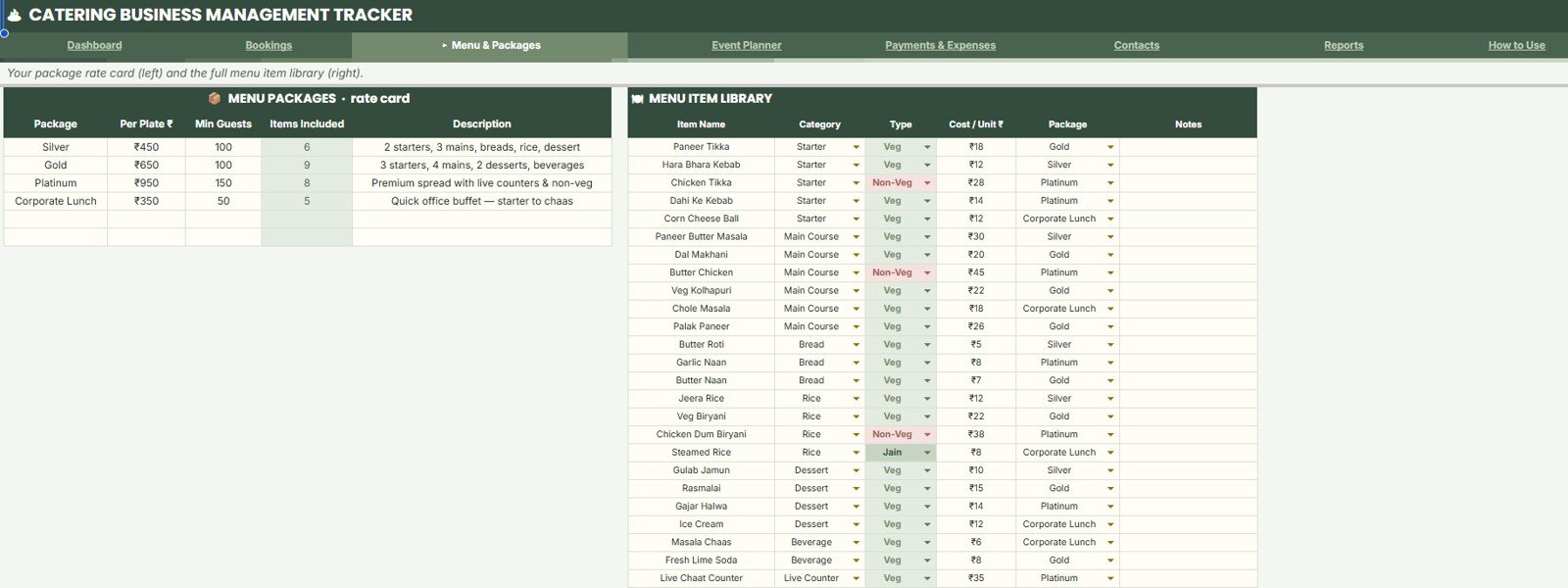
The menu library helps standardize package pricing and menu setup. It analyzes Per Plate Rate by Package, Minimum Guests by Package, Items Included by Package, Menu Items by Category, Cost Per Unit by Item Name, and Menu Type by Package.
4. Event Planner
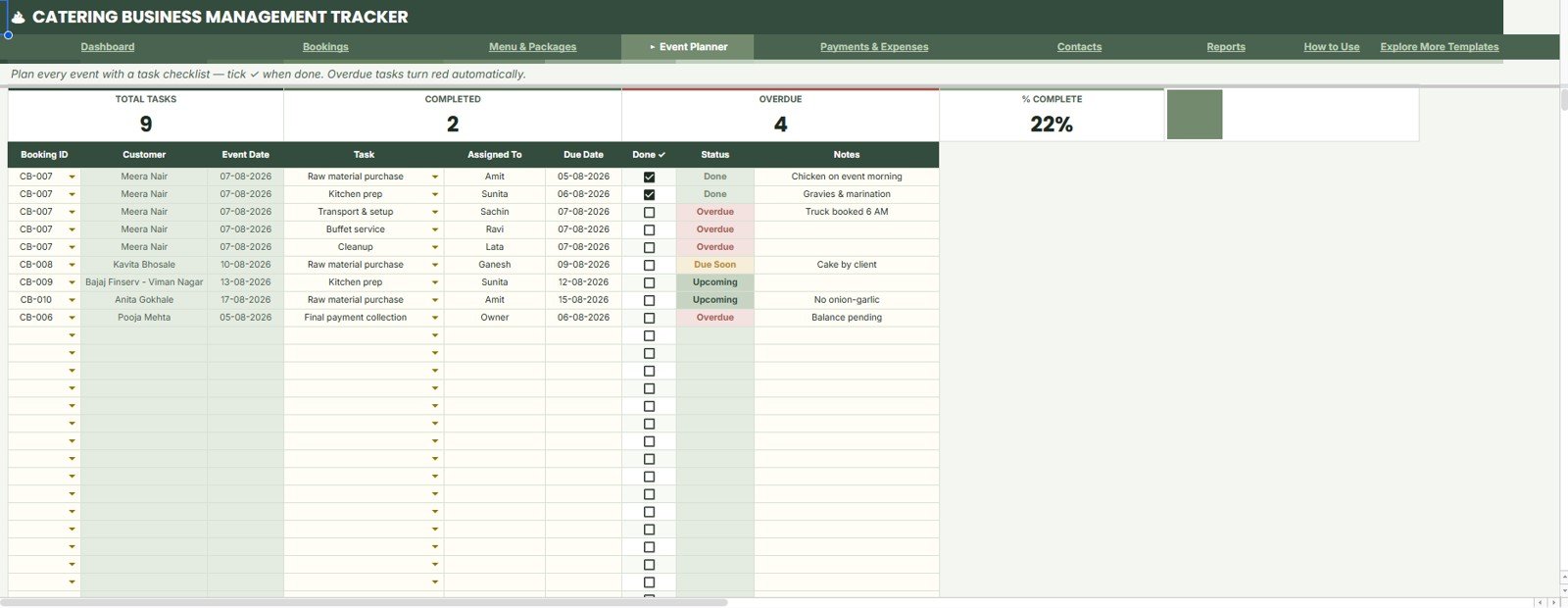
The Event Planner sheet tracks preparation by booking, due date, owner, notes, and task status. It analyzes Total Tasks by Booking ID, Completed Tasks by Status, Overdue Tasks by Due Date, Task Assignment by Assigned To, Task Notes by Event Date, and Percent Complete by Task Status.
5. Payments and Expenses
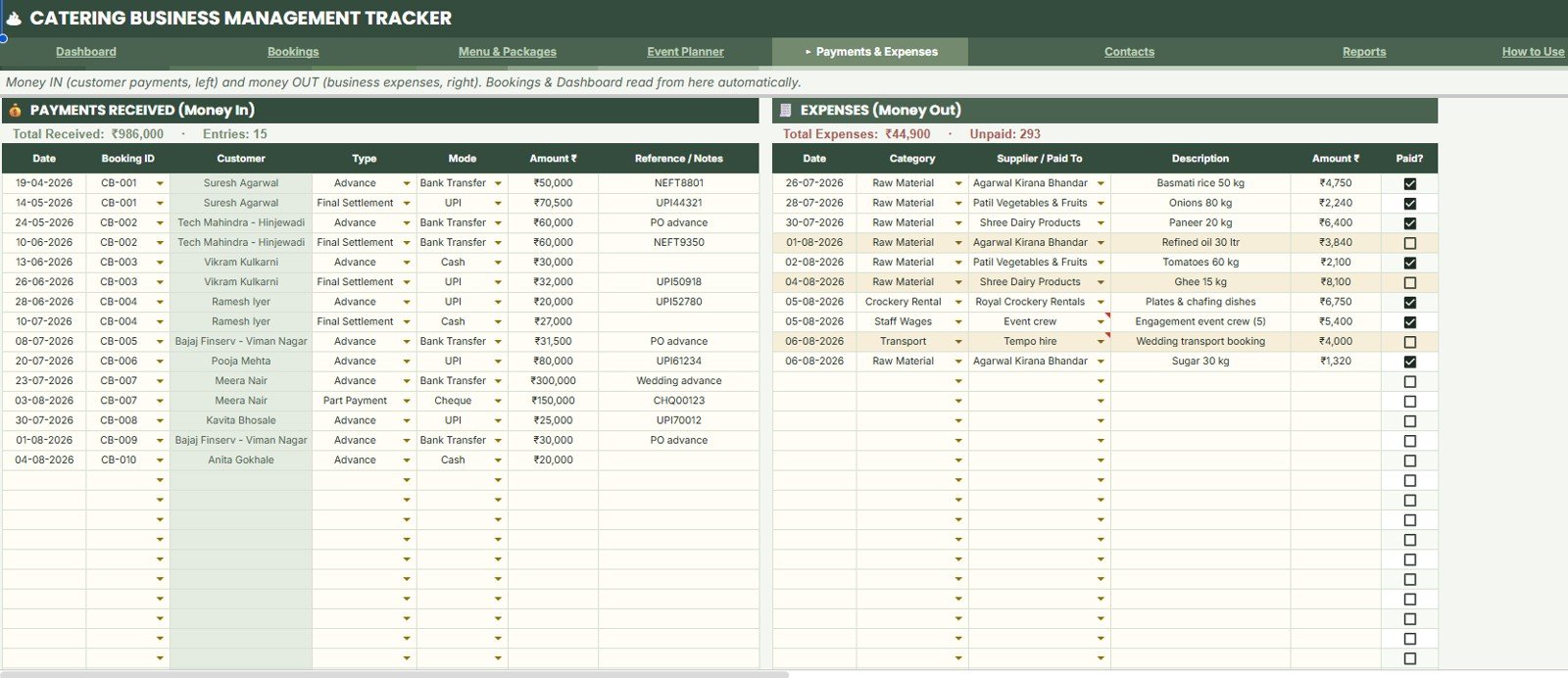
The Payments and Expenses sheet brings cash collection and spend control together. It analyzes Payments Received by Customer, Amount Received by Payment Mode, Payment Type by Booking ID, Expenses by Category, Expenses by Supplier or Paid To, and Paid Status by Expense Date.
6. Contacts Directory Data Sheet
The Contacts Directory data sheet stores customers and suppliers in the same format. It analyzes Contact Name by Type, Phone and Email by Contact, City by Contact, Source or Category by Contact, Total Business by Customer, and Outstanding Balance by Customer.
7. Reports Sheet
The Reports sheet gives automatic analysis as bookings, payments, and expenses are added. It summarizes Monthly Performance by Month, Guests by Event Type, Booked Value by Event Type, Bookings by Status, Top Customers by Booked Value, Upcoming Events by Event Date, and Overdue Balances by Customer.
Catering Business Management Tracker in Google Sheets vs. Microsoft Excel Tracker vs. Paid CRM/SaaS – Where This Fits
| Feature | This Google Sheets tracker | Microsoft Excel tracker | Paid catering or event SaaS |
|---|---|---|---|
| Cost | $9.99 one-time sale price | Template cost plus Excel access | Usually monthly or per-user fees |
| Platform | Google Sheets in Drive | Excel desktop or Microsoft 365 | Vendor-hosted web app |
| Setup time | Copy file, update lists, add bookings | Open workbook and customize | Account setup and onboarding may be required |
| Real-time team collaboration | Native Google sharing | Requires OneDrive or SharePoint | Usually available by paid seat |
| Mobile access | Google Sheets app or browser | Excel app or browser | Usually available |
| Customizable fields | Editable sheets, lists, formulas, and labels | Editable if workbook is unlocked | Limited by vendor settings |
| Share with link | Yes, with Drive permissions | Yes, with Microsoft sharing | Usually login based |
| Year-1 cost at 5 users | $9.99 before any Google Workspace cost | Template plus licensing | Often much higher with team seats |
| Catering workflow | Bookings, menus, tasks, payments, contacts, reports | Requires setup unless included | Usually deeper, less editable |
Who This Template Is For – and Who It’s Not For
This template is for catering business owners, wedding caterers, banquet teams, event planners, small hospitality operators, food service managers, and consultants who need one shared file for bookings, menu packages, preparation tasks, payments, expenses, contacts, and reports.
It is not a customer-facing ordering portal, payment gateway, invoice automation system, POS tool, accounting replacement, staff payroll system, or enterprise ERP. If you need automated reminders, payment processing, customer login, or app-style role permissions, use this tracker as a reporting and operating layer, or compare it with a broader web app.
How to Use the Catering Business Management Tracker in Google Sheets
- Open the PDF guide in your download and copy the Google Sheets file to your Drive.
- Update menu packages, menu items, customer and supplier contacts, categories, statuses, and payment modes.
- Add confirmed events in the Event Bookings Register.
- Track preparation tasks in the Event Planner before each event date.
- Record receipts, payment modes, expenses, suppliers, and paid status in Payments and Expenses.
- Review the Overview and Reports sheets before weekly planning and month-end follow-up.
Real-World Use Cases
Anita, wedding caterer: reviews upcoming events, guest count, package value, pending balance, and event preparation tasks before assigning work for the week.
Rohan, catering operations manager: checks menu package rates, minimum guest rules, items included, and task completion before a corporate lunch program.
Meera, accounts assistant: updates payment mode, received amount, supplier expenses, and overdue balances before owner review.
Frequently Asked Questions
What is included in the Catering Business Management Tracker in Google Sheets?
It includes Overview, Event Bookings Register, Menu Packages and Menu Item Library, Event Planner, Payments and Expenses, Contacts Directory, and Reports sheets.
Can I customize menu packages and per-plate rates?
Yes. The Menu Packages and Menu Item Library sheet is designed for package names, per-plate rates, minimum guests, included items, categories, costs, and menu type.
Can I track upcoming events and balances?
Yes. The Overview and Reports sheets include upcoming event views, payment alerts, pending balance, overdue balances, and event date analysis.
Does this work for weddings, corporate events, and private parties?
Yes. You can adjust event type labels and package details to match weddings, corporate catering, parties, community events, or custom catering work.
Can my team use the same file?
Yes. Since it runs in Google Sheets, you can share the file through Google Drive with selected team members.
Does it process payments automatically?
No. It tracks payment status, received amount, balances, payment modes, expenses, and suppliers, but it does not collect payments.
About the Author
Built by PK – Microsoft Certified Professional with 15+ years of Excel, Google Sheets, and Power BI experience. Founder of NextGenTemplates, reaching 300K+ subscribers across YouTube channels. Every template is hand-built and tested before release.
Explore Related Templates
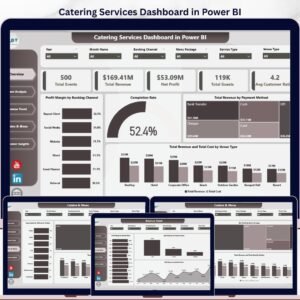
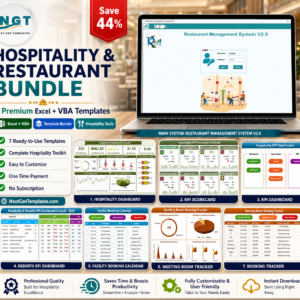
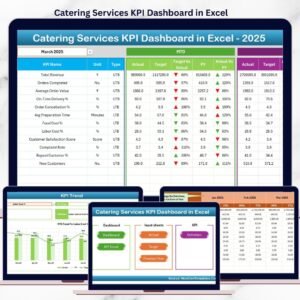
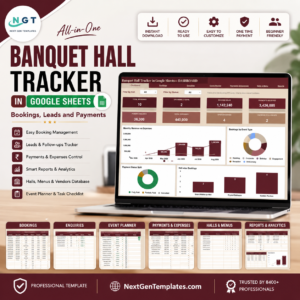
For nearby workflows, see the Banquet Hall Tracker in Google Sheets, Event Success Tracking Dashboard in Google Sheets, Catering Services KPI Dashboard in Excel, Catering Services Dashboard in Power BI, and Hospitality and Restaurant Bundle. Browse more Google Sheets templates and Google Sheets tracker templates.
Watch the step-by-step video Demo:
Ready to manage catering bookings, menus, event tasks, payments, expenses, contacts, and reports in one editable file? Use the Catering Business Management Tracker in Google Sheets to keep daily catering work cleaner and easier to review.
Last updated: August 8, 2026.

























Reviews
There are no reviews yet.