

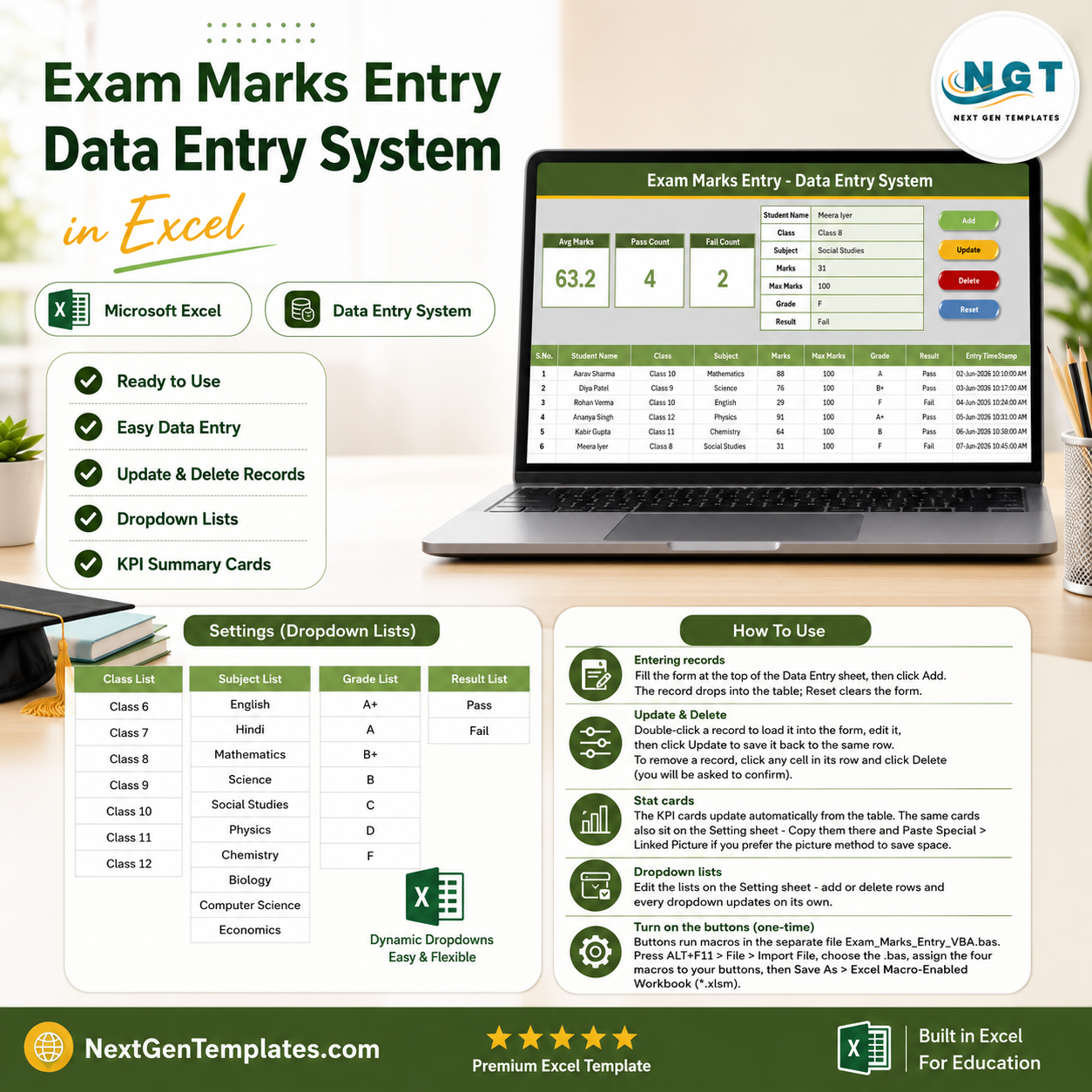

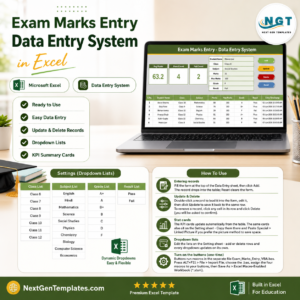
The Exam Marks Entry Data Entry System in Excel captures 7 fields per student — Student Name, Class, Subject, Marks, Max Marks, Grade and Result — and instantly updates 3 live KPI cards: Avg Marks, Pass Count and Fail Count. Setup takes under 5 minutes: enable macros and start entering marks.
🌍 Join 8,400+ teams in 40+ countries using NextGenTemplates to replace paid SaaS tools with one-time-purchase Excel, Google Sheets, Power BI and HTML templates.
✅ Instant download · One-time payment · No subscription · No per-user fees · Lifetime access
🔑 Key Features of the Exam Marks Entry Data Entry System
This Excel exam marks entry system records unlimited student results on a single sheet and recalculates three KPIs — average marks, pass count and fail count — the moment you click Add. Every metric is a live formula, so the numbers are always current.
- 📝 7-field entry form — Student Name, Class, Subject, Marks, Max Marks, Grade and Result, laid out as bold labels with tinted input cells.
- 📊 3 automatic KPI cards — Avg Marks (one-decimal AVERAGE), Pass Count and Fail Count (COUNTIF on the Result field). No manual tallying.
- 🖱️ Four VBA buttons — Add, Update, Delete and Reset. Delete asks for confirmation; Reset clears the form in one click.
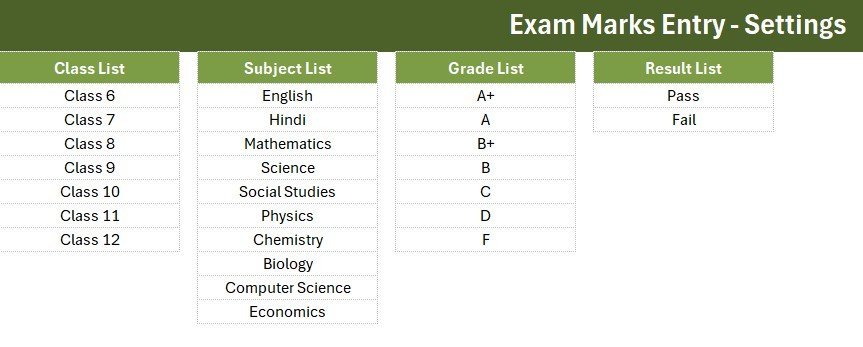
- 🔽 Four smart dropdowns — Class (6 to 12), Subject (10 subjects), Grade (A+ to F) and Result (Pass/Fail) read from an editable Setting sheet.
- 🔢 Auto S.No and Entry TimeStamp — each record is numbered automatically and stamped with the date and time it was added.
- ✏️ Double-click to edit — double-click any row to load it back into the form, change it, then click Update to save it to the same row.
📦 What’s Inside the Exam Marks Entry Data Entry System
The workbook ships with four sheets: Data Entry, Setting, Instructions and Get More Templates. Here is what each main view does.
Data Entry Dashboard
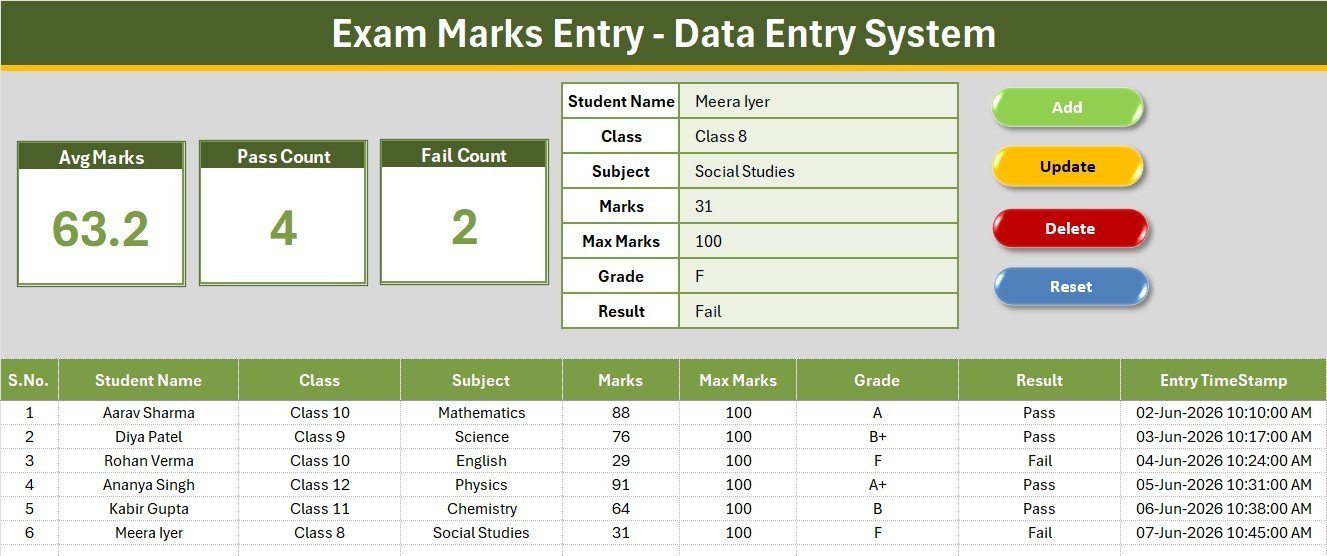
The main sheet holds the KPI cards (Avg Marks, Pass Count, Fail Count), the entry form, the four action buttons and the records table with auto S.No and timestamp columns.
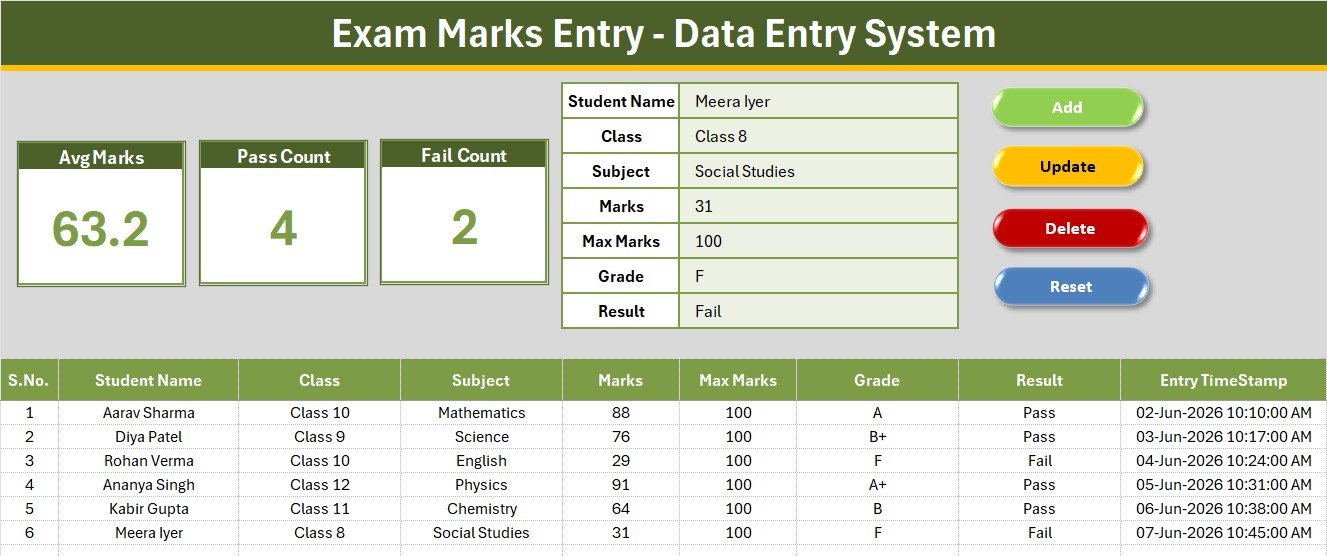
Entry Form, KPI Cards and Action Buttons
Fill the form, click Add, and the record drops into the table while Avg Marks, Pass Count and Fail Count refresh instantly. The green Add, gold Update, red Delete and blue Reset controls sit in a 2×2 block.
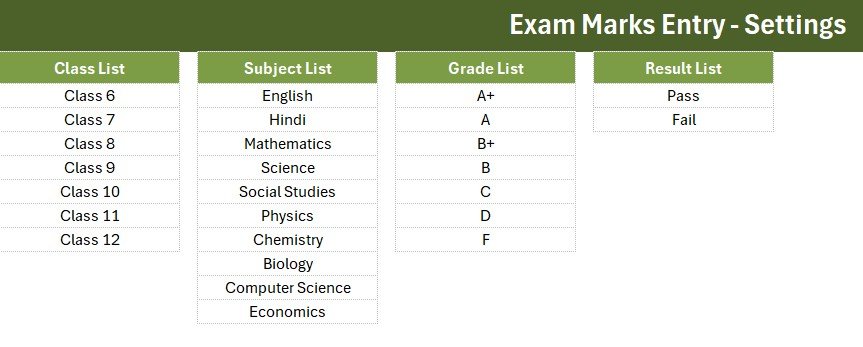
Setting Sheet and Records Table
The Setting sheet holds the editable Class, Subject, Grade and Result lists that feed every dropdown. The records table below the form keeps a hair-grid history of every mark entered, with grades and results ready for filtering.
📊 Exam Marks Entry System vs. Google Sheets vs. Paid Gradebook SaaS — Where This Fits
| Feature | Exam Marks Entry System (Excel) | Google Sheets marks sheet | Paid Gradebook SaaS (Gradelink / TeacherKit Pro) |
|---|---|---|---|
| Cost | $5.99 one-time | Free but manual | $5–15 / teacher / month |
| Platform | Microsoft Excel (offline) | Browser + Google account | Cloud only |
| Setup time | Under 5 minutes ✅ | Build from scratch | Onboarding + import |
| Works fully offline | Yes ✅ | No | No |
| Auto Pass/Fail & average | Built-in ✅ | Manual formulas | Yes |
| Editable grade bands | Yes, no coding ✅ | Yes | Limited to plan |
| Per-teacher fees | None ✅ | None | Per seat |
| Year-1 cost at 5 teachers | $5.99 total ✅ | $0 | $300–900 |
| Data ownership | Your file, your PC ✅ | Google cloud | Vendor cloud |
For schools and tutors that want automatic pass/fail tracking without paying per-teacher SaaS fees, the Exam Marks Entry System sits in the sweet spot.
👥 Who This Template Is For — and Who It’s Not For
✅ This template is built for:
- School teachers and class coordinators recording term or unit-test marks for 20 to 200 students.
- Private tutors and coaching centres tracking marks across subjects and batches.
- Exam-cell staff who need a quick pass/fail count without building formulas.
❌ This template is NOT for:
- Institutions needing an online student portal with parent logins and SMS results.
- Teams that require multi-user, real-time cloud editing across many campuses at once.
⚙️ How to Use the Exam Marks Entry System
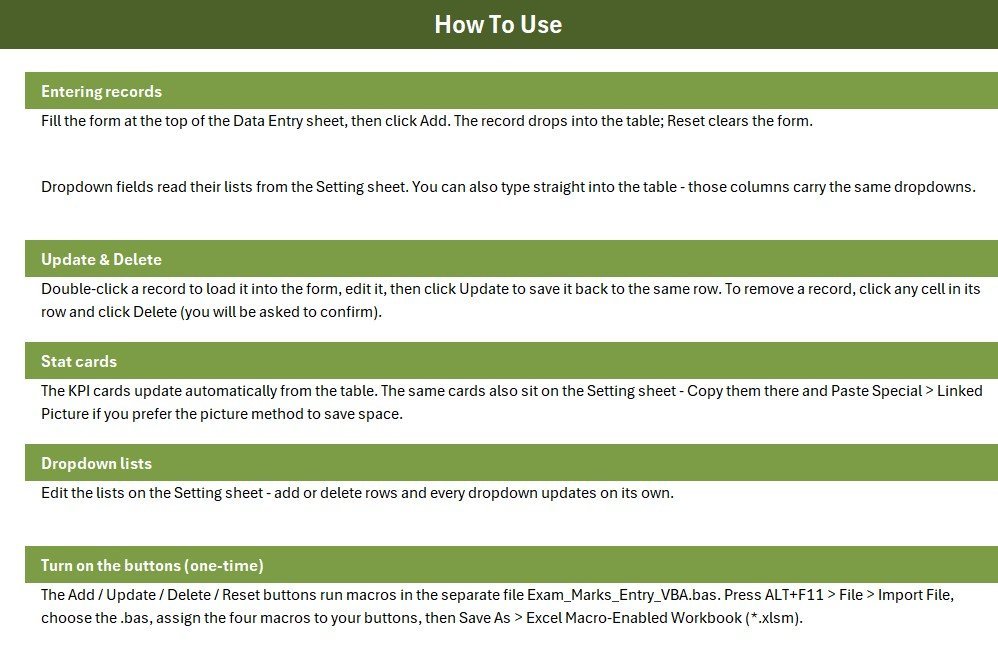
- Open the workbook in Excel and enable macros when prompted.
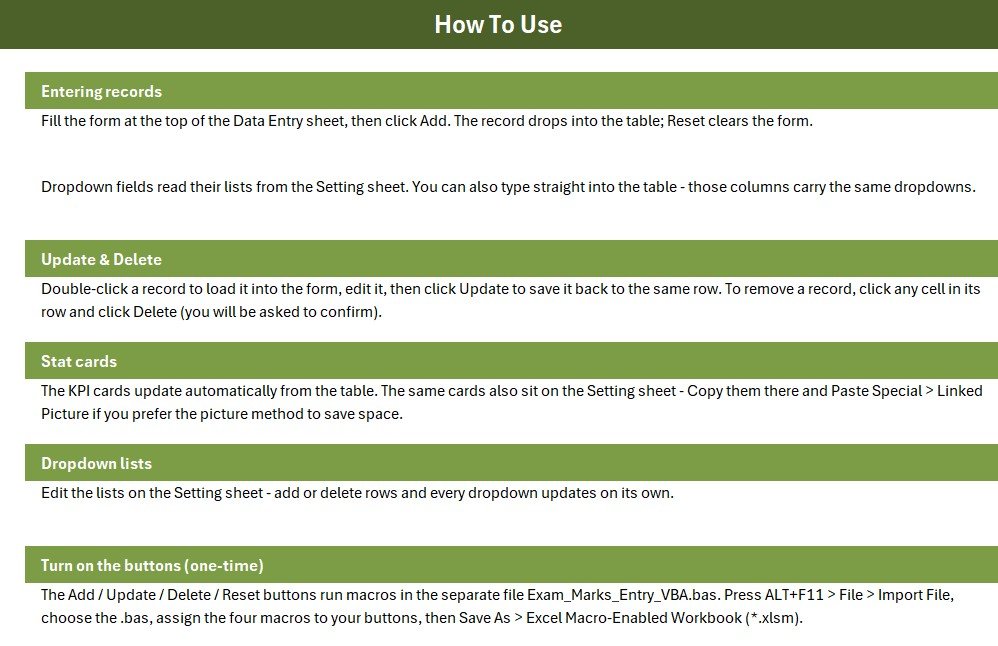
- Import the included VBA module (ALT+F11 → File → Import File) and assign the four macros to the Add, Update, Delete and Reset buttons.
- Edit the Class, Subject, Grade and Result lists on the Setting sheet if needed.
- Fill the form, then click Add — the record saves and the KPI cards refresh.
- Double-click any record to edit it and click Update; use Delete to remove a row.
💼 Real-World Use Cases
Anjali teaches Class 10 at a CBSE school. After each unit test she opens the Exam Marks Entry System, records marks for all 48 students, and reads the Pass Count and Fail Count straight off the KPI cards — no manual tallying before the staff meeting.
Rahul runs a coaching centre with three batches. He keeps one workbook per batch, filters the records table by Subject, and uses the Avg Marks card to spot which subject needs an extra revision class.
❓ Frequently Asked Questions
What fields does the Exam Marks Entry System capture?
The Exam Marks Entry System records seven fields per student: Student Name, Class, Subject, Marks, Max Marks, Grade and Result. Class, Subject, Grade and Result are dropdowns driven by an editable Setting sheet.
How are the Avg Marks, Pass and Fail counts calculated?
The three KPI cards use live formulas — AVERAGE on the Marks column and COUNTIF on the Result column — so Avg Marks, Pass Count and Fail Count update automatically every time you add or edit a record.
Do I need to enable macros?
Yes. The Add, Update, Delete and Reset buttons in the Exam Marks Entry System run a small VBA module, so enable macros when Excel prompts you and save the file as a macro-enabled workbook (.xlsm).
Can I change the grades or add more subjects?
Yes. Edit the Grade, Subject, Class and Result lists on the Setting sheet and every dropdown updates on its own — no formulas or code changes required.
How does this compare to paid gradebook software?
Paid gradebook SaaS typically costs $5–15 per teacher each month. The Exam Marks Entry System is a $5.99 one-time purchase that works offline in Excel, with no per-seat fees and your data staying on your own PC.
How long does setup take?
Setup takes under five minutes — enable macros, assign the four buttons to their macros once, and start entering marks. Sample rows are included so the KPI cards show live numbers immediately.
👤 About the Author
Built by PK — Microsoft Certified Professional with 15+ years of Excel, Google Sheets and Power BI experience. Founder of NextGenTemplates, reaching 300K+ subscribers across YouTube channels (@PK-AnExcelExpert, @NextGenTemplates, @NeoTechNavigators). Every template is hand-built and tested before release.
🔗 Explore Related Templates
Keep the whole school office in Excel with these companions: the Student Attendance Data Entry System for daily registers, the Student Fee Collection System for payments, and the Library Book Issue Data Entry System for the library desk.
Ready to analyse results? Move up to the Student Enrollment KPI Scorecard or the Exam Boards KPI Dashboard. Browse more in Education Templates and Excel VBA Tools.
📖 Click here to read the detailed blog post
🎥 Visit our YouTube channel for step-by-step video tutorials
👉 YouTube.com/@NextGenTemplates
Watch the step-by-step video tutorial:
Compatibility and Requirements
- Runs in Microsoft Excel desktop on Windows with macros enabled. It does not run in Excel for the web, Google Sheets or mobile apps.
- The Add, Update, Delete and Reset buttons use VBA, so save the file as a macro-enabled workbook (.xlsm). Microsoft explains how in Enable or disable macros in Microsoft 365 files.
More Questions About This Template
Can I use it in Google Sheets or Excel for the web?
No. The buttons run VBA macros, which need Excel desktop on Windows. For a browser-based option, see the Student Attendance Data Entry System in Excel for the same data entry style, or the Google Sheets templates for web-based trackers.
How do I correct a mark I entered by mistake?
Double-click the row in the records table. It loads back into the form. Change the value, then click Update to save it to the same row.
What happens when I click Delete?
Delete asks for confirmation before it removes a record. Reset only clears the entry form and leaves your saved records alone.
Where do the Class, Subject, Grade and Result dropdown values come from?
They come from the Setting sheet. Edit the lists there and the four dropdowns on the Data Entry sheet pick up the changes.
Related Education Templates
- Exam Preparation Checklist Template in Excel: a checklist to run before exam day
- Exam Application Form with Timer: an Excel exam form that includes a timer
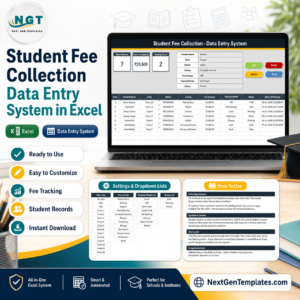
- Student Fee Collection System in Excel: another school office data entry system
- Exam Boards KPI Dashboard in Excel: a dashboard view for exam results
- Education & School Management Bundle: 8 school templates in one download
Browse all Excel Education templates and Excel VBA tools.





















Reviews
There are no reviews yet.