

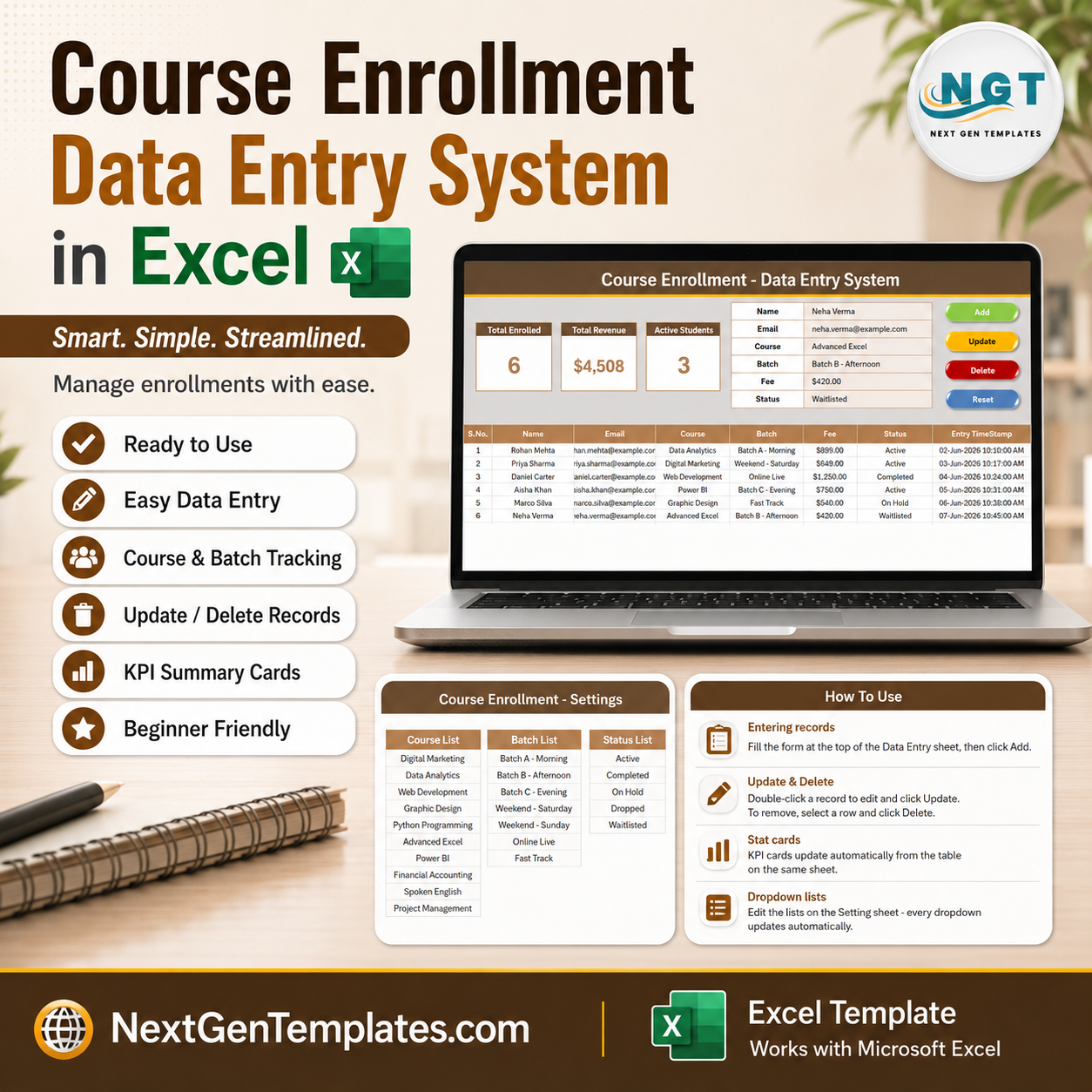

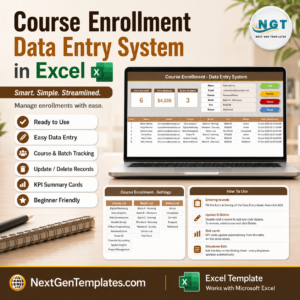
The Course Enrollment Data Entry System in Excel logs every student through a 6-field form — Name, Email, Course, Batch, Fee and Status — and refreshes 3 live KPI cards the moment you click Add. It ships with 10 pre-loaded courses, 7 batch slots and a 5-stage status pipeline, and setup takes under 10 minutes: paste your own course and batch lists into the Setting sheet and every dropdown is ready.
🌍 Join 10,000+ customers in 180+ countries using NextGenTemplates to replace paid SaaS tools with one-time-purchase Excel, Google Sheets, Power BI, and HTML templates.
✅ Instant download · One-time payment · No subscription · No per-user fees · Lifetime access
🔑 Key Features of the Course Enrollment Data Entry System in Excel
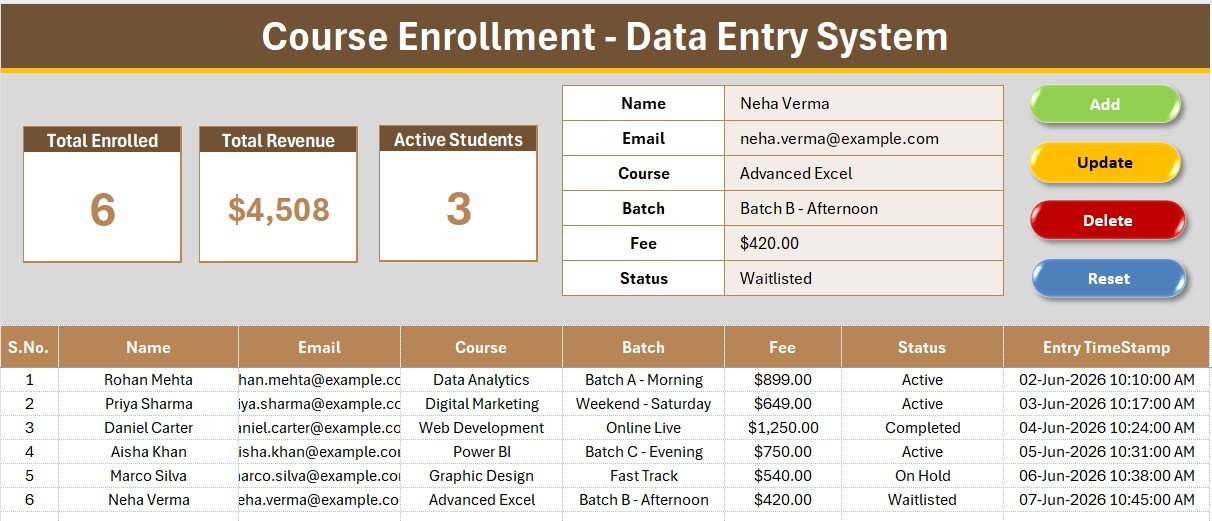
📝 A 6-field form that fits on one screen – Name, Email, Course, Batch, Fee and Status sit side by side at the top of the Data Entry sheet. Course, Batch and Status are dropdowns wired to named ranges, so a coordinator can register a student in four keystrokes and two clicks without ever scrolling to the table below.
⚡ Four VBA macros handle the entire record lifecycle – Add writes a new row and stamps the date and time. Update rewrites the selected row in place. Delete removes it after a confirmation prompt. Reset clears the form. No copy-paste, no accidental overwrites of the row above.
📊 Three live KPI cards – Total Enrolled counts every registration, Total Revenue sums the Fee column, and Active Students counts rows where Status equals Active. All three are live Excel formulas, not static numbers, so they recalculate the instant a record is added, edited or removed.
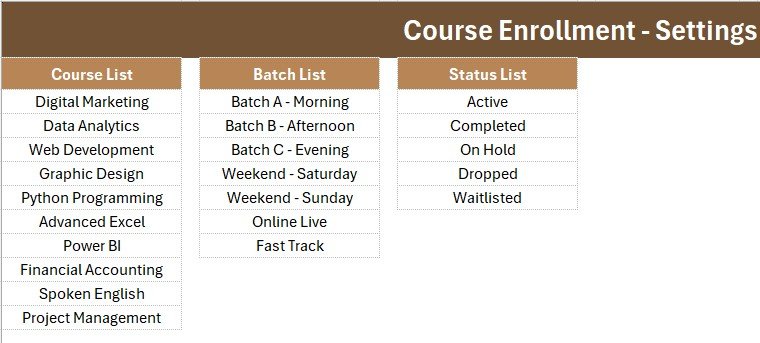
🎓 10 courses and 7 batches pre-loaded – Digital Marketing, Data Analytics, Web Development, Graphic Design, Python Programming, Advanced Excel, Power BI, Financial Accounting, Spoken English and Project Management, across Morning, Afternoon, Evening, two Weekend slots, Online Live and Fast Track. Replace them with your own catalog on the Setting sheet.
🔢 Auto serial numbers and entry timestamps – Column A numbers itself with a formula that only fires when a row has data, and the final column records exactly when each enrollment was logged. Together they give you an audit trail without any extra typing.
💵 Currency-formatted fee column – Fees display as proper currency and roll straight into the revenue card. Switch the symbol from dollars to rupees, euros or pounds by reformatting one column.
📦 What’s Inside the Course Enrollment Data Entry System in Excel
Sheet 1: Data Entry
The working screen. A gray dashboard panel holds the three KPI cards — Total Enrolled, Total Revenue and Active Students — beside the 6-field form, with Add, Delete, Update and Reset buttons in a 2×2 block. Below sits the records table with auto S.No, currency-formatted fees and an Entry TimeStamp column.
Sheet 2: Setting
Where your institute’s catalog lives. Three source lists — Course, Batch and Status — feed the form dropdowns through named ranges, so editing a list here instantly updates the form. The same three KPI cards are duplicated on this sheet so you can copy them as a linked picture into a report.
Sheet 3: Instructions
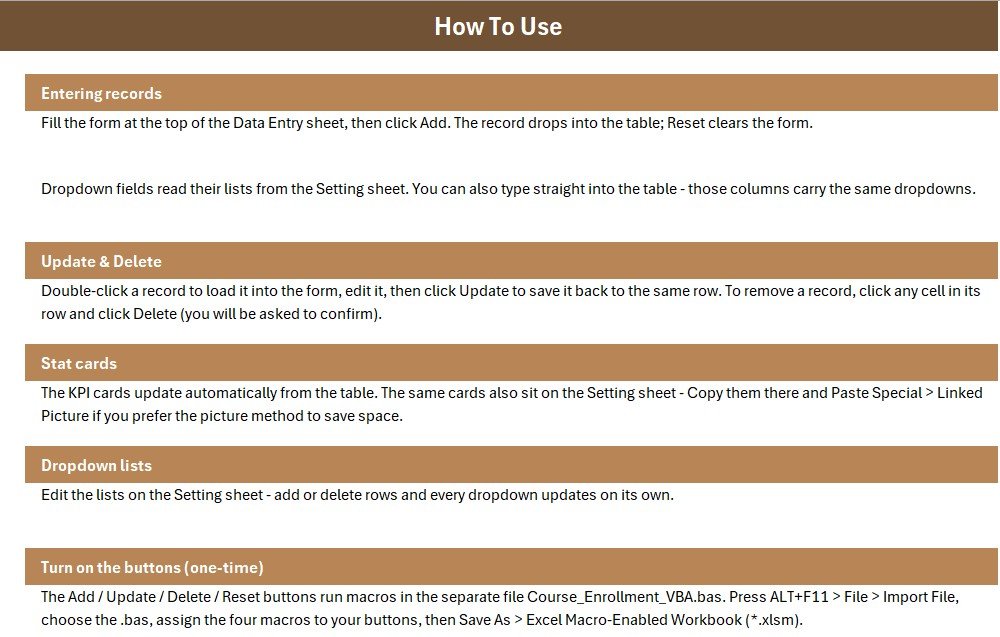
A one-page setup guide covering macro import, button assignment and saving as .xlsm, plus notes on editing dropdown lists and changing the currency symbol. A fourth sheet, Get More Templates, links back to the rest of the Education Templates catalog.
📊 Course Enrollment Data Entry System in Excel vs. Google Sheets vs. Paid Course Software — Where This Fits
| Feature | Course Enrollment Data Entry System in Excel | Google Sheets enrollment sheet | Teachable / Thinkific / TeachWorks |
|---|---|---|---|
| Cost | $5.99 one-time | Free, but built by you | $39–$199 / month |
| Platform | Microsoft Excel (offline) | Browser only | Vendor cloud only |
| Setup time | Under 10 minutes ✅ | 2–4 hours to build from scratch | 1–2 days plus onboarding call |
| One-click Add / Update / Delete | Yes — 4 VBA buttons ✅ | Needs Apps Script you write | Yes |
| Live KPI cards | 3 built in ✅ | Manual formulas | Yes, on paid tiers |
| Real-time team collaboration | Via OneDrive / SharePoint | Yes ✅ | Yes ✅ |
| Works with no internet | Yes ✅ | No | No |
| Student data stays on your machine | Yes ✅ | Google servers | Vendor servers |
| Year-1 cost at 5 users | $5.99 total | $0 plus your build time | $468–$2,388 |
For training institutes and coaching centres that want fast, structured enrollment logging without paying a monthly platform fee, the Course Enrollment Data Entry System in Excel sits in the sweet spot.
👥 Who This Template Is For — and Who It’s Not For
✅ This template is built for:
- Coaching centres and training institutes running 5–50 courses per term
- Admissions and front-desk staff who register students by phone or walk-in
- Independent tutors and skill academies tracking fees alongside enrollments
- School and college departments that need a clean batch-wise enrollment register
- Anyone replacing a messy shared spreadsheet with a structured, validated form
❌ This template is NOT for:
- Institutes that need students to self-enroll online — this is an internal admin tool, not a public registration portal
- Teams needing payment gateway integration or automatic invoice generation
- Organisations requiring SSO, role-based permissions or audit-grade access logs
- Mac users who cannot enable macros, or anyone restricted to Excel Online
⚙️ How to Use the Course Enrollment Data Entry System in Excel
- Unzip the download and open the workbook in Microsoft Excel on Windows.
- Press ALT+F11, choose File → Import File, and import the included .bas module.
- Draw four Form Control buttons over the coloured Add, Delete, Update and Reset cells, then assign Add_Record, Delete_Record, Update_Record and Reset_Form.
- Save the file as an Excel Macro-Enabled Workbook (.xlsm) so the macros persist.
- Open the Setting sheet and replace the sample courses, batches and statuses with your own.
- Return to Data Entry, fill the form and click Add. The three KPI cards update immediately.
- To edit a record, select its row, load it into the form, change the values and click Update.
💼 Real-World Use Cases
Ritu runs admissions at a 200-student digital skills academy in Pune. Every walk-in enquiry that converts gets logged into the Course Enrollment Data Entry System in Excel in under a minute. At the end of each intake week she reads Total Revenue straight off the card instead of rebuilding a SUM formula, and filters the Status column to chase the Waitlisted students first.
Marcus teaches evening Excel and Power BI classes as a solo trainer in Manchester. He keeps one workbook per academic year, uses the Batch dropdown to separate his Weekend and Fast Track cohorts, and checks Active Students before deciding whether to open another batch — all without paying $49 a month for a course platform he would use for one feature.
The registrar’s office at a mid-size vocational college uses it as the intake register that feeds their reporting. Enrollments are captured here with timestamps, then the cleaned table is pasted into the Student Enrollment KPI Dashboard in Excel for the quarterly management review.
❓ Frequently Asked Questions
What does the Course Enrollment Data Entry System in Excel track?
The Course Enrollment Data Entry System in Excel tracks six fields per student — Name, Email, Course, Batch, Fee and Status — plus an automatic serial number and entry timestamp. Three KPI cards show Total Enrolled, Total Revenue and Active Students, all recalculating live.
How long does setup take?
Under 10 minutes. Import the .bas module, assign four buttons, save as .xlsm, then paste your own course and batch lists into the Setting sheet. The dropdowns and KPI formulas are already wired, so nothing else needs configuring before your first entry.
Do I need to know VBA to use it?
No. The Course Enrollment Data Entry System in Excel ships with the VBA already written in a .bas module. You import it once and assign four buttons following the Instructions sheet. You only touch the code if you want to change how the macros behave.
How does this compare to a paid platform like Teachable or TeachWorks?
Those platforms cost $39–$199 per month and add marketing, payments and student portals. The Course Enrollment Data Entry System in Excel costs $5.99 once, works offline, and does one job well: capturing and totalling enrollments. Choose it when you want a register, not a platform.
Can I add more courses, batches or status values?
Yes. Open the Setting sheet and edit the Course, Batch and Status lists directly. The form dropdowns read those ranges by name, so any addition or deletion appears in the Data Entry form immediately with no formula changes required.
Can I change the currency from dollars to rupees or euros?
Yes. Select the Fee column and the Total Revenue KPI card, then apply your preferred currency format through Excel’s Format Cells dialog. The underlying SUM formula is currency-agnostic, so the revenue card keeps working after the change.
Will it work on Excel for Mac or Excel Online?
The formulas, dropdowns and KPI cards work everywhere. The four macro buttons need desktop Excel with macros enabled — they will not run in Excel Online, and Mac support depends on your macro security settings. Windows desktop Excel is the tested environment.
👤 About the Author
Built by PK — Microsoft Certified Professional with 15+ years of Excel, Google Sheets, and Power BI experience. Founder of NextGenTemplates, reaching 300K+ subscribers across YouTube channels (@PK-AnExcelExpert, @NextGenTemplates, @NeoTechNavigators). Every template is hand-built and tested before release.
🔗 Explore Related Templates
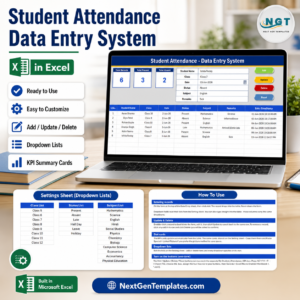
🎒 Student Attendance Data Entry System in Excel — the natural companion: enroll them here, mark them present there.
💰 Student Fee Collection System in Excel — take enrollment fees through to receipts and outstanding balances.
🎓 Scholarship Application Data Entry System in Excel — same form-and-KPI layout, built for award applications.
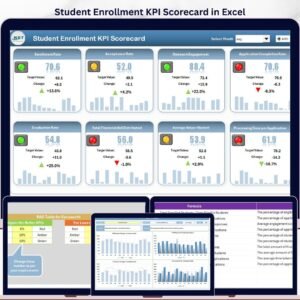
📈 Student Enrollment KPI Dashboard in Excel — turn this register into charts for management reporting.
💎 Save 68% — get all 8 education tools in the Education & School Management Bundle →
Browse more MS Excel Templates across every department.
📖 Click here to read the Detailed Blog Post
🎥 Visit our YouTube channel for step-by-step video tutorials
👉 YouTube.com/@NextGenTemplates
Watch the demo video:
Compatibility and Requirements
- Runs in Microsoft Excel desktop on Windows with macros enabled. The Add, Update, Delete and Reset buttons do not run in Excel for the web, Google Sheets or on mobile.
- Save the file as an Excel Macro-Enabled Workbook (.xlsm) so the macros stay in the file. Microsoft explains the settings in Enable or disable macros in Microsoft 365 files.
More Questions About This Template
Is there a similar form for other kinds of training?
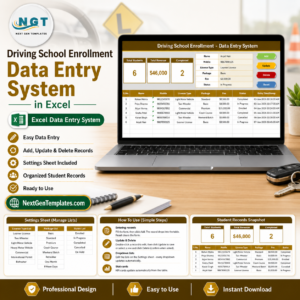
Yes. The Training Enrollment Data Entry Form covers training enrollments, and the Driving School Enrollment Data Entry System in Excel is built for driving schools.
Is there a Google Sheets version of the enrollment dashboard?
The Course Enrollment Data Entry System is an Excel VBA file. For reporting in Google Sheets, see the Student Enrollment KPI Dashboard in Google Sheets.
Which fields can I choose from a dropdown?
Course, Batch and Status are dropdowns. Their lists sit on the Setting sheet, so you edit them there and the form updates.




















Reviews
There are no reviews yet.