

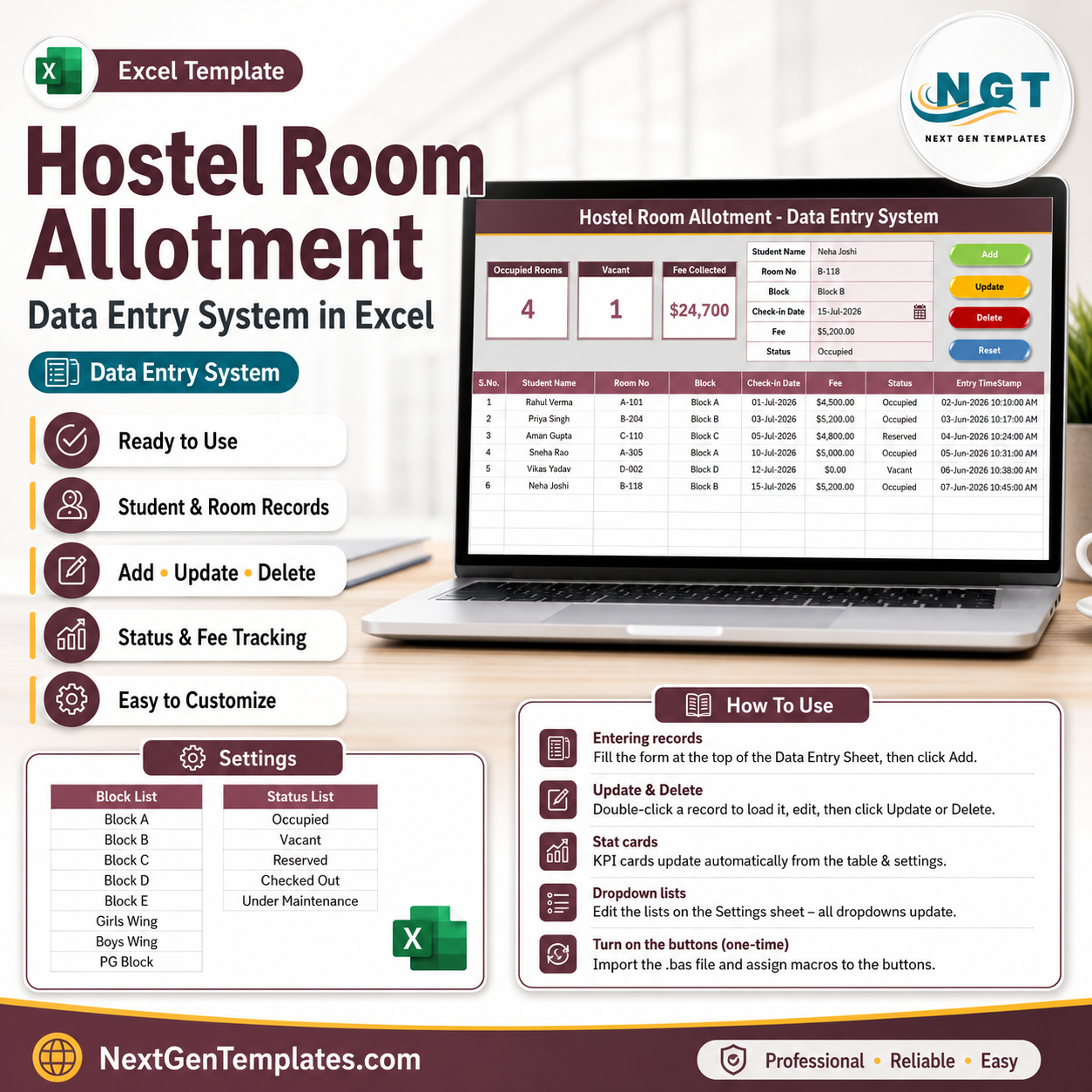

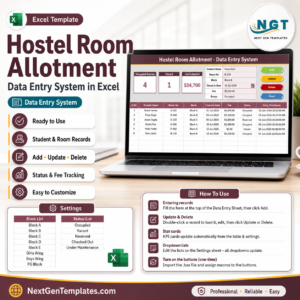
The Hostel Room Allotment Data Entry System in Excel logs every allotment through a 6-field form — Student Name, Room No, Block, Check-in Date, Fee, and Status — and refreshes 3 live KPI cards (Occupied Rooms, Vacant, Fee Collected) the moment you click Add. Setup takes under 10 minutes: import one VBA module, paste your block names into the Setting sheet, and every dropdown is ready.
🌍 Join 10,000+ customers in 180+ countries using NextGenTemplates to replace paid SaaS tools with one-time-purchase Excel, Google Sheets, Power BI, and HTML templates.
✅ Instant download · One-time payment · No subscription · No per-user fees · Lifetime access
🔑 Key Features of the Hostel Room Allotment Data Entry System in Excel
🏨 One-screen allotment form. The entry form sits directly above the records table, so a warden allotting 30 rooms on admission day never scrolls or switches sheets. Type the student name and room number, pick the Block and Status from dropdowns, enter the check-in date and fee, then click Add.
🖱️ Four VBA buttons — Add, Update, Delete, Reset. Add writes a new row with an automatic serial number and entry timestamp, Update edits the selected record in place, Delete removes it after a confirmation prompt, and Reset clears the form for the next student.
📊 Three live KPI cards. The dashboard tracks Occupied Rooms, Vacant rooms, and total Fee Collected — all three recalculate instantly from the Status and Fee columns, so occupancy is always current without a single manual count.
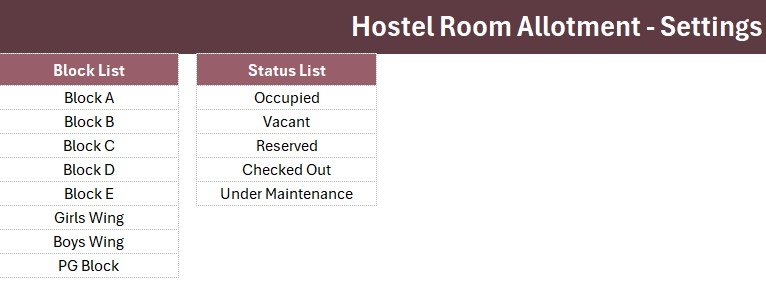
🔽 Smart dropdowns from the Setting sheet. The Block field ships with 8 options (Block A–E, Girls Wing, Boys Wing, PG Block) and Status ships with 5 (Occupied, Vacant, Reserved, Checked Out, Under Maintenance). Edit the lists once on the Setting sheet and every dropdown updates automatically.
👆 Double-click to edit. Double-click any record and the system loads it straight back into the form — change the status from Reserved to Occupied, click Update, and the KPIs refresh.
💰 Fee tracking with currency formatting. The Fee column is currency-formatted and feeds the Fee Collected card, giving you a running total of hostel revenue for the term.
📦 What’s Inside the Hostel Room Allotment Data Entry System in Excel
Data Entry Sheet
This sheet combines the 3 KPI cards (Occupied Rooms, Vacant, Fee Collected), the 6-field entry form with Block and Status dropdowns, the Add/Update/Delete/Reset buttons, and the records table with auto serial numbers and an Entry TimeStamp column.

Setting Sheet
This sheet holds the editable Block and Status dropdown lists plus a duplicated set of the 3 stat cards you can paste anywhere as a linked picture. Add a new block name here and it appears in the form’s dropdown immediately.
Instructions Sheet
This sheet walks you through the one-time activation — importing the VBA module, assigning the four button macros, and saving as a macro-enabled workbook — plus daily-use tips for the warden or hostel office team.

📊 Hostel Room Allotment Data Entry System vs. Google Sheets vs. Hostel Management SaaS — Where This Fits
| Feature | Hostel Room Allotment Data Entry System in Excel | DIY Google Sheets Tracker | Hostel SaaS (eZee / Cloudbeds) |
|---|---|---|---|
| Cost | $5.99 one-time | Free but built from scratch | $30-110 / month |
| Platform | Microsoft Excel (offline) ✅ | Browser, needs internet | Cloud only |
| Setup time | Under 10 minutes ✅ | Hours of formula building | Days + onboarding calls |
| Entry form with buttons | Yes — VBA Add/Update/Delete/Reset ✅ | Manual row typing | Yes |
| Live occupancy KPIs | 3 cards, instant ✅ | Formulas you maintain | Yes |
| Fee tracking | Built-in Fee Collected card ✅ | Manual SUM | Yes, tied to billing module |
| Customizable fields | Fully editable ✅ | Fully editable | Limited by vendor |
| Works offline | Yes ✅ | Limited | No |
| Year-1 cost | $5.99 ✅ | $0 + your build time | $360-1,300+ |
For hostels that want structured allotment records and live occupancy counts without paying monthly SaaS fees, the Hostel Room Allotment Data Entry System in Excel sits in the sweet spot.
👥 Who This Template Is For — and Who It’s Not For
✅ This template is built for:
- Hostel wardens and admin staff at schools, colleges, and universities managing 20-500 rooms
- PG and working-women’s/men’s hostel owners who track allotments and fees on paper or scattered sheets
- Coaching-institute and training-campus accommodation coordinators handling batch check-ins
- Small hostel chains that need one standard allotment register per building
❌ This template is NOT for:
- Multi-property hostel businesses needing online booking engines, channel managers, or payment gateways — a hostel SaaS fits better
- Teams that must have simultaneous multi-user cloud editing — consider a Google Sheets based system instead
⚙️ How to Use the Hostel Room Allotment Data Entry System in Excel
- Unzip the download and open the workbook in Microsoft Excel.
- Press ALT+F11 and import the included .bas VBA module (one-time step).
- Add the four buttons over the coloured Add/Delete/Update/Reset cells and assign the macros.
- Save As → Excel Macro-Enabled Workbook (.xlsm).
- Edit the Block and Status lists on the Setting sheet to match your hostel.
- Fill the form, click Add — watch Occupied Rooms, Vacant, and Fee Collected update instantly.
💼 Real-World Use Cases
Sunita is the warden of a 180-room girls’ hostel at a state university. During admission week she logs each allotment in under 20 seconds — name, room, block, date, fee, status — and reads Occupied vs. Vacant off the KPI cards when the dean calls, instead of counting a paper register.
Ramesh runs a 42-bed PG near an IT park. He marks rooms Reserved when a deposit lands, flips them to Occupied on move-in with a double-click and Update, and uses the Fee Collected card to reconcile monthly rent against his bank statement.
An academy operations manager oversees three coaching-campus hostels. She keeps one copy of the workbook per building, standardises the Status list across all three, and emails the files to head office every Friday — no logins, no subscriptions.
❓ Frequently Asked Questions
What does the Hostel Room Allotment Data Entry System in Excel track?
The Hostel Room Allotment Data Entry System in Excel tracks six fields per record — Student Name, Room No, Block, Check-in Date, Fee, and Status — plus an automatic serial number and entry timestamp, and shows Occupied Rooms, Vacant, and Fee Collected on live KPI cards.
How long does setup take?
Under 10 minutes. You import the included VBA module once (ALT+F11 → Import File), assign the four button macros, save as .xlsm, and edit the Block and Status lists on the Setting sheet. The Instructions sheet inside the Hostel Room Allotment Data Entry System walks through every step.
How does this compare to hostel management software like eZee or Cloudbeds?
Hostel SaaS platforms cost $30-110 per month and include booking engines you may never use. The Hostel Room Allotment Data Entry System in Excel is a $5.99 one-time purchase focused on allotment records, occupancy counts, and fee totals — and it works fully offline.
Can I add my own blocks or change the status options?
Yes. The Setting sheet in the Hostel Room Allotment Data Entry System holds both dropdown lists. Rename Block A to “North Wing” or add a “Waitlisted” status and every form dropdown updates automatically — no formula edits needed.
Do I need advanced Excel or VBA skills?
No. The VBA code ships ready-made with the Hostel Room Allotment Data Entry System — you only import the module and click buttons. Daily use is just filling the form and clicking Add, Update, Delete, or Reset.
Does it work on Mac or older Excel versions?
The Hostel Room Allotment Data Entry System works on Excel 2016 and later for Windows, where VBA macros are fully supported. Excel for Mac runs most VBA but button behaviour can vary, so Windows Excel is recommended.
👤 About the Author
Built by PK — Microsoft Certified Professional with 15+ years of Excel, Google Sheets, and Power BI experience. Founder of NextGenTemplates, reaching 300K+ subscribers across YouTube channels (@PK-AnExcelExpert, @NextGenTemplates, @NeoTechNavigators). Every template is hand-built and tested before release.
🔗 Explore Related Templates
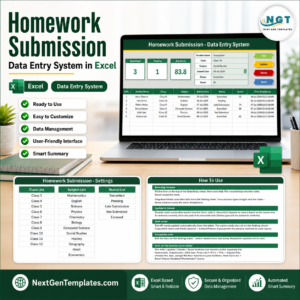
🎓 Homework Submission Data Entry System in Excel — the same one-screen form + KPI architecture, built for tracking student assignments.
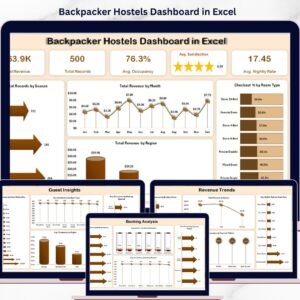
🏨 Backpacker Hostels Dashboard in Excel — a 5-page analytics dashboard for hostel revenue, occupancy, and guest satisfaction.
🛠️ Maintenance Work Order Data Entry System in Excel — log repair requests for hostel facilities with the same Add/Update/Delete workflow.
Browse the full collection of Excel VBA Tools and Excel Dashboard Templates for more one-time-purchase systems.
📖 Click here to read the Detailed Blog Post
🎥 Visit our YouTube channel for step-by-step video tutorials
👉 YouTube.com/@NextGenTemplates
Watch the demo video:
Compatibility and Requirements
- Works in Microsoft Excel desktop on Windows with macros enabled. The Add, Update, Delete and Reset buttons run on VBA, so the file does not run in Excel for the web, Google Sheets or mobile apps.
- Save the workbook as an Excel Macro-Enabled Workbook (.xlsm). Microsoft explains how to turn macros on in Enable or disable macros in Microsoft 365 files.
Related Hostel and Data Entry Templates
- Backpacker Hostel Management System Web App: a web app for running a hostel
- Hostel Duty Roster Calendar in Excel: plan staff duties for the hostel
- Hostel Duty Roster Calendar in Google Sheets: the roster calendar in Google Sheets
- Hotel Room Booking Data Entry System in Excel: the same entry form style for room bookings
- Backpacker Hostels Dashboard in Power BI: the hostel dashboard in Power BI
Browse all Excel education templates and Excel VBA tools.


















Reviews
There are no reviews yet.