

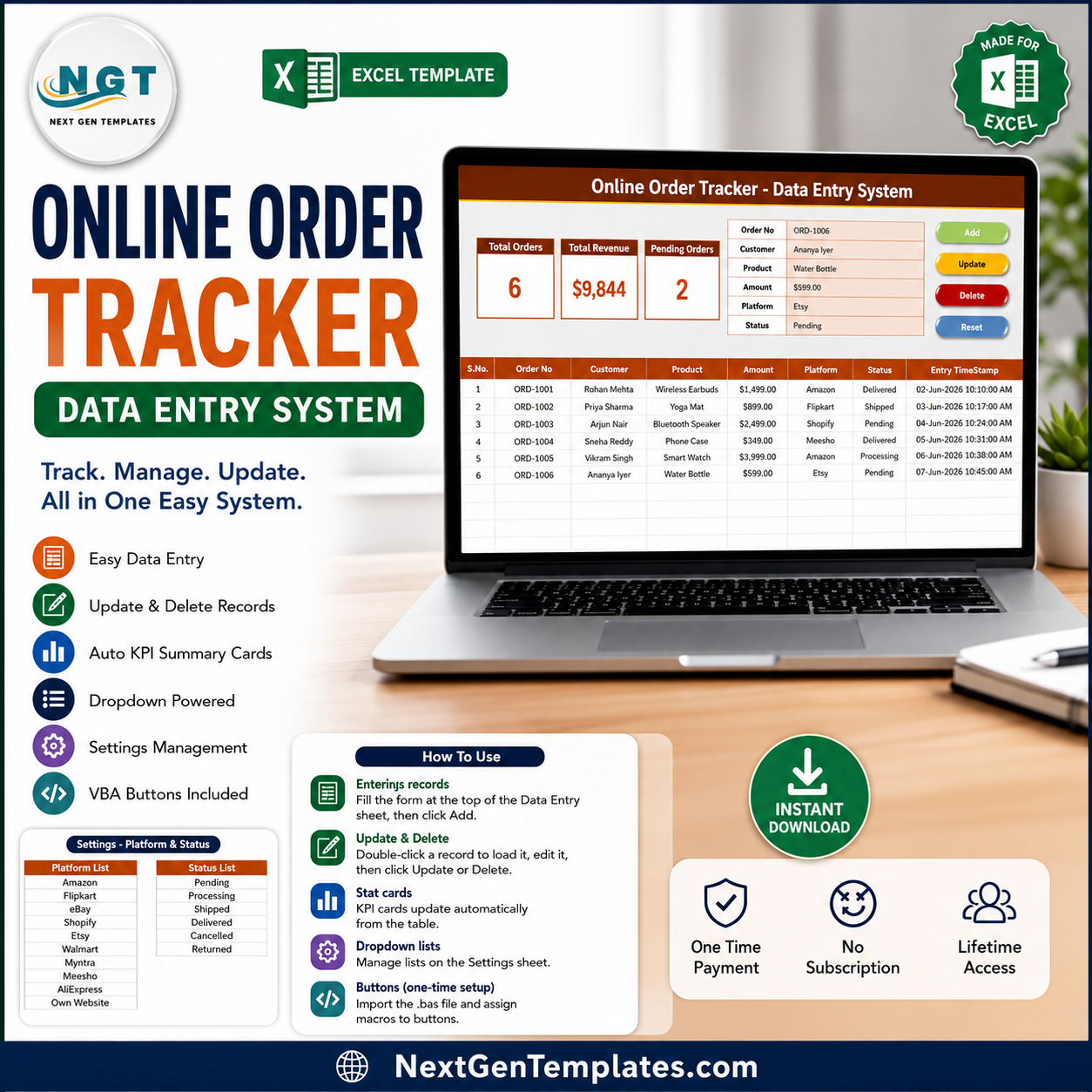

The Online Order Tracker Data Entry System in Excel logs every online order through one VBA-powered form, captures 9 fields per order (Order ID, Order Date, Customer Name, Product, Quantity, Order Amount, Sales Channel, Order Status, and Payment Status), and refreshes 5 live KPI cards — Total Orders, Pending Orders, Delivered Orders, Cancelled Orders, and Total Order Value — the instant you click Add. Setup takes under 5 minutes: enable macros, set your channels and statuses on the Setting sheet, then start logging orders Online Order Tracker Data Entry System in Excel.
🌍 Join 8,400+ teams in 40+ countries using NextGenTemplates to replace paid SaaS tools with one-time-purchase Excel, Google Sheets, Power BI, and HTML templates.
✅ Instant download · One-time payment · No subscription · No per-user fees · Lifetime access
🔑 Key Features of the Online Order Tracker Data Entry System
🟢 One-click VBA entry form – Add, Update, Delete, and Reset buttons handle the full record lifecycle. You never type directly into the table, so the formatting and KPI formulas stay intact across thousands of orders.
🟢 5 auto-calculating KPI cards – Total Orders, Pending Orders, Delivered Orders, Cancelled Orders, and Total Order Value recalculate every time you add or edit an order — no manual refresh and no pivot rebuilds.
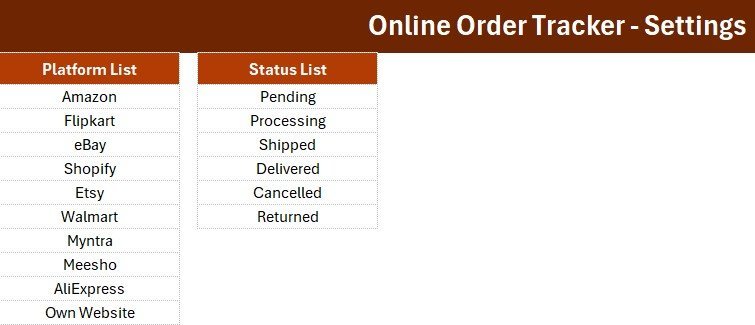
🟢 Dropdown-controlled data quality – Sales Channel, Order Status, and Payment Status pull from editable lists on the Setting sheet, so entries stay consistent and filterable instead of being free-typed.
🟢 Searchable records table – Every order lands in one structured table you can filter by channel, status, or date to answer ‘which orders are still pending?’ in seconds.
🟢 Works offline, owns your data – The file runs entirely in Microsoft Excel on Windows. No cloud account, no monthly fee, and your customer data never leaves your machine.
📦 What’s Inside the Online Order Tracker Data Entry System
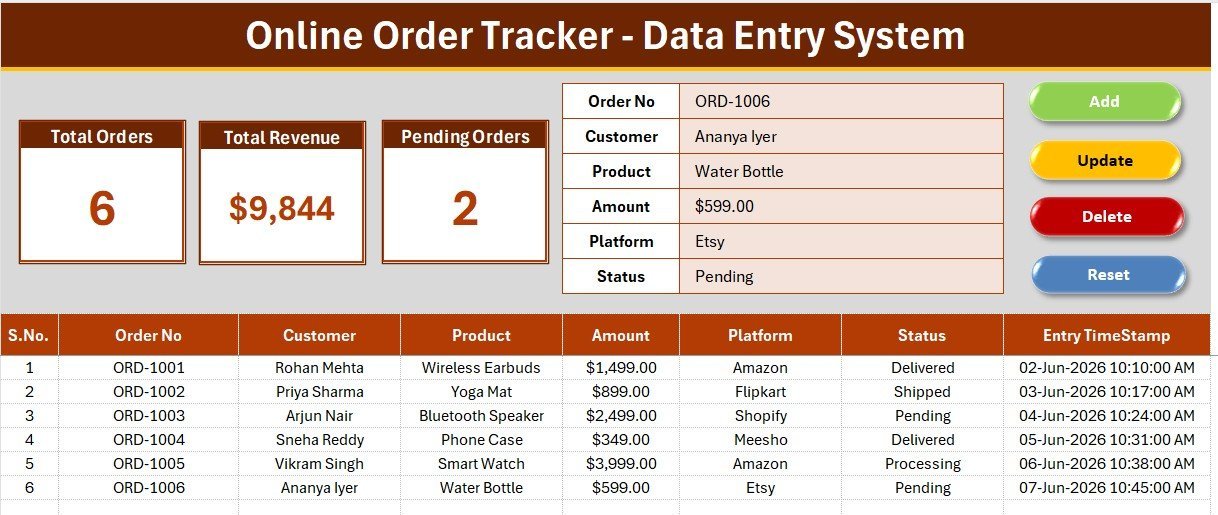
Order Entry Dashboard
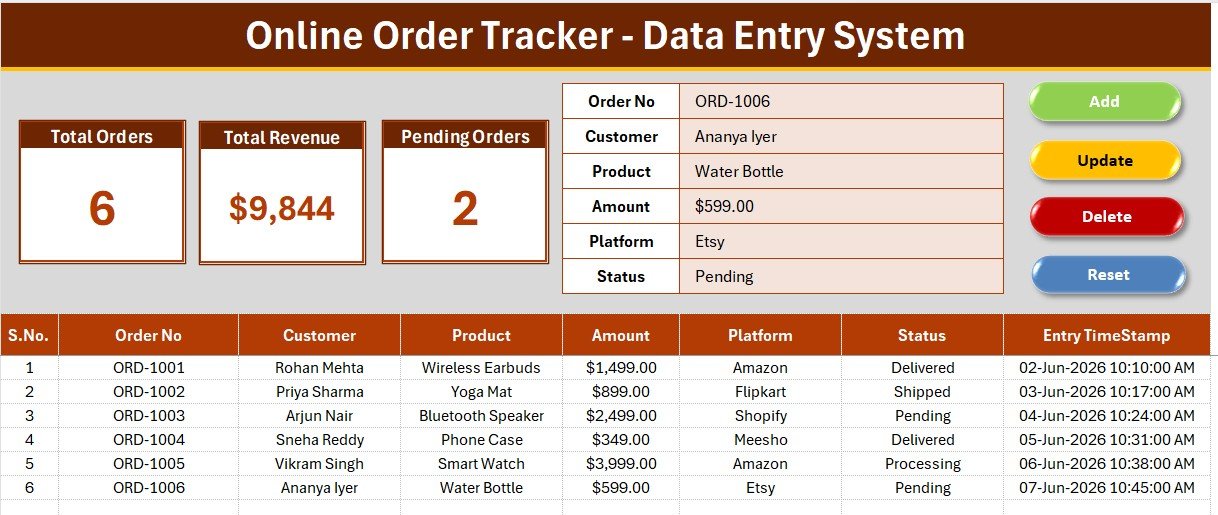
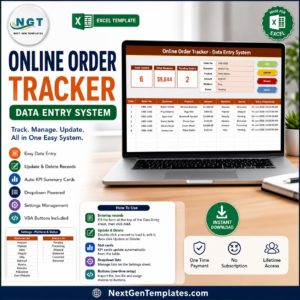
The main sheet combines the data-entry form, the 5 KPI stat cards, and the live order log in one view. Fill the form, click Add, and the order appears in the table while Total Orders, Pending, and Total Order Value update automatically Online Order Tracker Data Entry System in Excel.
Data Entry Form and Dropdown Fields
A closer look at the entry panel with its dropdowns for Sales Channel, Order Status, and Payment Status, alongside the Add, Update, Delete, and Reset buttons that run the underlying VBA macros. The dropdowns prevent typos so every order stays clean and reportable.
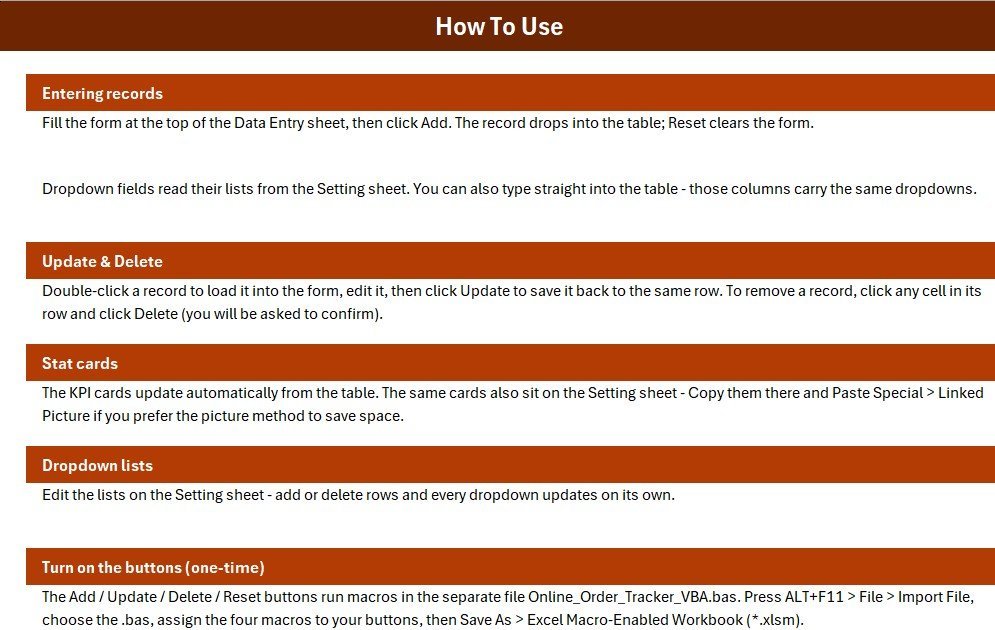
Order Records and Setup Guide
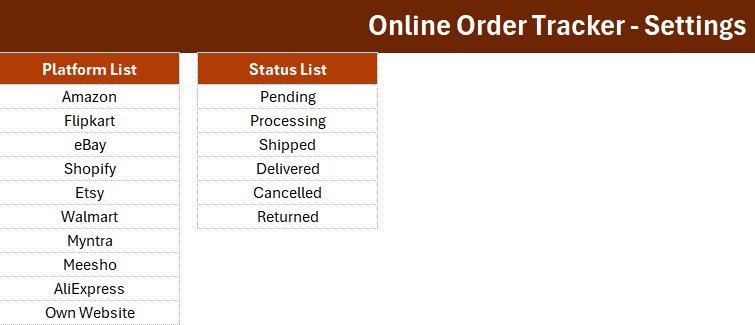
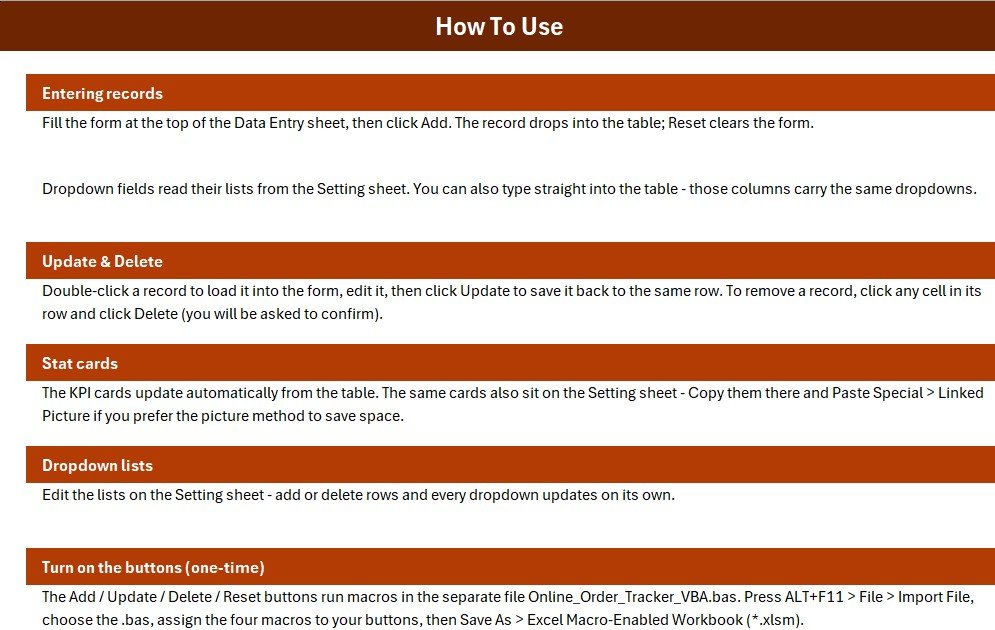
The records table holds the full order history for sorting and filtering, while the Setting and Instructions sheets let you edit dropdown values and follow a short step-by-step setup. Everything a new user needs sits inside the workbook.
📊 Online Order Tracker (Excel) vs. Google Sheets vs. Paid Order Management SaaS — Where This Fits
| Feature | Online Order Tracker (Excel) | Google Sheets order tracker | Zoho Inventory / Cin7 |
|---|---|---|---|
| Cost | $5.99 one-time | Free – $12 / month | $59 – $349 / month |
| Platform | Microsoft Excel (Windows) | Google Sheets (browser) | Cloud SaaS |
| Setup time | Under 5 minutes | 10 – 15 minutes | Hours to days |
| Works offline | ✅ Yes | ❌ Needs internet | ❌ Cloud only |
| One-click Add / Update / Delete (VBA) | ✅ Yes | Manual or Apps Script | Built-in |
| Live KPI cards | ✅ 5 built-in | Manual formulas | ✅ Yes |
| Customizable fields | ✅ Fully editable | ✅ Editable | ⚠️ Limited by plan |
| Real-time team collaboration | ❌ Single-user file | ✅ Yes | ✅ Yes |
| Year-1 cost at 5 users | $5.99 | $0 – $720 | $3,540 – $20,940 |
For solo sellers and small shops that want structured order tracking without a monthly bill, the Online Order Tracker Data Entry System sits in the sweet spot.
👥 Who This Template Is For — and Who It’s Not For
✅ This template is built for:
- Solo online sellers and small D2C or e-commerce shops handling 10–500 orders a month
- Instagram, WhatsApp, and marketplace sellers who track orders manually today
- Home bakers, boutiques, and hobby stores that want tidy records they fully own
❌ This template is NOT for:
- Large stores needing automatic marketplace or Shopify order sync
- Teams that need several people editing the same file at the same time
- Mac-only or mobile-only users, where Excel VBA macros do not run reliably
⚙️ How to Use the Online Order Tracker Data Entry System
- Download and unzip the file, then open it in Microsoft Excel on Windows.
- Click Enable Content to turn on macros — required for the entry buttons.
- Open the Setting sheet and edit the channel, order-status, and payment-status lists to match your business.
- On the dashboard, fill the form and click Add; use Update or Delete to edit records and Reset to clear the form.
💼 Real-World Use Cases
Anita runs a home-baking business through Instagram. She logs each cake order with the customer, product, amount, and COD or Paid status, then checks the Pending Orders and Total Order Value cards every evening to see what still needs to go out — without paying $59 a month for order-management software.
Rahul resells electronics on Amazon and his own website. He records both channels in one file, filters the records table to ‘Processing’ each morning, and watches Total Order Value climb as he marks orders Delivered.
Meera manages a small clothing boutique. She uses the Update button to move an order from Processing to Delivered and Delete to remove cancelled orders, keeping the KPI cards accurate for her month-end report.
❓ Frequently Asked Questions
What is the Online Order Tracker Data Entry System in Excel?
The Online Order Tracker Data Entry System in Excel is a VBA-powered workbook for logging and managing online orders. It captures 9 fields per order, updates 5 KPI cards automatically, and stores every record in one filterable order log.
Do I need to enable macros to use it?
Yes. The Online Order Tracker uses Excel VBA macros to power its buttons, so you must enable macros when the workbook opens. Once enabled, the Add, Update, Delete, and Reset buttons work with a single click.
Which fields does the order form capture?
The form captures Order ID, Order Date, Customer Name, Product, Quantity, Order Amount, Sales Channel, Order Status, and Payment Status — 9 fields in total that you can rename to fit your workflow.
Does it work on Mac or Google Sheets?
The Online Order Tracker Data Entry System is built for Microsoft Excel on Windows because it relies on VBA macros. It does not run on Google Sheets, and macro support on Mac and the mobile app is limited, so Windows is recommended.
How does this compare to paid order management software like Zoho Inventory?
Paid tools like Zoho Inventory or Cin7 cost $59–$349 per month and store data on vendor servers. The Online Order Tracker Data Entry System is a one-time $5.99 file that works offline and keeps every order on your own PC.
How long does setup take?
Setup takes under 5 minutes. Enable macros, edit the channel and status lists on the Setting sheet, and the Online Order Tracker Data Entry System is ready to log your first order.
👤 About the Author
Built by PK — Microsoft Certified Professional with 15+ years of Excel, Google Sheets, and Power BI experience. Founder of NextGenTemplates, reaching 300K+ subscribers across YouTube channels (@PK-AnExcelExpert, @NextGenTemplates, @NeoTechNavigators). Every template is hand-built and tested before release.
🔗 Explore Related Templates
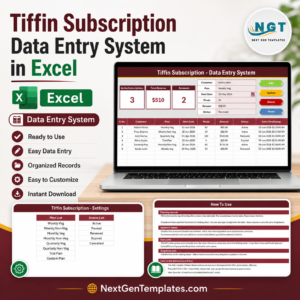
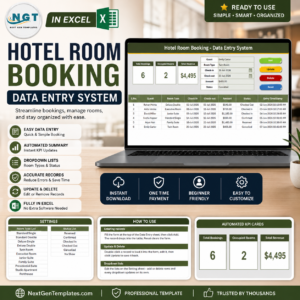
Handle other order and booking workflows with the matching Restaurant Order Data Entry System, Hotel Room Booking Data Entry System, and Tiffin Subscription Data Entry System. For appointments and members, see the Salon Appointment and Gym Membership systems, or browse all Excel VBA Tools and MS Excel templates.
📖 Click here to read the Detailed Blog Post
🎥 Visit our YouTube channel for step-by-step video tutorials
👉 YouTube.com/@NextGenTemplates
Watch the step-by-step video tutorial:
Compatibility and Requirements
- Made for Microsoft Excel on Windows (desktop app). The Add, Update, Delete and Reset buttons run on VBA macros, so macros must be enabled. Microsoft explains how to turn them on in Enable or disable macros in Microsoft 365 files.
- It does not run in Google Sheets, and macro support on Excel for Mac and the mobile apps is limited.


























Reviews
There are no reviews yet.