

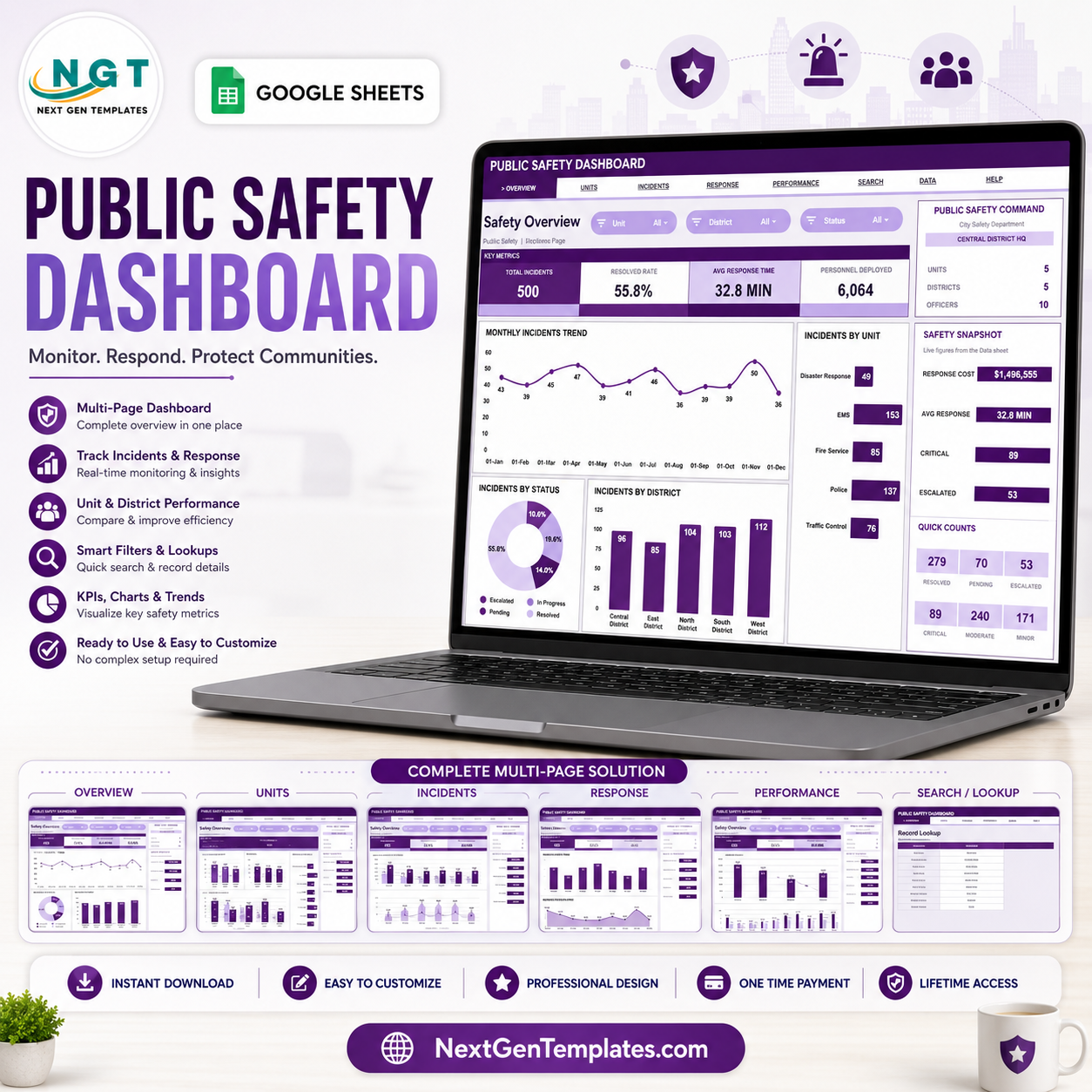

The Public Safety Dashboard in Google Sheets helps teams turn incident logs into fast operational views. NENA estimates 240 million 911 calls are made in the U.S. each year, and NFPA reports 42,687,000 fire department calls in 2024. Built by PK, creator of templates for a 300K+ subscriber learning audience, this editable Google Sheets dashboard gives agencies, analysts, and operations teams a one-time purchase, no subscription, and a clear way to review incidents, response time, costs, districts, and personnel deployment before moving into larger public safety software.
Key Features of Public Safety Dashboard in Google Sheets
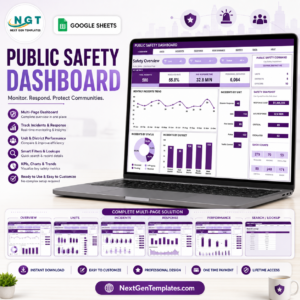
- Seven sheet tabs: Overview, Unit Performance, Incident Analysis, Response & Cost, Safety Performance, Search, and Data.
- High-level KPI cards: Track Total Incidents, Resolved Rate, Avg Response Time, and Personnel Deployed.
- Multiple slicers: Filter the dashboard quickly by the fields used in your public safety records.
- Operational trend charts: Review incidents by month, unit, status, district, type, channel, severity, and officer.
- Cost and response views: Compare response cost and average response time by month, district, unit, and channel.
- Search sheet: Select an Incident ID and display the full record without scanning the database manually.
- Editable data sheet: Replace the sample records with your own incidents in the same column format.
- Google Sheets format: Copy to Drive, share with stakeholders, and update from any browser.
What’s Inside the Public Safety Dashboard in Google Sheets
Overview Page
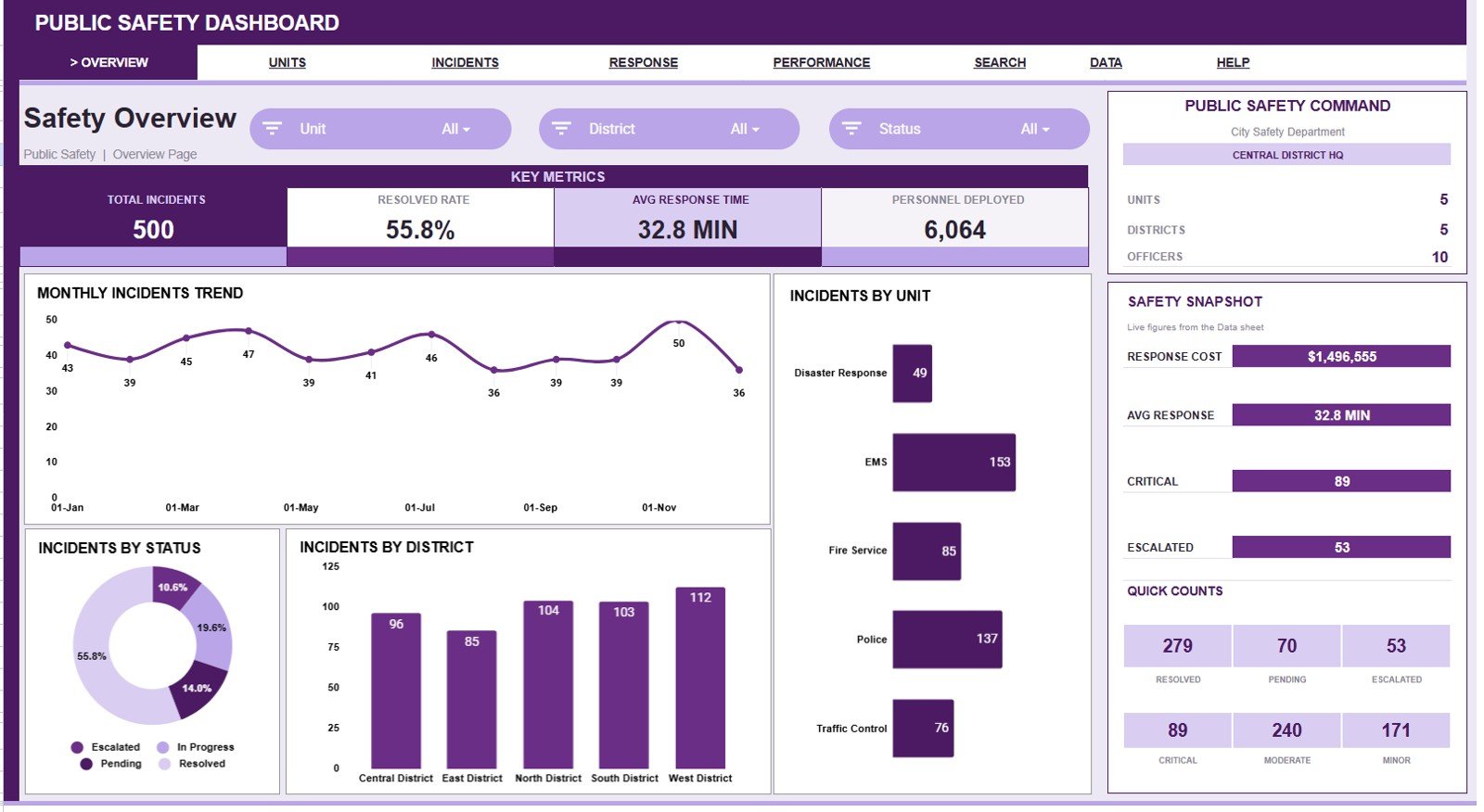
The Overview Page shows four cards for Total Incidents, Resolved Rate, Avg Response Time, and Personnel Deployed. It also includes slicers so leadership can filter the dashboard and review the public safety picture quickly.
Incidents by Month: This chart shows how incident volume changes across the year. It helps identify peak months that may need extra staffing, patrol planning, or follow-up review.
Incidents by Unit: This chart compares workload by response unit. It helps managers spot which units handle the highest number of public safety records.
Incidents by Status: This chart separates resolved, pending, active, or other status groups. It helps teams monitor closure progress and open workload.
Incidents by District: This chart shows where incidents are concentrated by district. It helps compare service demand across neighborhoods, zones, or command areas.
Unit Performance
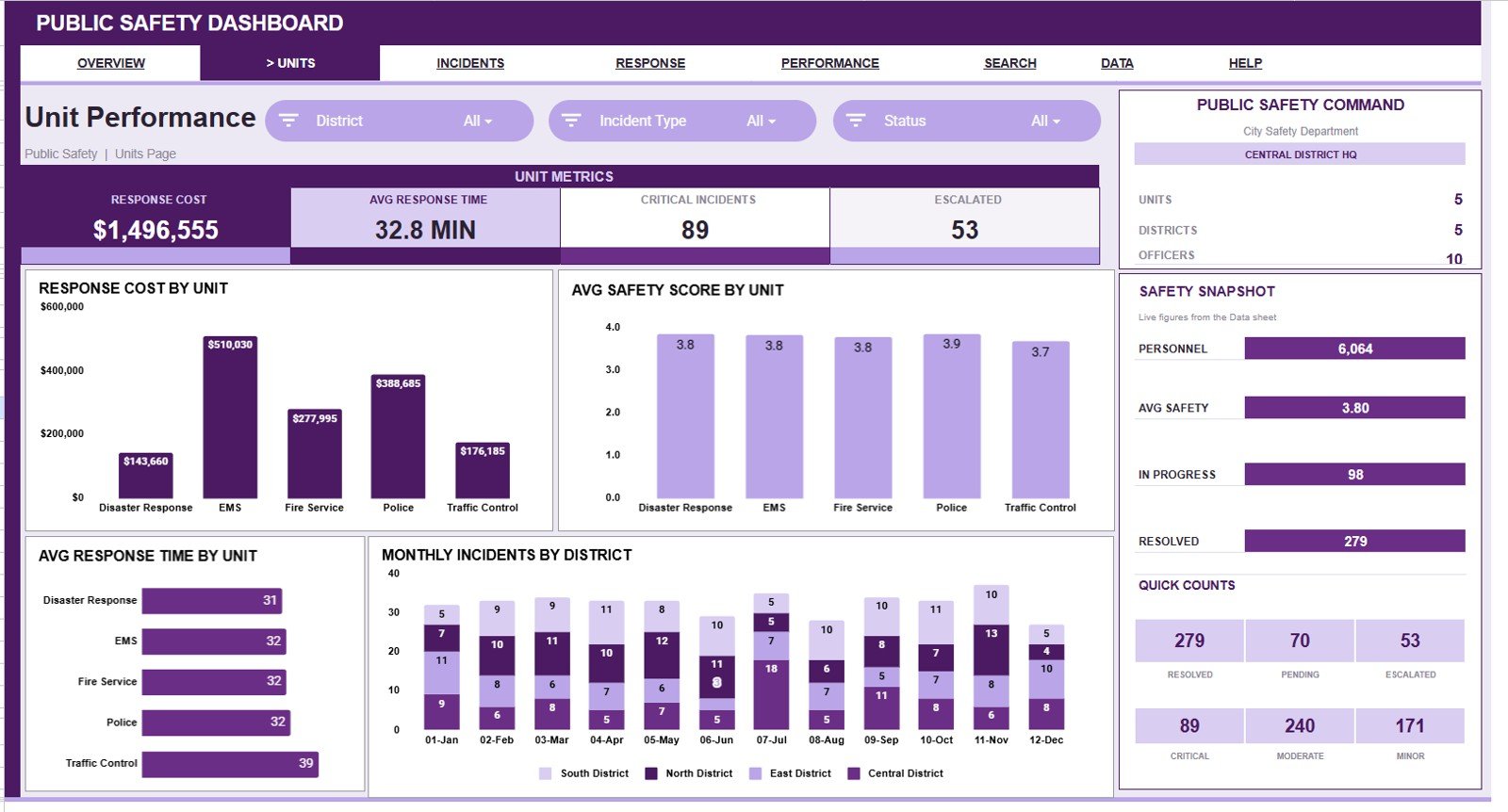
This sheet compares Response Cost by Unit, Avg Safety Score by Unit, Avg Response Time by Unit, and Monthly Incidents by District. It is useful for reviewing how each public safety unit performs across workload, cost, speed, and safety outcomes.
Incident Analysis
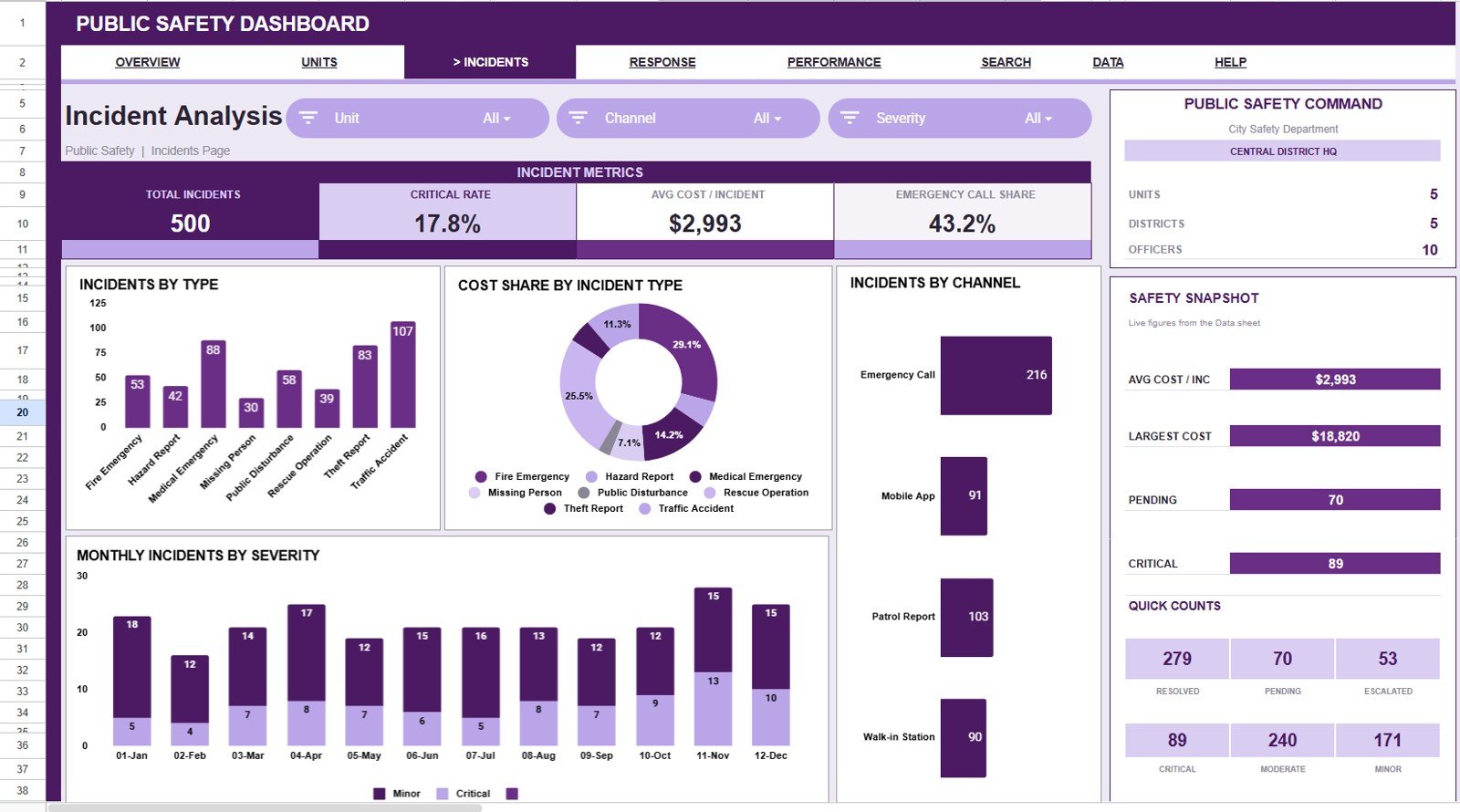
This sheet explains Incidents by Type, Cost Share by Incident Type, Incidents by Channel, and Monthly Incidents by Severity. It helps analysts understand what kinds of incidents occur, how they arrive, how severe they are, and which categories drive cost.
Response & Cost
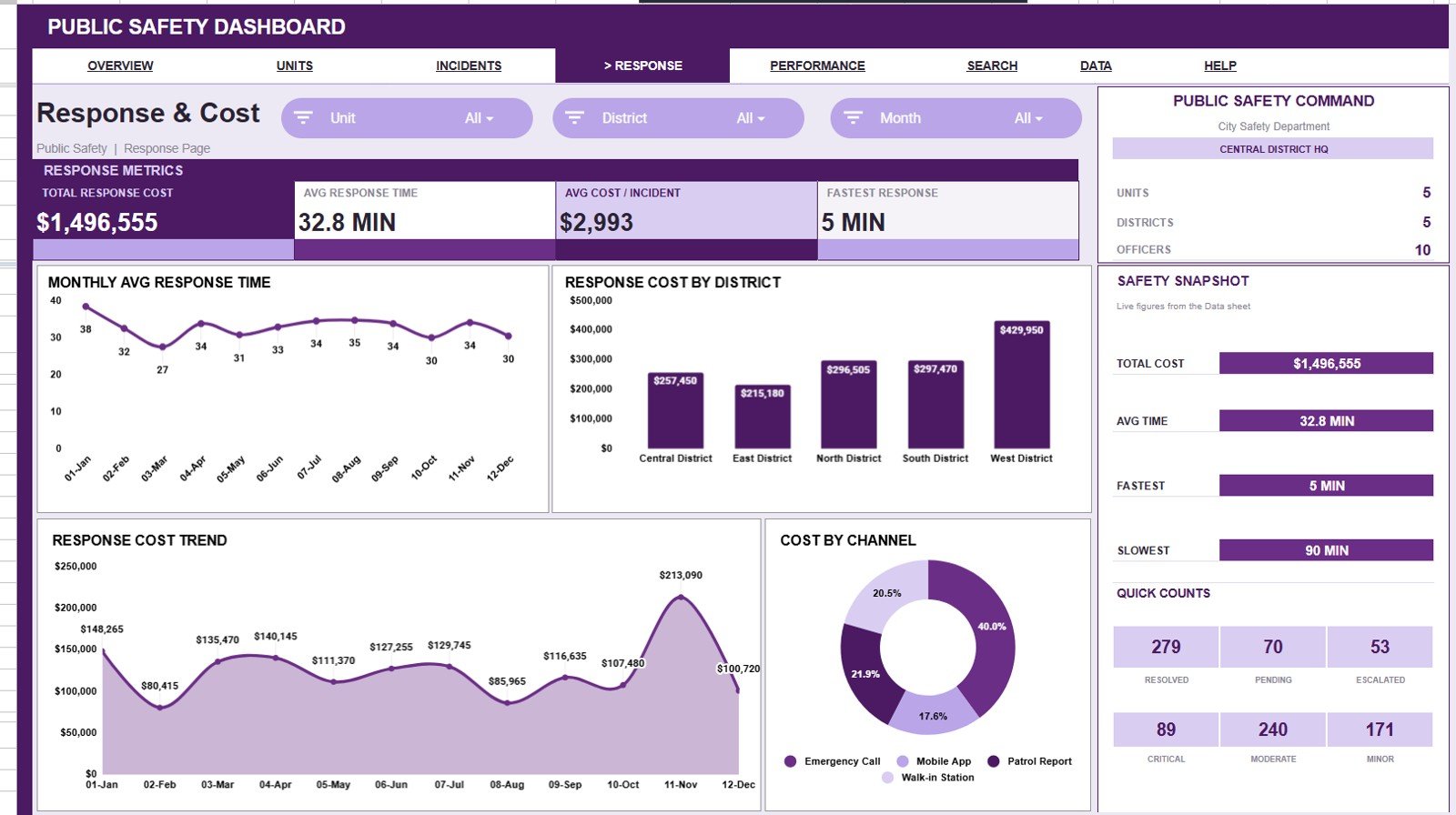
This sheet covers Avg Response Time by Month, Response Cost by District, Response Cost by Month, and Cost by Channel. It helps connect public safety activity with the time and cost required to respond.
Safety Performance
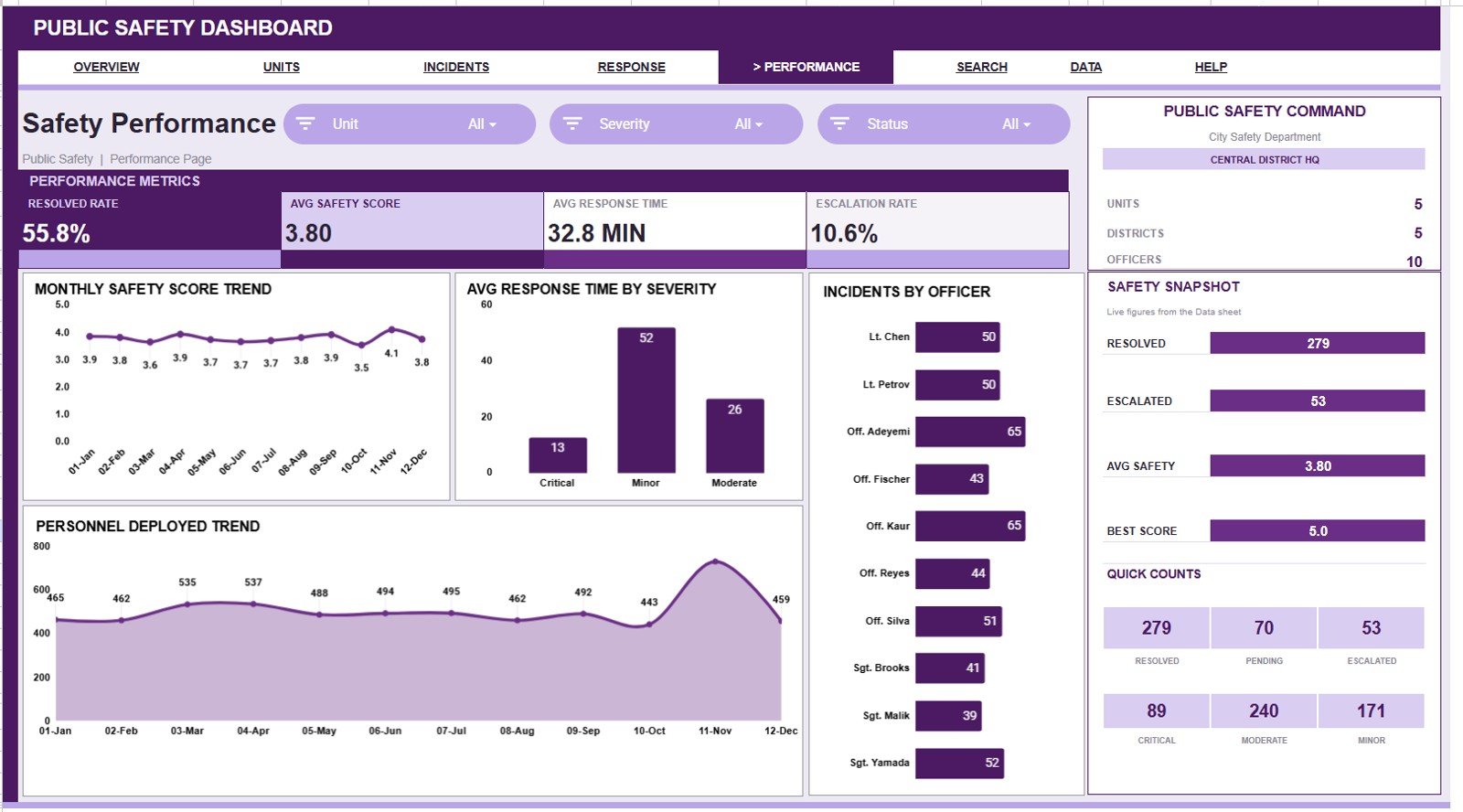
This sheet reviews Safety Score by Month, Avg Response Time by Severity, Personnel Deployed by Month, and Incidents by Officer. It helps supervisors track safety score movement, personnel usage, and officer-level incident volume.
Search Sheet Tab
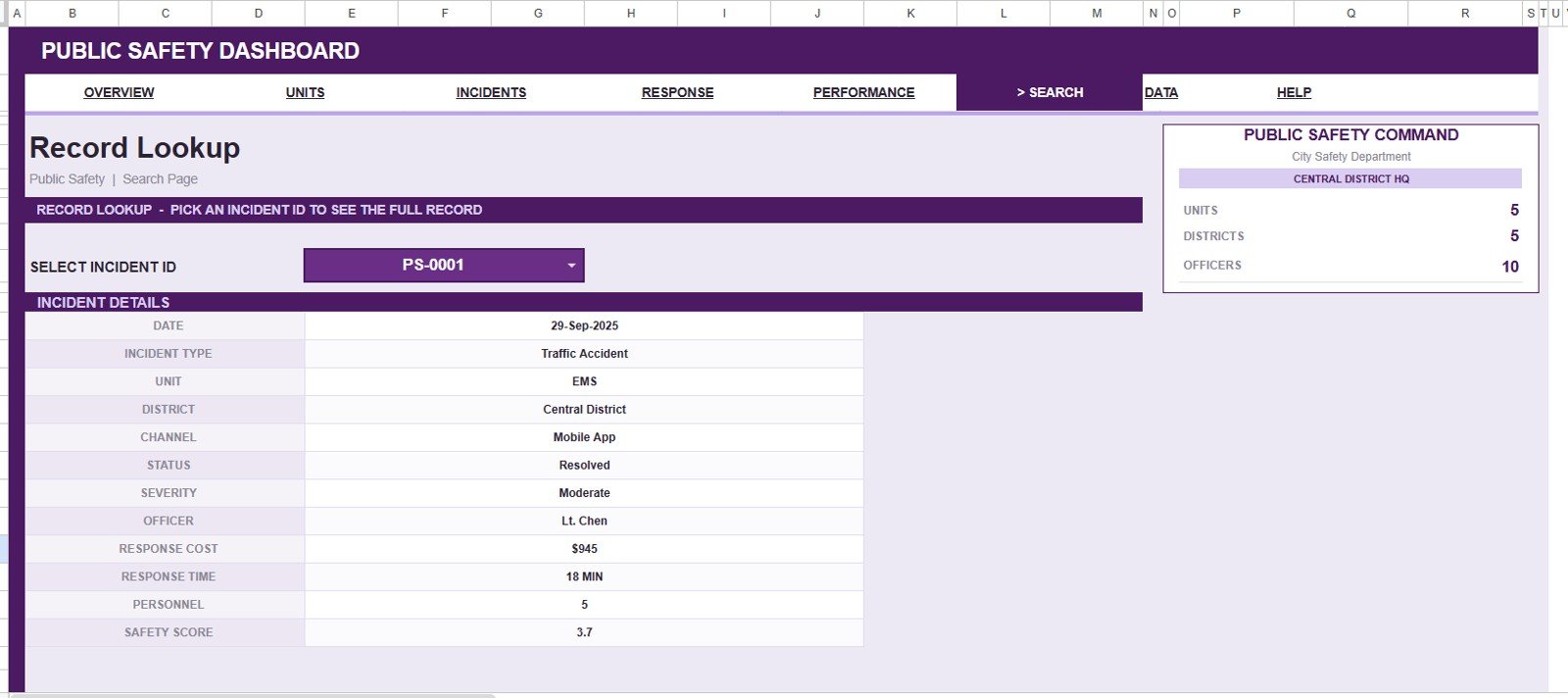
The Search sheet lets you select an Incident ID and instantly view the full public safety record details, including date, incident type, unit, district, channel, status, severity, officer, response cost, response time, personnel, and safety score.
Data Sheet Tab
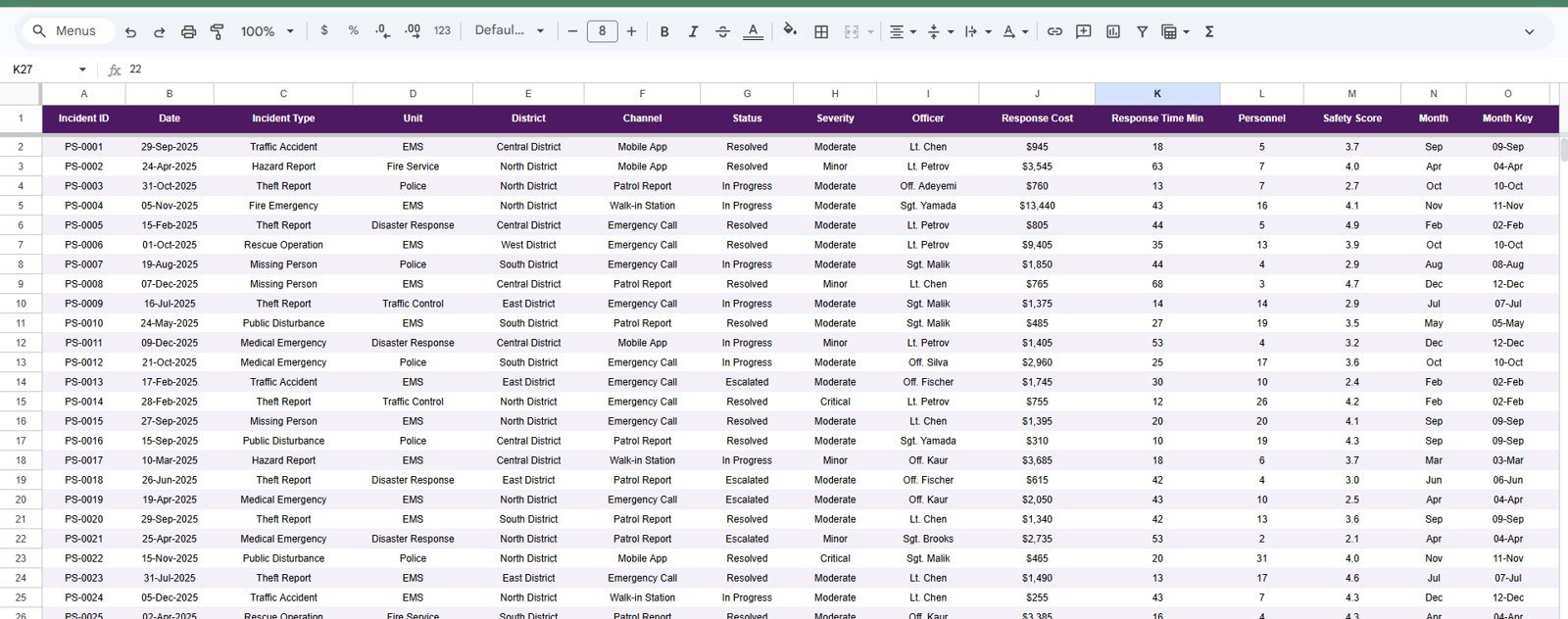
The Data sheet is where you add or paste your public safety records in the same format as the sample table. Keep the column structure consistent so charts, cards, slicers, and the search view can update correctly.
Public Safety Dashboard in Google Sheets vs. Microsoft Excel Dashboard vs. Paid Public Safety SaaS – Where This Fits
| Feature | This Google Sheets dashboard | Microsoft Excel dashboard | Paid public safety SaaS |
|---|---|---|---|
| Cost | $9.99 sale price, one-time | Template cost plus Microsoft licensing | Often monthly or annual per user |
| Platform | Google Sheets in Drive | Excel desktop or web | Vendor-hosted application |
| Setup time | Copy the file and replace sample data | Open workbook and customize | Requires onboarding and configuration |
| Real-time team collaboration | Built into Google Sheets sharing | Available through Microsoft sharing tools | Usually included by account role |
| Mobile access | Google Sheets mobile app or browser | Excel mobile app | Usually included |
| Customizable fields | Editable sheet columns and labels | Editable workbook structure | Depends on vendor settings |
| Share with link | Yes, through Google Drive permissions | Yes, through OneDrive or SharePoint | Usually invite-based |
| Year-1 cost at 5 users | $9.99 before any Google Workspace costs | Template plus license costs | Can rise quickly with users and modules |
| Incident search | Incident ID lookup sheet included | Must be built or customized | Usually included |
| Best fit | Small teams needing practical analysis | Teams standardized on Excel | Agencies needing dispatch/RMS workflows |
Who This Template Is For – and Who It’s Not For
This template is for public safety analysts, local government teams, operations managers, emergency response coordinators, security teams, and training teams that need a structured view of incident records in Google Sheets. It works well when you already have incident data and want a faster way to review workload, response time, cost, severity, and safety score.
It is not a computer-aided dispatch system, records management system, case management platform, legal evidence system, or emergency notification tool. If you need live dispatch, CJIS-controlled workflows, body camera evidence handling, or regulatory audit trails, use dedicated public safety software and treat this dashboard as a lightweight reporting companion.
How to Use the Public Safety Dashboard in Google Sheets
- Open the PDF guide from your purchase and copy the Google Sheets template to your Drive.
- Go to the Data sheet and replace the sample rows with your own incident records.
- Keep the same column format for Incident ID, date, type, unit, district, channel, status, severity, officer, cost, time, personnel, and safety score.
- Use slicers on the dashboard pages to filter by the fields you need for a review meeting.
- Use the Search sheet to select one Incident ID and inspect the full record quickly.
Real-World Use Cases
Maria, a city operations analyst: uses the Overview Page to brief leaders on monthly incident volume, resolved rate, and average response time before weekly public safety meetings.
James, an emergency response coordinator: reviews Unit Performance to compare response cost, safety score, and average response time across teams.
Anika, a campus security manager: uses the Search sheet to look up individual incident records during internal reviews without scrolling through the full data table.
Frequently Asked Questions
What data can I track in this dashboard?
You can track incident ID, date, incident type, unit, district, channel, status, severity, officer, response cost, response time, personnel deployed, and safety score.
Does this template connect to dispatch or police records software?
No. This is an editable Google Sheets dashboard. You manually paste or enter data into the Data sheet.
Can I customize the units, districts, statuses, and incident types?
Yes. The file is editable, so you can adjust labels and records to match your local reporting structure.
Can multiple people use it together?
Yes. After copying the file to Google Drive, you can share it with view or edit access depending on your team workflow.
Does it include a search function?
Yes. The Search sheet lets you select an Incident ID and view the full record details in one place.
Is this suitable for confidential or regulated public safety data?
Use your organization’s data governance rules before entering sensitive data. This template is a reporting tool, not a regulated evidence or records management system.
About the Author
Built by PK – Microsoft Certified Professional with 15+ years of Excel, Google Sheets, and Power BI experience. Founder of NextGenTemplates, reaching 300K+ subscribers across YouTube channels. Every template is hand-built and tested before release.
Explore Related Templates
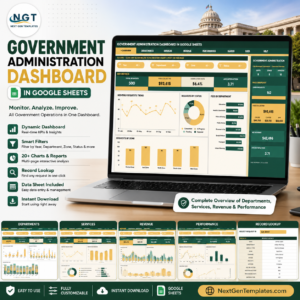
- Government Administration Dashboard in Google Sheets for broader public-sector operations reporting.
- Municipal Services KPI Scorecard in Google Sheets for local government KPI tracking.
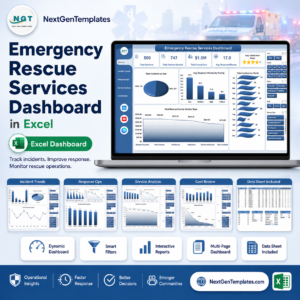
- Emergency Rescue Services Dashboard in Excel for rescue response analysis in Excel.
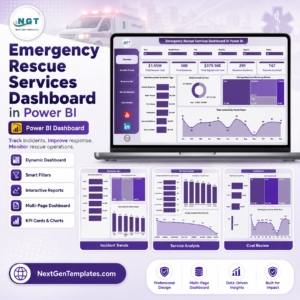
- Emergency Rescue Services Dashboard in Power BI for BI-style rescue service reporting.
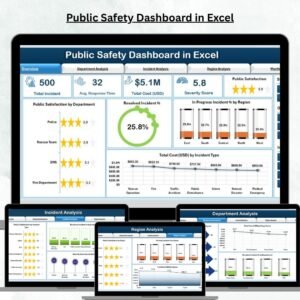
- Public Safety Dashboard in Excel for teams standardized on Microsoft Excel.
- Browse more Google Sheets templates and Google Sheets dashboard templates.
Get the Public Safety Dashboard in Google Sheets to turn incident records into a clear, filterable reporting system for public safety reviews.
Watch the step-by-step video Demo:
Last updated: July 17, 2026.
Compatibility and Requirements
- Works in Google Sheets. You need a free Google account and a web browser.
- The dashboard uses charts, slicers and a Search sheet with an Incident ID selector. Google explains how charts work in Add and edit a chart.





























Reviews
There are no reviews yet.