

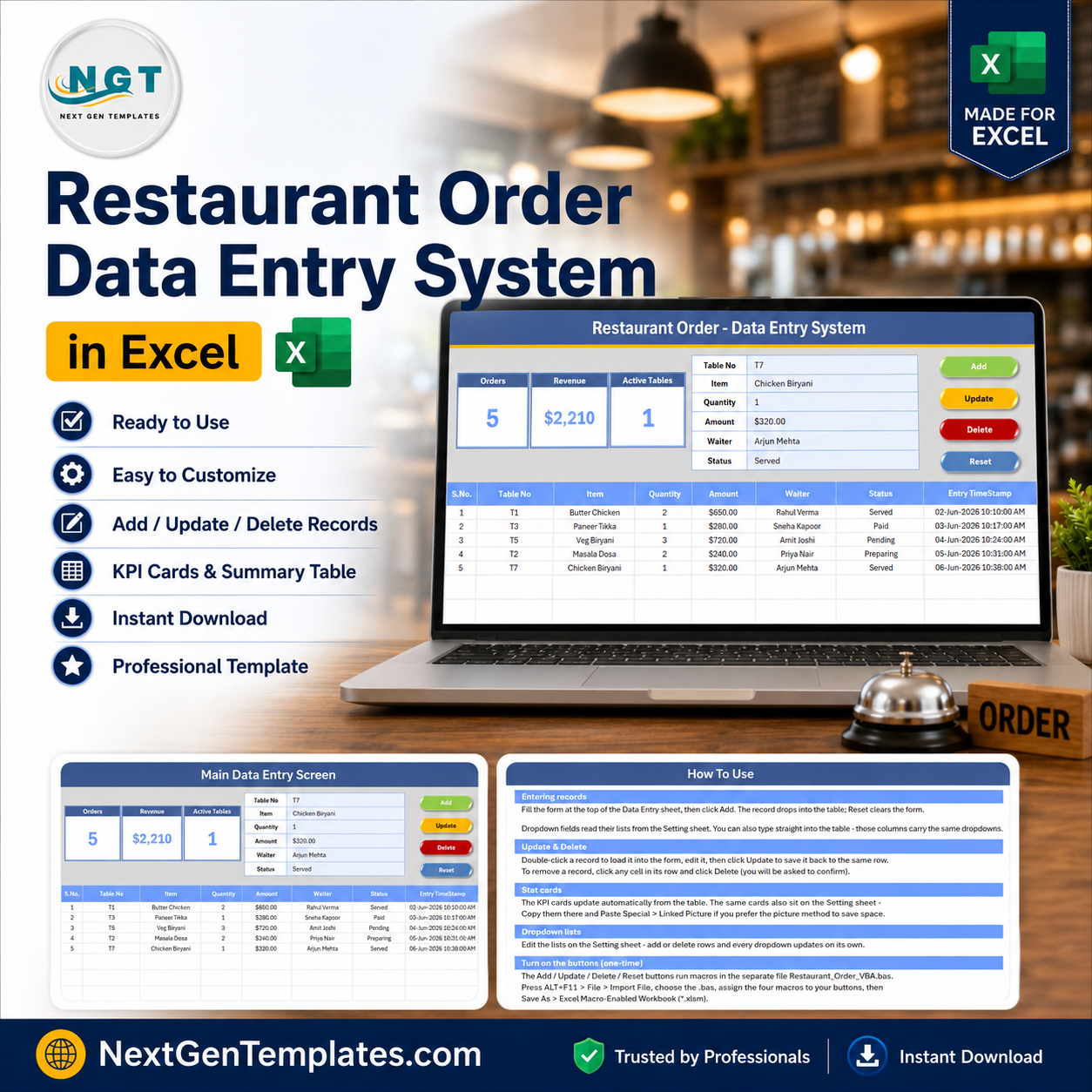

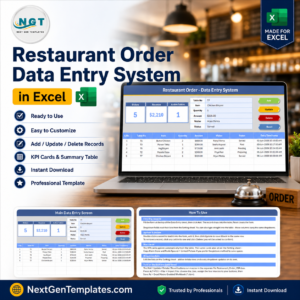
The Restaurant Order Data Entry System in Excel logs every table order across 6 fields and tracks 3 live KPIs — Orders, Revenue, and Active Tables — that recalculate the instant you click Add. Setup takes under 10 minutes: unzip, enable macros, edit the Waiter and Status dropdown lists, and start logging orders.
🌍 Join 8,400+ teams in 40+ countries using NextGenTemplates to replace paid SaaS tools with one-time-purchase Excel, Google Sheets, Power BI, and HTML templates.
✅ Instant download · One-time payment · No subscription · No per-user fees · Lifetime access
🔑 Key Features of the Restaurant Order Data Entry System in Excel
- 🔹 One-click VBA buttons – Add, Update, Delete, and Reset macros write each order to the records table, so servers never edit rows by hand or break a formula.
- 🔹 3 live KPI cards – Orders, Revenue, and Active Tables recalculate automatically from the Status column every time an order is added or edited, giving an instant read on the floor.
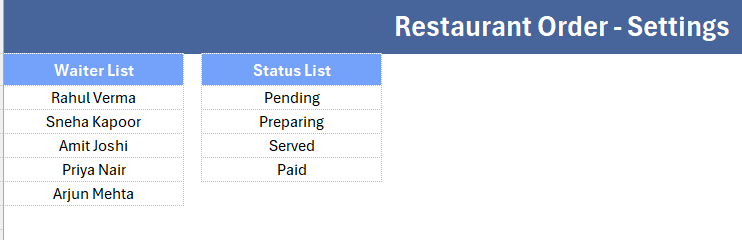
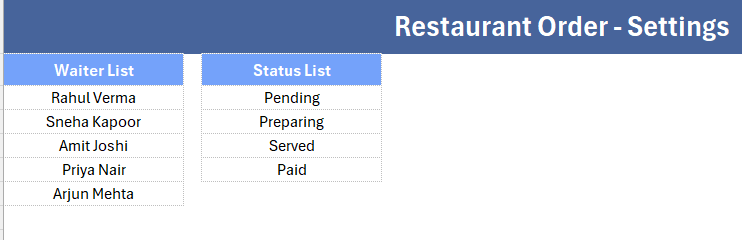
- 🔹 2 controlled dropdowns – Waiter (5 staff names) and Status (Pending, Preparing, Served, Paid) are wired through named ranges on the Setting sheet to keep every entry clean and consistent.
- 🔹 Auto records table – Each saved order gets an automatic S.No, a currency-formatted Amount, and an Entry TimeStamp, so the order log stays sorted and audit-ready.
- 🔹 Four organised sheets – Data Entry, Setting, Instructions, and Get More Templates keep the tool, its lists, and its guidance neatly separated.
📦 What’s Inside the Restaurant Order Data Entry System
Restaurant Order Dashboard
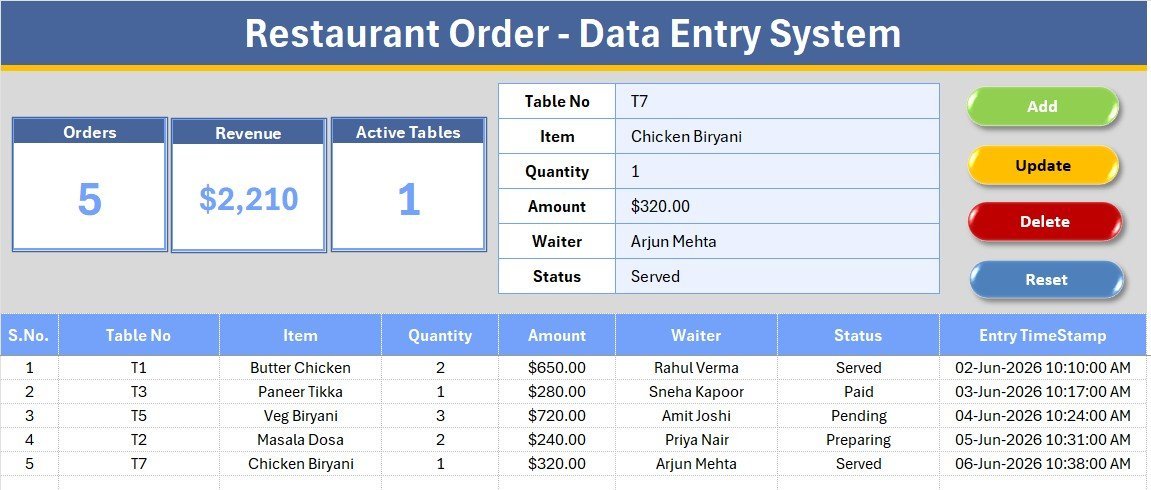
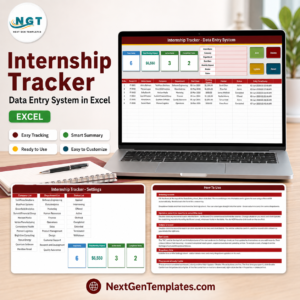
The main Data Entry screen pairs the order form — Table No, Item, Quantity, Amount, Waiter, Status — with three KPI cards (Orders, Revenue, Active Tables) and the Add, Delete, Update, and Reset buttons, all sitting above a live records table.
Order Records and Live KPI Tracking
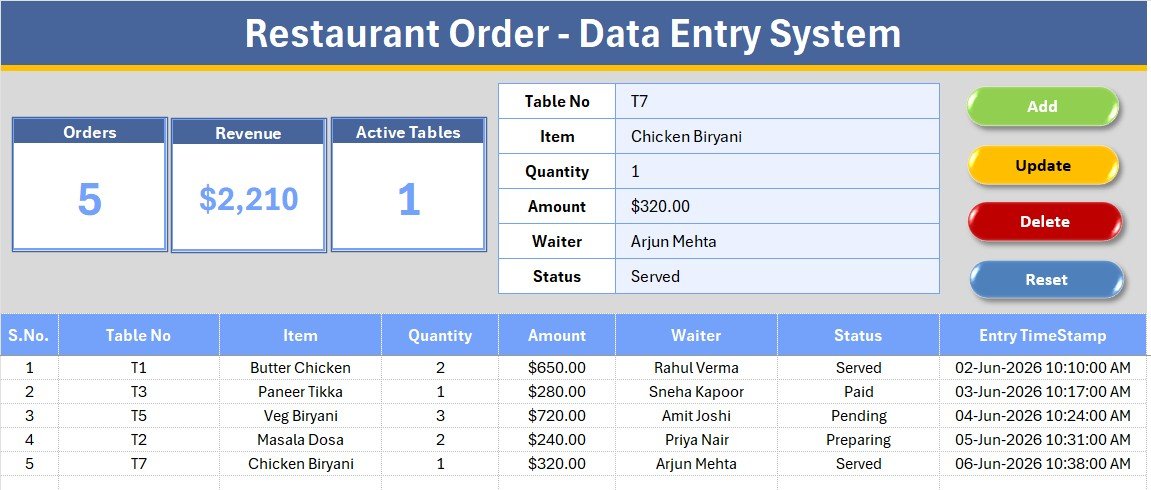
Every order added lands in the records table with its S.No, currency Amount, and time stamp, while the cards above update to show total orders, revenue collected, and how many tables still have a pending order.
Dropdown Settings and Easy Customization
The Setting sheet holds the source lists for Waiter and Status — edit them once and both dropdowns across the form update instantly, with no formula changes.
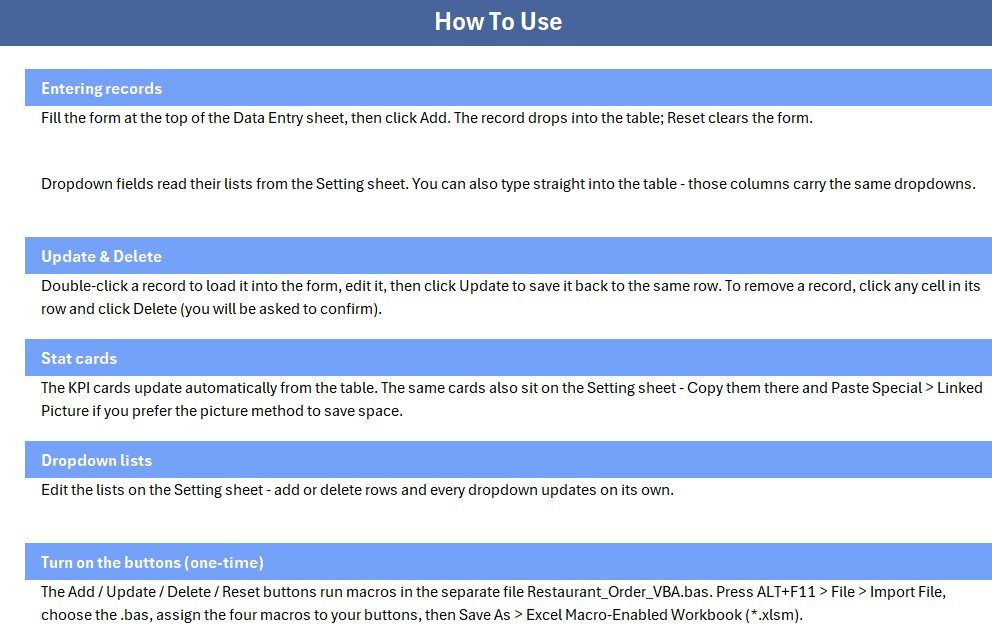
An Instructions sheet walks first-time users through activation, and a Get More Templates sheet links to related tools from our Excel VBA data-entry tools collection.
📊 Restaurant Order System vs. Google Sheets vs. Restaurant POS SaaS — Where This Fits
| Feature | Restaurant Order System (Excel) | Google Sheets equivalent | Restaurant POS SaaS (Toast / Square) |
|---|---|---|---|
| Cost | $5.99 one-time | Free but manual to build | $60–$165 / month |
| Platform | Microsoft Excel (offline) | Google Sheets (online) | Cloud SaaS + hardware |
| Setup time | Under 10 minutes | 2–4 hours | Days of onboarding |
| Order pipeline KPIs | ✅ Built-in (Orders, Revenue, Active Tables) | Manual formulas | ✅ Included |
| Works offline | ✅ Yes | ❌ Needs internet | ❌ Needs internet |
| Customizable fields | ✅ Fully editable | ✅ Editable | Limited to plan |
| Per-user fees | ✅ None | None | Charged per terminal |
| Year-1 cost at 5 users | $5.99 total | $0 plus your time | $720–$1,980 |
For small restaurants and cafés that want a clean order log without paying per-terminal POS fees, the Restaurant Order Data Entry System sits in the sweet spot.
👥 Who This Template Is For — and Who It’s Not For
✅ This template is built for:
- Independent restaurants, cafés, and dhabas logging table orders by hand or on paper tickets
- Small F&B outlets that want a shared, offline order register without a POS terminal
- Owners replacing a messy order pad with one structured Excel file
❌ This template is NOT for:
- Multi-outlet chains needing cloud-synced kitchen display systems or card payment integration
- Teams that require real-time table-side ordering from mobile devices
⚙️ How to Use the Restaurant Order Data Entry System
- Unzip the download and open the workbook in Microsoft Excel, enabling macros when prompted.
- Open the Setting sheet and edit the Waiter and Status lists to match your staff and workflow.
- Fill the form — Table No, Item, Quantity, Amount, Waiter, Status — and click Add to save the order.
- Select any record and use Update to edit it, Delete to remove it, or Reset to clear the form.
- Watch the Orders, Revenue, and Active Tables cards update automatically as the shift goes on.
💼 Real-World Use Cases
Ramesh runs a 12-table dhaba in Ghaziabad. He logs every order with table number and waiter name, checks the Active Tables card to see which tables are still waiting on food, and totals the day’s Revenue card at closing — without paying a monthly POS fee.
Sneha manages a 3-person café counter. Her team records orders in one shared file, marks each as Preparing or Served through the Status dropdown, and uses the Orders count to compare footfall day to day.
Vikram runs weekend catering out of his restaurant kitchen. He pairs this with the Food Delivery Dashboard in Google Sheets to track dine-in orders and delivery orders side by side.
❓ Frequently Asked Questions
What is the Restaurant Order Data Entry System in Excel?
It is a macro-powered Excel workbook that captures table orders across six fields and tracks Orders, Revenue, and Active Tables KPIs automatically, giving small restaurants a simple offline order register.
Do I need to enable macros to use it?
Yes. The Add, Update, Delete, and Reset buttons run on VBA, so enable macros when Excel prompts you. Once enabled, the Restaurant Order Data Entry System works entirely offline with no add-ins.
How do the Orders, Revenue, and Active Tables KPIs work?
Each KPI card reads the records table. Orders counts every logged order, Revenue sums the Amount column, and Active Tables counts orders still marked Pending — all recalculating the moment you add or edit an entry.
Can I change the Waiter and Status options?
Absolutely. Open the Setting sheet and edit the two lists; the form dropdowns update instantly through named ranges, so you can match the template to your own staff and order stages.
How does this compare to a restaurant POS system?
A POS platform like Toast or Square charges $60 to $165 per month per terminal. The Restaurant Order Data Entry System is a $5.99 one-time purchase that covers core order logging and revenue tracking for small restaurants and cafés.
How long does setup take?
Under 10 minutes. Unzip the file, enable macros, edit the Waiter and Status lists on the Setting sheet, and you can start logging orders right away.
👤 About the Author
Built by PK — Microsoft Certified Professional with 15+ years of Excel, Google Sheets, and Power BI experience. Founder of NextGenTemplates, reaching 300K+ subscribers across YouTube channels (@PK-AnExcelExpert, @NextGenTemplates, @NeoTechNavigators). Every template is hand-built and tested before release.
🔗 Explore Related Templates
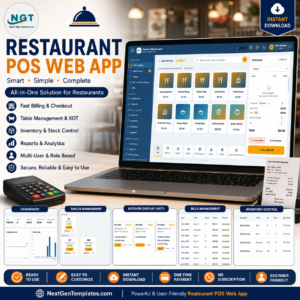
- Restaurant POS Web App – billing and kitchen order management for restaurants that want a full multi-user system.
- Property Enquiry Data Entry System in Excel – the same VBA data-entry pattern applied to real estate leads.
- Food Delivery Dashboard in Google Sheets – visualise delivery order trends alongside your dine-in log.
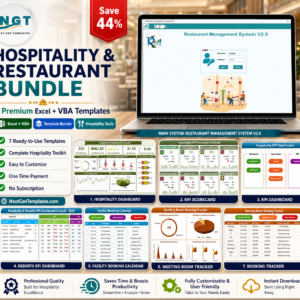
💎 Save up to 44% — get this style of tool alongside 6 more in the Hospitality & Restaurant Bundle. Or browse more Excel templates for every department.
📖 Click here to read the Detailed Blog Post
🎥 Visit our YouTube channel for step-by-step video tutorials
👉 YouTube.com/@NextGenTemplates
Watch the step-by-step video tutorial:





























Reviews
There are no reviews yet.