

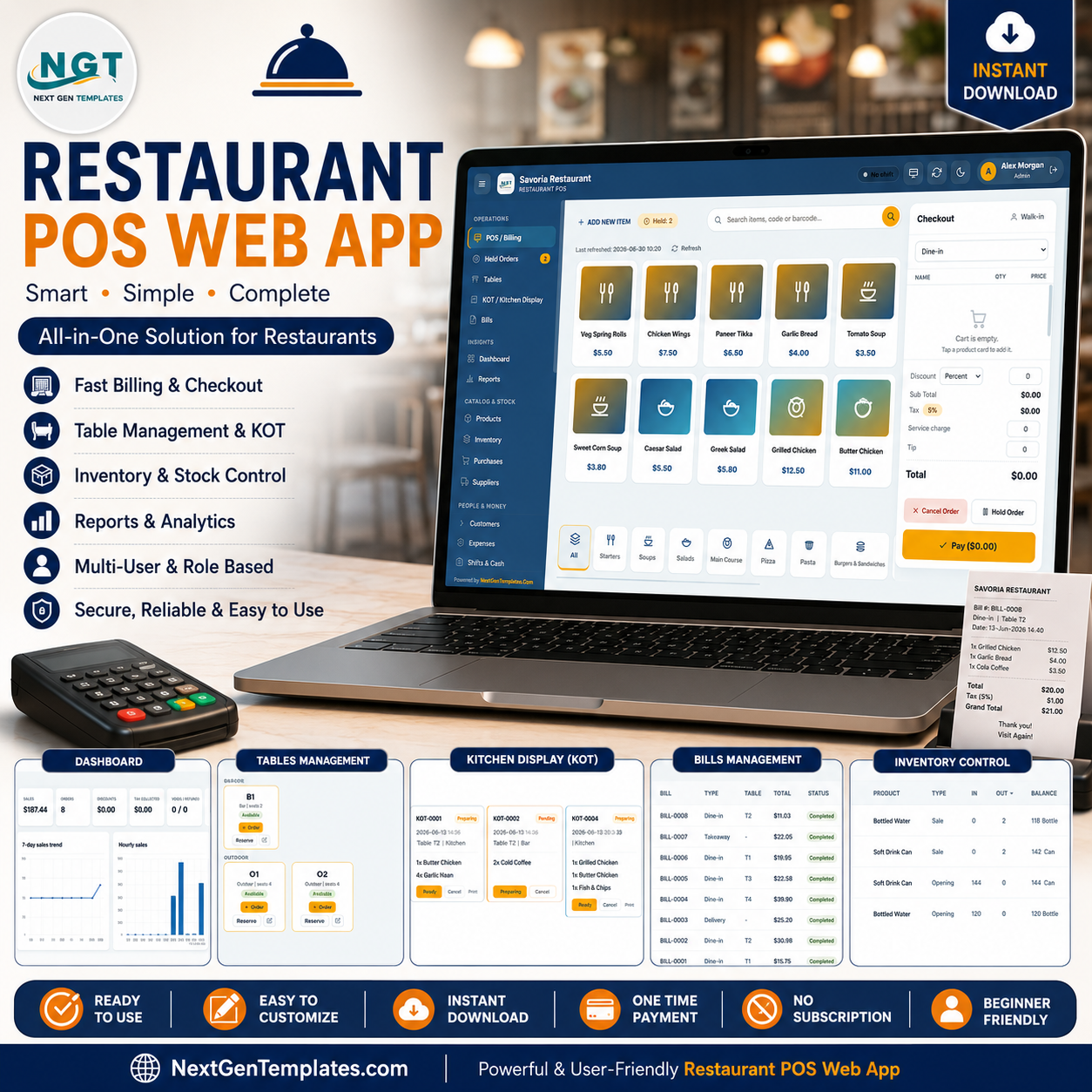
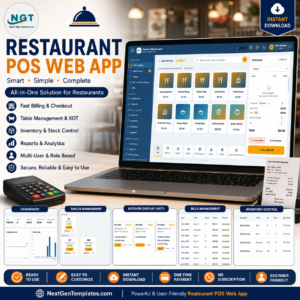
The Restaurant POS Web App runs an entire dine-in, takeaway, and delivery operation from a single browser tab — 20 connected screens, a 9-KPI sales dashboard, 19 built-in reports, and role-based login for Admin, Manager, Cashier, Waiter, Inventory User, and Viewer. Setup takes under 15 minutes: deploy the script, set your business profile, load your menu, and your team is live.
🌍 Join 8,400+ teams in 40+ countries using NextGenTemplates to replace paid SaaS tools with one-time-purchase Google Sheets and web app solutions.
✅ Instant download · One-time payment · No subscription · No per-user fees · Lifetime access
🔑 Key Features of the Restaurant POS Web App
🔹 Complete 20-screen restaurant suite — The Restaurant POS Web App covers every operational area from touch-screen billing to the audit trail, so a restaurant can run daily service without a monthly POS subscription.
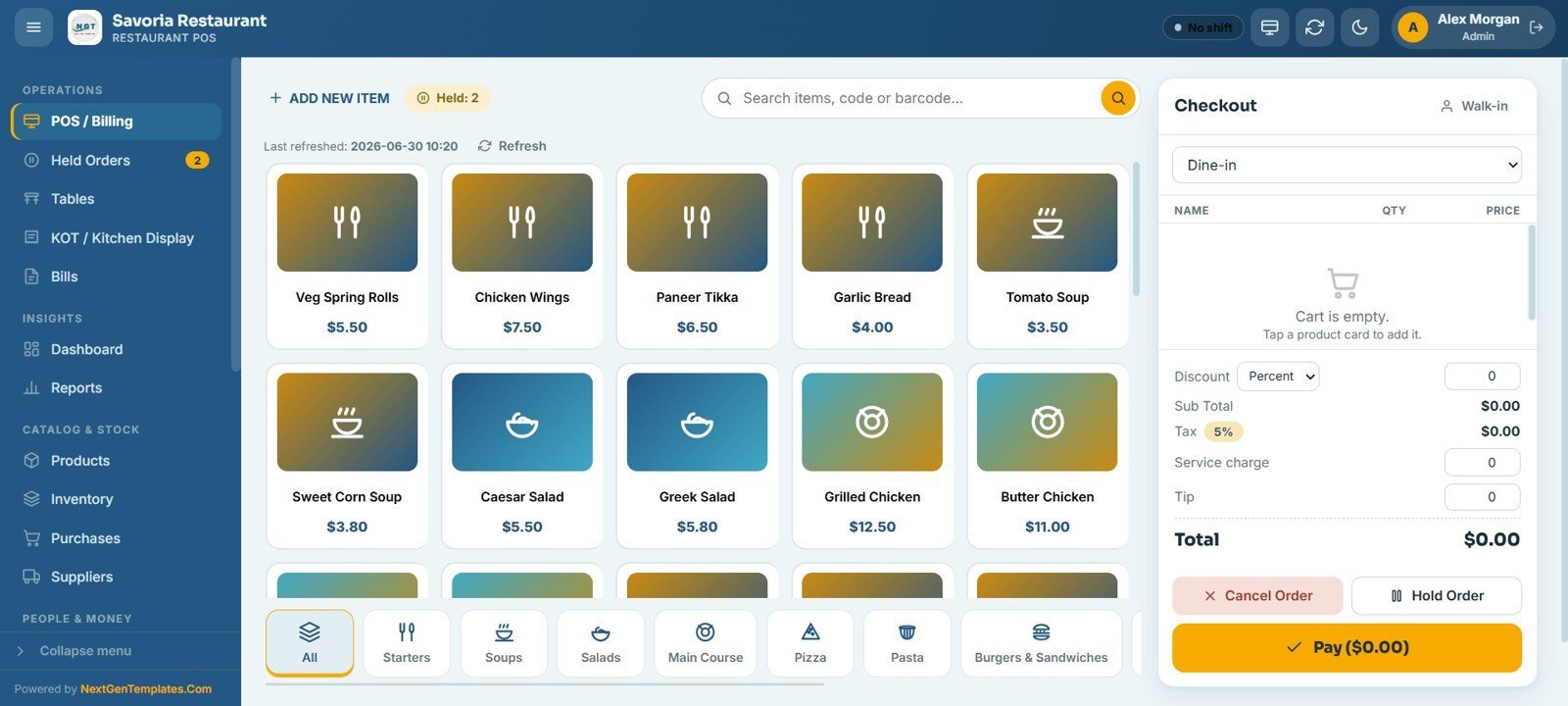
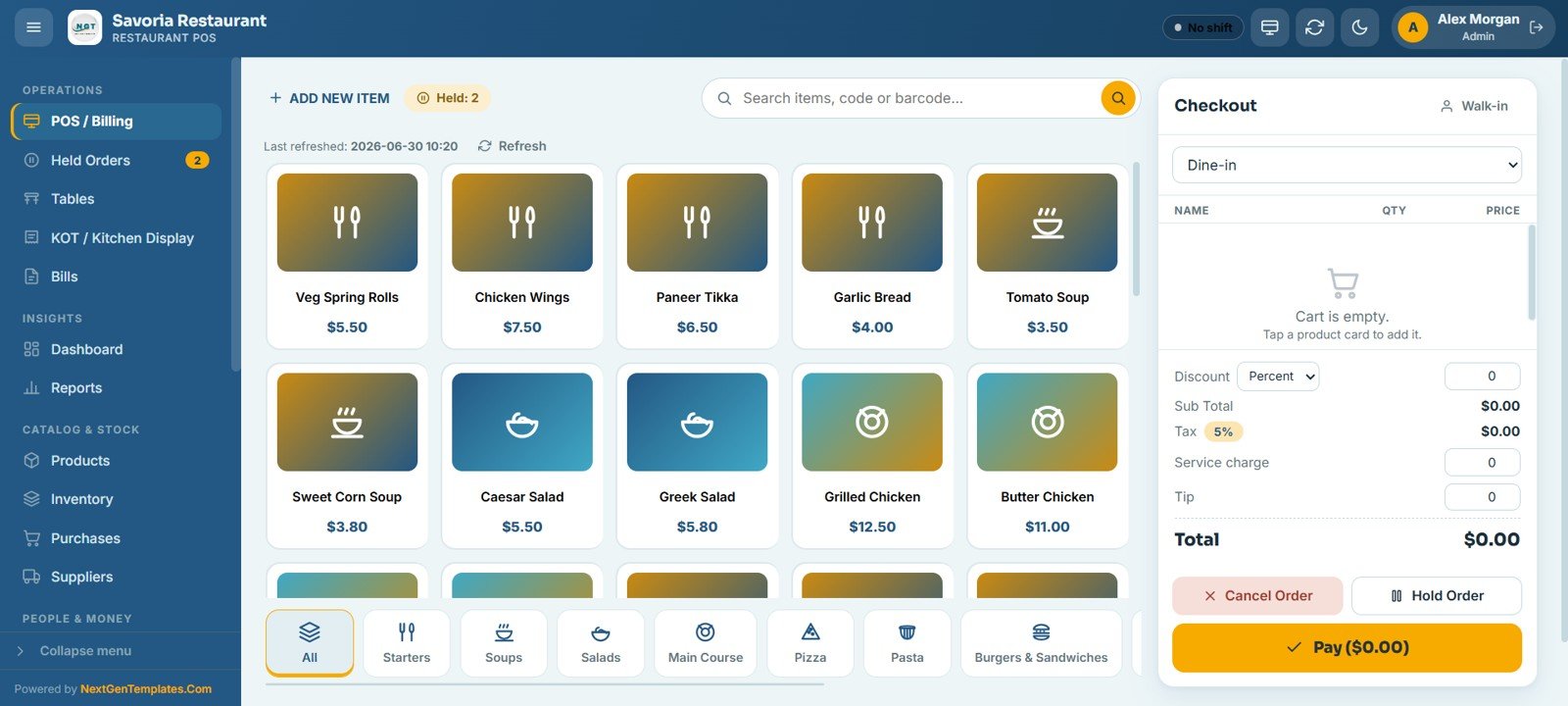
🔹 Touch-friendly POS with category-grouped menu cards — Staff build orders from image cards sorted into categories like Starters, Soups, Salads, Main Course, Pizza, Pasta, and Burgers & Sandwiches. The live checkout panel handles order type (Dine-in, Takeaway, Delivery, Counter), discount, 5% tax, service charge, tip, hold order, and final payment in one screen.
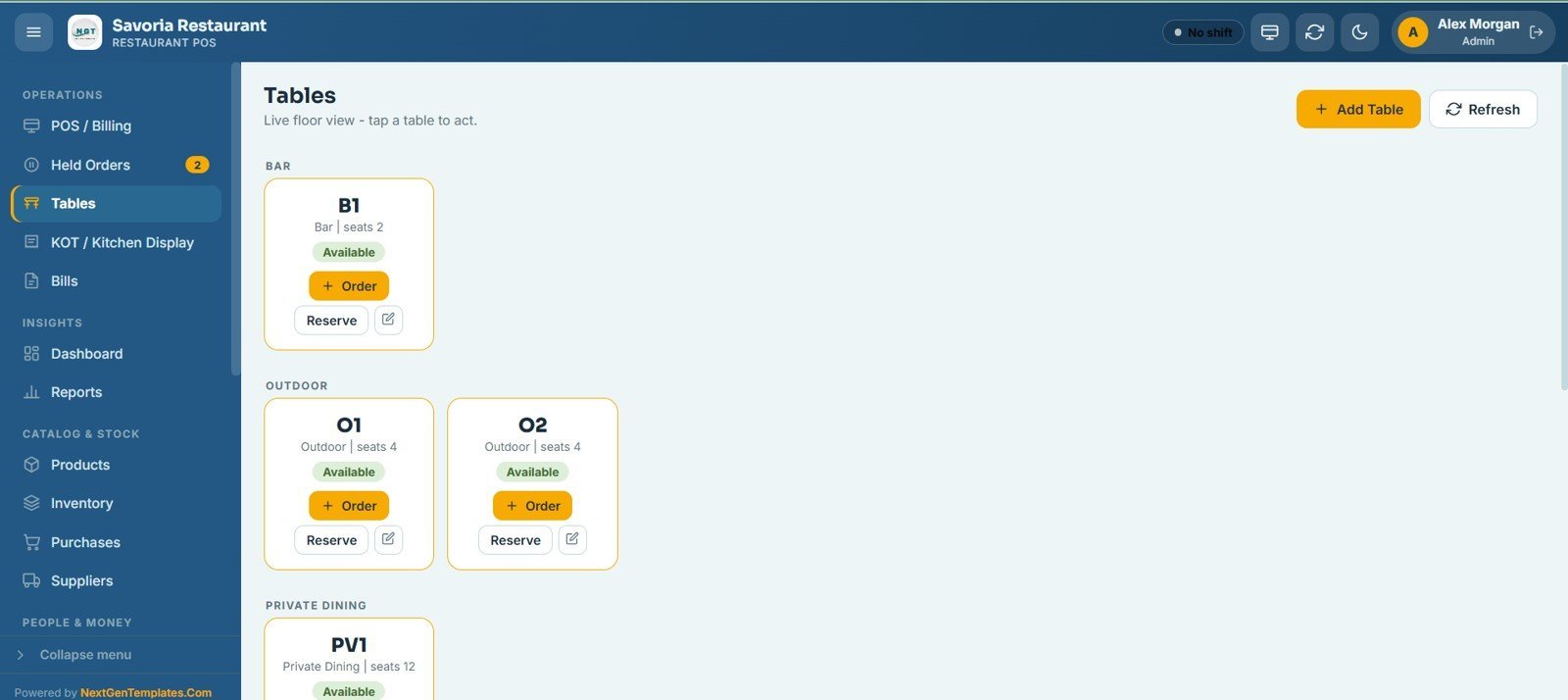
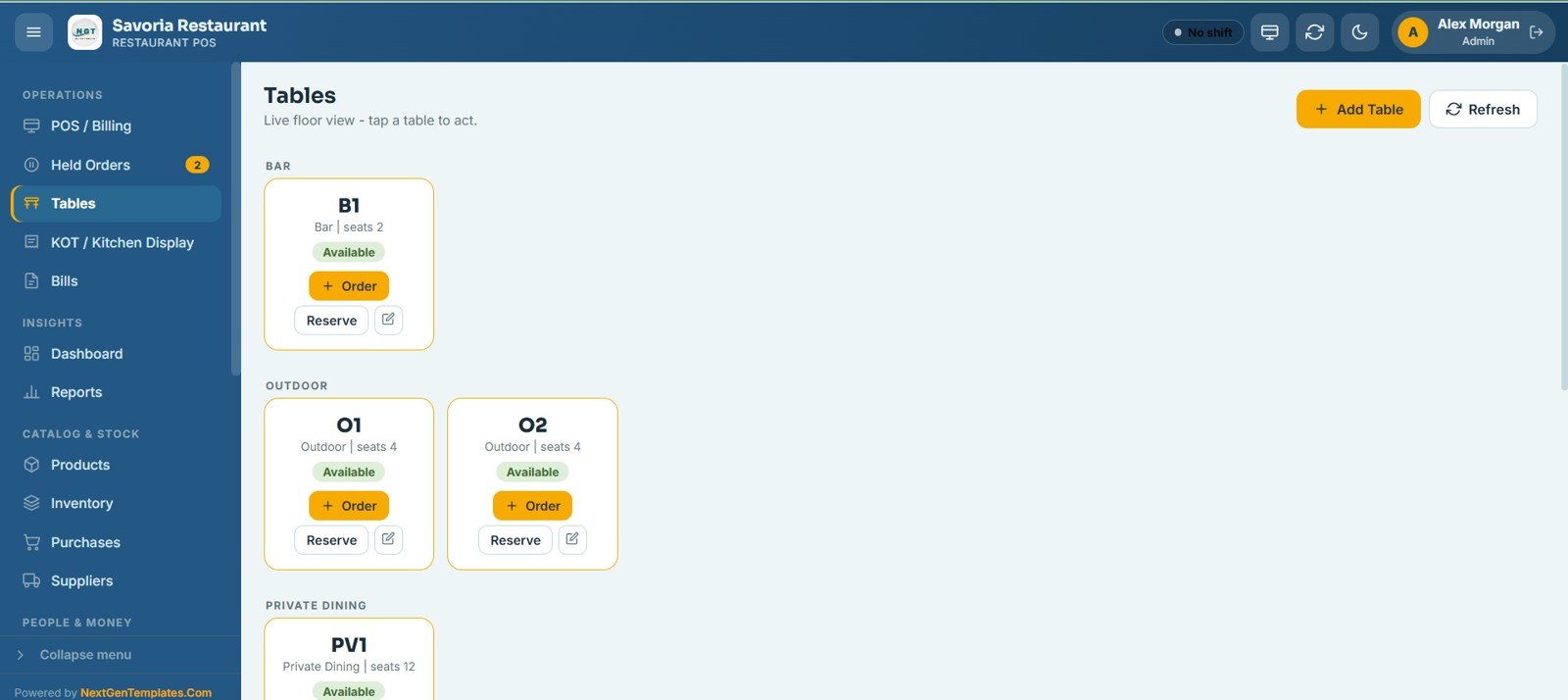
🔹 Table floor view with area grouping — Tables are grouped by area such as Bar, Outdoor, and Private Dining. Each card shows its seat count and live status (available, occupied, reserved) and allows one-tap start order, reserve, or generate bill.
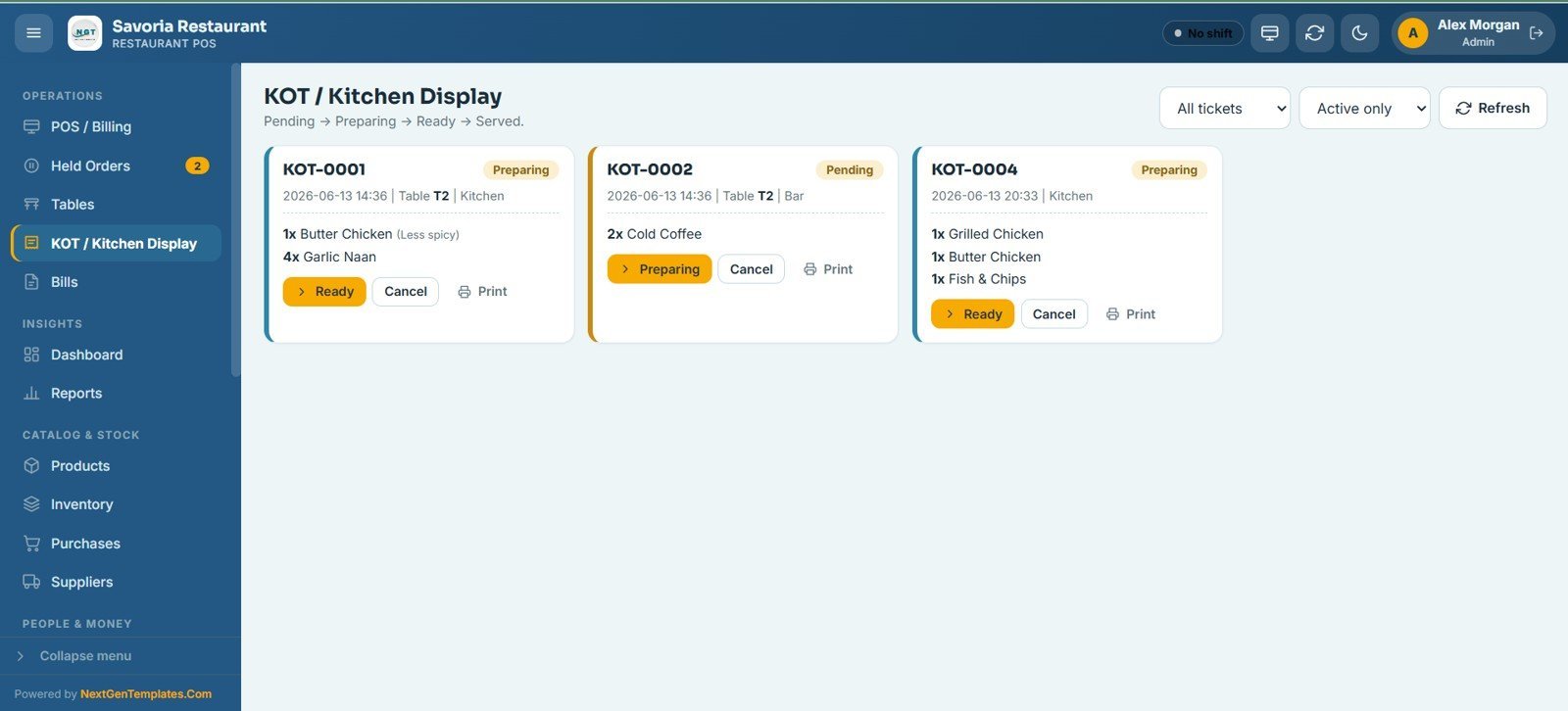
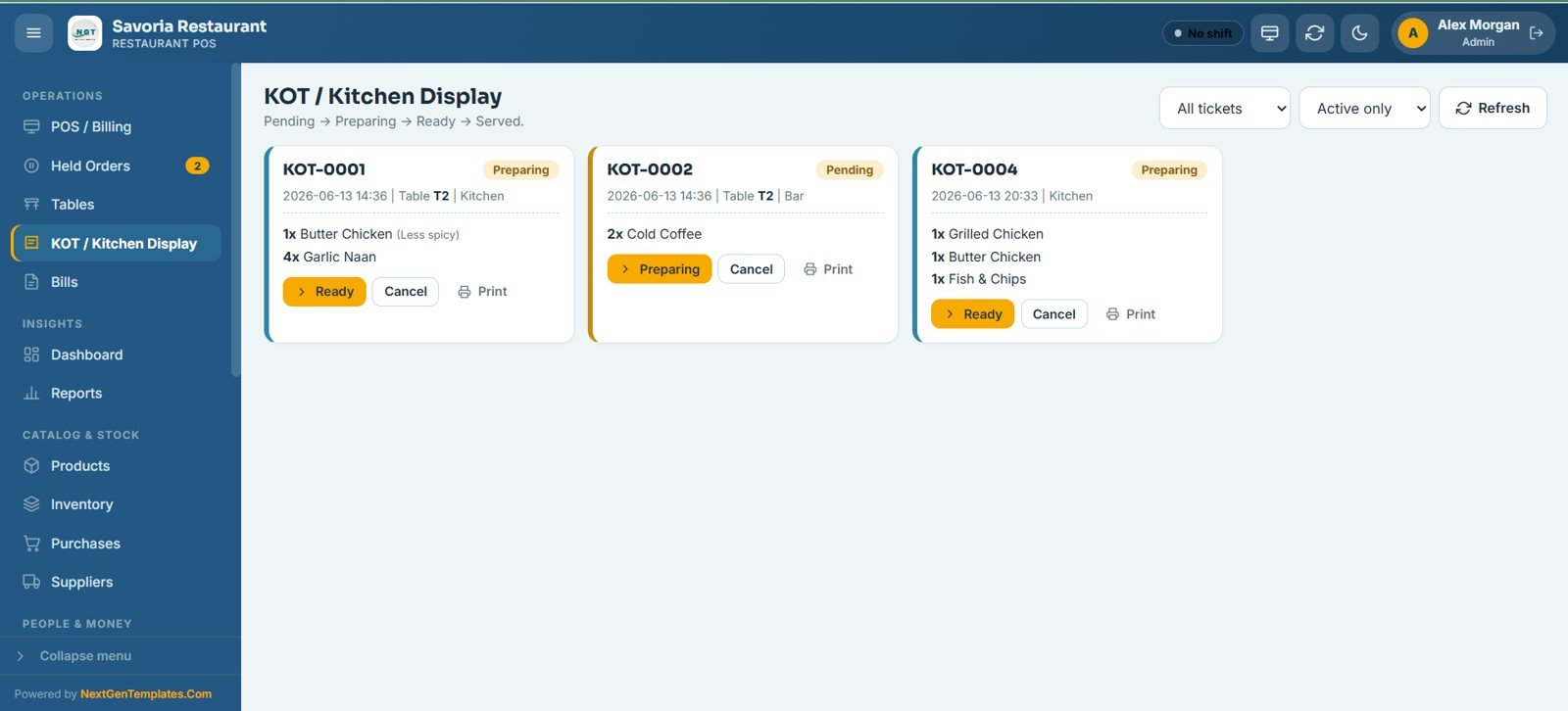
🔹 KOT / Kitchen Display workflow — Every ticket moves through Pending → Preparing → Ready → Served. Kitchen and bar staff update status, print, or cancel tickets from the board, with an active-only filter to cut noise during a rush.
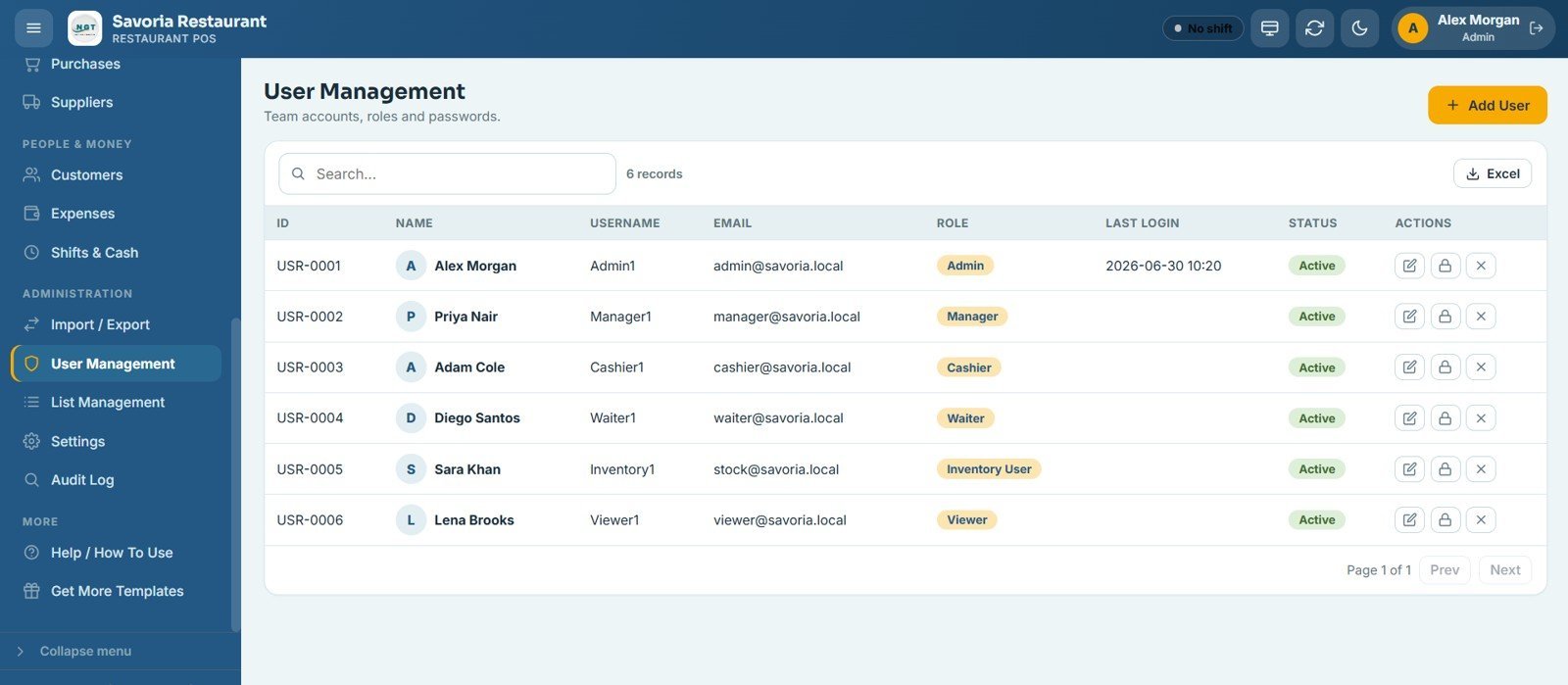
🔹 Six role-based access levels — Admin, Manager, Cashier, Waiter, Inventory User, and Viewer each get tailored screen access. Admins manage users, passwords, and settings; waiters take orders; cashiers handle billing and shifts.
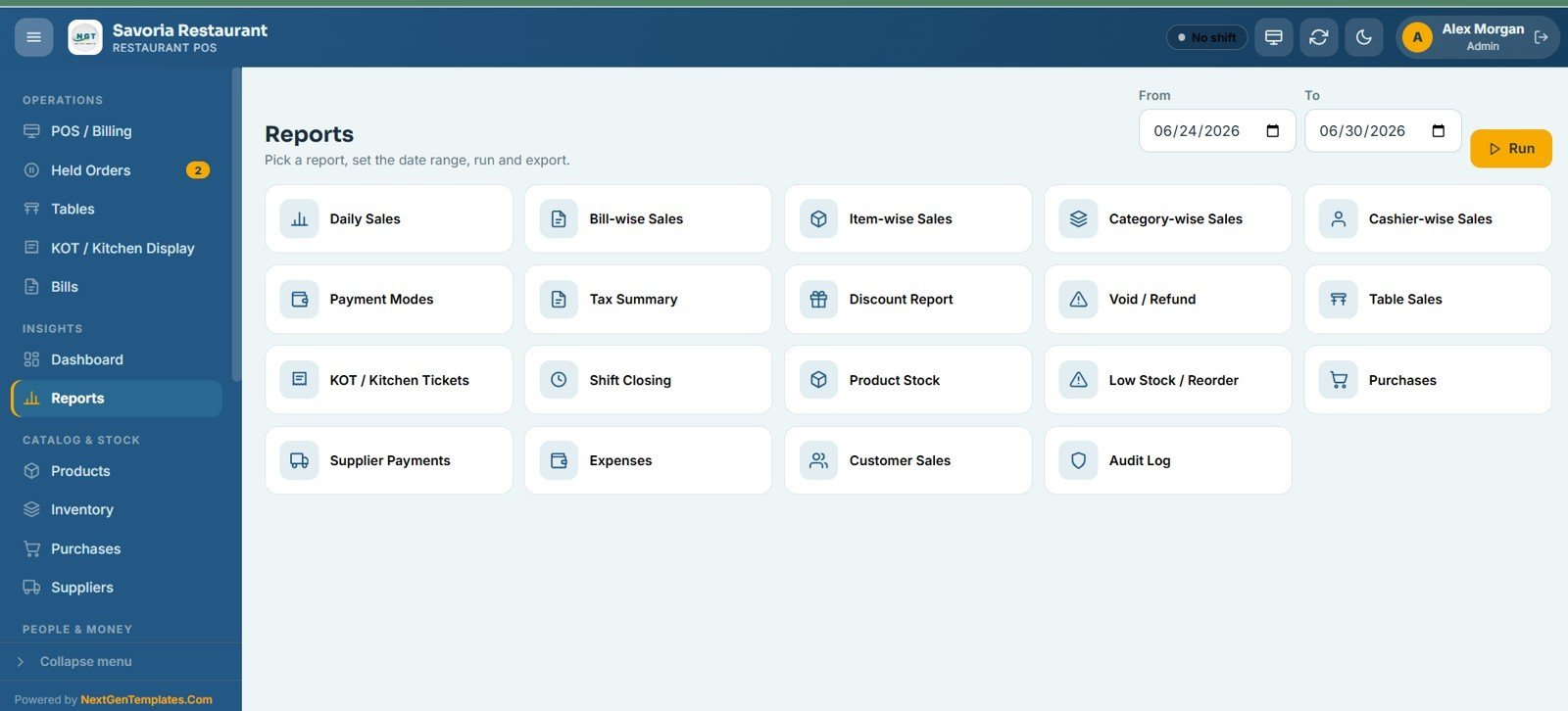
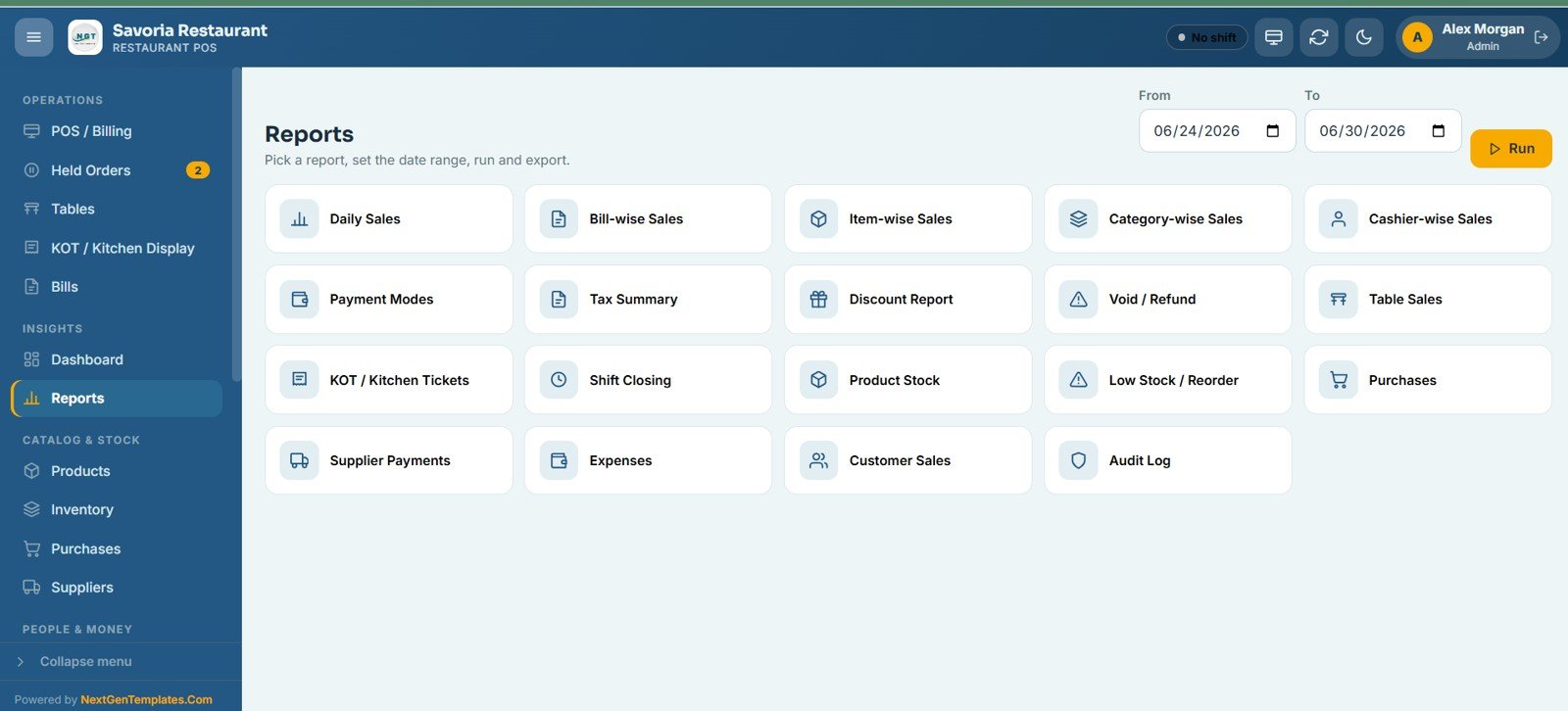
🔹 19 built-in reports — Daily sales, bill-wise, item-wise, category-wise, cashier-wise, payment modes, tax summary, discounts, voids and refunds, table sales, KOT tickets, shift closing, product stock, low stock and reorder, purchases, supplier payments, expenses, customer sales, and a full audit log — every report exports to Excel.
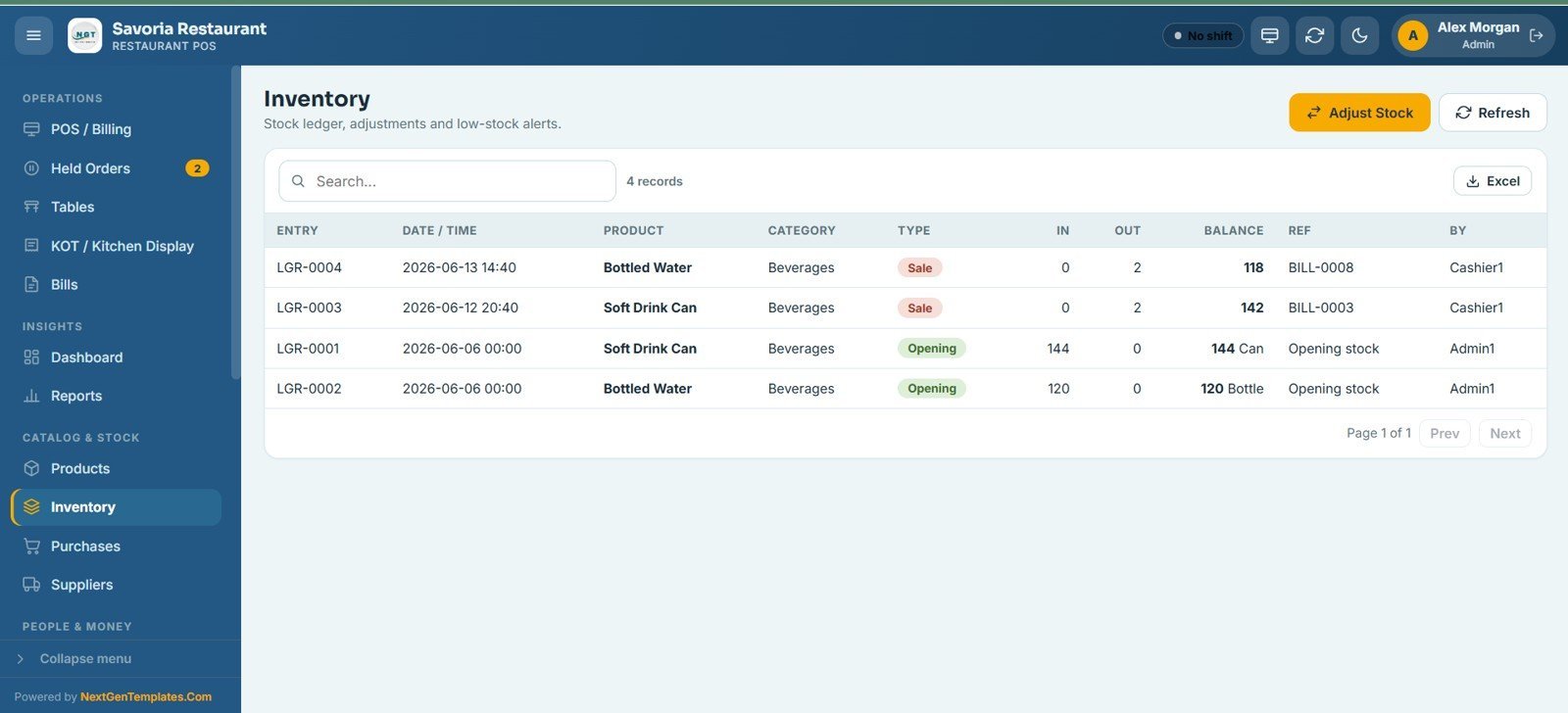
🔹 Inventory ledger with auto stock deduction — Every sale deducts stock. The inventory screen logs each movement with date, product, category, quantity in/out, running balance, and the reference bill, plus manual adjustments and low-stock highlights.
🔹 Shift and cash register reconciliation — Each cashier opens and closes their own till with opening cash declared. The system calculates expected cash from sales and flags the difference, so the drawer is reconciled before every handover.
📦 What’s Inside the Restaurant POS Web App
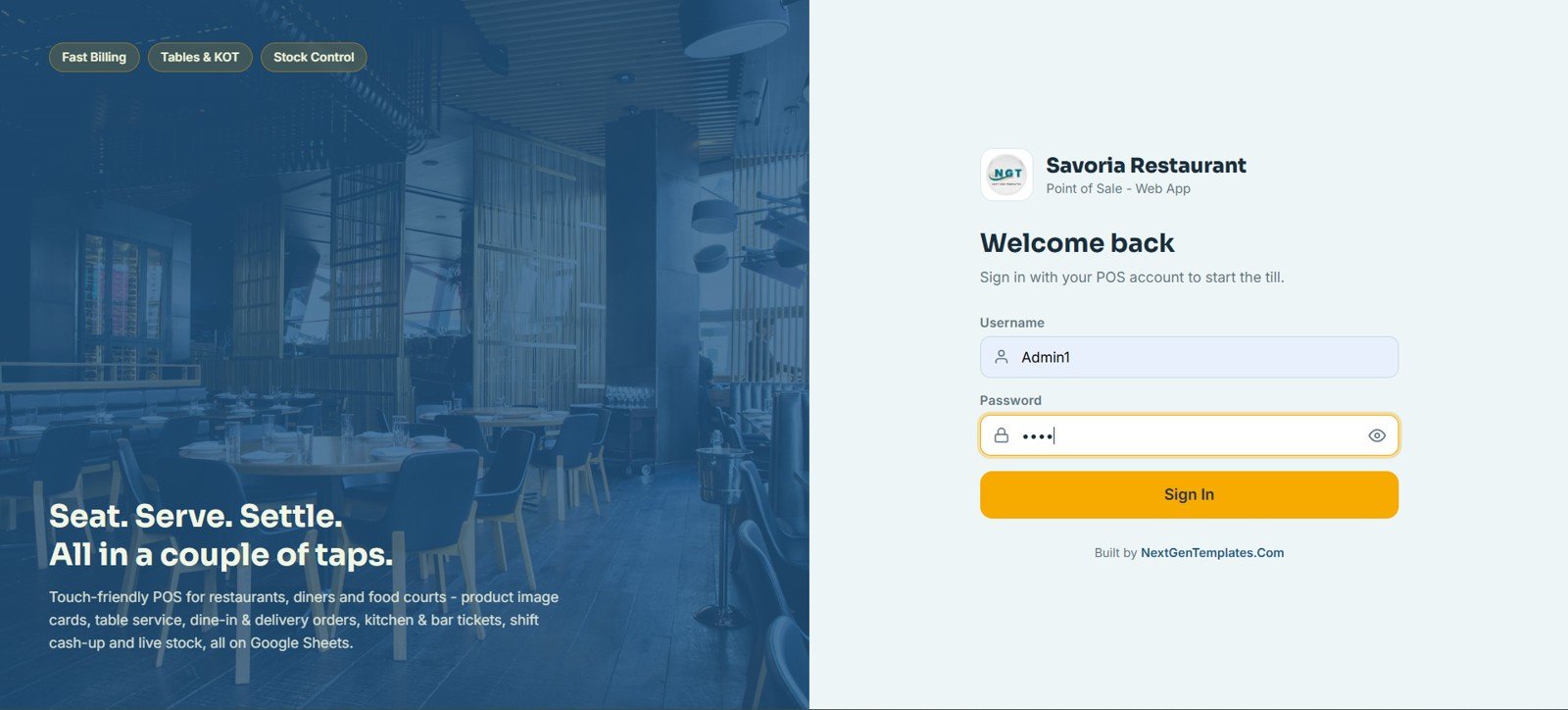
1 – Login Page
The secure sign-in screen where every user enters their own username and password to access the system based on their assigned role. It carries the restaurant branding, logo, and a touch-friendly welcome panel.
🚀 Try the Live Demo Before You Buy
We have deployed this web app in our own Google account so you can test every page, every role, and every feature — with real sample data — before purchasing. No signup, no email required.
🔑 Test Login Credentials
Sign in as Admin1 for full access to every module, or try any of the other five roles below to see exactly what each staff member can do. All passwords are abcd.
💡 What you get after purchase: The full source code (Code.gs + Index.html) plus a step-by-step deployment guide so you can deploy your own private instance in your own Google account in under 15 minutes.
2 – POS / Billing
The main point of sale screen where staff build an order from menu image cards grouped by category. The live checkout panel on the right handles order type, discount, tax, service charge, tip, hold order, and final payment in one place.
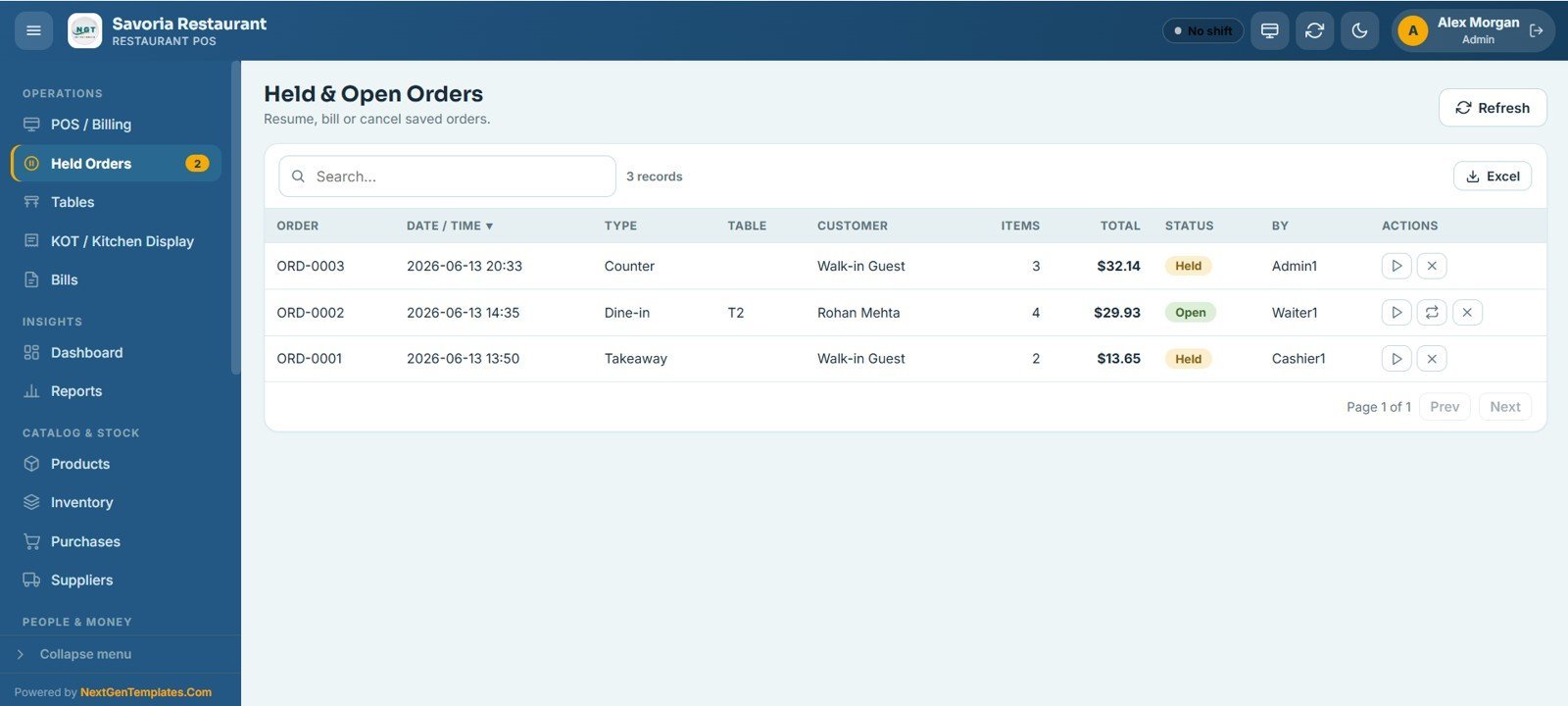
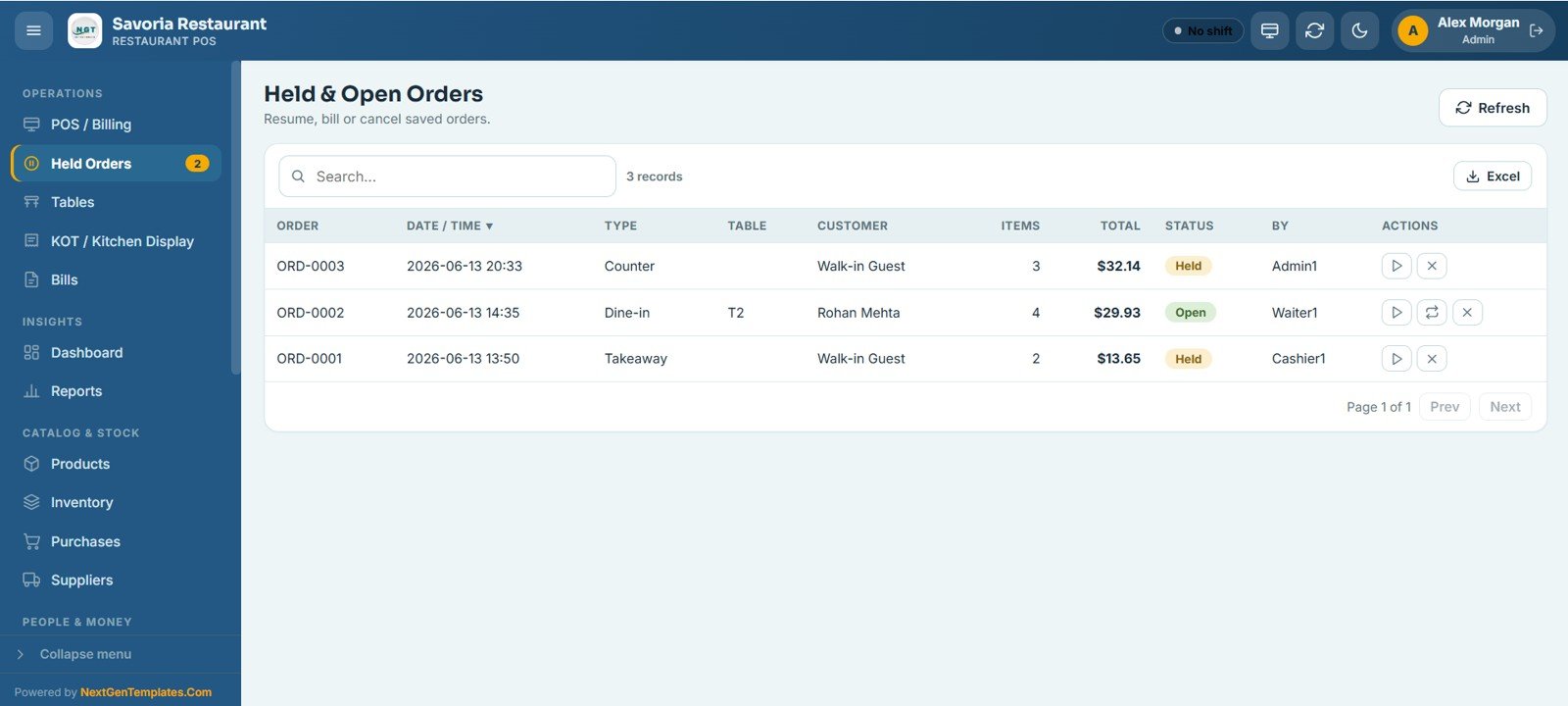
3 – Held & Open Orders
Lists every saved or running order with its order number, date, type, table, customer, item count, total, status, and the staff member who created it. From here you can resume an order, send it to billing, or cancel it.
4 – Tables
A live floor view grouped by area such as Bar, Outdoor, and Private Dining. Each table card shows its seats and current status of available, occupied, or reserved, and lets you start an order, reserve the table, or generate the bill in one tap.
5 – KOT / Kitchen Display
The kitchen and bar preparation board that moves each ticket through Pending, Preparing, Ready, and Served. Kitchen staff update the status, print, or cancel each ticket and filter the board down to active tickets only.
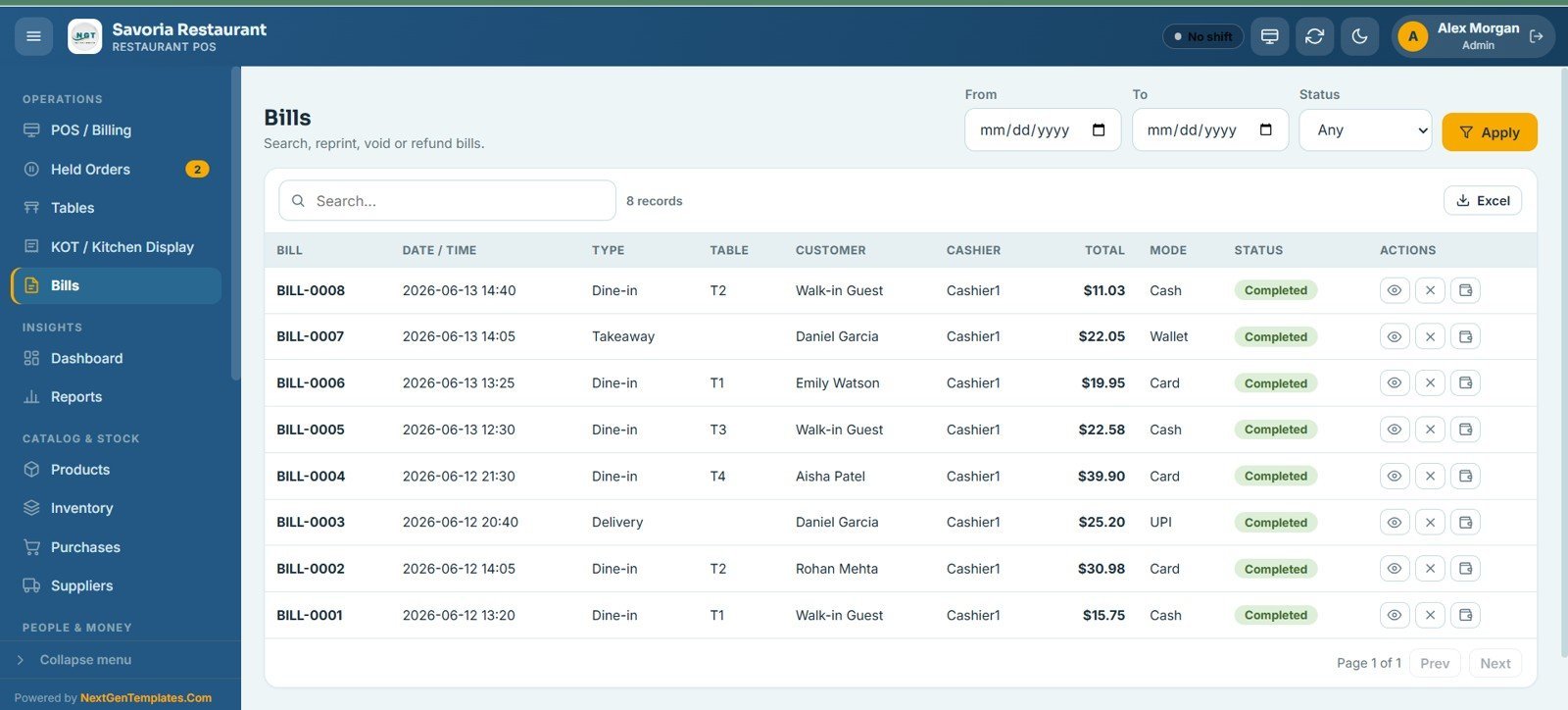
6 – Bills
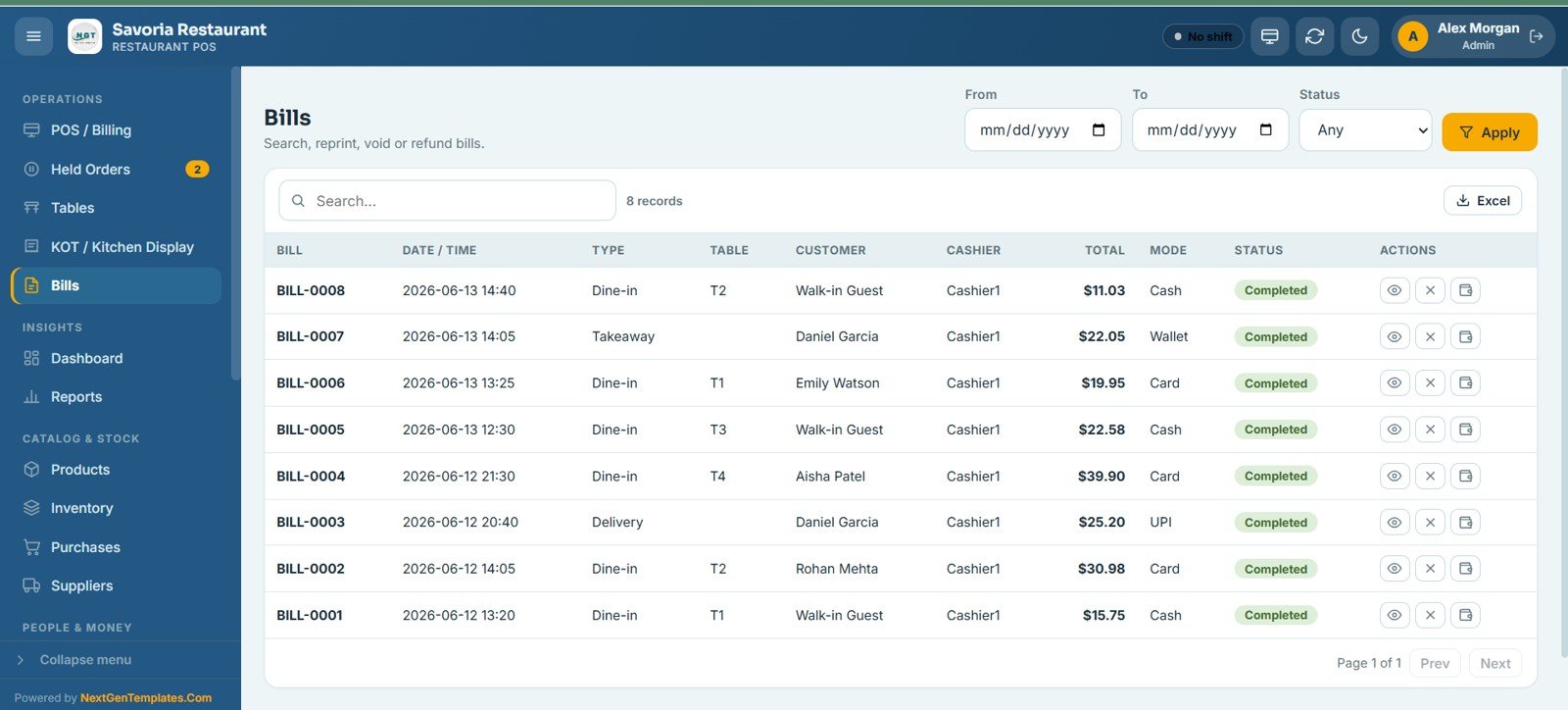
Search, view, reprint, void, or refund any completed bill with a date range and status filter. Each row shows the bill number, date, order type, table, customer, cashier, total, payment mode, and status, and can be exported to Excel.
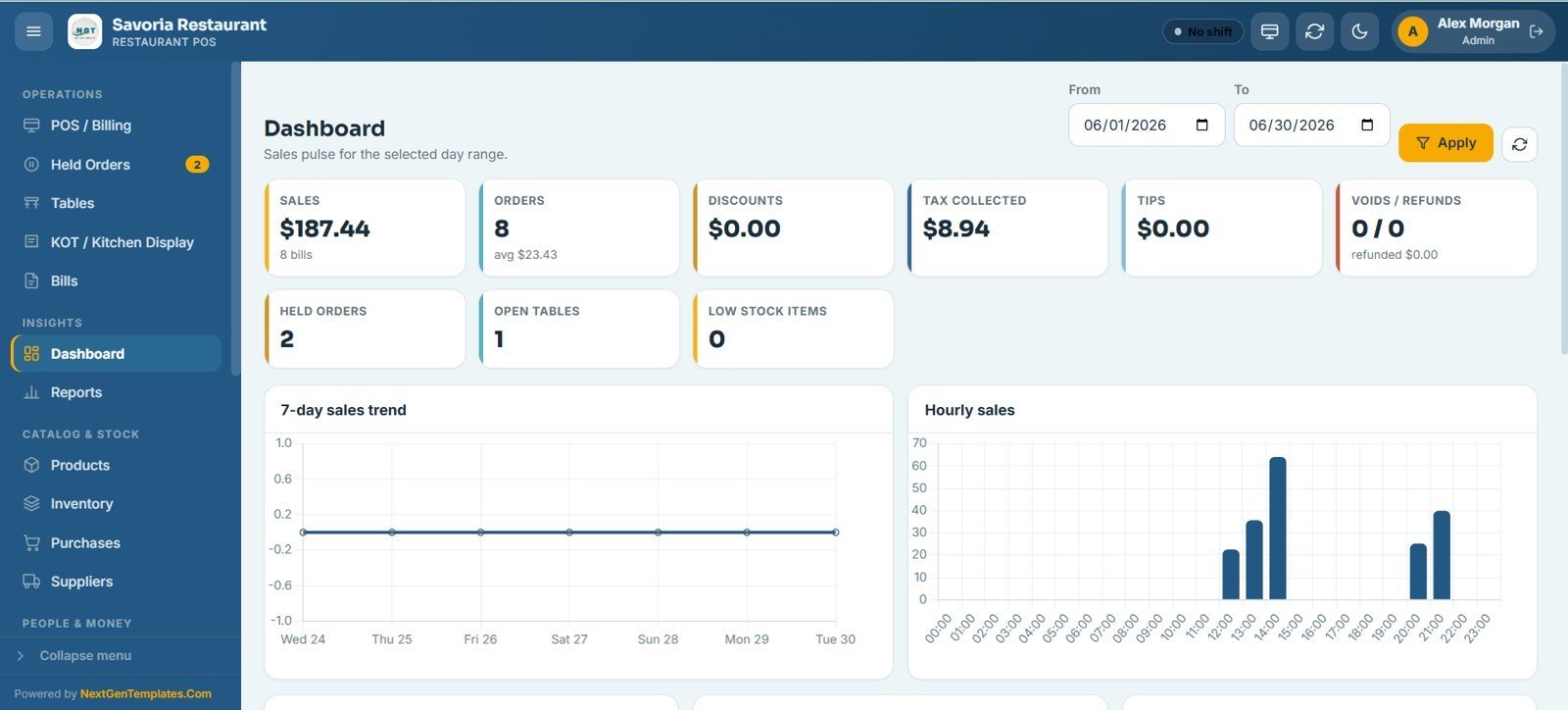
7 – Dashboard
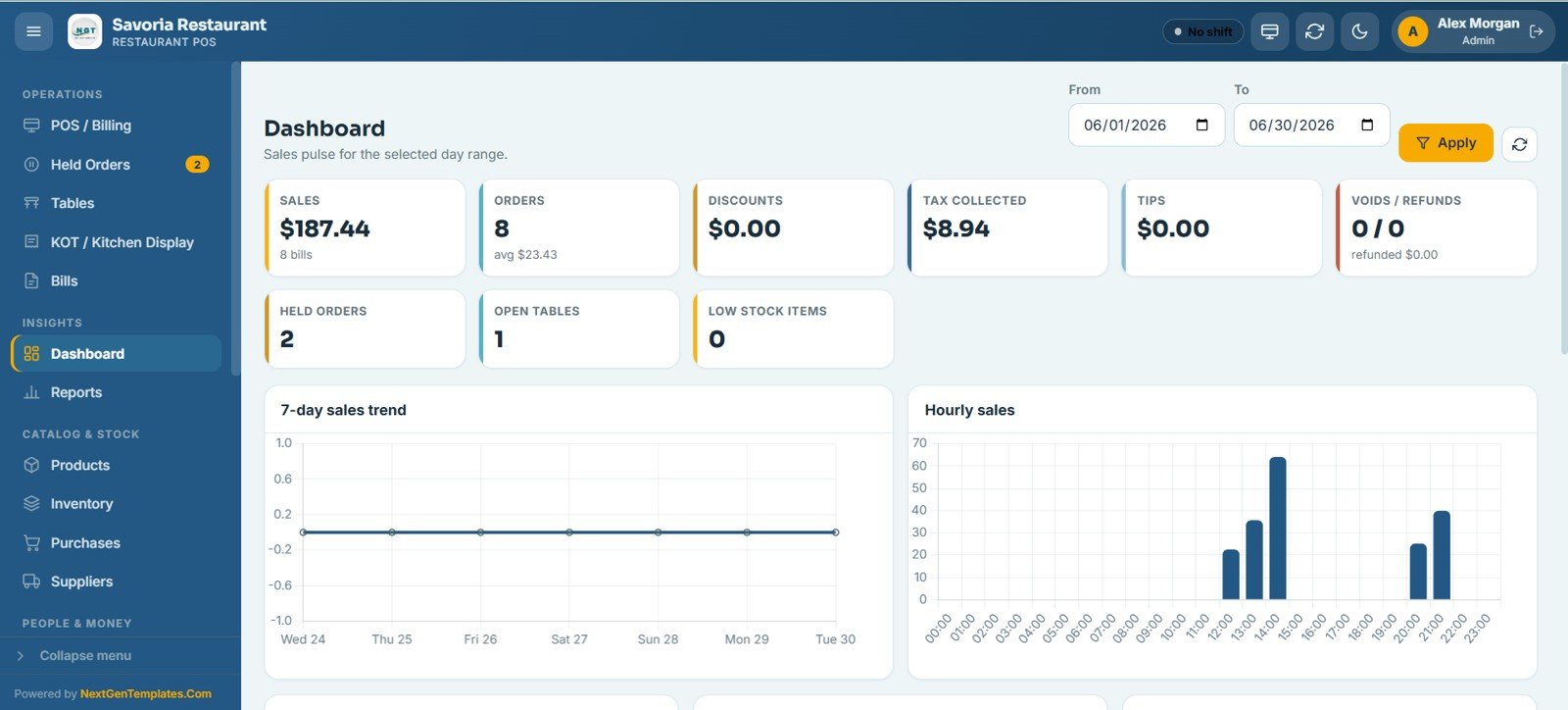
Opens with 9 summary KPI cards — Sales, Orders, Discounts, Tax Collected, Tips, Voids/Refunds, Held Orders, Open Tables, and Low Stock Items — for the selected date range, followed by analytical charts including 7-Day Sales Trend and Hourly Sales.
8 – Reports
The reports center provides 19 ready-made reports — daily sales, bill-wise, item-wise, category-wise, cashier-wise, payment modes, tax summary, discounts, voids, table sales, KOT tickets, shift closing, product stock, low stock and reorder, purchases, supplier payments, expenses, customer sales, and audit log. Pick a report, set a date range, run it, and export to Excel.
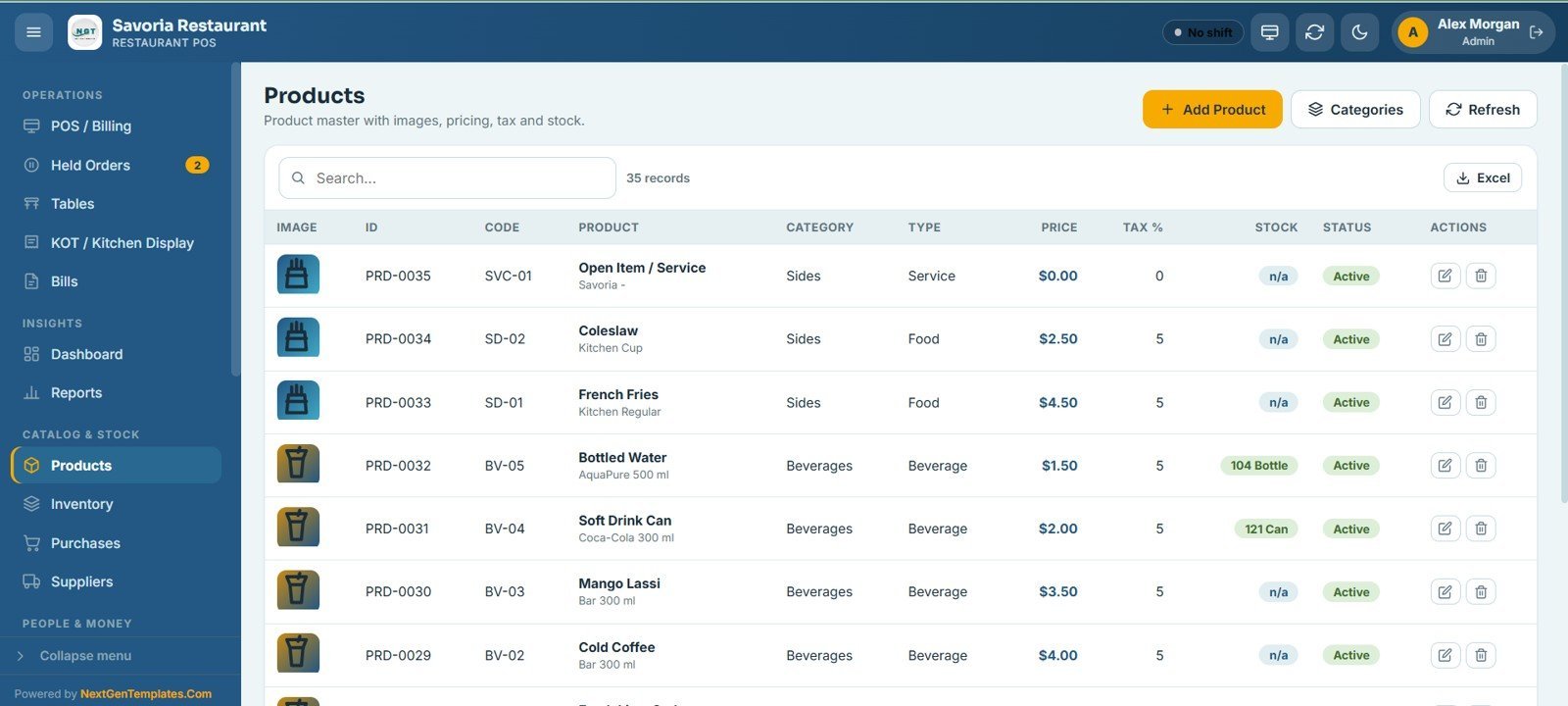
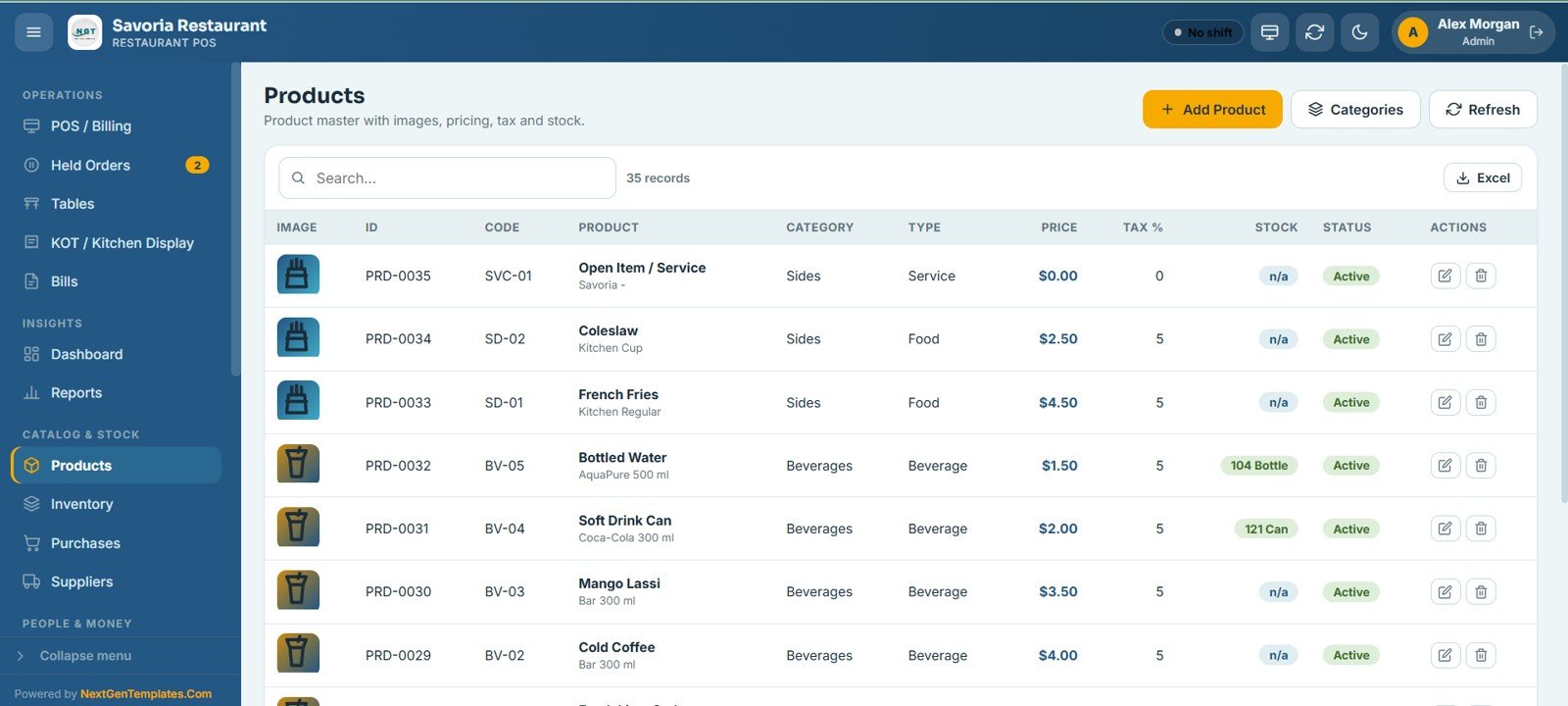
9 – Products
The product master holding every food and beverage item with its image, code, category, type, price, tax percent, stock, and status. You can add, edit, import, and export products and manage their categories from one place.
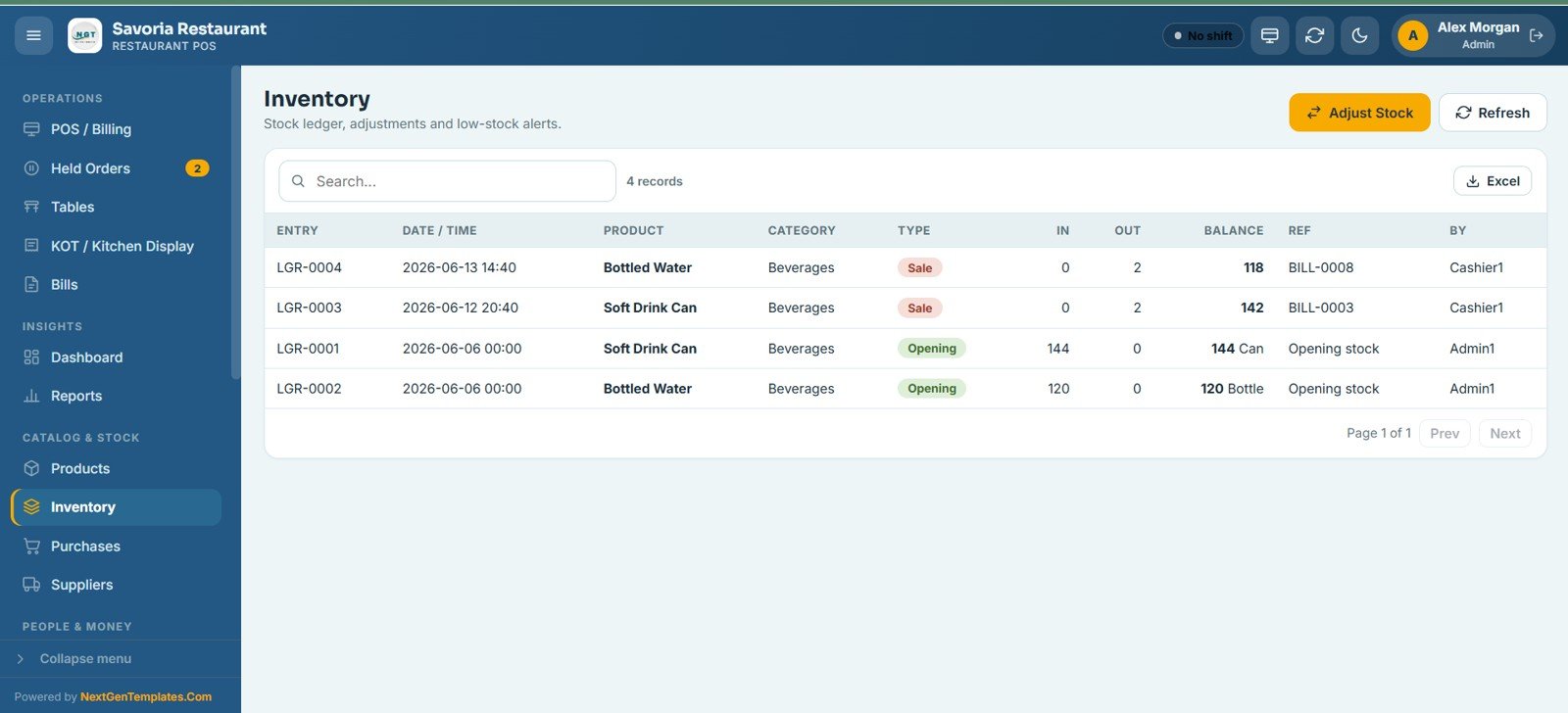
10 – Inventory
The stock ledger that records every movement with the entry, date, product, category, type, quantity in, quantity out, running balance, and reference bill. It also supports manual stock adjustments and highlights low-stock items.
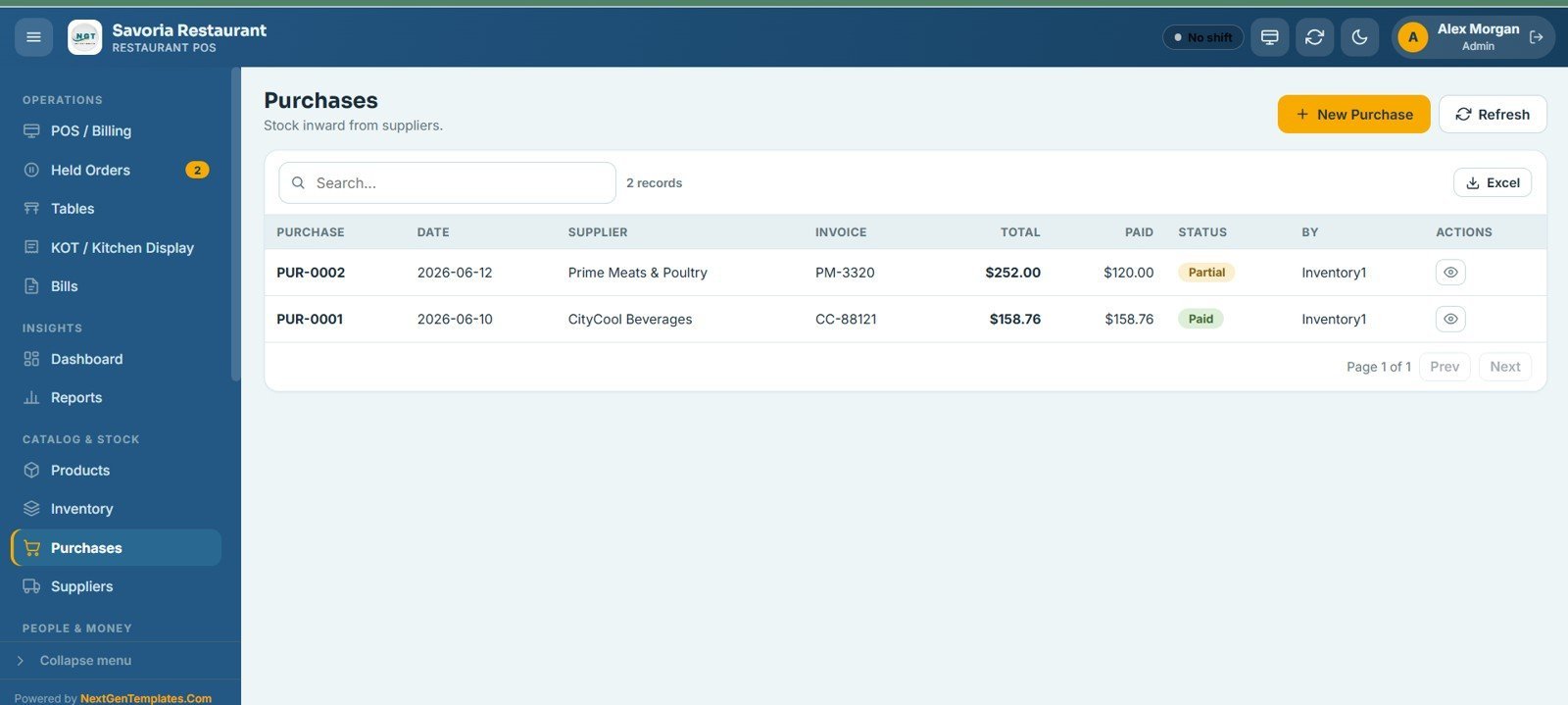
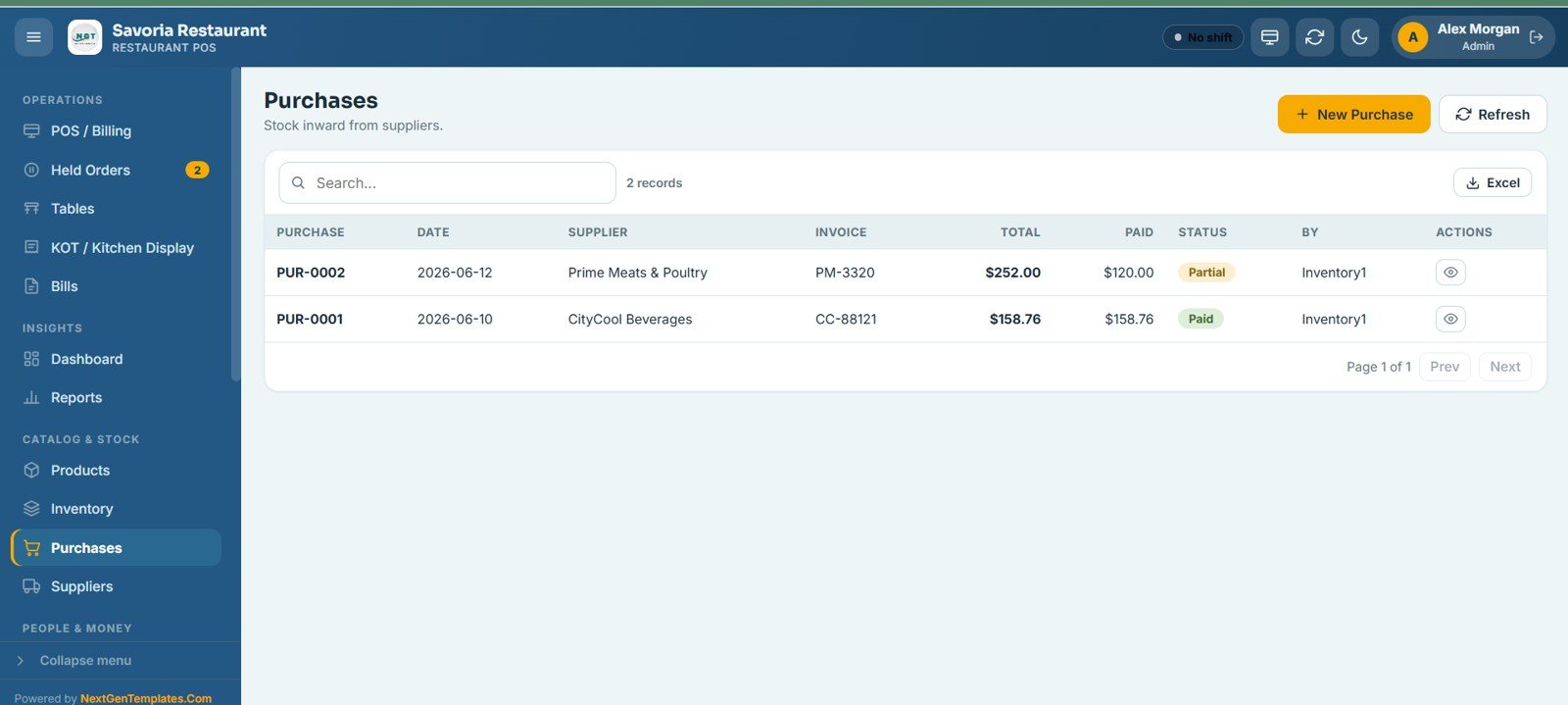
11 – Purchases
Records stock inward from suppliers, showing each purchase with its date, supplier, invoice number, total, amount paid, and payment status. You can raise a new purchase and export the list to Excel.
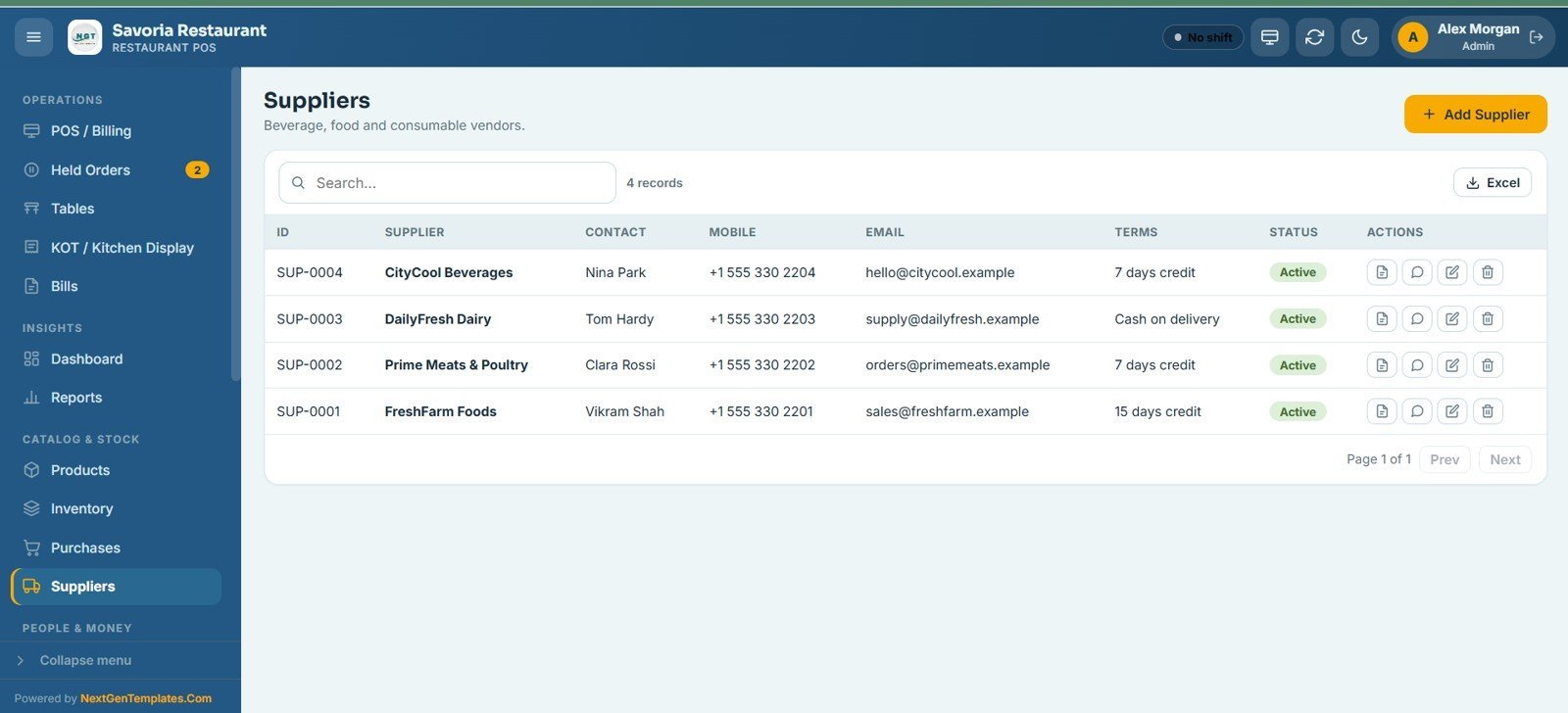
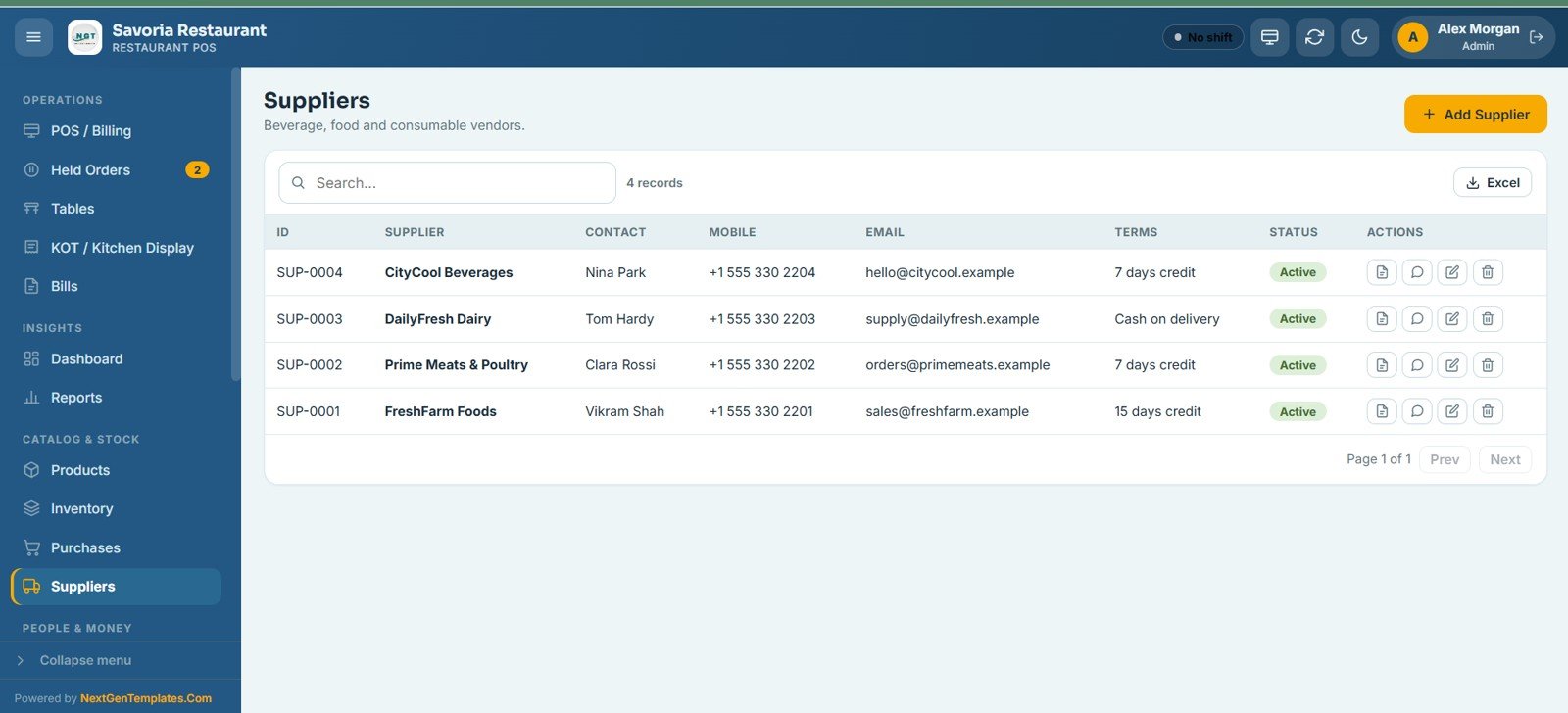
12 – Suppliers
Your directory of beverage, food, and consumable vendors, holding each supplier with their contact person, mobile, email, payment terms, and status. You can add suppliers and export the full list.
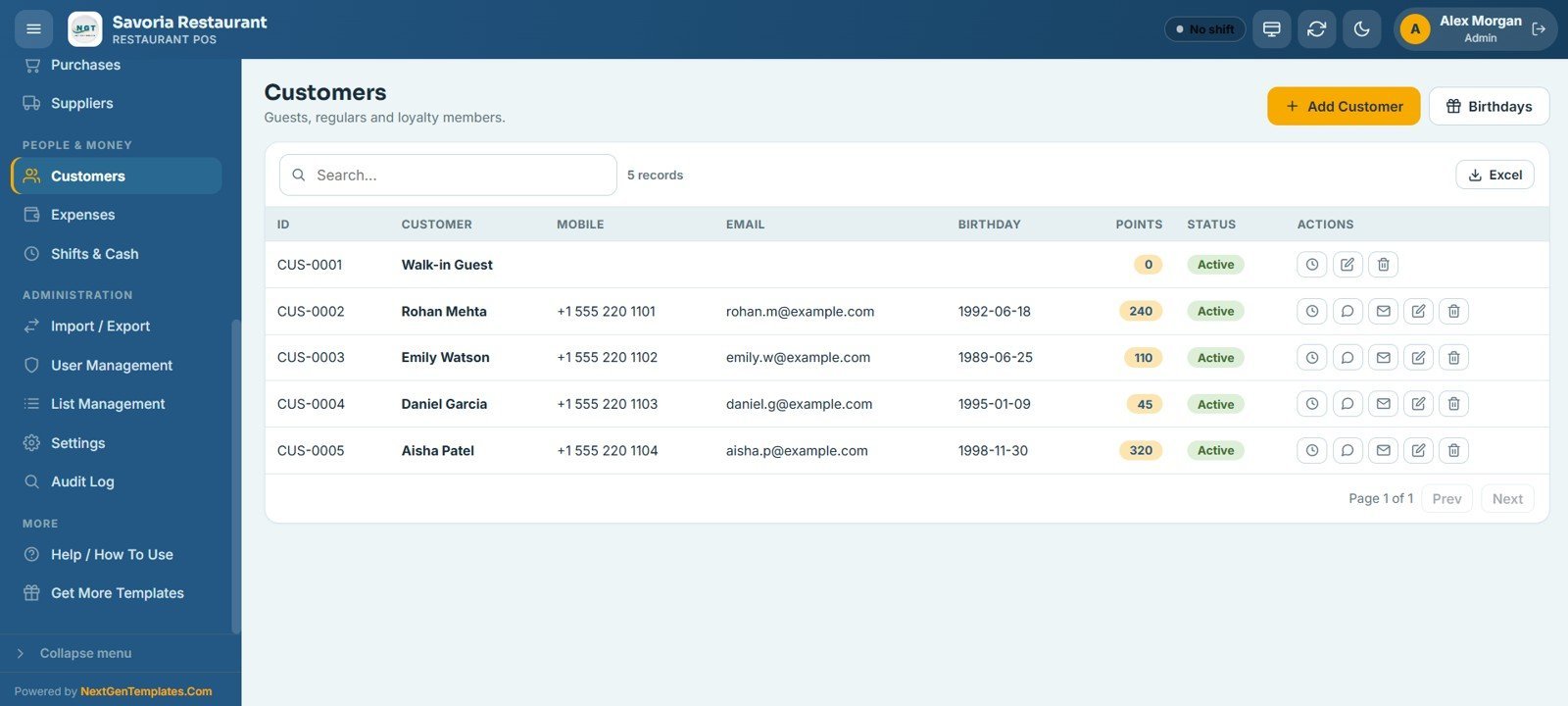
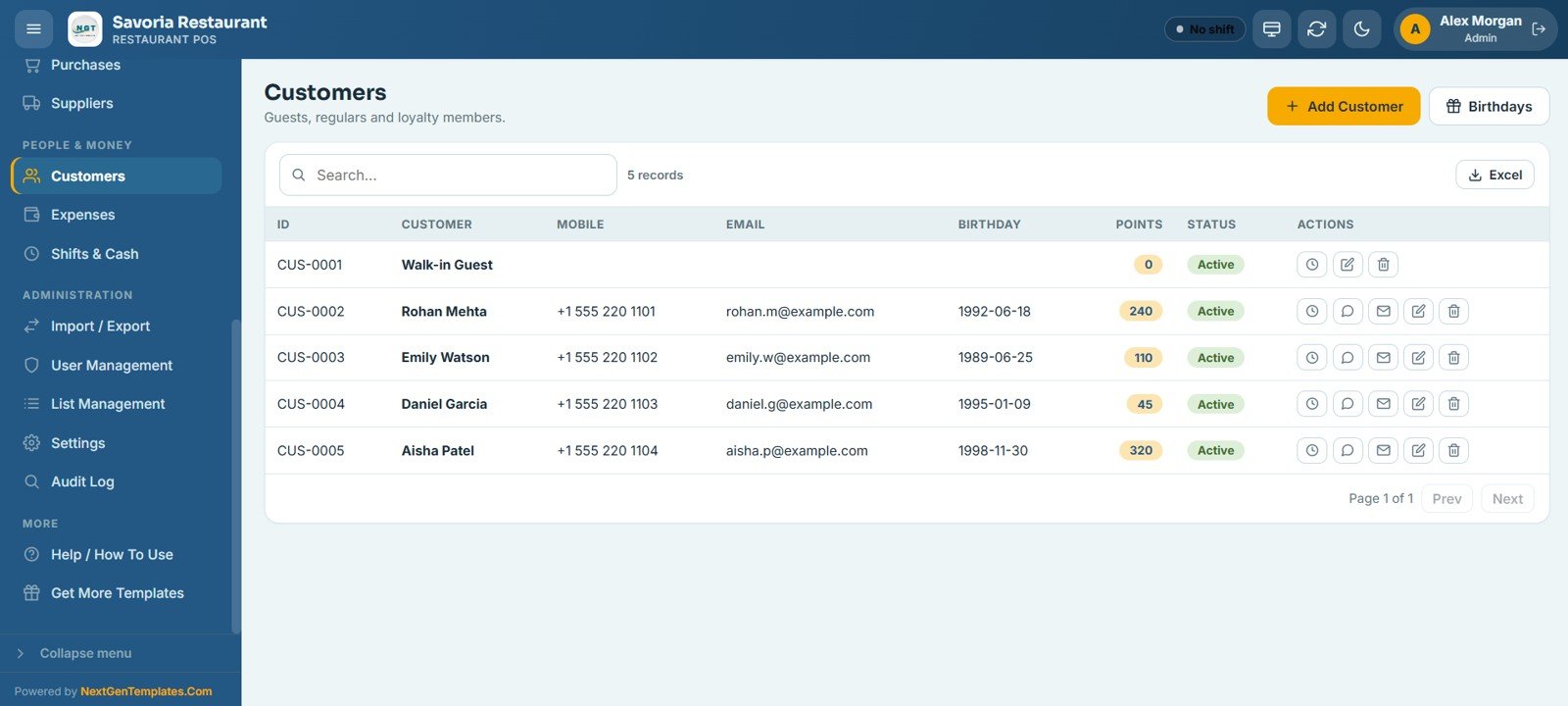
13 – Customers
Keeps your guests, regulars, and loyalty members with their mobile, email, birthday, loyalty points, and status. You can add customers, track loyalty points, and view upcoming birthdays for targeted marketing.
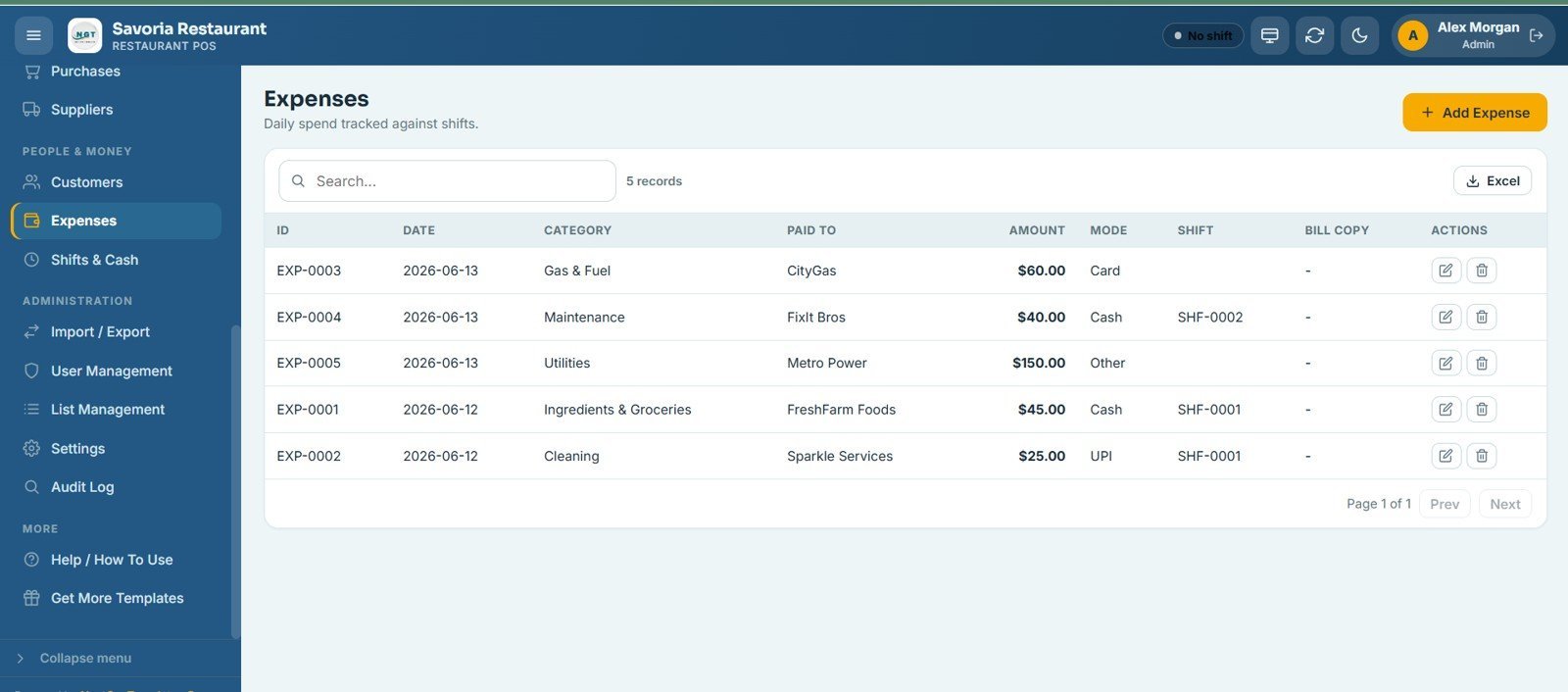
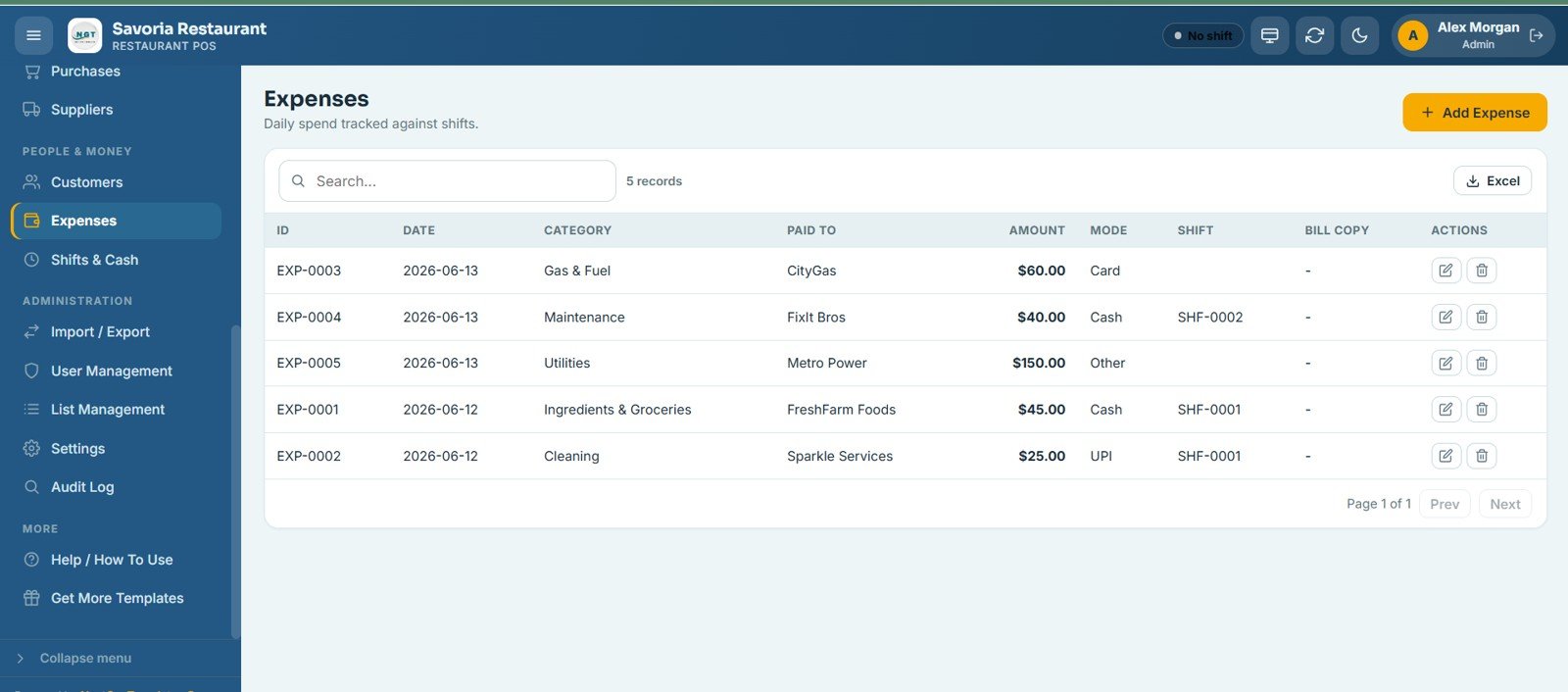
14 – Expenses
Tracks daily spend against shifts, recording each expense with its date, category, payee, amount, payment mode, linked shift, and bill copy. You can add expenses and export them to Excel.
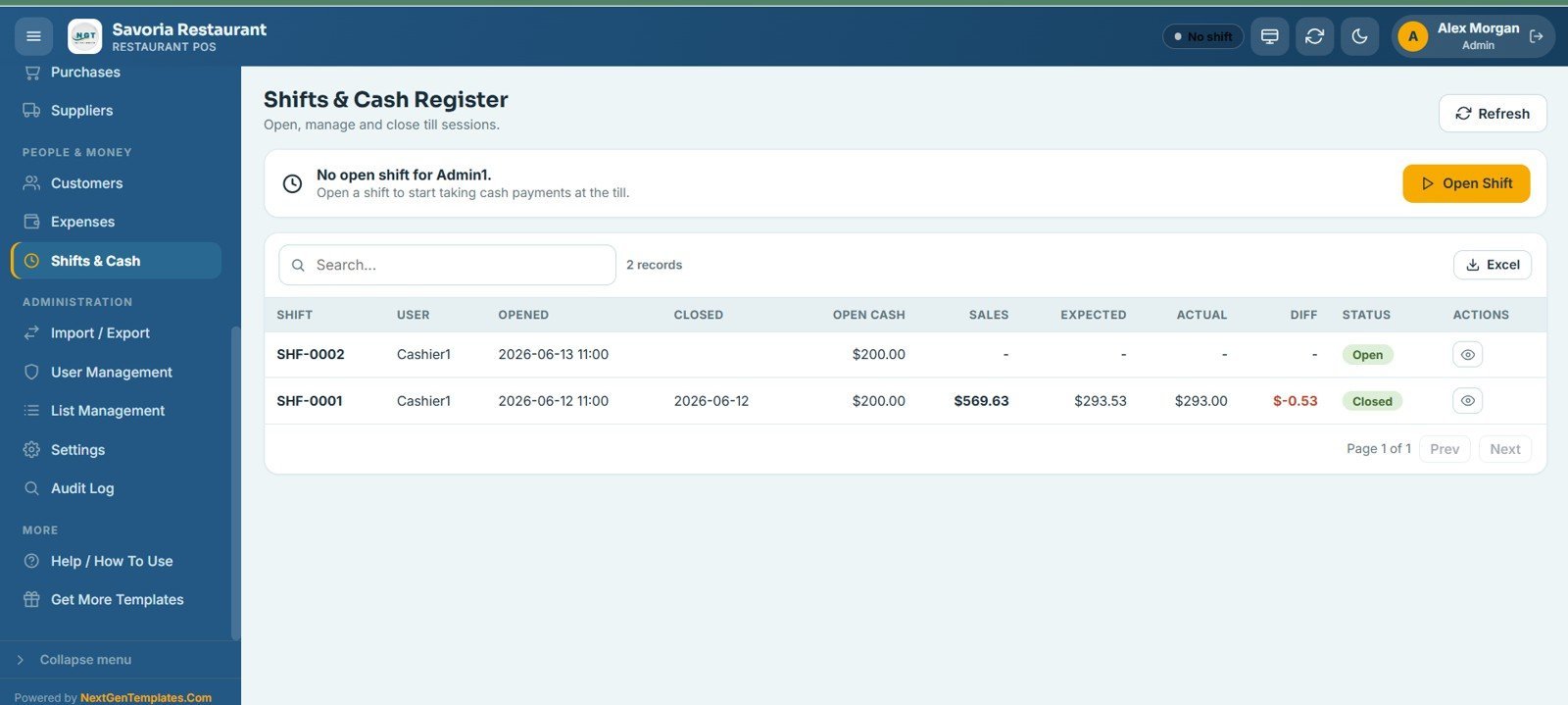
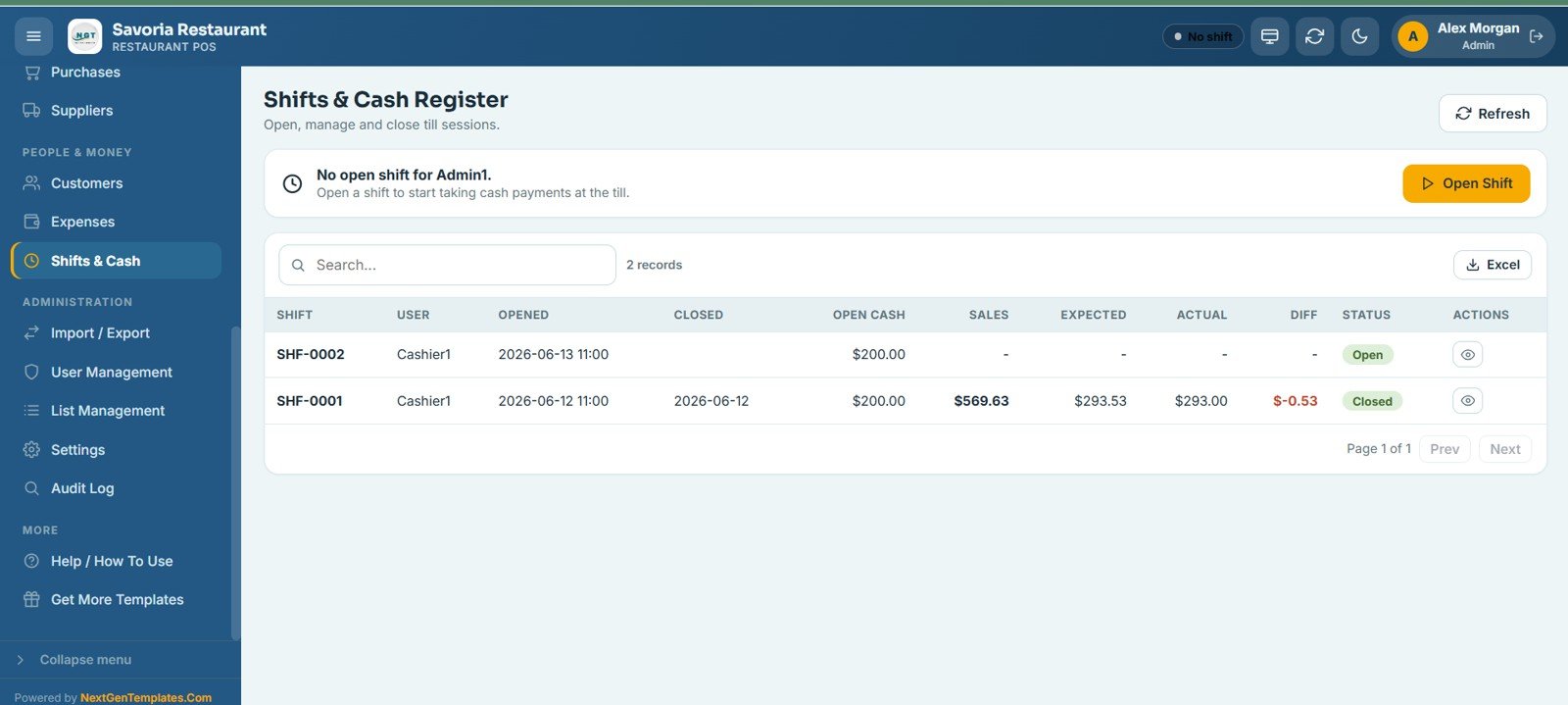
15 – Shifts & Cash Register
Lets cashiers open, manage, and close their till sessions. Each shift shows the user, open and close time, opening cash, sales, expected and actual cash, and the difference, so the drawer is always reconciled.
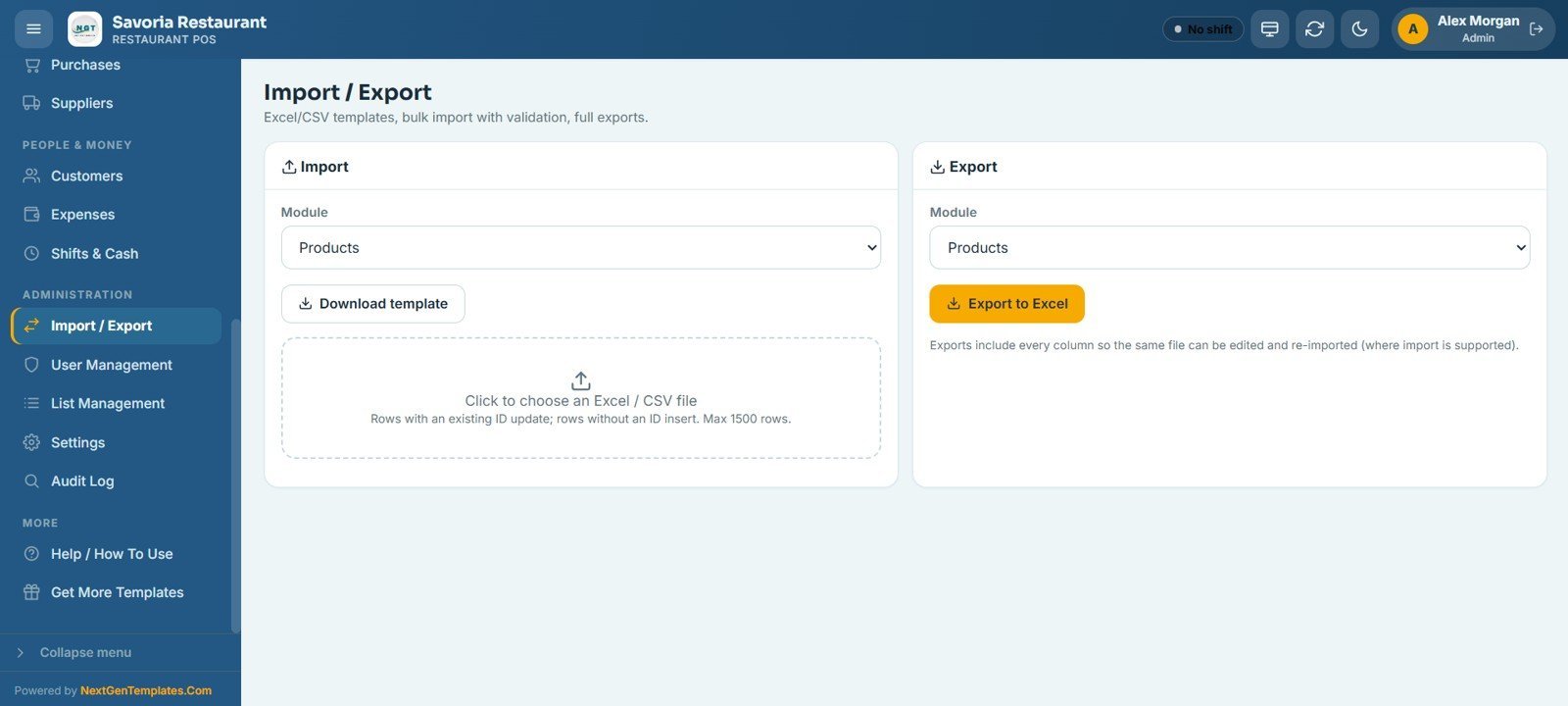
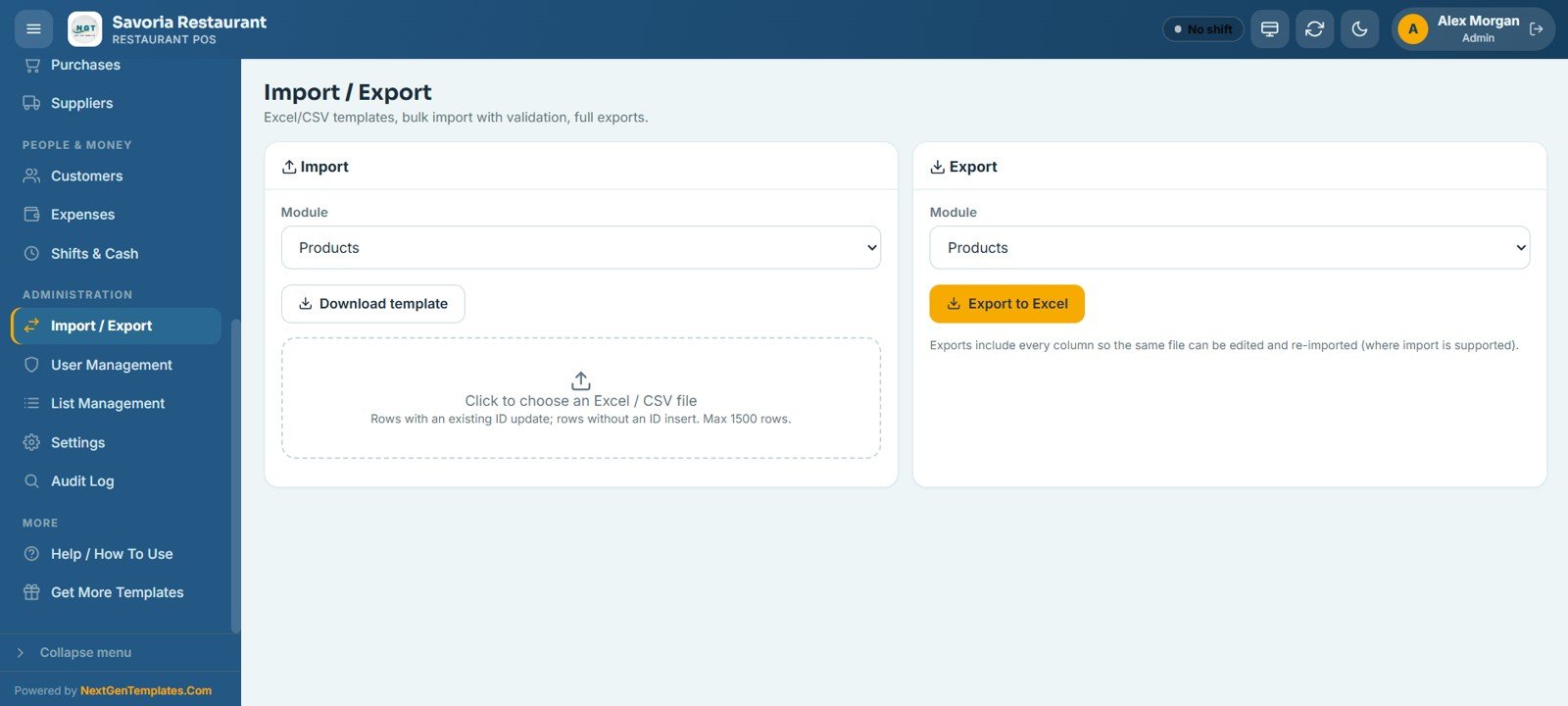
16 – Import / Export
Handles bulk data: download an Excel or CSV template for any module, import rows with validation, and export every module to Excel. Rows with an existing ID update in place; rows without an ID insert as new records.
17 – User Management
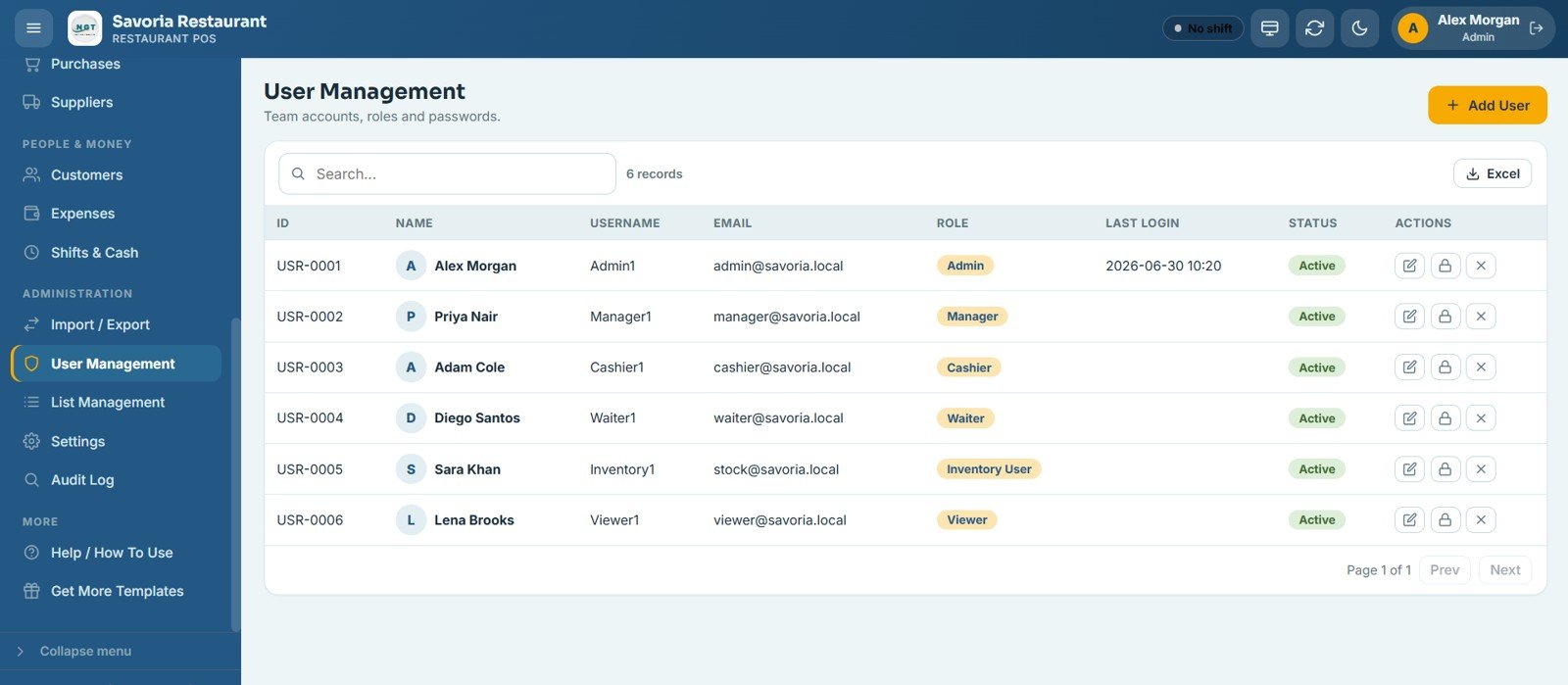
Lets the admin add team members and assign roles such as Admin, Manager, Cashier, Waiter, Inventory User, and Viewer, each with its own access. It also manages usernames, passwords, last login, and active status.
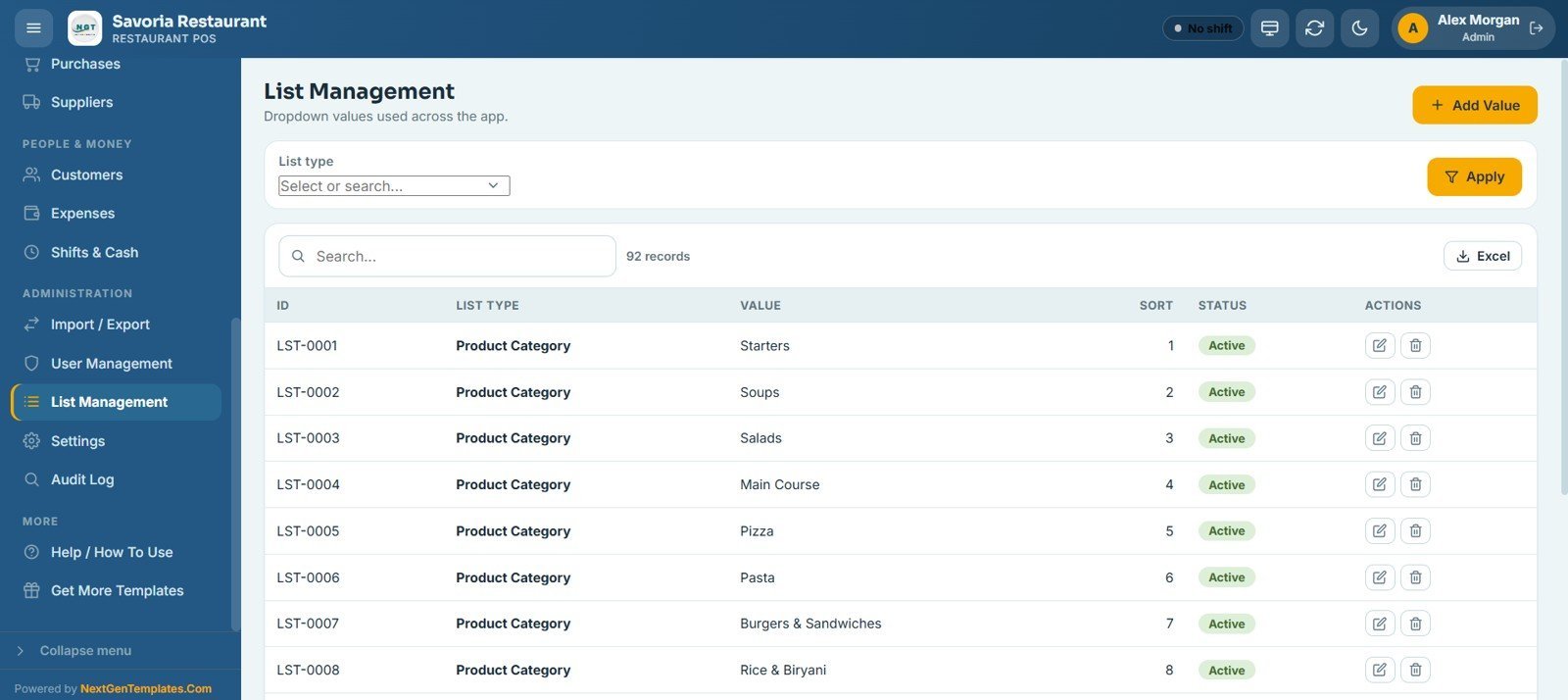
18 – List Management
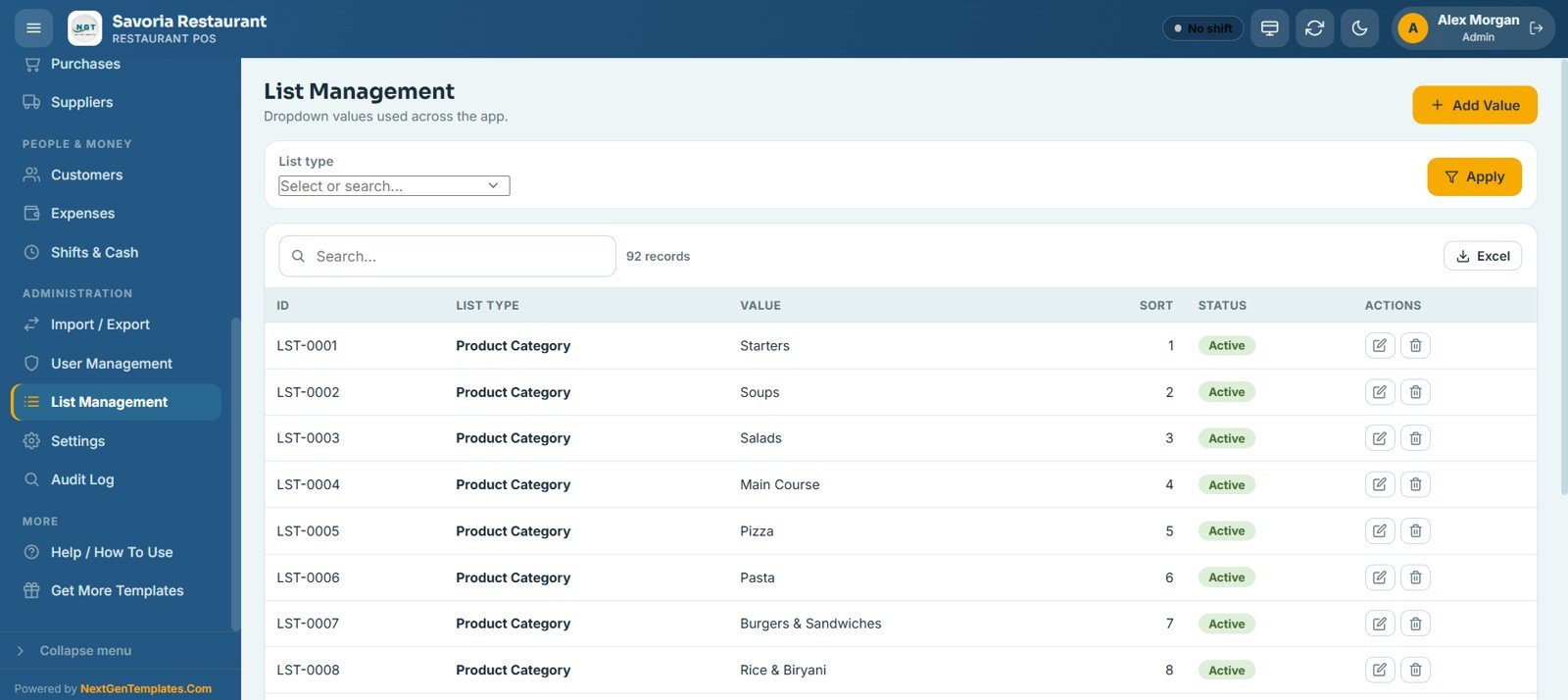
Configure the dropdown master lists used across the app — product categories, units, payment modes, table areas, and expense categories — with their display order and active status.
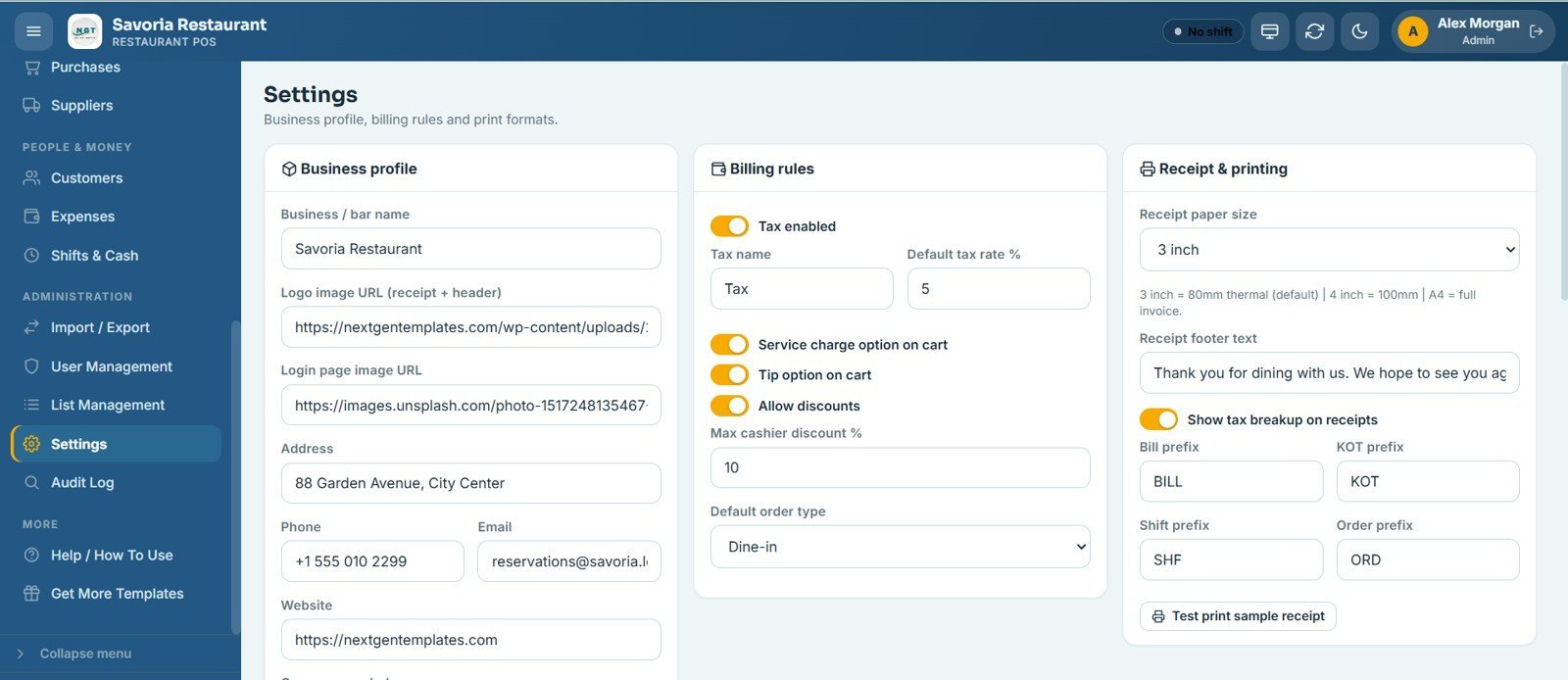
19 – Settings
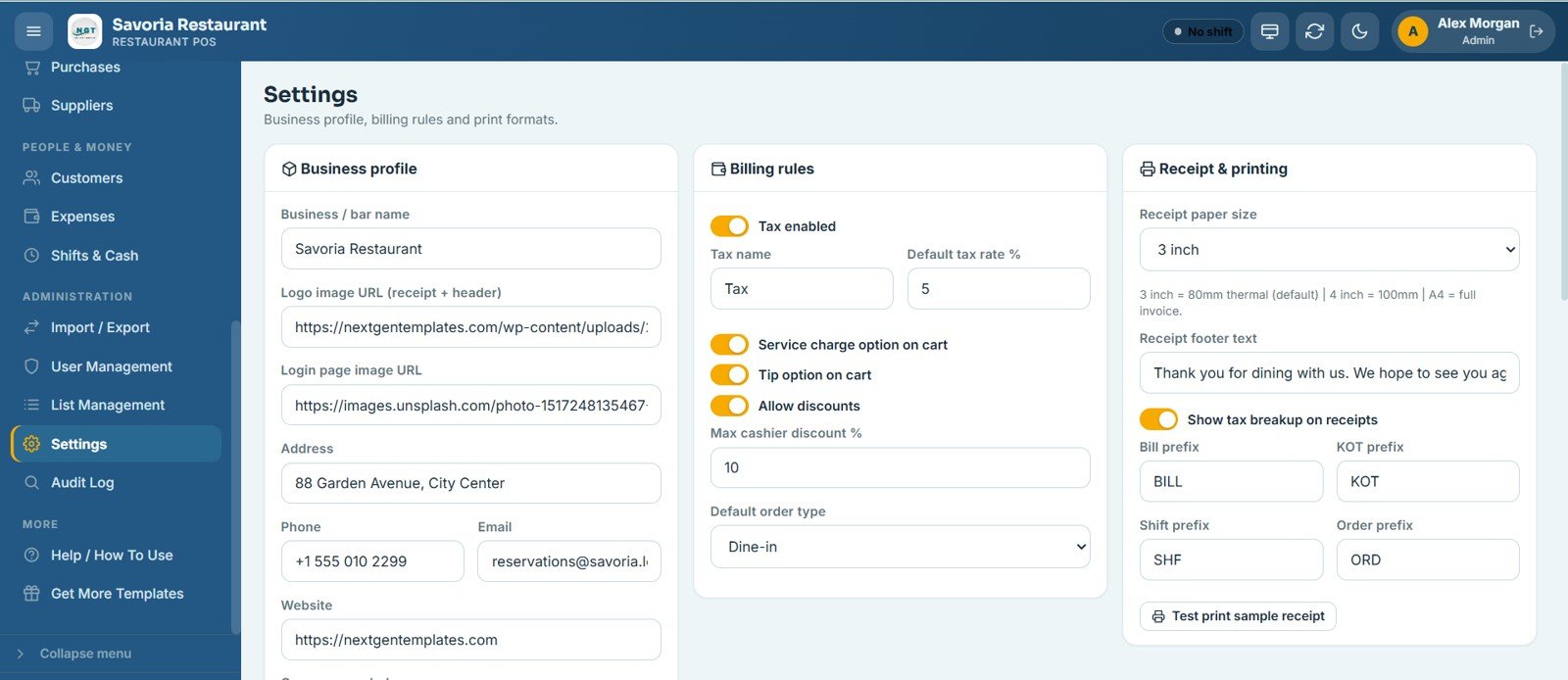
Configure your business profile, billing rules, and print formats in one place. Set the restaurant name, logo, and login image; tax, service charge, tip, and discount rules; receipt paper size; and the bill, KOT, shift, and order prefixes.
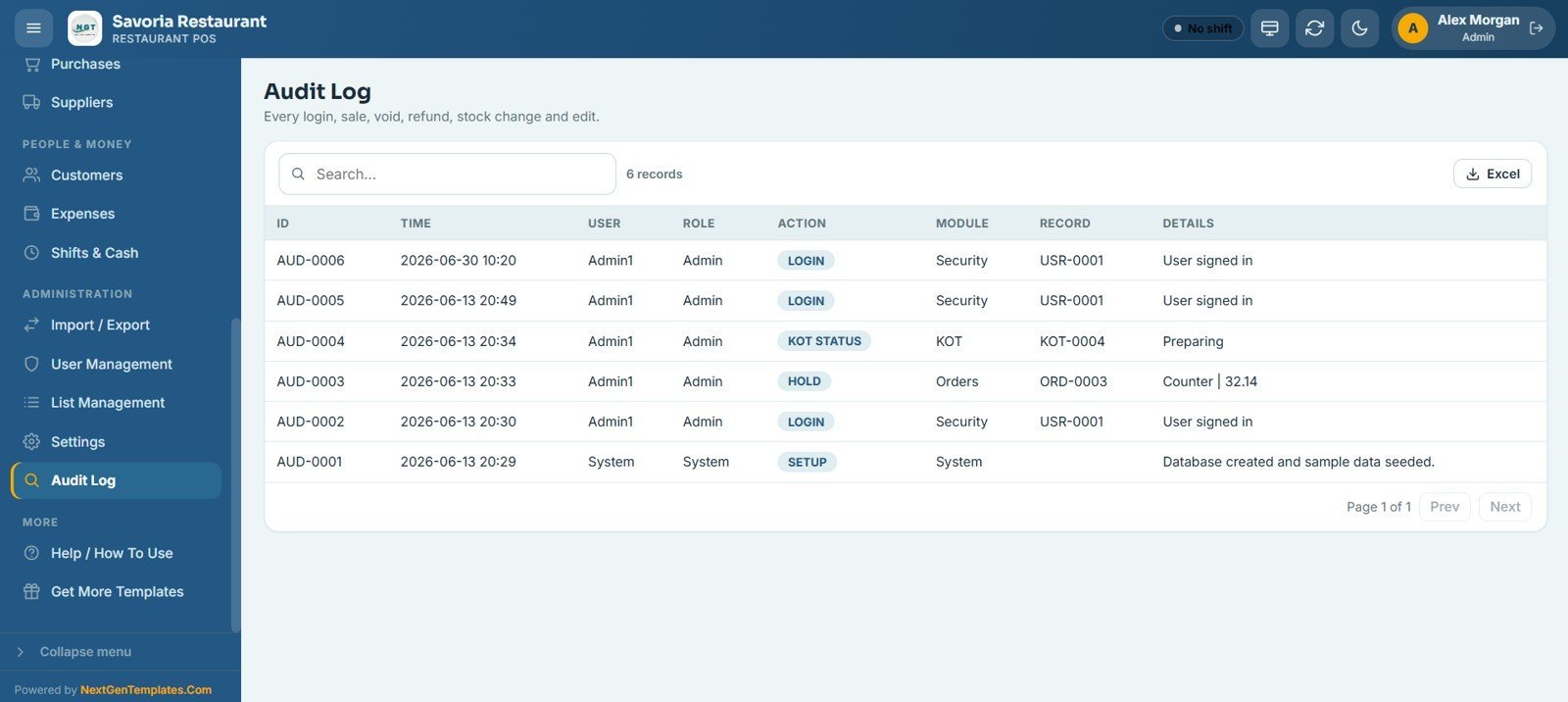
20 – Audit Log
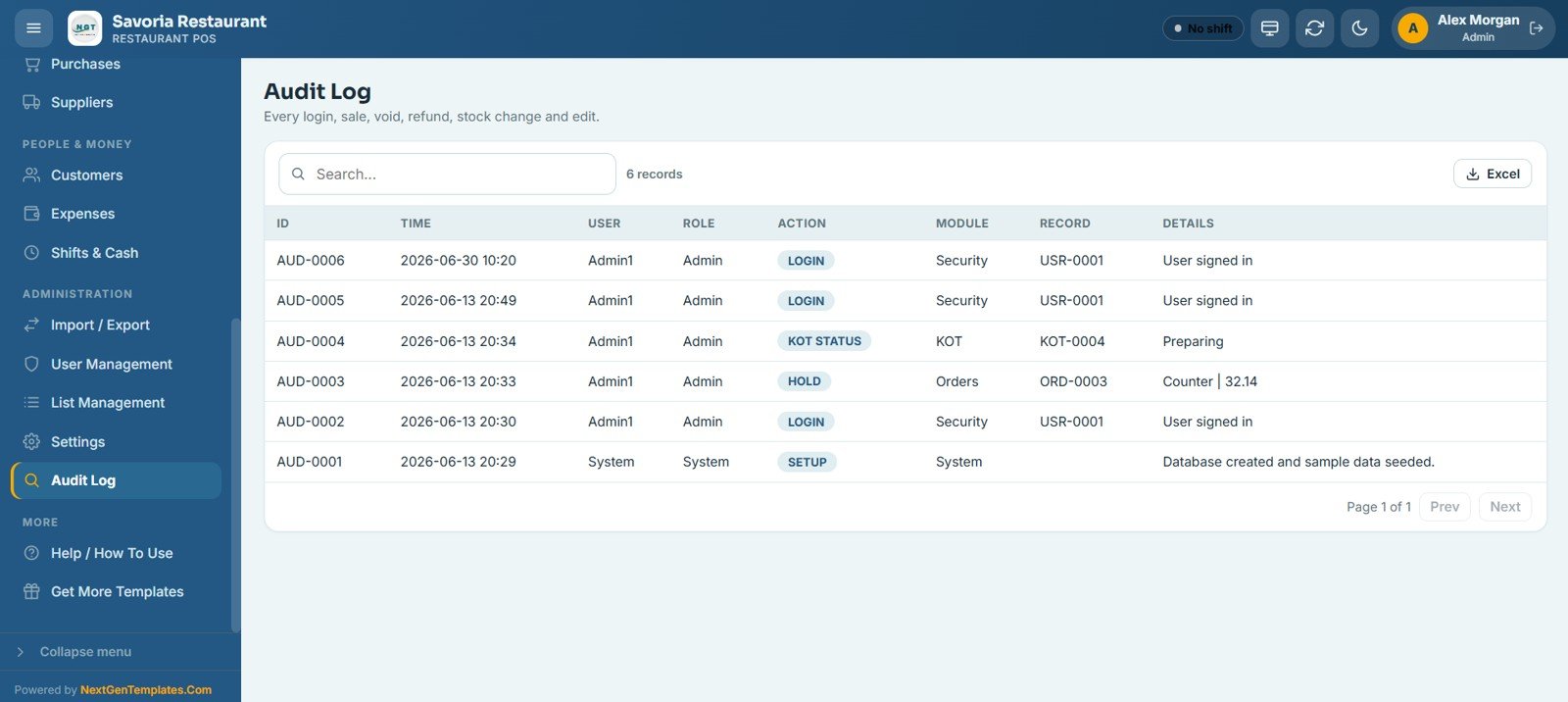
Records every important action in the system — logins, sales, voids, refunds, stock changes, and edits — showing the time, user, role, action, module, record, and details for full transparency and accountability.
📊 Restaurant POS Web App vs. Excel POS vs. Toast / Square — Where This Fits
| Feature | Restaurant POS Web App | Excel POS Template | Toast / Square POS |
|---|---|---|---|
| Cost | $39.99 one-time ✅ | $5–15 one-time | $69–165+ / month |
| Platform | Google Sheets + Apps Script ✅ | Microsoft Excel | Proprietary SaaS |
| Setup time | Under 15 minutes ✅ | 30–60 minutes | 1–3 days + onboarding |
| Real-time team access (multi-user) | Yes — role-based ✅ | No (single file) | Yes (paid add-on) |
| Mobile / tablet access | Yes — any browser ✅ | Limited | Yes (dedicated hardware) |
| Table & KOT workflow | Built-in ✅ | Not available | Yes |
| Year-1 cost at 5 users | $39.99 total ✅ | $15 total | $828–$1,980+ |
| Audit log & void tracking | Full audit trail ✅ | Manual only | Yes |
| Customizable menu categories | Yes ✅ | Limited | Yes (paid tiers) |
For restaurants, diners, and food courts that want a complete POS without paying Toast or Square monthly fees, the Restaurant POS Web App sits in the sweet spot.
👥 Who This Template Is For — and Who It’s Not For
✅ This system is built for:
- Independent restaurant, diner, and café owners who want a full POS without a monthly SaaS fee
- Food court and cloud-kitchen operators running dine-in, takeaway, and delivery from one screen
- Restaurant managers handling 1–5 outlets with a small front-of-house and kitchen team
- Hospitality entrepreneurs looking for a one-time investment in operations software
- Waiters and cashiers who need a fast, touch-friendly ordering and billing interface
❌ This system is NOT for:
- Enterprise restaurant chains needing SOC 2 compliance, offline POS hardware, or direct card-terminal integrations
- Venues requiring built-in payment gateways (card and UPI payments are recorded manually)
- High-volume kitchens processing 500+ orders per hour that need dedicated POS hardware
⚙️ How to Use the Restaurant POS Web App
- Purchase and deploy — Follow the PDF guide to copy the Google Sheets file to your Google Drive and deploy the Apps Script web app.
- Configure settings — Set your restaurant name, logo, tax rate, service charge, tip rules, and receipt format in the Settings screen.
- Load your menu — Add food and beverage items with images, categories, prices, and stock levels in the Products screen.
- Set up tables and areas — Configure table names, areas (Bar, Outdoor, Private Dining), and seat counts via List Management.
- Add your team — Create user accounts and assign roles (Admin, Manager, Cashier, Waiter) in User Management.
- Open a shift — Each cashier opens their till with an opening cash amount before taking orders.
- Take orders — Use the POS screen to build orders, hold them, or send them to billing. Tables and KOT update automatically.
- Review daily reports — Run daily sales, shift closing, and stock reports at the end of service from the Reports center.
💼 Real-World Use Cases
Aisha runs a 60-cover family restaurant. She uses the Restaurant POS Web App to manage table orders across her main hall and outdoor section, push tickets straight to the kitchen display, and reconcile her two cashiers’ tills at close — without paying $120 per month for a legacy POS. Her waiters see every order the moment it is placed.
Marco operates a cloud kitchen serving takeaway and delivery. He loaded 80 menu items across 7 categories, tracks daily revenue by category and payment mode, and logs supplier purchases automatically, cutting his month-end stock reconciliation from 4 hours to 20 minutes.
Priya manages a café with a private-dining room. She uses the customer loyalty screen to track regulars, send birthday promos, and monitor repeat visits, while the shift reconciliation feature caught a cash discrepancy in week one that her old paper system would have missed.
❓ Frequently Asked Questions
What does the Restaurant POS Web App include?
The Restaurant POS Web App includes 20 screens covering billing, held orders, tables, KOT/kitchen display, bills, a 9-KPI sales dashboard, 19 reports, products, inventory, purchases, suppliers, customers, expenses, shifts, import/export, user management, list management, settings, and an audit log — all in one Google Sheets web app.
Does this work on mobile and tablet?
Yes. The Restaurant POS Web App runs in any modern browser, so it works on tablets, smartphones, and desktops without any native app install. The POS uses touch-friendly menu cards for quick order entry during service.
How many users can access the system at the same time?
The Restaurant POS Web App supports multi-user simultaneous access. Each user gets their own login with role-based access — Admin, Manager, Cashier, Waiter, Inventory User, and Viewer — all working at the same time.
How does this compare to Toast or Square POS?
Toast and Square cost $69–$165+ per month plus hardware fees. The Restaurant POS Web App is a one-time $39.99 purchase with no monthly fee, no per-user charge, and no hardware requirement — ideal for independent restaurants managing costs carefully.
How long does setup take?
Setup takes under 15 minutes. You copy the Google Sheets file using the PDF guide link, deploy the web app from Apps Script, configure your restaurant settings, and add your menu and team members. No coding or IT support is required.
Can I customise the menu categories and table layout?
Yes. The List Management screen lets you define menu categories, table areas, payment modes, units, and expense categories. The Settings screen configures tax, service charge, tips, discounts, and receipt format — all without editing any code.
Is my data stored securely?
All data is stored in your own Google Sheets file within your Google Drive account. Google Drive provides enterprise-grade security, 2FA, and regular backups. NextGenTemplates never has access to your data.
👤 About the Author
Built by PK — Microsoft Certified Professional with 15+ years of Excel, Google Sheets, and Power BI experience. Founder of NextGenTemplates, reaching 300K+ subscribers across YouTube channels (@PK-AnExcelExpert, @NextGenTemplates, @NeoTechNavigators). Every template is hand-built and tested before release.
🔗 Explore Related Templates
Looking for more management systems? Explore our full range of Google Sheets Templates:
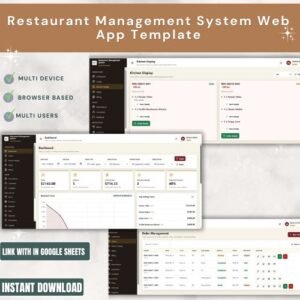
- Restaurant Management System Web App — Full restaurant system with table management, KOT, billing, and inventory.
- Bar POS System Web App — Complete bar, pub, and lounge POS with the same 20-screen engine.
- Coffee Cafe POS Web App — Café-focused POS with menu cards, KOT, and shift reconciliation.
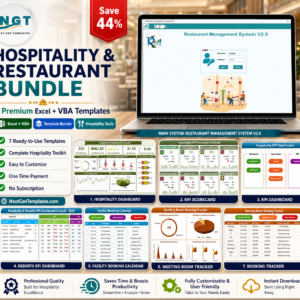
💎 Save more — get the Hospitality & Restaurant Bundle for a full set of food-service templates at one discounted price.
📖 Click here to read the Detailed Blog Post<
Watch the step-by-step video Demo:
🎥 Visit our YouTube channel for step-by-step video tutorials
👉 YouTube.com/@NextGenTemplates
📅 Last updated: June 2026

Reviews
There are no reviews yet.