

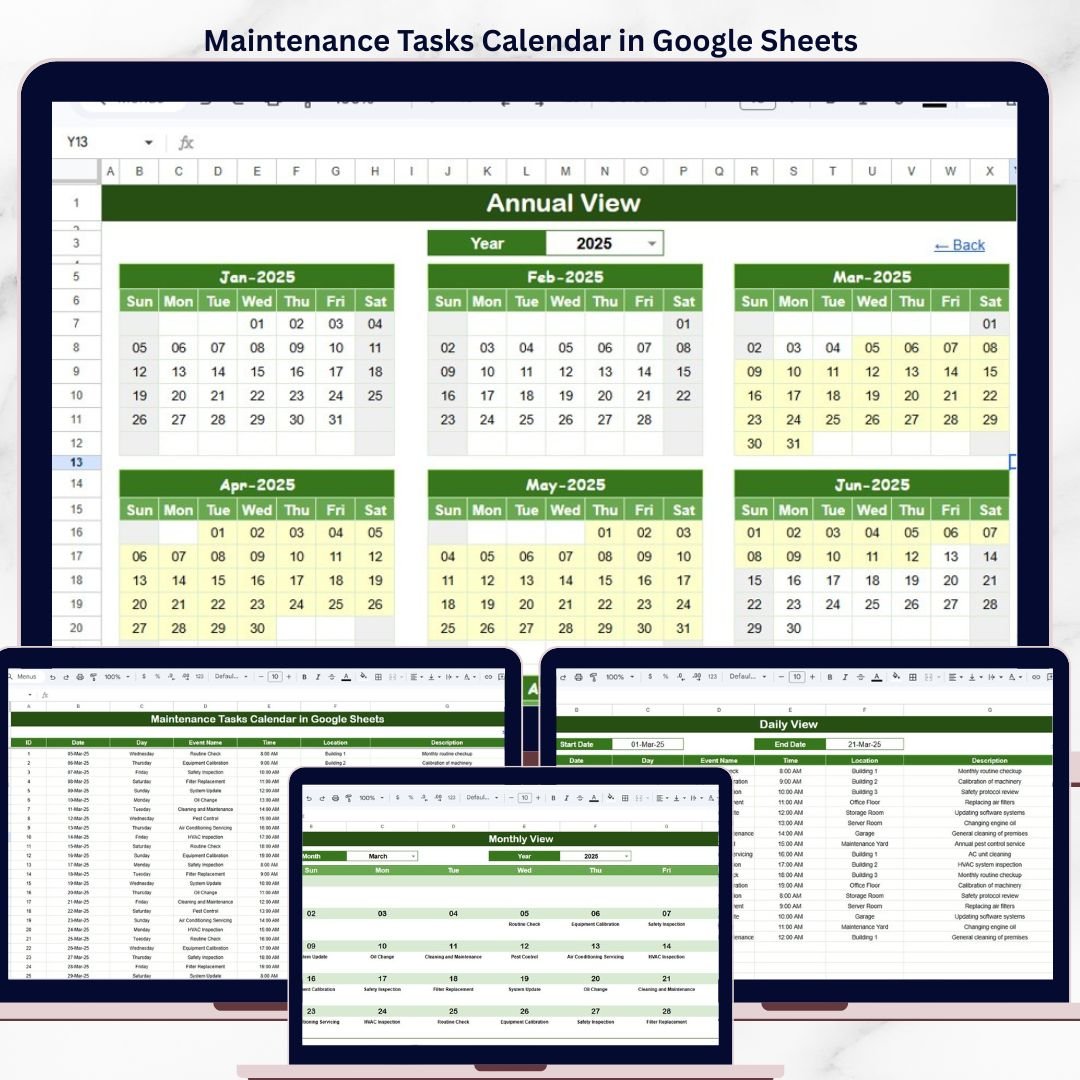
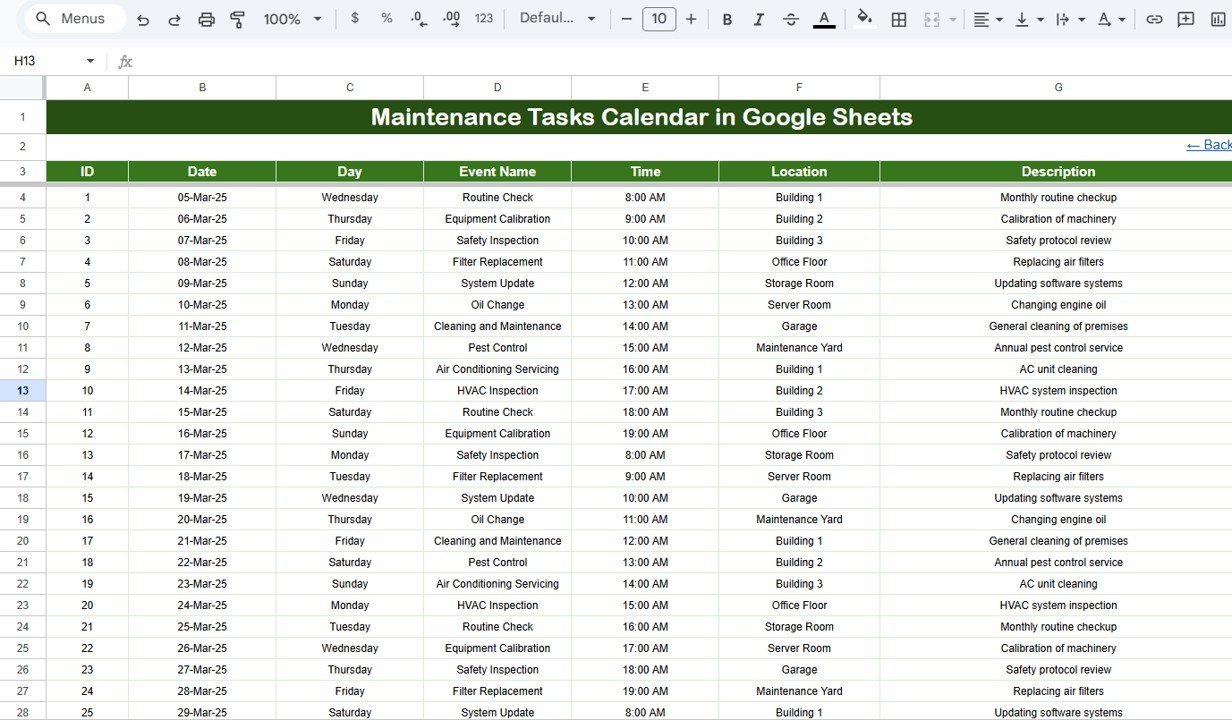
The Maintenance Tasks Calendar in Google Sheets organizes maintenance schedules across 5 structured worksheets, with annual, monthly, and daily calendar views plus a centralized events database. Facilities teams typically manage 50-200 recurring maintenance tasks per quarter, and missed preventive maintenance increases equipment failure risk by 35-40% according to industry benchmarks. A structured calendar reduces scheduling gaps by up to 45%.
🌍 Join 8,400+ teams in 40+ countries using NextGenTemplates to replace paid SaaS tools with one-time-purchase Excel, Google Sheets, Power BI, and HTML templates.
✅ Instant download · One-time payment · No subscription · No per-user fees · Lifetime access
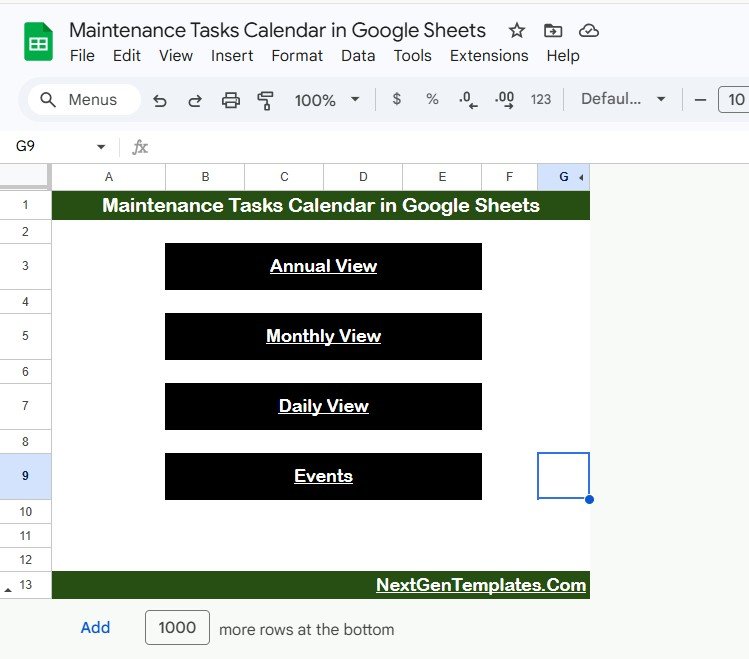
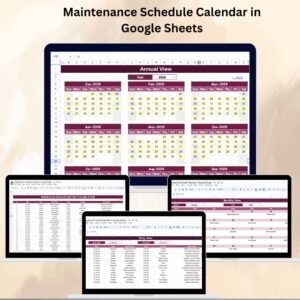
Maintenance Tasks Calendar in Google Sheets
🔑 Key Features of Maintenance Tasks Calendar in Google Sheets
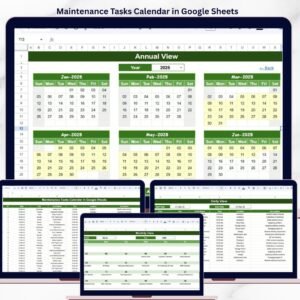
The Maintenance Tasks Calendar in Google Sheets includes 5 dedicated worksheets: Home, Annual View, Monthly View, Daily View, and Events. It tracks unlimited maintenance events with fields for date, day, event name, time, location, and description — each entry receives an auto-generated unique ID for quick reference.
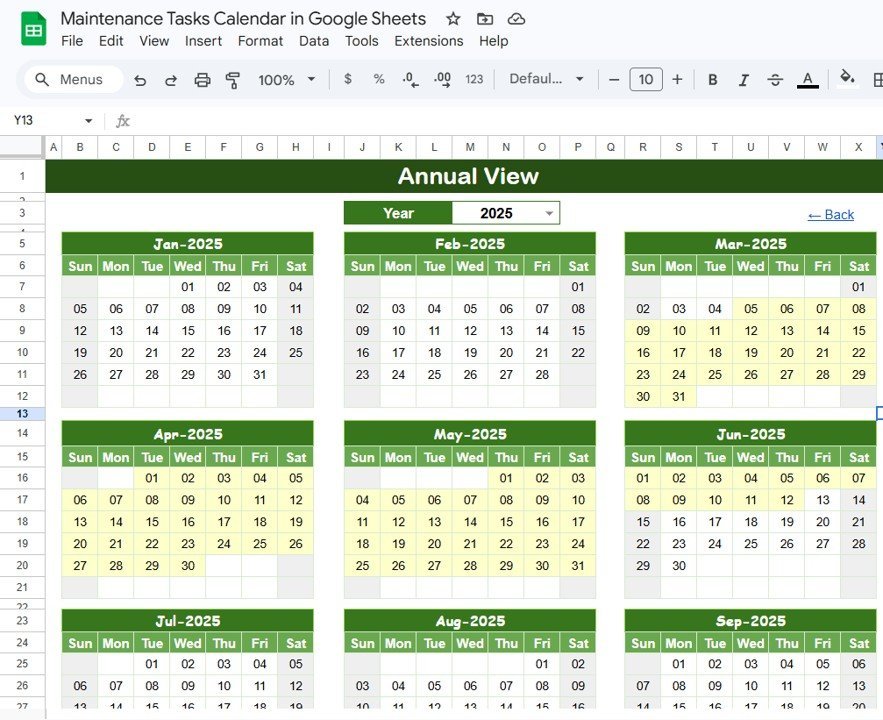
The Annual View displays all 12 months of the selected year in a single overview, letting facility managers spot maintenance clusters at a glance. The Monthly View shows a single-month calendar where each date displays one event, with a “more than 1…” indicator when multiple tasks fall on the same day. The Daily View filters all events within a custom date range using start and end date selectors with built-in calendar pickers.
The Home sheet acts as an index with 4 navigation buttons (Annual View, Monthly View, Daily View, Events) so users can jump directly to any section. The Events sheet serves as the centralized database storing every maintenance task’s details in a clean tabular format ready for sorting, filtering, and exporting.
📦 What’s Inside the Maintenance Tasks Calendar
This Google Sheets calendar template contains 5 worksheets designed specifically for maintenance task scheduling:
📋 Home Sheet: An index page with 4 navigation buttons — Annual View, Monthly View, Daily View, and Events — for quick access to any section.
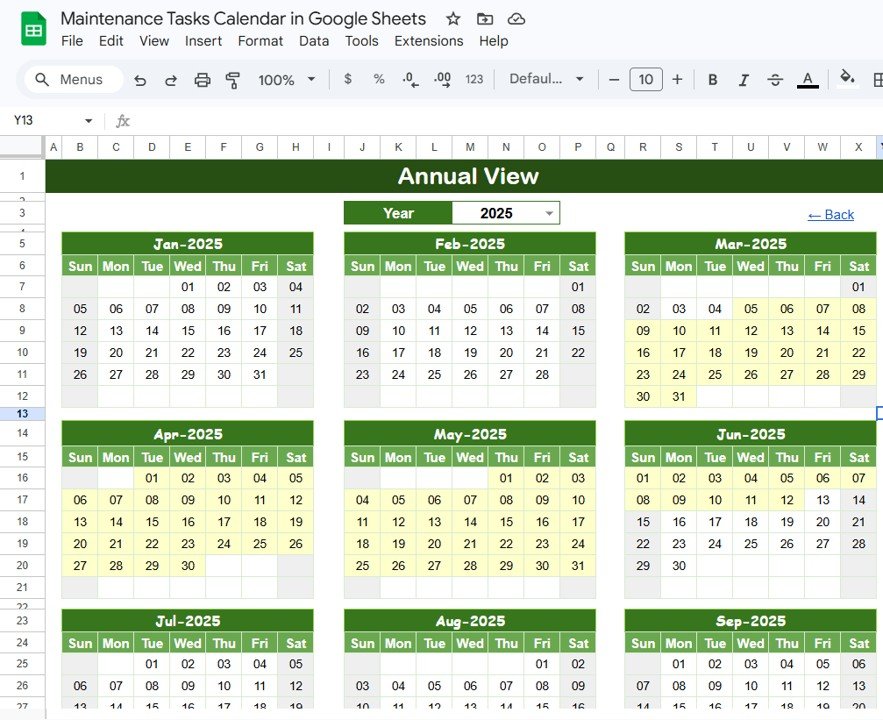
Annual View Sheet tab
📋 Annual View Sheet: Displays all 12 months of the selected year in a compact grid layout. Ideal for spotting seasonal maintenance patterns, planning shutdowns, and identifying months with heavy task loads.
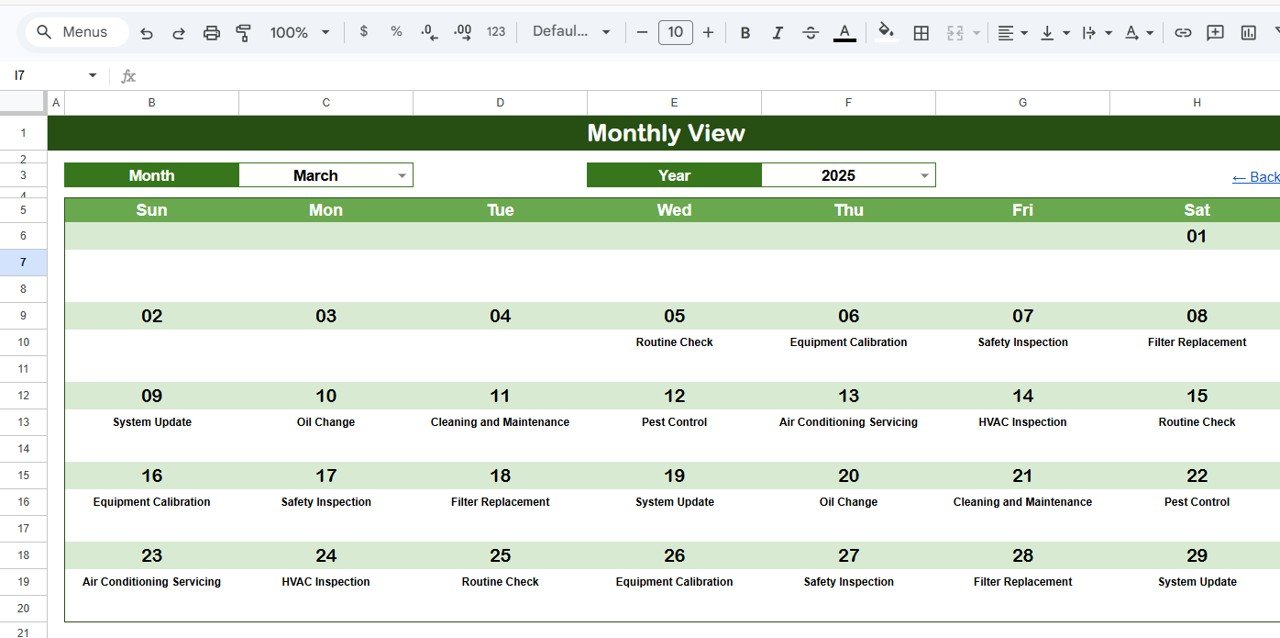
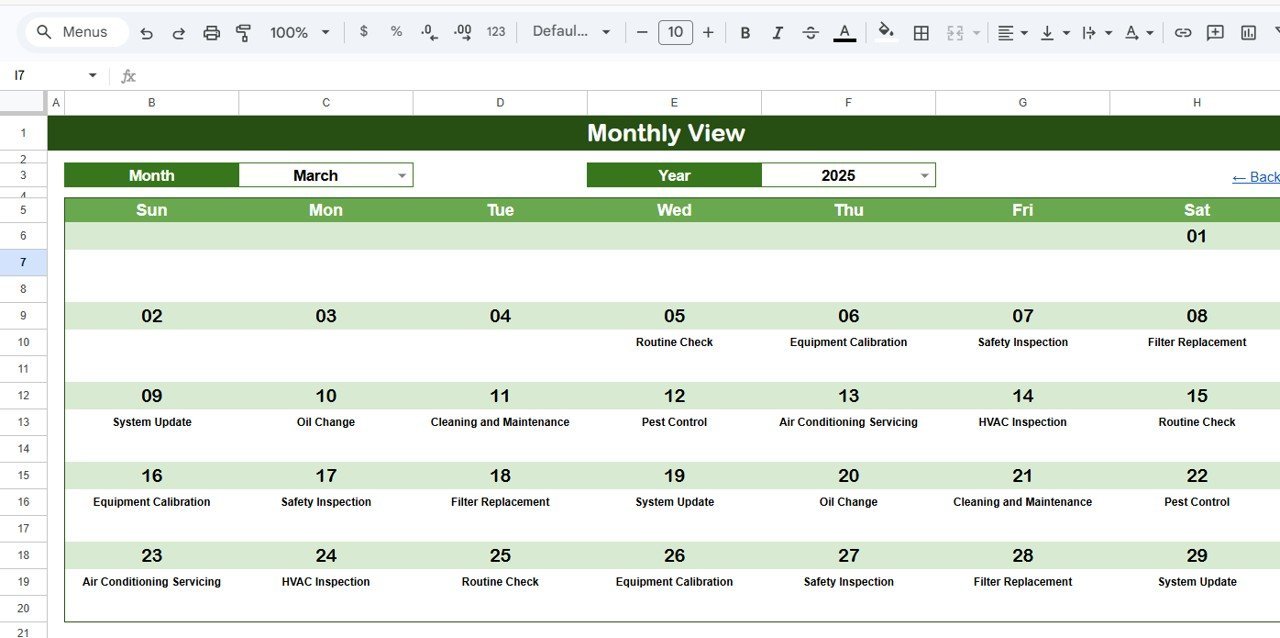
Monthly View Sheet tab
📋 Monthly View Sheet: A single calendar for a selected month and year. Shows 1 event per date cell with a “more than 1…” indicator when multiple maintenance tasks overlap on the same day.
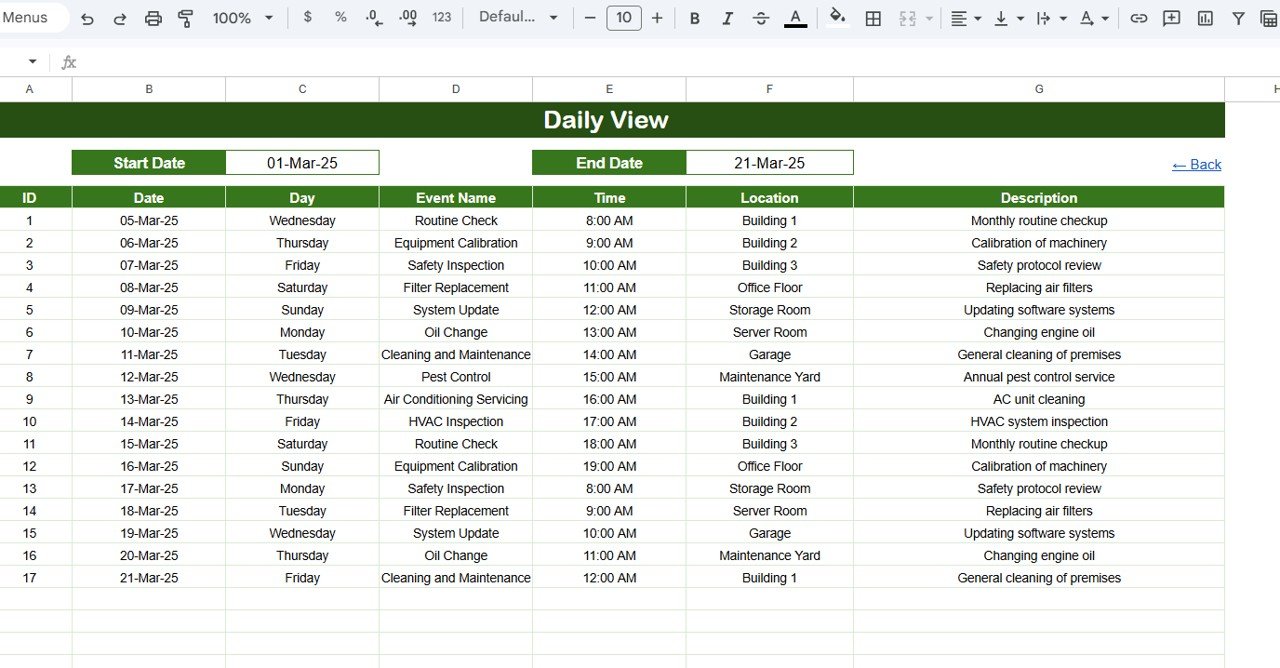
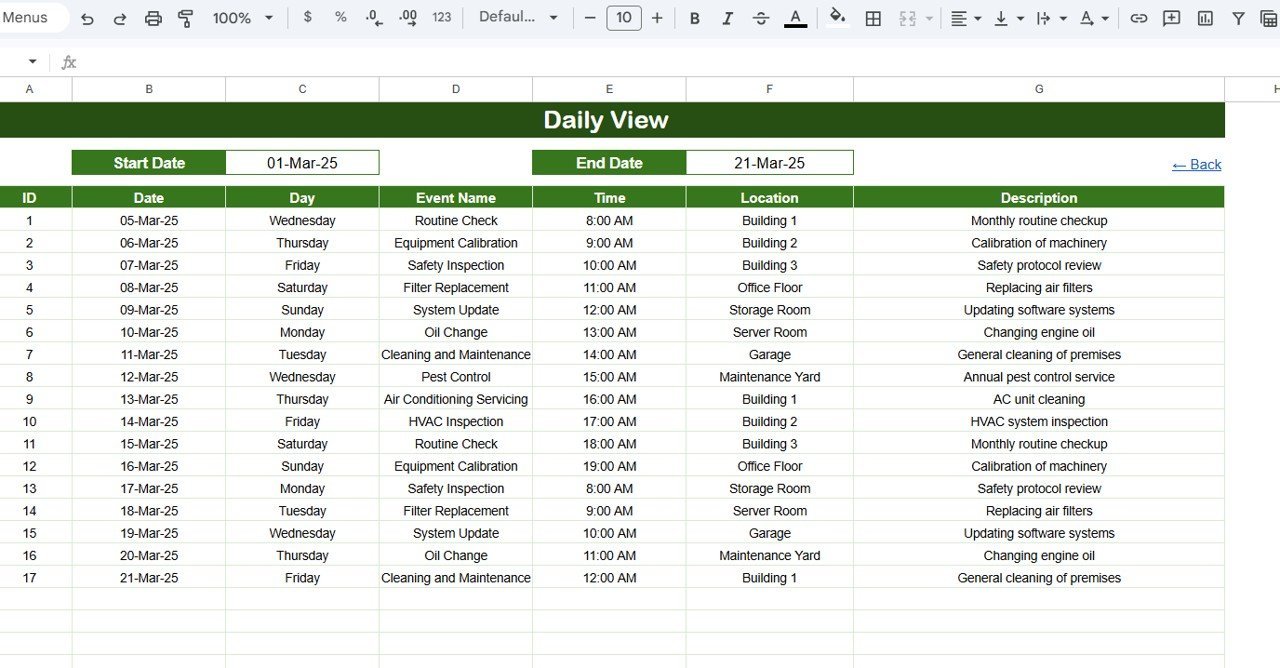
Daily View Sheet tab
📋 Daily View Sheet: Lists all maintenance events within a user-defined date range. Set the Start Date and End Date using calendar date pickers, and the sheet instantly filters all matching tasks with full details.
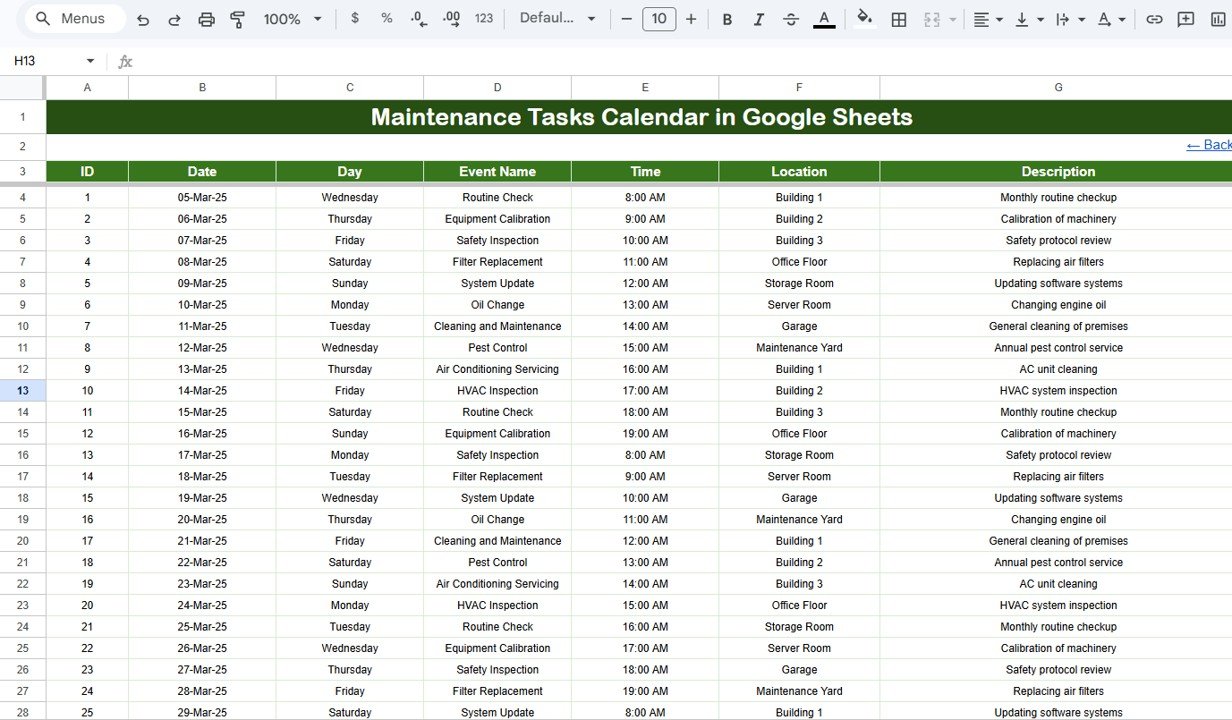
Events Sheet tab
📋 Events Sheet: The centralized database capturing all maintenance task details — auto-generated ID, Date, Day, Event Name, Time, Location, and Description. Add new entries manually to schedule upcoming tasks.
📊 Maintenance Tasks Calendar vs. Microsoft Excel Calendar vs. Paid CMMS Software — Where This Fits
| Feature | Maintenance Tasks Calendar in Google Sheets | Microsoft Excel Calendar | UpKeep / Fiix CMMS |
|---|---|---|---|
| Cost | $4.99 one-time | $4.99-8.99 one-time (similar templates) | $20-75 / user / month |
| Platform | Google Sheets (browser-based) | Desktop Excel required | Web + Mobile app |
| Setup time | Under 5 minutes | 10-15 minutes | 1-4 weeks onboarding |
| Real-time team collaboration | ✅ Built-in (Google Sheets) | ❌ File sharing required | ✅ Yes |
| Mobile access | ✅ Any browser / Google Sheets app | ❌ Limited on mobile | ✅ Dedicated app |
| Customizable fields | ✅ Fully editable | ✅ Fully editable | ⚠️ Plan-dependent |
| Share with link | ✅ One-click sharing | ❌ Email attachment | ✅ Invite-based |
| Year-1 cost at 5 users | $4.99 total | $4.99-8.99 total | $1,200-4,500 |
| Work order automation | ❌ Manual entry | ❌ Manual entry | ✅ Automated workflows |
For teams that want structured maintenance scheduling without paying $20+ per user per month for CMMS software, the Maintenance Tasks Calendar in Google Sheets sits in the sweet spot.
👥 Who This Template Is For — and Who It’s Not For
✅ This template is built for:
- Facility managers tracking preventive maintenance across buildings, offices, or campuses
- Property managers scheduling routine inspections, repairs, and service appointments
- Small business owners managing equipment upkeep without dedicated maintenance software
- Operations teams at 5-200 person companies needing a shared maintenance calendar
❌ This template is NOT for:
- Enterprise facilities teams needing automated work order routing, IoT sensor integration, or compliance audit trails — use UpKeep or Fiix instead
- Teams managing 500+ assets requiring barcode scanning and mobile technician dispatch
⚙️ How to Use the Maintenance Tasks Calendar
1️⃣ Open the PDF guide included in your download and click the Google Sheets copy link to create your own editable copy in Google Drive.
2️⃣ Go to the Events sheet and enter your maintenance tasks — fill in the Date, Event Name, Time, Location, and Description columns. The ID and Day columns auto-populate.
3️⃣ Use the Home sheet navigation buttons to switch between Annual View, Monthly View, and Daily View to visualize your maintenance schedule from different angles.
4️⃣ On the Monthly View, select the month and year from the dropdown to see that month’s maintenance calendar with task indicators.
5️⃣ On the Daily View, set your Start Date and End Date using the calendar pickers to filter tasks within a specific window.
6️⃣ Share the Google Sheet with your team so everyone can view and update the maintenance calendar in real time.
💼 Real-World Use Cases
David manages facilities at a 3-building office complex with 120 employees. He uses the Maintenance Tasks Calendar in Google Sheets to schedule quarterly HVAC inspections, monthly fire extinguisher checks, and weekly janitorial deep cleans. The Annual View helps him plan around tenant move-ins and avoid scheduling conflicts during busy periods — saving his team from using a $2,400/year CMMS license.
Priya runs a small manufacturing workshop with 15 CNC machines. She logs every machine’s preventive maintenance — oil changes, belt replacements, calibration checks — in the Events sheet. The Daily View lets her pull up next week’s tasks in seconds, and the auto-generated IDs help her cross-reference service records when auditors visit.
Carlos oversees maintenance for a 40-unit rental property portfolio. Each property’s plumbing, electrical, and appliance servicing goes into the calendar. The Monthly View shows him which properties have overlapping maintenance windows, so he can batch technician visits and cut travel costs by 25%.
❓ Frequently Asked Questions
How many maintenance tasks can I track in this calendar?
The Maintenance Tasks Calendar in Google Sheets supports unlimited maintenance entries in the Events sheet. Google Sheets handles thousands of rows efficiently, so you can log years of maintenance history without performance issues.
Can I customize the fields in the Events sheet?
Yes. The Maintenance Tasks Calendar in Google Sheets is fully editable. You can add columns for priority level, assigned technician, cost, or status — the existing formulas for calendar views will continue working as long as the core columns remain intact.
Does this calendar work on mobile devices?
The Maintenance Tasks Calendar in Google Sheets works on any device with the Google Sheets app or a mobile browser. You can view and edit maintenance schedules from your phone or tablet while on-site.
How does this compare to UpKeep or Fiix CMMS software?
The Maintenance Tasks Calendar costs $4.99 one-time versus $20-75 per user per month for UpKeep or Fiix. It covers scheduling and tracking without automated work order routing. Teams needing mobile dispatch and IoT integration should consider dedicated CMMS platforms.
Can multiple team members edit this calendar simultaneously?
Yes. Since it runs on Google Sheets, multiple team members can view and edit the Maintenance Tasks Calendar at the same time. Changes appear instantly for everyone with shared access — no version conflicts or file merging needed.
How long does it take to set up?
Setup takes under 5 minutes. Copy the template to your Google Drive using the link in the PDF guide, enter your first few maintenance tasks in the Events sheet, and the calendar views populate automatically. No formulas to build or configure.
Can I use this for different types of maintenance — HVAC, plumbing, electrical?
The Maintenance Tasks Calendar in Google Sheets works for any maintenance category. Use the Event Name and Description fields to specify the type — HVAC inspection, plumbing repair, electrical testing. You can also add a custom “Category” column to filter by maintenance type.
👤 About the Author
Built by PK — Microsoft Certified Professional with 15+ years of Excel, Google Sheets, and Power BI experience. Founder of NextGenTemplates, reaching 300K+ subscribers across YouTube channels (@PK-AnExcelExpert, @NextGenTemplates, @NeoTechNavigators). Every template is hand-built and tested before release.
🔗 Explore Related Templates
If you find the Maintenance Tasks Calendar useful, check out these related templates on NextGenTemplates:
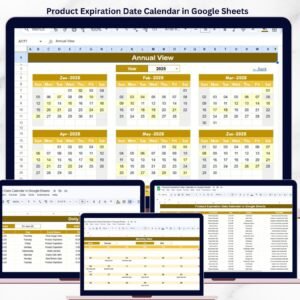
📌 Product Expiration Date Calendar in Google Sheets — Track product shelf life, warranty dates, and renewal deadlines with the same calendar structure.
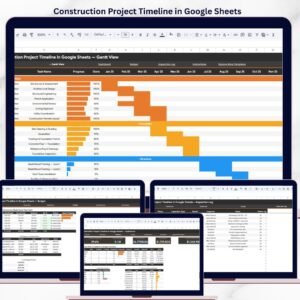
📌 Construction Project Timeline in Google Sheets — Plan construction phases, milestones, and deadlines with a visual timeline.
📌 Property Management Dashboard in Google Sheets — Monitor rent collections, occupancy, and property financials alongside maintenance scheduling.
📌 Browse all Google Sheets Calendar Templates for more scheduling and planning tools.
📖 Click here to read the Detailed Blog Post
🎥 Visit our YouTube channel for step-by-step video tutorials
👉 YouTube.com/@NextGenTemplates





Reviews
There are no reviews yet.