

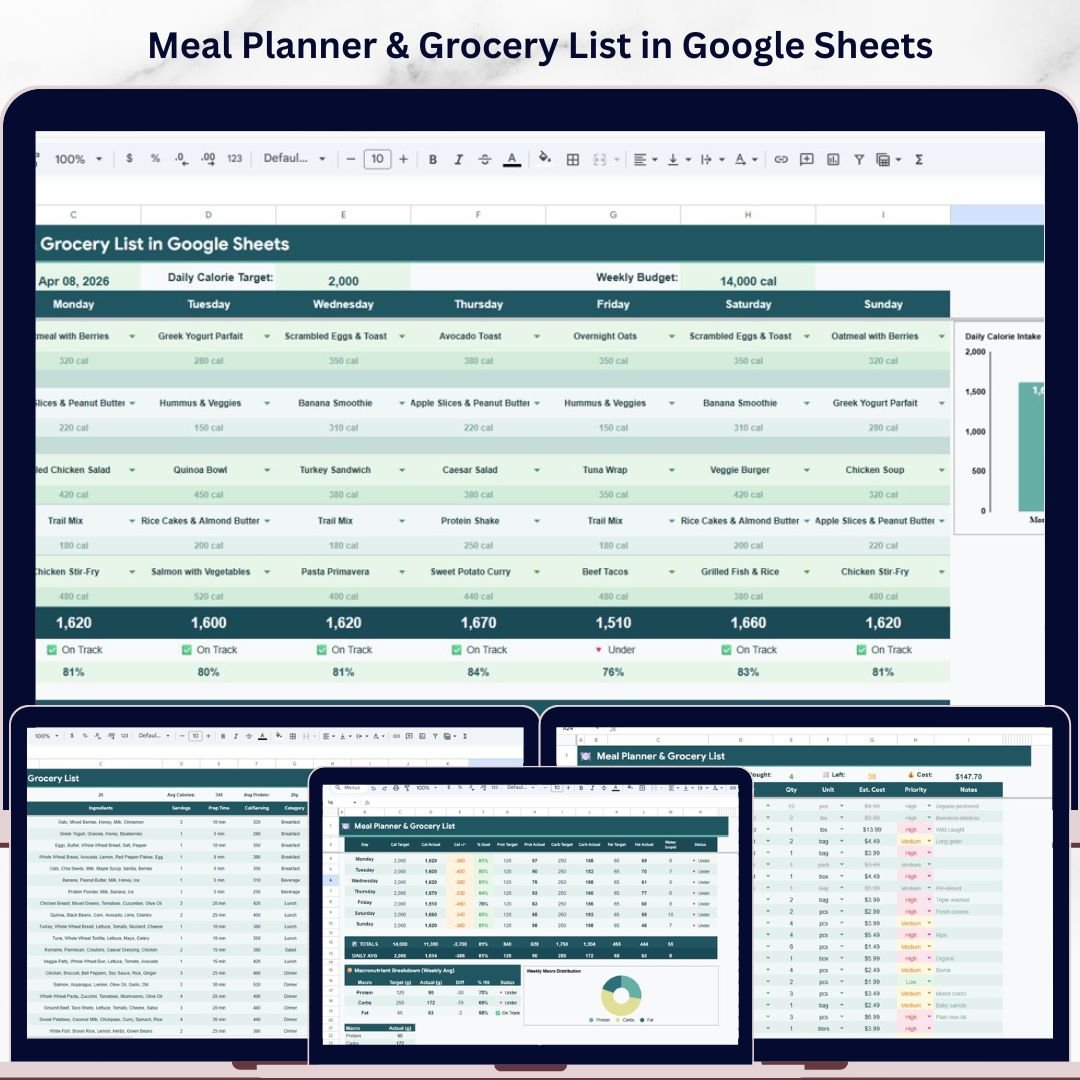

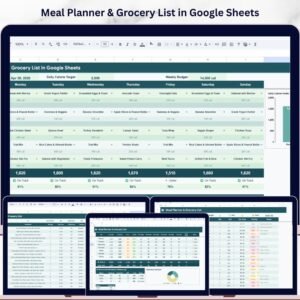
📊 Meal Planner & Grocery List in Google Sheets is your all-in-one weekly meal planning, grocery management, nutrition tracking, and budget monitoring companion — built entirely inside Google Sheets. Whether you are a busy professional trying to eat healthier, a family organizer managing weekly groceries, or a fitness-focused individual tracking macronutrients — this ready-to-use Google Sheets Tracker Template gives you complete control over your meals, shopping, recipes, nutrition, and spending — all in one beautifully designed spreadsheet.Meal Planner & Grocery List in Google Sheets
This template includes 5 powerful pages — a Weekly Meal Plan dashboard, a Grocery List manager, a Recipe Database, a Nutrition Tracker, and a Shopping History tracker — designed to help you plan meals, track calories and macros, manage your grocery budget, and analyze spending patterns over time. Simply replace the sample data with your own meals, recipes, and grocery items, and watch the charts, KPI cards, and analytics update automatically. If you are looking for more Google Sheets Templates, explore our growing library of professional templates for every need.
🔑 Key Features of Meal Planner & Grocery List in Google Sheets
✨ Interactive Weekly Meal Plan Dashboard with 7 KPI Cards – View Week Starting Date, Daily Calorie Target, Weekly Budget, Daily Total Calories, Status (On Track / Off Track), % of Target, and Total Weekly Calories at a glance.
📊 Dynamic Dashboard Chart – Analyze your eating patterns with Daily Calorie Intake by Day of Week to see how your calories distribute across the week.
🎛️ Slicer Filters for Quick Analysis – Apply multiple slicers on the Weekly Meal Plan dashboard to filter data and see the filtered dashboard instantly.
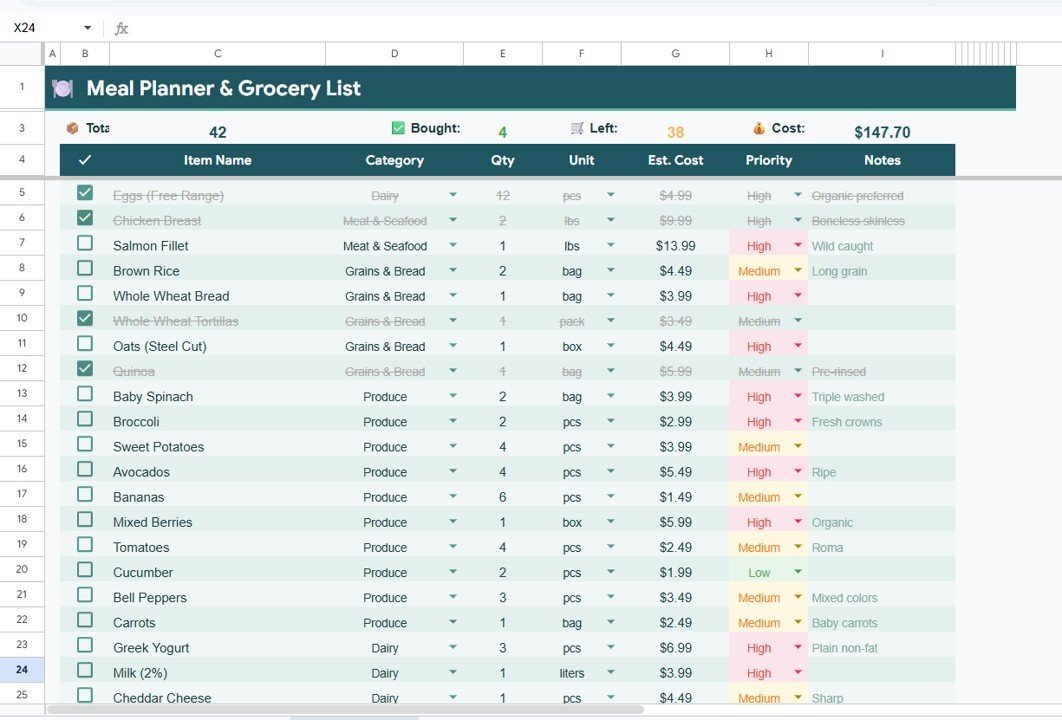
🛒 Complete Grocery List Manager – Track Total Items by Category, Estimated Cost by Item, Items by Priority Level, and Bought vs Left Summary to never miss a grocery item.
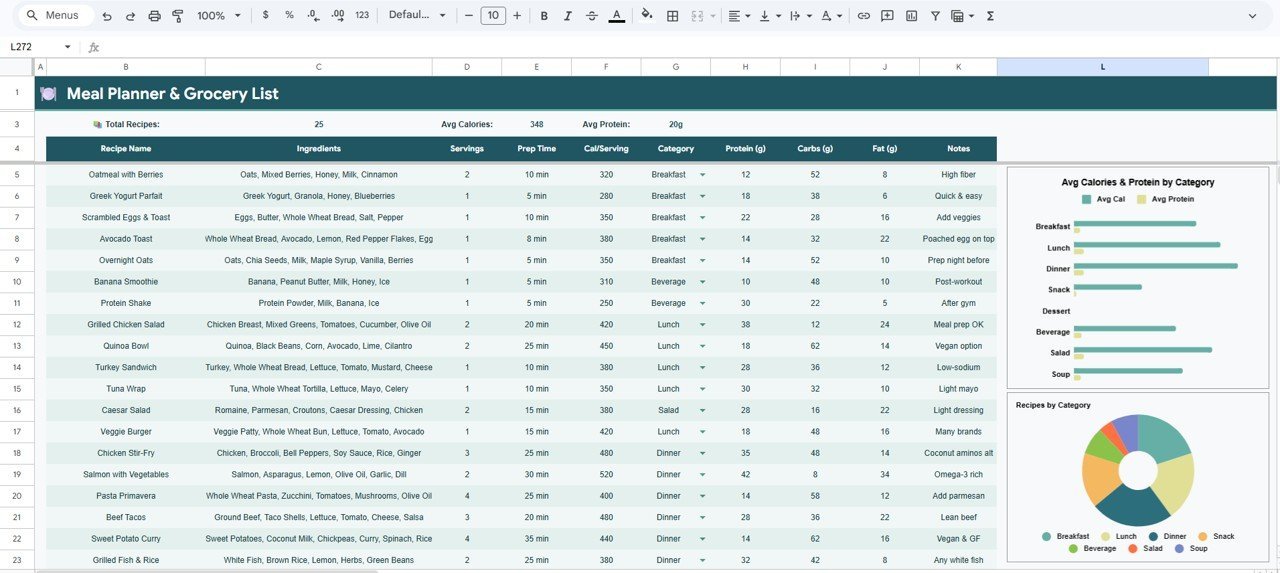
🍳 Recipe Database with Nutrition Analysis – Store and analyze recipes with Avg Calories and Protein by Category, Recipes by Category, Calories per Serving by Recipe, and Macronutrient Breakdown by Recipe.
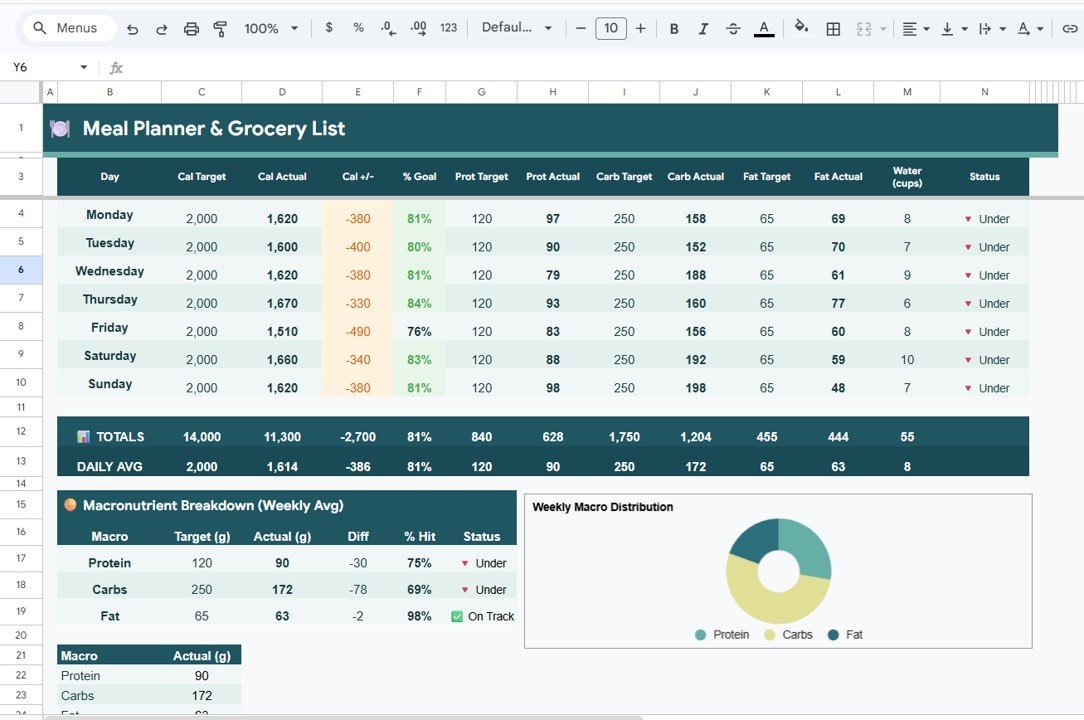
📈 Advanced Nutrition Tracker – Monitor daily intake with Calorie Target vs Actual by Day, Protein Target vs Actual by Day, Carbs Target vs Actual by Day, Fat Target vs Actual by Day, Water Intake by Day, Macronutrient Breakdown by Weekly Average, and Weekly Macro Distribution by Macro Type.
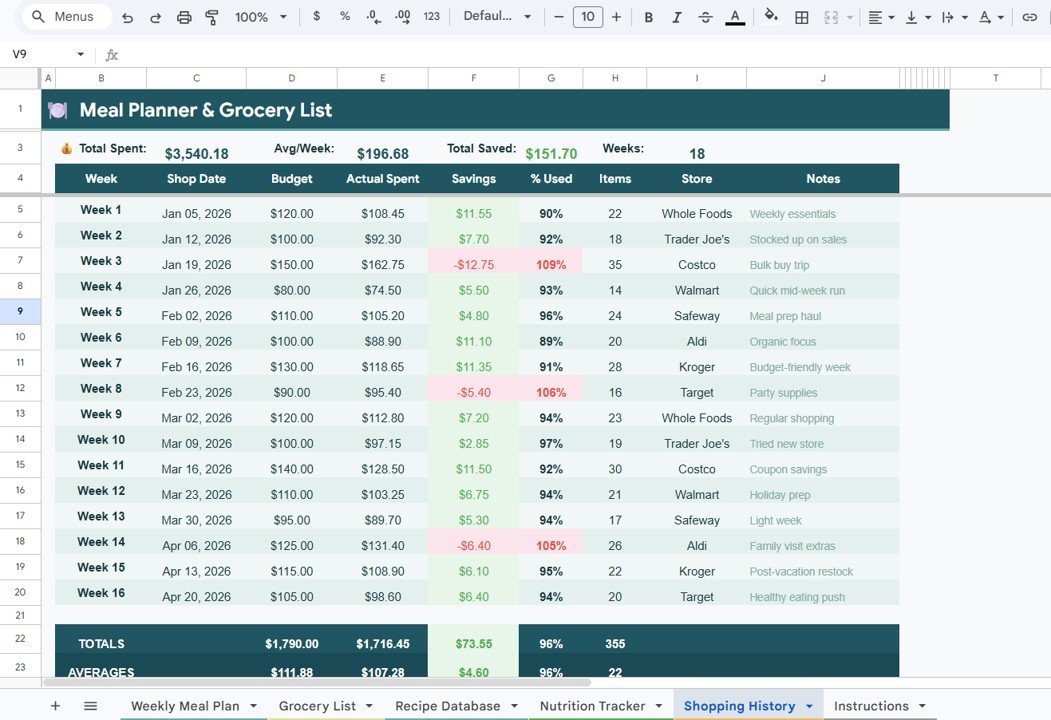
💰 Shopping History & Budget Tracker – Analyze spending with Total Spent by Week, Actual Spent vs Budget by Week, Savings by Week, Percentage Used by Week, and Items Purchased by Store.
🔗 Fully Automated Formulas – All calculations, KPI cards, and charts update automatically — zero manual work required.
🎨 Professional Clean Design – Visually appealing layout with consistent color coding and intuitive navigation across all 5 pages.
📦 What’s Inside the Meal Planner & Grocery List in Google Sheets
This template contains 5 professionally designed pages that work together seamlessly to give you total control over meal planning, grocery shopping, nutrition monitoring, and budget tracking:
📌 Weekly Meal Plan – Your meal planning command center featuring 7 KPI cards (Week Starting Date, Daily Calorie Target, Weekly Budget, Daily Total Calories, Status On Track/Off Track, % of Target, Total Weekly Calories) plus an interactive chart showing Daily Calorie Intake by Day of Week. Multiple slicers let you filter the dashboard instantly for quick insights.
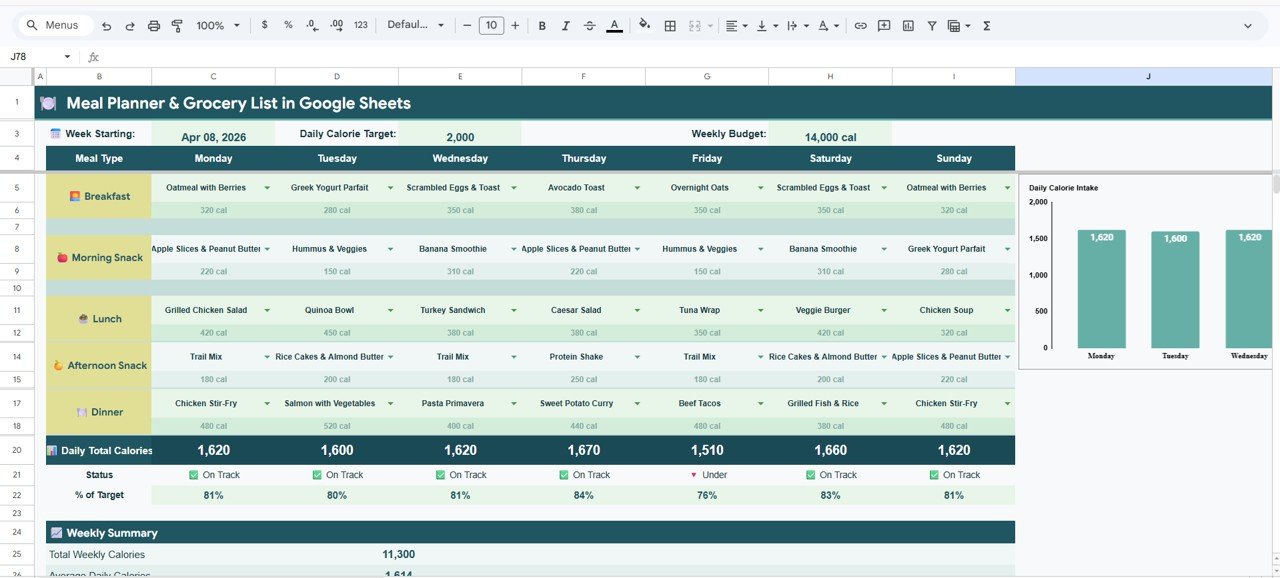
Weekly Meal Plan
📌 Grocery List – A comprehensive grocery management page with visual analysis including Total Items by Category to see your shopping breakdown, Estimated Cost by Item for budget planning, Items by Priority Level to prioritize essentials, and Bought vs Left Summary to track shopping progress in real time.
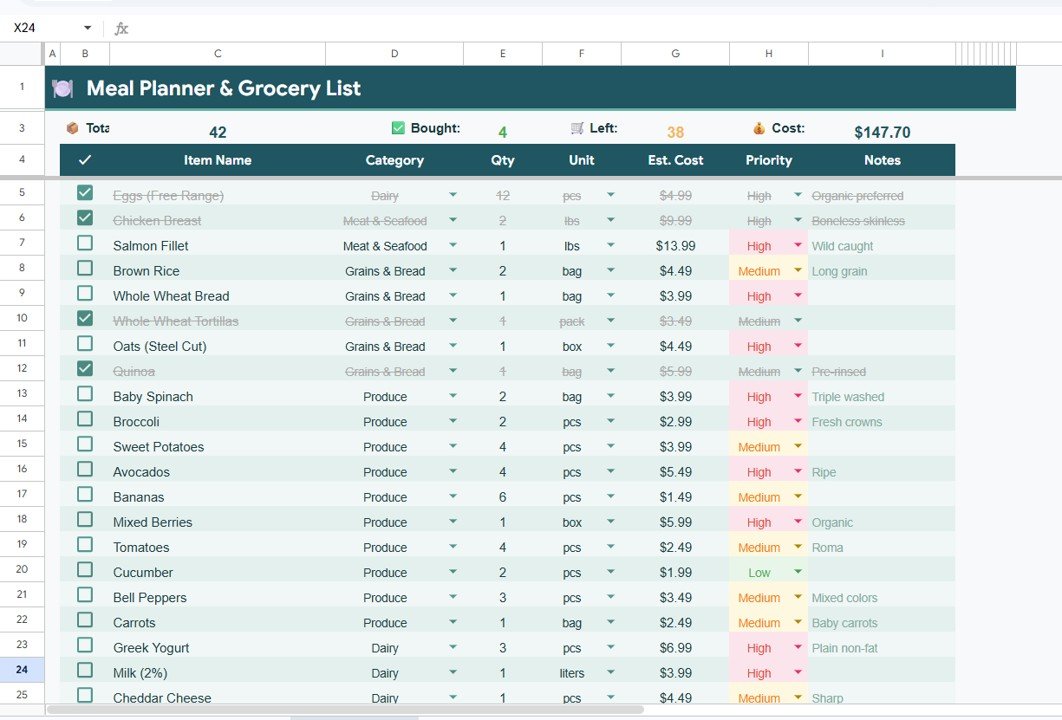
Grocery List
📌 Recipe Database – Store all your favorite recipes and analyze their nutritional value with Avg Calories and Protein by Category, Recipes by Category for a clear recipe inventory, Calories per Serving by Recipe for portion control, and Macronutrient Breakdown by Recipe to understand the nutritional profile of each dish.
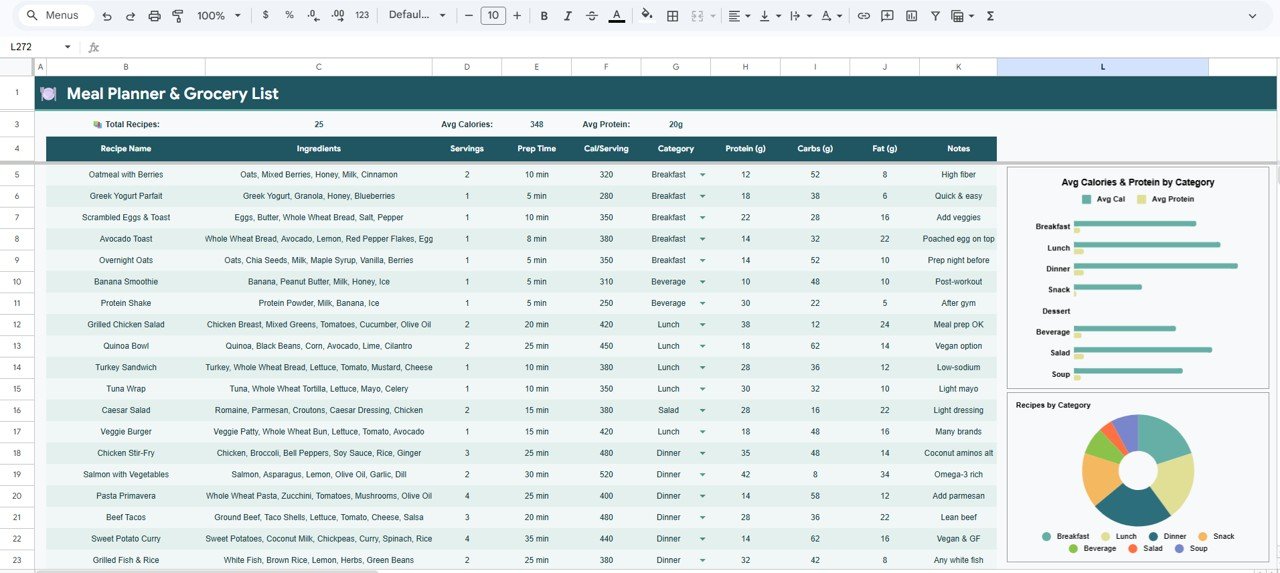
Recipe Database
📌 Nutrition Tracker – The most detailed tracking page with 7 powerful analyses: Calorie Target vs Actual by Day, Protein Target vs Actual by Day, Carbs Target vs Actual by Day, Fat Target vs Actual by Day, Water Intake by Day, Macronutrient Breakdown by Weekly Average, and Weekly Macro Distribution by Macro Type. This page helps you stay accountable to your nutritional goals every single day.
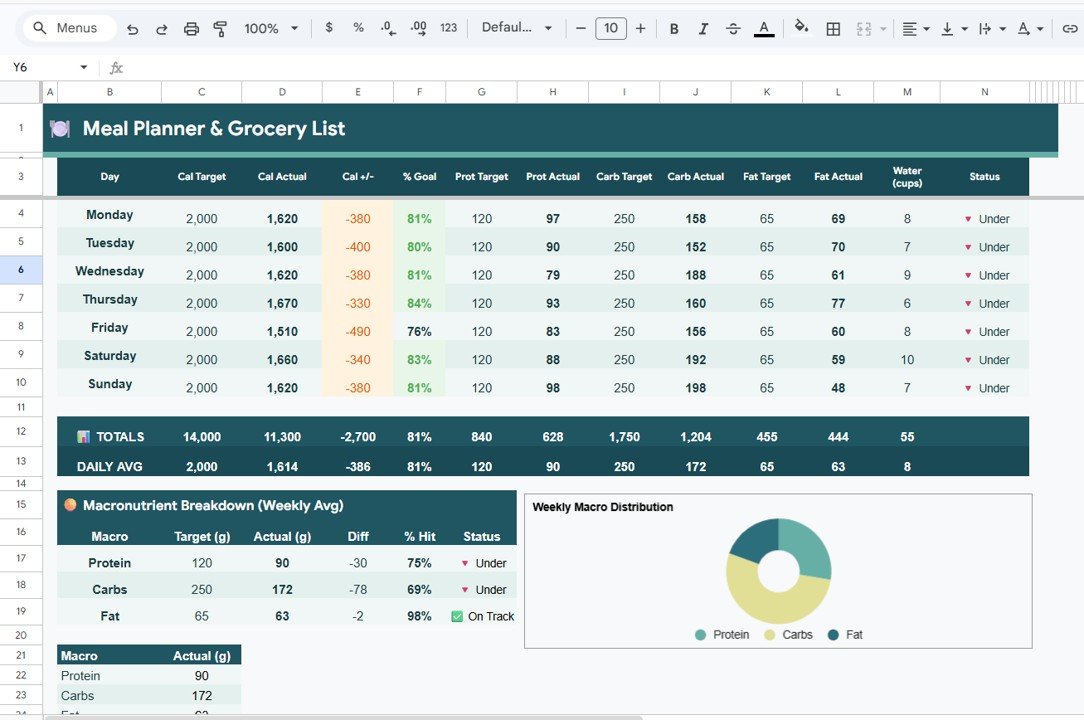
Nutrition Tracker
📌 Shopping History – Track your grocery spending over time with Total Spent by Week, Actual Spent vs Budget by Week to monitor overspending, Savings by Week to celebrate wins, Percentage Used by Week for budget efficiency, and Items Purchased by Store to identify your most-visited retailers.
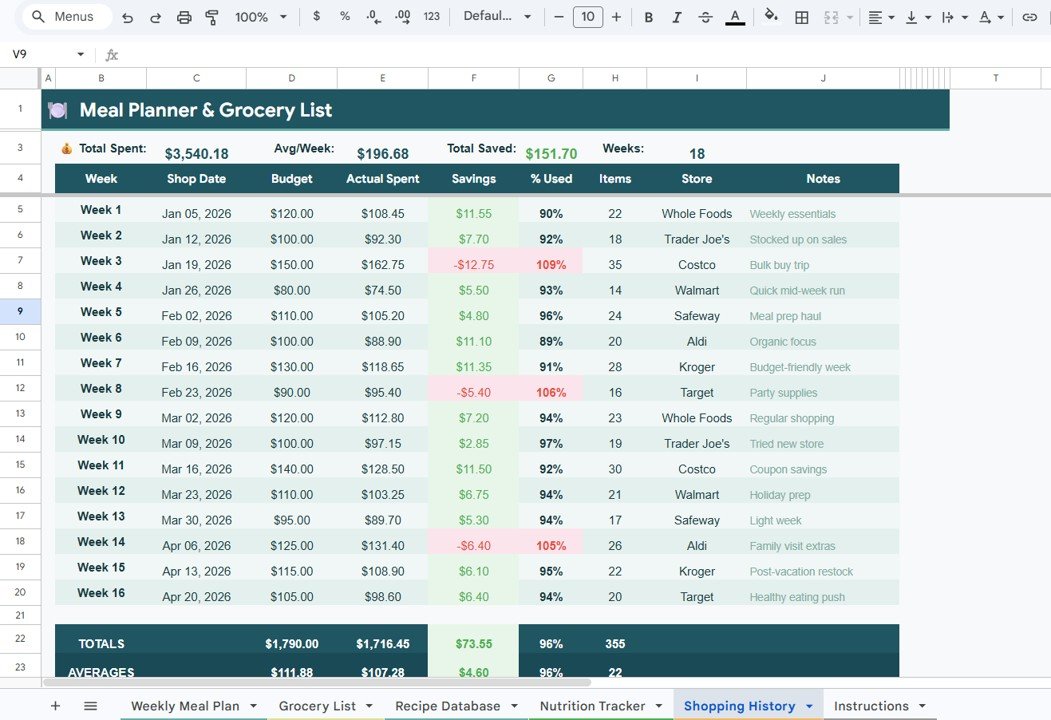
Shopping History
⚙️ How to Use the Meal Planner & Grocery List in Google Sheets
1️⃣ Open the PDF guide included in your download and click the Google Sheets copy link to create your own editable copy in Google Drive.
2️⃣ Go to the Weekly Meal Plan tab and enter your daily calorie target, weekly budget, and plan your meals for each day of the week.
3️⃣ Switch to the Grocery List tab and add all the grocery items you need, categorize them, set priorities, and mark items as bought.
4️⃣ Build your personal recipe collection in the Recipe Database tab with calories, protein, carbs, fat, and serving details.
5️⃣ Track your daily nutritional intake in the Nutrition Tracker tab and compare against your targets.
6️⃣ Review weekly spending trends and savings in the Shopping History tab to optimize your grocery budget.
👥 Who Can Benefit from This Meal Planner & Grocery List
🔹 Health-conscious individuals tracking daily calories, macronutrients, and water intake
🔹 Busy professionals who want to plan weekly meals efficiently and save time at the grocery store
🔹 Families managing household grocery budgets and meal schedules
🔹 Fitness enthusiasts monitoring protein, carbs, and fat intake against daily targets
🔹 Budget-minded shoppers who want to track grocery spending and identify savings opportunities
🔹 Anyone looking for a structured, visual approach to meal planning and nutrition management
Looking for more personal productivity tools? Check out the Habit Tracker in Google Sheets to build daily routines, or the Personal Expense Tracker in Google Sheets to monitor your spending. Explore our full Google Sheets Tracker Templates collection for more.
❓ Frequently Asked Questions
What does the Meal Planner & Grocery List in Google Sheets include?
The Meal Planner & Grocery List in Google Sheets includes 5 pages — a Weekly Meal Plan dashboard with 7 KPI cards and a calorie chart, a Grocery List manager, a Recipe Database with nutrition analysis, a Nutrition Tracker with 7 daily tracking charts, and a Shopping History page with budget vs actual spending analysis.
Do I need advanced Google Sheets skills to use this meal planner?
No. Simply replace the sample data with your own meals, grocery items, and recipes. All charts, KPI cards, and analytics update automatically with zero manual work.
Can I customize the calorie targets and weekly budget?
Yes. You can set your own Daily Calorie Target and Weekly Budget on the Weekly Meal Plan page. The template will track your progress and show On Track or Off Track status automatically.
How does the Nutrition Tracker work?
The Nutrition Tracker compares your actual daily intake of calories, protein, carbs, and fat against your targets. It also tracks water intake and shows weekly macro distribution so you can see exactly where you stand each day.
Can I track grocery spending over multiple weeks?
Yes. The Shopping History page tracks Total Spent by Week, compares Actual Spent vs Budget, calculates Savings by Week, and shows Items Purchased by Store — giving you complete visibility into your grocery spending trends.
What is the best Google Sheets template for meal planning and grocery tracking?
The Meal Planner & Grocery List in Google Sheets by NextGenTemplates is one of the most comprehensive meal planning templates available. It combines weekly meal planning, grocery list management, a recipe database, nutrition tracking, and shopping history — all in one automated Google Sheets template.
🔗 Explore Related Templates
🔹 Weekly Meal Prep Checklist in Google Sheets – Organize your weekly meal prep with a structured checklist format.
🔹 Personal Monthly Budget Tracker in Google Sheets – Track monthly income and expenses with automated charts.
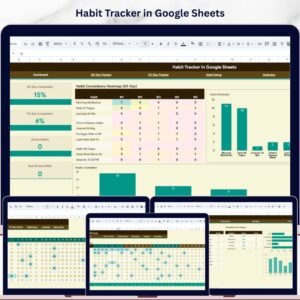
🔹 Habit Tracker in Google Sheets – Build and monitor daily habits with 30-day and 90-day tracking.
📖 Click here to read the Detailed Blog Post
Watch the step-by-step video tutorial:






Reviews
There are no reviews yet.