

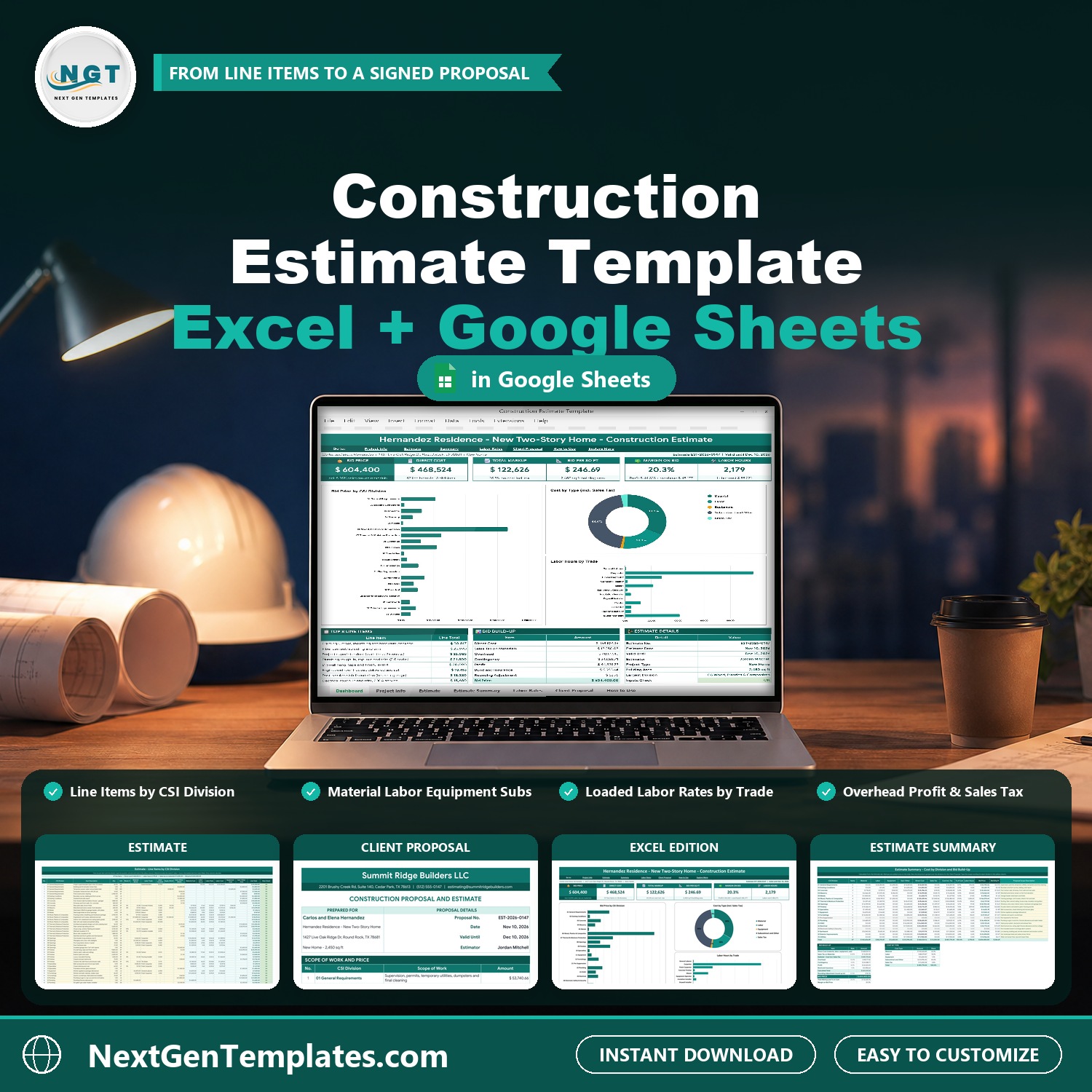

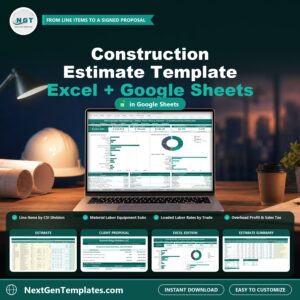
Construction Estimate Template in Excel and Google Sheets prices a building job from the first line item to a signed proposal. List the work by CSI division, type the quantities and unit costs for material, labor, equipment and subcontractors, set your overhead, contingency, profit, bond and sales tax once, and the workbook gives you the bid price, the cost per square foot and a print-ready client proposal with a payment schedule. It ships in two editions, Google Sheets and Microsoft Excel, with the same tabs, formulas and sample data.
Watch the Construction Estimate Template in Excel and Google Sheets walkthrough
🌍 Join 10,000+ customers in 180+ countries using NextGenTemplates to replace paid SaaS tools with one-time-purchase Excel, Google Sheets, Power BI and HTML templates.
✅ Instant download · One-time payment · No subscription · No per-user fees · Lifetime access
This construction estimate template is for general contractors, remodelers, builders and estimators who want a clear construction estimating spreadsheet without buying estimating software. It is a manual tool with formulas and charts, not a macro tool and not a connection to supplier price lists: you type your own quantities and unit costs. Check your local sales tax rules and your own supplier and subcontractor quotes before you send a price.
🔑 Key Features of the Construction Estimate Template
🏗️ Line items by CSI division. Up to 150 line items, each with a CSI division, description, quantity, unit and waste %. Material, labor and equipment unit costs and subcontract costs go in yellow input cells.
👷 Loaded labor rates by trade. Enter a base wage and a labor burden for each trade. The template works out the loaded hourly rate and the labor cost from the hours on the Estimate.
💰 Markups added once. Set overhead, contingency, profit, bond and insurance and sales tax on materials on the Project Info tab, and choose a bid rounding such as the next $100.
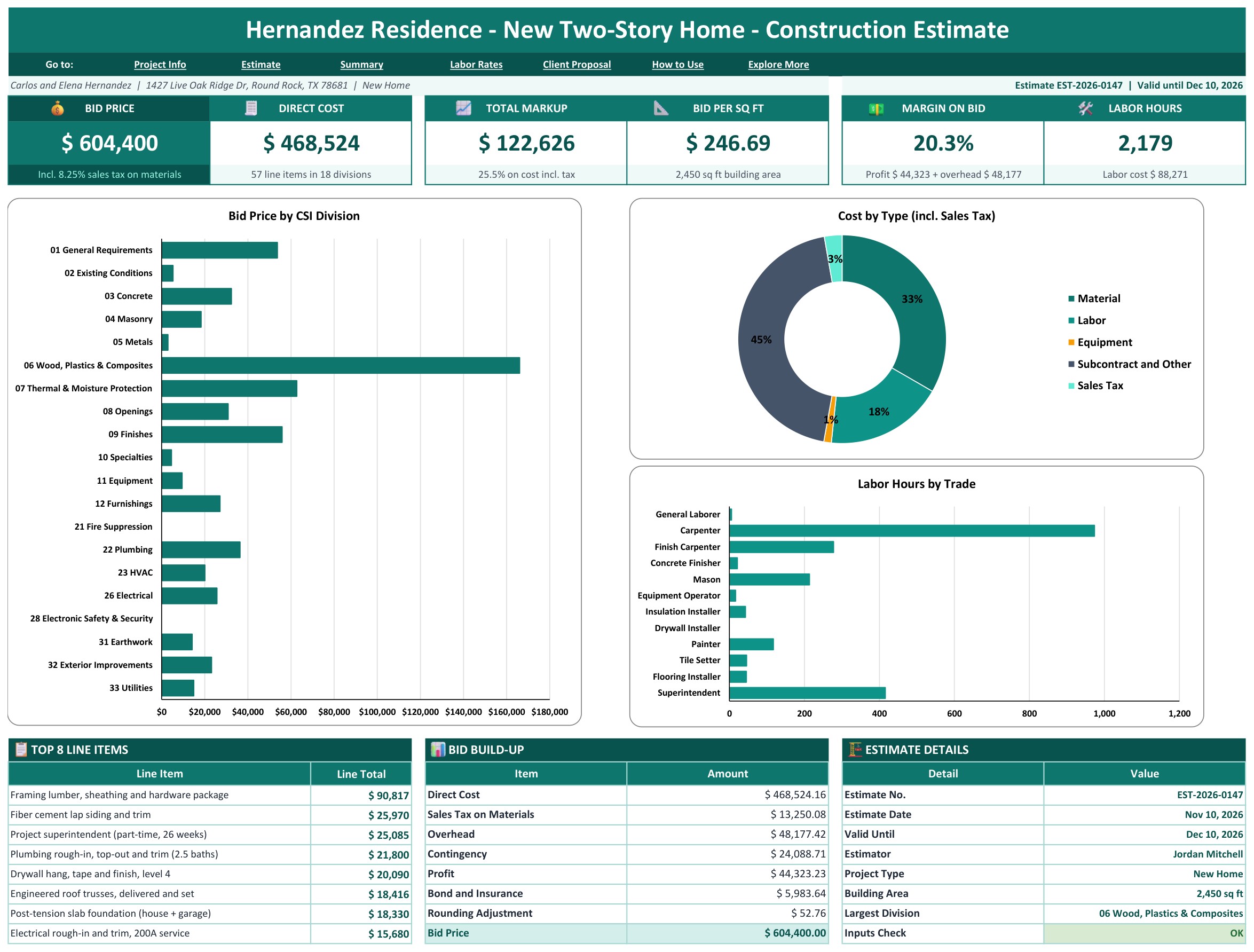
📊 A dashboard with six tiles. Bid Price, Direct Cost, Total Markup, Bid per Sq Ft, Margin on Bid and Labor Hours, with three charts: Bid Price by CSI Division, Cost by Type and Labor Hours by Trade.
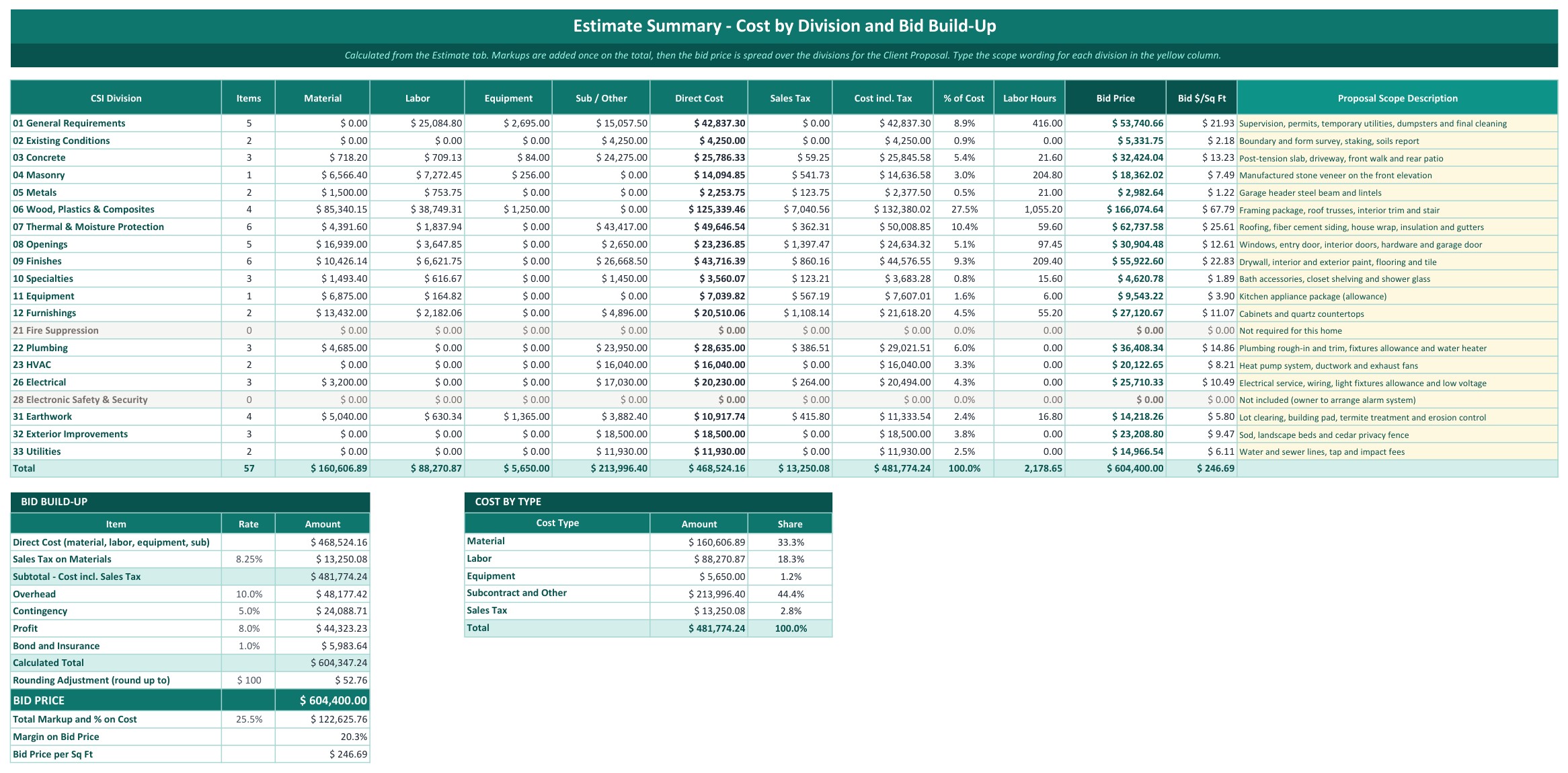
🧮 Estimate Summary. Cost by division, the bid build-up from direct cost to bid price, and the bid spread over the divisions so the client sees one price per division.
📝 A print-ready Client Proposal. Company header, scope and price by division, total proposal price, a payment schedule, terms and exclusions and signature lines.
✔️ A row check. Every line item is checked for a missing division, quantity or trade, and the Project Info tab shows OK when the inputs are complete and the numbers reconcile.
📦 What’s Inside the Construction Estimate Template
The download is a ZIP with two files: the Excel edition (.xlsx, no macros, no add-ins) and a PDF guide that holds the “Make a copy” link to your own editable Google Sheet. Both editions have the same tabs: Dashboard, Project Info, Estimate, Estimate Summary, Labor Rates, Client Proposal, How to Use and Explore More Templates. The sample is a fictional 2,450 sq ft two-story home in Round Rock, Texas: 57 line items in 18 divisions, a bid price of $604,400 and $246.69 per sq ft.
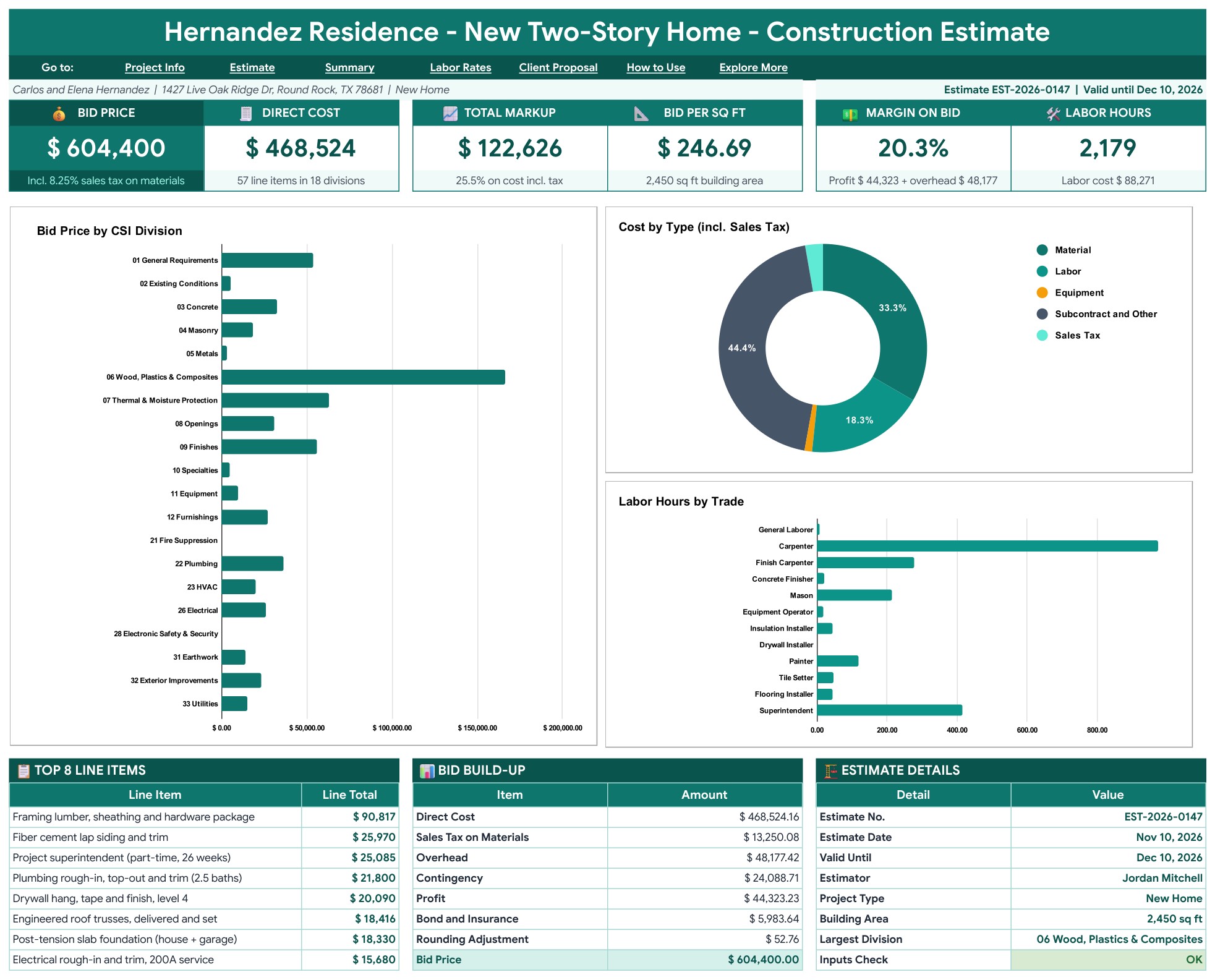
Page 1: Dashboard (Google Sheets)
The Dashboard tab opens with six tiles: Bid Price, Direct Cost, Total Markup, Bid per Sq Ft, Margin on Bid and Labor Hours. Three charts show Bid Price by CSI Division, Cost by Type including sales tax and Labor Hours by Trade, and below them sit the top 8 line items, the bid build-up and the estimate details.
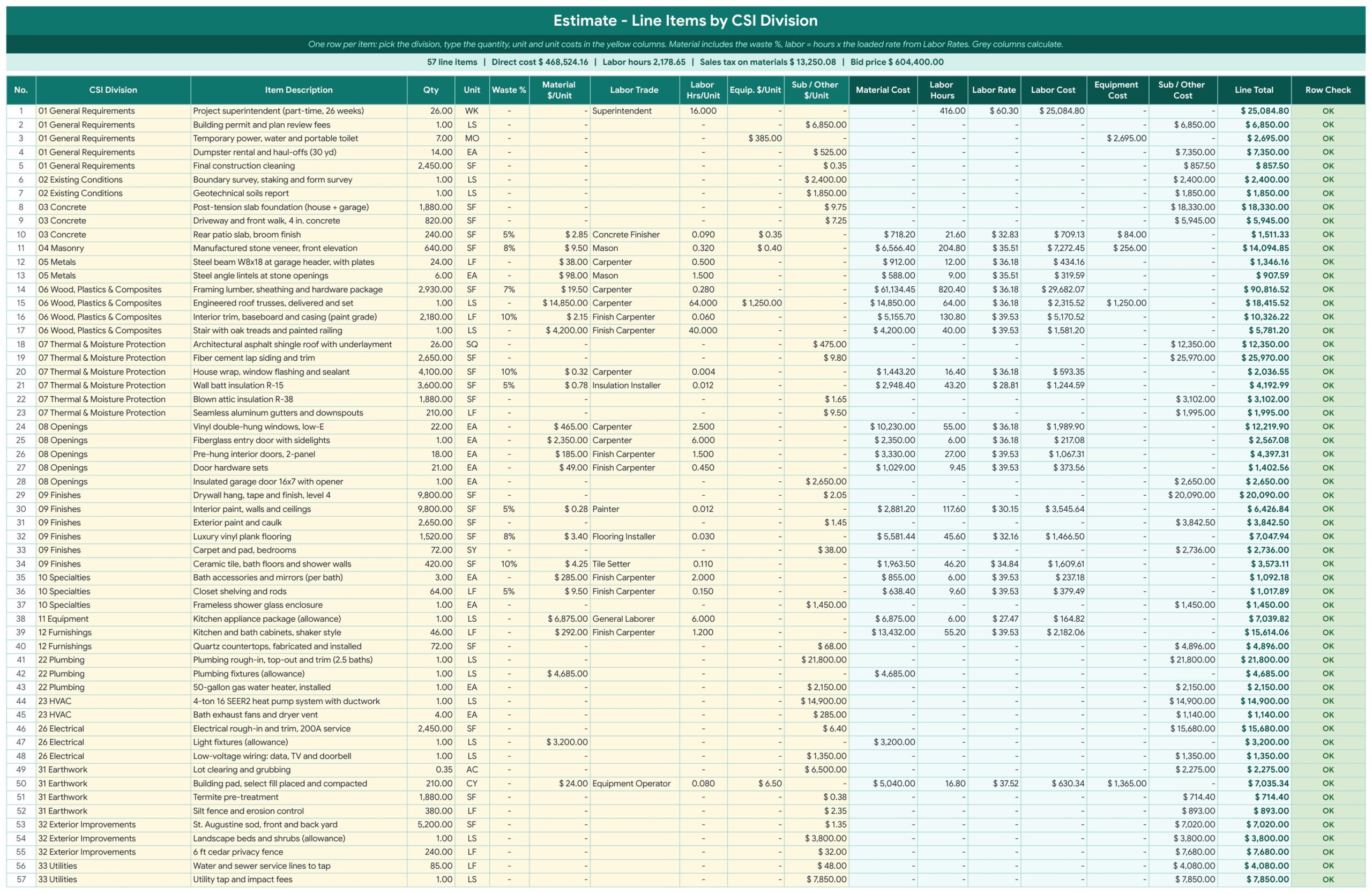
Page 2: Estimate (Google Sheets)
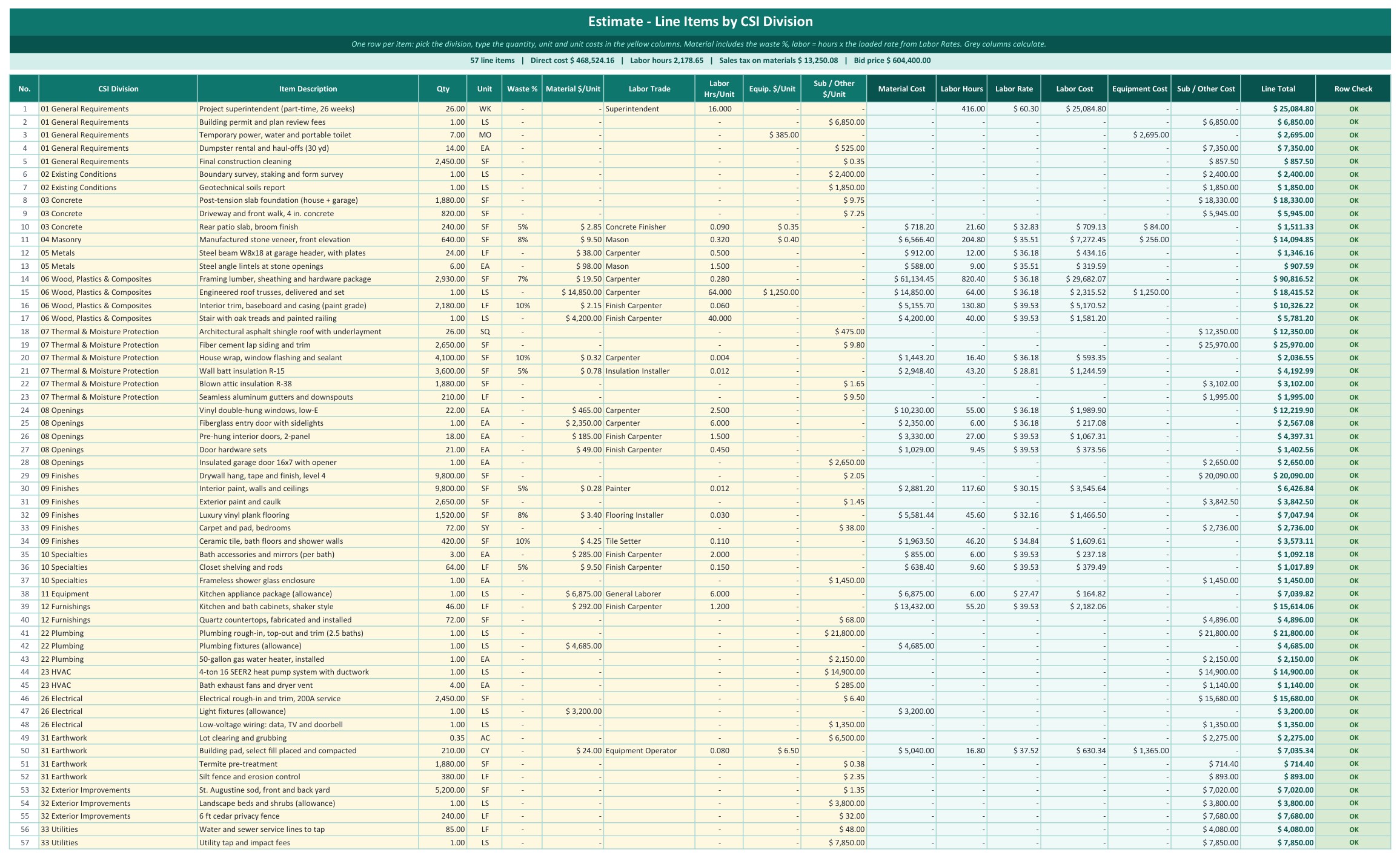
One row per line item, up to 150 rows. Pick the CSI division, type the description, quantity, unit and waste %, then the material, labor trade and hours, equipment and subcontract unit costs. A Row Check column flags a missing division, quantity or trade.
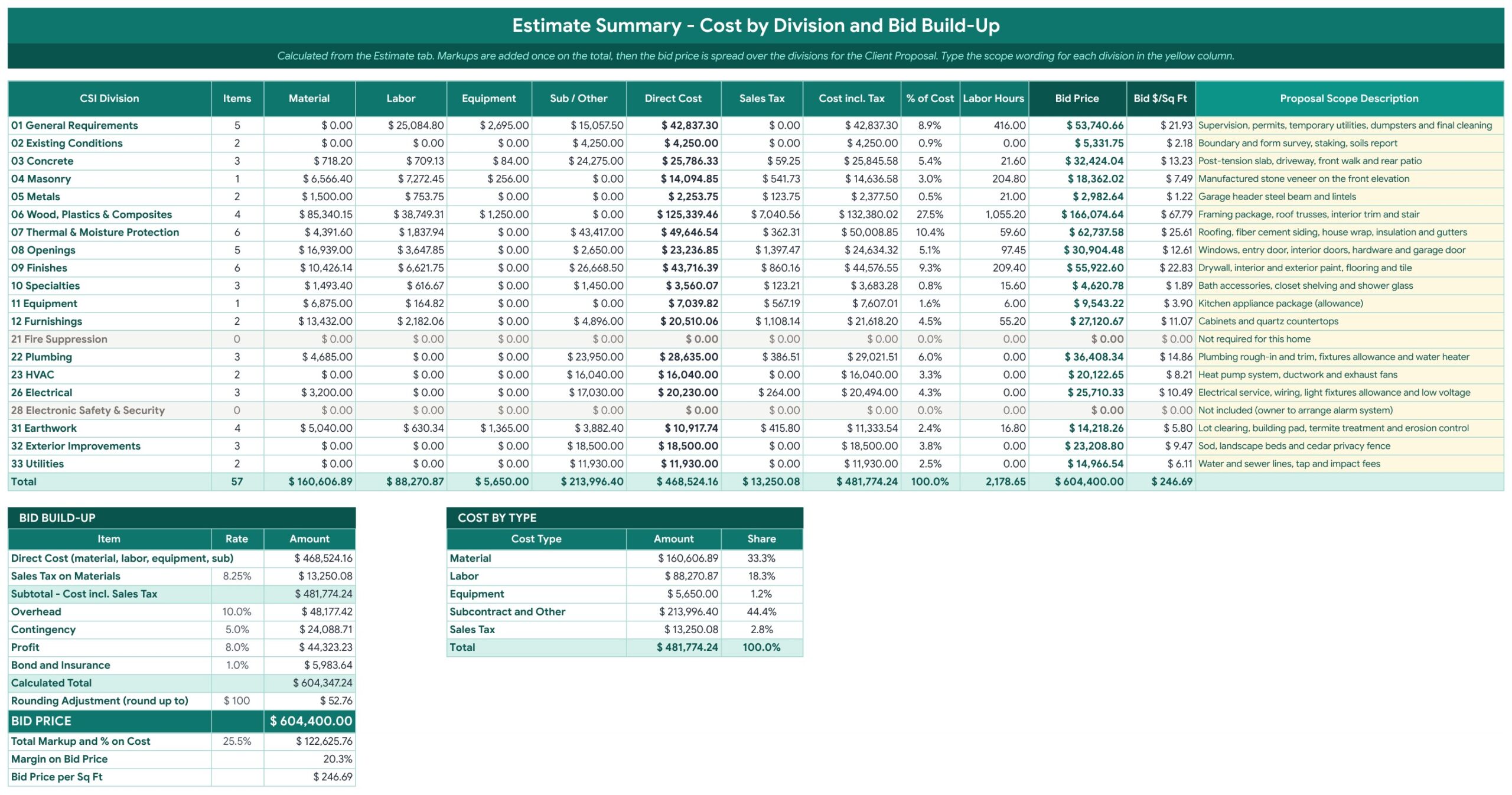
Page 3: Estimate Summary (Google Sheets)
Cost by division in one table: material, labor, equipment, sub and other, direct cost, sales tax, labor hours, bid price and bid per sq ft, with a proposal scope description for each division. The bid build-up and the cost by type table sit underneath.
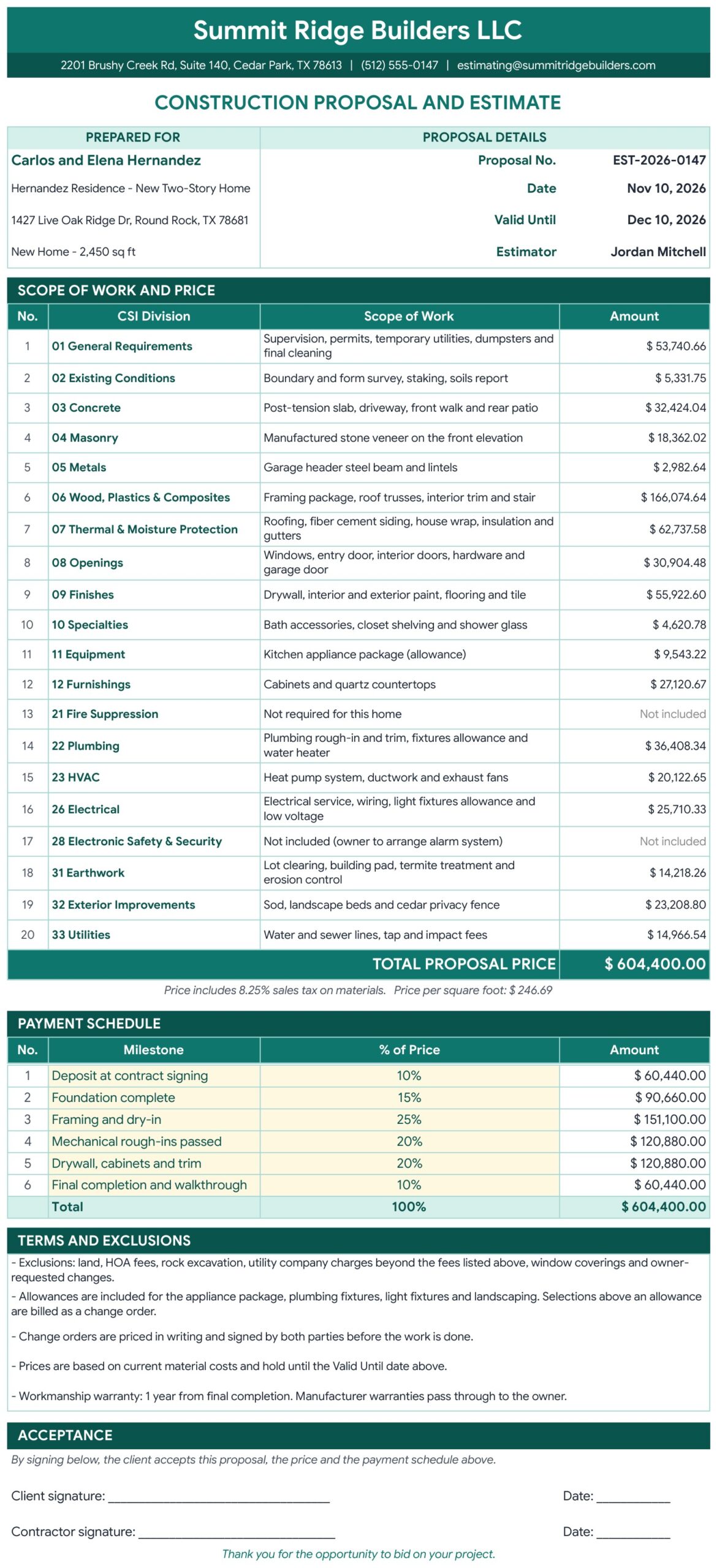
Page 4: Client Proposal (Google Sheets)
A print-ready proposal with your company header, the client and project, the scope and price by division, the total proposal price, a six-milestone payment schedule, terms and exclusions and signature lines. Use File, then Print or Download as PDF to send it.
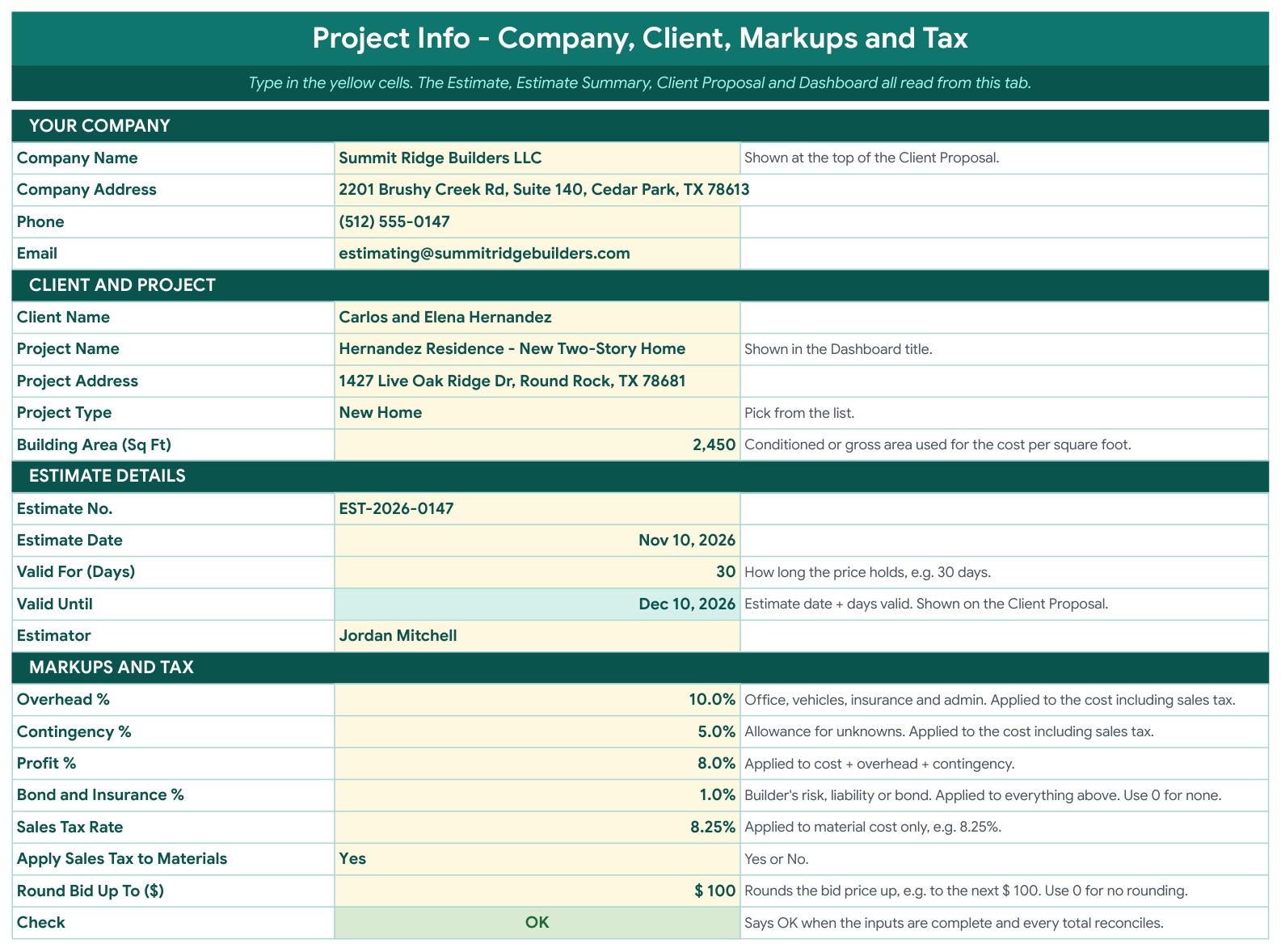
Page 5: Project Info (Google Sheets)
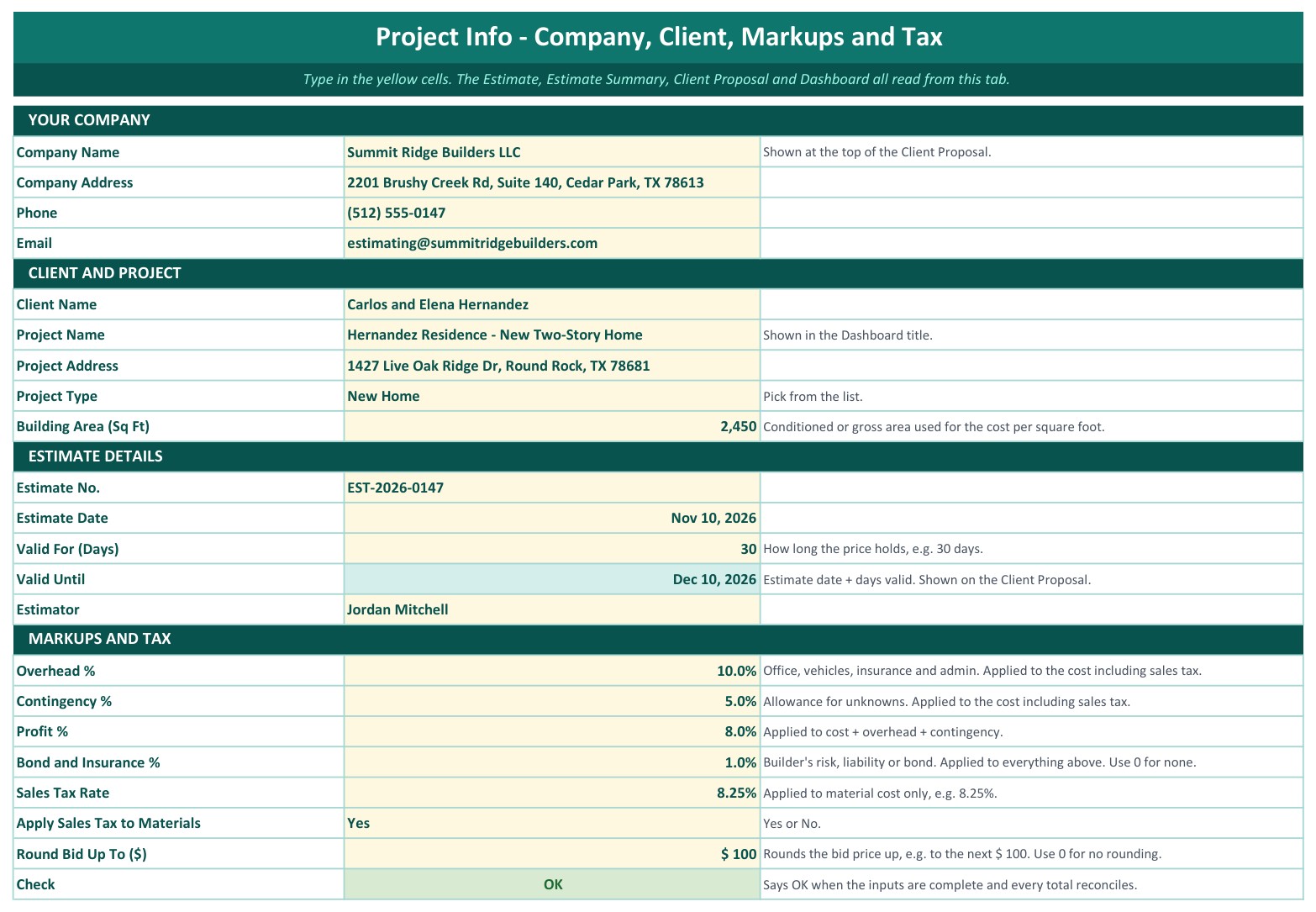
Type your company, client and project details, the building area, the estimate number and dates, and the markups once: overhead, contingency, profit, bond and insurance, sales tax on materials and bid rounding. A Check cell says OK when the inputs are complete.
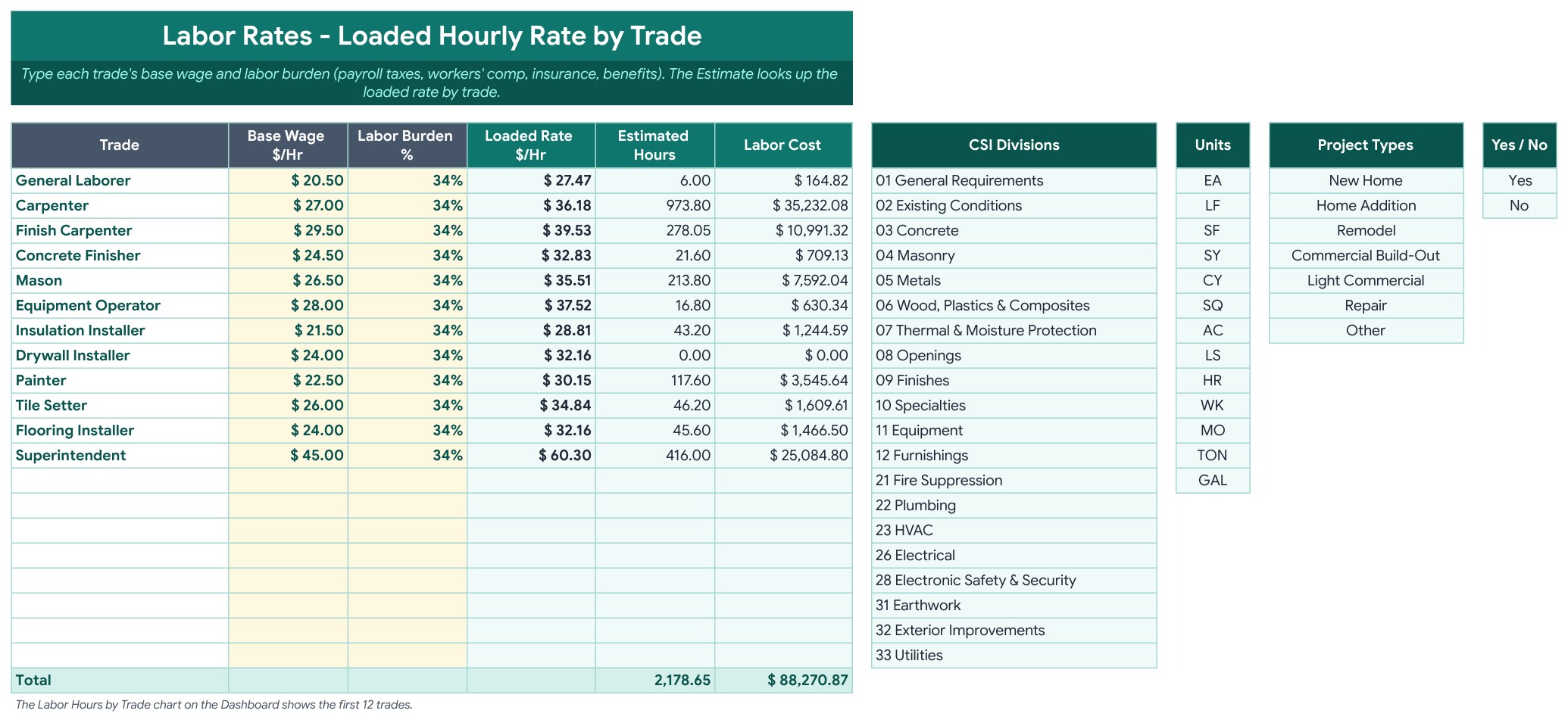
Page 6: Labor Rates (Google Sheets)
One row per trade with the base hourly wage and the labor burden. The tab works out the loaded hourly rate, adds up the estimated hours and shows the labor cost. The lists for CSI divisions, units and project types sit on the right.
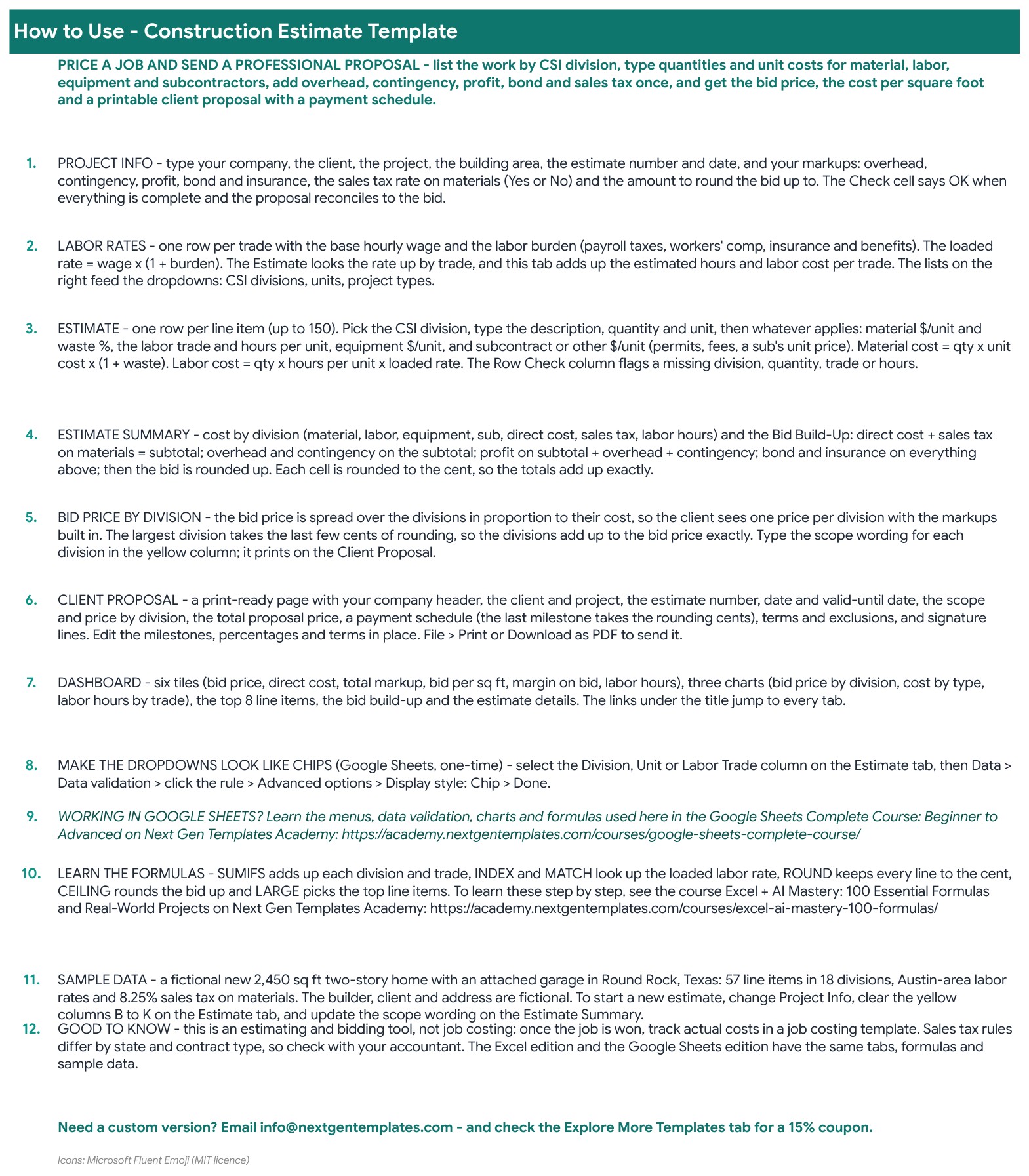
Page 7: How to Use (Google Sheets)
A numbered guide that walks through Project Info, Labor Rates, the Estimate, the Estimate Summary, the bid price by division, the Client Proposal and the Dashboard, with links to every tab.
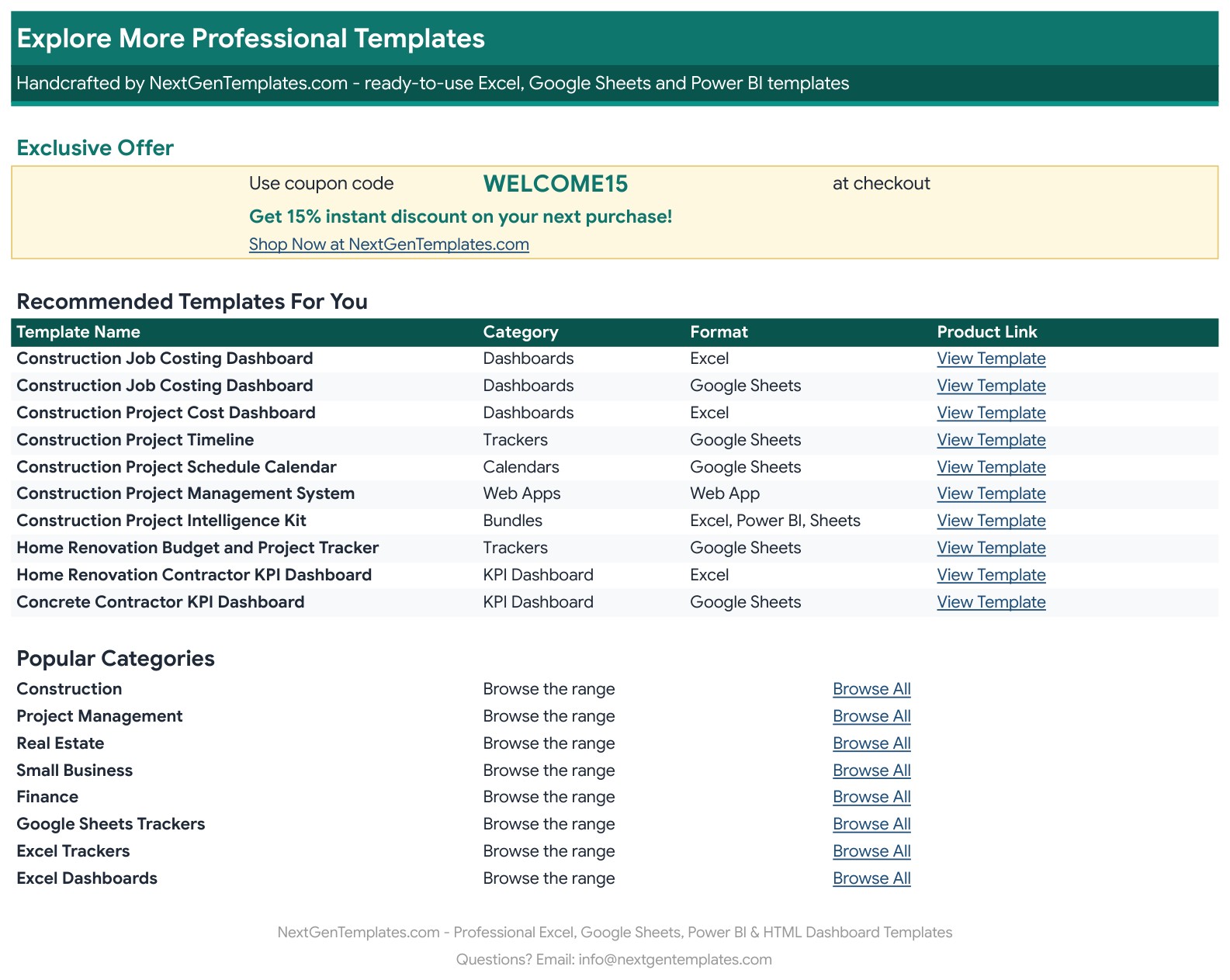
Page 8: Explore More Templates (Google Sheets)
Recommended templates and popular categories, plus a WELCOME15 coupon for 15% off your next purchase.
Page 9: Dashboard (Excel edition)
The same tiles, three charts, top 8 line items, bid build-up and estimate details in Microsoft Excel.
Page 10: Estimate (Excel edition)
The 150-row line item sheet in Excel, with the same columns, formulas and sample data.
Page 11: Estimate Summary (Excel edition)
Cost by division, the bid build-up and the cost by type table in Excel.
Page 12: Client Proposal (Excel edition)
The same print-ready proposal in Excel: scope and price by division, payment schedule, terms and signature lines.

Page 13: Project Info (Excel edition)
The company, client, estimate and markup inputs in Excel.
📊 Construction Estimate Template vs. Blank Spreadsheet vs. Estimating Software: Where This Fits
| Feature | Construction Estimate Template (Google Sheets + Excel) | Blank spreadsheet | Estimating software |
|---|---|---|---|
| Cost | ✅ $6.99 one-time | Free to build, but your time | Monthly or yearly subscription |
| Platform | ✅ Google Sheets and Microsoft Excel, both included | One platform | Usually a web app |
| Line items by CSI division with waste % | ✅ Built in | You write the formulas | Yes |
| Loaded labor rate by trade | ✅ Yes | Build it yourself | Yes |
| Print-ready client proposal with payment schedule | ✅ Yes | Design it yourself | Often an add-on |
| Your data stays in your own file | ✅ Yes | ✅ Yes | Stored with the vendor |
| Takeoff from plans or live supplier prices | No, you type quantities and costs | No | ✅ Often yes |
For contractors who want a clear, editable bid without a subscription, this construction bid template sits in the sweet spot.
👥 Who This Template Is For, and Who It’s Not For
✅ This template is built for:
- General contractors and builders who price new homes, additions and remodels
- Remodelers and small trade contractors who send a written proposal for every job
- Estimators who want one construction cost estimate spreadsheet with the same numbers on the dashboard and the proposal
- Owner-builders who want to see the cost per square foot before they commit
❌ This template is NOT for:
- Teams that need quantity takeoff from drawings or live supplier price feeds
- Large commercial bids with thousands of line items, because the Estimate holds up to 150 rows
- Anyone who needs job costing after the contract is signed (see the job costing dashboards below)
⚙️ How to Use the Construction Estimate Template
- Open the PDF guide and click the “Make a copy” link for Google Sheets, or open the Excel file.
- On the Project Info tab, enter your company, the client, the project, the building area, the estimate number and dates, and your markups.
- On the Labor Rates tab, enter the base wage and labor burden for each trade.
- On the Estimate tab, add one row per line item with the CSI division, quantity, unit and costs.
- Read the Estimate Summary and the Dashboard to see the bid price, the cost per square foot and the margin.
- Edit the scope wording, milestones and terms on the Client Proposal tab, then print it or save it as a PDF.
💼 Real-World Use Cases
A builder pricing a new home lists 57 line items across the CSI divisions, adds 10% overhead, 5% contingency and 8% profit, and sees the $246.69 per square foot figure before sending the proposal.
A remodeler changes the project type, clears the sample rows and reuses the same workbook for the next kitchen or addition.
An estimator raises a trade’s labor burden on the Labor Rates tab and sees the labor cost, the bid price and the proposal update together.
❓ Frequently Asked Questions
What is a construction estimate template?
A construction estimate template is a spreadsheet that adds up the material, labor, equipment and subcontract costs of a job, applies overhead, contingency, profit and tax, and gives you the price to bid.
Is this a construction estimate template in Excel or in Google Sheets?
Both. The ZIP holds the Excel edition (.xlsx, no macros) and a PDF guide with the Make a copy link for Google Sheets. Both have the same tabs, formulas and sample data, so this construction estimate template Excel and Sheets users can both open works the same way.
How do I start a new estimate?
Change the project details on the Project Info tab, clear the yellow cells from columns B to K on the Estimate tab, and update the scope wording on the Estimate Summary tab.
How are markups and sales tax applied?
Overhead and contingency apply to the cost including sales tax. Profit applies to cost plus overhead and contingency, and bond and insurance apply to everything above. Sales tax applies to materials only, and the bid is rounded up to the amount you set.
Can I change the CSI divisions, units and project types?
Yes. The lists are on the Labor Rates tab, and the dropdowns on the Estimate and Project Info tabs follow them.
Is the sample data real?
No. The two-story home in Round Rock, Texas, the company, the client and every price are fictional, built from typical Austin-area labor rates and an 8.25% sales tax on materials.
Does it import prices or quantities from drawings?
No. You type each quantity and unit cost yourself. It does not do a takeoff from plans and it does not connect to supplier price lists.
Can I change the currency or the tax rate?
Yes. Set the sales tax rate on the Project Info tab, or enter 0 for none. The currency format is $ by default and you can change the number format of the amount columns.
👤 About the Author
Built by PK, Microsoft Certified Professional with 15+ years of Excel, Google Sheets and Power BI experience. Founder of NextGenTemplates. Every template is hand-built and tested before release. Watch the walkthroughs on @PKAnExcelExpert and @NextGenTemplates.
🔗 Explore Related Templates
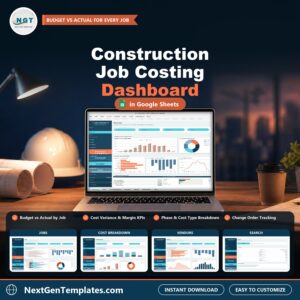
📌 Construction Job Costing Dashboard in Google Sheets: track budget vs actual after the job is won.
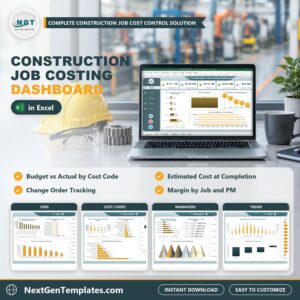
📌 Construction Job Costing Dashboard in Excel: the same job costing view in a workbook.
📌 Interior Fit-Out Project Management System Web App: manage fit-out projects end to end.
📌 Small Business Bookkeeping Template in Excel and Google Sheets: keep the books for your contracting business.
Browse every Google Sheets template in the store.
🎥 Visit our YouTube channel for step-by-step video tutorials
👉 YouTube.com/@NextGenTemplates
📅 Last updated: November 2026











Reviews
There are no reviews yet.