

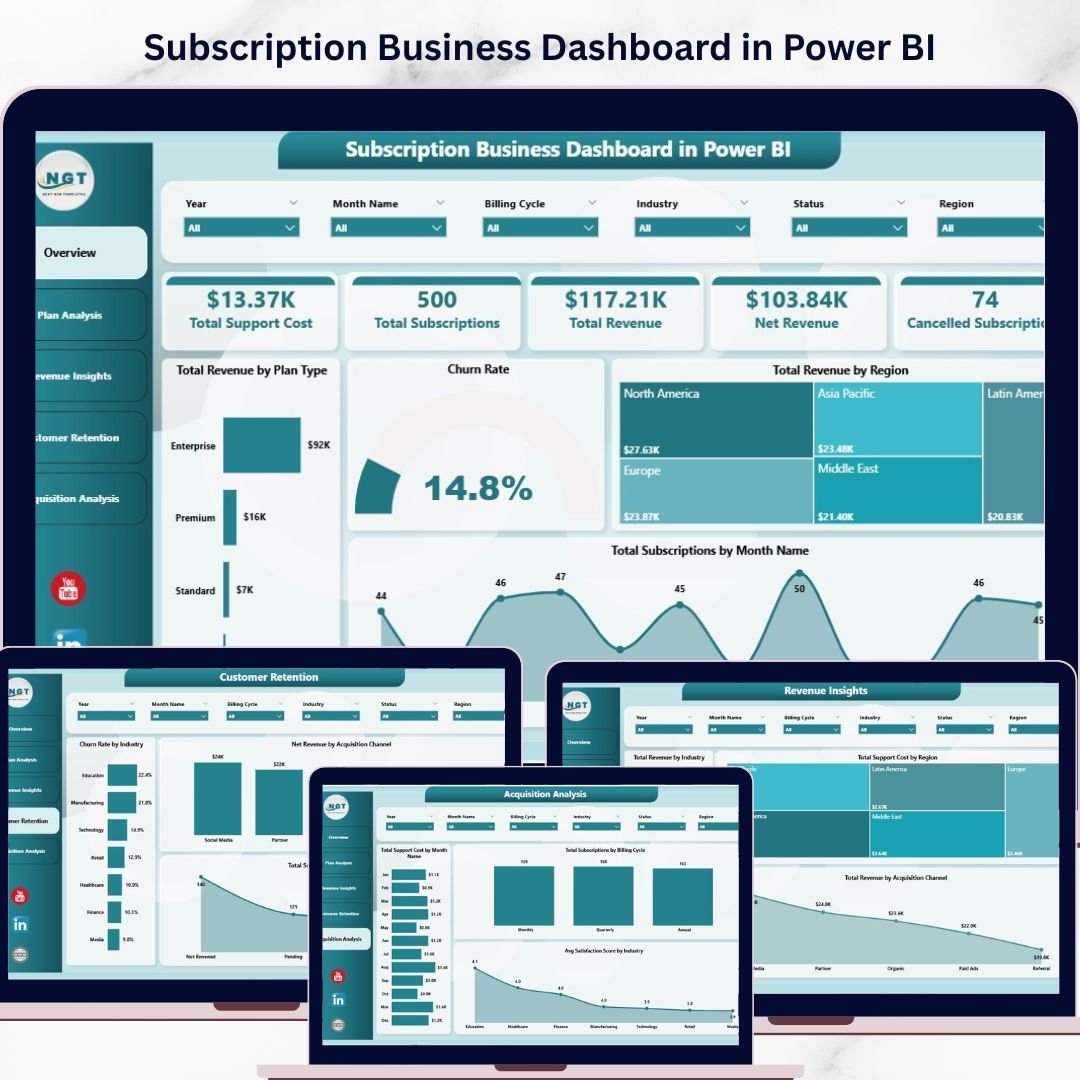
Subscription Business Dashboard in Power BI is a professionally designed, interactive analytics template built for subscription business owners, SaaS managers, revenue operations teams, and finance leaders who want to monitor revenue, customer retention, churn, satisfaction, and acquisition channels from a single dynamic interface. This template includes 5 interactive dashboard pages covering Overview, Plan Analysis, Revenue Insights, Customer Retention, and Acquisition Analysis 🚀. Simply open the .pbix file in Power BI Desktop, replace the sample data with your own, and watch your entire dashboard update automatically.
Whether you are tracking total revenue by region, analyzing churn rate by industry, measuring average satisfaction by plan type, or evaluating net revenue by acquisition channel, this Subscription Business Dashboard in Power BI gives you complete visibility into your subscription operations with dynamic charts, KPI cards, and slicer-based filtering. This is one of the most comprehensive subscription analytics solutions available in Power BI.
🔑 Key Features of Subscription Business Dashboard in Power BI
📊 5 Interactive Dashboard Pages – Navigate between Overview, Plan Analysis, Revenue Insights, Customer Retention, and Acquisition Analysis tabs to explore subscription performance data from every angle.
📈 5 Dynamic KPI Cards – Track high-level metrics at a glance including Total Support Cost, Total Subscriptions, Total Revenue, Net Revenue, and Cancelled Subscriptions on the overview page.
🔍 Advanced Slicers and Filters – Filter the entire dashboard instantly by plan type, region, industry, billing cycle, acquisition channel, and more for targeted subscription analysis.
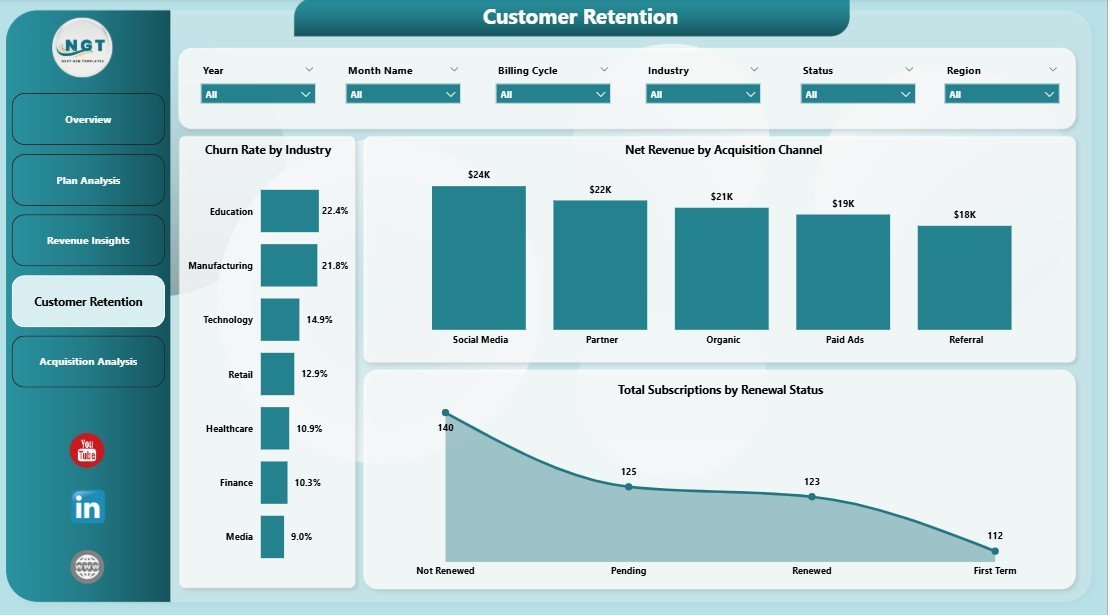
📉 Churn and Retention Tracking – Analyze Churn Rate by Industry, Net Revenue by Acquisition Channel, and Total Subscriptions by Renewal Status to identify and reduce customer attrition.
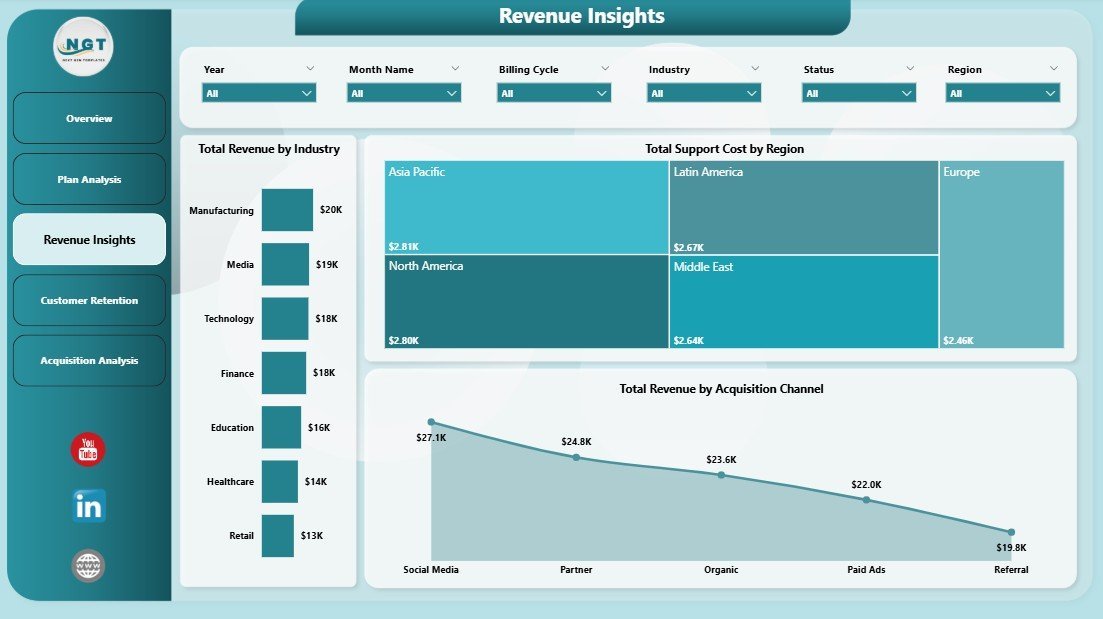
💰 Revenue Deep Dive – Explore Total Revenue by Industry, Total Support Cost by Region, and Total Revenue by Acquisition Channel for complete revenue visibility.
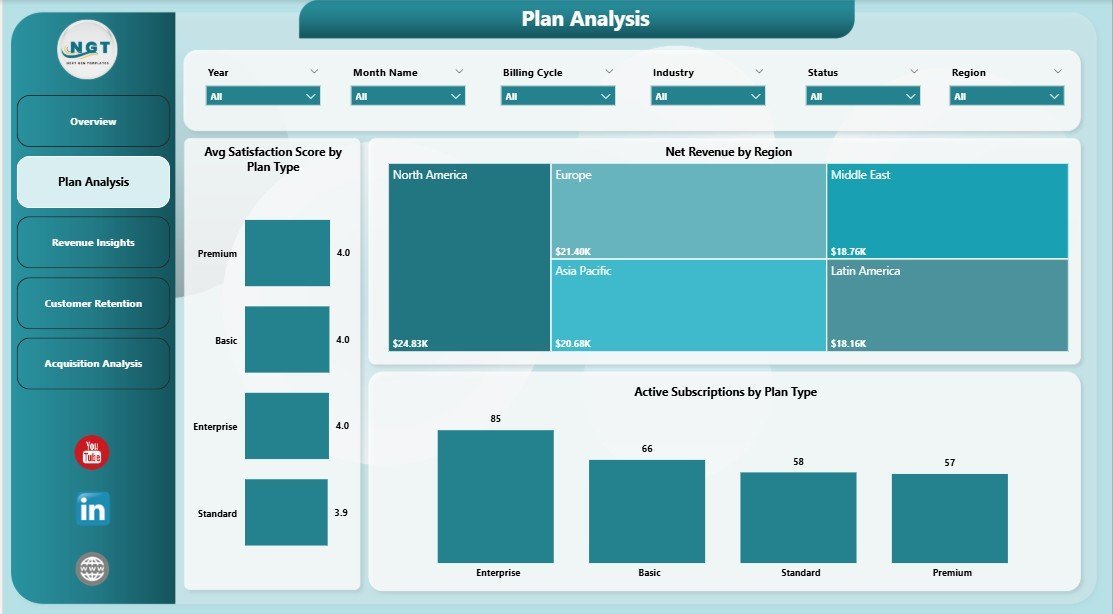
🏥 Plan Performance Monitoring – Track Avg Satisfaction Score by Plan Type, Net Revenue by Region, and Active Subscriptions by Plan Type to compare plan effectiveness.
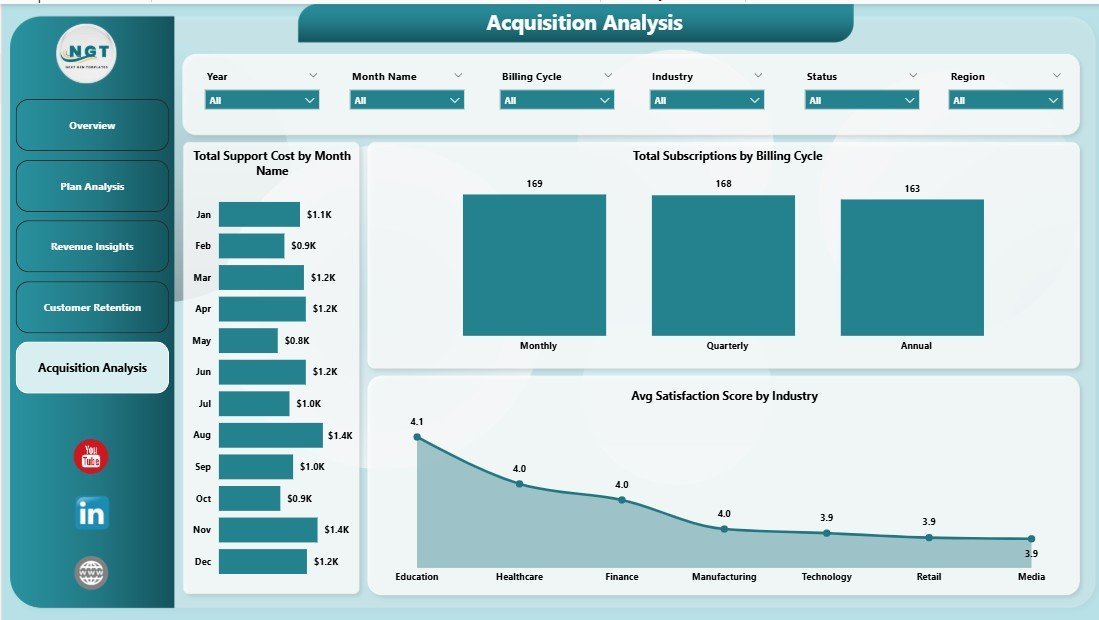
📊 Acquisition Analysis – Monitor Total Support Cost by Month Name, Total Subscriptions by Billing Cycle, and Avg Satisfaction Score by Industry to measure and optimize acquisition channels.
🔄 Fully Dynamic Power BI Engine – All charts and KPIs update automatically when you connect your own data source. Simply replace sample data and refresh to update everything instantly.
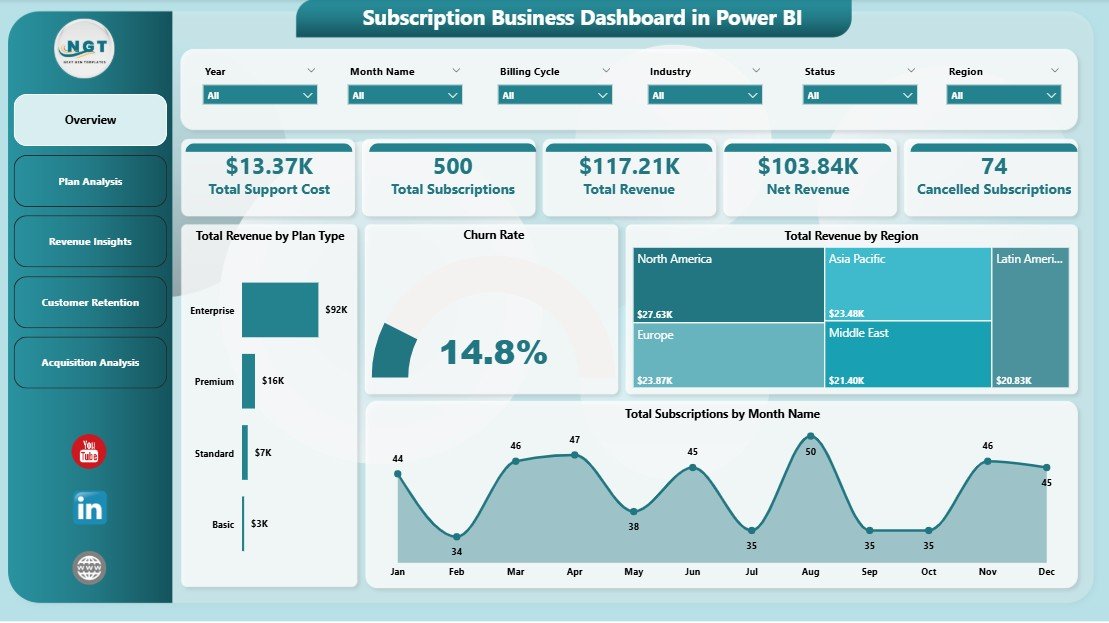
Subscription Business Dashboard in Power BI
📦 What’s Inside the Subscription Business Dashboard in Power BI
🔹 Overview Page – High-level KPI cards showing Total Support Cost, Total Subscriptions, Total Revenue, Net Revenue, and Cancelled Subscriptions. Interactive charts display Total Revenue by Plan Type, Churn Rate, Total Revenue by Region, and Total Subscriptions by Month Name with multiple slicers for instant filtered analysis.
🔹 Plan Analysis Page – Deep dive into subscription plan performance with Avg Satisfaction Score by Plan Type, Net Revenue by Region, and Active Subscriptions by Plan Type to understand which plans drive the most value and satisfaction.
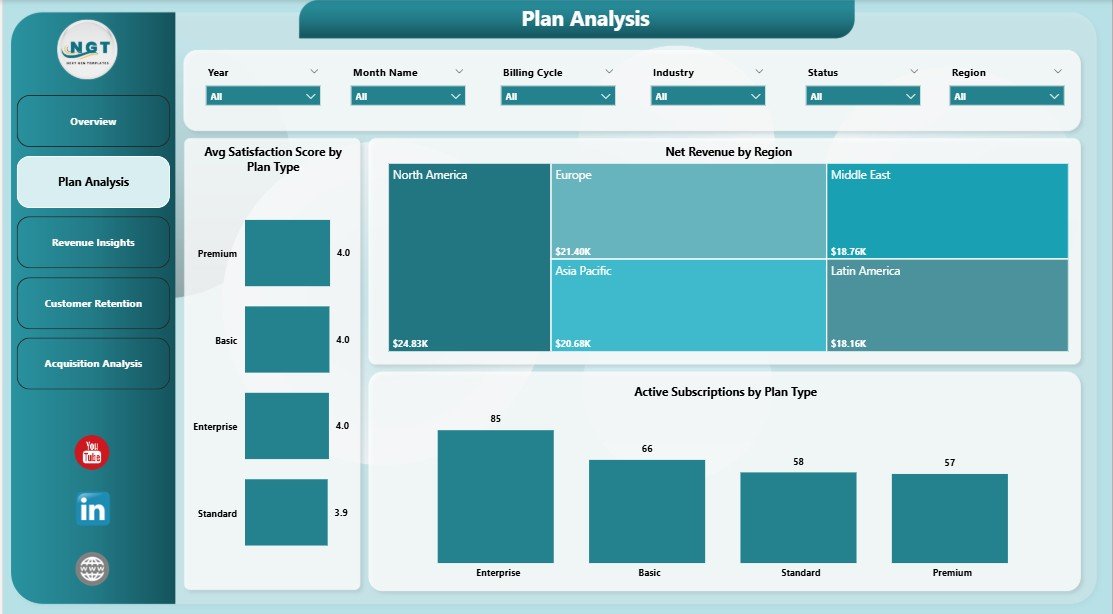
Plan Analysis
🔹 Revenue Insights Page – Comprehensive revenue analysis with Total Revenue by Industry, Total Support Cost by Region, and Total Revenue by Acquisition Channel to identify revenue drivers and cost efficiency.
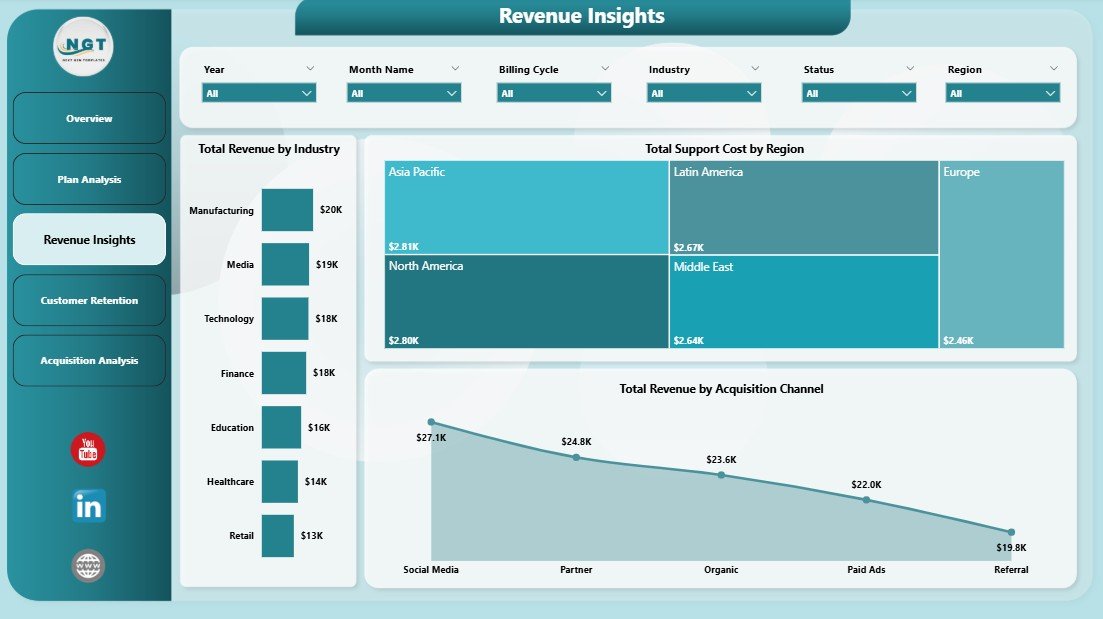
Revenue Insights
🔹 Customer Retention Page – Understand and combat customer attrition with Churn Rate by Industry, Net Revenue by Acquisition Channel, and Total Subscriptions by Renewal Status to proactively manage retention and reduce churn.
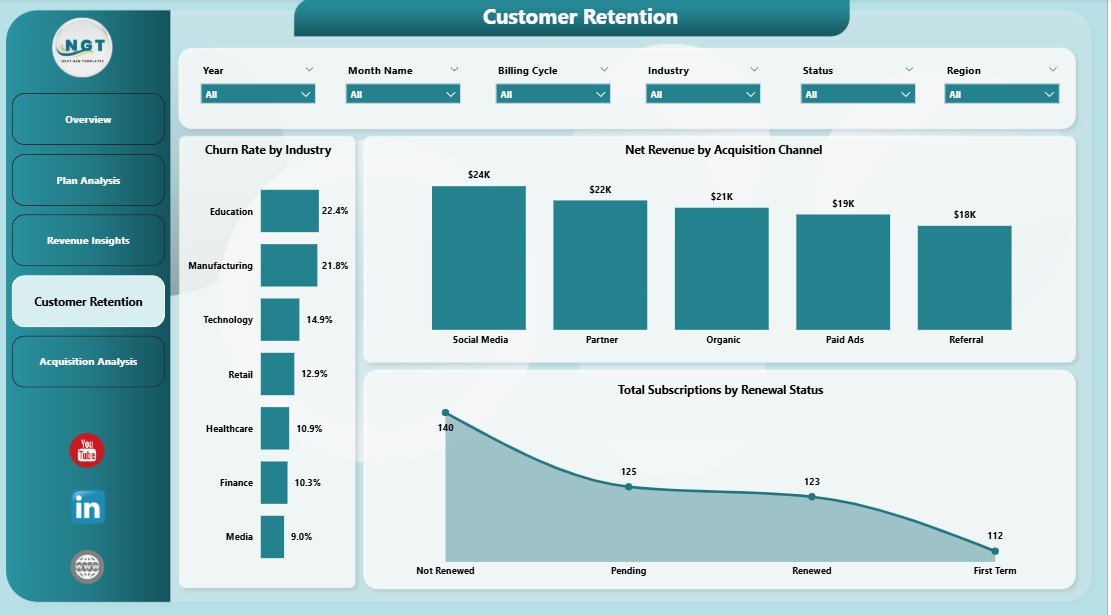
Customer Retention
🔹 Acquisition Analysis Page – Track acquisition performance with Total Support Cost by Month Name, Total Subscriptions by Billing Cycle, and Avg Satisfaction Score by Industry to measure growth trajectory and identify high-potential acquisition channels.
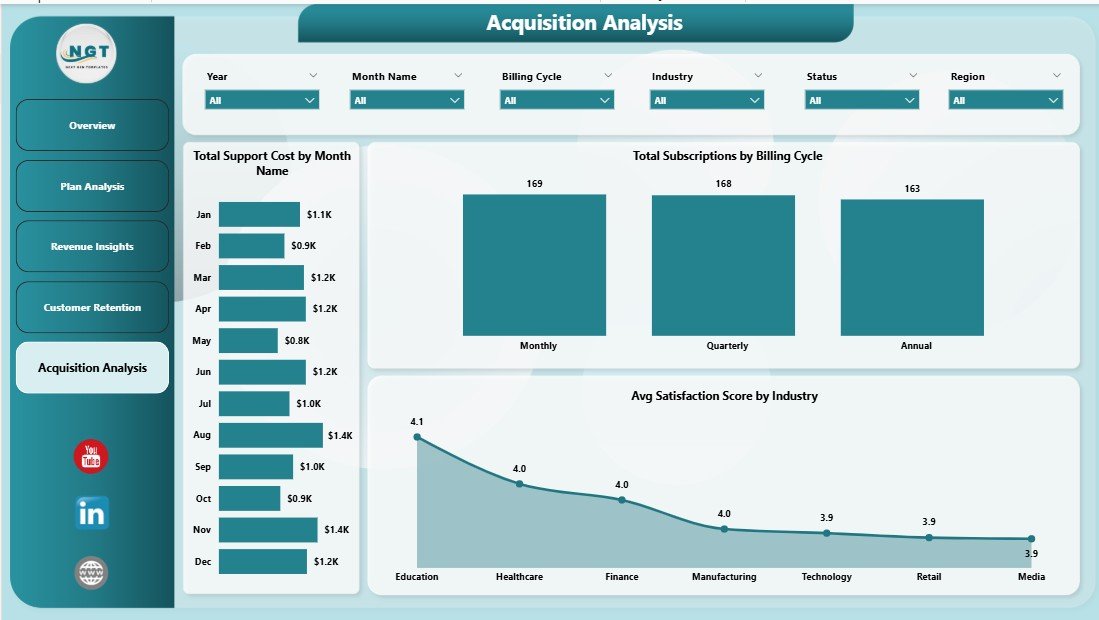
Acquisition Analysis
⚙️ How to Use the Subscription Business Dashboard in Power BI
1️⃣ Download and unzip the file to your computer.
2️⃣ Open the .pbix file in Power BI Desktop (free download from Microsoft).
3️⃣ Explore the sample data across all 5 dashboard pages to understand the layout and available analysis.
4️⃣ Replace the sample data source with your actual subscription business data.
5️⃣ Click Refresh in Power BI to update all charts and KPI cards automatically.
6️⃣ Use slicers and filters to drill down into specific plan types, regions, industries, or acquisition channels.
👥 Who Can Benefit from This Subscription Business Dashboard
🔹 Subscription Business Founders and CEOs – Monitor revenue, churn, retention, and customer satisfaction to track overall business health and growth trajectory.
🔹 Revenue Operations Managers – Analyze revenue by industry, acquisition channel, and billing cycle for data-driven sales optimization.
🔹 Customer Success Teams – Track churn rate, satisfaction scores, renewal status, and active customers to proactively manage customer relationships.
🔹 Finance and FP&A Teams – Use revenue trends, support cost analysis, and net revenue breakdowns for financial planning, forecasting, and investor reporting.
🔹 Marketing and Growth Teams – Evaluate acquisition channel performance, satisfaction by industry, and active subscriber trends to optimize marketing spend.
❓ Frequently Asked Questions
What KPIs does the Subscription Business Dashboard in Power BI track?
The Subscription Business Dashboard in Power BI tracks 5 key performance indicators including Total Support Cost, Total Subscriptions, Total Revenue, Net Revenue, and Cancelled Subscriptions. It also provides detailed analysis across churn rate, revenue by industry, acquisition channel performance, plan type comparisons, and satisfaction scores across 5 interactive dashboard pages.
Do I need advanced Power BI skills to use this template?
No. Simply open the .pbix file in Power BI Desktop, replace the sample data with your own subscription business data, and click Refresh. All charts, KPI cards, and visuals update automatically without any DAX editing or advanced knowledge.
Can I track customer churn and retention with this dashboard?
Yes. The dedicated Customer Retention page shows Churn Rate by Industry, Net Revenue by Acquisition Channel, and Total Subscriptions by Renewal Status. The Overview page also displays Churn Rate for quick monitoring.
What is the best Power BI template for tracking subscription business metrics?
The Subscription Business Dashboard in Power BI is one of the best templates for tracking subscription metrics because it includes revenue tracking, churn analysis, customer retention monitoring, plan performance comparison, and acquisition channel analysis across 5 interactive pages with dynamic filters and KPI cards.
Can I filter the dashboard by region or plan type?
Yes. The dashboard includes multiple slicers that let you instantly filter all charts and KPIs by plan type, region, industry, billing cycle, acquisition channel, and other dimensions for focused analysis.
🔗 Explore Related Templates
🔹 Subscription Business Dashboard in Excel – Track subscription revenue, churn, retention, and satisfaction with dynamic pivot-powered analytics in Excel.
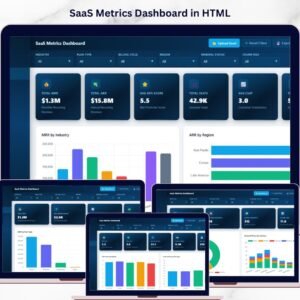
🔹 SaaS Metrics Dashboard in HTML – Monitor MRR, ARR, NPS, CSAT, and churn risk in a browser-based interactive dashboard.
🔹 Subscription Box KPI Scorecard in Excel – Track and optimize subscription box KPIs with MTD and YTD performance analysis.
Browse all Power BI Dashboard Templates for more interactive analytics solutions.
📖 Click here to read the Detailed Blog Post
🎥 Visit our YouTube channel to learn step-by-step video tutorials
👉 YouTube.com/@NextGenTemplates

































Reviews
There are no reviews yet.