Introducing the Product Launch Countdown Calendar in Excel – a powerful, ready-to-use template designed to help you plan, track, and execute your product launches with complete clarity and control.
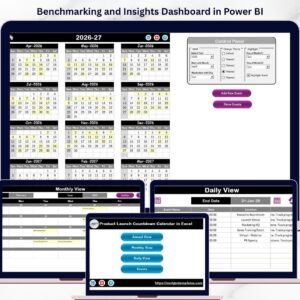
This dynamic Excel calendar allows you to organize every launch activity across annual, monthly, and daily views. Moreover, with its intuitive design and built-in event management system, you can stay on top of every milestone without any hassle.
Whether you are launching a new product, campaign, or event, this tool ensures nothing gets missed and everything stays on track.

🚀 Key Features of Product Launch Countdown Calendar in Excel
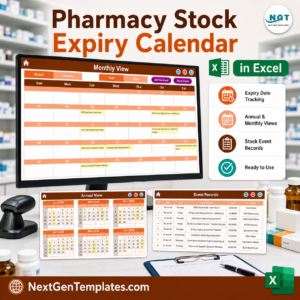
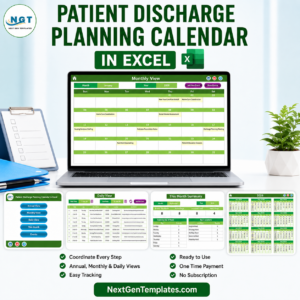
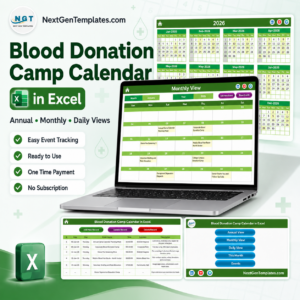
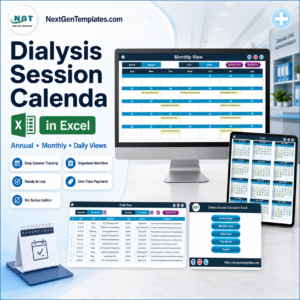
📅 Multi-View Calendar System – Switch between Annual, Monthly, and Daily views effortlessly
🏠 Interactive Home Dashboard – Navigate quickly using clickable buttons
🎨 Customizable Themes – Choose from multiple color themes for better visualization
🗓️ Dynamic Date Controls – Select year, month, and weekday with automatic updates
📌 Event Highlighting – Easily highlight important dates and milestones
➕ Easy Event Management – Add, update, and delete events with simple controls
📊 Detailed Event Database – Store all event details in one centralized sheet
🔍 Quick Event Access – View event details instantly from calendar views
⚡ User-Friendly Interface – Designed for both beginners and professionals
📦 What’s Inside the Product Launch Countdown Calendar in Excel
This template includes 5 powerful and well-structured worksheets:
🏠 Home Sheet – Your starting point with navigation buttons to access all views
📅 Annual View Sheet – Full-year calendar with customization options and event highlights
🗓️ Monthly View Sheet – Focus on a specific month with event indicators and quick access
📆 Daily View Sheet – Detailed event tracking within a selected date range
📊 Events Sheet (Database) – Store and manage event details like date, time, location, and description
Additionally, the template includes control panels and action buttons to ensure smooth navigation and efficient event management.
⚙️ How to Use the Product Launch Countdown Calendar in Excel
Using this template is simple and requires no advanced Excel skills:
1️⃣ Open the Template – Start from the Home sheet
2️⃣ Set Calendar Preferences – Select year, month, and starting weekday
3️⃣ Add Events – Click on any date and enter event details
4️⃣ Manage Events – Update or delete records from the Events sheet
5️⃣ Track Progress – Use Annual, Monthly, and Daily views for better planning
👉 Within minutes, you can organize your entire product launch schedule effectively.
👥 Who Can Benefit from This Product Launch Countdown Calendar in Excel
This template is ideal for various professionals and teams:
👨💼 Project Managers – Plan and track launch timelines efficiently
📢 Marketing Teams – Organize campaigns and promotional events
🚀 Startup Founders – Manage product launches with clarity
📊 Business Owners – Stay on top of deadlines and milestones
🎯 Event Planners – Coordinate multiple launch-related activities
👉 In short, anyone involved in planning and execution can benefit from this powerful calendar.
With its clean design, powerful features, and easy usability, this Excel calendar ensures your product launch stays organized, efficient, and stress-free.
Stop juggling multiple spreadsheets and start managing everything in one place.
👉 Download now and take full control of your product launch planning! 🚀
📖 Click here to read the Detailed blog post
🎥 Visit our YouTube channel to learn step-by-step video tutorials
👉 https://www.youtube.com/@PKAnExcelExpert
Compatibility and Requirements
- Works in Microsoft Excel desktop (Excel 2016 or later, or Microsoft 365).
- The template has navigation and action buttons for adding, updating and deleting events. Microsoft has an Excel for Windows training page if you want to learn the basics.
Frequently Asked Questions
Which sheets does this calendar include?
Five sheets: Home, Annual View, Monthly View, Daily View and Events (the event database).
What can I store for each event?
The Events sheet holds the date, time, location and description of each event.
Can I change the look of the calendar?
Yes. You can choose from several color themes, and you set the year, month and starting weekday yourself.
How do I add or remove an event?
Add events from the calendar views, then update or delete records from the Events sheet using the action buttons.
Is there a Google Sheets version?
There is a Product Launch Calendar in Google Sheets for teams that work in Sheets.
Related Product Launch Templates
- Product Launch Calendar in Excel: another calendar layout for launch dates
- Product Launch Schedule in Excel: a schedule view of launch tasks
- Product Launch Checklist Template in Excel: a checklist to go with the calendar
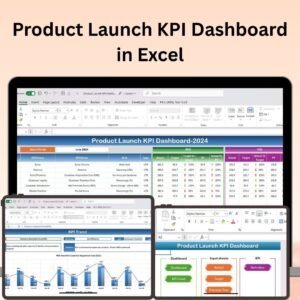
- Product Launch KPI Dashboard in Excel: track launch results in a dashboard
- Product Launch Calendar in Google Sheets: the Google Sheets edition
Browse all Excel calendar templates.