


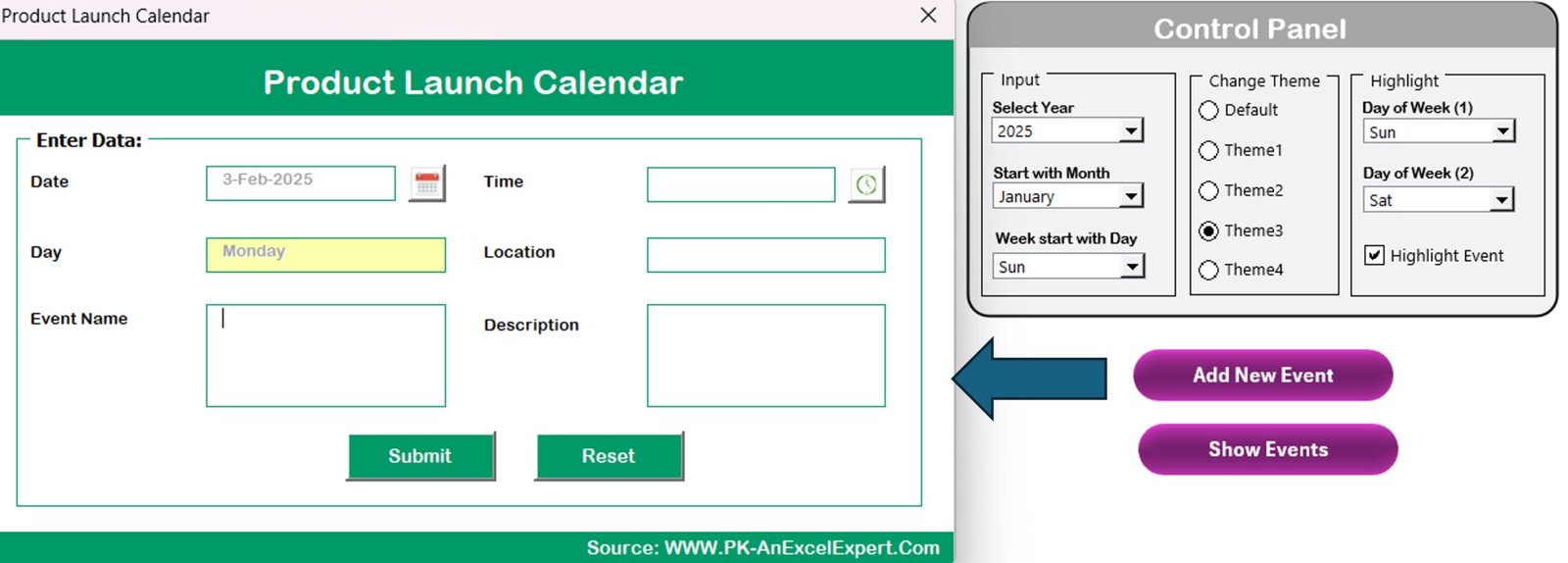



The Product Launch Calendar in Excel is an essential tool for businesses looking to plan, organize, and execute successful product launches. This Excel-based calendar helps project managers, marketing teams, and product development teams track every phase of the product launch process. From the initial ideation to post-launch evaluation, this calendar ensures that no critical task is missed, and deadlines are met efficiently.
With its clear and customizable layout, the Product Launch Calendar in Excel allows you to manage tasks, set milestones, assign responsibilities, and track progress in real-time. This tool will help you stay on top of marketing campaigns, product development schedules, and team coordination, all while ensuring a smooth and timely product launch.
Key Features of the Product Launch Calendar in Excel
📅 Comprehensive Launch Timeline
Map out your entire product launch process, from research and development to marketing and sales. The calendar helps you plan every milestone and task, ensuring timely execution.
📈 Task Assignment & Progress Tracking
Assign tasks to team members and track the progress of each activity. The calendar helps you monitor who’s responsible for what and when tasks are due to keep everything on track.
🎯 Milestone Tracking
Set clear product launch milestones and track their completion. Stay focused on critical dates and avoid any delays in the launch process.
🔄 Customizable Schedule
Tailor the calendar to your specific launch needs. Add or remove tasks, change deadlines, and customize the layout to fit the scope of your product launch.
💼 Cross-Department Collaboration
Facilitate collaboration across departments by tracking marketing, sales, design, and development timelines in one unified calendar. Ensure everyone is aligned and aware of their responsibilities.
📊 Visual Data Representation
Use color-coded milestones and tasks for better visualization. This makes it easier to assess the progress of your product launch at a glance.
Why You’ll Love the Product Launch Calendar in Excel
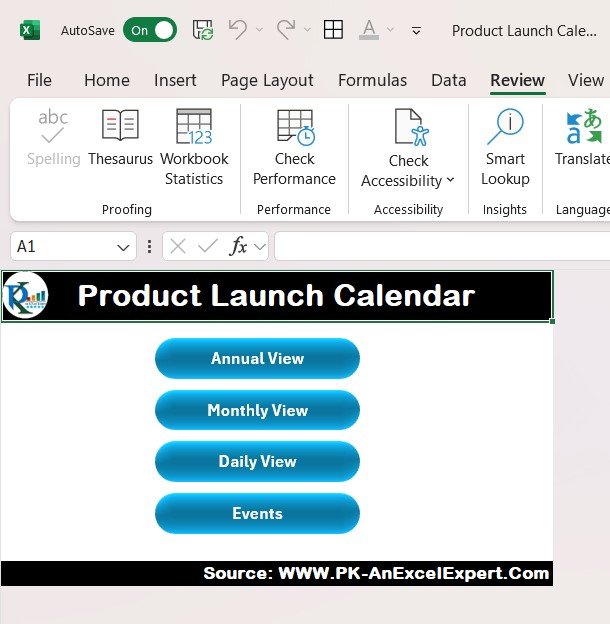
✅ Streamline Your Product Launch Process
Keep your product launch organized and on track with a clear, structured calendar. Avoid missing deadlines and ensure a smooth launch process.
✅ Improve Team Collaboration
With task assignments and progress tracking, your teams can collaborate more effectively. Everyone knows what’s expected of them, helping to avoid confusion and delays.
✅ Track Milestones & Deadlines
Ensure that every important milestone is met and deadlines are adhered to. This is essential for a successful and timely product launch.
✅ Customizable for Any Product Launch
Whether you’re launching a new app, physical product, or service, the calendar is customizable to suit any industry or business size. Modify tasks and timelines as per your specific needs.
✅ Data-Driven Decision Making
Analyze the progress of your launch in real-time. Track which tasks are completed, which are behind, and where improvements are needed, helping you make proactive decisions.
What’s Inside the Product Launch Calendar in Excel?
Comprehensive Launch Timeline: Map out the entire product launch process, step by step.
Task Assignment & Progress Tracking: Assign tasks and track their completion to ensure deadlines are met.
Milestone Tracking: Keep track of critical launch milestones and their status.
Customizable Schedule: Tailor the calendar to meet your unique product launch needs.
Cross-Department Collaboration: Track tasks across various departments like marketing, sales, and product development.
Visual Data Representation: Use color-coded milestones for better clarity and tracking.
How to Use the Product Launch Calendar in Excel
1️⃣ Download the Template: Get the Product Launch Calendar in Excel instantly.
2️⃣ Add Your Product Launch Details: Input important launch dates, milestones, and tasks into the calendar.
3️⃣ Assign Tasks & Responsibilities: Assign team members to specific tasks and set due dates for each.
4️⃣ Track Progress & Milestones: Monitor progress and check off completed tasks to stay on track with your launch.
5️⃣ Analyze & Adjust Plans: Use the visual representation of progress to make adjustments and ensure the product launch stays on schedule.
Who Can Benefit from the Product Launch Calendar in Excel?
🔹 Marketing Teams
🔹 Product Development Teams
🔹 Project Managers
🔹 Entrepreneurs & Startups
🔹 Small & Medium Businesses (SMBs)
🔹 Corporations with Product Development Departments
🔹 Event Planners & Product Launch Coordinators
Ensure a smooth and successful product launch with the Product Launch Calendar in Excel. Plan, organize, and track every aspect of your launch, ensuring that all tasks are completed on time and the launch is a success.
Click here to read the Detailed blog post
Visit our YouTube channel to learn step-by-step video tutorials
Youtube.com/@PKAnExcelExpert
Compatibility and Requirements
- Works in Microsoft Excel desktop (Excel 2016 or later, or Microsoft 365).
- Color-coded milestones and tasks use standard Excel features. Microsoft explains charts in Create a chart from start to finish.
Frequently Asked Questions
What can I plan with this calendar?
You can map the whole launch, from research and development to marketing and sales, with tasks, milestones and deadlines.
Can I assign tasks to team members?
Yes. You can assign each task to a team member, set a due date and track its progress.
Does it cover more than one department?
Yes. It tracks marketing, sales, design and development timelines in one calendar.
How do I see progress at a glance?
Milestones and tasks are color-coded, so you can see which are done and which are behind.
Can I change the schedule?
Yes. You can add or remove tasks, change deadlines and adjust the layout to fit your launch.
Related Product Launch Templates
- Product Launch Calendar in Google Sheets: the same calendar in Google Sheets
- Product Launch KPI Dashboard in Excel: measures launch results
- Product Launch Checklist Template in Excel: a checklist of launch tasks
- Product Launch Countdown Calendar in Excel: counts down to launch day
- Calendar & Planner Pack: 12 premium Excel and Google Sheets calendars in one bundle
Browse all Excel calendar templates or the Excel sales and marketing templates.
































Reviews
There are no reviews yet.