
Innovation is the engine of long-term business growth. Organizations invest heavily in research and development to create new products, improve processes, and maintain competitive advantage. However, managing R&D initiatives becomes difficult when project data, budgets, risks, and milestones are tracked across disconnected spreadsheets and manual reports.
Without clear visibility, teams struggle with delayed timelines, uncontrolled spending, inefficient resource allocation, and limited insight into innovation outcomes.
That is why we developed the Research and Development Dashboard in Google Sheets — a powerful, cloud-based analytics solution designed to help organizations monitor R&D performance in a structured and strategic way.
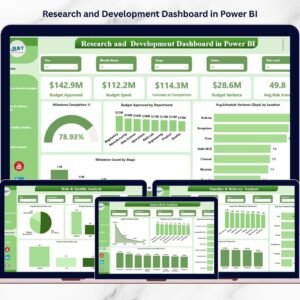
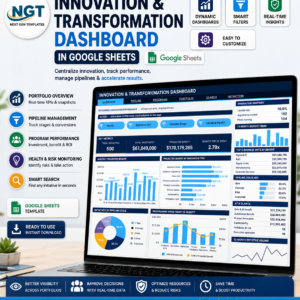
This ready-to-use dashboard centralizes financial tracking, milestone monitoring, risk analysis, and innovation performance into one interactive platform. Instead of reviewing multiple reports, leaders gain a single source of truth that provides real-time insights into research progress and investment efficiency.
Built entirely in Google Sheets, the dashboard allows teams to collaborate from anywhere while maintaining live performance visibility. Automated charts, dynamic filters, and KPI cards instantly transform complex project data into easy-to-understand visuals that support faster decision-making.
Whether you manage innovation portfolios, product development pipelines, or research programs, this dashboard helps you track progress, control budgets, reduce risks, and measure innovation impact confidently.
🚀 Key Feature of Research and Development Dashboard in Google Sheets
✅ Cloud-based dashboard accessible anytime, anywhere
✅ Real-time collaboration across teams and departments
✅ Financial KPI tracking with automated calculations
✅ Milestone monitoring and project progress visualization
✅ Risk and quality analysis dashboards
✅ Innovation performance measurement tools
✅ Interactive filters and dynamic charts
✅ Budget vs Actual performance tracking
✅ Fully customizable KPIs and analytics structure
These features help leadership teams maintain full control over research initiatives while improving transparency and accountability.
📦 What’s Inside the Research and Development Dashboard in Google Sheets
This dashboard includes multiple analytical pages designed to evaluate R&D performance from every angle:
📊 R&D Overview Dashboard
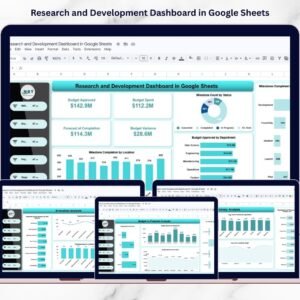
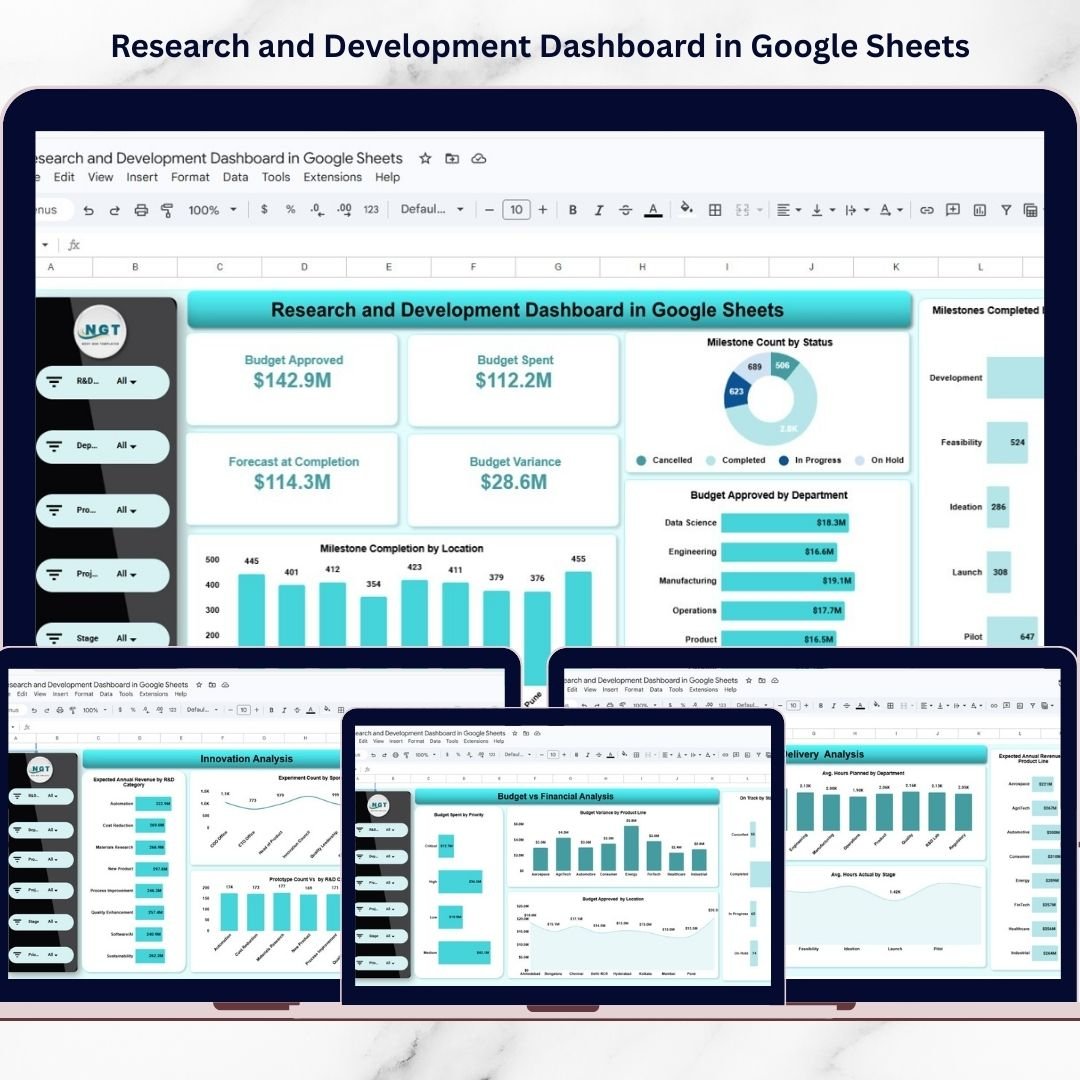
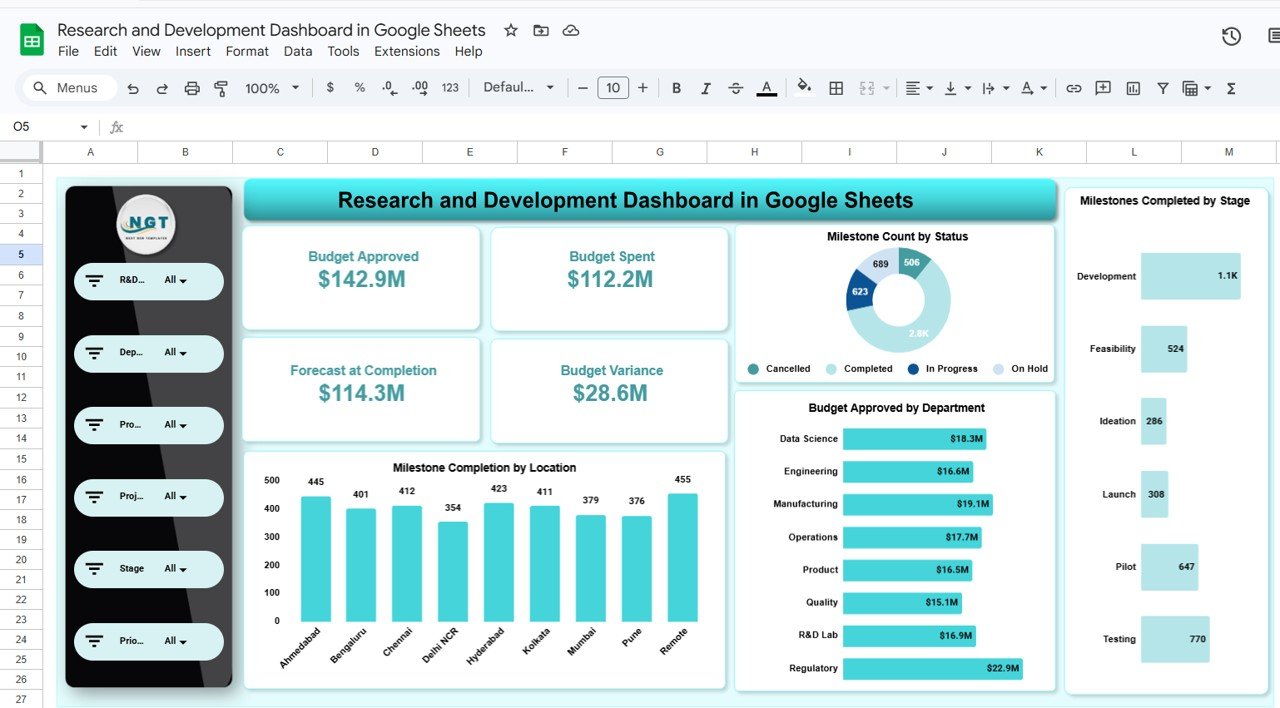
Displays high-level KPIs including Budget Approved, Budget Spent, Forecast at Completion, and Budget Variance along with milestone visuals.
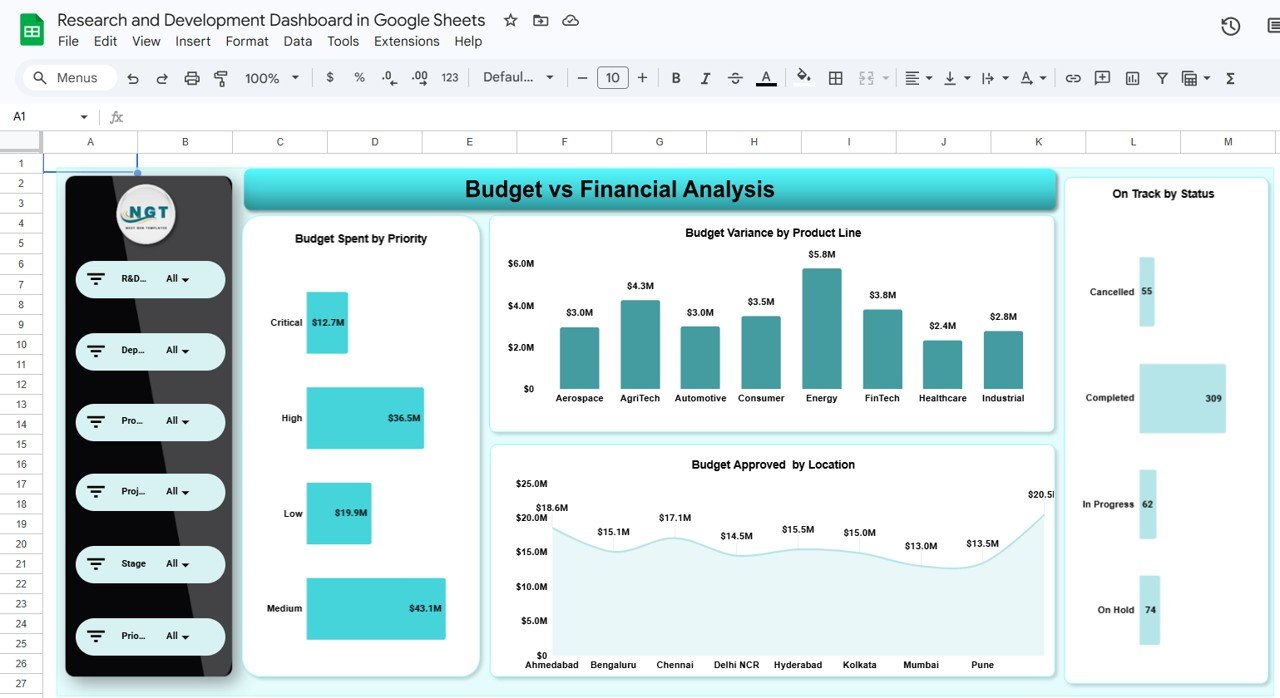
💰 Budget & Financial Analysis Page
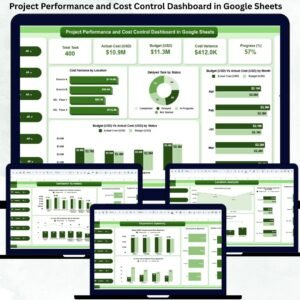
Analyzes spending efficiency using charts like Budget Variance by Product Line and Budget Spent by Priority Level.
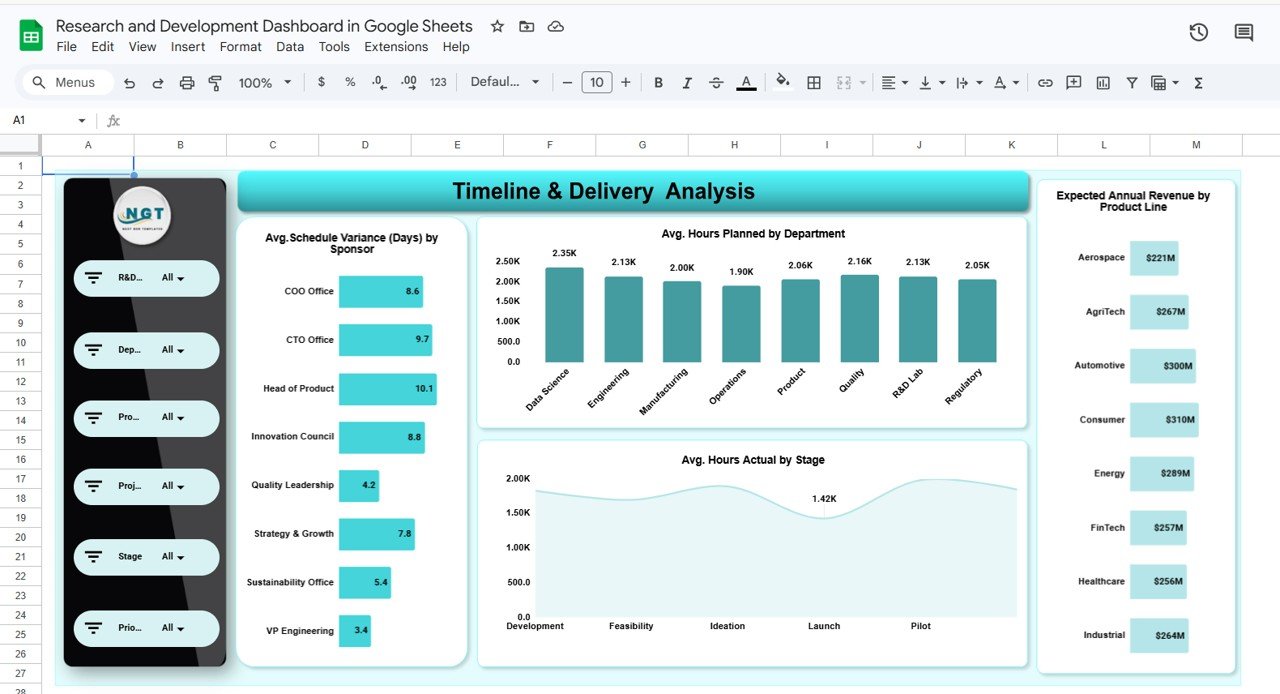
📅 Timeline & Delivery Analysis Page
Tracks project execution through schedule variance, planned vs actual hours, and expected revenue forecasts.
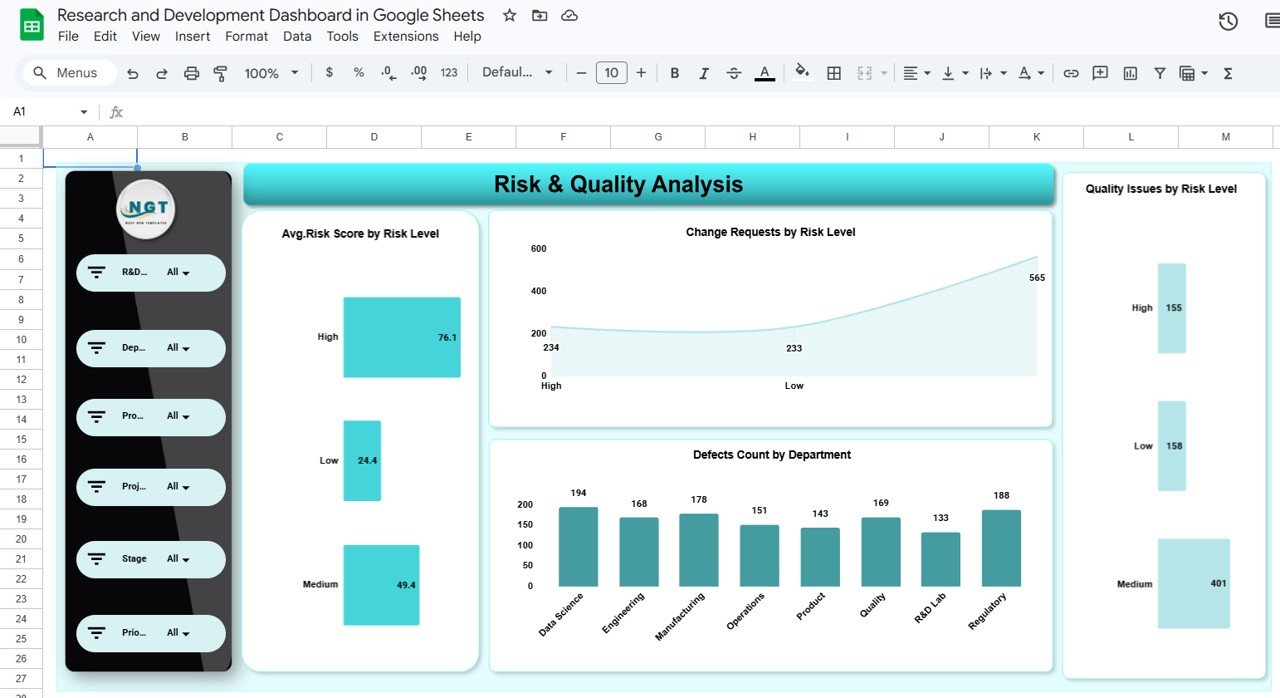
⚠️ Risk & Quality Analysis Page
Monitors risk scores, change requests, defects, and quality issues to reduce project failures.
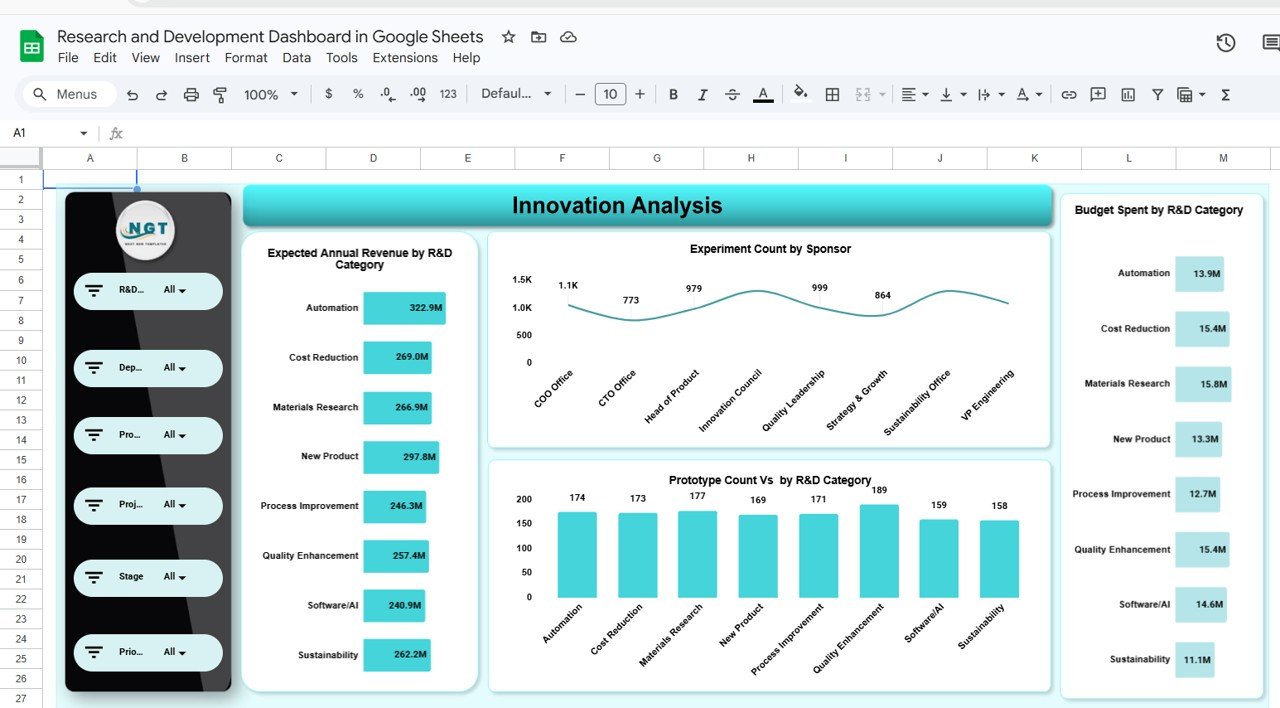
💡 Innovation Analysis Dashboard
Measures innovation output through prototype counts, experiments, and expected revenue by R&D category.
Together, these pages provide both strategic oversight and operational-level monitoring.
⚙️ How to Use the Research and Development Dashboard in Google Sheets
Getting started is simple and quick:
1️⃣ Upload or enter project and financial data into the dataset sheet.
2️⃣ Maintain standardized formats for accurate calculations.
3️⃣ Use filters to analyze departments, sponsors, or categories.
4️⃣ Monitor KPI cards for budget and milestone performance.
5️⃣ Review analytical pages to identify delays or risks.
6️⃣ Track innovation outputs and forecast future value.
Within minutes, your research data converts into professional executive-level analytics.
👩🔬 Who Can Benefit from This Research and Development Dashboard in Google Sheets
This dashboard is ideal for:
✅ R&D managers and innovation leaders
✅ Product development teams
✅ Technology and engineering organizations
✅ Manufacturing innovation departments
✅ Healthcare and research institutions
✅ Startup innovation teams
✅ Strategy and finance executives
Because it operates in Google Sheets, organizations can implement it instantly without expensive analytics tools.
By using this dashboard consistently, organizations gain stronger financial control, improved project visibility, and clearer measurement of innovation success. Instead of guessing which initiatives deliver value, leaders make decisions based on real performance insights.
### Click here to read the Detailed blog post
Watch the step-by-step video tutorial:
### Visit our YouTube channel to learn step-by-step video tutorials
👉 https://www.youtube.com/@PKAnExcelExpert
Compatibility and Requirements
- Works in Google Sheets. You need a free Google account and a web browser.
- Filters and charts on the dashboard pages update from the data you enter. Google explains how charts work in Add and edit a chart.
Frequently Asked Questions
Which dashboard pages are included?
Five pages: R&D Overview, Budget and Financial Analysis, Timeline and Delivery Analysis, Risk and Quality Analysis, and Innovation Analysis.
What budget figures does the template track?
The overview shows Budget Approved, Budget Spent, Forecast at Completion and Budget Variance. The budget page also breaks spending down by product line and by priority level.
Can I track project delays?
Yes. The Timeline and Delivery Analysis page shows schedule variance, planned versus actual hours and expected revenue forecasts.
How does the template measure innovation output?
The Innovation Analysis page shows prototype counts, experiments and expected revenue by R&D category.
Is there an Excel or Power BI version?
Yes. See the Research and Development Dashboard in Excel and the Research and Development Dashboard in Power BI.
Related Research and Development Templates
- Research and Development Dashboard in Excel: the same dashboard in Excel
- Research and Development Dashboard in Power BI: the Power BI edition
- Research & Development (R&D) KPI Dashboard in Excel: a KPI-focused view of R&D
- Training and Development Dashboard in Google Sheets: another Google Sheets dashboard for development teams
- Google Sheets Business Pack (Pro): 14 business templates in one download
Browse all Google Sheets dashboards.