

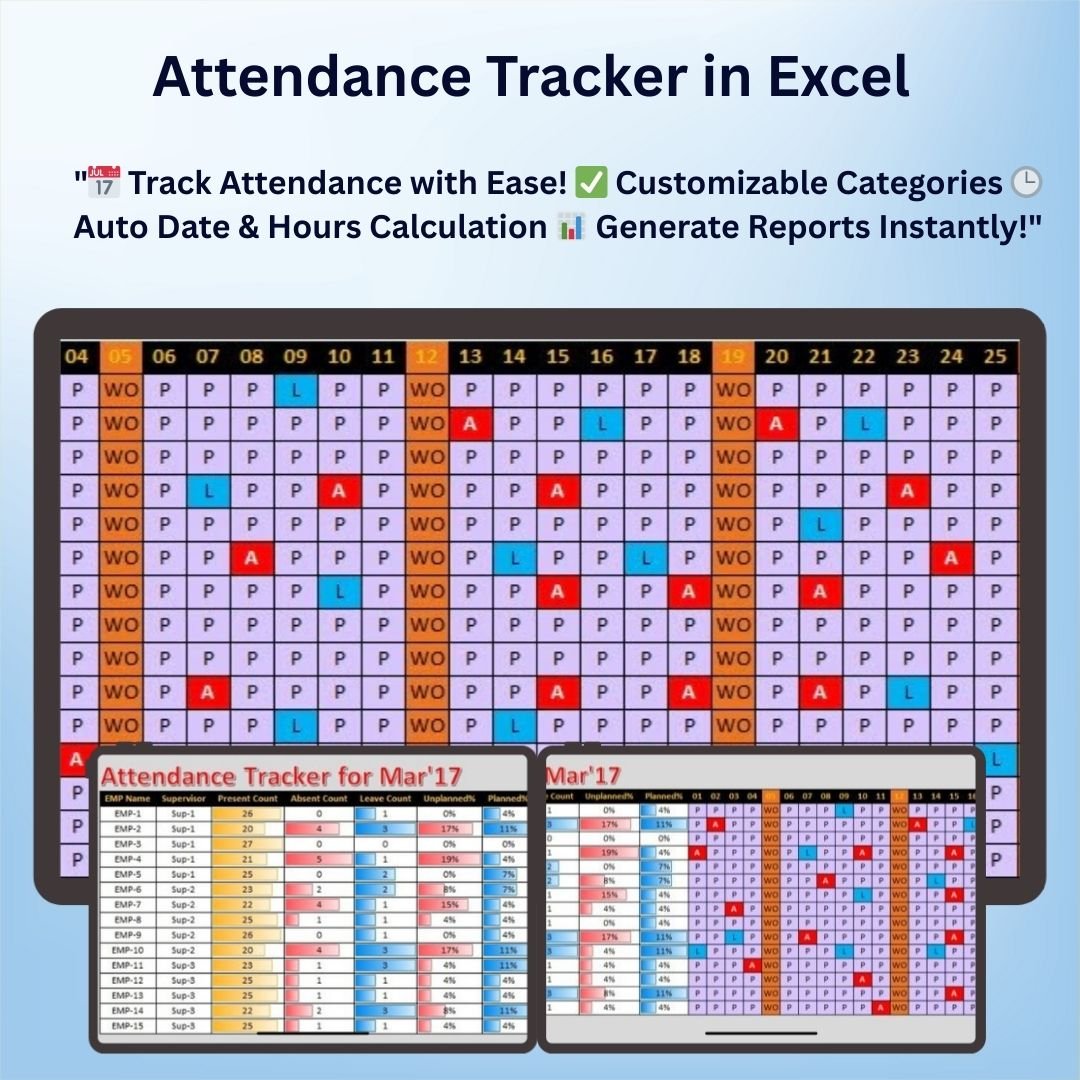
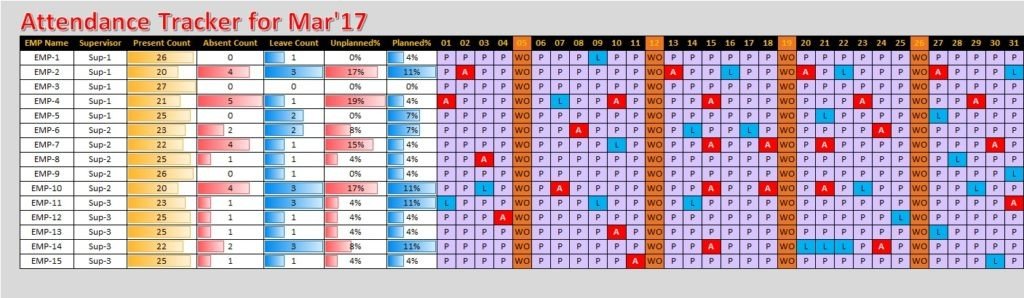
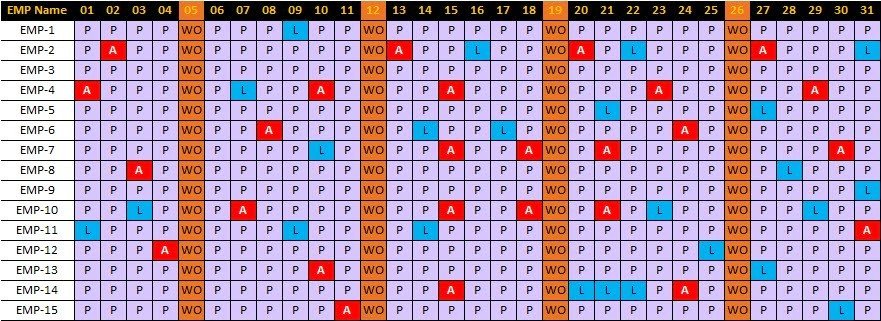

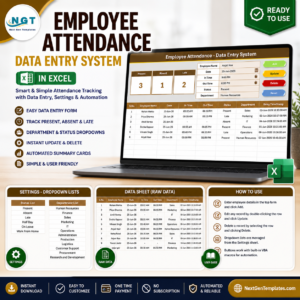
The Attendance Tracker in Excel is a highly efficient and customizable tool designed to help businesses, schools, and organizations track attendance with ease. This Excel-based solution provides a streamlined method for recording and managing attendance, ensuring that you can monitor employee, student, or participant attendance effortlessly.
With this template, you can record attendance for each day, calculate total hours worked or attended, and even generate reports based on your attendance data. The automatic features, such as date tracking and absence calculation, make this tool an ideal choice for managers and administrators looking for a hassle-free way to manage attendance records.
Key Features of the Attendance Tracker in Excel
📌 Simple and Easy-to-Use Interface
The template is designed to be user-friendly, with a clear and straightforward layout. No advanced Excel skills are required to start tracking attendance right away.
🛠 Automatic Date Tracking
The tool automatically updates dates, making it easy to track attendance for any time period. You won’t have to manually update the date, saving you time and effort.
💡 Customizable Attendance Categories
You can customize the categories for attendance, whether it’s for full attendance, late arrivals, or absences. Adjust the system to match your specific attendance tracking needs.
🔢 Total Hours Calculation
For workplaces, you can easily calculate total hours worked by each employee based on attendance data. The tool automatically computes the total hours worked each day.
🚀 Advanced Reporting
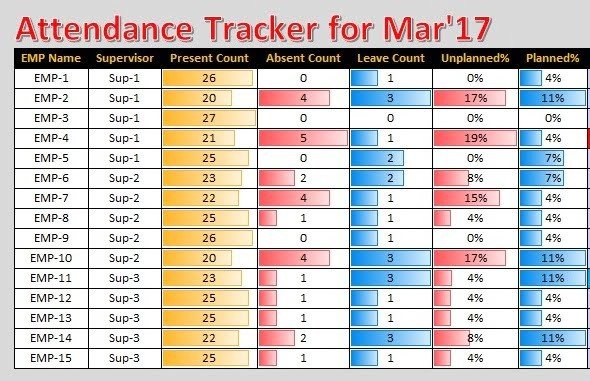
Generate easy-to-read reports based on the attendance data. This feature allows you to create a summary of attendance statistics, making it simple to analyze trends and make informed decisions.
📊 Visual Data Representation
Charts and graphs are included to help you visualize attendance trends. View the data in a graphical format, making it easy to analyze patterns over time.
⚙ Flexible and Customizable
Tailor the template to suit your specific needs, whether it’s for a school, business, or any other organization. Add or remove columns and categories as needed.
🚀 Why You’ll Love This Attendance Tracker in Excel
✅ User-Friendly – Easy to navigate and implement with no advanced skills needed. ✅ Customizable – Adjust categories and tracking options to suit your needs. ✅ Accurate and Automated – Automatically track dates and calculate totals. ✅ Generate Reports – Create attendance summaries with ease. ✅ Visual Insights – Use charts to gain quick insights into attendance trends.
📂 What’s Inside the Attendance Tracker in Excel?
- Date Tracking: Automatically updates attendance dates for each entry.
- Customizable Categories: Set categories like present, absent, late, etc.
- Total Hours Calculation: Automatically computes total hours worked or attended.
- Attendance Reports: Generate summaries and detailed reports on attendance.
- Visual Data: Includes charts and graphs for easy data visualization.
🔍 How to Use the Attendance Tracker in Excel
1️⃣ Download the Template – Instant access to the Excel file upon purchase. 2️⃣ Set Up Attendance Categories – Customize categories to match your needs. 3️⃣ Enter Data – Input attendance data as it occurs each day. 4️⃣ Track Total Hours – Let the template automatically calculate the hours worked or attended. 5️⃣ Generate Reports – Use the built-in reporting features to analyze attendance trends.
🎯 Who Can Benefit from This Attendance Tracker? 🔹 Businesses and HR Departments 🔹 Schools and Educational Institutions 🔹 Freelancers and Contractors 🔹 Event Organizers 🔹 Anyone needing a straightforward way to track attendance
Simplify your attendance tracking process with this easy-to-use Excel template. Perfect for schools, businesses, and organizations of all sizes, it’s the ideal solution for anyone looking to automate attendance management.
Click here to read the Detailed blog post
https://www.pk-anexcelexpert.com/attendance-tracker-in-excel/
Visit our YouTube channel to learn step-by-step video tutorials
Watch the step-by-step video tutorial:
Also check our Incentive Dashboard in Excel
Compatibility and Requirements
- Works in Microsoft Excel desktop (Excel 2016 or later, or Microsoft 365).
- Built with standard Excel charts. Microsoft’s guide Create a chart from start to finish explains how charts work.
Frequently Asked Questions
What does the tracker record?
Daily attendance with categories such as present, absent and late, plus the total hours worked or attended.
Does it calculate hours?
Yes. It computes the total hours worked each day from the attendance data.
Can I change the attendance categories?
Yes. You can set your own categories and add or remove columns.
Does it include reports?
Yes. It builds attendance summaries and detailed reports, and charts show attendance trends over time.
Related Attendance Templates
- Attendance and Overtime Dashboard in Excel: add overtime reporting
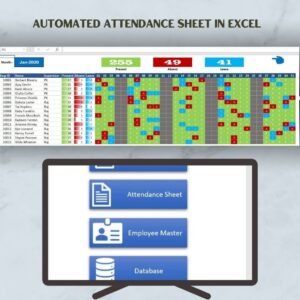
- Automated Attendance Sheet in Excel: a monthly attendance sheet
- Monthly Attendance sheet in Excel with Check boxes: a free check box sheet
- Employee Attendance Tracker in Google Sheets: track attendance in Google Sheets
- HR & Workforce Analytics Bundle: 10 HR templates in one bundle
Browse all Excel HR and payroll templates or the Excel trackers.





















Reviews
There are no reviews yet.