

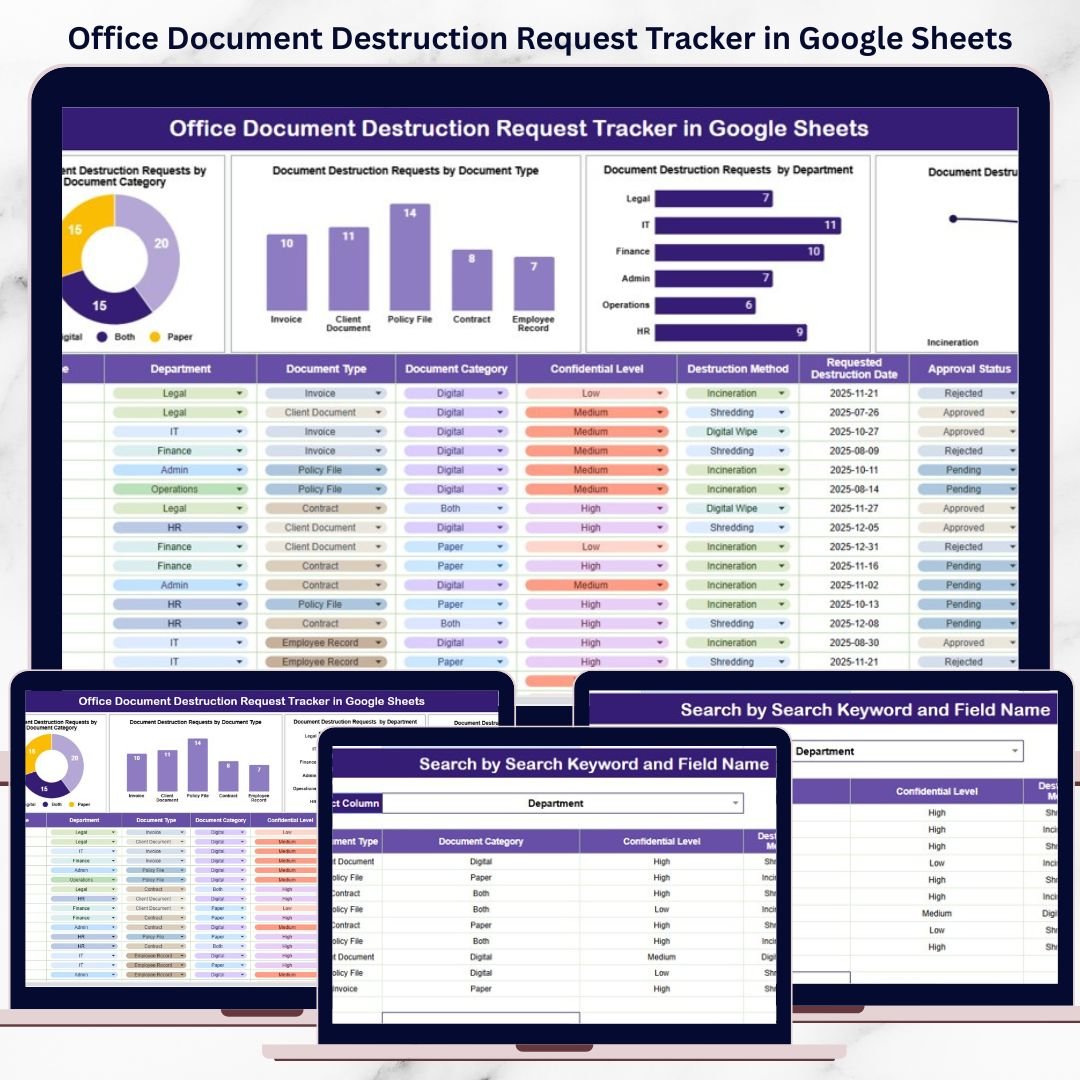

Every organization handles sensitive documents—employee records, financial files, legal papers, contracts, and confidential reports. Over time, these documents reach the end of their retention period and must be destroyed securely. However, when document destruction requests are managed through emails, chats, or informal spreadsheets, organizations face serious risks related to data privacy, regulatory compliance, and audit failures.Office Document Destruction Request Tracker in Google Sheets
That is exactly why the Office Document Destruction Request Tracker in Google Sheets becomes an essential information governance and compliance tool.
This ready-to-use Google Sheets tracker helps organizations centrally manage document destruction requests, track approval status, monitor destruction methods, and maintain a complete audit trail—all in one structured and secure system. Instead of scattered emails or manual follow-ups, every request remains visible, accountable, and traceable.
Because the tracker is built in Google Sheets, it is cloud-based, collaborative, cost-effective, and easy to use, with no additional software or technical skills required.
🔐 Key Features of Office Document Destruction Request Tracker
📂 Centralized Request Management
All document destruction requests are logged in one structured tracker.
✅ Approval Status Tracking
Clearly track requests as Pending, Approved, Rejected, or Completed.
🗃️ Document Category & Type Analysis
Understand which document categories and formats require destruction most often.
🔥 Destruction Method Monitoring
Track shredding, digital wipe, recycling, or third-party destruction methods.
📊 Visual Compliance Charts
Auto-updating charts provide instant visibility into destruction activity.
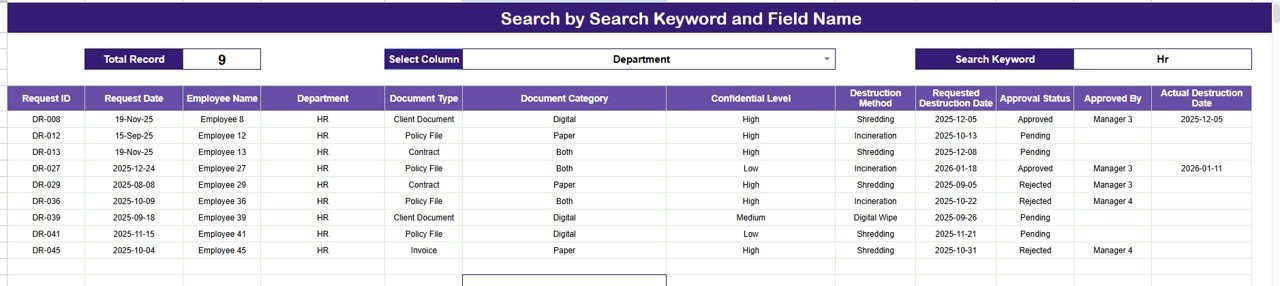
🔍 Smart Search Function
Locate any request instantly using keyword-based search.
📦 What’s Inside the Office Document Destruction Request Tracker
🧾 Tracker Sheet Tab – Central Request Log
This is the main working sheet where all destruction requests are recorded and managed.
📌 Typical Fields Included:
Request ID
Request Date
Requestor Name
Department
Document Category
Document Type
Destruction Method (Shredding, Digital Wipe, Incineration, etc.)
Approval Status
Approved By
Destruction Date
Remarks / Notes
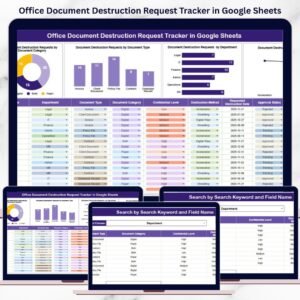
Once data is entered or updated, all dashboard charts refresh automatically—ensuring real-time compliance visibility.
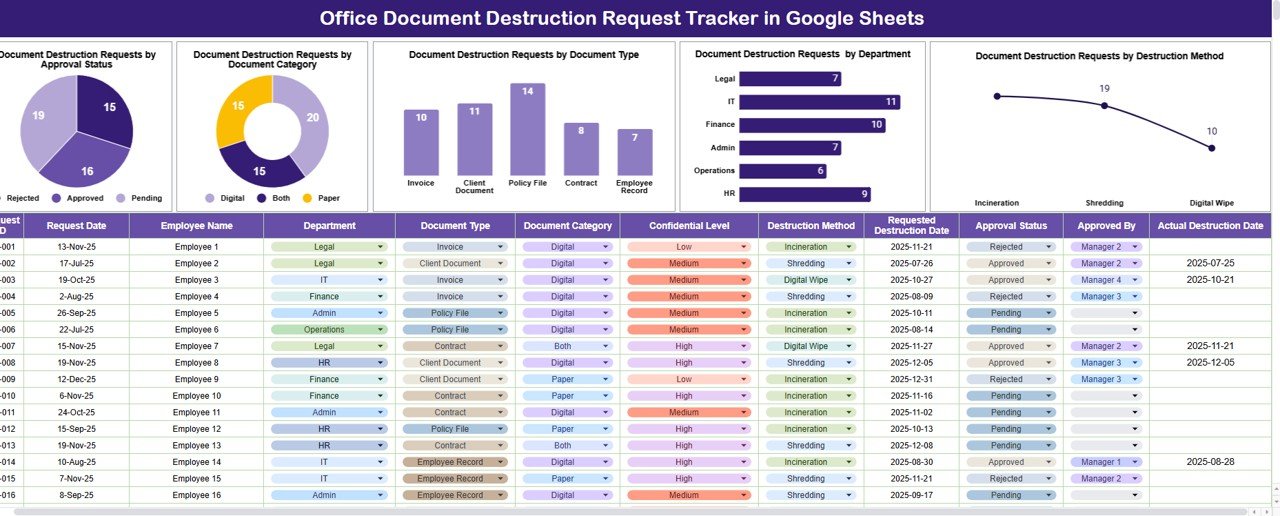
📊 Charts Included in the Tracker Dashboard
📈 Document Destruction Requests by Approval Status
Shows how many requests are pending, approved, rejected, or completed—helping teams avoid approval backlogs.
🗂️ Document Destruction Requests by Document Category
Analyzes requests across categories such as HR records, finance documents, legal files, and operational records.
📄 Document Destruction Requests by Document Type
Breaks down requests by physical paper, digital files, archived records, or backup media.
🏢 Document Destruction Requests by Department
Identifies departments generating high destruction volumes and supports compliance accountability.
🔥 Document Destruction Requests by Destruction Method
Tracks how documents are destroyed to ensure alignment with data protection policies.
🔍 Search Feature – Search by Keyword and Field Name
One of the most powerful features of this tracker is the smart search functionality.
You can search records by:
Request ID
Department
Document Category
Document Type
Approval Status
Destruction Method
This feature is extremely useful during:
Compliance audits
Regulatory inspections
Internal reviews
Management reporting
No scrolling. No filters. Just instant results.
🧭 How to Use the Office Document Destruction Request Tracker
Log document destruction requests in the Tracker Sheet
Assign document category, type, and destruction method
Track approval status and approver details
Monitor charts for pending or delayed requests
Use search to retrieve records instantly
Maintain an audit-ready destruction trail
🎯 Who Can Benefit from This Tracker
📋 Compliance & Governance Teams
⚖️ Legal Departments
👥 HR Teams
💻 IT & Records Management Teams
🧑💼 Operations & Administration
🧾 Audit & Risk Management Teams
🔗 Click here to read the Detailed blog post
Watch the step-by-step video tutorial:
▶️ Visit our YouTube channel to learn step-by-step video tutorials
👉 https://www.youtube.com/@NeotechNavigators
Compatibility and Requirements
- Works in Google Sheets with a free Google account and a web browser. Nothing to install.
- The charts are standard Google Sheets charts. Google explains them in Add & edit a chart or graph.
Frequently Asked Questions
What fields does the Tracker Sheet have?
Request ID, Request Date, Requestor Name, Department, Document Category, Document Type, Destruction Method, Approval Status, Approved By, Destruction Date and Remarks.
Which approval statuses does it use?
Pending, Approved, Rejected and Completed.
What charts are included?
Requests by approval status, document category, document type, department and destruction method.
How do I find one request?
Use the search feature to look up records by Request ID, department, category, type, approval status or destruction method.
Related Document Management Templates
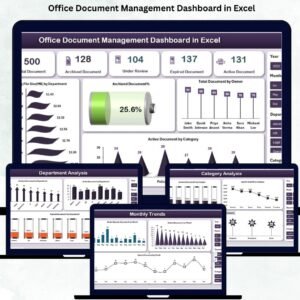
- Office Document Management Dashboard in Excel: a dashboard for office documents
- Document Receiving Log Tracker in Excel: logs incoming documents
- Document Retention Checklist Template in Excel: checks retention periods
- Document Retention Checklist in Google Sheets: the retention checklist in Google Sheets
- Tracker Toolkit: 12 premium Excel and Google Sheets trackers in one bundle
Browse all Google Sheets trackers or the Google Sheets templates.


























Reviews
There are no reviews yet.