



As organizations grow, internal movement becomes inevitable. Employees request desk changes, department transfers, floor relocations, branch moves, or temporary seating adjustments. While these requests are common, managing them through emails, chat messages, or verbal communication often creates confusion. Requests get overlooked, priorities are unclear, approvals are delayed, and facilities teams lose visibility into ongoing work.Office Relocation Request Tracker in Google Sheets
The Office Relocation Request Tracker in Google Sheets is designed to solve these challenges with a clean, structured, and centralized system. This ready-to-use tracker helps organizations record, monitor, prioritize, and analyze all office relocation requests in one place. Instead of chasing emails or updating multiple files, teams work from a single, reliable source of truth.
Because the tracker is built entirely in Google Sheets, it is cloud-based, easy to share, and updates instantly. HR teams, admin teams, and facilities teams stay aligned and informed at every stage of the relocation process.Office Relocation Request Tracker in Google Sheets
🚀 Key Features of the Office Relocation Request Tracker
🗂️ Centralized Relocation Request Management
All office relocation requests are stored in one structured tracker, eliminating scattered communication and confusion.
⚡ Priority-Based Execution
Requests are classified by priority (Low, Medium, High, Urgent), ensuring urgent moves are handled first.
📊 Auto-Updating Visual Charts
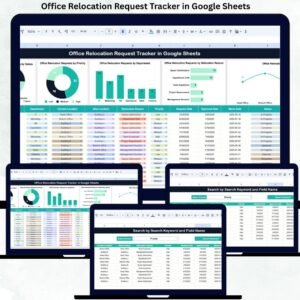
Built-in charts provide instant insights into request status, department demand, locations, and relocation reasons.
🔍 Smart Search Functionality
Find any relocation request instantly using keyword search and field-based filtering.
🏢 Location & Space Planning Insights
Understand relocation patterns across floors, buildings, or branches for better space utilization.
🤝 Cloud Collaboration
Multiple teams can update and track requests simultaneously without version conflicts.
📦 What’s Inside the Office Relocation Request Tracker
🖥️ Tracker Sheet Tab – Core Data Entry
This is the backbone of the entire tracker. All relocation requests are entered here in a clean and structured format.
Typical fields include:
Request ID
Employee Name & Employee ID
Department
Current Location
Requested Location
Relocation Reason
Priority Level
Assigned To (HR / Admin / Facilities)
Request Status (Open, In Progress, Approved, Completed, On Hold)
Request Date
Completion Date
Remarks / Notes
Once data is entered or updated, all charts refresh automatically.
📊 Dashboard Charts – Instant Operational Insights
The tracker includes five dynamic charts that provide immediate visibility:
Office Relocation Requests by Status – Track open, pending, and completed requests
Office Relocation Requests by Priority – Focus on urgent and high-impact relocations
Office Relocation Requests by Department – Identify departments with frequent movement
Office Relocation Requests by Relocation Reason – Understand why employees relocate
Office Relocation Requests by Location – Analyze floor, building, or branch-wise activity
These charts help teams move from reactive handling to proactive workspace planning.
🔎 Search Function – Find Any Request in Seconds
The tracker includes a powerful search panel that allows you to:
Enter a Search Keyword
Select a Field Name (Employee, Department, Status, Location, Priority, Assigned To, etc.)
Matching records appear instantly, saving hours of manual filtering and follow-ups.
🛠️ How to Use the Office Relocation Request Tracker
1️⃣ Log every relocation request in the Tracker Sheet
2️⃣ Assign priority and responsible team
3️⃣ Update request status as work progresses
4️⃣ Review dashboard charts weekly
5️⃣ Use search for audits, follow-ups, and reporting
👥 Who Can Benefit from This Tracker
🏢 HR Teams
🛠️ Facilities & Admin Teams
👩💼 Office Managers
📋 Operations Teams
🏗️ Growing Organizations & Enterprises
### Click here to read the Detailed blog post
Watch the step-by-step video tutorial:
Visit our YouTube channel to learn step-by-step video tutorials
👉 https://youtube.com/@NeotechNavigators
Compatibility and Requirements
- Works in Google Sheets. You need a free Google account and a web browser.
- The Tracker sheet has fields for Request ID, employee, department, current and requested location, relocation reason, priority, assigned team, status and dates. Google explains how charts work in Add and edit a chart or graph.
Frequently Asked Questions
What information can I record for each request?
Each row holds the Request ID, employee name and ID, department, current location, requested location, relocation reason, priority level, assigned team, request status, request date, completion date and remarks.
Which charts are included?
Five charts update from the Tracker sheet: requests by status, by priority, by department, by relocation reason and by location.
What priority and status options does it use?
Priority levels are Low, Medium, High and Urgent. Status options are Open, In Progress, Approved, Completed and On Hold.
How do I find a specific request?
Use the search panel. Type a keyword, choose a field such as Employee, Department, Status, Location, Priority or Assigned To, and the matching records appear.
Is there an Excel or Power BI version?
There is an Office Relocation Dashboard in Excel and an Office Relocation Dashboard in Power BI.
Related Office Relocation Templates
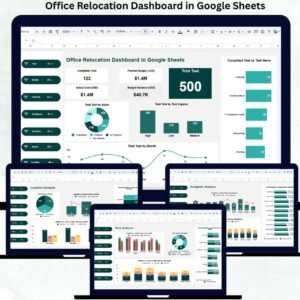
- Office Relocation Dashboard in Google Sheets: a dashboard view of relocation work
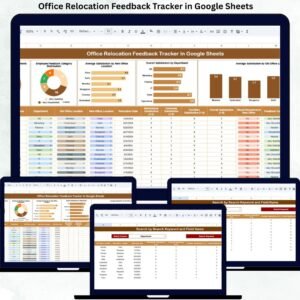
- Office Relocation Feedback Tracker in Google Sheets: collect feedback after a move
- Office Seating Arrangement Request Tracker in Google Sheets: manage seating change requests
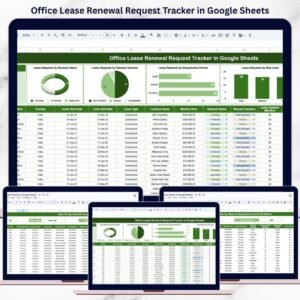
- Office Lease Renewal Request Tracker in Google Sheets: track lease renewal requests
- Office Relocation Dashboard in Excel: the Excel edition
Browse all Google Sheets trackers.






























Reviews
There are no reviews yet.