

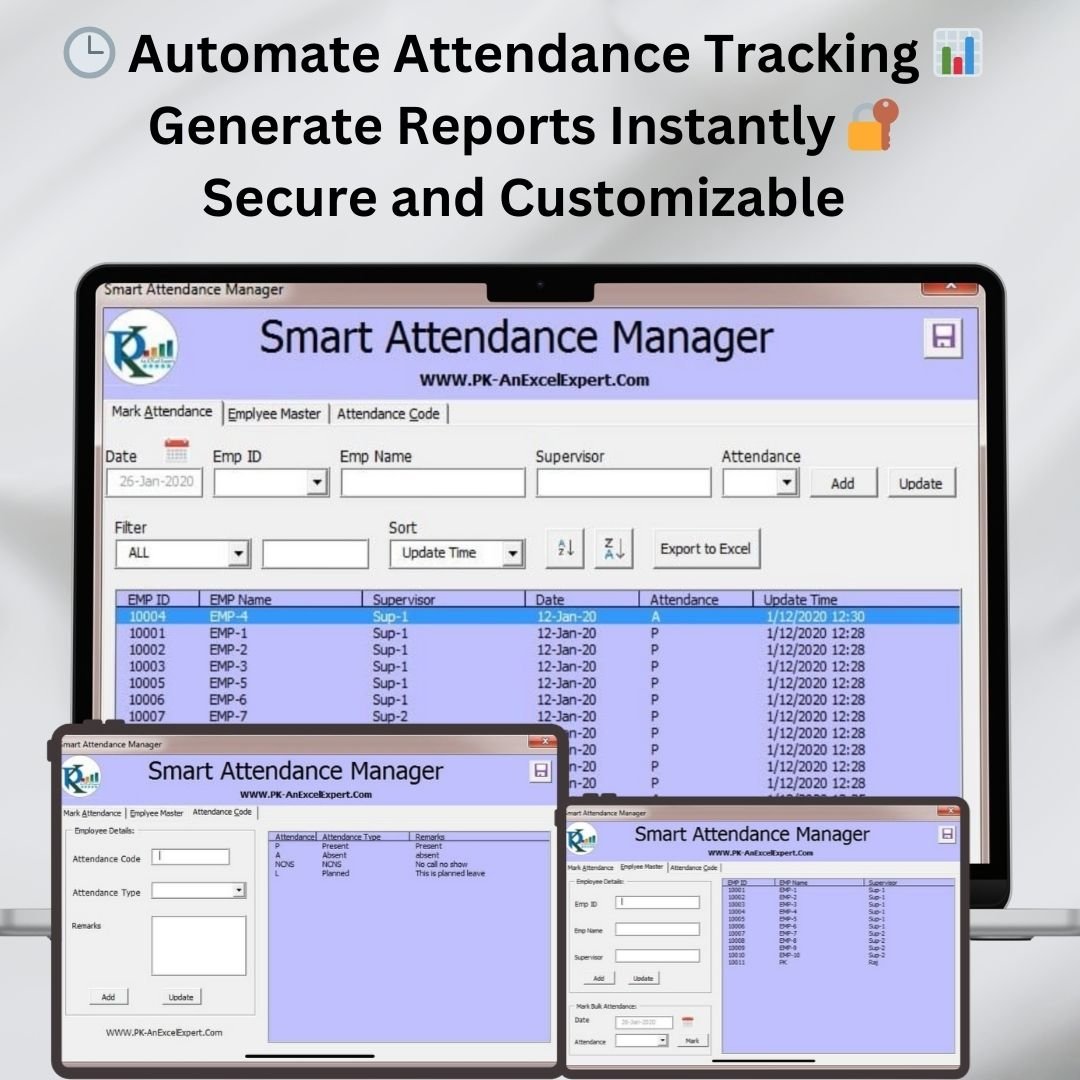
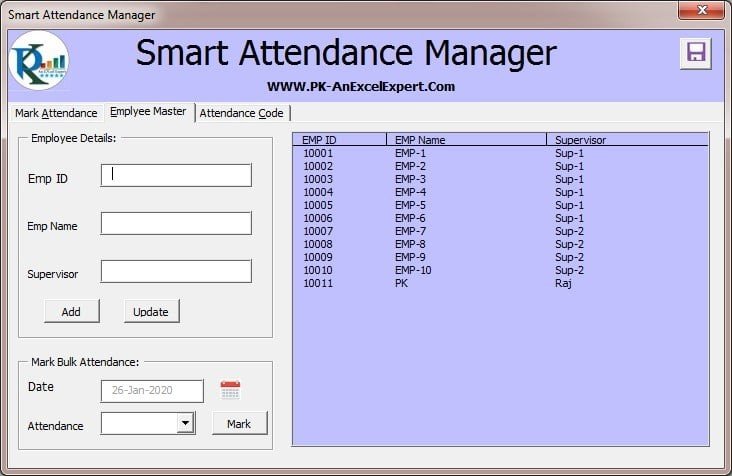
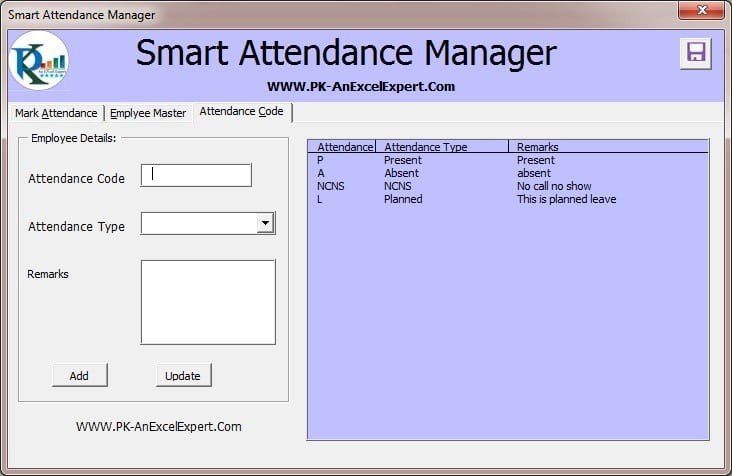

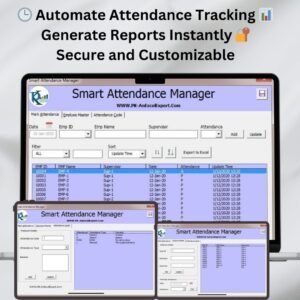
The Smart Attendance Manager in Excel VBA is a comprehensive, automated solution for tracking employee attendance and managing work schedules. It is built for HR managers, payroll administrators and business owners, from small businesses to large organizations. It streamlines attendance recording, tracks working hours and generates attendance reports, so you spend less time on manual records and more time managing your team.
This Excel VBA-based system reduces manual tracking errors, automates calculations and provides real-time data updates. It is designed to be user-friendly and efficient, and you can customize it to suit the specific attendance needs of your organization.
Key Features of the Smart Attendance Manager in Excel VBA
- Real-time attendance tracking: Automatically track employee attendance, working hours and breaks in real time.
- Customizable work schedules: Define work hours, shifts, breaks and time-off policies to match your company’s attendance structure.
- Automatic calculations: Calculate total hours worked, overtime and deductions for each employee automatically.
- Attendance reports: Generate daily, weekly or monthly attendance reports for analysis and payroll.
- Secure data: A password-protected system helps make sure only authorized personnel can access attendance data.
- Easy data import/export: Import or export attendance data to work alongside other HR systems or payroll software.
- User-friendly interface: A simple design that employees and managers can use without technical expertise.
Why You’ll Love This VBA Attendance Manager
- Saves time: It automates attendance tracking and working hours calculations, so there is less manual work.
- Customizable for your organization: Tailor the system to fit your company’s working hours, break times and holiday policies.
- Reduces errors: Automated attendance tracking and real-time updates cut down on human error.
- Instant reports: Quickly generate comprehensive attendance reports for payroll and management.
- Secure and confidential: Password protection and secure access keep sensitive employee attendance data safe.
What’s Inside the Smart Attendance Manager in Excel VBA
| Module | What it does |
|---|---|
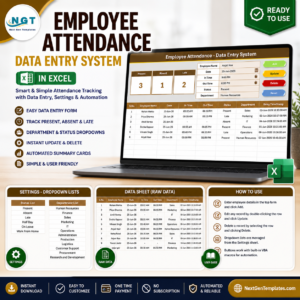
| Attendance Tracker | Tracks employee in-time, out-time, break time and working hours automatically. |
| Shift Scheduler | Assigns work shifts to employees and monitors their attendance against scheduled shifts. |
| Reports and Dashboards | Shows summary reports, charts and graphs so you can monitor overall attendance trends. |
| Data Security Features | Uses password protection to keep attendance data secure. |
| Customizable Features | Lets you adjust the system to track part-time, full-time, overtime and leave policies specific to your organization. |
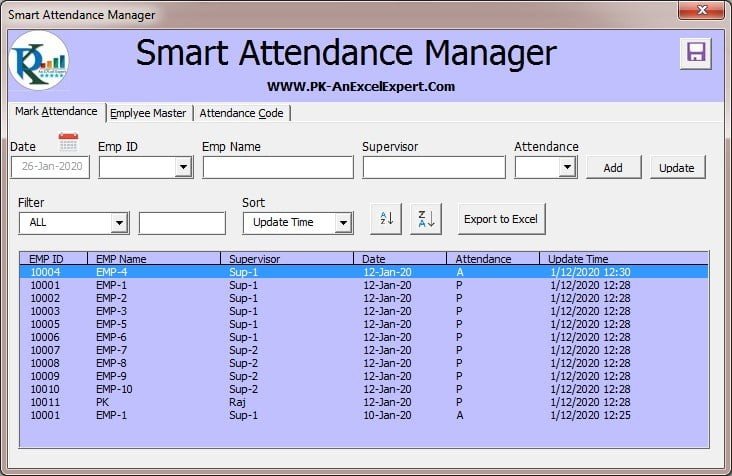
Together these modules give you a complete Excel attendance tracker. It covers daily time records, shift planning, working hours tracking and reporting in one file.
Who Is It For?
- HR Managers who need accurate, organized attendance records.
- Payroll Administrators who rely on correct hours, overtime and deductions.
- Small Business Owners who want a simple attendance system that doesn’t take up much of their day.
- Operations Managers who plan shifts and monitor team presence.
- Large Organizations with Multiple Employees that need consistent tracking across teams.
- Any Team or Organization Needing Automated Attendance Tracking
How to Use the Smart Attendance Manager in Excel VBA
- Download the template: Get instant access to the Excel file after purchase.
- Enable macros: After downloading and unzipping the file, make sure macros are enabled before use.
- Set up your work schedule: Define your company’s work hours, shifts and holiday policies.
- Input employee data: Add employee details and set up attendance tracking for each person.
- Track attendance: The system automatically tracks employees’ attendance and working hours.
- Generate reports: Create daily, weekly or monthly attendance reports for payroll and management analysis.
For step-by-step instructions on enabling macros in Excel, refer to our tutorial: https://www.pk-anexcelexpert.com/4-easy-ways-to-enable-macros-in-excel-vba/
Click here to read the detailed blog post
Watch the step-by-step video tutorial:
Visit our YouTube channel for step-by-step video tutorials: Youtube.com/@PKAnExcelExpert
Frequently Asked Questions
What does the Smart Attendance Manager in Excel VBA track?
It tracks employee in-time, out-time, break time and working hours. It also calculates total hours worked, overtime and deductions for each employee.
Can I customize shifts and policies?
Yes. You can define work hours, shifts, breaks, holidays and time-off policies. You can also adjust the system for part-time, full-time, overtime and leave policies specific to your organization.
What kind of attendance reports can I generate?
You can generate daily, weekly or monthly attendance reports. Summary reports, charts and graphs show overall attendance trends for payroll and management analysis.
Is the attendance data secure?
Yes. The system is password-protected, so only authorized personnel can access attendance data.
Do I need to enable macros?
Yes. This is a VBA attendance manager, so after downloading and unzipping the file you need to enable macros before use. The tutorial link above explains how.
Can I move data to other HR or payroll systems?
Yes. You can import or export attendance data so it works alongside other HR systems or payroll software.
Streamline your employee attendance management with this smart, automated and customizable system in Excel VBA.
Also check our Incentive Dashboard in Excel
Last updated: October 2026
Compatibility and Requirements
- Works in Microsoft Excel desktop on Windows with macros enabled. Microsoft explains how in Enable or disable macros in Microsoft 365 files.
- It does not run in Excel for the web, Google Sheets or the Excel mobile apps, because those do not run VBA macros.
Related Attendance Templates
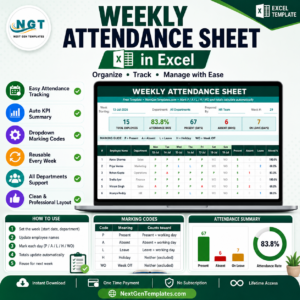
- Attendance and Overtime Dashboard in Excel: charts attendance and overtime
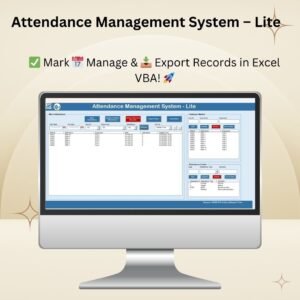
- Attendance Management System Lite: a fuller attendance system
- Automated Attendance Sheet in Excel: a simpler attendance sheet
- Employee Attendance Tracker in Google Sheets: attendance tracking in Google Sheets
- VBA Management Systems Mega Pack: 5 VBA management systems in one download
Browse all Excel HR and payroll templates or the Excel VBA tools.














Reviews
There are no reviews yet.