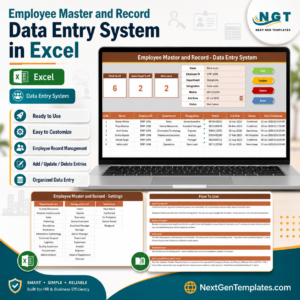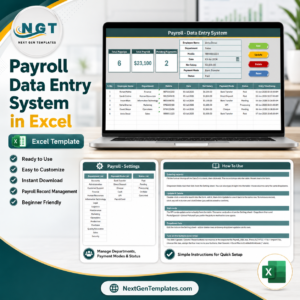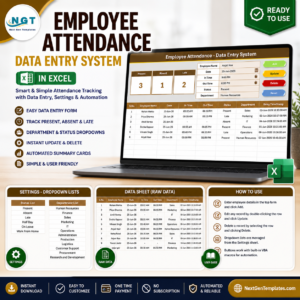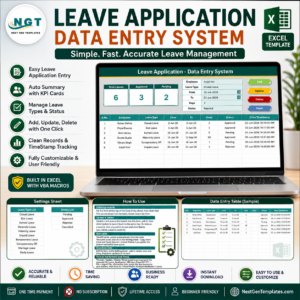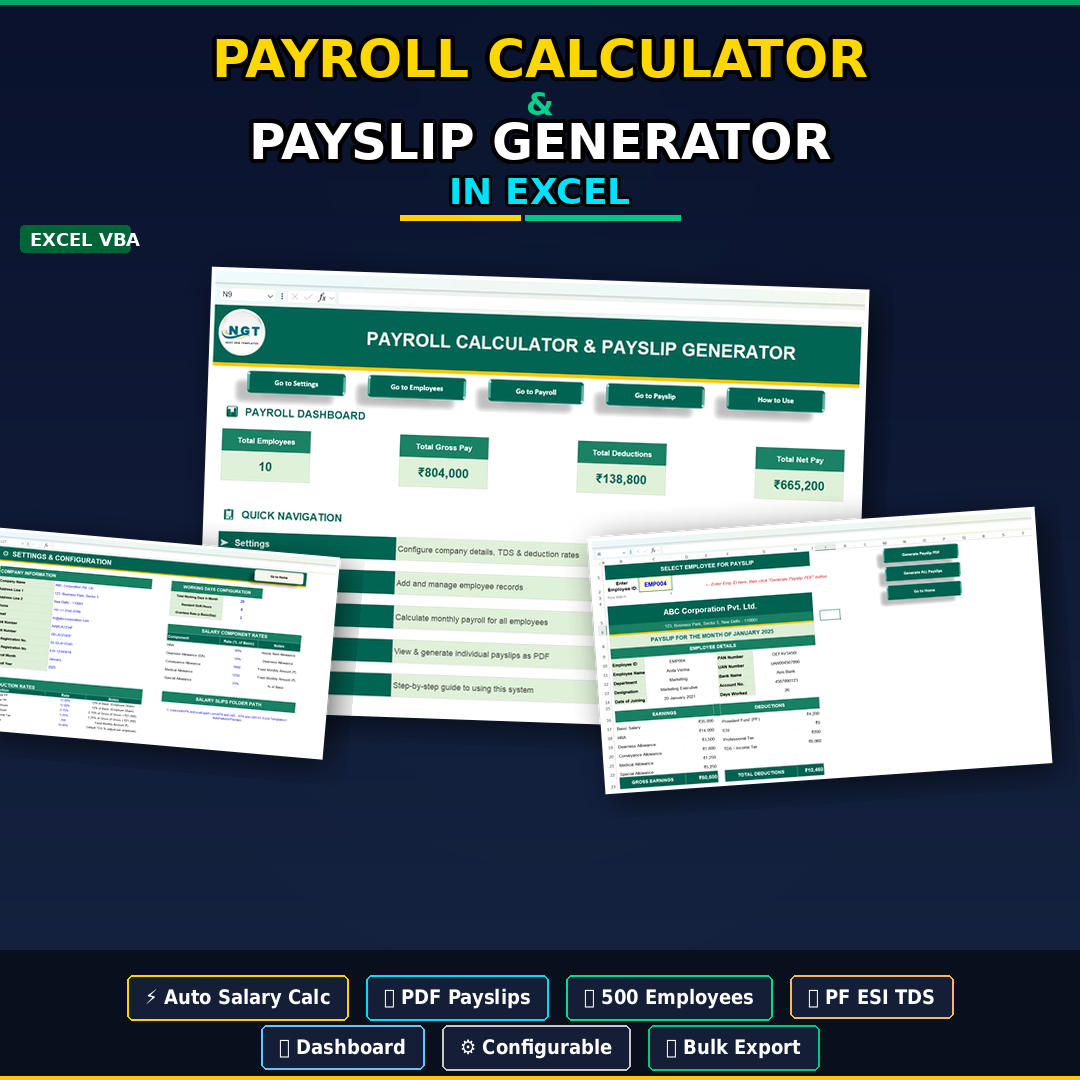
The Payroll Calculator and Payslip Generator in Excel is a complete, ready-to-use payroll tool that handles every step of your monthly salary process inside a single Excel file — employee master records, salary calculation with allowances and statutory deductions (PF, ESI, TDS, Professional Tax), one-click PDF payslip generation, and a live payroll dashboard showing total employees, gross pay, deductions, and net pay at a glance.
If you currently run payroll across multiple spreadsheets, manual formulas, and a copy-paste payslip template, this Excel VBA payroll tool replaces the entire workflow with a structured system. Enter employee details once, configure salary components and deduction rates once, and every month the tool calculates net salary and generates professional PDF payslips for all employees — individually or in bulk.
Why an Excel Payroll Tool Beats Paid Payroll Software for Small Teams
The economics that make this tool a serious option in 2026:
- Payroll software in India (Zoho Payroll, RazorpayX, greytHR) costs roughly ₹50–₹250 per employee per month. For a 20-employee company that is ₹12,000–₹60,000 a year versus a one-time $14.99 (~₹1,349) here.
- Manual payroll carries an error rate of roughly 1–8% per Ernst & Young and American Payroll Association benchmarks — statutory miscalculations on PF, ESI, and TDS lead to compliance penalties and employee disputes.
- Late or incorrect salary is a top-3 reason employees disengage, according to multiple HR surveys. A structured payroll file removes the two leading causes: wrong formulas and missed deduction updates.
- Automated payslip generation saves an estimated 5–10 minutes per employee per month. For a 30-person team that is 2.5–5 hours saved every single payroll cycle.
This Payroll Calculator and Payslip Generator in Excel is built specifically for Indian payroll compliance — with PF, ESI, Professional Tax, and TDS deductions baked in — and works entirely offline on any Windows PC. No subscription, no per-employee fee, no internet dependency.
Key Features of the Payroll Calculator and Payslip Generator
- 💼 Complete Payroll Management System — employee data, salary calculation, deductions, and payslip generation in one file
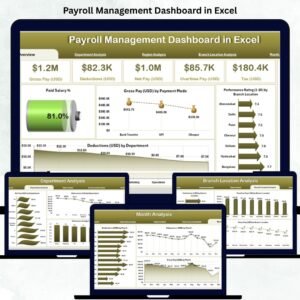
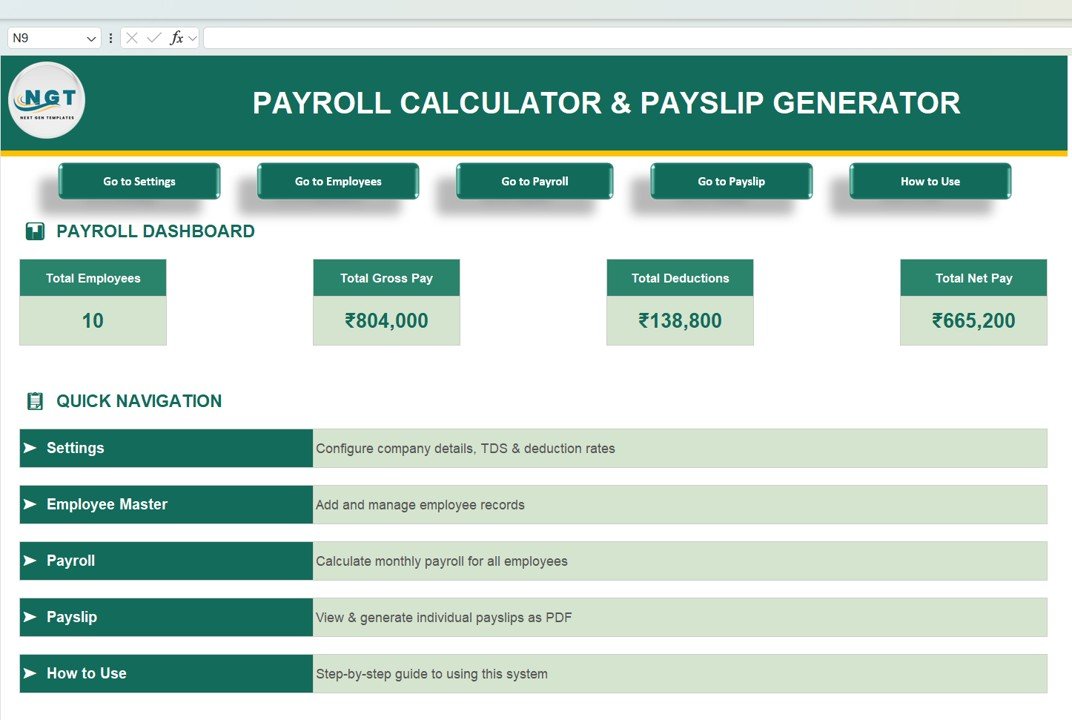
- 📊 Interactive Payroll Dashboard — Total Employees, Gross Pay, Total Deductions, and Net Pay summary cards
- 🧭 Easy Navigation Buttons — move between Settings, Employees, Payroll, Payslip, and How to Use sections
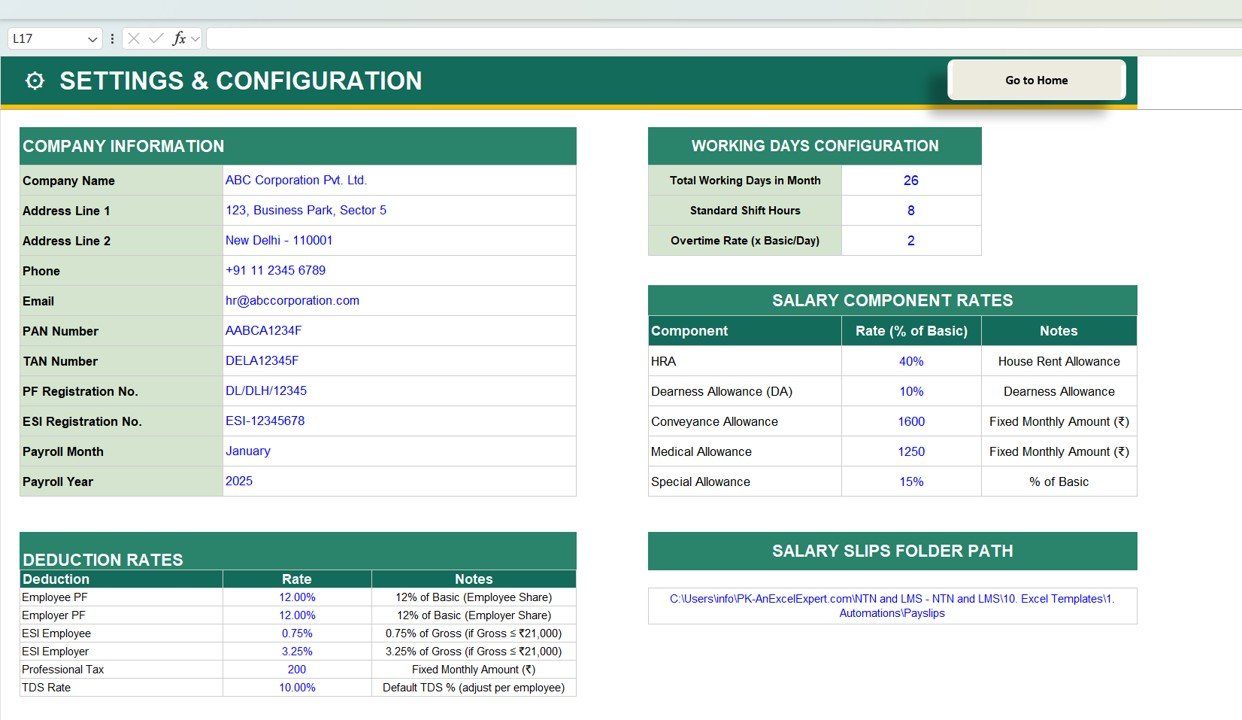
- ⚙️ Flexible Payroll Settings — configure company details, working days, salary components, deduction rates, and payslip output folder path
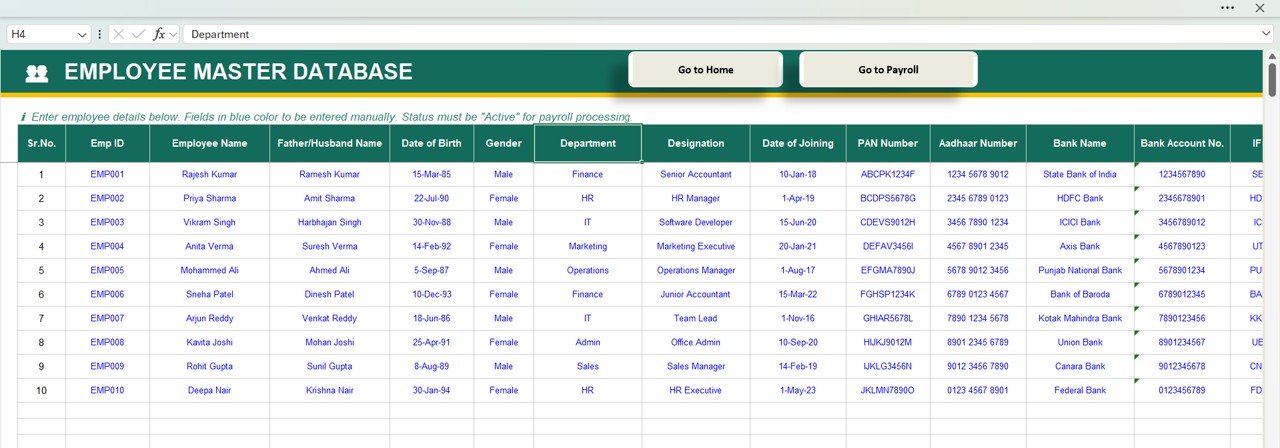
- 👨💼 Employee Master Database — Employee ID, Name, Department, Designation, Date of Joining, PAN, Aadhaar, and Bank Details in one place
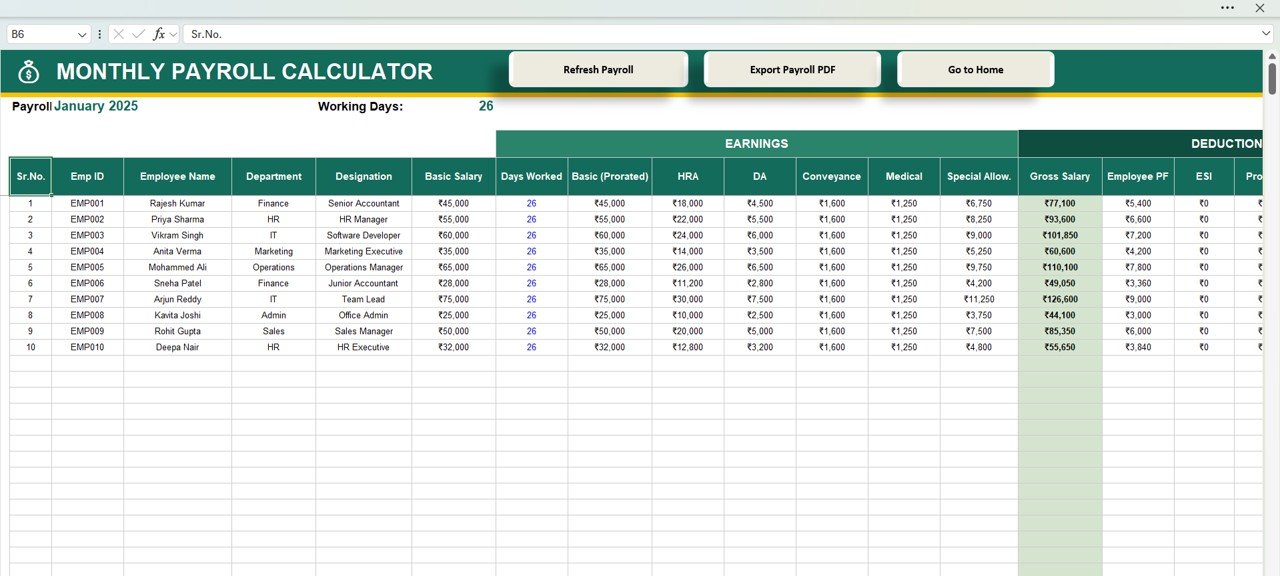
- 💰 Automated Salary Calculation — Basic, HRA, DA, Conveyance, Medical, and Special Allowance calculated automatically
- 🧾 Built-In Statutory Deductions — PF, ESI, Professional Tax, and TDS applied with configurable rates
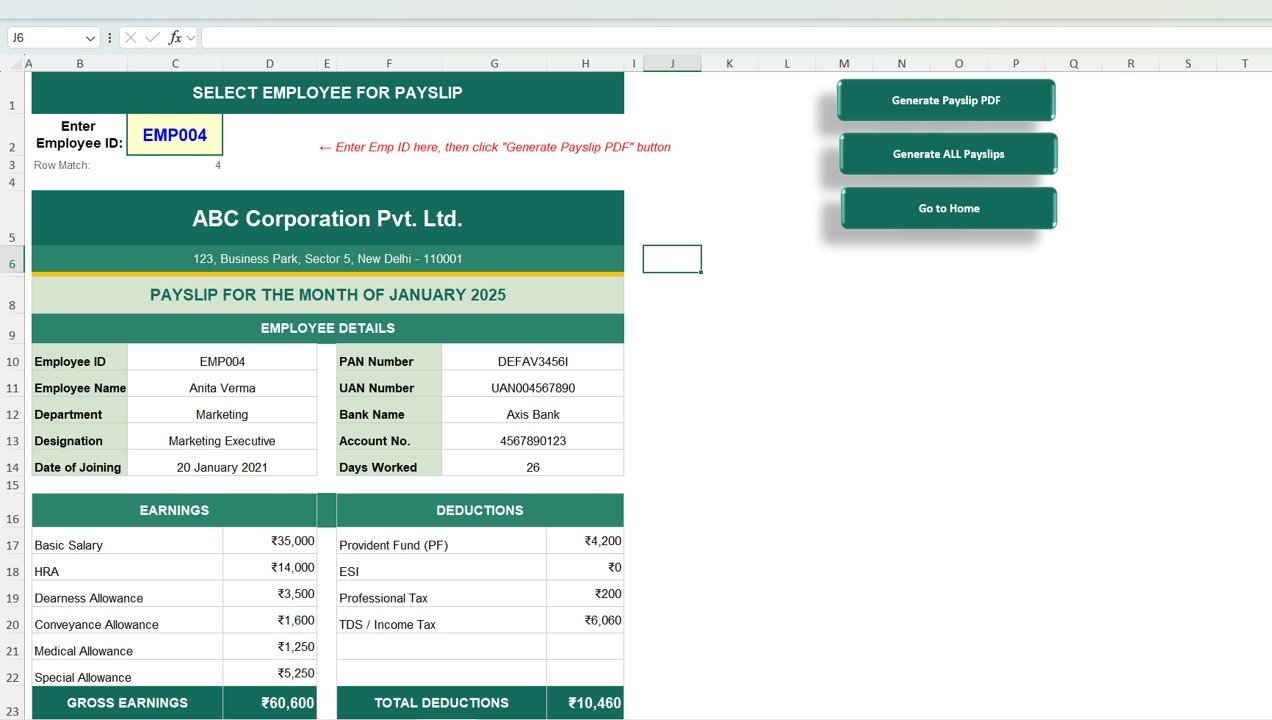
- 📄 Instant Payslip Generation — select an Employee ID, tool auto-fills details with full earnings and deductions breakdown
- 📁 Bulk PDF Payslip Export — generate all employee payslips as PDF files in one click, saved to a folder of your choice
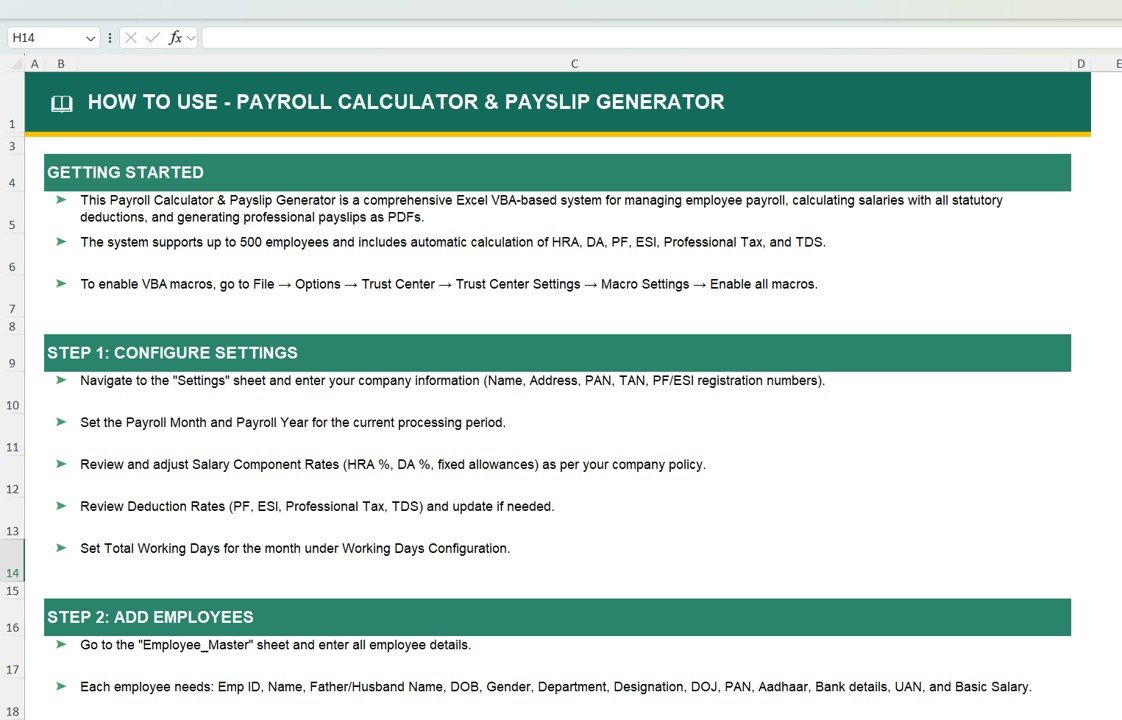
- 📘 Step-by-Step How to Use Guide — built-in instructions for setup, data entry, and monthly payroll workflow
💼 Ready to automate your monthly payroll? Scroll up, click Add to Cart for just $14.99, download the Excel file, and you can process your first payroll cycle the same day — no software installation needed.
Excel Payroll Tool vs. Zoho Payroll vs. RazorpayX vs. Manual Spreadsheet — How They Compare
The honest comparison for Indian businesses choosing between a one-time Excel tool, cloud payroll SaaS, and manual payroll:
| Capability | 📘 This Excel Tool | ☁️ Zoho / RazorpayX Payroll | 📝 Manual Spreadsheet |
|---|---|---|---|
| Cost | ✅ $14.99 one-time | ₹50–₹250 / employee / month | Free (but high time cost) |
| Works offline | ✅ Yes, 100% local Excel | ❌ Internet required | ✅ Yes |
| PF, ESI, PT, TDS built in | ✅ Configurable rates | ✅ Auto-updated | ❌ Manual formulas |
| Bulk PDF payslip export | ✅ One-click | ✅ One-click | ❌ Manual print-to-PDF |
| Employee master database | ✅ Structured sheet | ✅ Native | Usually fragmented |
| Bank / direct salary payment | ❌ Manual upload | ✅ Native | ❌ Manual |
| Statutory filing (PF / ESI / TDS return) | ❌ Export data, file manually | ✅ Filing support | ❌ Manual |
| Setup time | ✅ Under 30 minutes | 2–5 days onboarding | Ongoing rebuild every month |
| Best for | Small teams (1–50 employees), India payroll | Teams needing direct bank payments & return filing | Not recommended — error-prone |
For businesses that also need GST invoicing alongside payroll, explore the GST Billing Software V1.0. For broader HR tracking, see the full HR and Payroll templates collection.
What’s Inside the Payroll Calculator and Payslip Generator
The tool is structured as a multi-sheet Excel application with linked data flowing from setup through payslip output.
📌 1. Payroll Dashboard
High-level overview of payroll data with KPI cards and navigation buttons. Opens when you launch the file.
⚙️ 2. Settings & Configuration
Set up company details (name, address, PAN, TAN), working days, salary components, deduction rules (PF, ESI, Professional Tax, TDS), and the payslip output folder path.
👨💼 3. Employee Master Database
Maintain complete employee records: Employee ID, Name, Department, Designation, Date of Joining, PAN, Aadhaar, Bank Account, and Basic salary amount.
💰 4. Monthly Payroll Calculator
Handles salary calculations automatically, including earnings (Basic, HRA, DA, Conveyance, Medical, Special Allowance) and deductions (PF, ESI, Professional Tax, TDS) for every employee.
📄 5. Payslip Generator
Generate professional payslips instantly with employee-specific details and PDF export capability — one employee at a time or all employees in bulk.
📘 6. How to Use Sheet
Built-in step-by-step guide explaining how to configure the tool and run payroll successfully every month.
How to Use the Payroll Calculator and Payslip Generator
- Open the Excel file and go to the Settings & Configuration sheet.
- Enter company information — company name, address, PAN, and TAN.
- Configure salary components, working days, deduction rates, and the payslip output folder path.
- Add employee details in the Employee Master Database — ID, name, designation, basic pay, and bank details.
- Process monthly salary in the Monthly Payroll Calculator sheet. Earnings and deductions calculate automatically.
- Review the dashboard for total gross pay, deductions, and net pay.
- Generate payslips — open the Payslip Generator sheet, select an Employee ID for a single payslip, or run bulk mode to produce PDF payslips for all employees at once.
Who Uses the Payroll Calculator and Payslip Generator
| Role / Business Type | How They Use It |
|---|---|
| HR Managers | Monthly payroll processing, statutory deduction tracking, payslip delivery |
| Small Business Owners | Affordable payroll without recurring SaaS subscription costs |
| Chartered Accountants & Bookkeepers | Running payroll for multiple small-business clients |
| Payroll Executives | Automating repetitive monthly salary calculations and payslip generation |
| Startups & MSMEs | Practical payroll system that scales from 5 to 50 employees without fees |
| Administrative Teams | Professional payslip generation and structured employee record management |
| Educational Institutions & NGOs | Teacher / staff salary with standard Indian payroll deductions |
| Manufacturing & Retail | Single-location payroll with PF, ESI, and PT compliance requirements |
Why Choose This Excel Payroll Tool
- ✅ One-time purchase — pay $14.99 once, use forever. No per-employee fees.
- ✅ Works offline — runs on any Windows PC without internet.
- ✅ India payroll ready — PF, ESI, Professional Tax, and TDS built in with configurable rates.
- ✅ Bulk PDF payslip export — generate every employee’s payslip in one click.
- ✅ No learning curve — if you can use Excel, you can run payroll with this file.
- ✅ Fully editable — adjust formulas, add allowances, modify deduction rates, extend columns.
- ✅ Runs in Excel 2016, 2019, 2021, and Microsoft 365 on Windows.
Explore Related HR & Payroll Templates
- 🧾 Billing + GST — GST Billing Software V1.0 (invoicing + GST compliance)
- 📊 HR Dashboards — all HR and Payroll templates
- 🗂️ Attendance Tracking — Monthly Attendance Sheet, Attendance Management System Lite
- ⏱️ Time Tracking — browse all time and attendance templates
- 📘 All VBA Tools — explore the VBA Tool collection
- 🗂️ Browse all — all Excel templates
Frequently Asked Questions
What is the Payroll Calculator and Payslip Generator in Excel?
The Payroll Calculator and Payslip Generator in Excel is a ready-to-use payroll tool that runs inside a single Excel file. It calculates salary components (Basic, HRA, DA, Conveyance, Medical, Special Allowance) and statutory deductions (PF, ESI, Professional Tax, TDS) automatically, maintains an employee master database, and generates professional PDF payslips individually or in bulk. It is designed for Indian small and medium businesses that want payroll automation without recurring SaaS fees.
How much does the Payroll Calculator in Excel cost?
The tool is priced at $14.99 (approximately ₹1,349 with today’s exchange rate) as a one-time payment. There are no monthly fees, no per-employee charges, and no user limits. For reference, Indian payroll SaaS platforms typically charge ₹50–₹250 per employee per month, which means a 20-employee team would spend ₹12,000–₹60,000 a year versus a one-time payment here.
Does this tool handle Indian payroll compliance (PF, ESI, TDS, PT)?
Yes. Provident Fund (PF), Employee State Insurance (ESI), Professional Tax (PT), and Tax Deducted at Source (TDS) are all built in with configurable rates in the Settings sheet. You can adjust PF and ESI ceilings, Professional Tax slab rates by state, and TDS percentages based on the employee tax regime. The tool calculates deductions automatically on every payroll run.
Can I generate PDF payslips in bulk?
Yes. Open the Payslip Generator sheet and run the bulk export mode — the tool generates one PDF payslip for every active employee and saves them to the output folder you configured in Settings. You can also generate a single payslip by selecting one Employee ID.
Will this work on Mac or Google Sheets?
This tool is optimised for Windows Excel (2016, 2019, 2021, Microsoft 365). Mac versions of Excel have limited VBA support, so some automation features may not work fully. Google Sheets is not supported because the PDF generation logic relies on Excel-specific functionality.
How many employees can this payroll tool handle?
The Payroll Calculator comfortably handles teams of up to approximately 100–200 employees in a single workbook. For larger organisations, or teams that also need direct bank payment integration and automated statutory return filing, a dedicated cloud payroll platform is the better fit.
Can I customise salary components and deduction rates?
Yes. Salary components (Basic, HRA, DA, Conveyance, Medical, Special Allowance) and all deduction rates (PF %, ESI %, PT slab, TDS %) are fully editable from the Settings sheet. You can add new allowances, change percentages, or disable deductions that do not apply to your business.
Does this tool file PF, ESI, or TDS returns automatically?
No. This is a calculation and payslip generation tool. It produces the numbers you need for statutory returns, but filing the actual returns with EPFO, ESIC, and the Income Tax Department is handled separately. For automated filing, use a dedicated compliance platform.
How is this different from a simple salary calculator?
A simple salary calculator only does the gross-to-net math for one employee. This tool is an end-to-end payroll system: employee master database, multi-component salary calculation for the whole team, statutory deductions with configurable rates, a payroll dashboard, and automated PDF payslip generation in bulk. It replaces the entire monthly payroll workflow, not just one calculation.
Is this a one-time purchase or a subscription?
One-time purchase. You pay once, download immediately, and own the tool forever. No recurring fees, no user limits, no cloud dependency.
Simplify Your Monthly Payroll Today
Stop wrestling with manual payroll formulas, scattered employee data, and copy-paste payslips. The Payroll Calculator and Payslip Generator in Excel gives you a complete, India-ready payroll system inside a single file — with statutory deductions, bulk PDF payslips, and a clean dashboard. Click Add to Cart above for $14.99 and run your next payroll cycle the same day.
📖 Read the detailed Payroll Calculator walkthrough on our blog
For step-by-step video tutorials on Excel payroll and HR templates, visit our YouTube channel: Youtube.com/@PKAnExcelExpert