

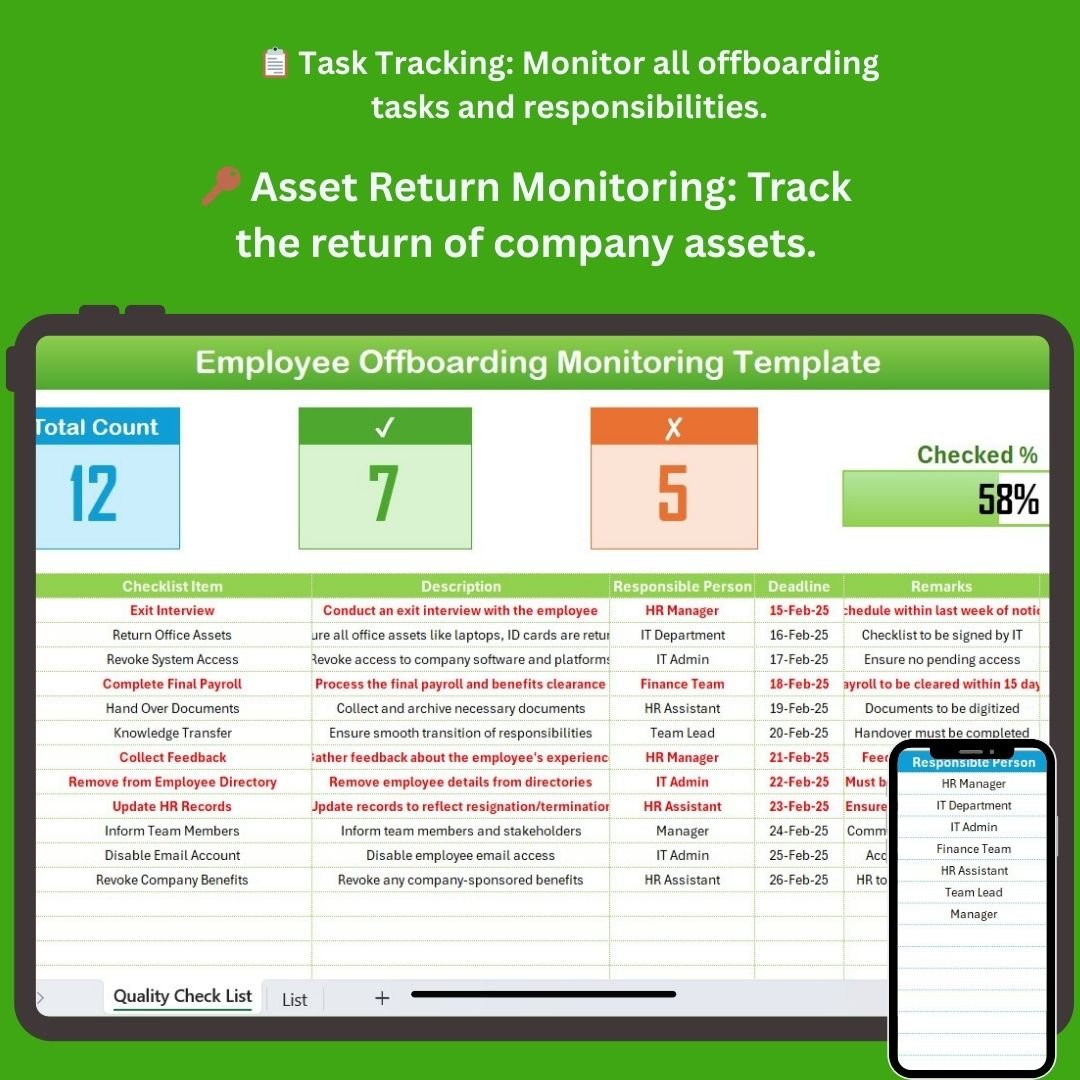

The Employee Offboarding Monitoring Checklist in Excel is a highly efficient tool designed for HR teams, managers, and organizations to ensure a smooth and organized offboarding process. This Excel-based checklist helps monitor every step of an employee’s departure, making sure no critical task is overlooked. Whether it’s returning company assets, completing final documentation, or scheduling exit interviews, this checklist will keep everything on track.
The offboarding process is crucial for protecting company assets, ensuring compliance, and gathering valuable feedback from departing employees. By tracking essential tasks and maintaining detailed records, this dashboard helps streamline the offboarding procedure, improve efficiency, and reduce the risk of any administrative errors or missed responsibilities.
Key Features of the Employee Offboarding Monitoring Checklist in Excel
📋 Comprehensive Task Management
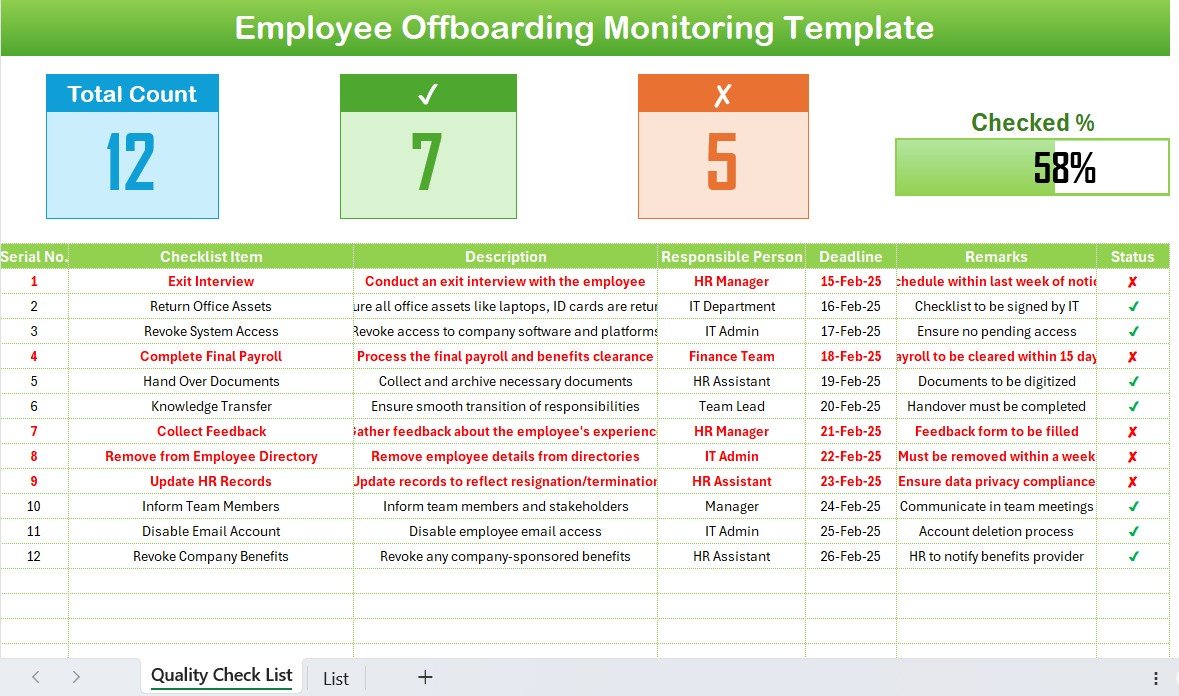
Track and manage all offboarding tasks, from exit interviews to asset returns. Each task is clearly outlined, and you can assign responsibilities and set due dates for seamless completion.
🔑 Asset Return Monitoring
Ensure the return of company property such as laptops, mobile phones, access cards, and other equipment. This feature provides a clear checklist for asset recovery to minimize the risk of loss.
👥 Exit Interview Tracking
Manage the scheduling of exit interviews, document feedback, and identify key insights that can be used to improve employee retention strategies and the overall work environment.
📑 Compliance & Documentation Tracking
Ensure all legal and compliance documentation is completed, including confidentiality agreements, non-compete clauses, and other necessary paperwork, with this task monitoring system.
📅 Time-Based Monitoring
Track offboarding activities over a specified period, ensuring that each task is completed within the required time frame. This feature helps prevent delays and ensures smooth employee transitions.
⚙️ Customizable Task List
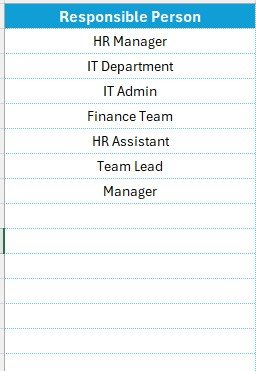
Customize the checklist to suit your company’s specific offboarding process. Add or remove tasks, change deadlines, and tailor the template to meet your organization’s needs.
Why You’ll Love the Employee Offboarding Monitoring Checklist in Excel
✅ Efficient & Organized Offboarding
Organize and manage the entire offboarding process in one place, ensuring no task is forgotten and that everything is tracked from start to finish.
✅ Risk Reduction & Compliance
Minimize the risk of non-compliance with legal and administrative requirements. Ensure all required forms and documentation are completed and stored securely.
✅ Optimize Exit Interviews
Schedule and track exit interviews to gather valuable feedback from departing employees. Use these insights to improve workplace culture, employee engagement, and retention.
✅ Scalable for All Business Sizes
Whether you’re a small business or a large corporation, this template is customizable and scalable to fit your needs, ensuring that the offboarding process is efficient at any scale.
✅ Easy-to-Use Interface
The checklist is simple to use, even for teams without much experience with Excel. Input tasks, set deadlines, and track progress with just a few clicks.
What’s Inside the Employee Offboarding Monitoring Checklist in Excel?
- Task Management & Assignment: Track offboarding tasks and assign responsibilities.
- Asset Return Tracking: Monitor the return of company equipment and property.
- Exit Interview Scheduling: Schedule and track feedback from exit interviews.
- Compliance Documentation Tracking: Ensure all necessary legal and compliance documents are completed.
- Time-Based Performance Monitoring: Track tasks and deadlines to ensure smooth offboarding.
- Customizable Task List: Adjust the checklist to reflect your company’s offboarding requirements.
How to Use the Employee Offboarding Monitoring Checklist in Excel
1️⃣ Download the Template: Access the Employee Offboarding Monitoring Checklist in Excel instantly.
2️⃣ Set Up Tasks & Responsibilities: Input offboarding tasks, assign responsible personnel, and set deadlines.
3️⃣ Track Asset Returns & Documentation: Monitor the return of company assets and track legal compliance documentation.
4️⃣ Schedule & Track Exit Interviews: Organize exit interviews and capture feedback to improve the workplace environment.
5️⃣ Ensure Smooth Transitions: Use the checklist to track each offboarding step and ensure that no detail is missed.
Who Can Benefit from the Employee Offboarding Monitoring Checklist in Excel?
🔹 Human Resources (HR) Teams
🔹 Employee Relations & Engagement Managers
🔹 Business Owners & Founders
🔹 Legal & Compliance Departments
🔹 Small & Medium Enterprises (SMBs)
🔹 Large Enterprises with a Structured Offboarding Process
🔹 Consultants & Outsourced HR Teams
Ensure a seamless and compliant employee departure process with the Employee Offboarding Monitoring Checklist in Excel. Track tasks, monitor asset returns, and ensure all legal requirements are met to facilitate a smooth exit for departing employees.
Click here to read the Detailed blog post
Visit our YouTube channel to learn step-by-step video tutorials
Youtube.com/@PKAnExcelExpert
Compatibility and Requirements
- Works in Microsoft Excel desktop (Excel 2016 or later, or Microsoft 365).
- Enter tasks, owners and deadlines straight into the sheet; there is nothing else to install.
- New to Excel? Microsoft has a free Excel for Windows training course.
Frequently Asked Questions
What does the Employee Offboarding Monitoring Checklist track?
Offboarding tasks with owners and due dates, return of company assets, exit interviews and compliance documents such as confidentiality agreements.
Can I track returned equipment?
Yes. There is a checklist for laptops, mobile phones, access cards and other company property.
Can I record exit interview feedback?
Yes. You can schedule exit interviews and document the feedback.
Can I change the task list?
Yes. You can add or remove tasks and change deadlines to fit your process.
Related Offboarding Templates
- Employee Offboarding Planner Checklist in Excel: plan each exit step by step
- Employee Offboarding Tracker in Excel: track several departures at once
- Employee Offboarding Checklist in Google Sheets: an offboarding checklist for Google Sheets
- HR Director Toolkit: 10 HR templates in one download
- Employee Offboarding Outline Checklist in Excel: a checklist with a progress bar
Browse all Excel checklists or the Excel HR and payroll templates.
























Reviews
There are no reviews yet.