

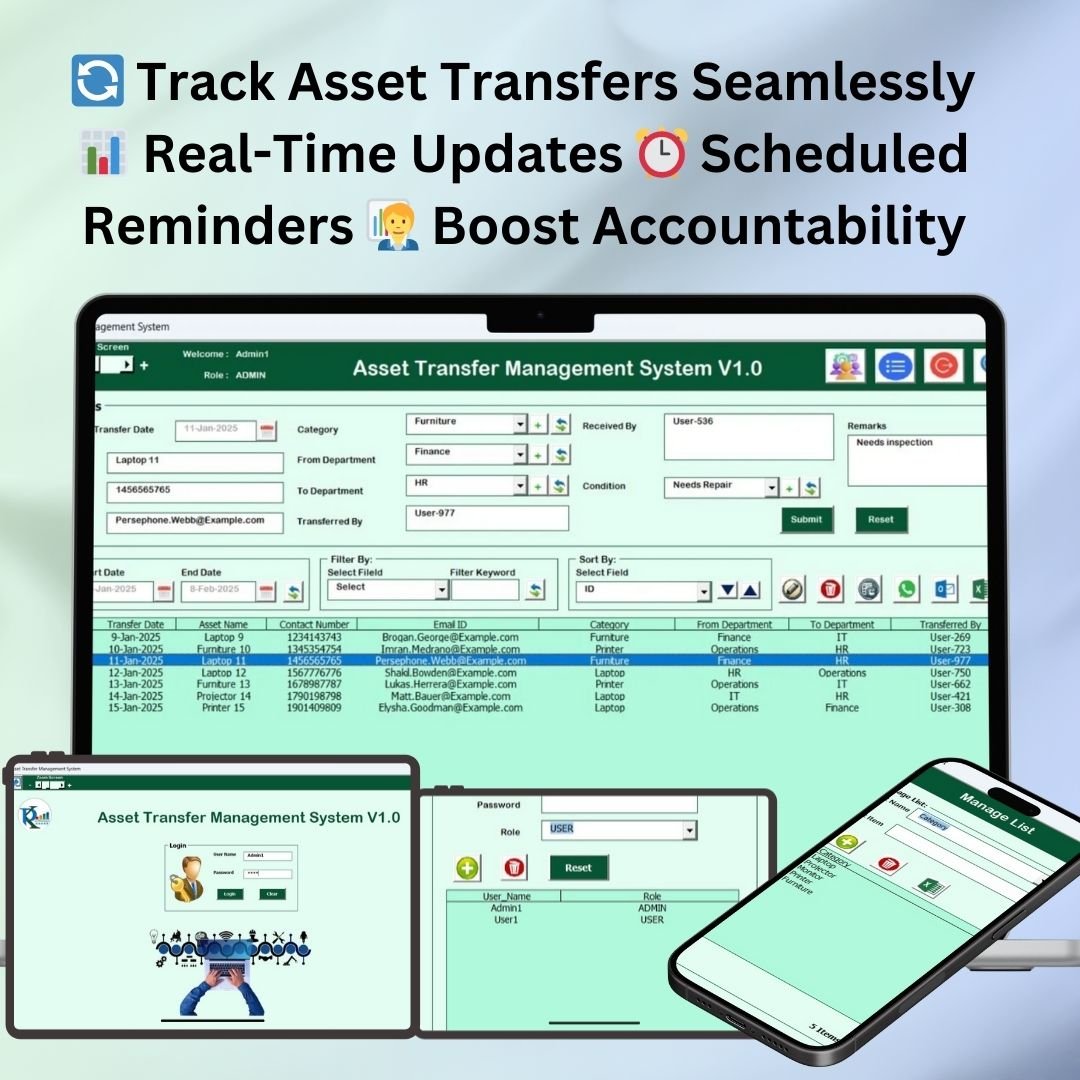

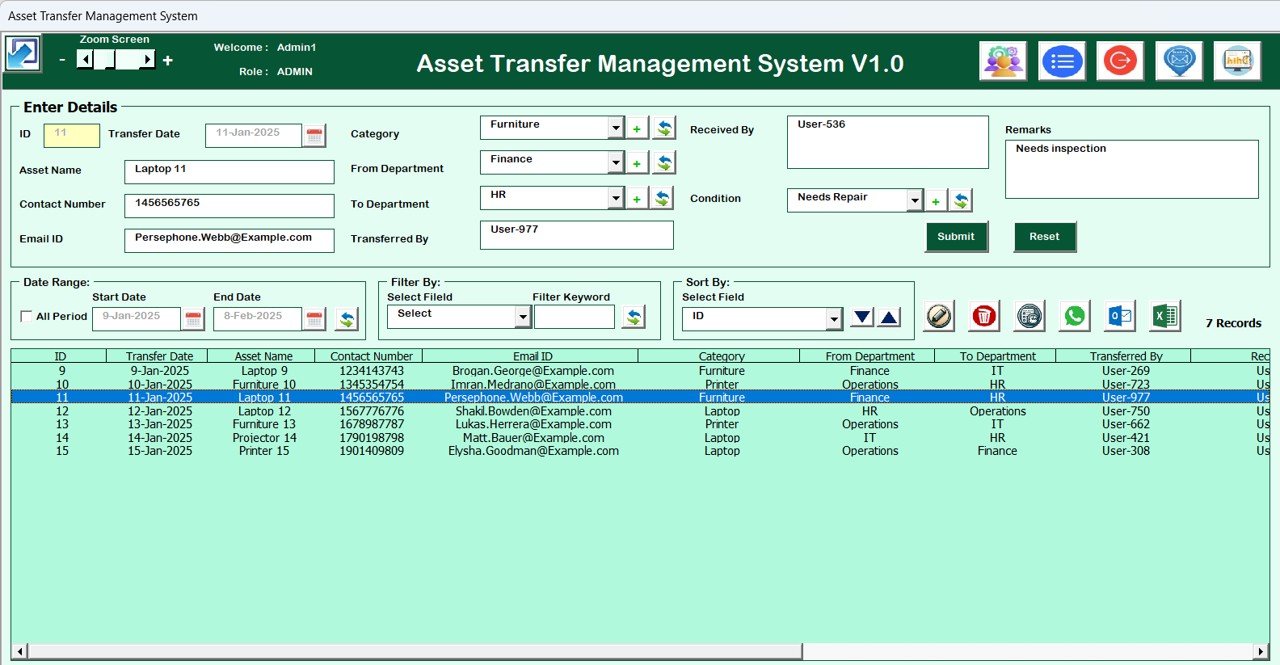



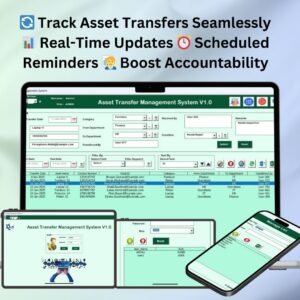
The Asset Transfer Management System V1.0 is a customizable Excel and VBA tool for tracking, recording and managing asset transfers across departments, employees and locations. It suits asset managers, IT teams, office administrators and facilities teams who handle office equipment, vehicles or machinery. The result is one organized record of where every asset is, who is responsible for it and where it has been.
The system is built to improve operational efficiency and reduce errors. It combines detailed records, real-time updates and reporting, so you get a clear overview of each asset’s status and history. If you need an Excel asset tracker that does more than a basic list, this tool gives you structured asset transfer tracking with accountability built in.
Key Features of the Asset Transfer Management System V1.0
- Asset transfer tracking: Track asset movements in real time across different departments or locations.
- Customizable fields: Adjust the asset fields to match your organization’s asset management needs.
- Real-time updates: Record asset transfers and see the system update instantly, for complete visibility.
- Reporting and analytics: Generate reports on asset transfers, including transfer dates, asset details and the responsible personnel.
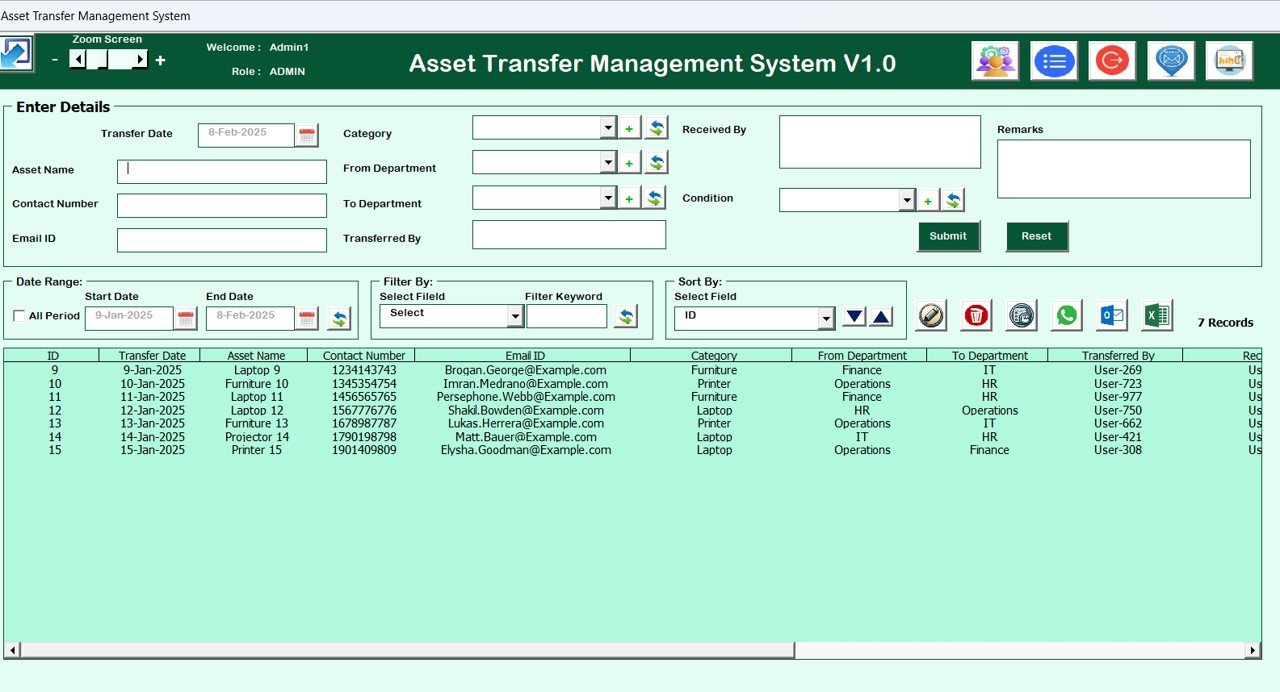
- User-friendly interface: An easy layout that makes data entry and management quick and smooth.
- Asset history tracking: Keep a detailed history of each asset’s movement across departments or locations.
- Transfer scheduling: Schedule future transfers with automatic reminders to keep everything on track.
Why You’ll Love This Excel Asset Tracker
- Simplifies asset tracking: All asset movement data is organized in one place for better control.
- Reduces errors and risks: Accurate tracking helps make sure no asset is misplaced or transferred incorrectly.
- Improves accountability: Assign and track responsibilities for each asset transfer.
- Easy-to-generate reports: Quickly create reports with detailed insights into asset transfers and status updates.
- Customizable to your needs: Tailor the fields and categories to fit your organization’s asset management structure.
What’s Inside the Asset Transfer Management System V1.0
Asset Transfer Dashboard
A visual dashboard that gives you an overview of all asset transfers and their current status.
| Component | What it does |
|---|---|
| Asset Transfer Dashboard | Visual overview of all asset transfers and their current status |
| Customizable Reports | Reports filtered by asset type, transfer date, location and more |
| Asset Tracking Sheet | Logs asset name, ID, transfer date and responsible personnel |
| Scheduled Transfer Log | Tracks scheduled transfers, including reminders and status updates |
Customizable Reports
Generate reports using filters such as asset type, transfer date, location and more. These are useful for audits, analysis and management reviews.
Asset Tracking Sheet
A complete sheet for logging every asset transfer detail, including asset name, ID, transfer date and responsible personnel.
Scheduled Transfer Log
Track upcoming scheduled transfers with reminders and status updates, so planned moves are not missed.
Who Is This Transfer Management System For?
- Asset Managers who need a reliable record of asset movement and status
- Logistics Managers coordinating equipment or vehicle moves between locations
- Inventory Controllers who keep stock and asset records accurate
- IT Departments tracking laptops, devices and hardware between employees
- Office Administrators managing office equipment across departments
- Facilities Management Teams handling machinery and site assets
How to Use the Asset Transfer Management System V1.0
- Download the template: Get instant access to the Excel file after purchase, then unzip it.
- Enable macros: This is a VBA tool, so make sure macros are enabled before use (see the tutorial below).
- Customize the fields: Adjust the system to track the assets specific to your organization.
- Enter asset data: Log all assets and their initial locations.
- Track asset transfers: Record each asset’s transfer to a different department or location.
- Generate reports: Quickly create reports for auditing or analysis.
After downloading and unzipping this file, ensure that macros are enabled before use. Refer to our tutorial for step-by-step instructions on enabling macros in Excel: https://www.pk-anexcelexpert.com/4-easy-ways-to-enable-macros-in-excel-vba/
Click here to read the detailed blog post
Watch the Step-by-Step Video Tutorial
Visit our YouTube channel to learn from step-by-step video tutorials.
Frequently Asked Questions
What is the Asset Transfer Management System V1.0?
It is an Excel-based VBA tool for recording and tracking asset transfers between departments, employees or locations. It includes a dashboard, an asset tracking sheet, a scheduled transfer log and customizable reports.
What types of assets can I track?
You can track assets such as office equipment, vehicles and machinery. Because the fields are customizable, you can adapt the system to the assets your organization manages.
Does it keep a history of each asset?
Yes. Asset history tracking keeps a detailed record of each asset’s movement across departments or locations, along with transfer dates and responsible personnel.
Can I schedule future transfers?
Yes. Transfer scheduling lets you plan future transfers, and the Scheduled Transfer Log tracks them with reminders and status updates.
Do I need to enable macros?
Yes. After downloading and unzipping the file, enable macros in Excel before use. Our macro tutorial explains the steps.
What reports can I create?
You can generate reports filtered by asset type, transfer date, location and more, covering asset details, transfer dates and responsible personnel for audits or analysis.
Also check our Incentive Dashboard in Excel
Last updated: October 2026
Compatibility and Requirements
- Needs Microsoft Excel desktop on Windows with macros enabled, because it is a VBA tool.
- Download and unzip the file first, then enable macros before use.
- It does not run in Excel for the web, Google Sheets or the Excel mobile apps.
- Microsoft explains how to turn on macros in Enable or disable macros in Microsoft 365 files.
Related Asset Management Templates
- IT Asset Management Dashboard in Excel: report on IT assets in a dashboard
- Office Asset Management Dashboard in Excel: office equipment reporting
- IT Asset Management Dashboard in Google Sheets: IT asset reporting in Google Sheets
- IT Asset Management System Web App: a browser-based asset system for teams
- VBA Management Systems Mega Pack: 5 Excel VBA management systems in one bundle
Browse all Excel VBA tools or the Excel inventory management templates.













Reviews
There are no reviews yet.