


Below a certain size, the ERP math stops working. SAP Business One cloud runs $95-$250 per user per month, NetSuite pairs a $999/month platform fee with $99-$120 per user, and a 5-user implementation at either platform typically costs $15,000-$50,000 to deploy — before a single production order has been logged. For a 10-person fabrication shop running three machines, a contract assembly line making 200 units a week, or a family manufacturing business still running orders on WhatsApp messages and paper job cards, that’s not just expensive — it’s the wrong tool.
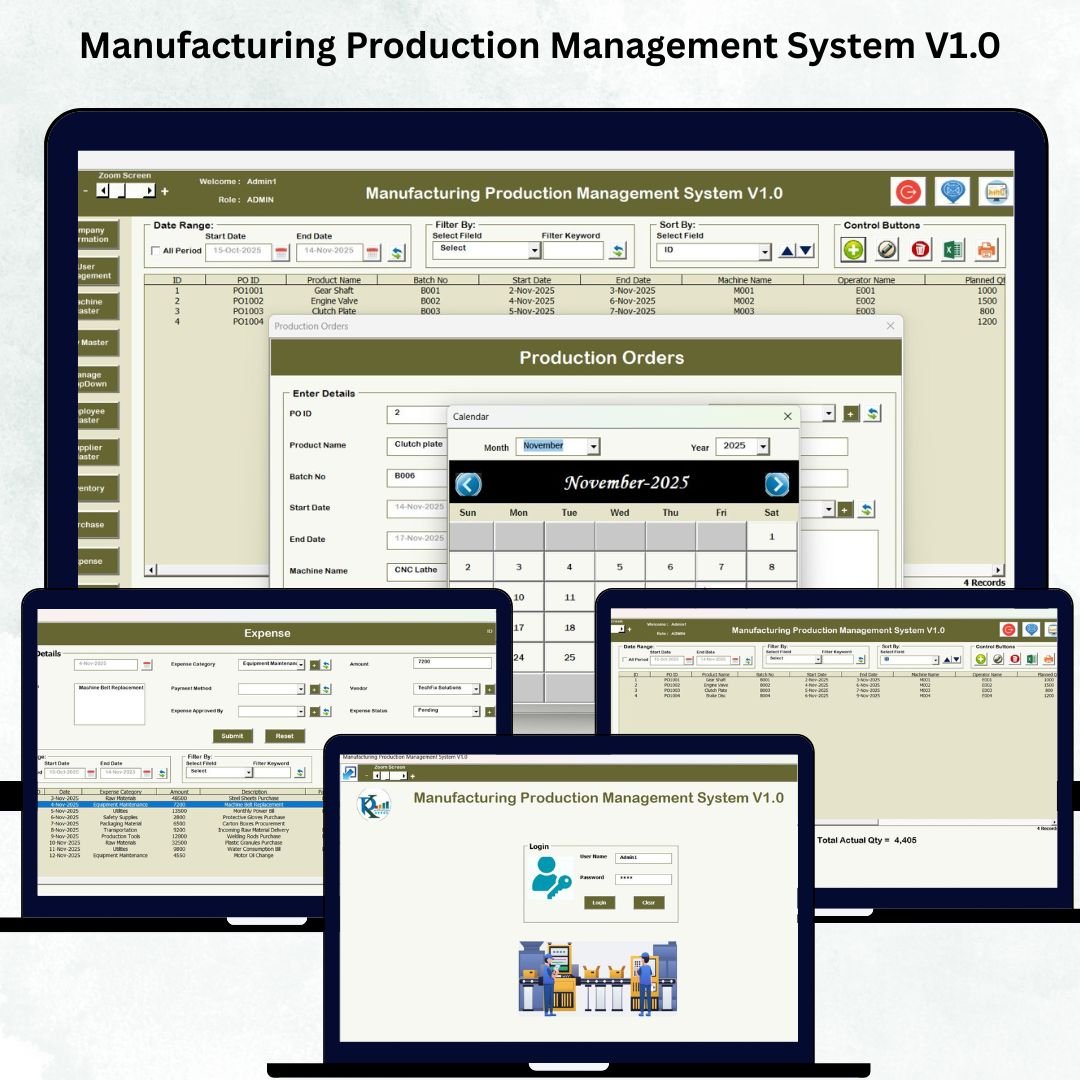
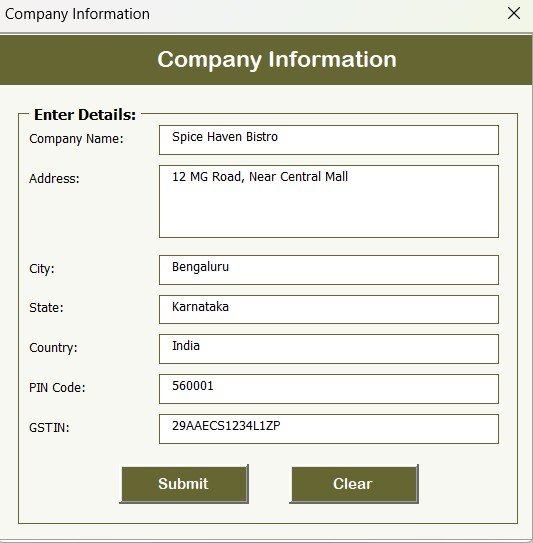
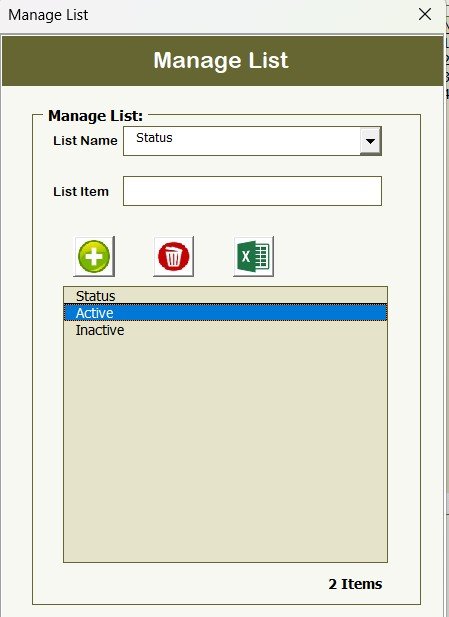
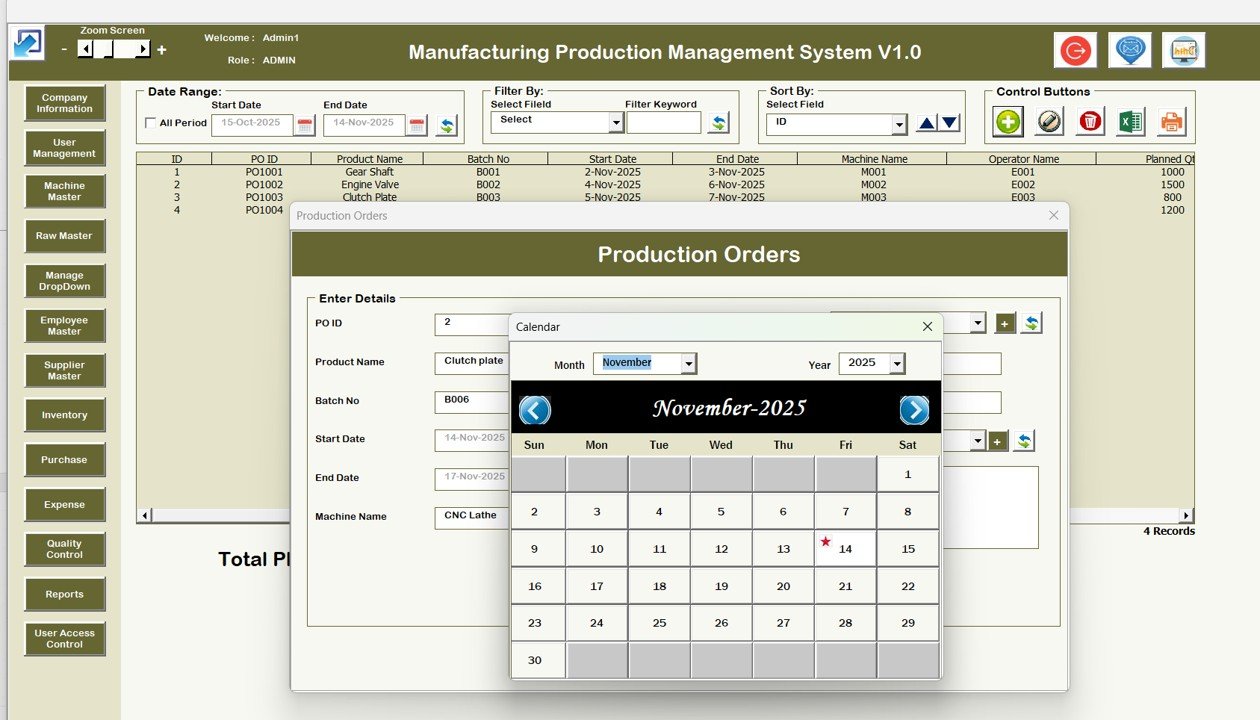
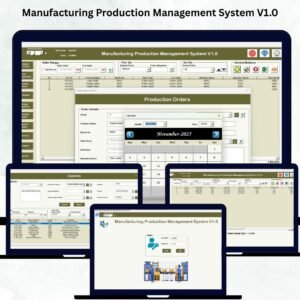
The Manufacturing Production Management System V1.0 is built for that gap. It’s a fully automated Excel-VBA application that works as a mini-ERP inside a single .xlsm file — production orders, machine master, raw material master, supplier master, QC, inventory, purchase, employee records, expenses, and reports — with a secure login, user-level access control, and a central dashboard that navigates between all 13 modules. No cloud subscription, no implementation partner, no user seats. Download it, open in Excel, add your data, and you’re tracking production end-to-end the same day.
Why Small Manufacturers Get Stuck Between Spreadsheets and ERP
- SAP Business One serves 83,000+ small and mid-market customers across 170 countries — but its cloud subscription alone runs $95-$250 per user per month, and most implementations add 50-100% of first-year license cost in services.
- NetSuite charges a $999/month platform fee on top of per-user licensing of $99-$120, and the modular pricing means a “$2,000/month quote” frequently becomes $5,000/month once manufacturing, inventory, and advanced modules are added.
- Open-source Odoo Community is free to license but requires internal IT capacity to deploy and maintain — most Odoo small-business deployments still cost $15,000-$40,000 in developer time to get production-ready.
- The industry rule of thumb is $1.50-$2.00 in implementation services for every $1.00 of ERP software in year one — which means even a modest 10-user ERP rollout lands between $30,000 and $150,000 before the first production order is logged.
For a manufacturer running $500K-$10M in annual revenue with 5-30 employees, 2-15 machines, and 20-200 active SKUs, none of those price points make sense. What these operations need is: (1) a central place to log production orders, (2) master data for machines, raw materials, suppliers, and employees, (3) QC records that can be produced for an audit, (4) basic inventory tracking so purchases trigger at the right time, and (5) expense tracking so the factory P&L isn’t a quarterly surprise. An Excel-VBA production management system delivers all five — at 1% of the cost of a proper ERP rollout.
What’s Inside the System — 13 Integrated Modules
🔐 Login & User Management
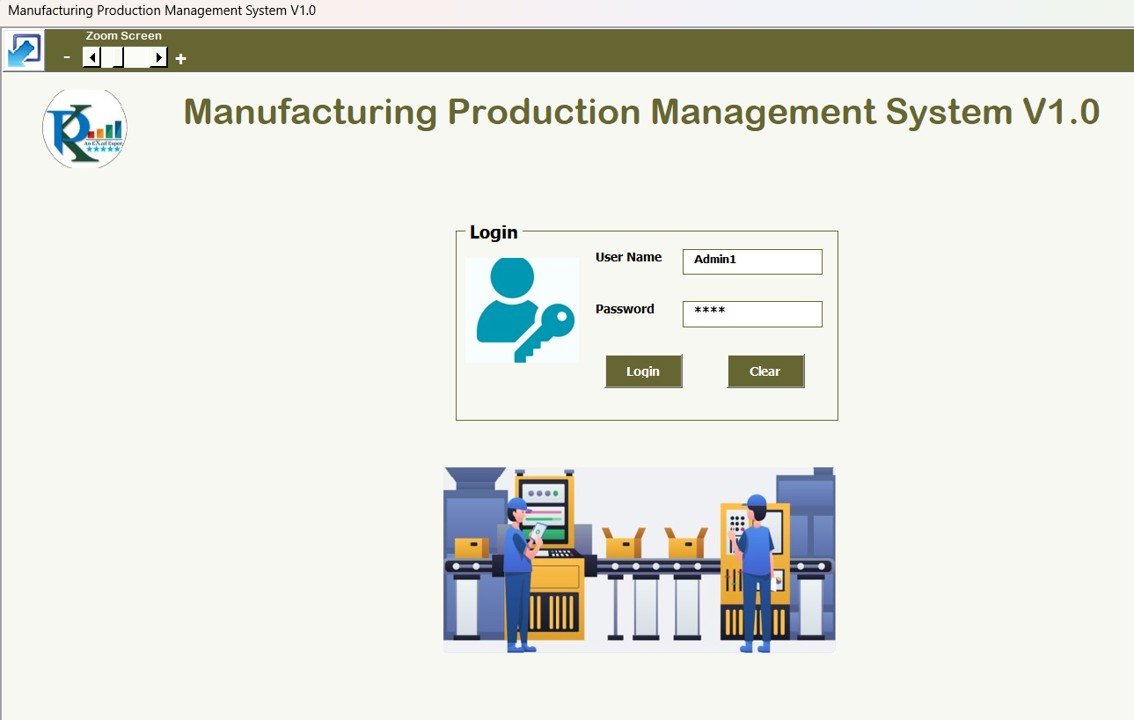
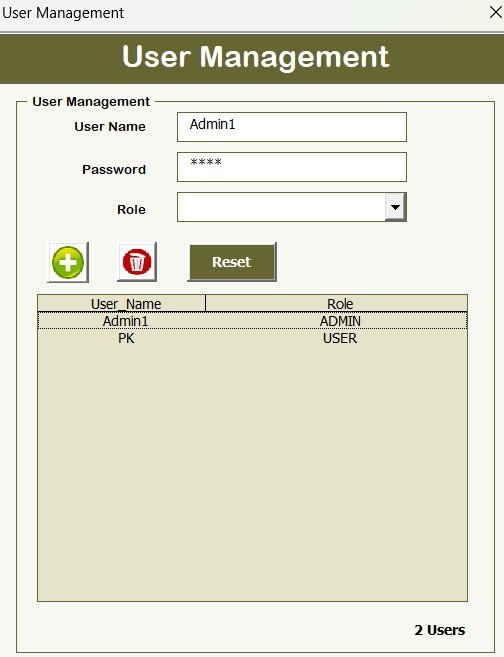
Secure login with user ID and password, plus a User Management module to add, update, or deactivate users. Default admin credentials to get you started: User ID: Admin1, Password: abcd — change these on first login. Role-based permissions control who can access sensitive modules like Expenses, Inventory, and User Management. Perfect for multi-shift operations where not every operator should see margin data.
🖥️ Central Dashboard (Main Form)
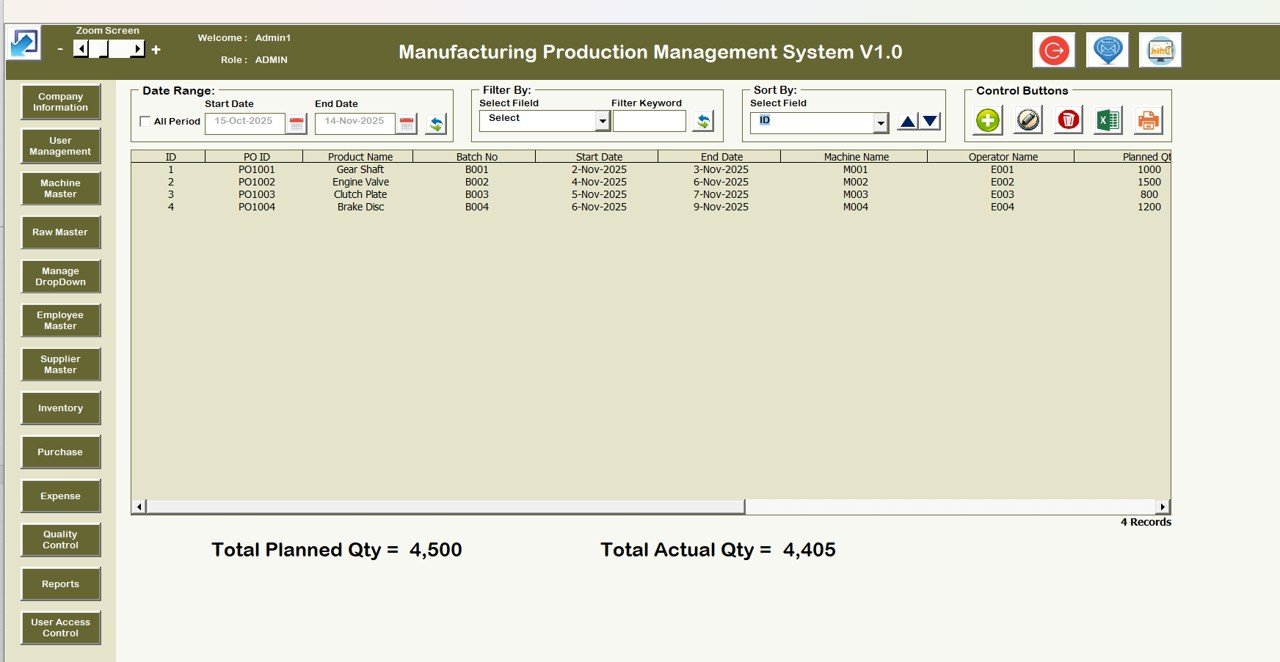
The heart of the system — a clean navigation hub that opens to every module. Features a List Box displaying all records from the selected module, filters by Date and Column, sort by Machine / Supplier / Raw Material / Employee / QC Status, and four primary action buttons: Add New Record, Update Existing Record, Delete Record, Export to Excel. Feels closer to a real ERP than a spreadsheet.
🏭 Production Orders Form
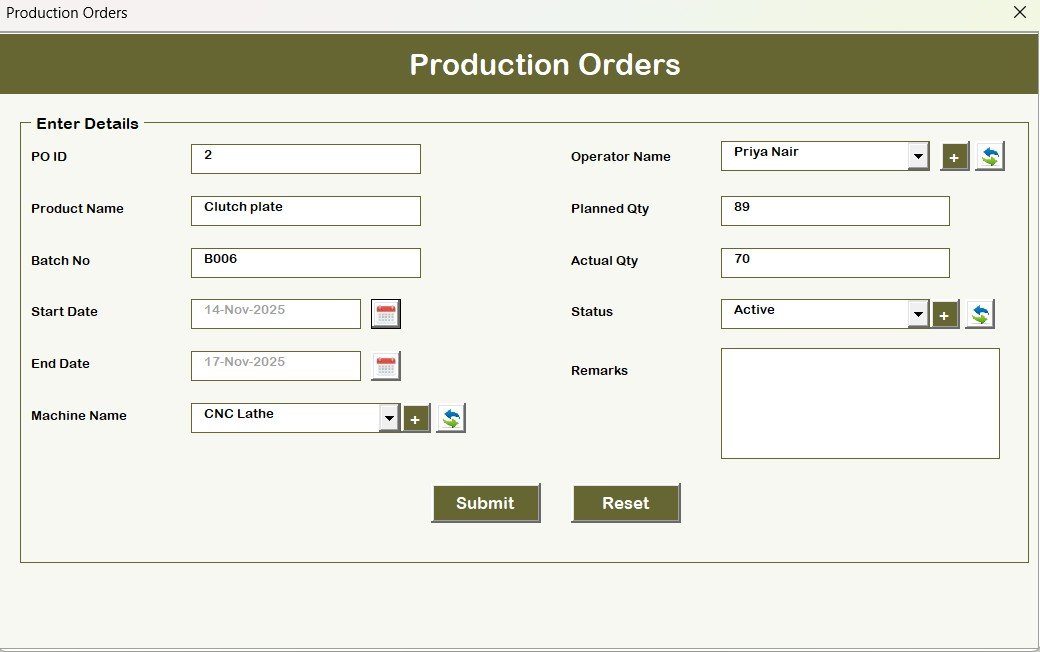
The system’s core transaction. Log orders with fields for order number, customer/job reference, product, quantity, machine assignment, raw material allocation, scheduled start and end dates, actual completion, and status. Track the full order lifecycle from release to completion.
⚙️ Machine Master
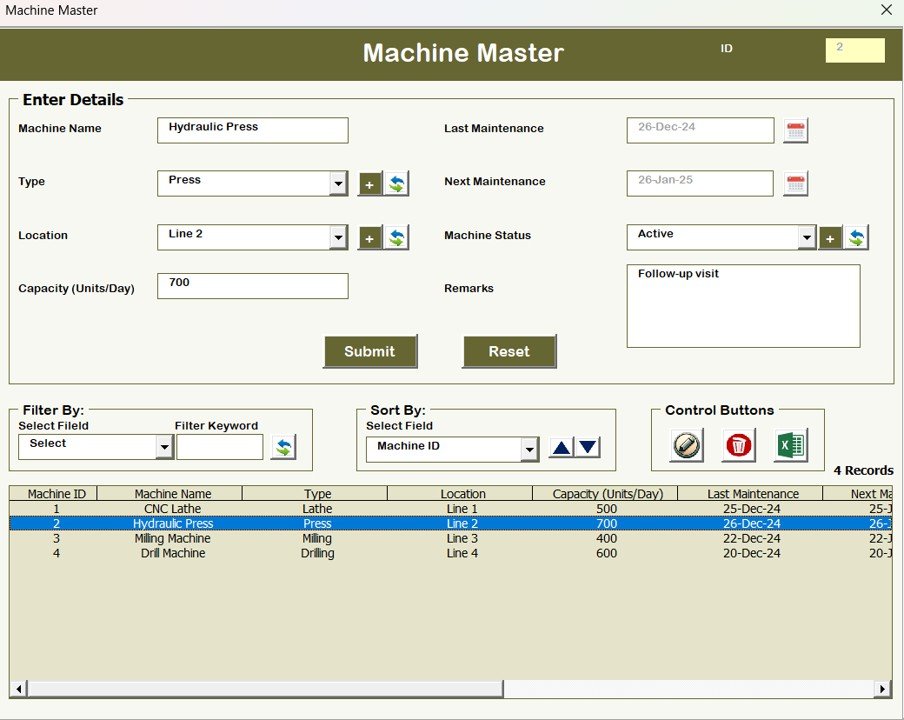
One record per machine. Tracks Machine ID, capacity per hour or per shift, current status (running / idle / down / maintenance), and maintenance history. Links to Production Orders so you can see which machine is scheduled for which order.
📦 Raw Material Master
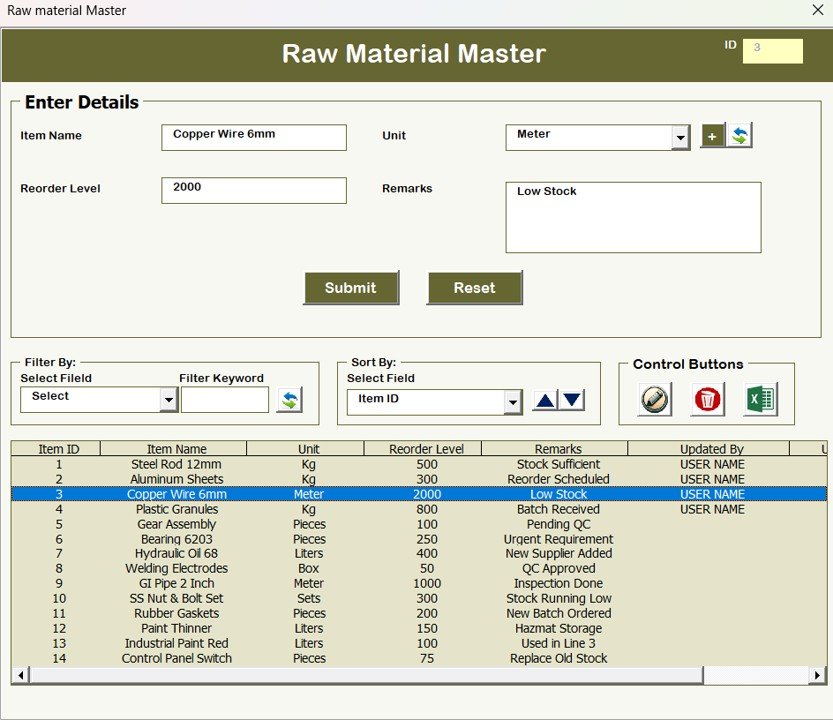
Material name, vendor, unit of measure, reorder point, stock level, category, and lead time. The foundation of your BOM and procurement logic — updates flow automatically into the Inventory and Purchase modules.
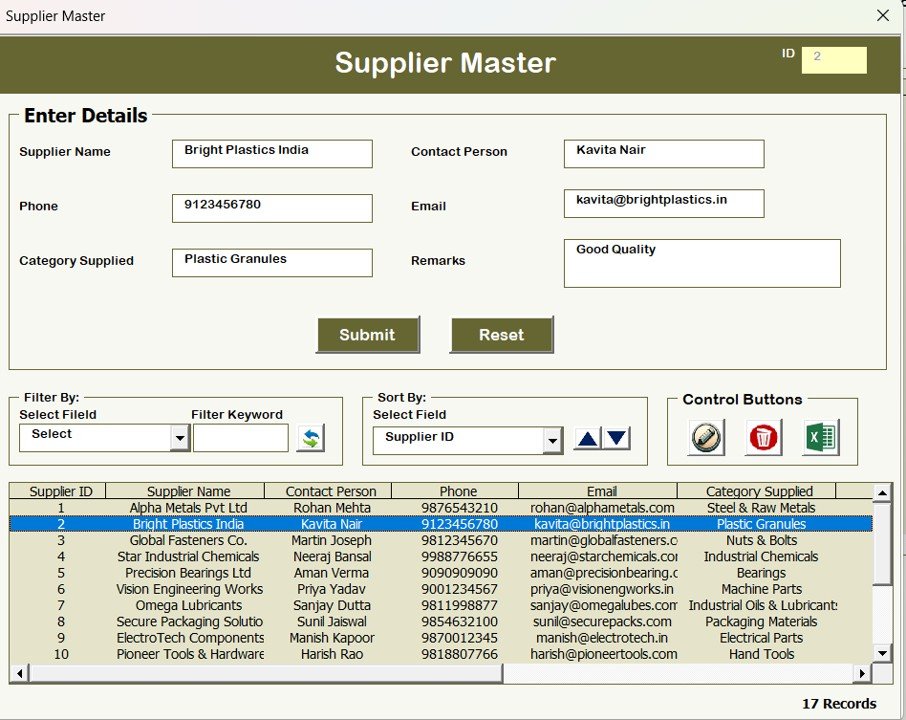
🤝 Supplier Master
Supplier details, payment terms, items supplied, and contact information. Connects to the Purchase module so every PO automatically pulls payment terms from the supplier record.
💸 Expenses Form
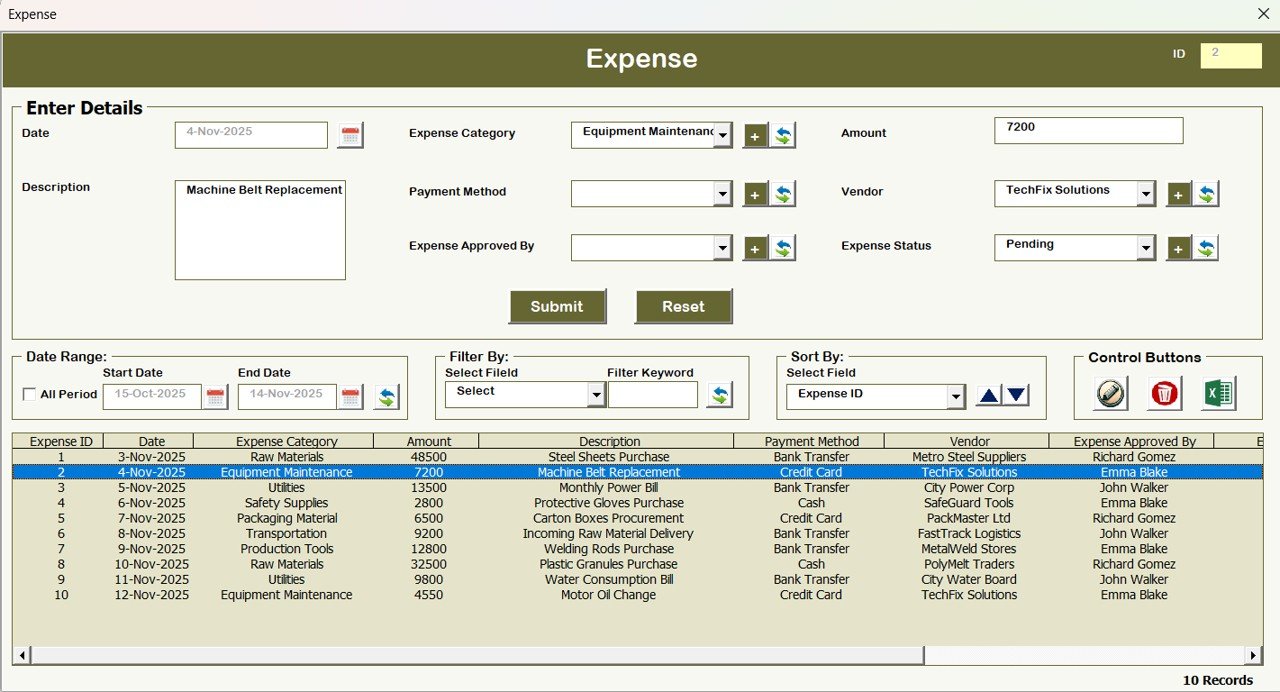
Daily or monthly operating expense tracking — expense type, amount, department, description. Categorize by Direct Materials, Direct Labor, Overhead, Utilities, Maintenance, and Admin. The expense feed becomes the basis for your factory P&L.
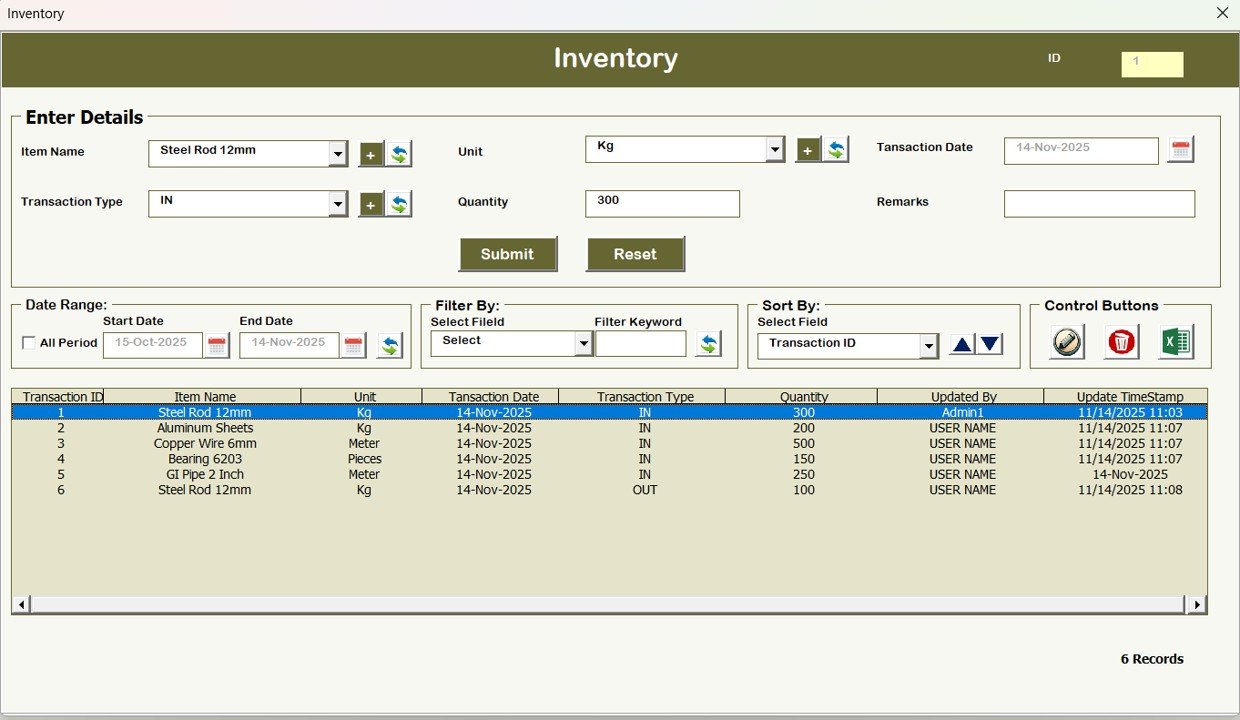
📊 Inventory Form
Current stock, consumed stock, reorder needs, pending deliveries. Updates automatically when production orders consume materials and when purchase receipts arrive. Catches stock-outs before they halt the line.
🧾 Purchase Form
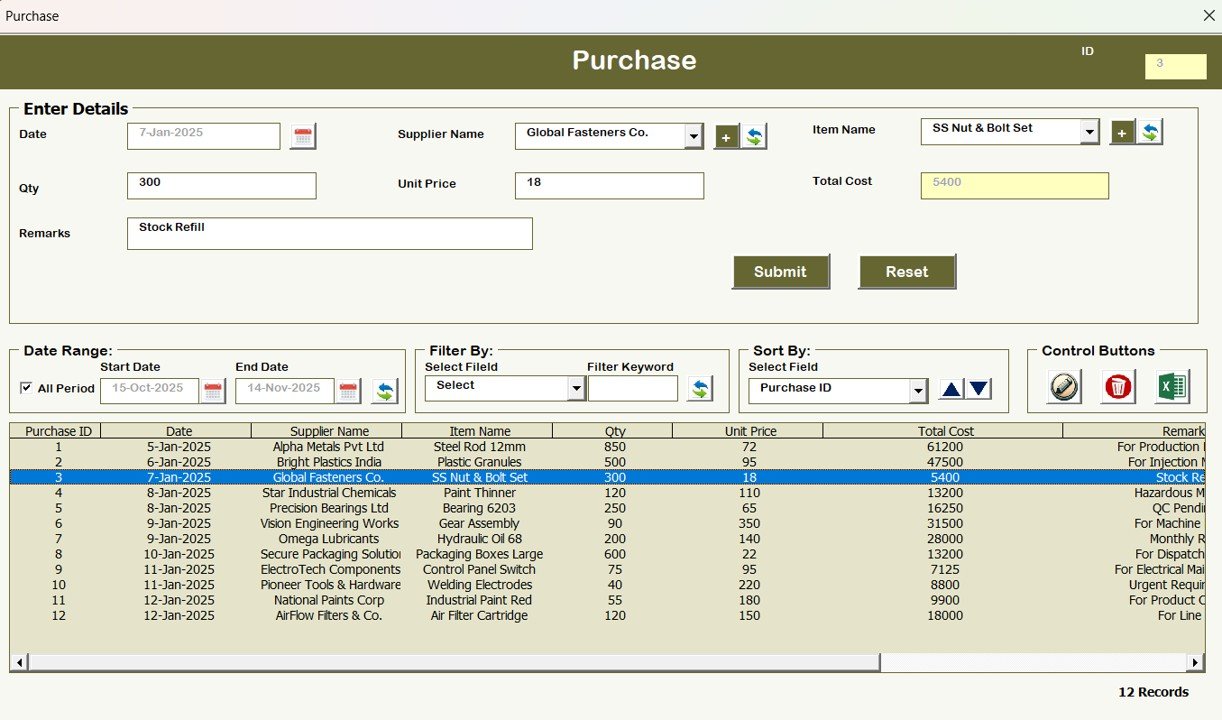
Purchase orders with quantity, price, supplier, expected delivery, and status. Approvals handled through the user permission system. Links to Supplier Master and Raw Material Master to eliminate re-keying.
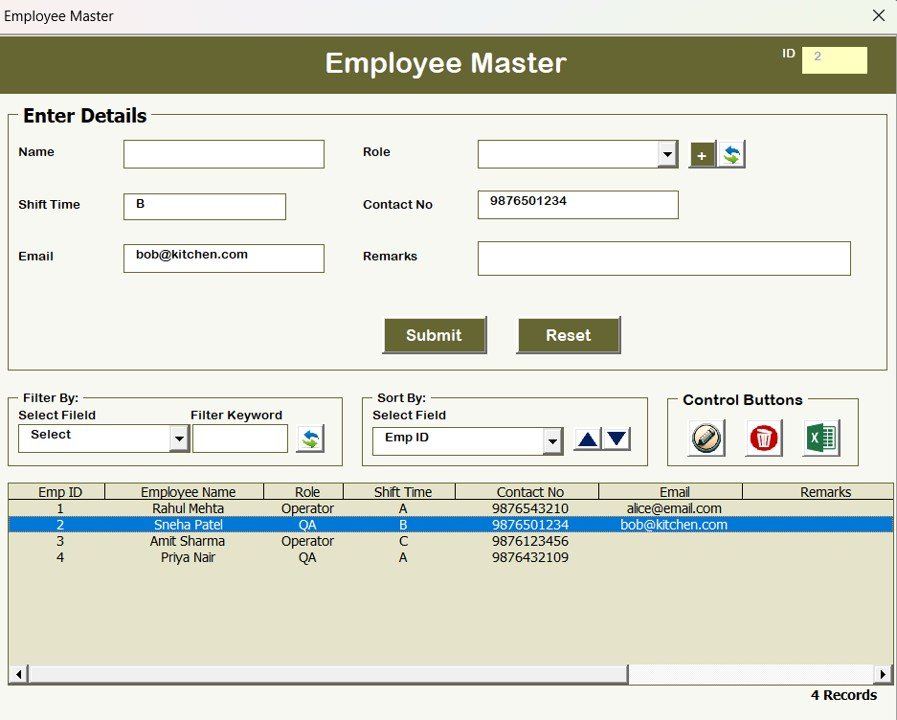
👨🏭 Employee Master
Employee ID, department, skills, shift assignment, and work schedule. Supports manpower allocation against production orders so you know which operator is on which job.
🧪 Quality Control (QC) Form
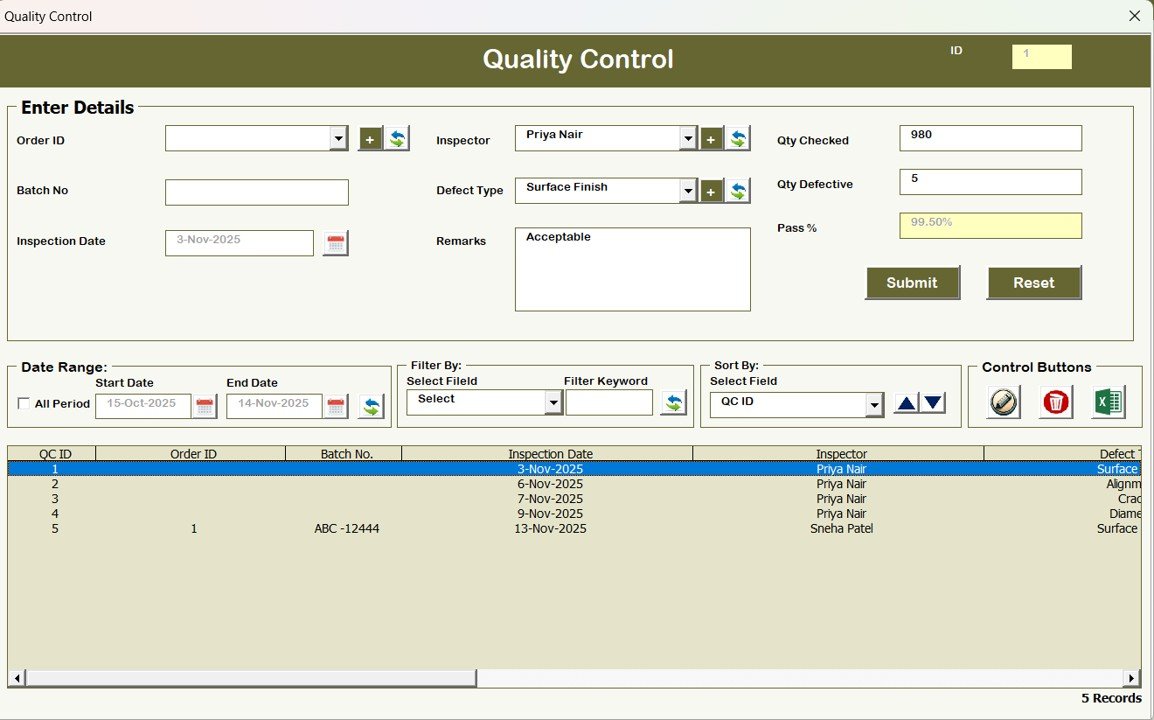
Inspection records — inspector, date, batch reference, defect type, quantity rejected, disposition (rework / scrap / accept-with-deviation), and audit notes. Builds the audit trail needed for ISO 9001 certification and customer quality audits.
📋 Reports Module
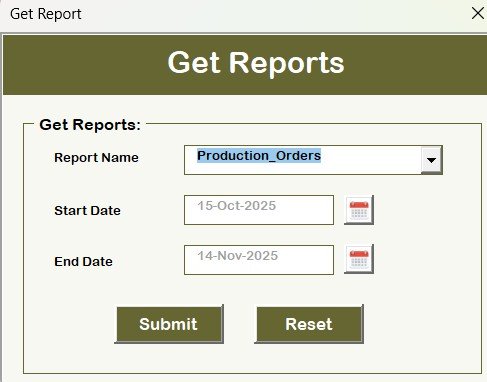
Generate structured reports on demand — Production Summary, QC Performance, Inventory Status, Purchase History, Expense Summary. Export any report to a fresh Excel workbook for your CFO, board meeting, or auditor.
⚙️ Stop rebuilding your production spreadsheets every quarter.
Get a fully automated Excel-VBA mini-ERP covering orders, machines, materials, QC, inventory, purchases, and reports — 13 modules, secure login, role-based access, ready to use today.
Our Excel-VBA System vs. Cloud ERP vs. Spreadsheet-Only
| Feature | Our Excel-VBA System | Cloud ERP (SAP B1 / NetSuite / Odoo) | Spreadsheet-Only (Google Sheets / Excel) |
|---|---|---|---|
| License Cost | One-time $19.99 | $95-$250/user/month + platform fees | Free (bundled with MS365 / Google Workspace) |
| Implementation | Same day — enter data and start | 3-12 months, $15,000-$150,000+ | Weeks of self-build, no standard structure |
| User Access Control | ✅ Built-in, role-based | ✅ Enterprise-grade SSO + RBAC | ❌ Worksheet protection only |
| Production Orders | ✅ Structured form + list view | ✅ Full MRP / MRP II / APS | Manual rows in a sheet |
| Master Data (Machines, Materials, Suppliers, Employees) | ✅ Dedicated master forms | ✅ Full relational data model | Duplicated across workbooks |
| Quality Control | ✅ QC form with audit trail | ✅ Full QMS with CAPA workflows | Separate QC log, manual reconciliation |
| Multi-Site / Multi-Entity | ❌ Single-site | ✅ Native multi-site, multi-currency | ❌ Separate file per site |
| ERP Integration (Accounting, Banking, EDI) | ❌ Manual export only | ✅ Native connectors + APIs | ❌ No integration |
| Best For | 5-30 employees, 2-15 machines, $500K-$10M revenue | 50+ employees, multi-site, $10M+ revenue | 1-5 employees, early-stage production |
Honest positioning — if you need multi-site inventory, real-time MRP with shop floor terminals, full IFRS/GAAP financial consolidation, or EDI integration with 3PLs and retailers, you need a real ERP. This system won’t get you there. But if you’re running a single-site production operation where today’s workflow is “WhatsApp and spreadsheets” and the nearest upgrade is a $50,000 ERP implementation, this is the bridge that fits between those two extremes.
Who Uses This System
| Operation Type | Primary Use Case |
|---|---|
| Small Manufacturing Units | End-to-end production tracking without ERP investment |
| Fabrication Shops | Job-shop order tracking, machine scheduling, material issue |
| Contract Manufacturers | Customer-specific order tracking with QC documentation |
| Assembly Lines | Daily production logging with raw material consumption |
| Plant Managers | Single-site operational visibility across all functions |
| Production Supervisors | Shift-level order assignment and QC logging |
| Purchase Managers | Supplier-linked purchase orders, material reorder tracking |
| Family-Run Manufacturing Businesses | Structured operations upgrade from paper + WhatsApp |
Benefits You’ll See in the First 30 Days
- ⏱️ Hours saved on manual work — data entry happens once, flows across all modules
- 🎯 Fewer data entry errors — dropdown validations and structured forms replace free-text spreadsheets
- 👁️ Production visibility — one screen to see every active order, every machine, every material
- 🔐 Data security — role-based access keeps sensitive modules (expenses, user management) protected
- 📑 Audit-ready documentation — ISO 9001 and customer audits require structured QC records you’ll now have
- 📊 Report-at-a-click — Production Summary, QC Performance, Inventory Status, Expense Summary export in seconds
- 💰 10x cost avoidance — $19.99 vs. $30,000-$150,000 for a proper ERP deployment
How to Use the System (Step-by-Step)
- Download the .xlsm file and open in Microsoft Excel (Windows recommended — VBA forms work best on Excel for Windows).
- Enable macros when prompted — the system is 100% VBA-driven and won’t function without macros enabled.
- Login with the default admin credentials — User ID: Admin1, Password: abcd. Change these immediately after first login via the User Management module.
- Set up your master data first, in this order: (a) Employees, (b) Machines, (c) Raw Materials, (d) Suppliers. Every transaction will pull from these.
- Add users via User Management, assigning role-based permissions. Shop floor operators typically don’t need access to Expenses or User Management.
- Log your first production order via the Production Orders form — link to a machine, allocate raw materials, set schedule.
- Record QC inspections as orders progress — disposition (accept / rework / scrap) becomes part of the permanent audit trail.
- Record daily expenses against departments — Direct Materials, Direct Labor, Overhead, Utilities, Maintenance, Admin.
- Generate weekly reports from the Reports module — Production Summary for the factory meeting, QC Performance for the quality review, Inventory Status for purchasing.
- Back up the file daily — this is a single-file Excel application. Store backups in OneDrive, Google Drive, or Dropbox with version history enabled.
Optional Upgrades You Can Add Later
- Barcode scanner integration — wire a USB barcode scanner into the Raw Material and Production Orders forms for faster input.
- Bill of Materials (BOM) automation — add a BOM sheet that auto-calculates raw material requirements when a Production Order is released.
- Multi-user shared file — store the file on a shared network drive or SharePoint for simultaneous access (one writer at a time).
- Power BI dashboard overlay — connect a Power BI report to the data sheets for executive-level analytics on top of the transactional system.
- Email notifications — VBA can trigger Outlook emails for events like QC failures, stock-out warnings, or production order completion.
- Tally / Zoho Books integration — export purchase and expense records in the import format your accounting software expects.
Best Practices From High-Performing Small Manufacturers
- Start with clean master data, not transactions. The biggest mistake small-shop owners make is logging production orders before they’ve set up machines, materials, and suppliers properly. Clean masters = clean reports.
- Back up daily, test restores weekly. A single-file Excel system is convenient — but also a single point of failure. Test that you can actually restore from a backup before you’re forced to.
- One person owns the master data. Assign a single user (usually the production planner or plant admin) to own additions and changes to Machine / Material / Supplier / Employee masters. Everyone else uses transactions only.
- Reconcile weekly, not monthly. Compare physical inventory count vs. system-reported inventory every week. Catching 2-3 discrepancies per week is easy; catching 80 at month-end is a crisis.
- Plan your graduation path. This system will serve 5-30 employees comfortably. When you cross 50 employees, add a second site, or need to integrate with a 3PL, start evaluating Odoo, SAP Business One, or NetSuite. Plan the transition 6 months before you actually need to execute it.
Related Templates You May Need
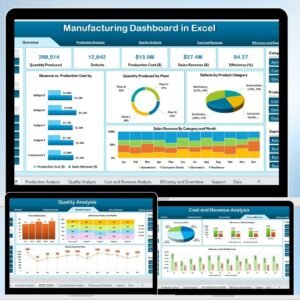
- Manufacturing Dashboard in Excel — OEE, production, and efficiency analytics on top of your data
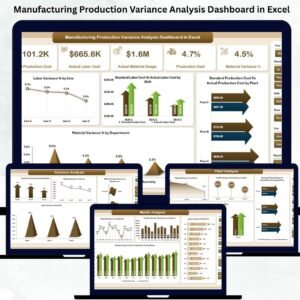
- Manufacturing Production Variance Dashboard in Excel — actual vs. planned production analysis
- Manufacturing Efficiency Dashboard in Power BI — Power BI version with OEE and downtime
- Inventory Management System in Excel (V3.0) — standalone inventory system with reorder logic
- Equipment Maintenance Log in Google Sheets — CMMS-style maintenance tracking
- All Excel-VBA Tools — complete catalog of VBA-powered business systems
- All Manufacturing Templates
Frequently Asked Questions
Can this really replace SAP Business One, NetSuite, or Odoo?
For a specific slice of manufacturers, yes — single-site operations with 5-30 employees, 2-15 machines, and under $10M in revenue. It covers the transactional backbone (orders, masters, QC, inventory, purchase, expenses, reports) that those ERPs charge tens of thousands annually for. It does not replace: multi-site consolidation, MRP run with automatic planning, integrated accounting (GL / AP / AR), SWIFT / EDI integration with customers and 3PLs, shop-floor terminal deployment, or full IFRS/GAAP financial close. If you need any of those capabilities, this system is a stepping stone — not a destination.
Do I need Microsoft Excel to run it?
Yes. The system runs on Microsoft Excel for Windows (Excel 2016 or later, Microsoft 365 recommended). It will not work in Google Sheets, Excel for Mac (limited VBA support), Excel Online, LibreOffice, or Numbers. The UserForms, macros, and custom ribbon elements are Windows-Excel-specific.
Can multiple users work in the file at the same time?
The file is designed for single-user-at-a-time access. For a 3-10 person team, the typical pattern is: store the file on a shared network drive or SharePoint, and coordinate access so only one person has the file open in write mode at a time. For true concurrent multi-user access with real-time record locking, you’d need a database-backed application — which is the point at which Odoo or SAP Business One become justified.
What happens to my data if Excel crashes?
Back up daily — this is non-negotiable for any single-file system. Enable OneDrive or Dropbox version history so you always have yesterday’s file. The VBA code writes records immediately on Save, so a crash during data entry typically loses only the currently open form. We recommend saving after every 5-10 transactions and full backup at end-of-shift.
Can I modify the forms or add new fields?
Yes — the VBA project is unlocked. If you know VBA (or hire a developer familiar with Excel VBA, typically $50-$100/hour), you can add fields, modify forms, change validation rules, and extend reports. The data sheets are structured as tables so column additions flow through without breaking existing logic.
Does it support multi-currency?
No — the system ships with single-currency support. For multi-currency operations (exports, global suppliers), you’d need to either (a) modify the VBA to add a currency column and FX table, or (b) graduate to a platform like SAP Business One or NetSuite that handles multi-currency natively.
What’s the learning curve for my team?
Most production supervisors and operators are productive within 2-3 hours on the transactional forms (Production Orders, QC, Inventory). Master data setup by the plant admin typically takes 1-2 days to configure for a running operation. Compare this to SAP Business One or NetSuite training, which typically runs 2-4 weeks per user role and costs $1,000-$5,000 per user.
Can I use this for ISO 9001 or customer quality audits?
The QC module produces the kind of structured inspection records that ISO 9001 auditors and customer quality teams expect — inspector, date, batch, defect type, disposition, notes — and they’re easily exported to a PDF or printed report. This alone has passed certification audits for many small manufacturers. For full QMS functionality (CAPA workflows, complaint tracking, supplier corrective actions), a dedicated QMS tool or full ERP is still recommended.
Is there a trial version?
There’s no time-limited trial, but the sample data loaded into the system works as a hands-on walkthrough — login as Admin1 / abcd, navigate every module, run every report, before adding your own data. If anything does not work as described, our team will help within 72 hours.
When should I actually upgrade to a real ERP?
Signals it’s time to graduate: (1) you’ve added a second production site, (2) you’ve crossed 40-50 employees, (3) your accounting team can no longer reconcile transactions manually between this system and Tally/Zoho/QuickBooks, (4) a customer or regulator is requiring EDI or a specific integration, or (5) your inventory tracking needs real-time accuracy across multiple warehouses. At that point, start evaluating Odoo, SAP Business One, or NetSuite — typically 6-9 months before you actually go live.
Read the Full Blog Post on PK: An Excel Expert
For a detailed walkthrough of each module, VBA customization tips, and real-world implementation advice from small manufacturers already using this system, read the full guide on our Excel expertise blog: Manufacturing Production Management System V1.0 — Full Guide.
Watch the Walkthrough Video
See the system in action — login flow, central dashboard navigation, creating a production order, QC recording, and report generation:
🎥 Subscribe to YouTube.com/@PKAnExcelExpert for weekly Excel and VBA walkthroughs for manufacturers, operations teams, and small-business owners.
Ready to bring your production operation into one system?
Download the Manufacturing Production Management System V1.0 — one-time $19.99, Excel-VBA .xlsm with 13 modules, secure login, and role-based access. No subscription, no implementation partner.















Reviews
There are no reviews yet.