

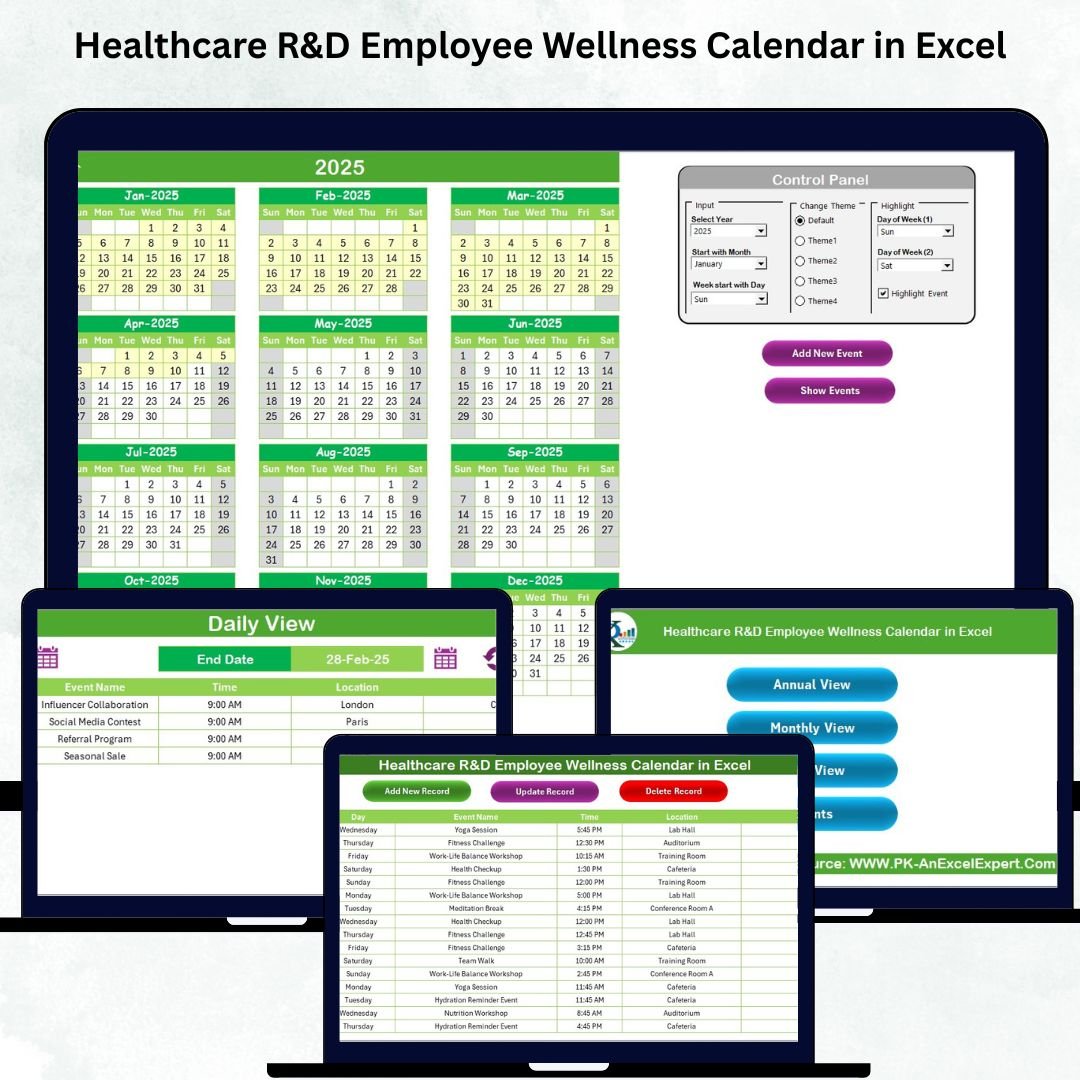



Creating a productive, energetic, and mentally balanced workforce is essential for every Healthcare Research & Development (R&D) organization. But without a proper system, teams often lose track of wellness programs, forget important activities, or rely on scattered files. The Healthcare R&D Employee Wellness Calendar in Excel transforms your wellness planning into a clean, organized, and highly interactive experience. This ready-to-use template helps you plan yearly, monthly, and daily wellness activities with total ease—using no complex tools or coding.
Designed for busy R&D environments, this Excel calendar brings fitness sessions, mindfulness events, health workshops, reminder schedules, and wellness initiatives into one beautifully structured dashboard. Whether you’re planning annual campaigns, monthly sessions, or daily activities, this template keeps everything organized and accessible with just a click.
This premium Excel file is packed with smart features such as event forms, color themes, highlight options, navigation buttons, and automatic calendar updates. It is perfect for HR teams, wellness managers, and R&D leaders who want to build a healthier work culture without spending hours managing spreadsheets.
🌟 Key Features of the Healthcare R&D Employee Wellness Calendar in Excel
The template comes with powerful, easy-to-use features that make wellness planning seamless:
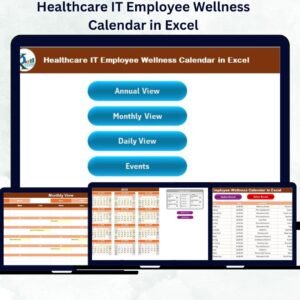
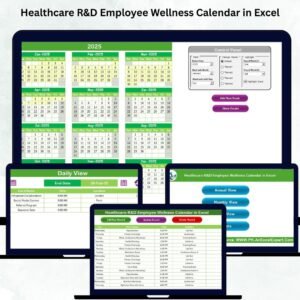
🗓 Annual, Monthly & Daily Views
Switch between yearly, monthly, and daily views instantly using dedicated buttons. Each view auto-updates based on your selection.
🎨 Theme Customization
Choose from multiple color themes to match your department’s branding or wellness categories.
✨ Smart Highlight Options
Highlight weekends, special wellness days, or important dates using built-in highlight tools.
📝 Simple Event Entry Forms
Add new events, update existing ones, or delete entries directly through intuitive form-based buttons.
🔢 Auto-Generated Event IDs
Every new event gets a unique ID, helping you maintain clean and structured records.
📌 Quick Navigation Buttons
Move to any sheet instantly using the Home Page navigator—no scrolling or searching required.
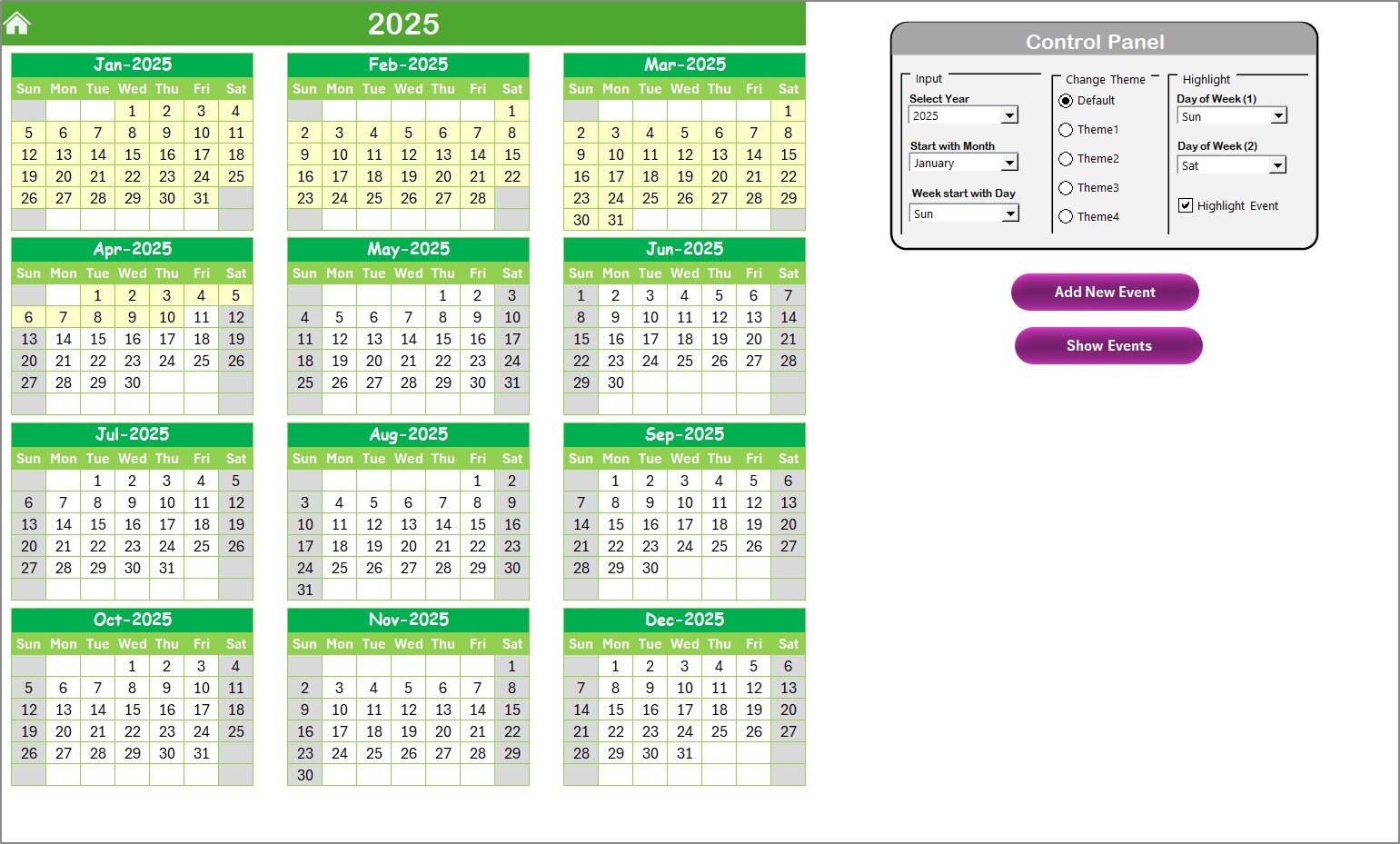
📅 Interactive Control Panel
Change the year, month, and starting weekday with ease. The entire calendar updates automatically.
📦 What’s Inside the Healthcare R&D Employee Wellness Calendar in Excel
This template consists of five professional, well-organized sheets, each designed for maximum clarity:
🏠 1. Home Sheet
This is your command center with buttons for Annual, Monthly, Daily, and Events sheets.
📅 2. Annual View Sheet
See all 12 months on one page. Customize your calendar year, theme, start month, and weekends.
🗓 3. Monthly View Sheet
View detailed monthly events. Dates with multiple events show “more than 1…” for clarity.
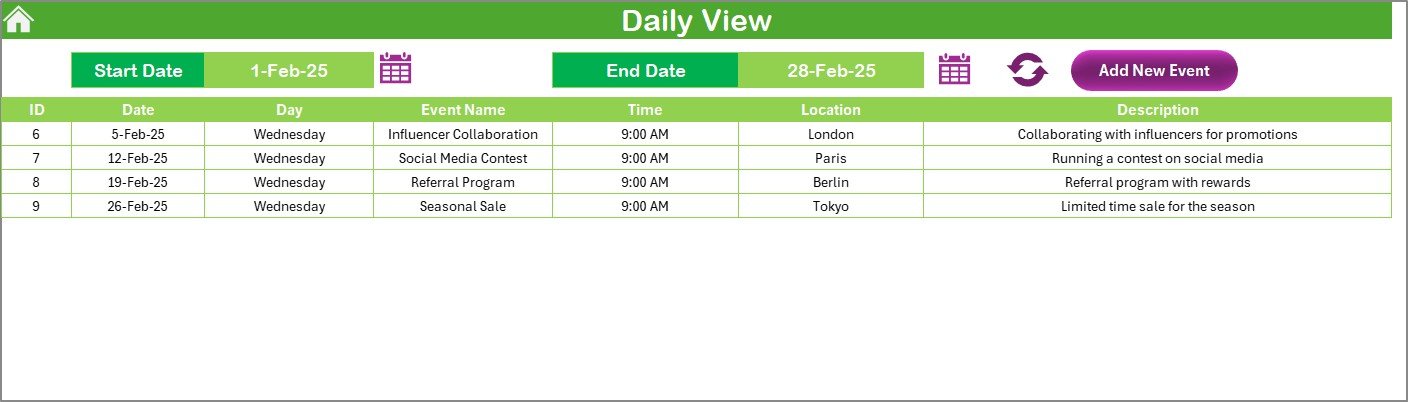
📘 4. Daily View Sheet
See all events within any date range—perfect for daily monitoring.
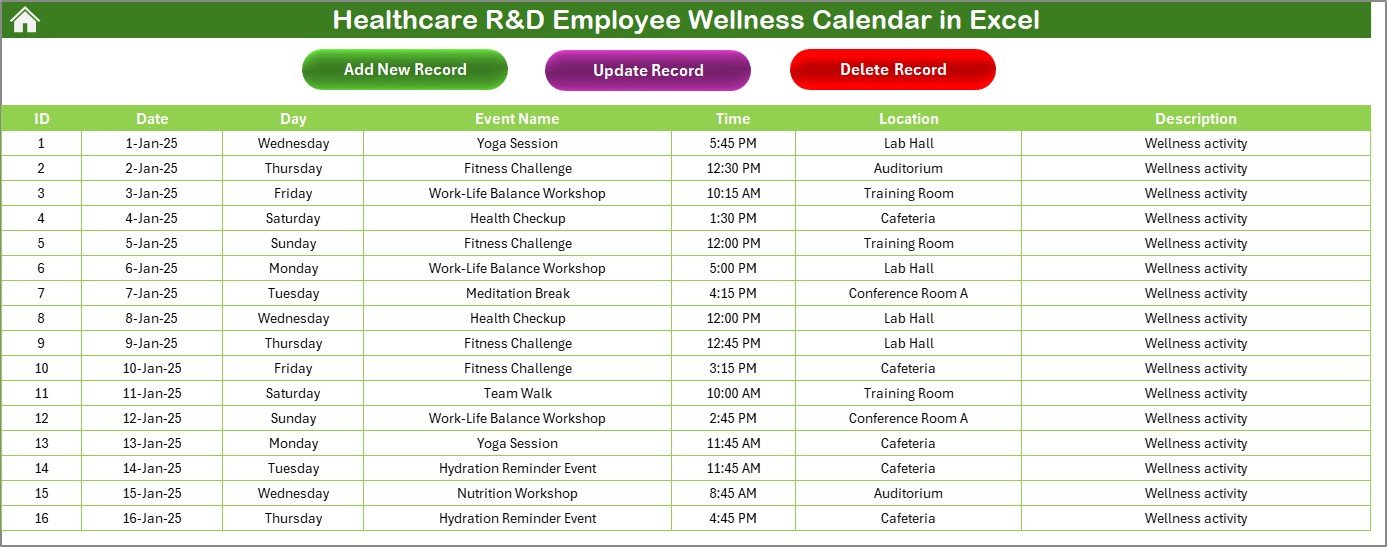
🗂 5. Events Sheet
A master database of every event with fields like ID, Date, Day, Event Name, Time, Location, and Description.
This structured layout keeps everything clean, automated, and easy to use even for non-technical users.
🛠 How to Use the Healthcare R&D Employee Wellness Calendar in Excel
Using this template is simple and intuitive:
➡️ Step 1: Go to the Home Sheet
Choose the view you want—Annual, Monthly, Daily, or Events.
🗓 Step 2: Set the Year & Theme
Use the Annual View control panel to set your preferred year, month, and color theme.
➕ Step 3: Add Events
Click Add New Event, fill the form, and submit. The event will automatically appear in all views.
🔍 Step 4: View Events
Use “Show Event” to view the event list for any selected date.
📘 Step 5: Track Daily Activities
Use the Daily View to monitor events across any selected date range.
🗂 Step 6: Manage Event Records
Update or delete events through the Event Sheet buttons anytime.
This workflow keeps wellness planning fast, smooth, and highly organized.
👥 Who Can Benefit from This Healthcare R&D Employee Wellness Calendar in Excel
This template is designed for all healthcare and research-driven environments, including:
🏥 Healthcare R&D Teams
Track wellness activities that support high-performance research teams.
👩⚕️ HR & Wellness Managers
Plan annual programs, workshops, awareness drives, and employee engagement events.
📊 Operations & Admin Teams
Maintain structured timelines and share wellness plans with staff.
🔬 Laboratories & Research Units
Balance demanding workloads with planned wellness breaks and health sessions.
📅 Corporate Health & Well-being Teams
Create a consistent and well-managed wellness culture throughout the year.
### Click here to read the Detailed blog post
Watch the step-by-step video tutorial:
Visit our YouTube channel to learn step-by-step video tutorials — PK An Excel Expert
Compatibility and Requirements
- Works in Microsoft Excel desktop (Excel 2016 or later, or Microsoft 365).
- The Add New Event, update, delete and navigation buttons use macros, so run it in Excel desktop on Windows with macros enabled. It does not run in Excel for the web, Google Sheets or mobile. Microsoft explains the setting in Enable or disable macros in Microsoft 365 files.
Frequently Asked Questions
Which sheets are included?
Five sheets: Home, Annual View, Monthly View, Daily View and Events.
How do I add a wellness event?
Click Add New Event, fill in the form and submit. The event appears in the Annual, Monthly and Daily views.
What details can I store for each event?
The Events sheet records an event ID, date, day, event name, time, location and description. Each new event gets a unique ID automatically.
Can I change the year, month or color theme?
Yes. The control panel on the Annual View sheet lets you set the year, starting month, weekday start, weekend days and color theme.
What happens when a date has more than one event?
The Monthly View shows “more than 1…” on that date. Use Show Event to see the full list for the date.
Related Wellness and Calendar Templates
- Healthcare HR Employee Wellness Calendar in Excel: the same calendar set up for HR teams
- Healthcare IT Employee Wellness Calendar in Excel: the same calendar for IT teams
- Wellness Program Schedule Calendar in Excel: a schedule for general wellness programs
- Employee Wellness KPI Dashboard in Excel: track wellness results as KPIs
- Employee Wellness Program Enrolment Tracker in Excel: track who joins each program
Browse all Excel calendar templates.





























Reviews
There are no reviews yet.