


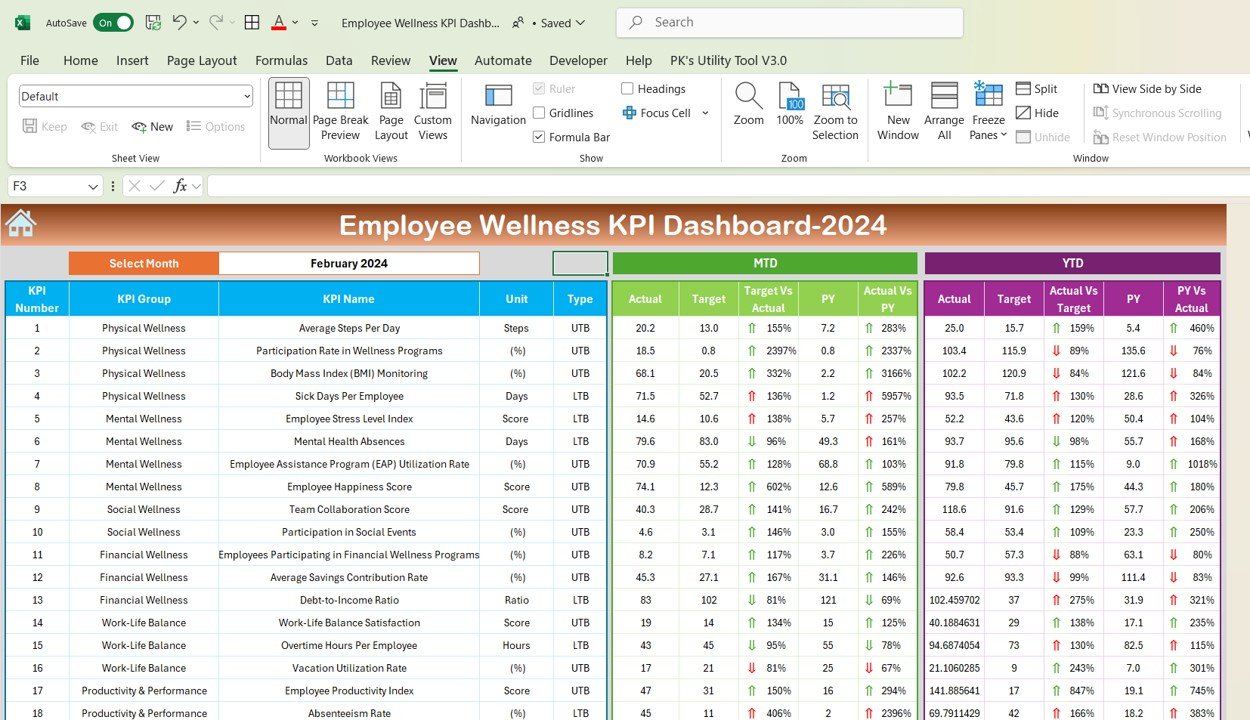


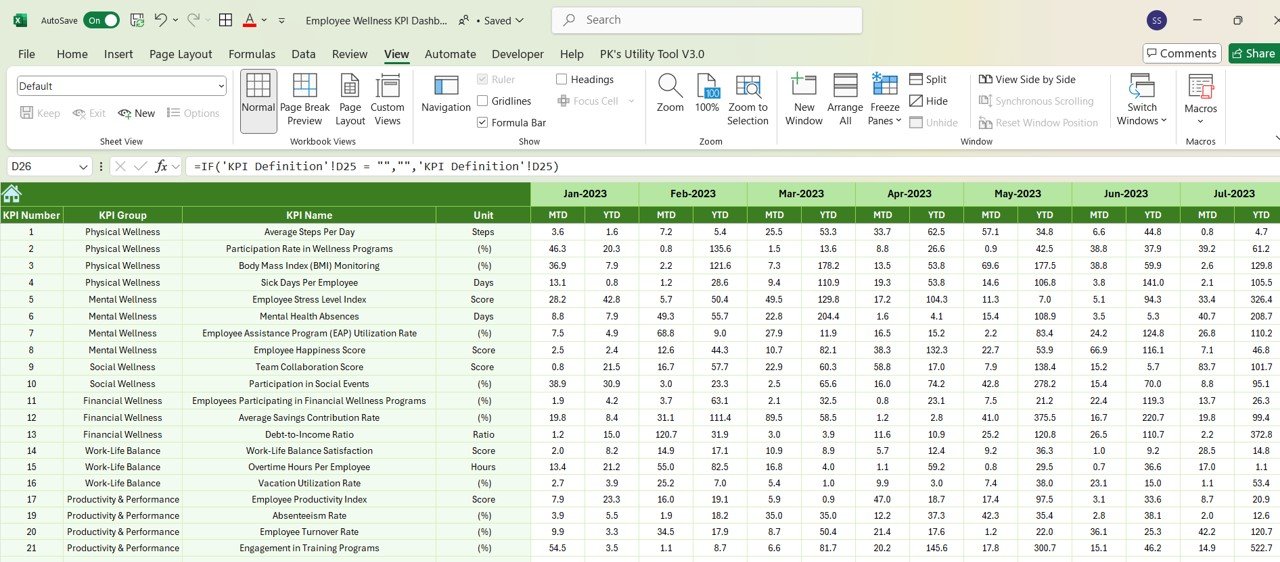


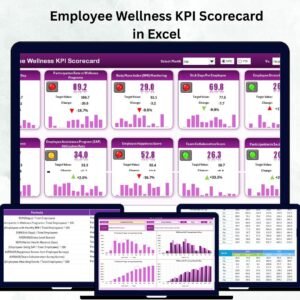
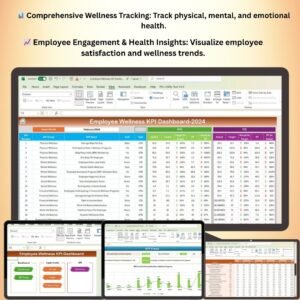
The Employee Wellness KPI Dashboard in Excel is an essential tool for organizations aiming to promote and track the well-being of their employees. With increasing awareness of the importance of employee health, this dashboard helps organizations monitor key wellness indicators such as physical activity, mental health, stress levels, and work-life balance. By using this template, businesses can gain valuable insights into their workforce’s health, improve employee satisfaction, and enhance productivity.
This customizable Excel template provides a comprehensive view of employee wellness, allowing organizations to track wellness initiatives, identify areas for improvement, and make data-driven decisions to create a healthier, more engaged workforce. Whether you are managing a wellness program or aiming to improve employee well-being, this dashboard offers everything you need to monitor and optimize employee health.
Key Features of the Employee Wellness KPI Dashboard
📊 Comprehensive Wellness Tracking
Track multiple wellness metrics such as physical health, mental well-being, engagement levels, work-life balance, and stress management. Understand the holistic impact of these factors on employee performance.
⚡ Real-Time Monitoring of Wellness KPIs
Monitor the status of various wellness initiatives in real-time. Track employee participation in wellness programs, monitor stress levels, and ensure employees are engaged in healthy activities.
📈 Visualize Employee Health & Engagement
Use interactive charts and graphs to visualize data related to employee health, satisfaction, and wellness program effectiveness. This allows for quick identification of trends and areas that require attention.
📅 Customizable Wellness Metrics
Tailor the dashboard to track the specific wellness KPIs that are most relevant to your organization, such as mental health, fitness, and engagement in health-related programs.
🖥️ User-Friendly Interface
Designed for simplicity, this Excel template is intuitive and easy to use, even for those without a background in data analysis. The visual interface helps you track and analyze employee wellness effortlessly.
Why You’ll Love the Employee Wellness KPI Dashboard
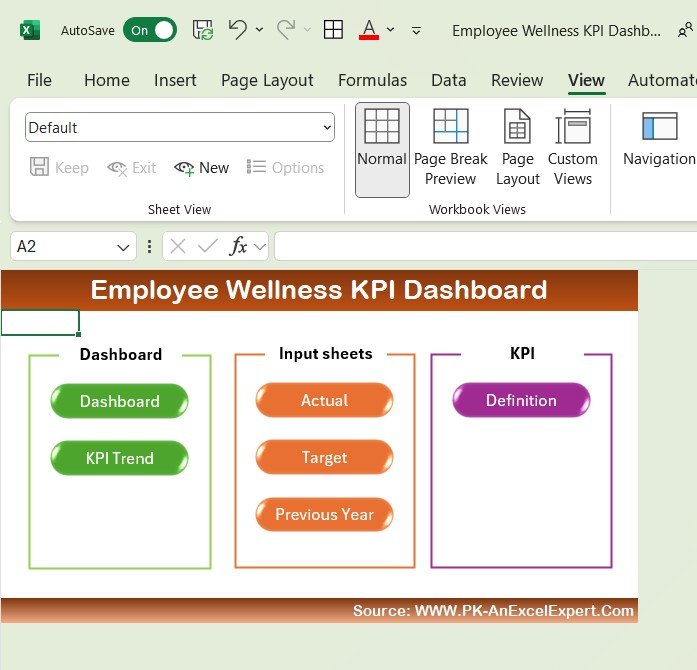
✅ Track Employee Wellness in One Place
Consolidate all wellness metrics into one dashboard to track physical, mental, and emotional health, allowing you to monitor employee wellness with ease.
✅ Improve Employee Engagement and Retention
Track key engagement metrics, helping you identify areas to improve employee satisfaction, reduce stress, and ultimately retain a healthier and more productive workforce.
✅ Boost Productivity and Morale
By optimizing wellness initiatives based on real-time data, you can improve productivity, reduce absenteeism, and create a positive workplace culture that fosters employee well-being.
✅ Optimize Wellness Programs
Assess the success of existing wellness programs, track employee participation, and identify areas for improvement. Use insights to design more effective wellness initiatives.
✅ Enhance Workplace Satisfaction
Improve overall workplace satisfaction by proactively addressing wellness needs, including mental health support and work-life balance, to keep employees engaged and motivated.
What’s Inside the Employee Wellness KPI Dashboard Template?
- Wellness KPI Tracking: Track physical health, stress levels, engagement, and overall wellness.
- Real-Time Data Monitoring: Continuously monitor employee wellness to ensure healthy work habits and practices.
- Employee Engagement Tracker: Track employee participation in wellness programs and assess overall satisfaction.
- Dashboard with Visual Insights: Use easy-to-read charts and graphs to quickly understand wellness trends across your workforce.
- Customizable Metrics: Customize the dashboard to include the wellness KPIs most important to your business.
How to Use the Employee Wellness KPI Dashboard
1️⃣ Download the Template: Access your Employee Wellness KPI Dashboard instantly.
2️⃣ Input Your Data: Enter wellness-related data such as stress levels, physical health indicators, and engagement metrics.
3️⃣ Monitor Wellness Metrics: Use the dashboard to track and monitor key wellness data in real-time.
4️⃣ Analyze and Optimize: Use insights from the dashboard to improve wellness programs and optimize employee engagement for better results.
Who Can Benefit from the Employee Wellness KPI Dashboard?
🔹 HR Managers & Employee Wellness Coordinators
🔹 Operations and Business Managers
🔹 Organizational Health Consultants
🔹 Companies and Organizations Focused on Employee Health and Engagement
🔹 Any Company Looking to Improve Employee Well-being, Morale, and Productivity
Track and optimize your employee wellness programs with the Employee Wellness KPI Dashboard in Excel. Stay on top of key wellness metrics, improve employee satisfaction, and create a healthier and more productive workforce.
Click here to read the Detailed blog post
Visit our YouTube channel to learn step-by-step video tutorials
Youtube.com/@PKAnExcelExpert
Compatibility and Requirements
- Works in Microsoft Excel desktop (Excel 2016 or later, or Microsoft 365).
- The dashboard is built on Excel charts. Microsoft’s guide Create a chart from start to finish explains how they work.
Frequently Asked Questions
Which wellness KPIs can I track?
Physical health, stress levels, engagement, work-life balance and overall wellness.
Can I track wellness program participation?
Yes. The employee engagement tracker records participation in wellness programs and overall satisfaction.
Can I change the KPIs?
Yes. You can set up the dashboard to track the wellness KPIs that matter most to your business.
Is there a Power BI or Google Sheets version?
Yes. See the Employee Wellness KPI Dashboard in Power BI and the Employee Wellness KPI Dashboard in Google Sheets.
Related Employee Wellness Templates
- Employee Wellness KPI Scorecard in Excel: a scorecard view of the same topic
- Employee Wellness KPI Dashboard in Power BI: the Power BI edition
- Corporate Wellness Program Dashboard in Excel: report on a wellness program
- Employee Wellness Program Enrolment Tracker in Excel: log program sign-ups
- HR & Workforce Analytics Bundle: 10 HR templates in one bundle
Browse all Excel KPI dashboards or the Excel HR and payroll templates.



Reviews
There are no reviews yet.