





Managing employee wellness is no longer optional—it’s essential, especially in healthcare where staff face high stress and demanding schedules. The Healthcare HR Employee Wellness Calendar in Excel is the ultimate solution for HR teams who want to bring structure, organization, and ease to wellness program planning. Instead of juggling multiple tools or relying on scattered notes, this ready-to-use Excel template centralizes everything in one simple, powerful system.
Whether you’re scheduling health checkups, wellness campaigns, or stress management sessions, this calendar ensures that HR teams stay on top of every initiative—boosting employee satisfaction, engagement, and productivity.

✨ Key Features of Healthcare HR Employee Wellness Calendar in Excel
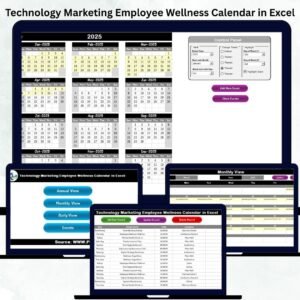
📅 Multi-Level Views – Switch seamlessly between annual, monthly, and daily perspectives to plan everything from yearly wellness drives to day-to-day activities.
🎨 Custom Themes – Choose from 5 color themes for a personalized look that matches your organization’s style.
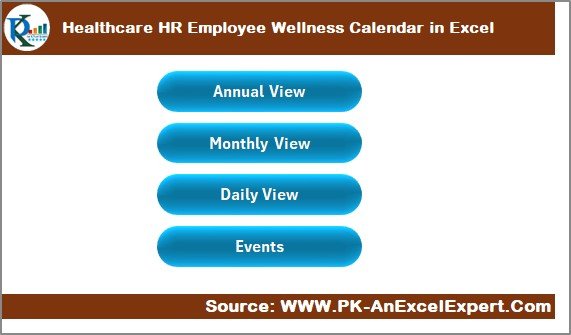
⚡ Quick Navigation – Use the Home sheet with four buttons to jump directly to Annual, Monthly, Daily, or Events sheets.
📝 Events Database – Add, update, or delete wellness events with ease. Every record is auto-stored for traceability.
⏱ Time-Saving Automation – Built-in buttons and control panels reduce manual work.
🔍 Event Highlighting – Highlight weekends, holidays, or critical days for better visibility.
💼 Tailored for Healthcare HR – Specifically designed for the unique needs of healthcare organizations.
📂 What’s Inside the Healthcare HR Employee Wellness Calendar
This Excel template is structured with five smartly designed worksheets:
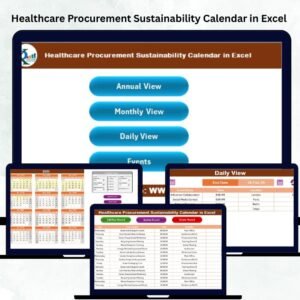
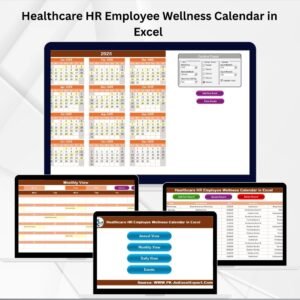
Home Sheet Tab – Central hub with navigation buttons to Annual View, Monthly View, Daily View, and Events.
Annual View – A 12-month snapshot of all events with a control panel to set year, starting month, and week preferences. Includes theme customization and event highlighting.
Monthly View – Displays one event per day (with indicators for multiple events). Perfect for department-level wellness tracking.
Daily View – Lets HR filter events between two dates. Great for managing health checkups, workshops, or daily employee programs.
Events Sheet – A centralized database where every event (with ID, date, time, location, and description) is recorded. Includes add, update, and delete functions.
🛠 How to Use the Healthcare HR Employee Wellness Calendar
Set Up Your Year – Use the Annual View control panel to select your calendar year, start month, and week layout.
Customize the Look – Apply your choice of five themes for better visibility and branding.
Add Events Easily – Use the Add New Event button across views to log health sessions, training, or wellness drives.
Switch Views – Jump between Annual, Monthly, and Daily sheets for high-level or detailed tracking.
Manage Data – Update or delete events from the Events sheet for clear, accurate scheduling.
Monitor Employee Programs – Track everything from annual flu shots to mindfulness workshops in one centralized space.
👥 Who Can Benefit from This Product
🏥 Healthcare HR Managers – Simplify scheduling for wellness events, training, and mandatory checkups.
👩⚕️ Hospital Administrators – Track staff wellness and compliance programs effortlessly.
💡 Employee Engagement Teams – Run campaigns for stress management, lifestyle improvement, and morale boosting.
🏢 Any HR Department – Though designed for healthcare, this calendar can be adapted to any industry for structured event management.
📊 Small to Mid-Sized Organizations – A cost-effective alternative to expensive HR software.
Click here to read the Detailed blog post
Watch the step-by-step video tutorial:
Visit our YouTube channel to learn step-by-step video tutorials
Compatibility and Requirements
- Works in Microsoft Excel desktop (Excel 2016 or later, or Microsoft 365).
- To keep event names or locations consistent, you can add drop-down lists with Microsoft’s guide to applying data validation to cells.
Frequently Asked Questions
Which worksheets are in the Healthcare HR Employee Wellness Calendar?
Five: Home, Annual View, Monthly View, Daily View and Events. The Home sheet has four buttons that open the other sheets.
How do I add a wellness event?
Use the Add New Event button on any of the views. The event is saved to the Events sheet, where you can also update or delete it.
What details are stored for each event?
An ID, date, time, location and description.
What happens when there are several events on one day?
The Monthly View shows one event per day with an indicator when there are more. Use the Daily View to filter events between two dates and see them all.
Can I change the look and the year?
Yes. The Annual View control panel sets the year, starting month and week layout, and you can choose one of 5 color themes.
Related Employee Wellness Templates
- Healthcare Sales Employee Wellness Calendar in Excel: the same calendar for sales teams.
- Healthcare Compliance Employee Wellness Calendar in Excel: for compliance staff.
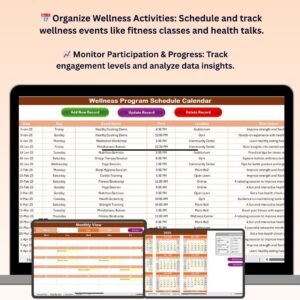
- Wellness Program Schedule Calendar in Excel: schedule a full wellness program.
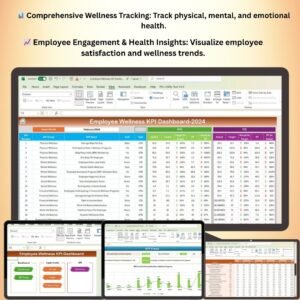
- Employee Wellness KPI Dashboard in Excel: measure program results.
- Calendar & Planner Pack: 12 Excel and Google Sheets calendars and planners.
Browse all Excel calendar templates or the Excel HR and payroll templates.








Reviews
There are no reviews yet.