

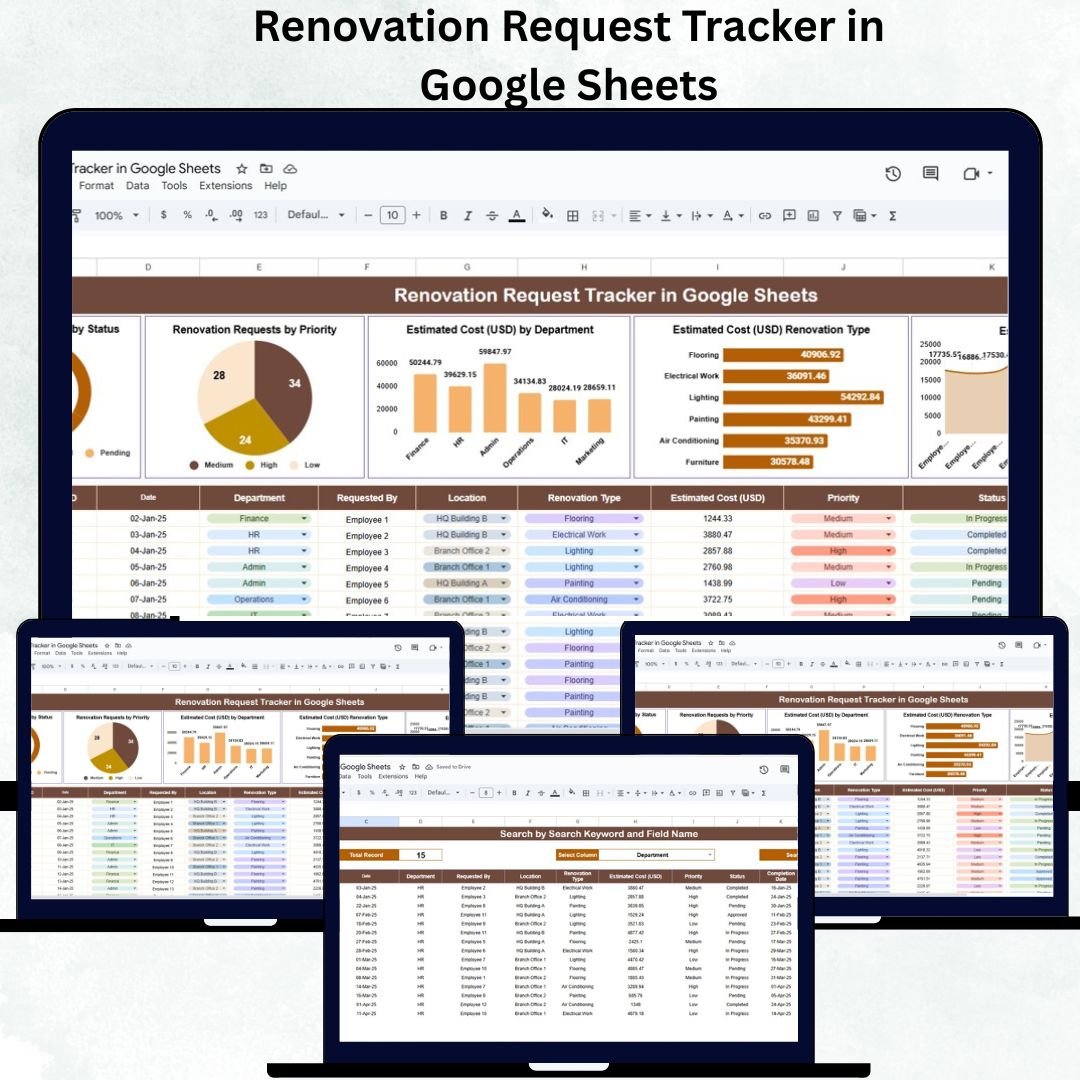

Managing renovation projects efficiently across departments, buildings, or campuses can be a daunting task — especially when requests come in from multiple sources. The Renovation Request Tracker in Google Sheets offers a smart, centralized solution to track every renovation request, monitor budgets, and visualize progress with ease.
This ready-to-use tracker provides a complete project management system for facility teams, administrators, and finance departments who want transparency, accountability, and real-time visibility into all renovation activities — without needing expensive project management software.
🏗️ What Is a Renovation Request Tracker in Google Sheets?
The Renovation Request Tracker is an interactive spreadsheet template designed to record, track, and analyze renovation requests within your organization. It helps streamline workflows — from request submission to project completion — ensuring no renovation gets overlooked or delayed.
Built entirely in Google Sheets, this tracker is:
✅ Cloud-based and shareable in real time
✅ Compatible with all devices (desktop, tablet, mobile)
✅ Fully customizable with zero coding required
Whether you manage office repairs, facility upgrades, or departmental improvements, this tool makes tracking smoother, faster, and more transparent.
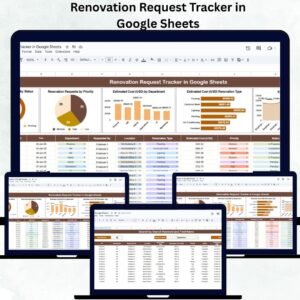
📊 Key Charts and Visual Insights
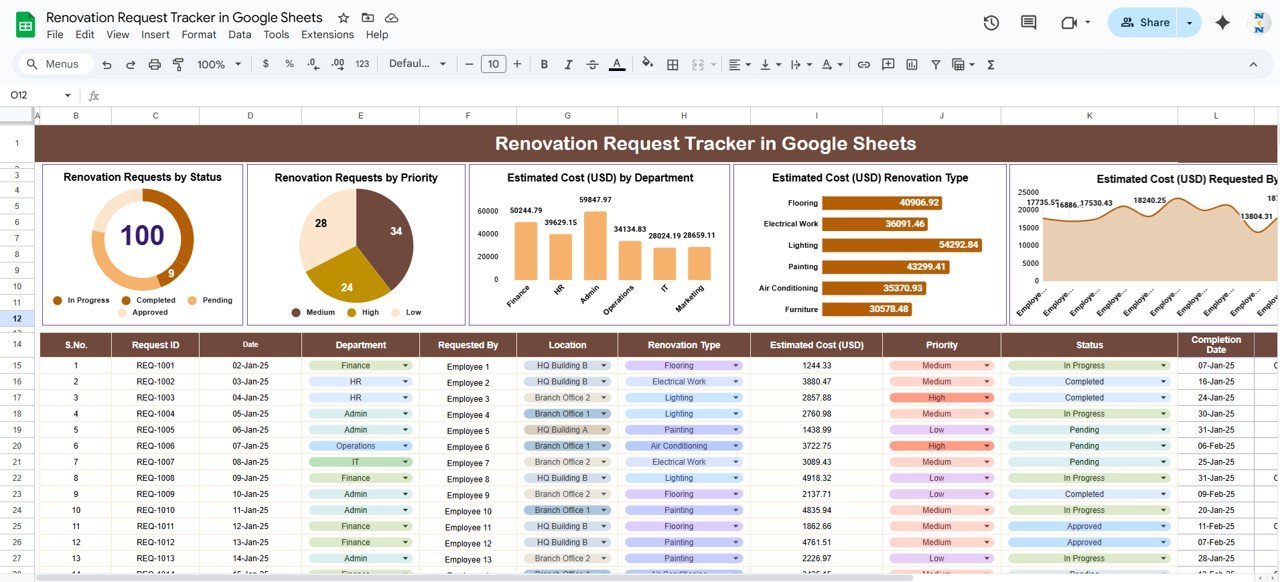
The dashboard is packed with insightful visuals that automatically update as you enter data:
🟢 Renovation Requests by Status: Shows pending, in-progress, and completed projects.
🔴 Requests by Priority: Highlights which renovation tasks are urgent (High, Medium, or Low).
💰 Estimated Cost by Department: Visualizes budget allocation across HR, Admin, IT, Finance, etc.
🧱 Estimated Cost by Renovation Type: Breaks down costs for Electrical Work, Painting, Flooring, Plumbing, etc.
👤 Estimated Cost by Requested By: Displays which employees or departments are requesting the most renovations.
These visuals give stakeholders a clear financial and operational overview at a glance — perfect for quick reporting or leadership presentations.
📋 Sheet Tabs Overview
The Renovation Request Tracker includes several organized sheets to make data entry and reporting effortless.
🏠 1. Dashboard Sheet Tab
Provides a visual summary of renovation activities with dynamic charts and KPIs like:
Total Requests
Completed vs. Pending Requests
Total Estimated Cost
Average Cost per Request
All metrics auto-refresh as new requests are added, ensuring up-to-date insights.
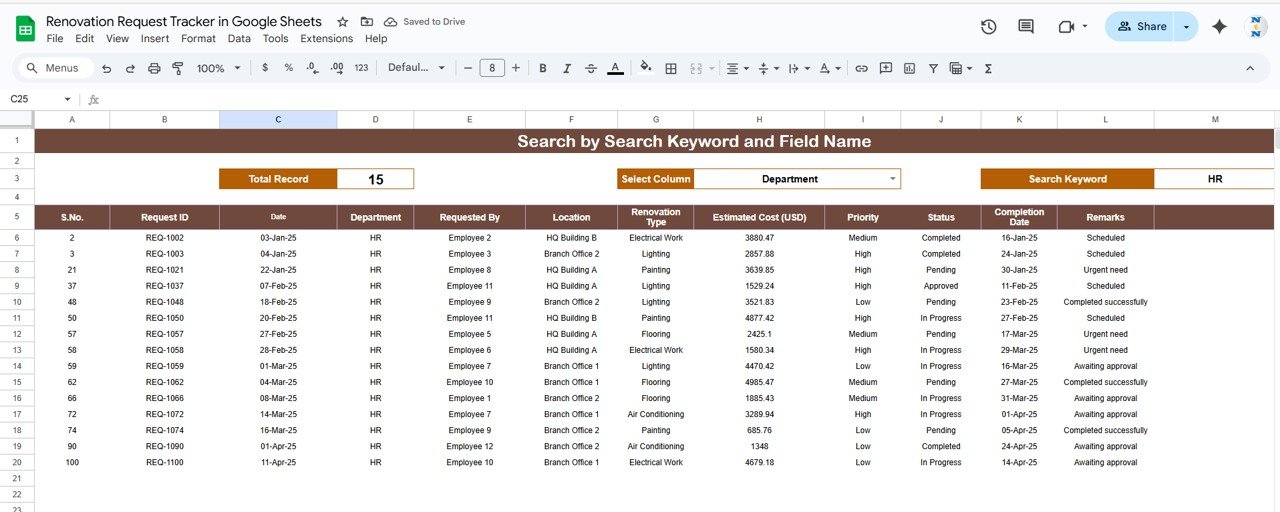
🔍 2. Search Sheet Tab
Quickly locate specific renovation records using keywords or filters.
You can search by:
Department (e.g., “Finance”)
Renovation Type (e.g., “Electrical”)
Request Status or Priority
This feature helps users save time by avoiding manual scrolling through lengthy lists.
📑 3. Data Sheet Tab
The backbone of the tracker where all renovation details are recorded.
Typical fields include:
Request ID
Requested By
Department
Renovation Type
Estimated Cost (USD)
Priority (High/Medium/Low)
Status (Pending/In Progress/Completed)
All charts and metrics in the dashboard are powered by this sheet.
🌟 Advantages of Using the Renovation Request Tracker
🧭 Centralized Data: Store all renovation requests and costs in one organized file.
⚙️ Automated Insights: Charts and KPIs update automatically.
💬 Transparency: Everyone can see request status and budget utilization.
🕒 Real-Time Collaboration: Multiple users can work simultaneously.
📈 Informed Decisions: Identify costly departments or frequent repair areas.
🧩 Fully Customizable: Add new columns, filters, or charts as your needs grow.
🚧 Opportunities for Improvement
While powerful out-of-the-box, you can enhance this tracker further with:
✉️ Email Alerts: Use Google Apps Script to notify managers about pending approvals.
💵 Actual Cost Columns: Compare estimated vs. real costs.
📆 Timeline Tracking: Add start/end dates to monitor delays.
✅ Approval Workflows: Include drop-downs for managerial review status.
🧾 Google Form Integration: Allow employees to submit renovation requests directly.
📱 Mobile Dashboard: Connect to Google Looker Studio for on-the-go insights.
💡 Best Practices
✅ Keep Data Updated: Refresh costs and statuses regularly.
✅ Use Conditional Formatting: Highlight high-priority or overdue requests automatically.
✅ Backup Monthly: Export data for long-term record-keeping.
✅ Define Priority Rules: Maintain consistency in High/Medium/Low ratings.
✅ Assign Responsibility: Allocate ownership for each renovation request.
✅ Review Trends Quarterly: Spot recurring maintenance issues early.
👥 Who Can Use This Tracker
🏢 Facility Managers: Monitor ongoing renovations and costs.
🧑💼 Admin Teams: Manage employee requests and set priorities.
💰 Finance Departments: Evaluate spending and cost distribution.
🔧 Maintenance Teams: Track completion timelines and contractor efficiency.
✅ Conclusion
The Renovation Request Tracker in Google Sheets is a complete, data-driven solution for managing renovation operations efficiently. It enhances visibility, accountability, and control — ensuring every request is tracked from start to finish.
With its real-time charts, keyword search, and collaborative structure, it empowers organizations to save time, reduce costs, and make smarter facility management decisions.
🔗 Click here to read the detailed blog post
Watch the step-by-step video Demo:
🔗 Visit our YouTube channel for step-by-step tutorials
Compatibility and Requirements
- Works in Google Sheets. You need a free Google account and a web browser.
- The dashboard charts update from the Data sheet. Google explains charts in Add and edit a chart or graph.
Frequently Asked Questions
Which sheets are included?
Three sheets: Dashboard, Search and Data.
What do I record for each renovation request?
The Data sheet has fields for Request ID, Requested By, Department, Renovation Type, Estimated Cost (USD), Priority (High, Medium or Low) and Status (Pending, In Progress or Completed).
Which charts does the dashboard show?
Requests by status, requests by priority, estimated cost by department, estimated cost by renovation type and estimated cost by requested by. It also shows total requests, completed versus pending requests, total estimated cost and average cost per request.
How do I find one request quickly?
Use the Search sheet. You can search by department, renovation type, status or priority.
Is there a similar tracker for offices?
Yes. See the Office Renovation Request Tracker in Google Sheets and the Office Renovation Request Tracker in Excel.
Related Renovation and Request Templates
- Office Renovation Request Tracker in Google Sheets: the same idea for office renovation requests
- Office Renovation Request Tracker in Excel: the Excel edition
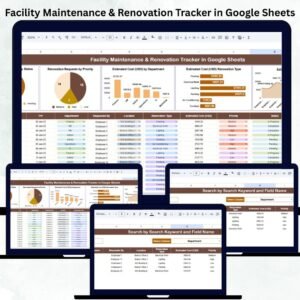
- Facility Maintenance & Renovation Tracker in Google Sheets: tracks maintenance and renovation work together
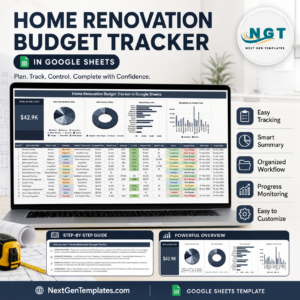
- Home Renovation Budget Tracker in Google Sheets: a budget view for home projects
- Work Order Request Tracker in Google Sheets: logs work orders and their status
Browse all Google Sheets trackers.

















Reviews
There are no reviews yet.