

Managing finance compliance deadlines while working remotely can be stressful. With changing regulations, strict filing timelines, and increasing reporting requirements, missing even one deadline can result in penalties, compliance failures, or reputational damage. Remote teams need a structured system that brings visibility and order to compliance management.
That’s exactly what the Finance Compliance Remote Work Calendar in Excel delivers. This ready-to-use calendar template offers a centralized, automated, and easy-to-navigate solution that ensures your finance and compliance teams never miss a task again.
✨ Key Features of the Finance Compliance Remote Work Calendar
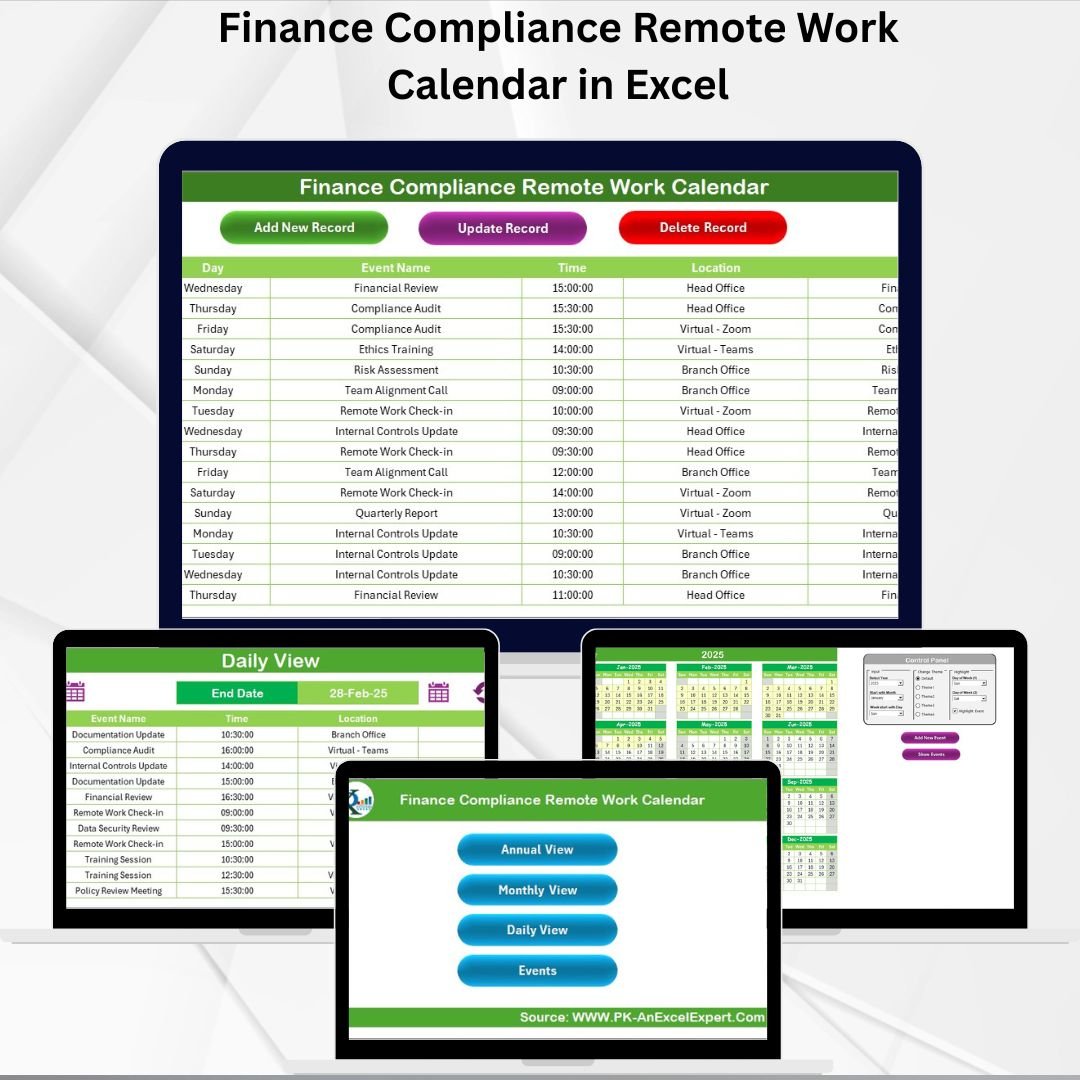
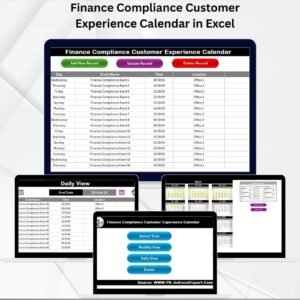
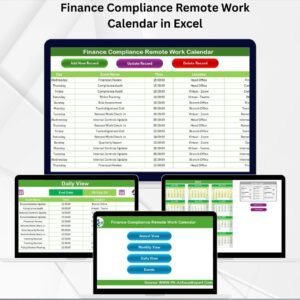
📊 Five Powerful Worksheets – Home, Annual View, Monthly View, Daily View, and Events database.
🖱️ Home Sheet with Navigation – Jump directly to Annual, Monthly, Daily, or Events sheets in one click.
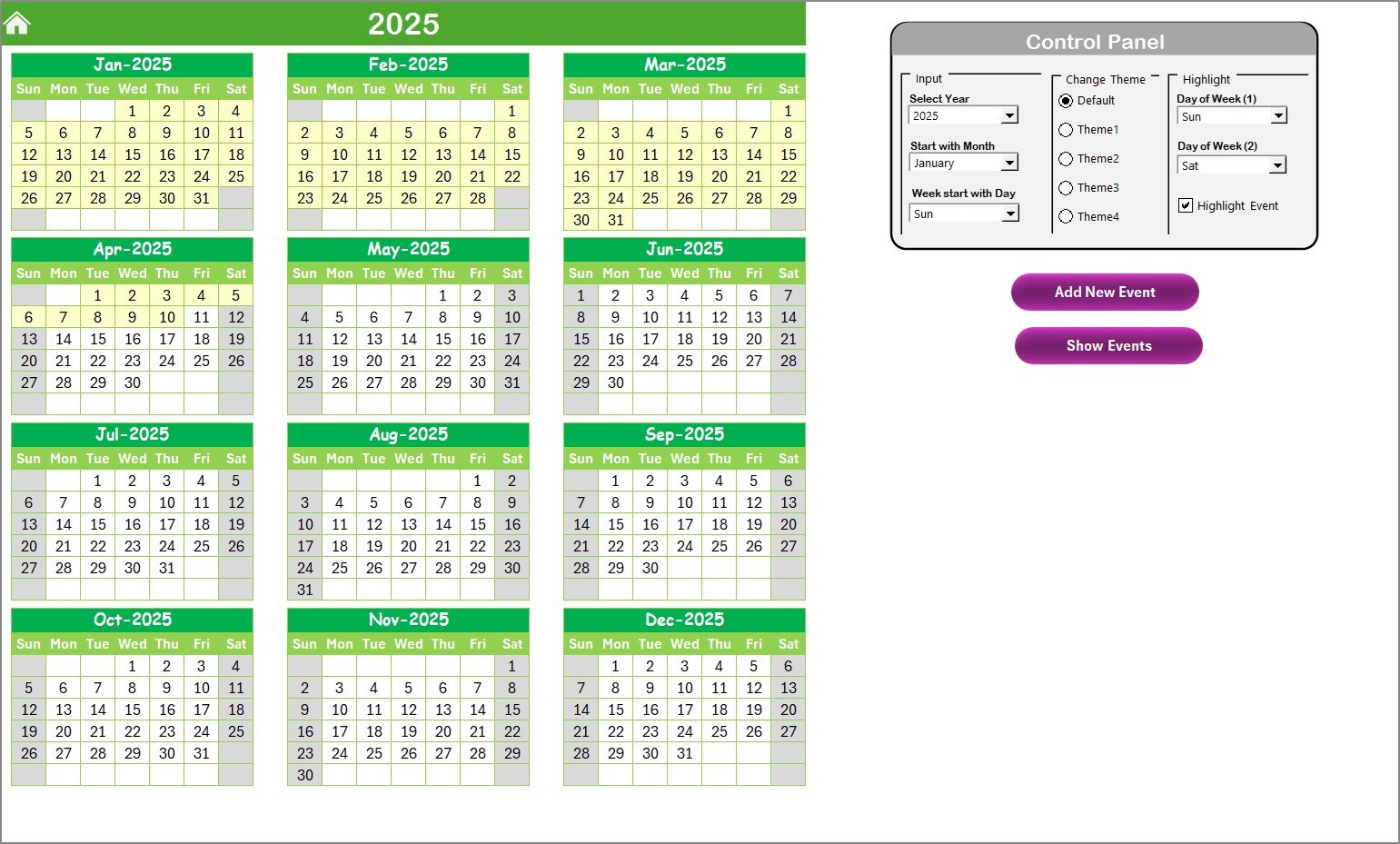
📅 Annual View – Full 12-month calendar with year selection, customizable themes, and event highlighting.
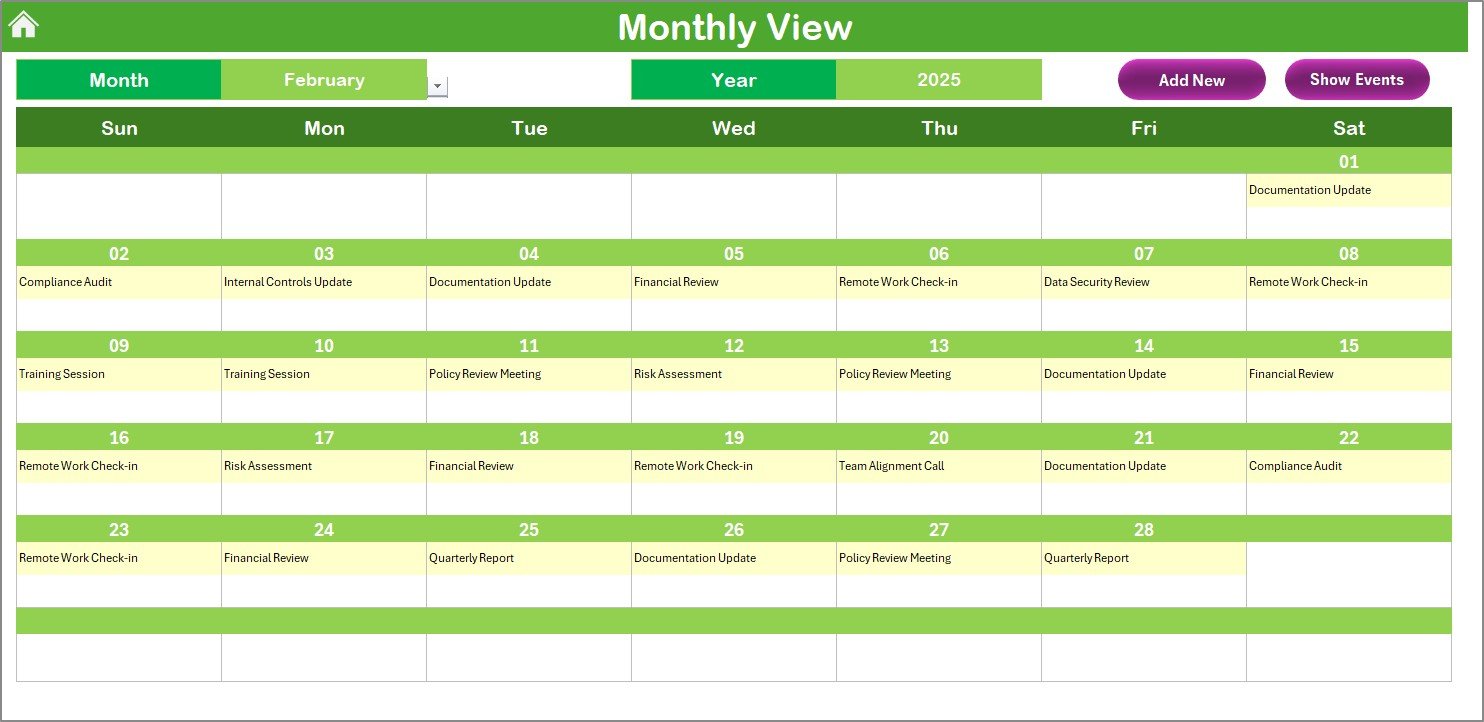
🗓️ Monthly View – Select month and year to see all compliance events. Handles multiple tasks per day.
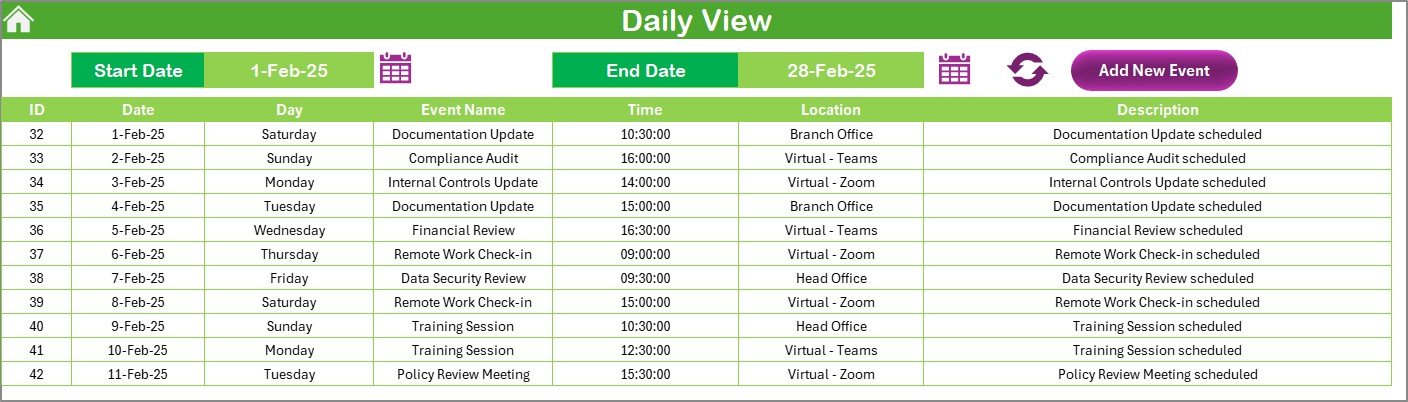
📆 Daily View – Enter date ranges to track detailed compliance activities such as audits or tax filings.
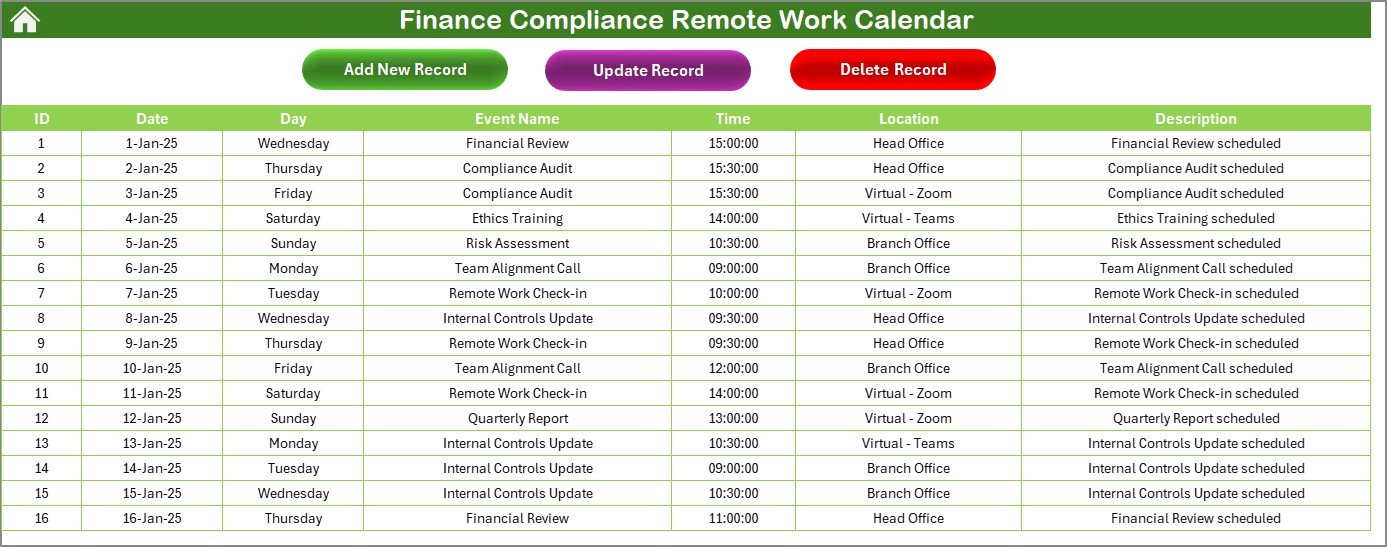
📂 Events Sheet Database – Stores all event details with auto-generated IDs and easy add/update/delete buttons.
🎨 Custom Themes & Highlights – Choose from five color themes and mark urgent events in yellow.
✅ Error Reduction – Automated structure prevents duplication and ensures accuracy.
📦 What’s Inside the Template
The Finance Compliance Remote Work Calendar in Excel comes pre-built with:
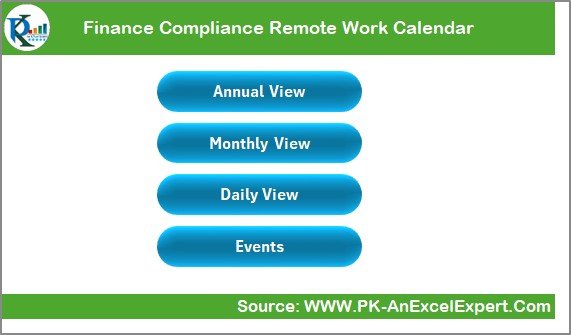
Home Sheet – A dashboard-like control panel for easy navigation.
Annual View Sheet – Plan compliance events across the year with customization options.
Monthly View Sheet – Focused monthly view with add/view buttons for detailed event management.
Daily View Sheet – Track multiple events in a date range, perfect for high-pressure weeks.
Events Sheet – A structured database with fields for ID, Date, Day, Event Name, Time, Location, and Description.
This ensures compliance managers, accountants, and auditors can stay organized without switching between scattered files.
🛠️ How to Use the Calendar
Start at the Home Sheet – Use navigation buttons to move across different views.
Add Compliance Events – Use the Annual, Monthly, or Daily View to schedule audits, tax filings, or reporting deadlines.
Manage Records – Enter details in the Events Sheet using Add, Update, or Delete buttons.
Highlight Important Tasks – Use themes and highlight features to mark critical compliance events.
Track Progress – Switch between views to see upcoming deadlines and ensure nothing slips through.
👥 Who Can Benefit from This Calendar?
Finance Managers – Track tax filings, audits, and reporting deadlines.
Compliance Officers – Manage regulatory checks, policy reviews, and updates.
Accountants – Schedule financial reporting and statutory filings.
Auditors – Organize audits and related documentation events.
Remote Finance Teams – Stay aligned on compliance schedules while working from different locations.
🎯 Advantages of the Finance Compliance Remote Work Calendar
📌 Centralized Information – All compliance tasks stored in one file.
⏳ Time-Saving – Quick navigation and auto-generated IDs simplify scheduling.
💡 Transparency – Remote teams follow the same structured calendar.
🎨 Customization – Choose color themes and highlight urgent events.
🔒 Error Reduction – Prevents duplication and missed records.
🏢 Regulatory Preparedness – Keeps you ready for tax filings, audits, and board meetings.
🚀 Opportunities for Improvement
🔔 Add notifications via Outlook or Teams for reminders.
☁️ Enable cloud integration with OneDrive or Google Drive.
📱 Build a mobile-friendly version for easy access on the go.
👥 Introduce role-based access for secure collaboration.
🔐 Add password protection for sensitive compliance data.
🏆 Best Practices for Using the Calendar
Update regularly as soon as new tasks are assigned.
Use themes and highlights for urgent vs. routine tasks.
Conduct weekly reviews every Monday to stay on track.
Keep descriptions short for readability.
Back up the file in cloud storage.
Train your team to use the navigation buttons effectively.
🏢 How This Calendar Helps Finance Teams
📑 Audit Preparation – Organize audit dates and documentation.
🏦 Regulatory Filing – Never miss tax filing deadlines.
📜 Policy Reviews – Record compliance meetings and updates.
🎓 Training – Schedule mandatory compliance training sessions.
👔 Board Meetings – Plan high-level meetings with auditors and regulators.
This template acts as a digital compliance assistant for finance teams working remotely or in hybrid setups.
📖 Click here to read the Detailed blog post
🎥 Visit our YouTube channel to learn step-by-step video tutorials
Watch the step-by-step video tutorial:
Compatibility and Requirements
- Works in Microsoft Excel desktop (Excel 2016 or later, or Microsoft 365).
- The Add, Update and Delete buttons need Excel desktop on Windows with macros enabled. Microsoft explains how in Enable or disable macros in Microsoft 365 files. The template does not run in Excel for the web, Google Sheets or mobile.
Frequently Asked Questions
Which sheets does the calendar include?
Five sheets: Home, Annual View, Monthly View, Daily View and Events.
Where are the event details stored?
On the Events sheet. Each record has an ID, Date, Day, Event Name, Time, Location and Description, and you manage records with the Add, Update and Delete buttons.
Can I enter more than one event on the same day?
Yes. The Monthly View handles multiple tasks per day, and the Daily View lets you enter a date range to see several events at once.
Can I change the colors or mark urgent events?
Yes. The Annual View has five color themes, and you can highlight urgent events in yellow.
Is there a similar calendar for other departments?
Yes. See the Compliance Remote Work Calendar in Excel and the Finance HR Remote Work Calendar in Excel.
Related Remote Work and Compliance Calendars
- Compliance Remote Work Calendar in Excel: the same calendar for general compliance teams
- Finance HR Remote Work Calendar in Excel: remote work scheduling for finance and HR
- Finance Operations Remote Work Calendar in Excel: a version for finance and operations teams
- Legal Compliance Calendar in Excel: a compliance calendar for legal deadlines
- Remote Work KPI Dashboard in Google Sheets: track remote work metrics in Google Sheets
Browse all Excel calendar templates.













Reviews
There are no reviews yet.