


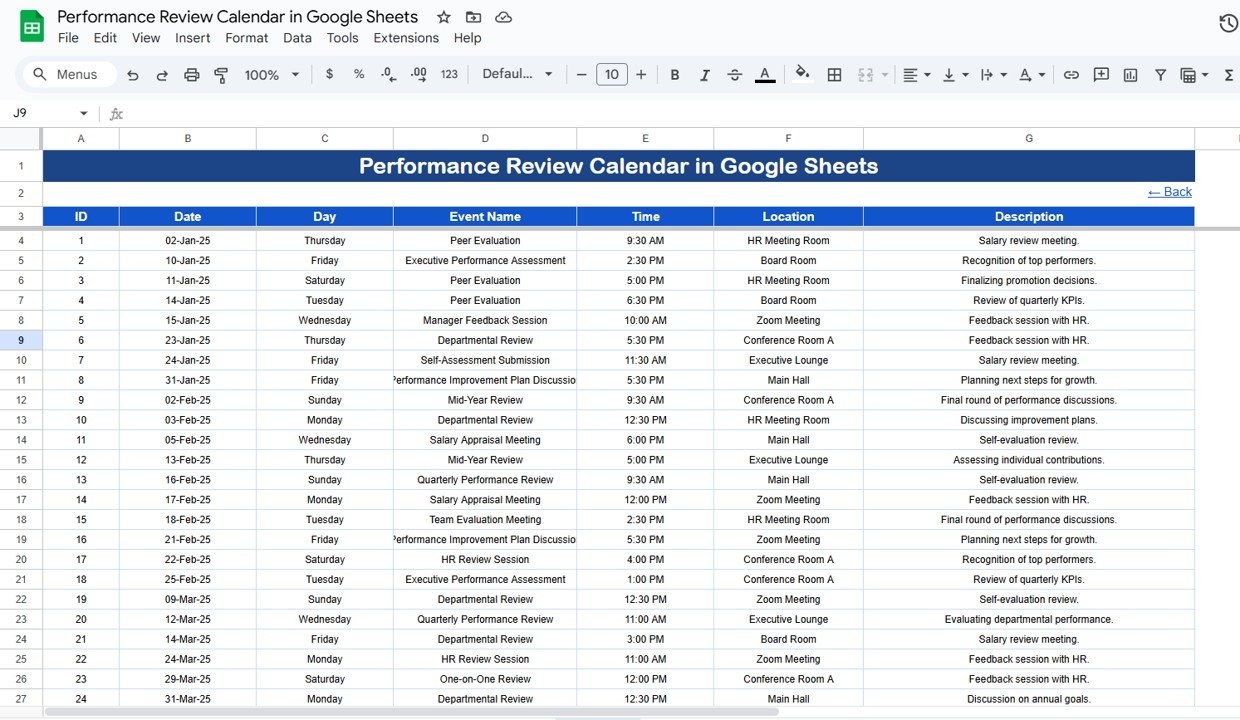

Managing performance reviews can be overwhelming — especially when dealing with large teams and multiple departments. The Performance Review Calendar in Google Sheets is a ready-to-use, fully customizable template designed to streamline your review process, keep everyone aligned, and ensure no evaluation is missed.
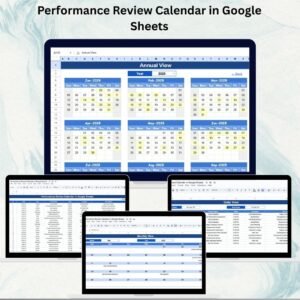
This tool provides annual, monthly, and daily views to help HR teams, managers, and executives plan performance evaluations effectively. With centralized scheduling, automated updates, and real-time collaboration, it eliminates manual errors and boosts productivity.

🔑 Key Features of Performance Review Calendar in Google Sheets
🏠 Home Sheet Tab – Central Navigation
Easily move between Annual, Monthly, Daily, and Events views using one-click buttons. No more scrolling through endless sheets.
📅 Annual View – Year-Wide Planning
12-month calendar overview
Selectable year input
Custom starting month & starting day of the week
Perfect for long-term planning of employee performance reviews.
🗓 Monthly View – Focused Scheduling
View all events for the chosen month
Multiple events per day supported (with “more than 1…” indicator)
Ideal for department-level review scheduling.
📆 Daily View – Day-to-Day Operations
Select start & end date ranges
See a list of reviews happening in that period
Helps HR coordinators manage busy review days seamlessly.
📋 Events Database – The Backbone of the Calendar
Keep all review details in one structured sheet, including:
Event ID
Date & Day
Event Name
Time & Location
Description / Notes
Changes made here reflect across all calendar views automatically.
📦 What’s Inside the Performance Review Calendar?
When you download this template, you’ll get:
✅ Home Tab – Central navigation hub
✅ Annual View Tab – Big-picture review planning
✅ Monthly View Tab – Month-specific tracking
✅ Daily View Tab – Detailed daily event lists
✅ Events Tab – Complete review event database
✅ Sample Data – Pre-filled for demonstration
✅ Customizable Settings – Adjust year, start month, and week structure
🧠 How to Use the Performance Review Calendar
Enter Events – Add employee review details in the Events tab
Plan Strategically – Use Annual View for company-wide planning
Focus on Details – Use Monthly & Daily views for execution
Adjust Settings – Customize starting month or week structure
Collaborate – Share the sheet with managers for joint planning
Update Regularly – Keep it accurate for reliable scheduling
👥 Who Can Benefit from This Calendar?
👩💼 HR Managers – Organize reviews across departments
👨💼 Team Leaders – Schedule and track reviews for direct reports
🏢 Executives – Get visibility into review timelines company-wide
🌍 Remote Teams – Collaborate in real-time with cloud-based access
📊 Organizations of Any Size – From startups to large enterprises
This calendar adapts to any HR strategy and makes review management transparent and efficient.
🔗 Click here to read the Detailed blog post
Watch the step-by-step video Demo:
🔗 Visit our YouTube channel to learn step-by-step video tutorials
Compatibility and Requirements
- Works in Google Sheets. You need a free Google account and a web browser.
- You can share the sheet with managers so several people plan reviews together. Google explains the basics in Get started with Google Sheets.
Frequently Asked Questions
Which tabs are included?
Five tabs: Home, Annual View, Monthly View, Daily View and Events. The file also has sample data and settings for the year, starting month and first day of the week.
Where do I enter review dates?
Add each review in the Events tab with its Event ID, date, day, event name, time, location and description or notes. The Annual, Monthly and Daily views update from that tab.
Can I schedule more than one review on the same day?
Yes. The Monthly View supports several events on one day and shows a “more than 1” indicator. The Daily View lists every review in the date range you pick.
Can I change the starting month or the first day of the week?
Yes. The Annual View lets you choose the year, the starting month and the starting day of the week.
Is there an Excel version of this calendar?
Yes. See the Performance Review Calendar in Excel.
Related Performance Review Templates
- Performance Review Calendar in Excel: the same calendar for Excel users
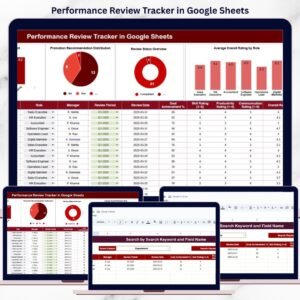
- Performance Review Tracker in Google Sheets: track review results after you schedule them
- Employee Performance Review Dashboard in Google Sheets: a dashboard view of review data
- Monthly Performance Review Checklist in Google Sheets: a checklist for each monthly review
- HR Google Sheets Pack: 10 HR templates for Google Sheets in one download
Browse all Google Sheets calendars or the HR and Payroll templates in Google Sheets.

































Reviews
There are no reviews yet.