




📊 Key Features of Training Completion Certification Tracker in Excel
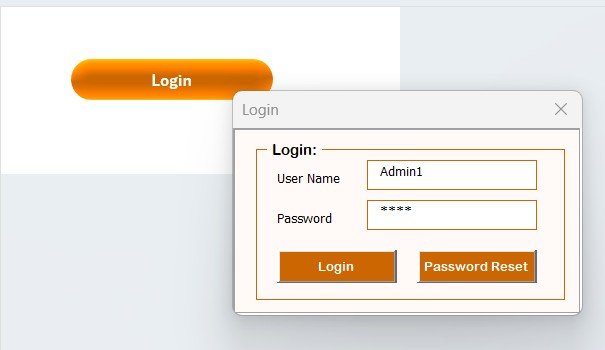
🔐 Secure Login System
Access your dashboard using a login form with user ID and password. The tool includes a User Management Panel where admins can add users, change passwords, and manage roles—ensuring security and control.
🧭 Centralized Main Form for Control
This is your command center! From here, you can add, update, or delete training records with ease—powered by VBA automation for a smooth and error-free experience.
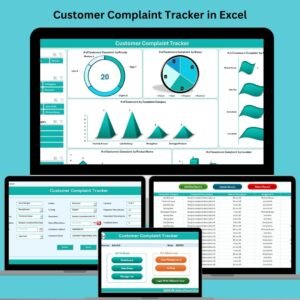
📊 Interactive Dashboard with 8 Charts & 8 Slicers
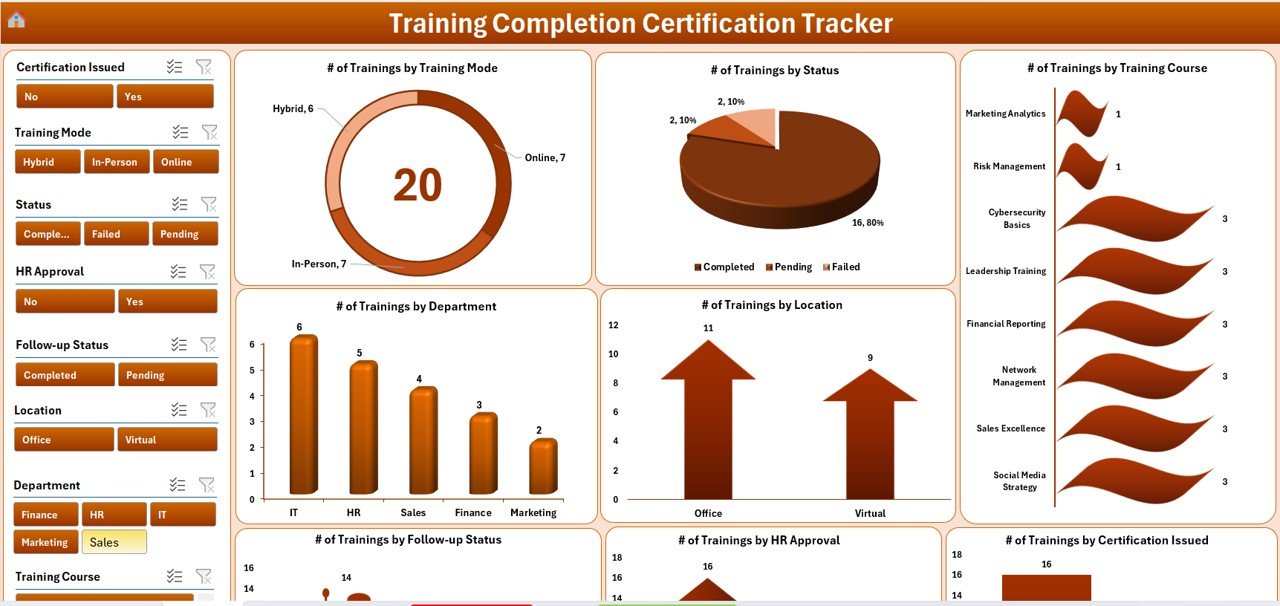
Gain visual insights at a glance. The dashboard showcases training stats by mode, course, status, department, approval, follow-up, and location. Slicers make filtering data fast and intuitive.
📥 Dynamic Data Entry Form
No need to scroll through long sheets. Use the Add, Update, or Delete buttons for a seamless data entry experience. Every action updates the dashboard instantly.
📄 Manage List Sheet for Dropdown Control
Easily customize values like Departments, Courses, Training Modes, and Follow-up Status. Add or remove dropdown entries without touching backend formulas.
⚙️ Custom Settings Sheet
Define default values, approval levels, certificate validity ranges, and more to align with your organization’s compliance needs.
👨👩👧👦 Multi-User Access
Share across teams! HR, Training, and Department heads can use the same file with role-based access—making it scalable for large or small teams.
📂 Behind-the-Scenes Support Sheet
A dedicated pivot-driven sheet keeps your dashboard working efficiently. Hidden to avoid accidental edits but crucial for seamless performance.
📂 What’s Inside the Training Completion Certification Tracker in Excel
✅ Excel File with VBA Forms – Fully functional user forms for adding, updating, and deleting records
✅ Interactive Dashboard Tab – 8 charts and 8 slicers for powerful data visuals
✅ Main Form (UserForm) – Easy record management via buttons
✅ Data Entry Sheet – Backend table where records are stored and updated
✅ Manage List Sheet – Custom dropdowns for consistency and ease
✅ User Management Panel – Add/delete users, manage passwords, assign roles
✅ Settings Sheet – Customize thresholds, approval logic, default values
✅ Support Sheet – Contains pivot tables powering dashboard visuals
⚙️ How to Use the Training Completion Certification Tracker in Excel
🔐 Step 1: Login Securely
Use the credentials (default: Admin1/abcd) to log in securely and begin tracking.
📥 Step 2: Add/Update/Delete Records
Click on the relevant button in the Data Entry Sheet to add a new training, update existing entries, or remove records instantly.
📊 Step 3: Analyze with Dashboard
Visit the Dashboard Tab to view charts and filter data using slicers like Department, Course, Status, and Location.
🧾 Step 4: Customize Lists & Settings
Use the Manage List Sheet to maintain dropdown values and the Settings Sheet to define rules like certificate expiry periods.
👥 Step 5: Manage Users
Navigate to the User Management Panel to assign roles and allow controlled access for multiple team members.
👥 Who Can Benefit from This Training Tracker
👩💼 HR Teams – Monitor employee training and compliance deadlines.
📚 Training Coordinators – Record sessions, track follow-ups, and generate visual summaries.
🏢 Corporate Departments – Stay audit-ready and manage team certifications efficiently.
🧑⚕️ Healthcare Facilities – Track medical staff compliance certifications with ease.
🏗️ Construction/Manufacturing Units – Ensure safety and machinery training is up to date.
🏫 Educational Institutions – Manage faculty training and development sessions.
🎓 Freelance Trainers – Manage clients, sessions, and validity timelines in one file.
🕵️ Compliance Teams – Stay proactive on certification renewals and follow-ups.
🔗 Click here to read the Detailed blog post
🎥 Visit our YouTube channel to learn step-by-step video tutorials
Watch the step-by-step video tutorial:
Compatibility and Requirements
- Needs Microsoft Excel desktop on Windows with macros enabled, because the forms and buttons run on VBA.
- It does not run in Excel for the web, Google Sheets or Excel mobile apps.
- Microsoft explains how to switch macros on in Enable or disable macros in Microsoft 365 files.
Frequently Asked Questions
Does this tracker need macros?
Yes. The login form, the main form and the Add, Update and Delete buttons are VBA userforms, so open the file in Excel desktop on Windows and enable macros.
What does the dashboard show?
It has 8 charts and 8 slicers covering training mode, course, status, department, approval, follow-up and location.
Can more than one person use the file?
Yes. Admins add users, change passwords and assign roles in the User Management Panel, so HR, training staff and department heads can share one file.
Can I change the departments and courses in the drop-downs?
Yes. Edit the values on the Manage List sheet. Departments, courses, training modes and follow-up status are all kept there.
Where do I set certificate validity periods?
Use the Settings sheet. It holds default values, approval levels and certificate validity ranges.
Related Training Templates
- Training Completion Certification Tracker in Google Sheets: the same tracker for teams that work in Google Sheets
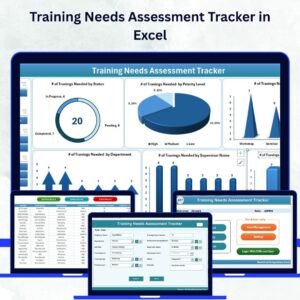
- Training Needs Assessment Tracker in Excel: record skill gaps before you plan courses
- Training Enrolments Tracker in Excel: log who signed up for each session
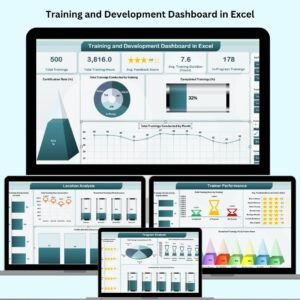
- Training and Development Dashboard in Excel: report on training programs across the year
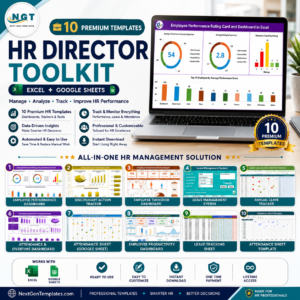
- HR Director Toolkit: a bundle of HR templates for Excel and Google Sheets
Browse all Excel trackers or the Excel VBA tools.












Reviews
There are no reviews yet.