

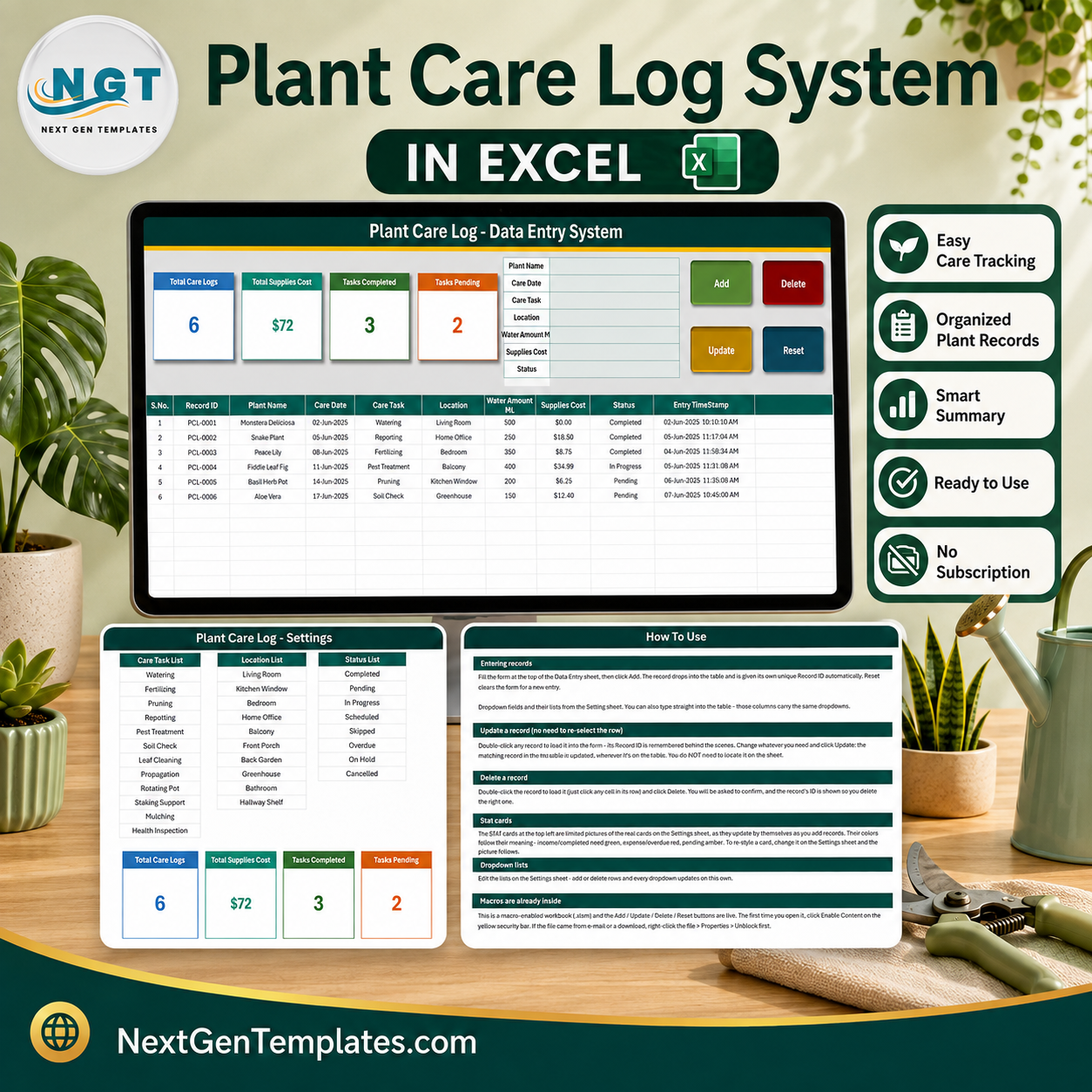

The Plant Care Log Data Entry System in Excel is a four-sheet macro-enabled workbook that records every watering, feeding, repotting and health check you carry out, one row at a time. Nine care fields, a twelve-item Care Task list, a ten-item Location list and an eight-item Status list are already built and editable. Four live stat cards sit above the form. Every record gets its own automatic ID (PCL-0001, PCL-0002, and so on) and its own entry timestamp, so the log is auditable rather than approximate. It runs entirely on your own PC – no account, no subscription, no cloud sync. Download it once and it is yours; if it is not what you expected, our refund policy applies.
Key Features of the Plant Care Log Data Entry System in Excel
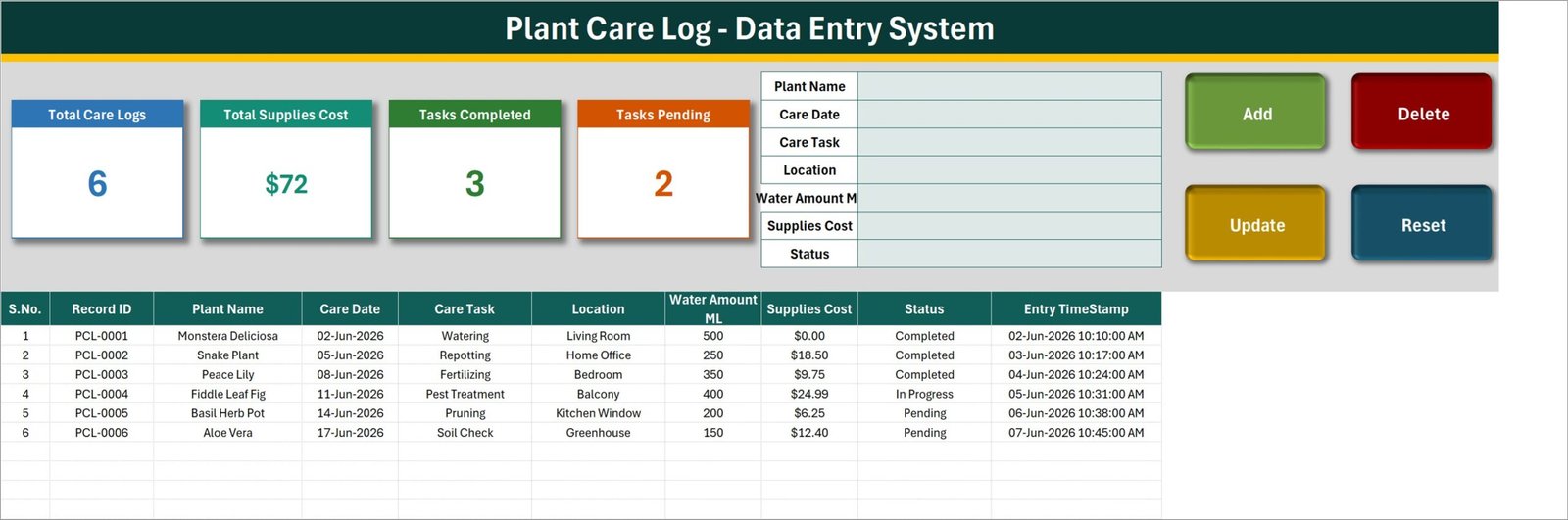
- Nine-column care record – S.No., Record ID, Plant Name, Care Date, Care Task, Location, Water Amount ML, Supplies Cost, Status and Entry TimeStamp.
- Automatic Record IDs – each new row is stamped PCL-0001 upward by the Add macro, so two plants both called “Snake Plant” never get confused.
- Four one-click macro buttons – Add, Update, Delete and Reset. Double-click any row to pull it back into the form; the workbook remembers which Record ID you loaded, so Update finds the right row wherever it sits.
- Four live stat cards – Total Care Logs, Total Supplies Cost, Tasks Completed and Tasks Pending. They are linked pictures of real formula cells on the Setting sheet, so they refresh as you type.
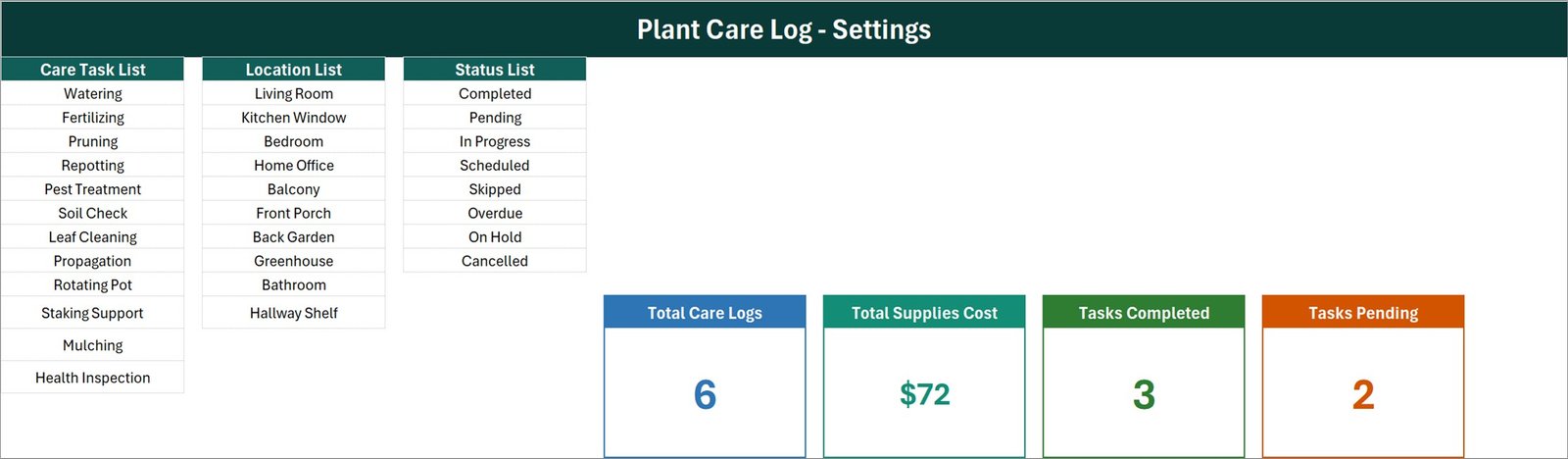
- Twelve care tasks ready to use – Watering, Fertilizing, Pruning, Repotting, Pest Treatment, Soil Check, Leaf Cleaning, Propagation, Rotating Pot, Staking Support, Mulching and Health Inspection.
- Ten locations ready to use – Living Room, Kitchen Window, Bedroom, Home Office, Balcony, Front Porch, Back Garden, Greenhouse, Bathroom and Hallway Shelf.
- Eight statuses – Completed, Pending, In Progress, Scheduled, Skipped, Overdue, On Hold and Cancelled.
- Water volume in millilitres and supplies cost per job – so a season of potting mix, feed and pest spray adds up in one column instead of a shoebox of receipts.
- Editable dropdown lists – add or delete rows on the Setting sheet and every dropdown follows, with no formula editing.
- Entry TimeStamp on every row – the date and time the record was saved, kept separate from the Care Date it describes.
What’s Inside the Plant Care Log Data Entry System in Excel
The download is a single .xlsm workbook with four sheets.
- Data Entry – the working sheet. Four stat cards top-left, a seven-field form top-centre, four macro buttons top-right, and the records table from row 15 down.
- Setting – the Care Task List, Location List and Status List, plus the four real KPI cards that the Data Entry pictures are linked to.
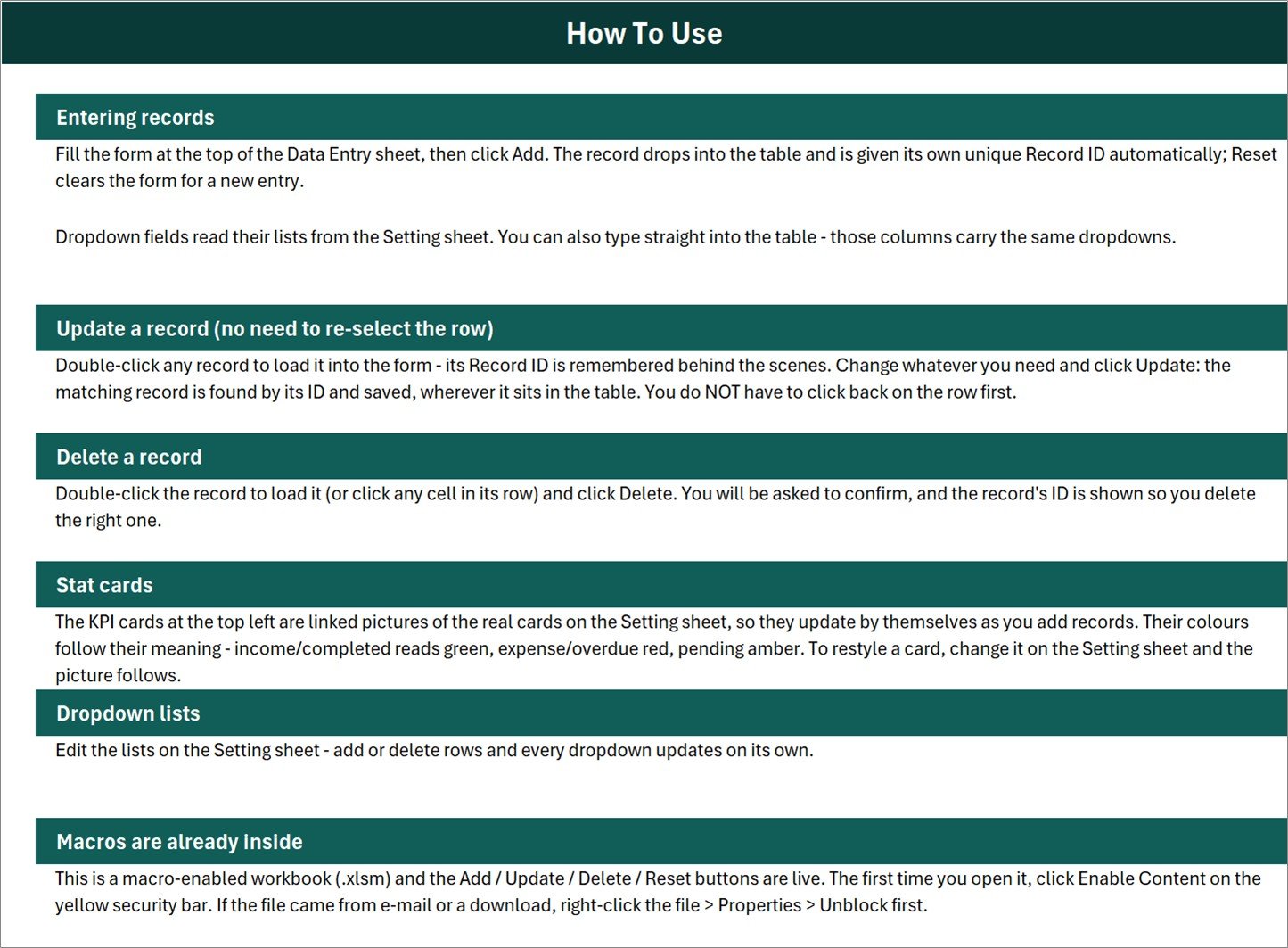
- Instructions – a “How To Use” page covering entering records, updating without re-selecting a row, deleting safely, the stat cards, the dropdown lists and enabling macros.
- Get More Templates – links back to the NextGenTemplates catalogue.
Plant Care Log in Excel vs. Google Sheets vs. a Subscription Plant App – Where This Fits
| This Excel system | A Google Sheets equivalent | Subscription plant-care app | |
|---|---|---|---|
| Cost | One payment, no renewal | One payment, no renewal | Roughly $3-$8 per month |
| Platform | Excel for Windows desktop, macros on | Browser, any device | Phone app |
| Setup time | Under 5 minutes – unblock, enable macros, type | Under 5 minutes | Account, plant scan, onboarding |
| Real-time team collaboration | No – single user, one file | Yes | Usually one account |
| Mobile access | View only via OneDrive; the buttons need desktop Excel | Yes | Yes |
| Customisable fields | Yes – rename columns, edit all three lists | Yes | Rarely |
| Share with a link | No – you send the file | Yes | No |
| Year-1 cost, one household | $6.99 on sale | Similar | $36-$96 |
| Reminders and notifications | No – you set the Status yourself | No | Yes |
| Where your data lives | Only on your PC | In your Google Drive | On the vendor’s servers |
Who This Template Is For – and Who It’s Not For
It fits houseplant collectors who have passed the point of remembering what was watered when; balcony and terrace growers running twenty to two hundred pots; anyone propagating cuttings who needs a dated record of what was potted on; a small office or studio where one person looks after the greenery and wants a hand-over record; and gardeners who want to know what a year of feed, compost and pest treatment actually cost.
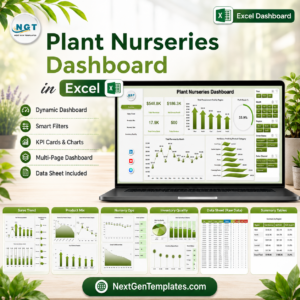
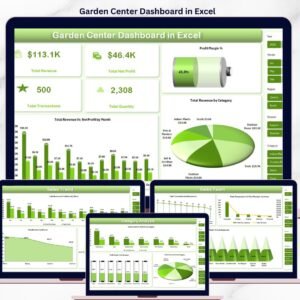
It does not fit anyone who wants reminders to arrive on their phone – this workbook never notifies you, it only records what you tell it. It is not a plant identifier, it does not diagnose disease or pests, and it gives no watering, feeding or dosage advice of any kind. It does not read soil sensors, smart pots or irrigation controllers. It is not a nursery point-of-sale or stock system – for commercial horticulture see the Plant Nurseries Dashboard in Excel or the Garden Center Dashboard in Excel. And because the Add, Update, Delete and Reset buttons are VBA, it needs Excel on Windows desktop – Excel for the web, Excel for Mac and the mobile apps cannot run them.
How to Use the Plant Care Log Data Entry System in Excel
- Right-click the downloaded file, choose Properties and tick Unblock, then open it and click Enable Content on the yellow bar. Without macros the four buttons do nothing.
- Open the Setting sheet and edit the three lists to match your home – swap “Balcony” for “Roof Terrace”, add “Misting” to the Care Task list, delete the statuses you will never use.
- Delete the six sample rows (PCL-0001 to PCL-0006) once you have looked at them.
- Fill the form: Plant Name, Care Date, Care Task, Location, Water Amount ML, Supplies Cost, Status. Click Add. The row lands in the table with its own Record ID and timestamp.
- To change a record, double-click it, edit the form and click Update. To remove one, load it and click Delete – you are asked to confirm and shown the ID first.
- Watch the four cards. They recalculate as you go; nothing needs refreshing.
Real-World Use Cases
Priya, 61 houseplants across a two-bedroom flat. Every Sunday she logs the week: Watering for the Monstera on the Living Room row, Repotting for the Snake Plant in the Home Office, Soil Check for the Aloe in the Greenhouse. Because Location is a dropdown she can sort the table by room and water a whole room in one pass instead of wandering the flat with a jug.
Daniel, propagation hobbyist. He logs each cutting as Propagation with the date it went into water and sets Status to In Progress. Six weeks later he finds the row by its Record ID and switches it to Completed. The Entry TimeStamp column tells him how long each batch really took – not how long he remembers it taking.
Marta, office plant rota. Three colleagues share the watering. Marta keeps the file, records who did what, and uses the Tasks Pending card as the handover number before she goes on leave.
Frequently Asked Questions
Do the four stat cards add up to the total number of records?
No, and it is worth understanding before you buy. Tasks Completed counts rows with Status “Completed” and Tasks Pending counts rows with Status “Pending” – two of the eight statuses. In the shipped sample that is 3 + 2 = 5 against a Total Care Logs figure of 6, because one row is “In Progress”. Rows set to Scheduled, Skipped, Overdue, On Hold, In Progress or Cancelled are counted in the total and in neither card. The counts are correct; they were simply never meant to sum.
Does Total Supplies Cost only count work I have finished?
No. It is an unfiltered sum of the whole Supplies Cost column, so pending, scheduled and cancelled rows sit inside it. In the sample the true total is $71.89, of which $43.64 is on rows that are not Completed – completed spend is $28.25. The card is also formatted with no decimal places, so $71.89 displays as $72; the underlying cell is exact. If you want completed-only spend, a SUMIF on the Status column gives it in one formula.
What exactly does Total Care Logs count?
It is a COUNTA over the Plant Name column, not over the Record ID column. Every row added through the form has a plant name, so in normal use the number is right. But a row typed straight into the table without a plant name is stored and never counted. Pointing that one formula at the Record ID column instead makes the card count every saved row.
Is the water amount totalled anywhere?
No. Water Amount ML is recorded per row for your own reference and is never summed or averaged by any card or formula. Add your own SUM below the column if you want a season total.
How many rows do the dropdowns cover?
The Care Task, Location and Status dropdowns are applied to rows 15 to 214 – 200 records. The stat-card formulas already read the whole column, so records past row 214 are still counted; you only need to drag the data validation down if you want the dropdowns to continue.
Will it tell me when to water?
No. This is a record, not an advisor. It sends no reminders, offers no schedules and makes no horticultural recommendations. You decide the care; the workbook remembers it.
Can I use it on a Mac or on my phone?
You can open and read the file anywhere, but the Add, Update, Delete and Reset buttons are VBA macros and need Microsoft Excel on Windows desktop. Everything else – the table, the lists, the cards – behaves as ordinary Excel.
About the Author
Built by PK – Microsoft Certified Professional with 15+ years of Excel, Google Sheets, and Power BI experience. Founder of NextGenTemplates, reaching 300K+ subscribers across YouTube channels. Every template is hand-built and tested before release.
Explore Related Templates
- Fertilizer Usage Data Entry System in Excel – the same form-and-table build, aimed at feed applied by plot rather than by pot.
- Harvest Record Data Entry System in Excel – for logging what those plants eventually produce.
- Book Reading Log Data Entry System in Excel – the personal-log sibling, if you want one for the shelf as well as the windowsill.
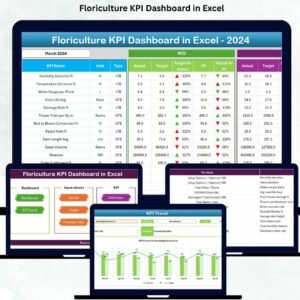
- Floriculture KPI Dashboard in Excel – the commercial-scale step up, with KPIs instead of a log.
- Browse all Excel trackers and Excel VBA tools.
Read the full walkthrough, with screenshots of all three working sheets, on PK-AnExcelExpert.com.
Buy the Plant Care Log Data Entry System in Excel once and keep the file forever. Add it to your cart above and log today’s watering in the next five minutes.
Last updated: 26 August 2026.


































Reviews
There are no reviews yet.